tokidachi
Health Uyari
- License — License: MIT
- Description — Repository has a description
- Active repo — Last push 0 days ago
- Low visibility — Only 5 GitHub stars
Code Basarisiz
- rm -rf — Recursive force deletion command in scripts/package.sh
Permissions Gecti
- Permissions — No dangerous permissions requested
Bu listing icin henuz AI raporu yok.
Tokidachi: a GNOME Shell companion for Claude Code and Codex usage limits
Tokidachi
This repository is the Linux/GNOME component of Tokidachi. It owns the
platform-neutral Java collector, its versioned JSON contract, and the Linux
host. The native macOS and Windows hosts consume that contract without
reimplementing provider or credential parsing.
Tokidachi components
| Component | Scope | Repository / downloads |
|---|---|---|
| Collector + Linux host | Java collector and GNOME Shell widget | tokidachi · Linux releases |
| macOS host | Swift/AppKit/SwiftUI menu bar app | tokidachiMac · macOS releases: TBD |
| Windows host | WinUI 3/.NET tray app | tokidachiWin · Windows releases: TBD |
Rendering fixtures are available in fixtures/collector
for both native hosts to test against before a live collector is available.
A quiet GNOME Shell widget that shows Claude Code and Codex usage windows on
Ubuntu. Providers are independent and only configured providers are
displayed.
The widget has no taskbar icon and never appears in the window switcher or
Overview. It stays below application windows, including maximized ones, and
remains interactive when the desktop is visible. It supports GNOME 45–48 and
targets Ubuntu 24.04 LTS. Unlike
earlier releases, it is a normal interactive Shell element (not a
click-through background layer): you can minimize it, drag it, resize it,
and pick a theme, all with the mouse.



[!IMPORTANT]
Tokidachi replaces the former AI Usage Widget name and uses the new GNOME
extension UUID[email protected]. Existing installations need a
one-time manual migration. Follow MIGRATION.md before
installing this release.
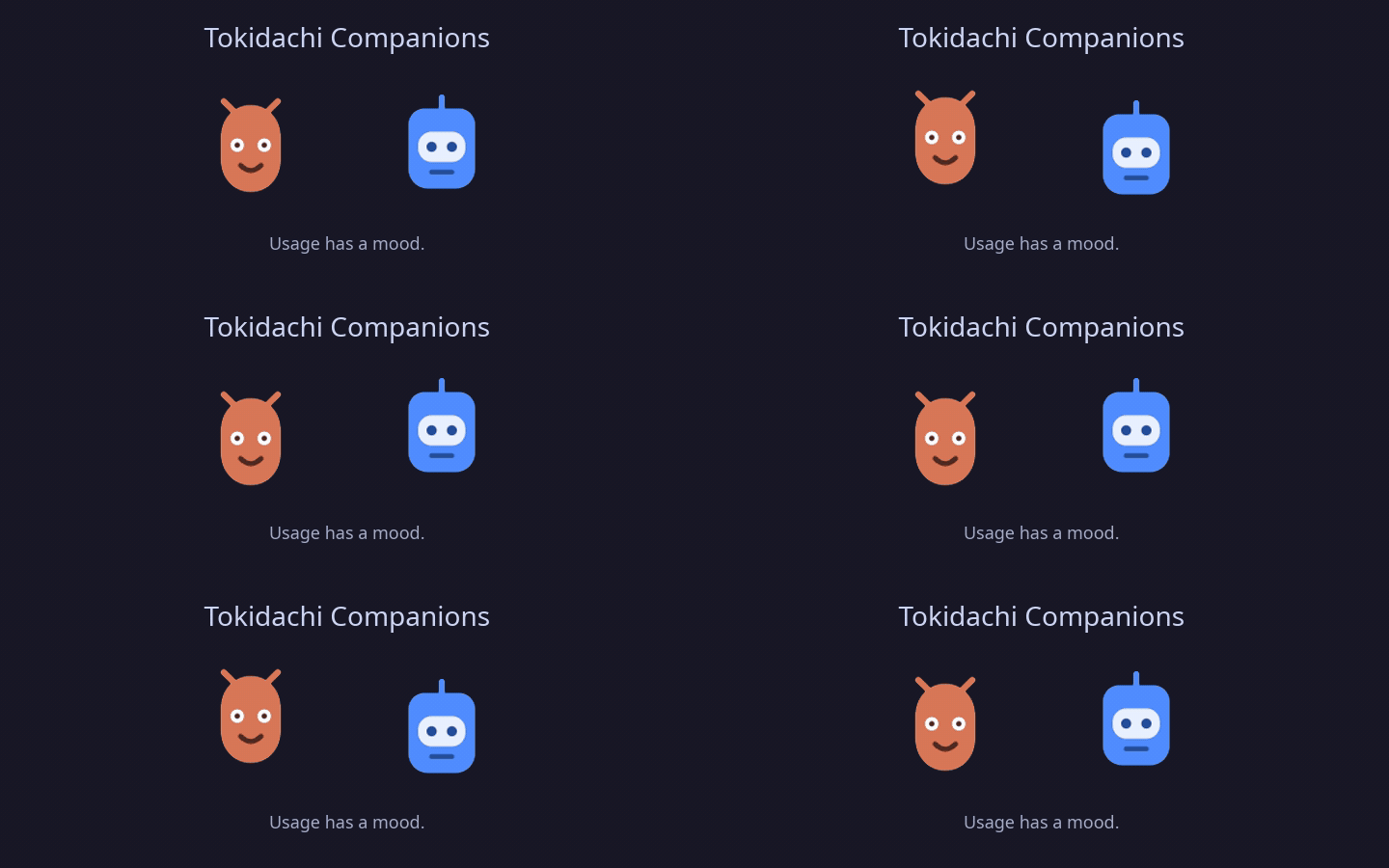
Tokidachi Companions
The provider mascots are the widget's signature: one coherent family of
original, local-only characters whose mood makes quota pressure visible at a
glance. They stay calm during normal use, become restless above 80%, and call
attention to authentication or collector errors. Motion can be disabled
without hiding them.
What it shows
- Claude's 5-hour and 7-day utilization, plus reset times when available.
- Every limit window returned by the official Codex app-server, including
multiple metered buckets and individual spend controls. - Codex limit-state warnings and available rate-limit resets when reported.
- Independent provider state: Claude can fail without affecting Codex, and
vice versa. - Only providers that are actually configured. If neither is configured, the
card remains hidden. - A small local mascot for each provider. Its motion reflects normal, high-use,
and attention states and stops while the widget is minimized. - An interface in English or Brazilian Portuguese. By default, Tokidachi
follows the GNOME system language and falls back to English for unsupported
locales.
The collector registry and widget rendering support any number of providers,
but this release has quota integrations for Claude Code and Codex only.
Gemini CLI is intentionally not included: its official documentation exposes
quota in the interactive /stats model
view, but does not document a stable headless command or public quota API that
the collector can safely consume. DeepSeek is also excluded because its API is
usage-priced and balance-based,
not a subscription window comparable to the 5-hour/7-day bars shown here.
The widget refreshes every five minutes by default. A sanitized usage-only
cache is kept for up to 30 minutes so a temporary failure does not blank a
previously working provider.
Requirements
For the prebuilt Linux release:
- Ubuntu 24.04 LTS or another x86-64 Linux distribution with GNOME 45–48.
- At least one supported provider:
- Claude Code logged in with OAuth:
claude auth login; or - Codex CLI installed and logged in with ChatGPT:
codex login.
- Claude Code logged in with OAuth:
Java and Python are not required by the prebuilt release. API-key Claude
accounts do not expose a subscription utilization bar; use Claude Code's/cost command for per-session API spend instead.
Install - copy and paste once
First, make sure Claude Code or Codex is already logged in. Then copy and
paste this entire block into a terminal; it downloads the latest release,
installs the native collector, and enables the extension:
set -euo pipefail
UUID='[email protected]'
ARCHIVE="$(mktemp --suffix=.tar.gz)"
INSTALL_DIR="$(mktemp -d)"
trap 'rm -f "$ARCHIVE"; rm -rf "$INSTALL_DIR"' EXIT

URL='https://github.com/Gaalbu/tokidachi/releases/latest/download/tokidachi-linux-x86_64.tar.gz'
if command -v curl >/dev/null 2>&1; then
    curl --fail --location --show-error "$URL" --output "$ARCHIVE"
elif command -v wget >/dev/null 2>&1; then
    wget --output-document="$ARCHIVE" "$URL"
else
    echo 'Install curl or wget and run this block again.' >&2
    exit 1
fi

tar -xzf "$ARCHIVE" -C "$INSTALL_DIR"
"$INSTALL_DIR/scripts/install.sh"

if ! gnome-extensions enable "$UUID" 2>/dev/null; then
    CURRENT="$(gsettings get org.gnome.shell enabled-extensions)"
    if [[ "$CURRENT" != *"'$UUID'"* ]]; then
        if [[ "$CURRENT" == '[]' || "$CURRENT" == '@as []' ]]; then
            NEXT="['$UUID']"
        else
            NEXT="${CURRENT%]}, '$UUID']"
        fi
        gsettings set org.gnome.shell enabled-extensions "$NEXT"
    fi
    echo 'Installation complete. Log out and back in once to show the widget.'
else
    echo 'Installation complete. The widget is enabled.'
fi
On GNOME Wayland, the first installation may require logging out and back in.
The block already leaves the extension enabled, so no second command is
needed. Java and Python do not need to be installed.
To remove it:
UUID='[email protected]'
DEST="${XDG_DATA_HOME:-$HOME/.local/share}/gnome-shell/extensions/$UUID"
gnome-extensions disable "$UUID" 2>/dev/null || true
gio trash "$DEST"
The uninstaller moves the extension to the user trash instead of deleting it
permanently.
Build and install from source
Source builds require Maven, a GraalVM JDK 21 or newer distribution with Native Image,
Node.js for the JavaScript syntax check, and zip for release packaging.
git clone https://github.com/Gaalbu/tokidachi.git
cd tokidachi
make test
make native
./scripts/install.sh
Build outputs:
mvn packagecreates the executabletarget/tokidachi-0.3.1-all.jar.mvn -Pnative packagecreatestarget/tokidachi, the standalone
Linux executable used by the extension.make packagecreates the installable archives underdist/.
The JAR is useful for development and diagnostics:
java -jar target/tokidachi-0.3.1-all.jar --pretty
Interact and customize
No config-file editing is required for day-to-day use:
- Drag the header to move the widget anywhere on any monitor. Position is
saved automatically. - Scroll over the card to resize it (
scaleStepper notch, clamped
betweenminScaleandmaxScale). - Click the minimize button (top-right of the header) to collapse the
widget to a small pill; click the pill to restore it. - Right-click the card to open a small menu: cycle the theme
(Dark → Light → Glass), choose the interface language (System → English →
Portuguese (Brazil)), reset position and size, or force an immediate refresh.
Theme, language, and minimized state persist across restarts in~/.config/tokidachi/. Layout (position, monitor, scale) is saved
separately in layout.json in the same directory.
Changing the language updates the visible interface and accessibility labels
immediately. Tokidachi translates its own controls and status text; provider
names, quota-window labels, and collector error messages keep the wording
returned by their source.
For defaults applied before any interaction has happened, edit config.json
in the installed extension directory:
~/.local/share/gnome-shell/extensions/[email protected]/config.json
Available values:
{
  "refreshSeconds": 300,
  "position": "top-right",
  "margin": 28,
  "scale": 1,
  "minScale": 0.65,
  "maxScale": 1.75,
  "scaleStep": 0.1,
  "language": "auto",
  "theme": "dark",
  "petAnimations": true
}
position accepts top-right, top-left, bottom-right, or bottom-left,
and only applies until the widget is first dragged. theme accepts dark,light, or glass. language accepts auto, en, or pt-BR; a language
chosen from the widget menu overrides this default and is saved in state.json.
Set petAnimations to false to disable all mascot motion; the pets remain
visible as static icons. Disable and re-enable the extension after changing the
file.
Collector architecture and privacy
The collector is a small Java 21 application without Spring Boot. It uses
Jackson's tree model to preserve the JSON contract consumed by extension.js:
{
  "version": 1,
  "updatedAt": 2000000000,
  "providers": {
    "claude": {
      "displayName": "Claude",
      "color": "#d97757",
      "pet": "pets/claude.svg",
      "status": "ok",
      "configured": true,
      "windows": [],
      "notices": []
    }
  }
}
displayName, color, pet, and notices are additive presentation
metadata. The protocol remains at version 1 because existing fields and
provider payloads retain their shape; older consumers can ignore the new
fields. Provider order comes from the registry in ProviderRegistry.java, and
the extension creates sections and dividers directly from the keys returned inproviders.
Mascot SVGs ship inside the extension and are never downloaded at runtime.
They use original abstract shapes rather than third-party logos. Metadata is
validated by the extension before it is used as an inline color or local asset
path.
Version 0.3.0 introduced the Tokidachi name and UUID. The
migration guide explains how to remove the former
extension identity and preserve local UI preferences.
Codex is queried with ProcessBuilder through the documented localcodex app-server --stdio JSON-RPC method account/rateLimits/read. The
collector never opens Codex's auth file. Both the historical single-bucket
response and the current multi-bucket response are accepted. Unknown buckets
are displayed without being hard-coded, while optional credit and spend-control
fields are ignored safely when absent.
Claude is queried with Java's native HttpClient. The collector reads only
the OAuth access token from Claude Code's local credentials and sends it only
to Anthropic's usage endpoint. Tokens are kept in memory, never printed,
logged, cached, or included in process arguments. Cache files contain only
usage windows and timestamps, use mode 0600, and live under$XDG_CACHE_HOME/tokidachi/usage.json (normally ~/.cache).
OpenCode is currently measured from its local SQLite history. Tokidachi counts
assistant responses from free OpenCode models in the last five hours, today,
and the last seven days, and displays those values explicitly as session
counts. It does not convert them into percentages or draw a quota bar yet:
OpenCode does not provide this local reader with a stable total session limit,
and its free-tier quota is intentionally opaque. Showing 12% without a
known denominator would suggest a precision the collector does not have. When
OpenCode exposes a trustworthy used/limit or remaining-quota signal, this
provider can adopt the same usedPercent contract as Claude and Codex. Until
then, the count is the honest and comparable metric for OpenCode activity.
Tests
make test
The unit suite covers Claude and Codex parsing, the provider registry and UI
metadata normalization, percentage clamping, independent provider failures,
cache expiry, timestamp preservation, private cache permissions, and symlink
rejection. JavaScript tests also cover language selection, locale fallback,
translation interpolation, and inclusion of every runtime module in installed
and packaged builds. CI builds and smoke-tests both the executable JAR and the
GraalVM native executable. Mascot rendering, pointer interaction, and Clutter
motion require a live GNOME Shell session and are validated manually.
Troubleshooting
- Widget does not appear: configure at least Claude or Codex. An intentionally
empty setup keeps the entire card hidden. - Claude does not appear: run
claude auth login. OAuth is required; an API
key alone has no subscription utilization endpoint. Claude login expired: open Claude Code once to refresh it, or runclaude auth loginagain.- Codex does not appear: ensure
codexis onPATHand runcodex login.
SetCODEX_BINwhen the executable is in a non-standard location. Native collector not foundduring source installation: use the prebuilt
release or build it with GraalVM usingmake native.- Widget missing after first install on Wayland: log out and back in. GNOME
Shell cannot be restarted in place in a Wayland session. - Collector diagnostics: run the installed
collector --pretty. Its output is
sanitized, but avoid sharing unrelated shell environment or credential files. - Extension errors: inspect
journalctl --user -f -o cat /usr/bin/gnome-shell.
Releases
Tags matching v* trigger the release workflow on Ubuntu 24.04. It runs the
tests, builds the Java 21 JAR and Linux x86-64 Native Image, smoke-tests the
native collector, packages the extension, writes SHA-256 checksums, and
publishes all artifacts to the GitHub release.
License
MIT
Yorumlar (0)
Yorum birakmak icin giris yap.
Yorum birakSonuc bulunamadi