claude-code-mode
Health Uyari
- License — License: MIT
- Description — Repository has a description
- Active repo — Last push 0 days ago
- Low visibility — Only 7 GitHub stars
Code Basarisiz
- fs.rmSync — Destructive file system operation in .claude/skills/verify/drive.mjs
- os.homedir — User home directory access in .claude/skills/verify/drive.mjs
- process.env — Environment variable access in .claude/skills/verify/drive.mjs
- process.env — Environment variable access in bench/fake-server.mjs
- fs.rmSync — Destructive file system operation in bench/forget.mjs
- os.homedir — User home directory access in bench/forget.mjs
- os.homedir — User home directory access in bench/run.mjs
- exec() — Shell command execution in hooks/functions.ts
Permissions Gecti
- Permissions — No dangerous permissions requested
Bu listing icin henuz AI raporu yok.
Code mode for MCP tools in Claude Code: one sandboxed JavaScript program instead of many tool calls
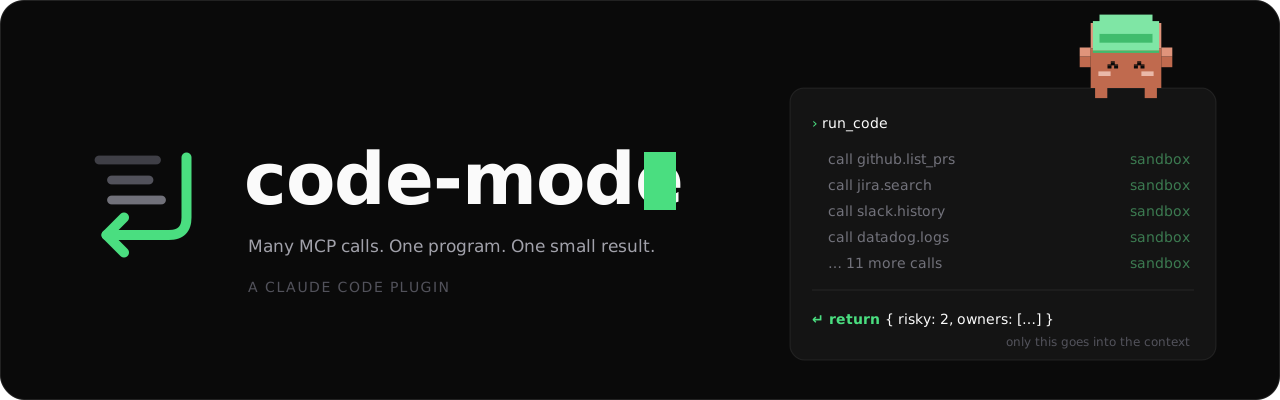
Stop flooding Claude's context with MCP results.
code-mode is a Claude Code plugin. Claude writes one JavaScript program that calls your MCP tools in a sandbox, filters and joins the data there, and sends back only the answer.





Install · Demo · Example · How it works · Config
Install in 30 seconds
Needs Claude Code and Node.js 22.13+. No dependencies. In a Claude Code session:
/plugin marketplace add gabe4coding/claude-code-mode
/plugin install code-mode@claude-code-mode
Start a new session and ask for anything that needs several MCP calls. Using auto mode with Claude Code older than 2.1.301? Add allow rules first: Permissions.
See it in 43 seconds
https://github.com/user-attachments/assets/468c412f-ecae-4e04-a53b-8a291561a052
| Without code-mode | With code-mode |
|---|---|
| Claude calls tools one by one | Claude writes one program |
| Every full result lands in context | Results are filtered in a sandbox |
| Context fills with raw JSON | Only the answer comes back |
Why
- Fewer tokens. Intermediate data never enters the context.
- Sandboxed. Separate Node process, no file system, CPU limit. No network on macOS and on Linux where
unshare -rnworks. - Learns your tools. Hints per MCP server (formats, required args, limits). Claude proposes fixes. You approve.
- Reusable functions. Programs that work can become saved functions for later sessions, after you read and approve the code.
- Your permissions still apply. Every MCP call inside the program gets the normal permission check.
Example
"Which of my open Jira issues have no update in the last 14 days?"
const issues = await call("mcp__claude_ai_Jira__searchJiraIssuesUsingJql", {
  cloudId: "example.atlassian.net",
  jql: "assignee = currentUser() AND statusCategory != Done",
})
const cutoff = Date.now() - 14 * 24 * 3600 * 1000
return issues.issues
  .filter(i => Date.parse(i.fields.updated) < cutoff)
  .map(i => ({ key: i.key, title: i.fields.summary }))
Claude sees a short list of keys and titles, not every full issue.
Documentation
| Page | |
|---|---|
| Installation | Requirements, install, local folder, update |
| Usage | The three tools, how to write a program, the result |
| Hints | Write hints, approve proposals, the safety rules |
| Saved functions | Approve or write functions that programs use again |
| Permissions | Manual and auto mode, allow rules |
| Configuration | Every option and its default |
| How it works | One run from start to end, the four sandbox layers |
| Troubleshooting | Common errors and known limits |
| Development | Layout, tests, releases |
Contributing / feedback
Issues and PRs welcome. If code-mode saves you tokens, a ⭐ helps others find it.
License
MIT. See LICENSE.
Yorumlar (0)
Yorum birakmak icin giris yap.
Yorum birakSonuc bulunamadi