oh-my-t3
Health Uyari
- License — License: MIT
- Description — Repository has a description
- Active repo — Last push 0 days ago
- Low visibility — Only 5 GitHub stars
Code Basarisiz
- exec() — Shell command execution in .t3/omt-worktree-setup.mjs
- process.env — Environment variable access in .t3/omt-worktree-setup.mjs
- spawnSync — Synchronous process spawning in scripts/release.ts
- process.env — Environment variable access in scripts/release.ts
Permissions Gecti
- Permissions — No dangerous permissions requested
Bu listing icin henuz AI raporu yok.
Plans, role-routed subagents, cross-family review, and long-running loops for coding agents in T3 Code.
oh-my-t3


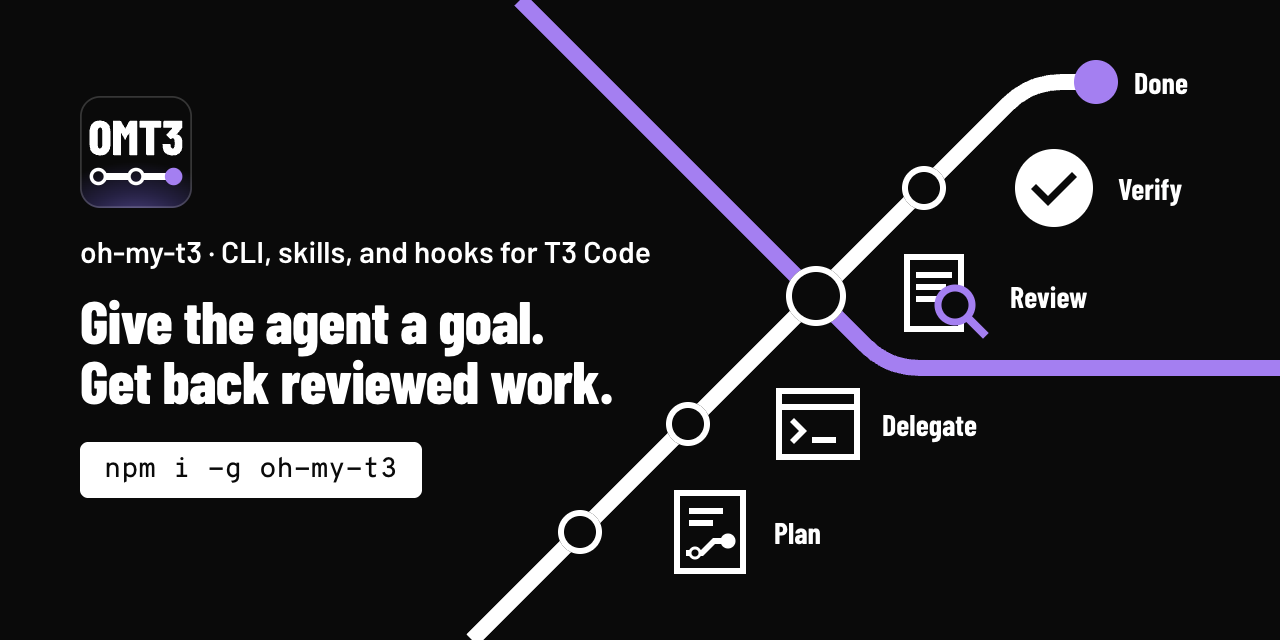
oh-my-t3 adds plans, roles, task briefs, and review loops to the agents that you run in T3 Code. You give the agent a goal, such as start ulw add OAuth to the API. The agent reads the code, asks you its open questions, plans, and builds the change in its own thread. Then a child task from the other model family reviews the change, and another child task runs every check.
Names
| Name | What it is |
|---|---|
oh-my-t3 |
The project, GitHub repository, and primary npm package. Install it with npm i -g oh-my-t3 or run it with npx oh-my-t3. |
oh-my-t3code |
The previous project name and a deprecated npm package. omt update moves an install of it to oh-my-t3, and a later release stops publishing it. |
omt |
The command that every install gives you. |
omt3 |
The same npm package under a short name, for one-shot runs: npx omt3 or bunx omt3. Another project owns the npm name omt, so npx omt runs that project. |
omt-ulw, omt-plan, and the other omt-* names |
The skills that the agent runs. |
Install
Install the omt command with one of these commands:
npm i -g oh-my-t3                           # needs Node 22 or later
mise use -g github:gabimoncha/oh-my-t3      # release binary, needs no Node
To check the install, run omt --version. If your shell does not activate mise, run mise exec -- omt --version.
By default, mise skips a release in its first 24 hours (the minimum_release_age setting). To install a new release at once, pin its version, such as github:gabimoncha/[email protected].
To run omt once with no install, use npx oh-my-t3 or bunx oh-my-t3. The alias omt3 also works:
npx oh-my-t3 --version
bunx oh-my-t3 --version
Then install omt into your project:
cd /path/to/your-project
omt install --project --hooks
omt doctor --project
The install lists the files that it will write and asks before it writes them. It hides these files from git. It also checks which harnesses you can run, Claude Code and Codex. When one is missing, the new config gets a "harnesses" key that skips the models of the missing harness. --hooks adds the start ulw phrase to Claude Code. If you use only Codex, leave --hooks out. doctor must print no FAIL line.
Restart the T3 agent sessions of the project. A running session does not load new skills.
The install guide shows the other channels (pnpm, Bun, dev dependency, and an install for all projects), the files that each install writes, and the uninstall.
To let your coding agent do the install, paste this prompt into Codex or Claude Code in your project:
Install oh-my-t3 (omt) for this project. Follow
https://github.com/gabimoncha/oh-my-t3/blob/main/docs/agents/quickstart.md
step by step, run the check at the end of each step, and tell me what to restart.
Who it is for
Use omt if you use T3 Code and want an agent to plan and finish work that has several steps. With both Claude Code and Codex, a model of one family reviews the work of the other family. You can read the plan, the task count, and each review verdict in files under .omt3/.
Do not use omt in these cases:
- You do not use T3 Code. The skills start child tasks with the T3
delegate_tasktool, and only a T3 thread has that tool. - You want a quick edit with no plan and no review. omt runs its full flow for small tasks too: a plan, one review task, and one qa task.
- You want a hosted service or a scheduler that runs in the background. omt has neither.
Requirements
- The latest T3 Code release. omt is tested only on the latest release.
- Claude Code, Codex, or both, enabled in T3 under Settings > Providers. Design and UI tasks can run with either provider.
- git.
- Node 22 or later for the npm package. Use a patched supported release: 22.23.4 or 24.22.1 LTS. The release binary needs neither Node nor Bun.
Bun 1.4.4 blocks the compromised emSign intermediate keys. Rebuild release binaries with this version to include the fix.
First run
In a T3 thread, type:
$omt-ulw add rate limiting to the public API
T3 changes $omt-ulw to the syntax of each provider, such as /omt-ulw in Claude Code. With the Claude Code hook, the phrase start ulw works too: start ulw add rate limiting to the public API. The hook starts nothing when a message only names ulw or ultrawork.
The agent reads the code, asks its open questions in one batch, writes a plan in .omt3/plans/, and builds the units itself. Then a model from the other family reviews the whole change and fixes small findings, and a qa task runs every check and device flow. In the default normal profile, the reviewer of a large run is the oracle, and it reviews again after each round of fixes.
After an install for all projects, run omt init in the project first.
If you do not know what to do next, or you want to change the setup, type $omt-setup.
Skills
| Skill | Use it when |
|---|---|
omt-ulw |
You want a task built, fixed, or shipped from start to end. The main thread builds, and one review task and one qa task check the work. With the Claude Code hook, the phrase start ulw starts it. |
omt-plan |
You want a reviewed plan before any code changes. For a vague goal, it first finds the edge cases and open questions. |
omt-design |
You want designs or mockups before UI work. |
omt-code-review |
You want a review of uncommitted changes, a branch, a commit, or a pull request. It replaces omt-review. |
omt-research |
You need an answer with sources from the repository, library docs, or the web. |
omt-setup |
You want to know what omt can do or what to do next, or you want omt set up, configured, or updated: the harnesses, the defaults, models, roles, or profiles. It asks before each write. |
omt |
You want the list of workflows. |
The agent can start the first six skills itself. You start omt by name.
omt-swarm is opt-in. It builds a plan whose units split into independent tracks, each in its own worktree thread, then merges them into one draft pull request. Install it with omt install --with omt-swarm, and start it by name.
omt-grill, omt-help, omt-loop, and omt-show were removed. omt-plan runs the stress test of omt-grill, and omt-setup answers the questions of omt-help. omt install and omt update remove the old folders.
A plan and its ledger stay in .omt3/ after context compaction and across sessions, so one plan can run for days. A profile in .omt3/config.jsonc can change the models, the checks, and the limits. See Configure roles and profiles, or ask $omt-setup to make the change.
Worktree setup
A new T3 worktree has no node_modules. omt worktree setup writes a T3 setup script that installs the dependencies before the agent starts. All worktrees share one global package store.
omt worktree check
omt worktree setup --dry-run
omt worktree setup
The setup works with Bun and pnpm, and never overwrites a file. Commit the new files on the branch that new worktrees start from. Then import Setup from t3.json in T3 Project Settings. The install guide has the details.
How it works
omt has two parts. The skills tell the agent how to plan, build, review, and test. The omt CLI does the steps that must give the same result each time: it merges the config, picks a model for each role, writes the task briefs, records each task start and result in the ledger, and commits and opens draft PRs within your git policy. The CLI has no runtime dependencies and sends no telemetry. It contacts the npm registry only when you run omt update, or once a day in omt install and omt doctor after you set update in the user config. omt update runs the package manager or mise command of the channel that installed omt. omt git commit, omt git pr, and omt git stack run gh, and omt git pr and omt git stack run git push, so they contact the git host of the origin remote.
T3 gives each agent session tools to start, check, and cancel child tasks on any provider and model. Each child task is a T3 thread, so you can watch it in T3. omt adds roles, model routing, briefs, review loops, and limits. It does not change T3.
Each role, such as execute or review, has an ordered list of models. If T3 refuses the first model, the agent uses the next one. When both families are available, the reviewer comes from the family that the main thread does not use. omt roles shows the model of each role.
The walkthrough follows two real runs on this repository, from before the main thread built the units itself. One run had 4 units and used 29 child tasks in 2 hours 20 minutes. The other had 10 units and used 128 child tasks over 5 days.
Glossary
- Main thread: the T3 thread that runs an omt skill. It writes the plan, builds the units, starts the child tasks, and reads their results.
- Unit: one part of the plan, with a file scope, a done condition, and a verify command. The main thread builds most units itself.
- Brief: the full task text that a child task gets.
- Ledger:
.omt3/ledger.jsonl, with one line for each task start and each result. - Profile: a named set of workflow switches, limits, and role changes. The built-in profiles are
normalandprototype. - Oracle: a review of the whole change from the other model family, before it counts as done.
- LIGHT and HEAVY: the two run sizes. A LIGHT run has one or two units in one area of code. Every other run is HEAVY and gets a reviewed plan.
Limits
- The config format and the CLI output can change.
- A run has no task budget. At most 6 child tasks run at the same time by default (
limits.maxParallel). - The
start ulwphrase works only in Claude Code. In Codex, type$omt-ulw. omt-swarmneeds a thread infull-accessruntime mode anddefaultinteraction mode.- Child tasks share the checkout of the parent thread. A unit that an
executetask builds runs in parallel only when its files do not overlap other edits. - If you use Codex child tasks, set the Codex unload delay. Codex 0.163.0 keeps each finished child loaded for 30 minutes by default.
Docs
- Install guide
- Release guide
- Configure roles and profiles
- How the workflows run
- Commands
- Docs index: the spec, the design notes, and the research notes.
Credits
oh-my-t3 uses ideas from oh-my-openagent (fallback chains, the ultrawork loop, plan reviews), oh-my-pi (model roles and the review recipe), and T3 Code (orchestrator v2, which runs the child tasks). The license of oh-my-openagent does not allow copies of its code or prompts, so oh-my-t3 copies neither.
License
MIT. See LICENSE.
Yorumlar (0)
Yorum birakmak icin giris yap.
Yorum birakSonuc bulunamadi