socket
Health Warn
- License — License: NOASSERTION
- Description — Repository has a description
- Active repo — Last push 0 days ago
- Low visibility — Only 5 GitHub stars
Code Pass
- Code scan — Scanned 12 files during light audit, no dangerous patterns found
Permissions Pass
- Permissions — No dangerous permissions requested
No AI report is available for this listing yet.
The macOS Marketplace for Codex | Plugins & Workflows for Apple Platform Devs, Apps, & Agents
socket
The macOS Marketplace for Codex

Promo audio: Socket Codex Marketplace Promo
Table of Contents
Overview
Status
socket is maintained by Gaelic Ghost.
What This Project Is
Socket is a Marketplace of Plugins, Hooks, and MCP servers for Apple Platform Devs
Motivation
Agents are great, but to do specialized work, they need specialized tools. Socket is a shared catalog for focused Codex plugins, hooks, skills, and MCP-backed workflows.
Quick Start
Add the socket marketplace to Codex with:
codex plugin marketplace add gaelic-ghost/socket
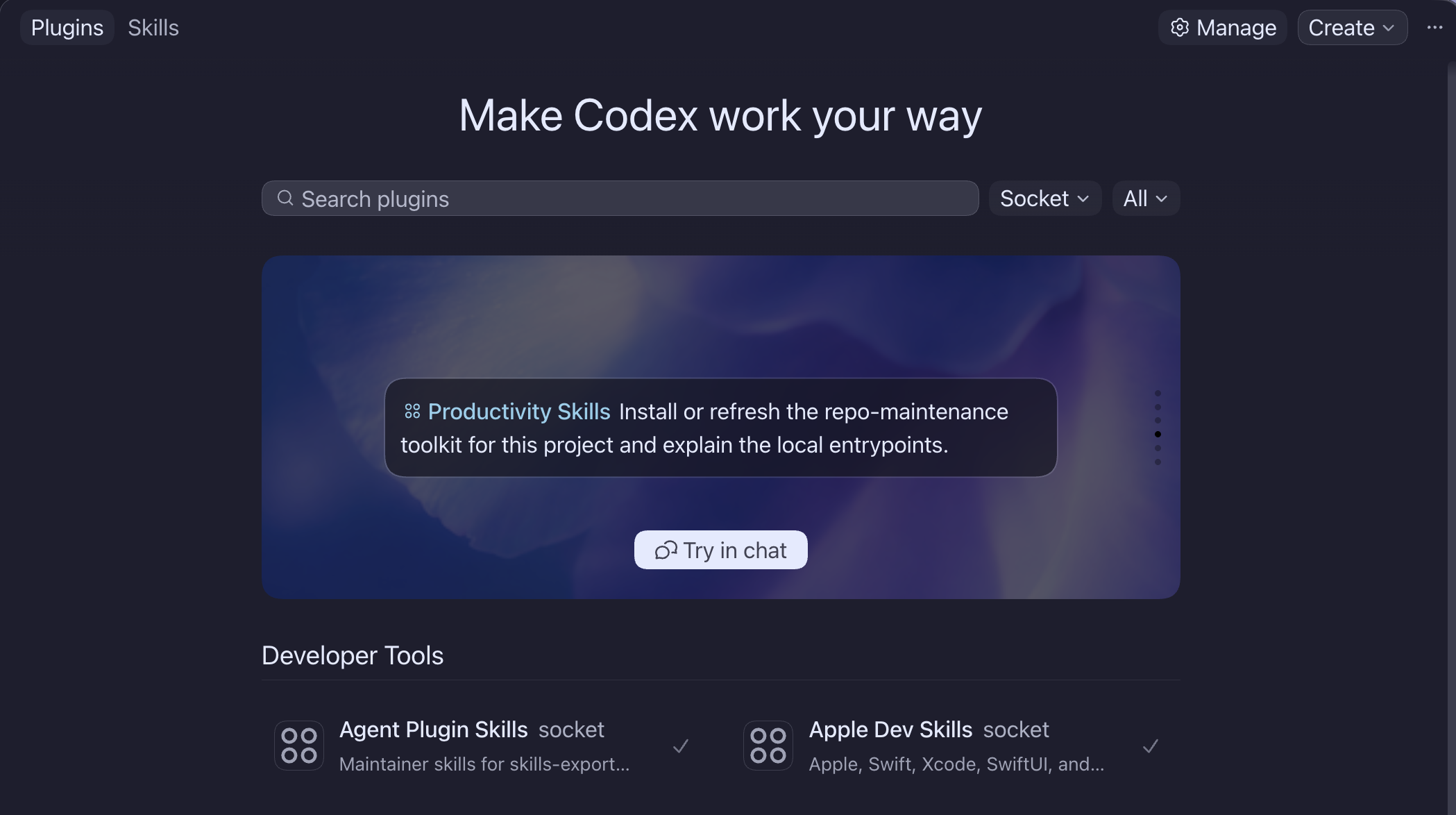
After adding socket, restart your Codex, open the plugin directory, select Socket, and then install your choice of plugins.
When the marketplace changes, refresh it with:
codex plugin marketplace upgrade socket
Newly added plugins can be installed from the same plugin directory inside Codex.
Xcode 27 Beta
For Xcode 27 beta, add Socket through Xcode's official Plug-ins UI:
- Open Xcode Settings.
- Select Intelligence.
- Open Plug-ins.
- Choose Add Plug-in.
- Choose Add from URL.
- Enter:
https://github.com/gaelic-ghost/socket.git
Xcode should enumerate the Socket child plug-ins from the public repository and let you import only the plug-ins you trust and need.
The Import from Codex path is still under evaluation for Xcode 27 beta. In current local testing, Xcode can see Codex-installed plug-ins, but it may select stale standalone or local-cache payloads when the same plug-in also exists outside the current Socket marketplace install. Prefer Add from URL for Socket until that beta behavior is better understood.
Usage
Use socket when you want one Codex catalog for focused agent workflow plugins.
Currently available from the catalog:
agent-plugin-skillsandroid-dev-skillsapple-dev-skillscardhop-appcodex-utilitiesdotnet-skillsproductivity-skillspython-skillsreverse-engineering-skillsserver-side-jvmserver-side-swiftswift-langrust-skillsspeak-swiftlyswiftasb-skillsthings-appweb-dev-skills
Plugin Status
Apple Dev Skills is Socket-owned under plugins/apple-dev-skills and keeps its public README because existing users can still arrive through the standalone compatibility marketplace. Other child planning now lives in TODO.md.
Current Socket catalog shape:
agent-plugin-skills: maintainer skills plus a source-bundled guidance-sync custom-agent definition for skills-export and plugin-export repositoriesandroid-dev-skills: Android, Kotlin, Java, Gradle, Android Gradle Plugin, Compose/XML UI, testing, lint, emulator-aware validation handoff, and release-readiness workflow guidanceapple-dev-skills: Apple, Swift, SwiftUI, AppKit, Xcode, Swift OpenAPI client, Safari, DocC workflows, and the source-bundledswift-stewardcustom-agent definition with its own roadmapcardhop-app: mixed skill plus bundled MCP server for Cardhop.app contact workflowscodex-utilities: local Codex runtime utilities, starting with hooks that prefix generated Codex thread titles with the project directory namedotnet-skills: .NET, F#, and C# project-shape, bootstrap, implementation, test, package, diagnostics, ASP.NET Core, interop, CI, upgrade, and tooling guidanceproductivity-skills: general-purpose maintainer, documentation, Dice MCP job-search with bundled remote MCP config, Codex GUI worktree workflow, and automation-design workflows plus source-bundled docs-audit and code-tracing custom-agent definitionspython-skills: Python runtime and tooling workflows for Python-based projects; see the Python skills expansion plan for maintainer detailsreverse-engineering-skills: binary inspection, artifact triage, and reproducible reverse-engineering note workflowsserver-side-jvm: server-side JVM, Java, Scala, Gradle, Maven, SBT, and testing workflow guidance, with future Clojure support plannedserver-side-swift: server-side Swift bootstrap, Vapor, Hummingbird, persistence, OpenAPI/RPC, SwiftNIO, observability, auth, app sync, Docker, Apple Containerization, and Fly.io support plus the source-bundledserver-swift-stewardcustom-agent definitionswift-lang: shared Swift language, API style, functional pipelines, formatting, source organization, and modernization cleanup workflowsrust-skills: Rust, Cargo, rustup, crate, workspace, CLI, library, package, CI, test, lint, and format workflow guidancespeak-swiftly: Git-backed Speak Swiftly plugin from the standalone SpeakSwiftlyServer repositoryswiftasb-skills: SwiftASB companion guidancethings-app: mixed skill plus bundled MCP server for Things.app workflowsweb-dev-skills: Expo SDK 56+ inline native modules, type generation, native-boundary inspection, and validation handoff guidance
Placeholder directories for future plugins (not available for install):
spotify
Development
For setup, local workflow, validation, review, release, and maintainer expectations, see CONTRIBUTING.md. For the consolidated child backlog, see TODO.md. For agent-facing repo rules, see AGENTS.md.
Repo Structure
.
├── .agents/
│   ├── plugins/marketplace.json
│   └── socket-steward/
├── docs/
│   ├── agents/
│   ├── media/
│   └── maintainers/
├── plugins/
├── scripts/
├── AGENTS.md
├── CONTRIBUTING.md
├── README.md
├── TODO.md
└── ROADMAP.md
Release Notes
Use GitHub releases and Git history for root socket changes. Child plugins may carry their own release notes and maintainer docs.
License
The socket superproject, and all nested projects, are licensed under the PolyForm Noncommercial License 1.0.0 for future public versions. See LICENSE, NOTICE, and COMMERCIAL-USE.md.
Commercial use requires a separate written commercial license from Gale. For commercial licensing, contact Gale W at [email protected].
Socket versions published before the PolyForm Noncommercial change remain available under the license terms that applied to those versions. The historical Apache License 2.0 text is preserved in LICENSE-HISTORICAL-APACHE-2.0.
Reviews (0)
Sign in to leave a review.
Leave a reviewNo results found