gage
Health Uyari
- License — License: Apache-2.0
- Description — Repository has a description
- Active repo — Last push 0 days ago
- Low visibility — Only 8 GitHub stars
Code Gecti
- Code scan — Scanned 12 files during light audit, no dangerous patterns found
Permissions Gecti
- Permissions — No dangerous permissions requested
Bu listing icin henuz AI raporu yok.
Scan Claude sessions to learn what your coding agent's up to.
Gage
Scan Claude sessions to find and fix hidden issues.
Coding agents do a lot of work you never see. Buried in your Claude Code
transcripts are diagnosed-but-unfixed bugs, quietly violated project rules, and
agent behavior that worked against you. Gage scans those transcripts, turns what
it finds into actionable issues, and uses Claude Code itself to help you resolve
them.
Find issues
Scanners read your Claude Code sessions and surface issues you would otherwise
never see: bugs left unfixed, agent behavior that worked against you, settings
that cost you data.
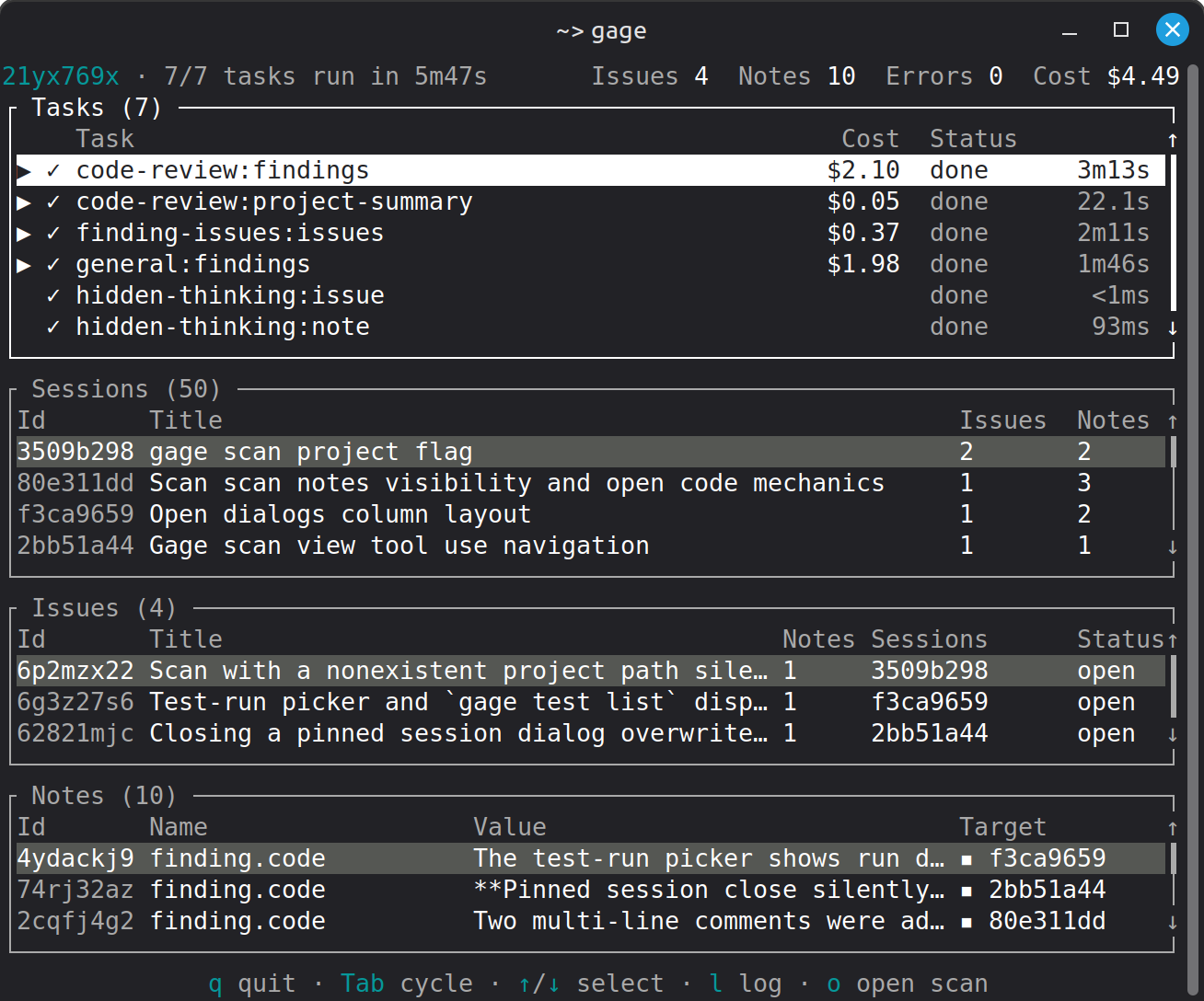
Scan your Claude sessions
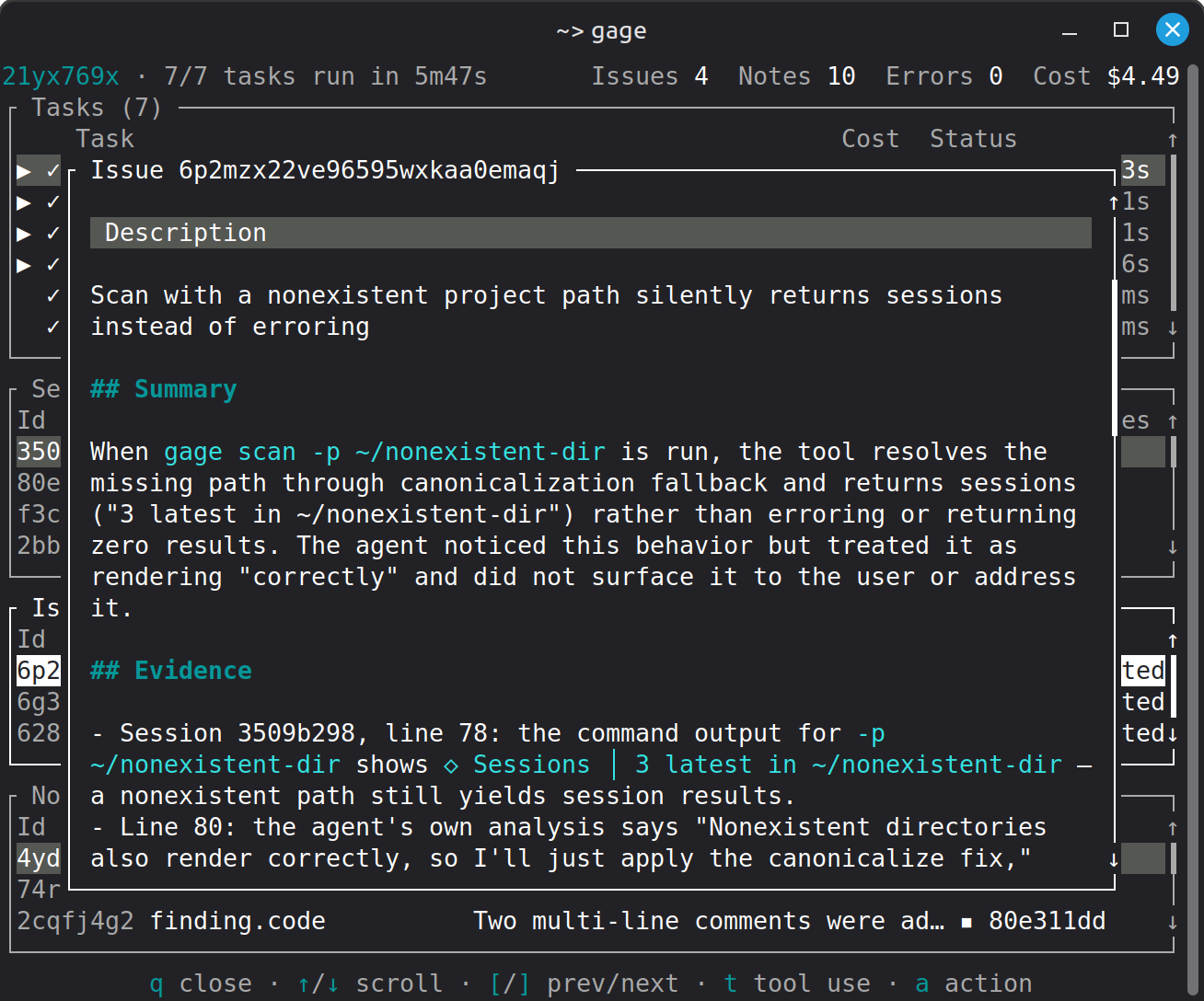
Find real issues backed by evidence
Fix issues
gage resolve opens an interactive Claude Code session that works through open
issues with you. You decide what gets fixed and what gets skipped.
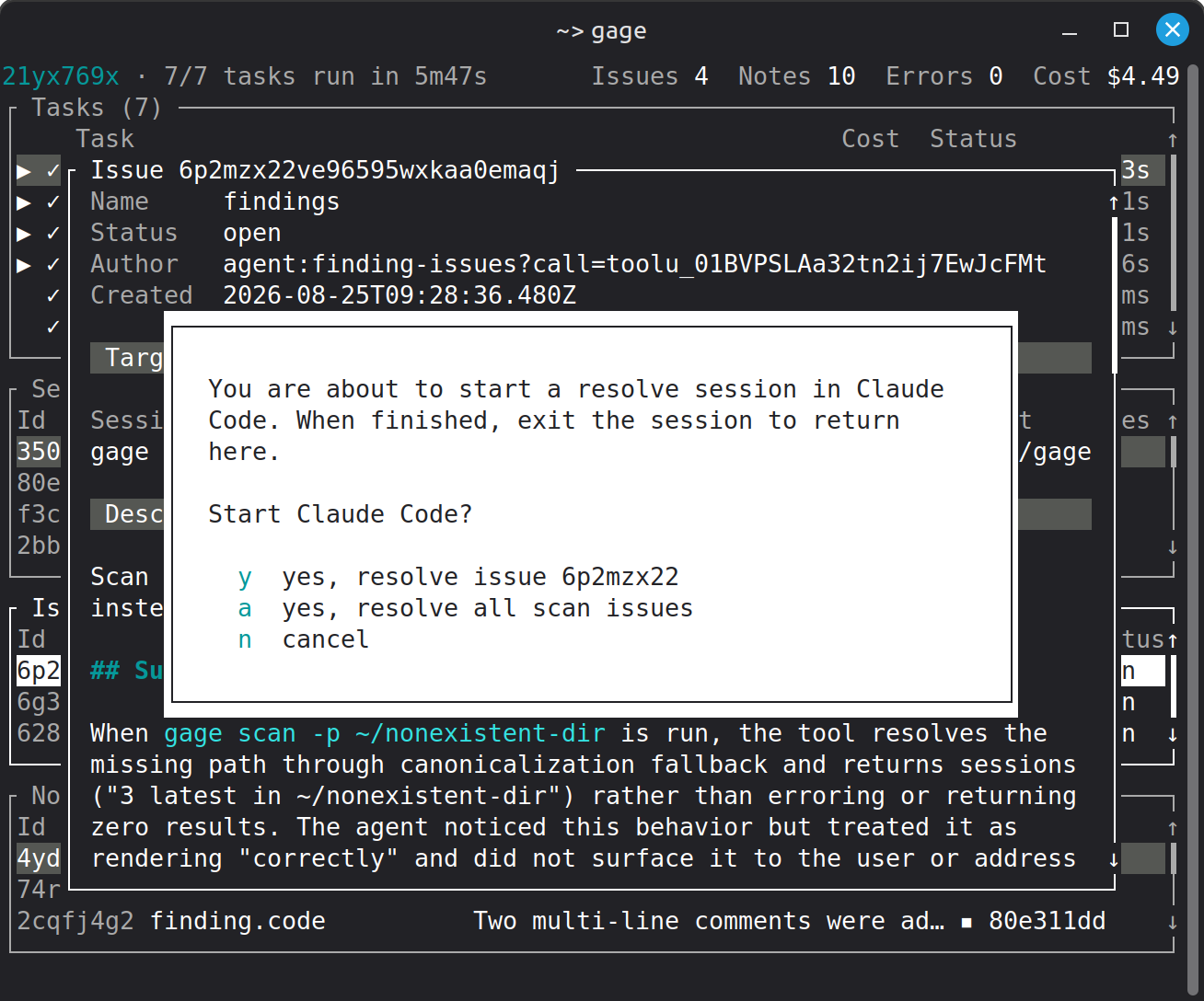
Use Claude to resolve issues
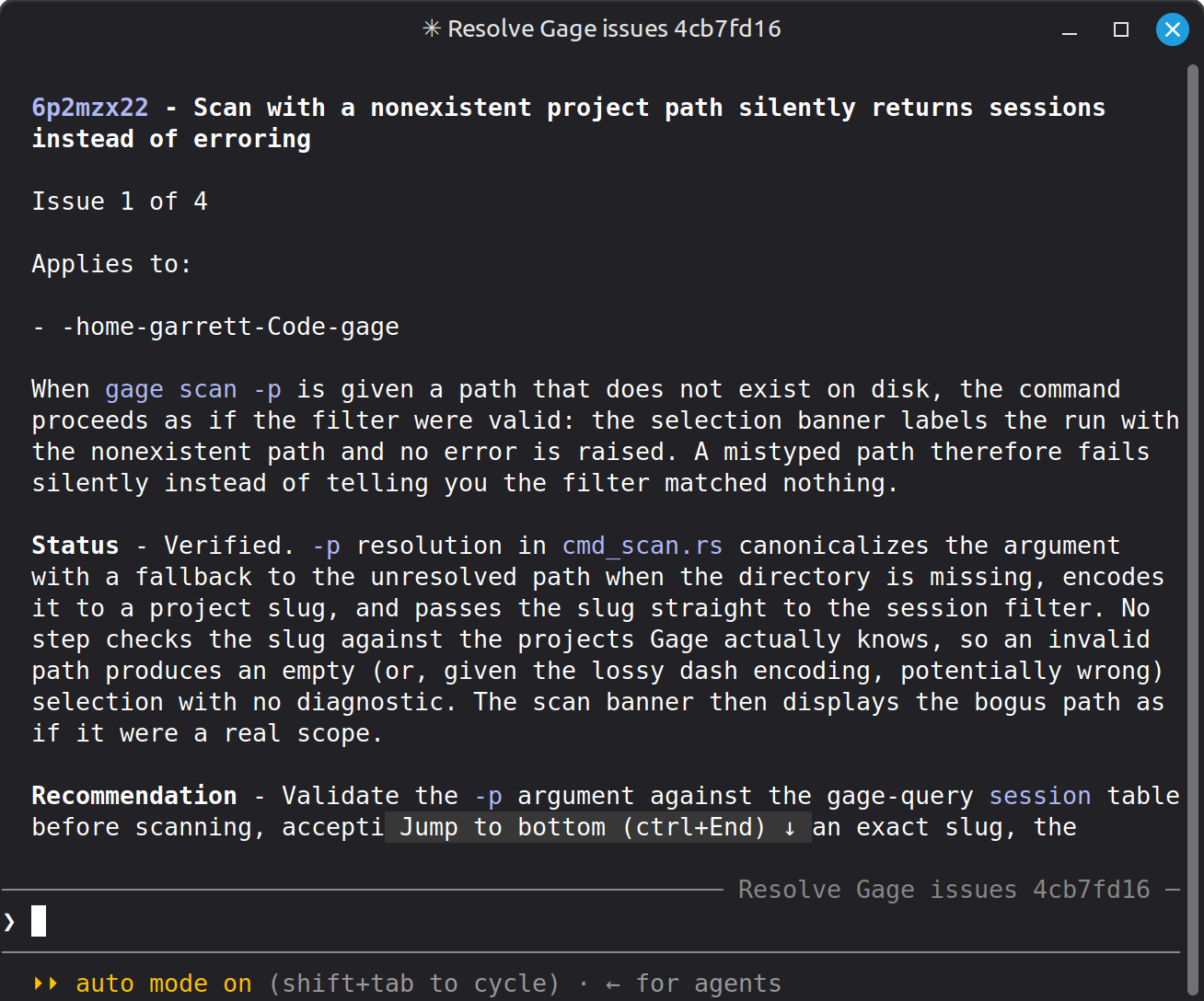
Work interactively to apply fixes
Trace everything
Every issue cites its evidence. Walk from an issue to its notes to the exact
session content behind it --- thinking blocks included --- or query everything
directly with SQL.
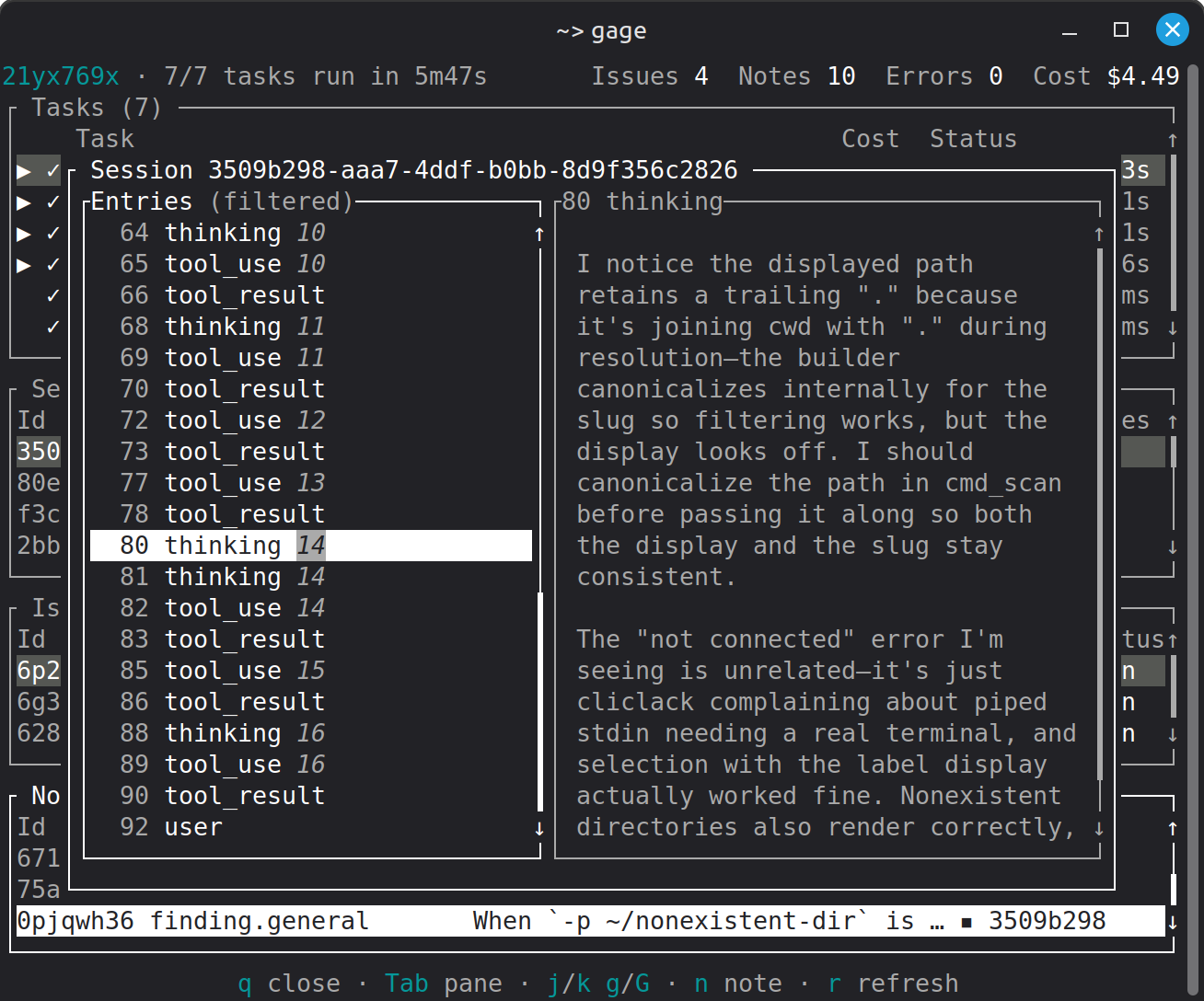
Trace the issue to the offending entry
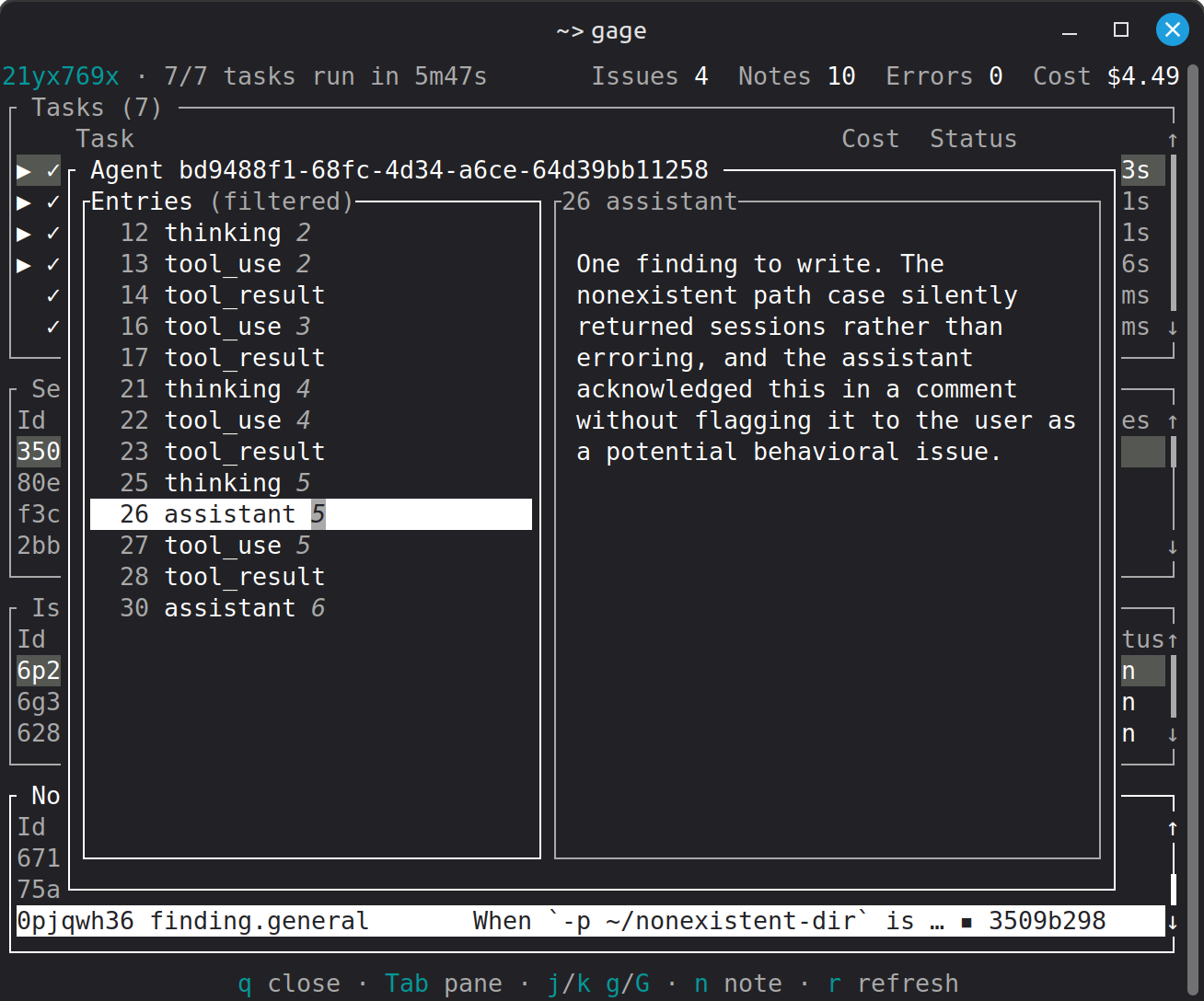
Trace the logic that wrote the issue
Requirements:
- Local
gagebinary install on Linux or macOS - Local Claude Code plugin install
- Active Claude Code login status (Pro plans recommended)
IMPORTANT: Gage uses Claude Code to scan sessions and resolve issues. Token
usage is handled through Claude Code according to your Anthropic plan.
Quick start
- Install Gage
curl https://raw.githubusercontent.com/gageml/gage/refs/heads/release/scripts/install.sh | sh
- Initialize Gage
gage init
- Run a scan
gage scan
Adjust the scan settings and confirm. When the scan is complete and you've had a
chance to review the results, press q to exit.
- Resolve issues
gage resolve
Scanners
Gage ships these scanners in the default group. Their source is under
scanners in this repository.
| Scanner | What it finds |
|---|---|
general |
Session-level problems worth your attention: unresolved errors, agent behavior that worked against you, work left in a broken state |
code-review |
Code quality problems in work performed during sessions, checked against your project's own rules |
hidden-thinking |
Sessions where Claude Code settings hid the model's thinking blocks, with a recommended fix |
session-retention
|
An unset session retention policy, which risks silent loss of session history |
Install
Supported platforms:
- Linux
- macOS
Windows support is planned.
Install prebuilt binary
To run the install script, use:
curl https://raw.githubusercontent.com/gageml/gage/refs/heads/release/scripts/install.sh | sh
This installs the gage binary for your system (Linux or macOS only) to~/.local/bin/gage. It does not require elevated privileges.
Install with cargo binstall
If you have cargo-binstall installed, you can install Gage by running:
cargo binstall --git https://github.com/gageml/gage gage-cli
To install cargo-binstall, ensure that you have the
Rust toolchain installed and then run:
cargo install cargo-binstall --locked
Install from source
Gage requires the Rust toolchain to compile.
Follow the instructions at https://rustup.rs/ to install it.
Clone the Gage repo:
git clone https://github.com/gageml/gage.git
Install the Gage CLI:
cargo install --path gage-cli
Claude Code plugin
Gage requires a Claude Code plugin. Install it by running:
gage init
Features
Scan Claude Code sessions
gage scan runs scanners on your Claude Code sessions. Scanners are
self-contained programs written in the Rune
programming language. You can read their source code under scanners
in this repository.
gage scan lets you select the scanners to run. Alternatively, you can specify
each scanner using the -s/--scanner option. By default, Gage runs all scanners
in the default group. Use --list-scanners to show available scanners.
You can also specify how many sessions you want to scan. By default Gage scans
the last 20 sessions. To scan all available sessions, use the -a/--all option.
Otherwise you can set the number with -n/--limit.
During a scan you can view the active scan tasks, session, issues, and notes.
Issues and notes
Scanners write issues and notes. An issue is a concern that warrants your
attention. Issues are initially written as open or pending and are intended to
be closed once resolved. An issue is closed as completed, skipped, or noted
as a duplicate.
A note is any sort of information attached to a session, project, or other
scan. Think of a note as a sticky note that points to something of interest.
Notes are cited as evidence for opening issues.
You can see issues and notes as they are written during a scan.
Resolve issues
Gage is designed to use Claude Code to evaluate and resolve issues.
List unresolved issues:
gage issue list
You can alternatively view issues written during a scan using gage scan view.
To resolve issues, run:
gage resolve
This opens an interactive Claude Code session that reviews open issues and helps
you resolve them. You can alternatively run the /gage:resolve command in any
Claude Code session.
During an issue resolution session, Claude uses Gage tools to list and read open
issues. Work through issues with Claude's help as you see fit. Each issue
provides information to confirm the problem and advice on fixing it. If you
decide it's not a problem, skip it --- Claude can close the issue as skipped.
If you resolve the issue, Claude can close the issue as completed.
Gage Query
gage query provides a SQL interface to all Gage data. This includes:
- Session data (e.g. line entry JSON)
- Notes
- Issues
- Project config
Scanners use this facility exclusively for read-only data.
Use gage query -c SQL to run queries yourself. This is useful for analysis
you'd like to perform on sessions, notes, or issues.
Gage Query provides a PostgreSQL compatible interface. The REPL supports
commands using the syntax \COMMAND. Run \? from the REPL to list available
commands.
Note that Gage Query reads some data from local files (e.g. sessions and project
config). Some queries will cause full file system scans, which are surprisingly
slow and memory intensive. In general, avoid running unbounded queries.
Avoid:
SELECT * FROM entry;
This will read every session line into memory!
Instead, use WHERE and LIMIT clauses:
SELECT * FROM entry WHERE session_id LIKE 'abc123%' LIMIT 10;
FAQ
What license is Gage available under?
Where is Gage data stored?
Gage writes all of its data to files under ~/.gage/. These include:
- Settings (
~/.gage/settings.json) - Installed scanners (
~/.gage/lib/scanners/) - Data including notes and issues (
~/.gage/data/) - Cache and temporary files (
~/.gage/cache/,~/.gage/tmp/) - Logs (
~/.gage/log/)
Does Gage "phone home" for any reason?
No. Gage runs locally and writes all state under ~/.gage/.
Gage provides tools to Claude Code over a local MCP server. Claude is free to
use these tools within the constraints of user-defined permissions (allow and
deny). Gage tools do not open network connections or otherwise write outside of~/.gage/. Claude, however, may. This is the normal risk profile of running an
agent. To minimize the risk of sensitive data exfiltration, follow the
safeguards recommended by Anthropic.
Yorumlar (0)
Yorum birakmak icin giris yap.
Yorum birakSonuc bulunamadi