notchfolk
Health Uyari
- License — License: GPL-3.0
- Description — Repository has a description
- Active repo — Last push 0 days ago
- Low visibility — Only 5 GitHub stars
Code Gecti
- Code scan — Scanned 12 files during light audit, no dangerous patterns found
Permissions Gecti
- Permissions — No dangerous permissions requested
Bu listing icin henuz AI raporu yok.
A living desktop notch: music with synced lyrics, tasks, reminders, calendar, AI agents (Hermes, Claude Code, Codex, OMP), a built-in MCP server, AI router analytics, and subscription usage quota tracking. GNOME today — Windows and macOS coming.
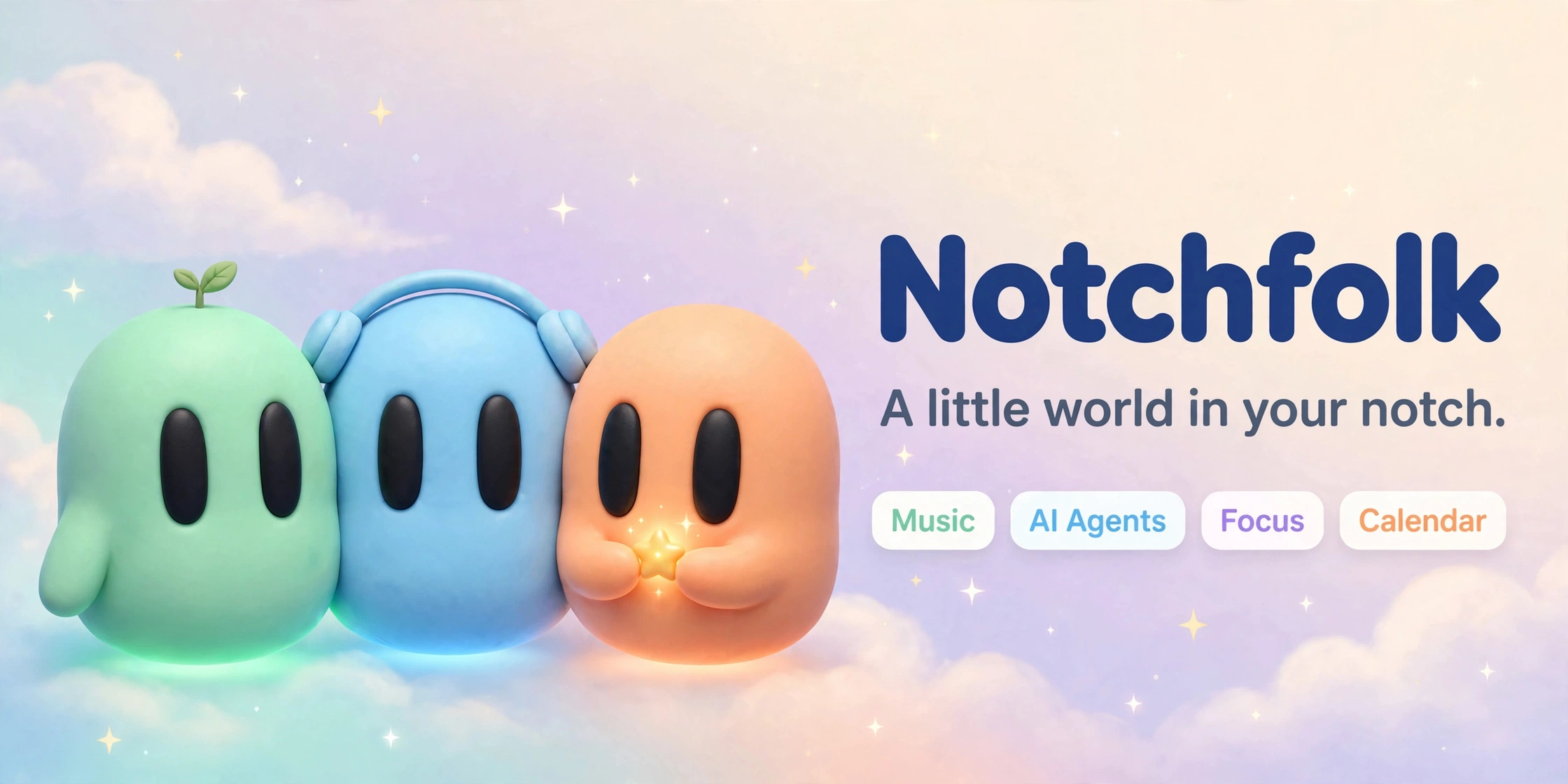
Your desktop notch, alive — GNOME today, Windows and macOS next. Music with synced lyrics, calls, a focus timer, calendar, food and water tracking, prayer times, weather, a file shelf, app usage, phone integration, and AI agents (Hermes, Claude Code, Grok, Codex, OMP) through a built-in MCP server — with AI router analytics and subscription usage quota tracking.






Notchfolk turns the centre of the top bar into a black notch. At rest, the
clock sits in the middle with what's running beside it — a song, a call, a
timer. Rest the pointer on it and it springs open into a small panel with
tabs for each page.
Features
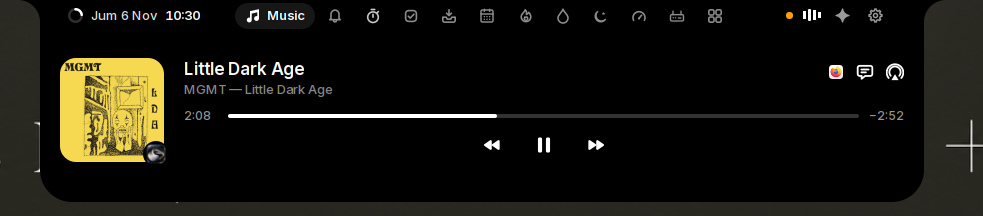 Music. Spotify, YouTube in your browser, or any MPRIS player: cover, scrubber and controls, with the playing app's icon on the cover. Volume and output switching one click away. |
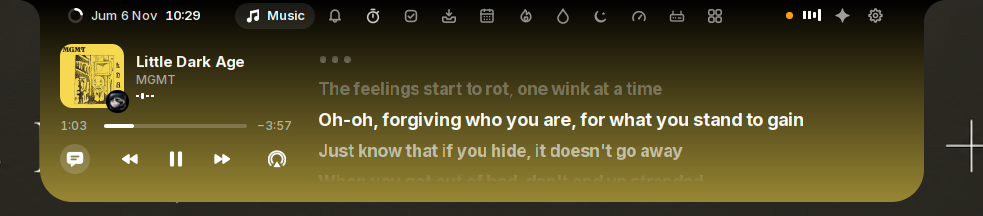 Synced lyrics from LRCLIB: the line being sung large and bright, pauses as breathing dots; click a line to jump. The island widens and takes the cover's colour. |
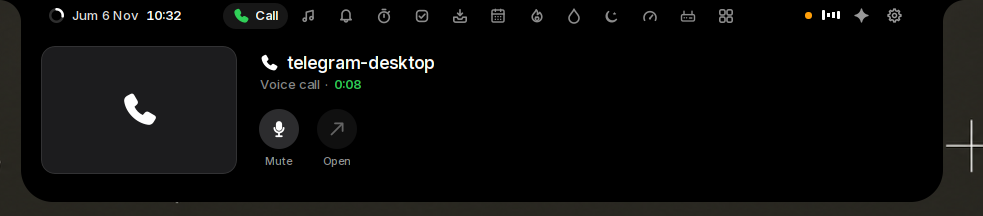 Calls in WhatsApp, Telegram, Zoom, Meet and other call apps, or call pages in a browser: a green phone in the closed island, the call's length on the Call page. Open it to watch live while you work elsewhere, mute, or jump back to the call. |
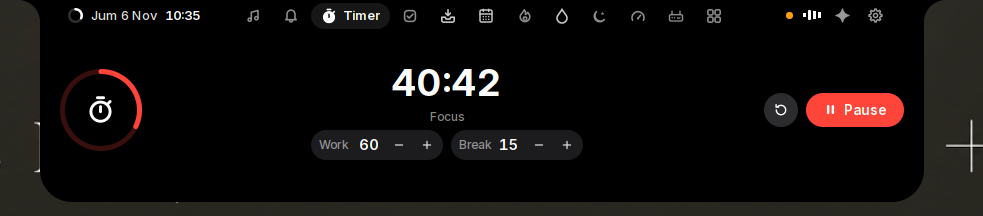 Timer. A Pomodoro timer with breaks and Do Not Disturb while you focus: a ring with the time left, work and break lengths to type or step with − and + (locked from Start until Reset). Its time left stays in the closed island; beside a song or a call it shows as a small ring. |
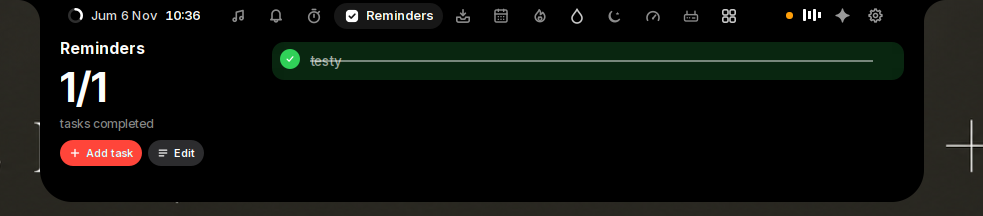 Reminders, with the number still open beside the list: add tasks, rename in place, tick to finish — done ones clear at midnight. A long title wraps as far as it needs. |
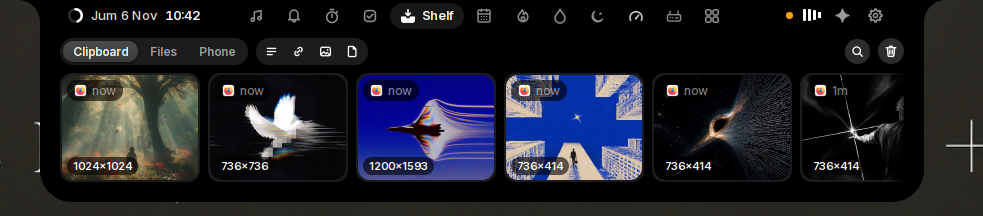 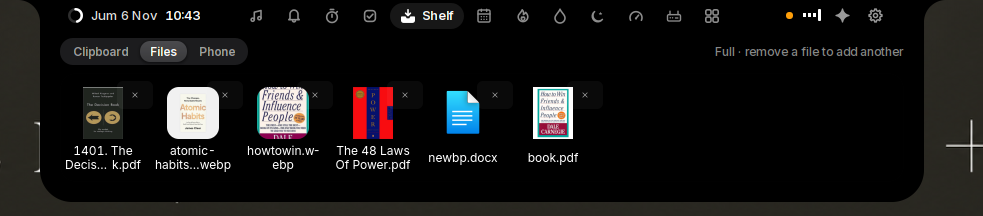 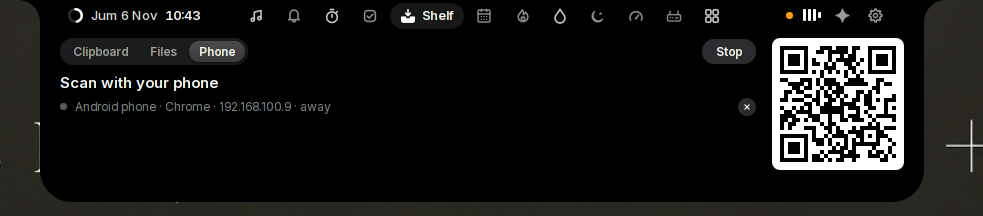 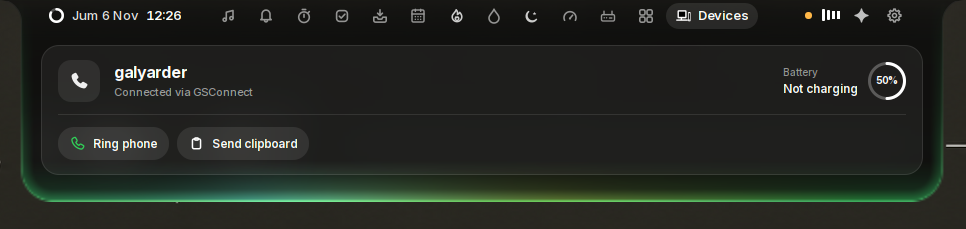 Shelf. Clipboard history of text, links, images and files — search, filter, pin; Super+V to paste. Files tray: drop up to 6 files on the island, drag them into any app or click to copy. Phone: scan the QR to save shelf files on your phone or send files back, in the browser, same Wi-Fi, nothing through the internet. |
 Weather. Current conditions on the closed island — temperature and summary for your place, from your world clocks, refreshed every half hour. |
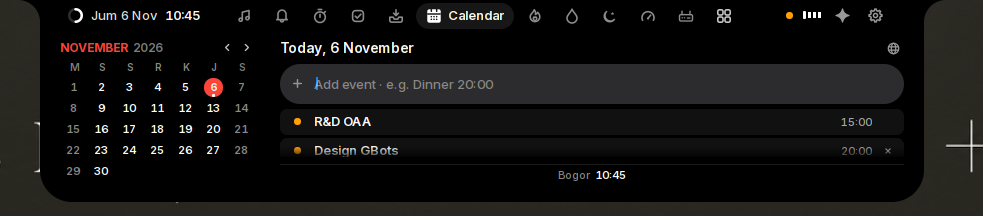 Calendar. The month beside the chosen day's events, from your desktop calendars (Google and others through Online Accounts). Add an event in one line: "Dinner 8:00 pm". A reminder 5 minutes before, with Join for Meet, Zoom, Teams or Webex. World clocks underneath. |
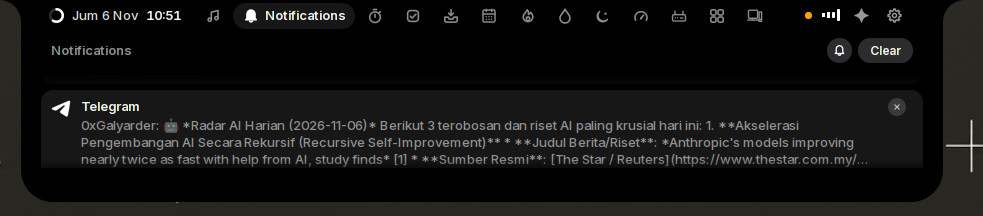 Notifications. GNOME's notifications as a plain list, newest first, with their buttons under the pointer, Clear, and Do Not Disturb a click away. |
 Voice assistant. Press Super+I and ask, in English or Indonesian: play a song, find a file, add a reminder. It works as an agent: a request with several steps is done one after another, each step checked, with the AI you already use (Claude Code, Codex, Grok, Hermes, Oh My Pi, opencode or Antigravity). |
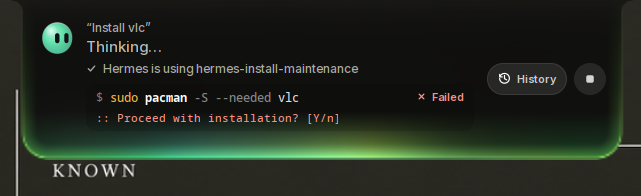 Installs and fixes things. "Install LibreOffice", "pasang codex": it checks what your Linux has, searches the web when unsure, and shows the one command it wants to run, with what to know first. Press Run or Deny. It runs in the background while you carry on, and the assistant checks it worked before saying so. |
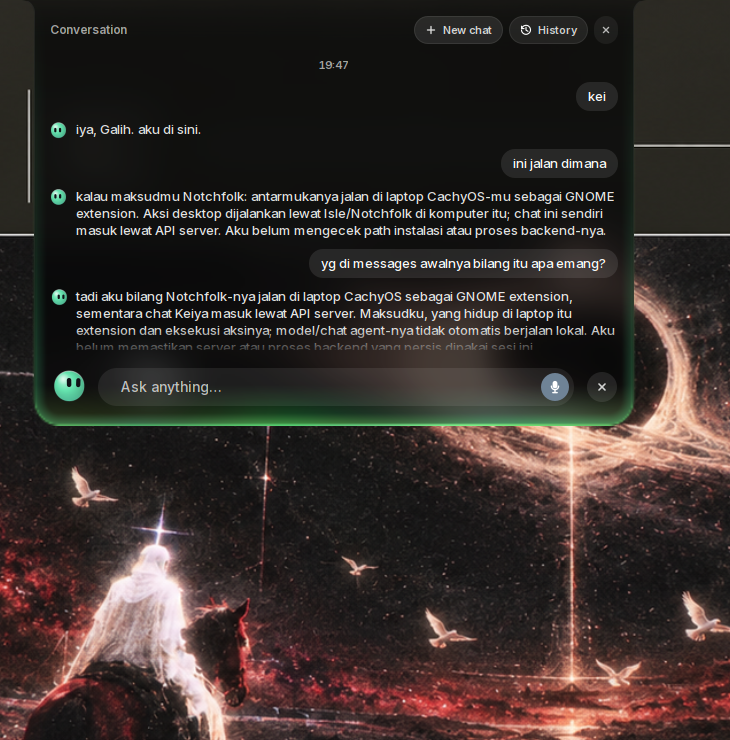 Speak or type, and talk it through. It listens as soon as it opens; start typing to type instead. Scroll up for the conversation so far; select text to copy it, + for a new one. The bot turns to the pointer, blinks, and bounces as you speak; close the island and it carries on in the background. |
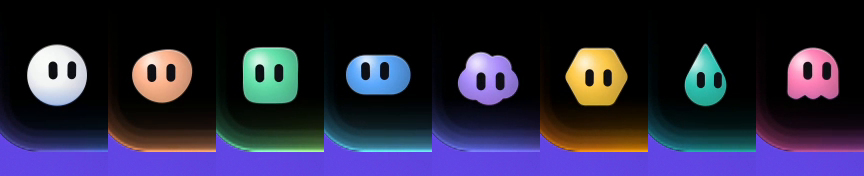 A bot of your own. Eight shapes, from a circle to a cloud or a ghost, eleven colours or your own, softly shaded, and a glow round the island that matches it. |
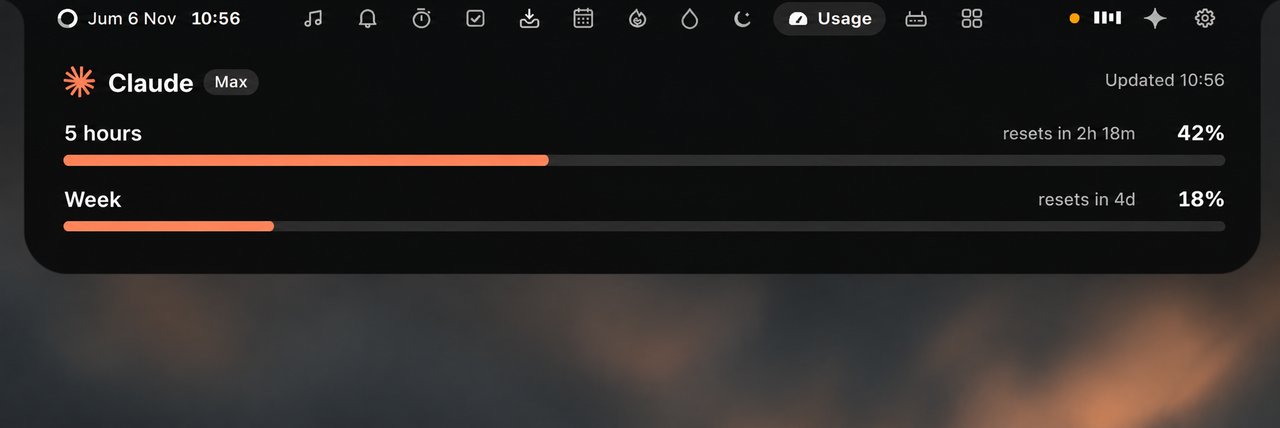 AI usage. How much of your Claude and ChatGPT plan limits is used: one plan at a time with its logo, a bar per limit and when each resets; scroll or click the dots to switch. A warning comes as one nears its end; only plans you're signed in to show. |
 Alerts for volume, brightness, Caps Lock, charging, low battery, Bluetooth battery, going offline, reminders, meetings about to start, AI plan limits and GNOME notifications with their buttons — in the same place instead of the middle of the screen. Hold the pointer on one to keep it; × or swipe up to put it away. |
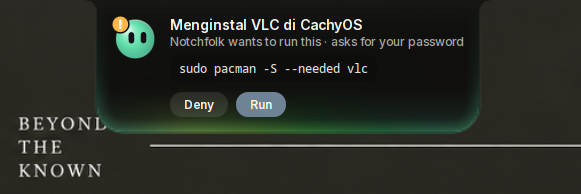 AI agents. When Claude Code or Codex asks permission to run something, answer from the island: Deny, Allow or, for Claude Code, Always. When one is done, the island says what it did. Nothing shows while you are in its window. |
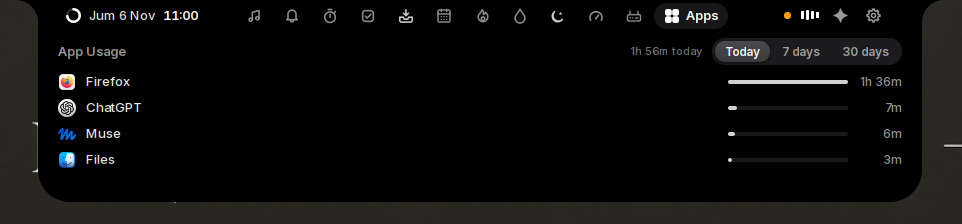 App usage. Where your time goes: the app in front today, over the last seven days, or the last 30, with its icon, a bar and its time. Off until you turn it on; five idle minutes pause it, locking the screen stops it; kept on this computer for 30 days. |
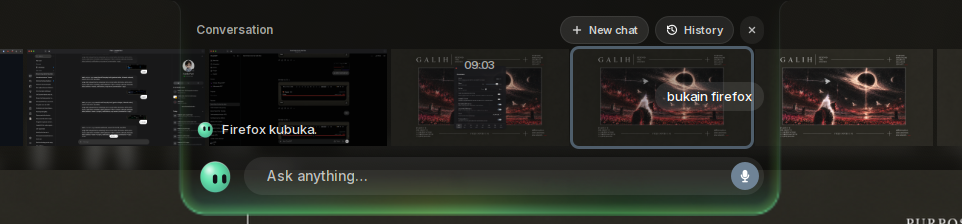 Glass. The island in clear dark glass instead of black, if you prefer: what is behind it shows through, blurred, as you work. Choose it in Settings → Appearance → Island. |
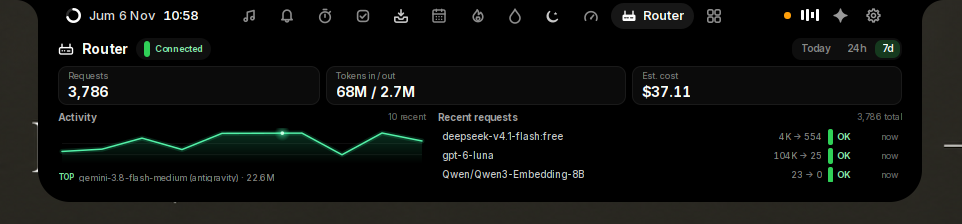 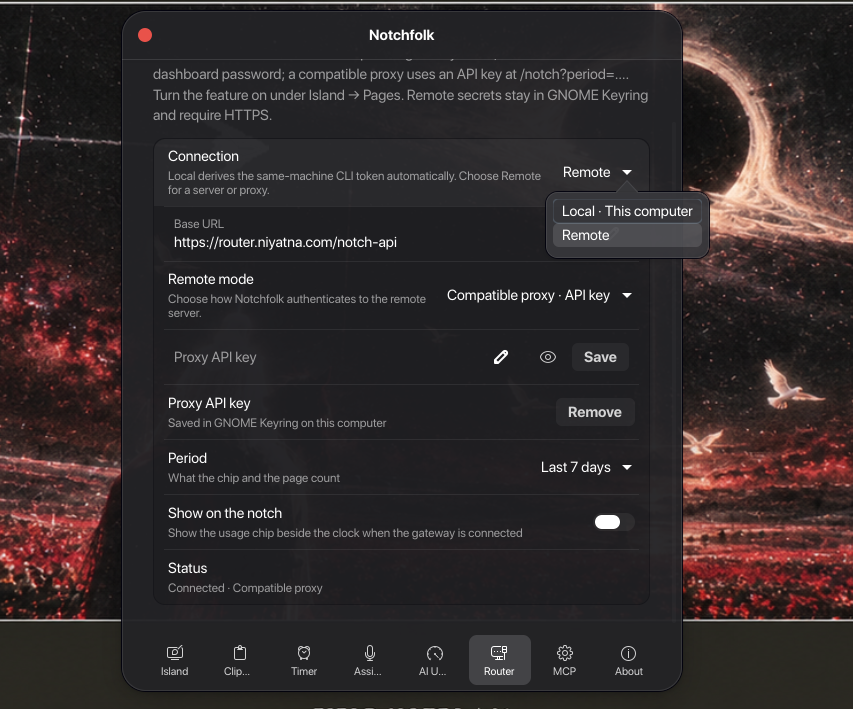 Router. What your AI gateway reports: requests, tokens in and out, its cost estimate, the top models as bars, and the last ten requests. A health dot once connected; off by default. |
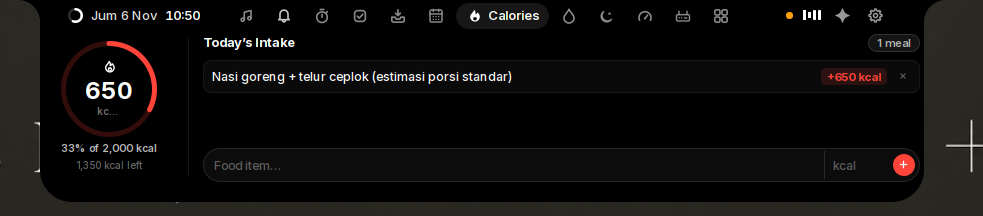 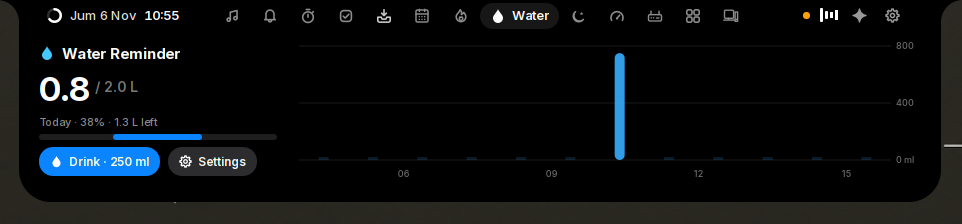 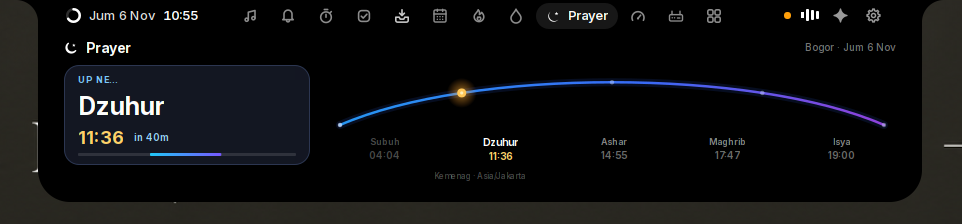 Everyday tools. Water and calories logged through the day, and prayer times for your city, all kept on this computer. |
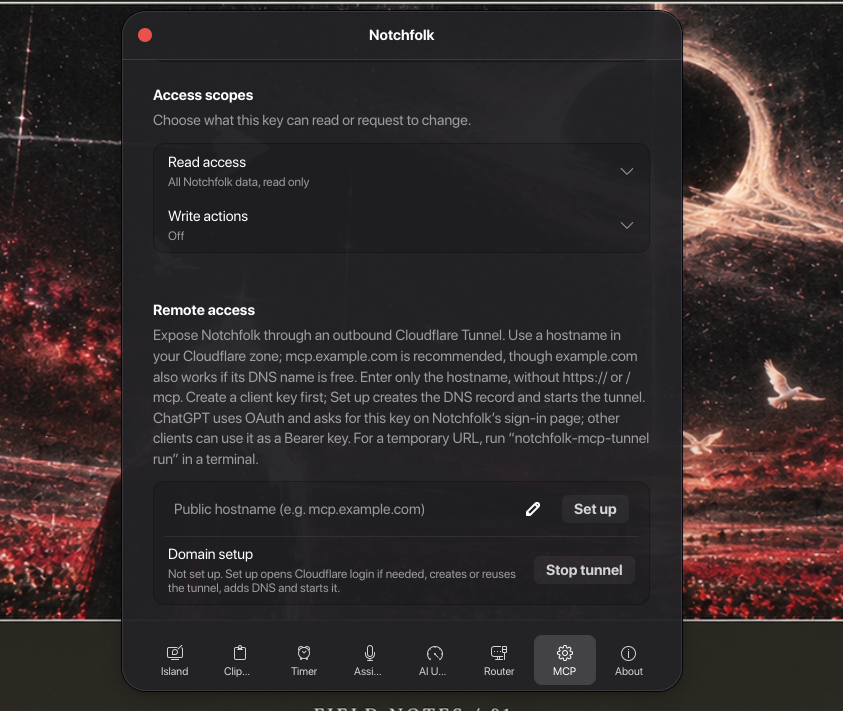 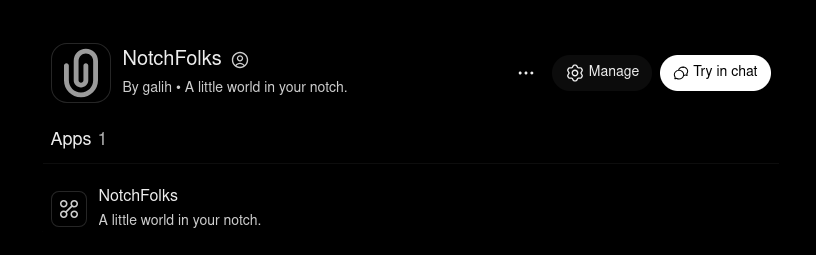 MCP server. An optional MCP server for agents outside Notchfolk: read tools for your data and actions, writes only what you list in ~/.config/notchfolk/mcp.env, on loopback by default and remote access through an authenticated tunnel.
|
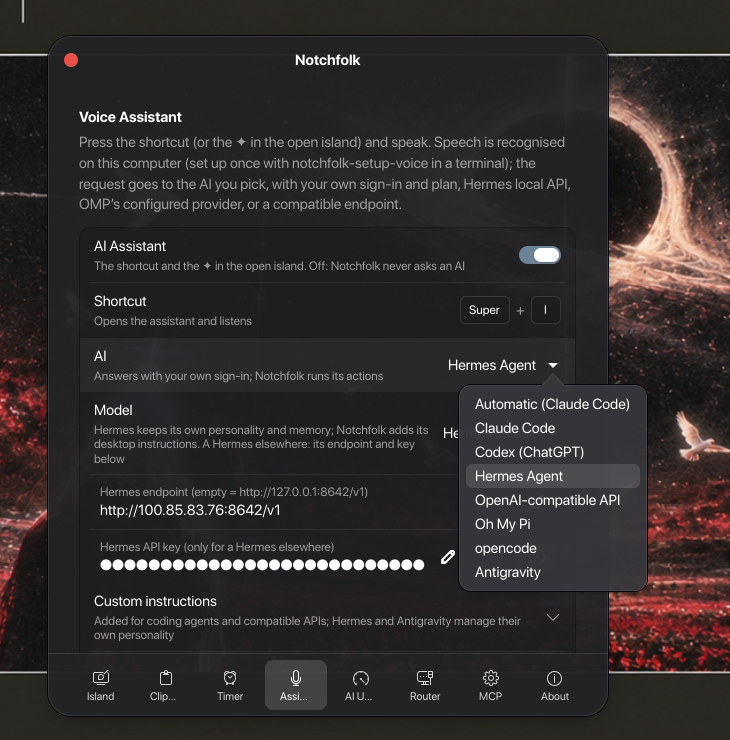 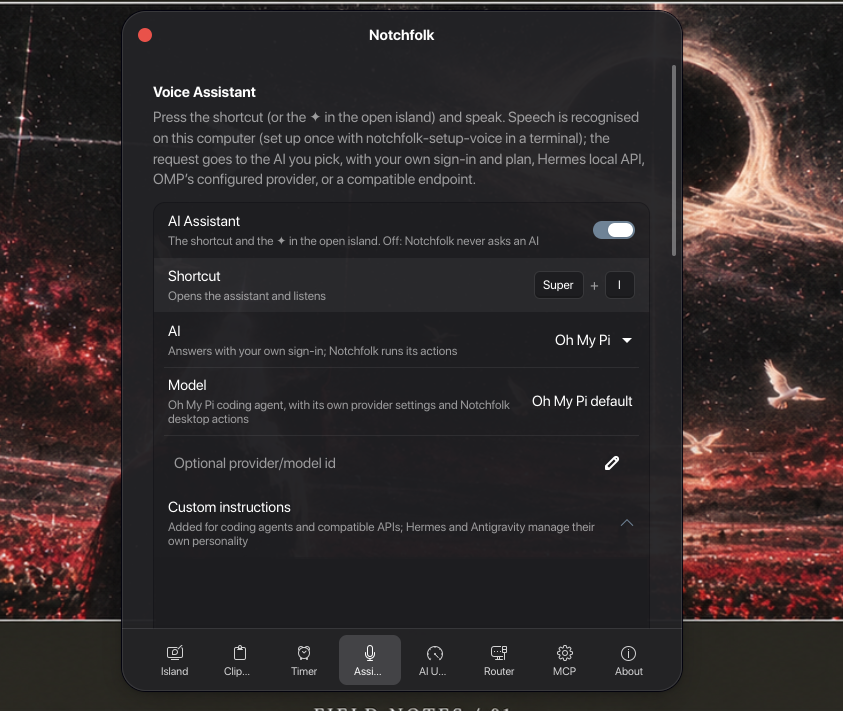 More AIs. The assistant also runs Hermes and Oh My Pi with the providers they are configured for, plus any OpenAI-compatible API. |
Also: privacy dots while the camera, microphone or screen sharing is in use,
a recording timer with a stop button, and a slim glass top bar that leaves
your windows uncovered.
Requirements
- GNOME Shell 46 to 51 (Ubuntu 24.04 to 26.10, Fedora 40 to 45,
Debian 13, …), on a 64-bit Intel or AMD PC (x86_64). Check withgnome-shell --version. curl, which most systems have (if not:sudo apt install curl). Install
Notchfolk as yourself, not withsudo.- For the voice assistant (optional): a microphone and
one of Claude Code, Codex, Grok, opencode or Antigravity signed in (Codex and the npm
install of Claude Code need Node.js 18 or newer); see
assistant guide. To have the answers spoken aloud,ffmpeg
(sudo pacman -S ffmpeg,sudo apt install ffmpeg), which turns the router's audio
into whatpw-playplays.
Installation
Run this in a terminal:
curl -fsSL https://raw.githubusercontent.com/galyarderlabs/notchfolk/main/get.sh | bashLog out and back in: GNOME Shell on Wayland only loads a new
extension at login (on GNOME 46 to 48 with X11, press Alt+F2, typer
and press Enter instead).
That's all. The script downloads the latest release, checks it, and installs
it for your user only: no root, no compiler and no cloning needed. Run the
same command again to update; your settings stay as you set them.
The installation guide goes through it step by step, with
updating, uninstalling, installing offline and what to do if the island does
not appear.
[!NOTE]
The installer never changes other extensions. When one would fight with
the island (Blur my Shell's top bar blur, or an extension that takes the
same place in the top bar), it says so and how to turn that off. Notchfolk's
look is the same on every desktop: a slim top bar with no colour of its
own, and the island as a black notch.
Documentation
- Usage and settings — every gesture and shortcut, the
Settings pages, troubleshooting and uninstalling - Assistant guide — the voice assistant, the AIs it
runs (Claude Code, Codex, Grok, Hermes, Oh My Pi, opencode, Antigravity),
agent approvals and AI plan usage - Installation guide — step by step, packages, AUR,
offline install and other ways to install - MCP server — the optional MCP server and its permissions
- Data and network — what is kept where and what
leaves your computer; also SECURITY.md - How it works — the moving parts, D-Bus interfaces
(dbus-api.md) and resource usage
Contributing
Bug reports, ideas and pull requests are welcome. See
CONTRIBUTING.md for how to build, test and send changes,
and CHANGELOG.md for what changed. Everyone taking part
follows the Code of Conduct; please report security
problems privately as described in SECURITY.md.
Contributors
Thanks to everyone who has made Notchfolk better:
- @caffeinepx: Grok in the voice assistant
and on the AI usage page; music from Zen and Firefox that keeps its place;
a sun or a moon by each World Clock. - @Ashishranjan980: the Apps page, where
your time in each app goes.
Support
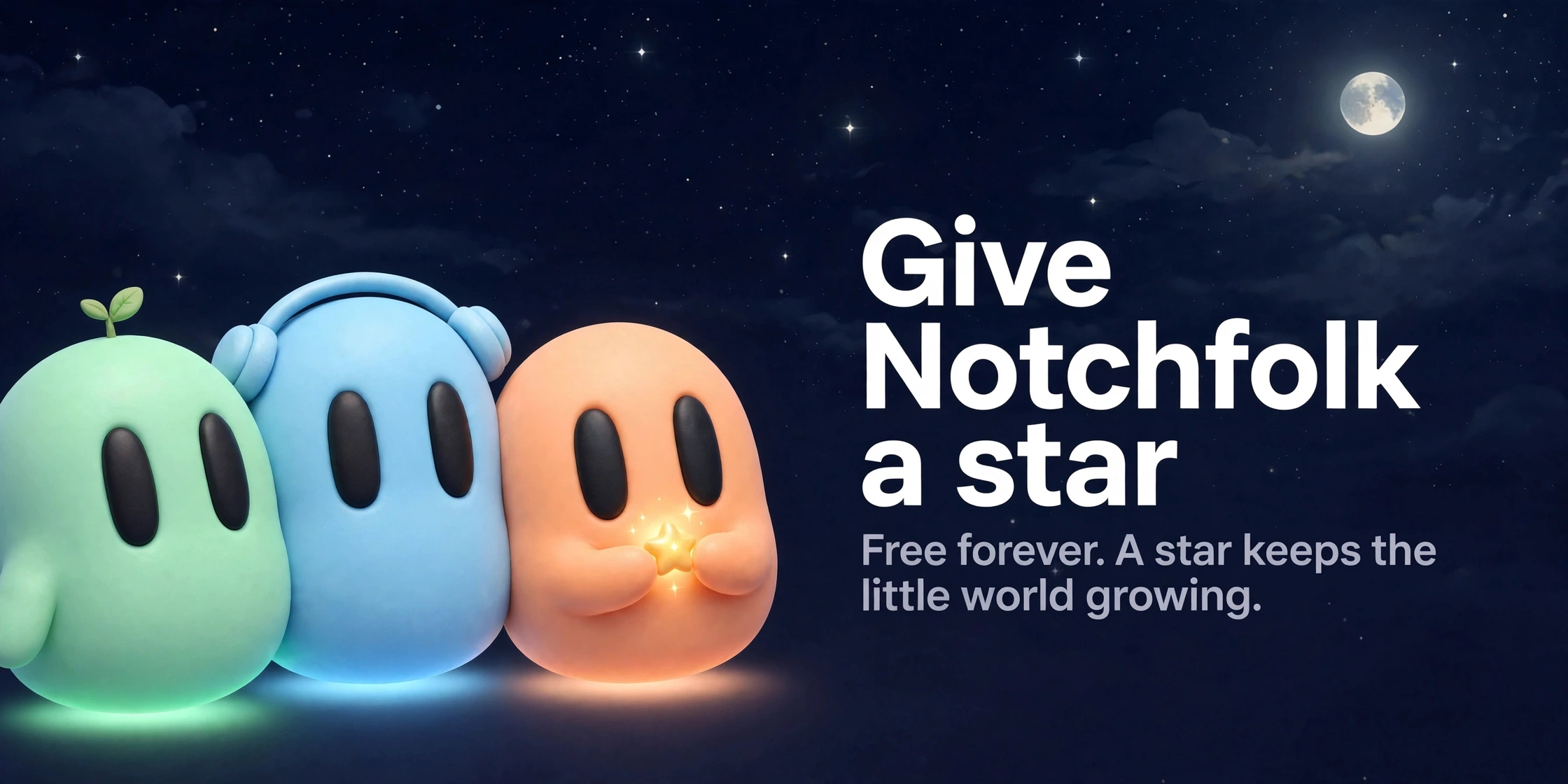
Notchfolk is free and always will be. If it makes your desktop nicer, you can
sponsor Galyarder Labs on GitHub.
A star, a bug report or telling a friend helps just as much.
License
Notchfolk is a modified version of Isle by
zickrian, used under GPL-3.0-or-later. Copyright © 2026 zickrian for the
upstream work; Copyright © 2026 Galyarder Labs for the modifications — both
published under the same licence.
Notchfolk is free software: you can redistribute it and/or modify it under the
terms of the GNU General Public License as published by the Free
Software Foundation, either version 3 of the License, or (at your option) any
later version. It is distributed in the hope that it will be useful, but
WITHOUT ANY WARRANTY; without even the implied warranty of MERCHANTABILITY or
FITNESS FOR A PARTICULAR PURPOSE. See the GNU General Public License
for more details.
The bundled Inter typeface (data/fonts) is under
the SIL Open Font License 1.1. Lyrics come
from LRCLIB. The Claude and OpenAI logos on the AI usage page
come from Simple Icons (CC0); they are trademarks of
Anthropic and OpenAI, shown only to name their plans. The assistant's face
takes its expressions from bloub by
Jérémy Perret, under the MIT License
(notice). The calendar icon takes its shape
from Lucide's "calendar-days", under the ISC License
(notice).
Yorumlar (0)
Yorum birakmak icin giris yap.
Yorum birakSonuc bulunamadi