NemoNotch
Health Uyari
- No license — Repository has no license file
- Description — Repository has a description
- Active repo — Last push 0 days ago
- Low visibility — Only 8 GitHub stars
Code Basarisiz
- rm -rf — Recursive force deletion command in build.sh
Permissions Gecti
- Permissions — No dangerous permissions requested
Bu listing icin henuz AI raporu yok.
An interactive floating panel for the MacBook notch area, turning the notch into a multi-purpose information hub.
NemoNotch
An interactive floating panel for the MacBook notch area, turning the notch into a multi-purpose information hub.

Real-time AI session & agent status.
Features
6 Functional Tabs
| Tab | Description |
|---|---|
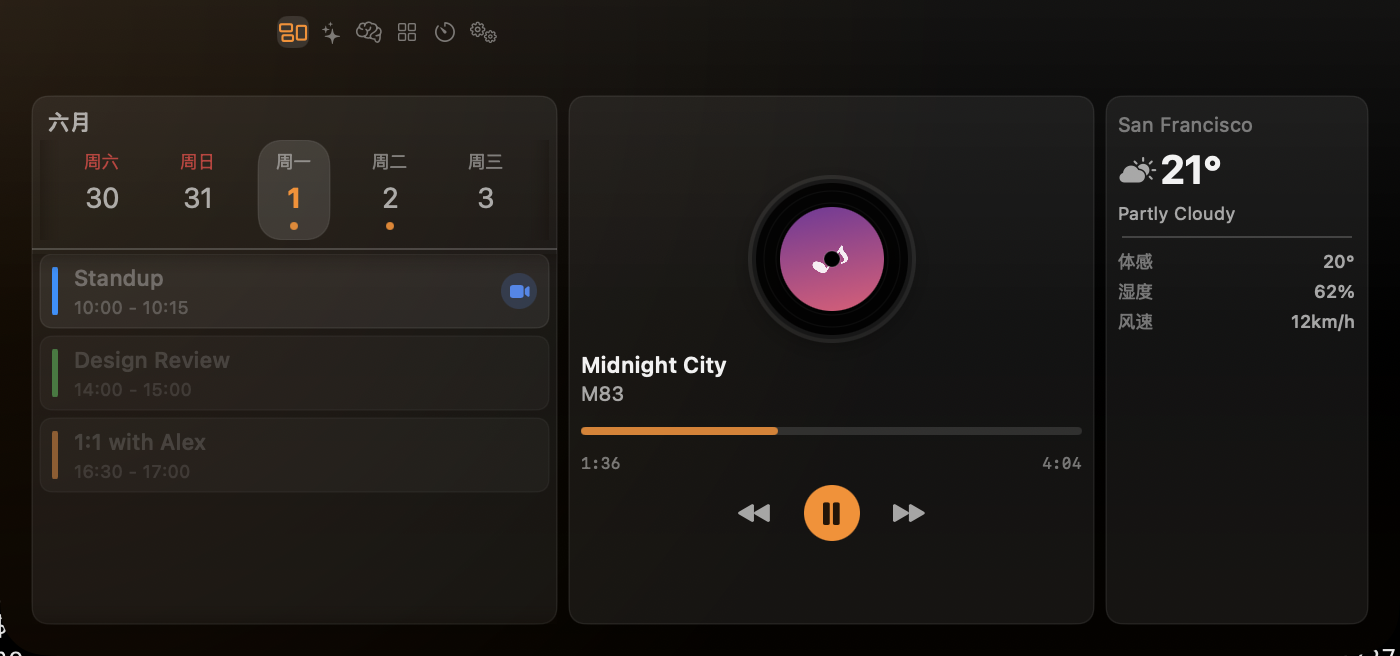
| Overview | Three glanceable panels in one tab — Media: real-time playback controls (play/pause/next/previous/seek), album artwork, progress bar — works with any player that reports Now Playing (Apple Music, Spotify, browsers, Podcasts, NetEase Music, …) via a Perl bridge to the system media controls; Calendar: 15-day date picker, daily event list, color-coded calendars, clickable meeting URLs; Weather: current temperature / feels-like, high/low, humidity & wind, 3-hour hourly forecast |
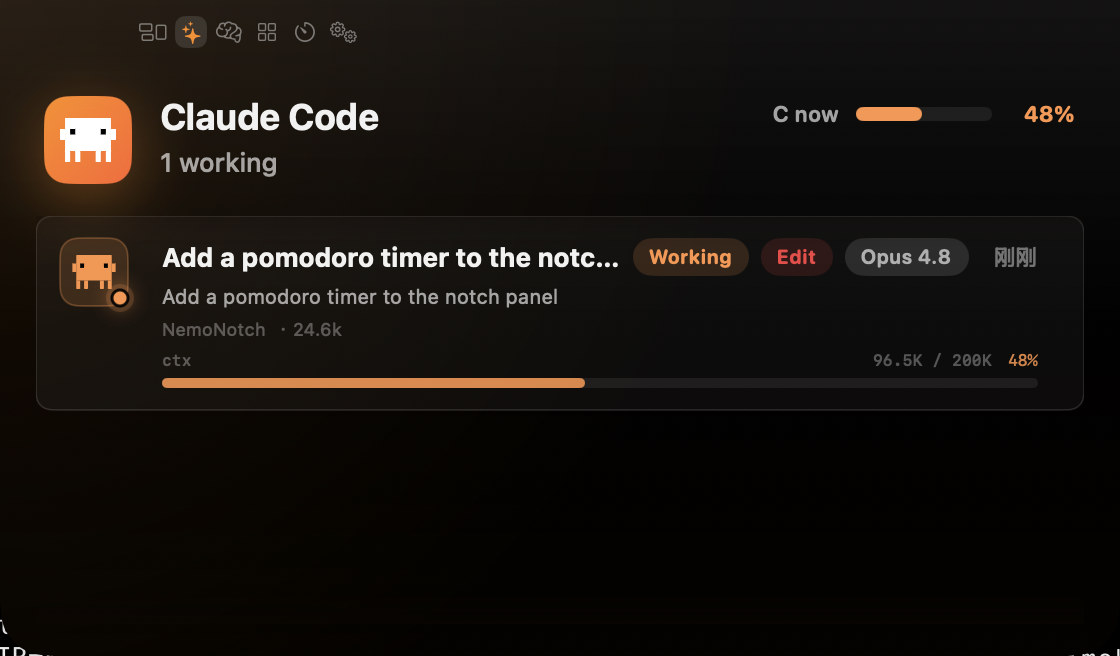
| AI Chat | Unified Claude Code, Gemini CLI & opencode monitoring — session list, conversation details, permission approval, context usage bar, subagent tracking, model display |
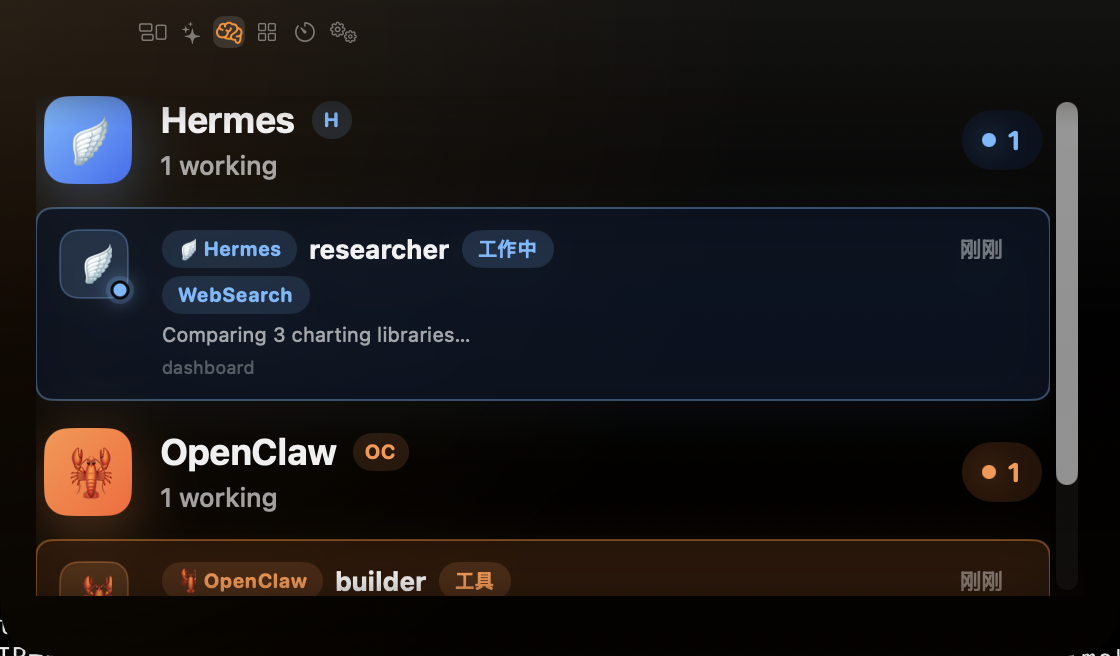
| Agents | Multi-agent status monitoring for OpenClaw (WebSocket) and Hermes-agent (HTTP API), real-time agent state tracking |
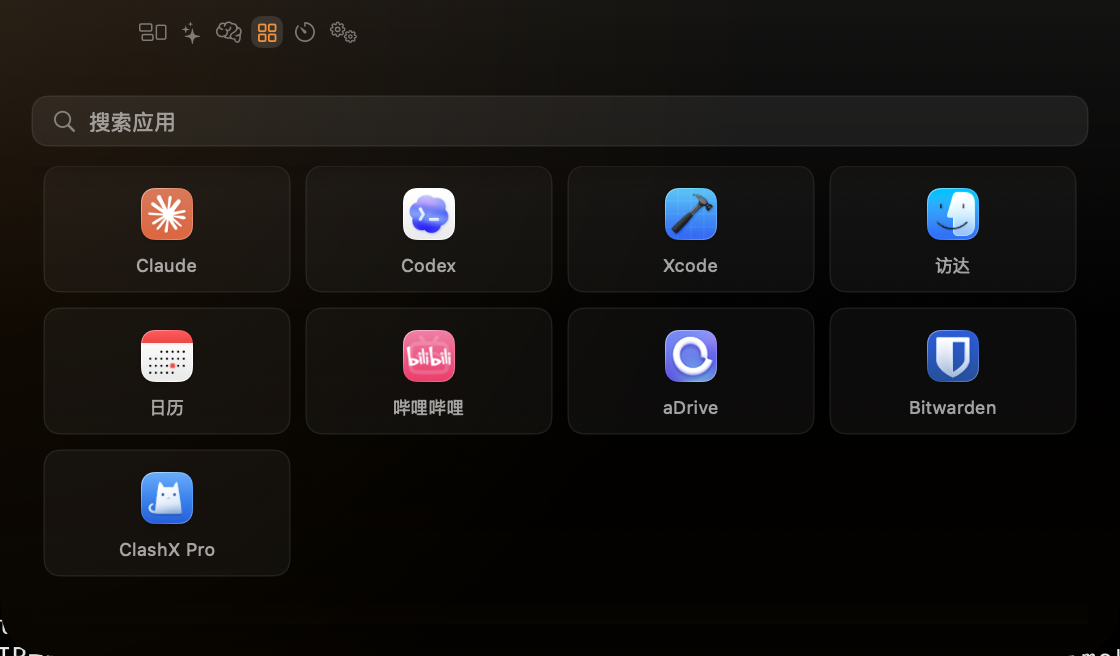
| Launcher | App icon grid, search filter, quick-launch custom app list |
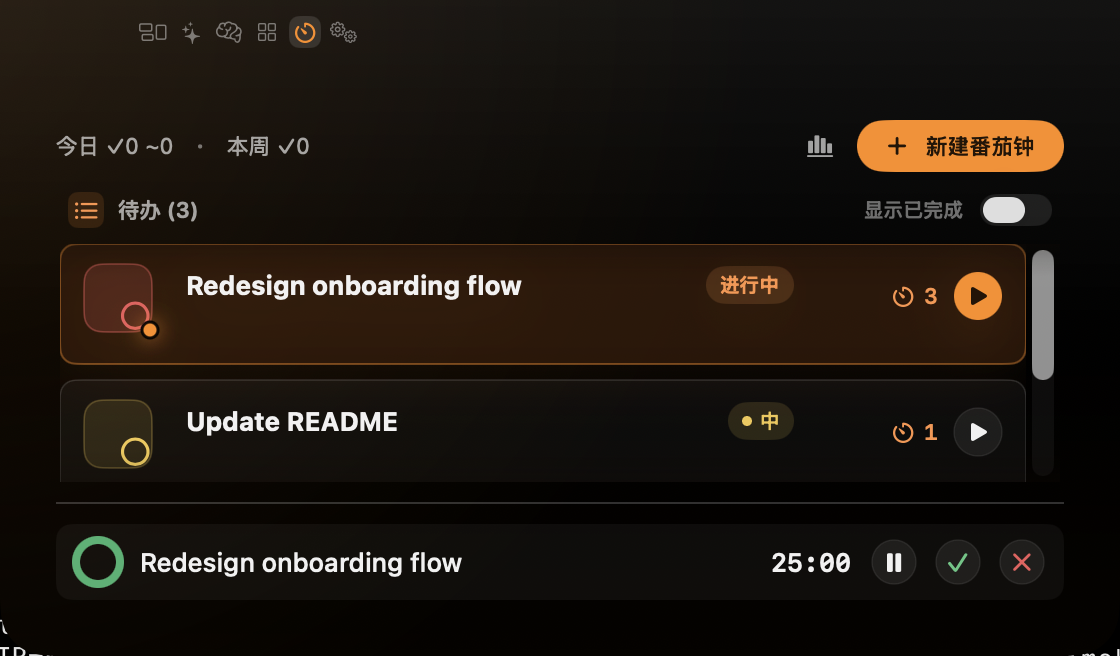
| Pomodoro | Classic 25/5/15 cycle with persistent TODO list, per-task completed-pomodoro counts, hotkey-summoned centered QuickStart panel, end-of-phase sound + system notification, collapsed-notch 🍅 + remaining-time pie |
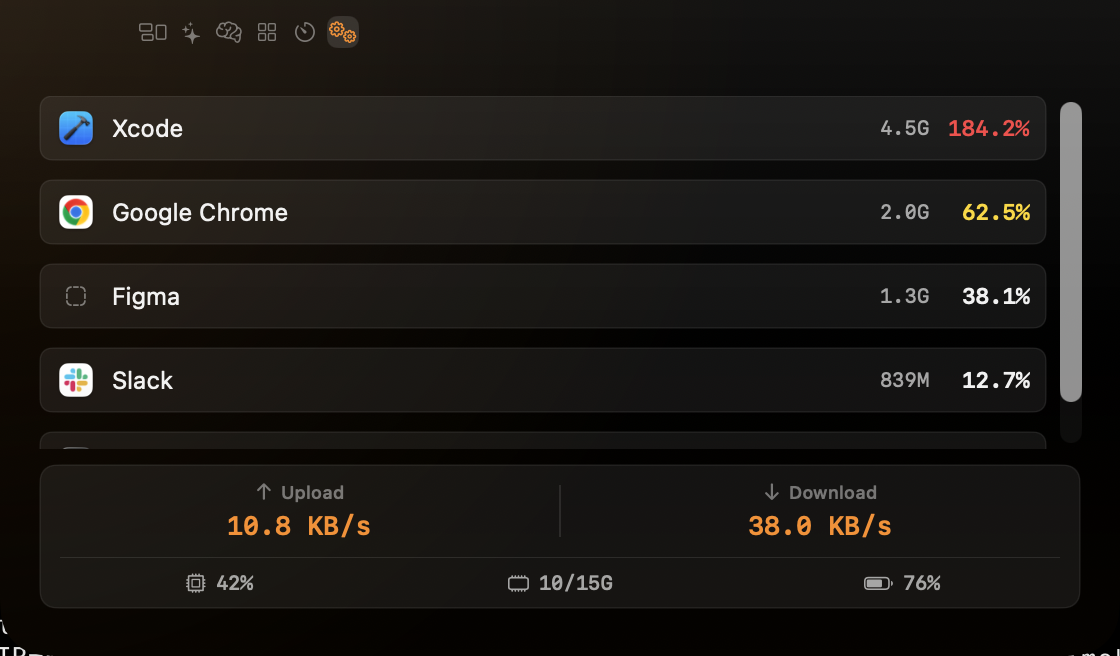
| System | Top 5 process resource ranking (CPU & memory), app icons, system summary footer (CPU / RAM / battery / network) |
Highlights
Notch Floating Panel — Hovers over the notch area, auto-detects notch size
Multi-AI Provider — Unified interface for Claude Code, Gemini CLI, and opencode with hook event listening, session tracking, and permission interception. opencode integrates via a NemoNotch-written plugin (
~/.config/opencode/plugin/nemonotch-notify.ts) that POSTs lifecycle events to NemoNotch's hook server — badge, completion flash, toast, and AI tab status card all work automaticallyAI usage quota — shows your Claude Code, Codex, and Gemini usage quotas (utilization % + reset countdown) as a card in the AI tab, read from each CLI's OAuth credential. The Codex and Gemini sections appear automatically when those CLIs are signed in.
Global Shortcuts — Toggle panel: configure your own in Settings → Hotkeys (no default). Tab switches default to
⌥⌘1-5. All bindings are user-customizable, powered by KeyboardShortcutsSmart Auto-Switch — Automatically selects the active tab (AI working, music playing, etc.)
Activity Glow — When AI/agents are busy (working, or waiting for approval), the expanded notch shows a soft blurred glow in the app's theme orange along its lower inner edge, fading out by the middle (content stays clean)
Completion Flash — When an AI session or agent finishes a turn (working→idle), NemoNotch plays a one-shot full-screen accent-orange edge glow on all screens, plus a HUD-style toast capsule near the notch showing the finished project/agent name(s). Rapid completions are throttled and merged into the visible toast rather than replaying the flash. Toggleable in Settings.
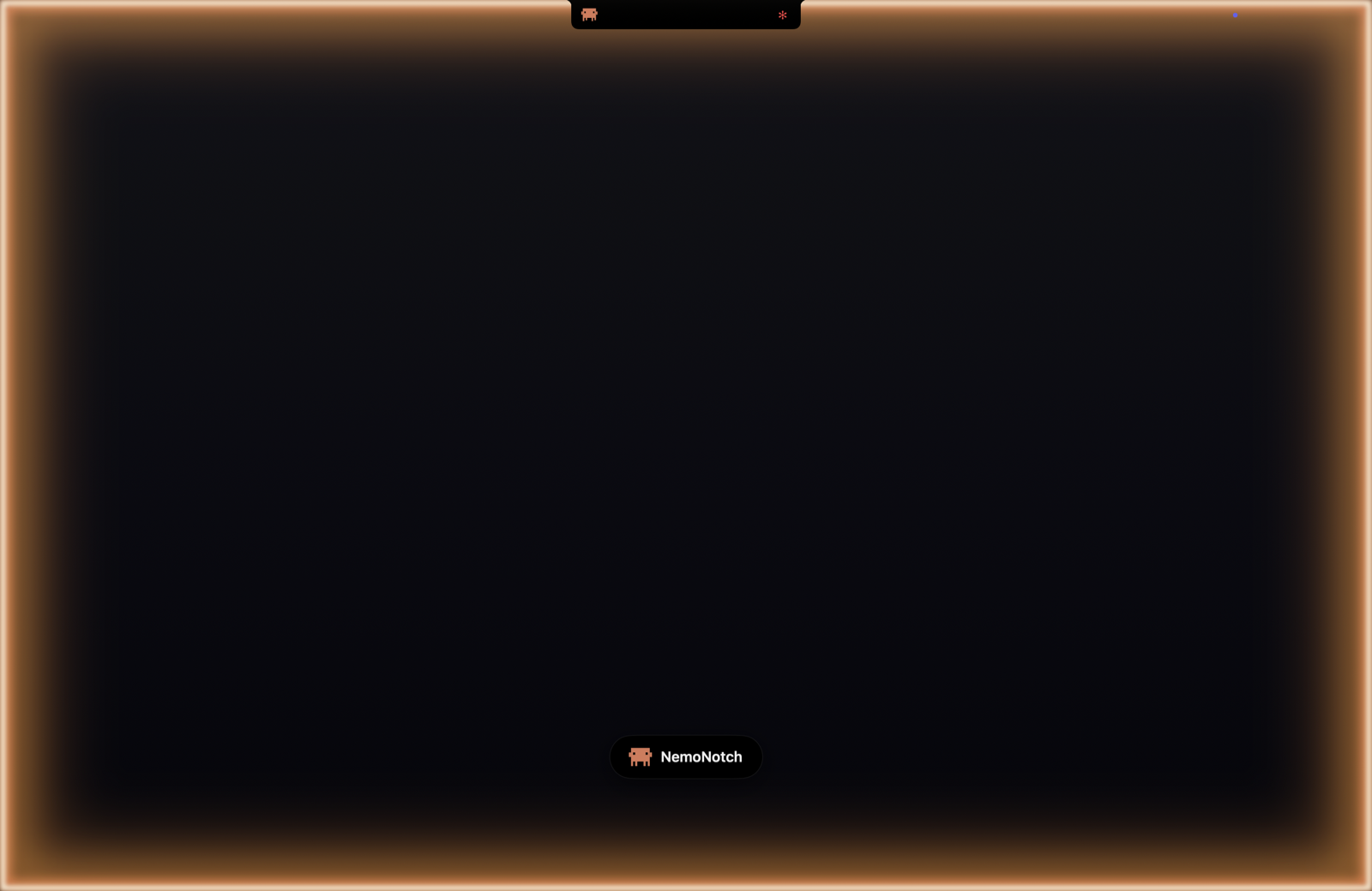
Menu Bar Entry — Fixed pixel-art notch icon (state is visible on the notch panel above the menubar); menu shows Now Playing controls (previous / play-pause / next) when media is active
HUD Overlay — Volume, brightness, and battery level indicators with segmented bars
i18n — Supports English and Simplified Chinese, switchable in Settings
Explicit permission requests. NemoNotch does not auto-request permissions on launch. Each feature surfaces a "Grant Access" button (Calendar in the Overview tab, Location in the Weather card) — click to invoke the system dialog. Media control needs no permission at all — it goes through the Perl bridge.
ESC closes the notch. Press ESC any time the notch is opened.
Tech Stack
- Swift 6 + SwiftUI, native macOS app
- AppKit — Custom NSWindow, click-through, multi-screen positioning
- MediaPlayer / MediaRemote — Media playback control
- EventKit — Calendar event access
- IOKit — System monitoring (CPU, memory, battery, disk)
- libproc — Per-process resource tracking via kernel APIs
- CocoaLumberjack — Logging (
~/.NemoNotch/logs/, 7-day rotation) - KeyboardShortcuts — User-customizable global hotkeys (replaces Carbon
RegisterEventHotKey) - WebSocket / Unix Socket — AI CLI Hooks & OpenClaw communication
- HTTP API — Hermes-agent monitoring via localhost:8787
Project Structure
NemoNotch/
├── NemoNotchApp.swift           # Entry point, MenuBarExtra, global hotkeys
├── Models/                      # Data models (Tab, AppSettings, AIProvider, PlaybackState, etc.)
├── Notch/                       # Notch UI core (window, animation, event handling, TabBar, HUD)
├── Tabs/                        # Tab content views (AIChatTab for unified AI sessions)
├── Services/                    # Background services (media, calendar, AI CLI monitor, launcher, etc.)
├── Settings/                    # Preferences UI
└── Helpers/                     # Utilities (MarkdownRenderer, ClaudeCrabIcon, ToolStyles)
Build
- Open
NemoNotch.xcodeprojin Xcode - Select the
NemoNotchtarget - Build & Run (requires macOS 14+)
Note: If macOS blocks the app on first launch, run the following command to remove the quarantine attribute:
sudo xattr -d com.apple.quarantine /Applications/NemoNotch.app
Acknowledgements
NemoNotch draws inspiration from the following open-source projects:
Notch Window & Interaction
- NotchDrop — Notch window positioning, multi-screen support, click-through
- DynamicNotchKit — Spring animations, auto-dismiss, content switching
- Peninsula — Multi-view state management in the notch area
Media & Playback
- PlayStatus — MediaRemote framework integration, media key interception
- Tuneful — Now playing info & UI
- nowplaying-cli — CLI tool for now playing info
- mediaremote-adapter — Perl bridge for media control on macOS 15.4+ (bypasses the private-API signature gate)
Window Management & Shortcuts
- Loop — Global hotkey registration, window operations
- DSFQuickActionBar — Floating search bar component
Display & System Monitoring
- MonitorControl — Display brightness reading via DisplayServices API
Menu Bar & System Tools
- eul — Menu bar architecture, Combine reactive patterns
- menubar_runcat — Menu bar status animation
Launcher & UI Components
AI & Desktop Integration
- Vibe Notch — Claude Code notch notifications, session monitoring, permission approval UI
- masko-code — Claude Code status monitoring & desktop overlay concept
UI & Design
- Notch Pilot — Visual reference for the notch panel's layout, tab structure, and console-style header treatment
License
MIT
Yorumlar (0)
Yorum birakmak icin giris yap.
Yorum birakSonuc bulunamadi