OmniTerm
Health Uyari
- License — License: NOASSERTION
- Description — Repository has a description
- Active repo — Last push 0 days ago
- Low visibility — Only 5 GitHub stars
Code Basarisiz
- rm -rf — Recursive force deletion command in dev.sh
- network request — Outbound network request in frontend/public/sw.js
- network request — Outbound network request in frontend/src/api/client.ts
Permissions Gecti
- Permissions — No dangerous permissions requested
Bu listing icin henuz AI raporu yok.
Web UI for Claude Code, Codex CLI, opencode, pi, omp, qoder, Antigravity & more AI agents — powered by tmux. 浏览器端 Web UI,实时监控各类 AI 编码智能体。
OmniTerm
One browser tab to watch — and drive — every AI coding agent.

Claude Code · Codex · Gemini · OpenCode · Qwen Code · Kiro …
Sound familiar?
You've got several AI coding agents running at once — Claude Code in one terminal, Codex in another, Gemini in a third. You keep switching between them, checking one by one: which one finished? which one's stuck waiting for you to confirm? which one errored out ages ago?
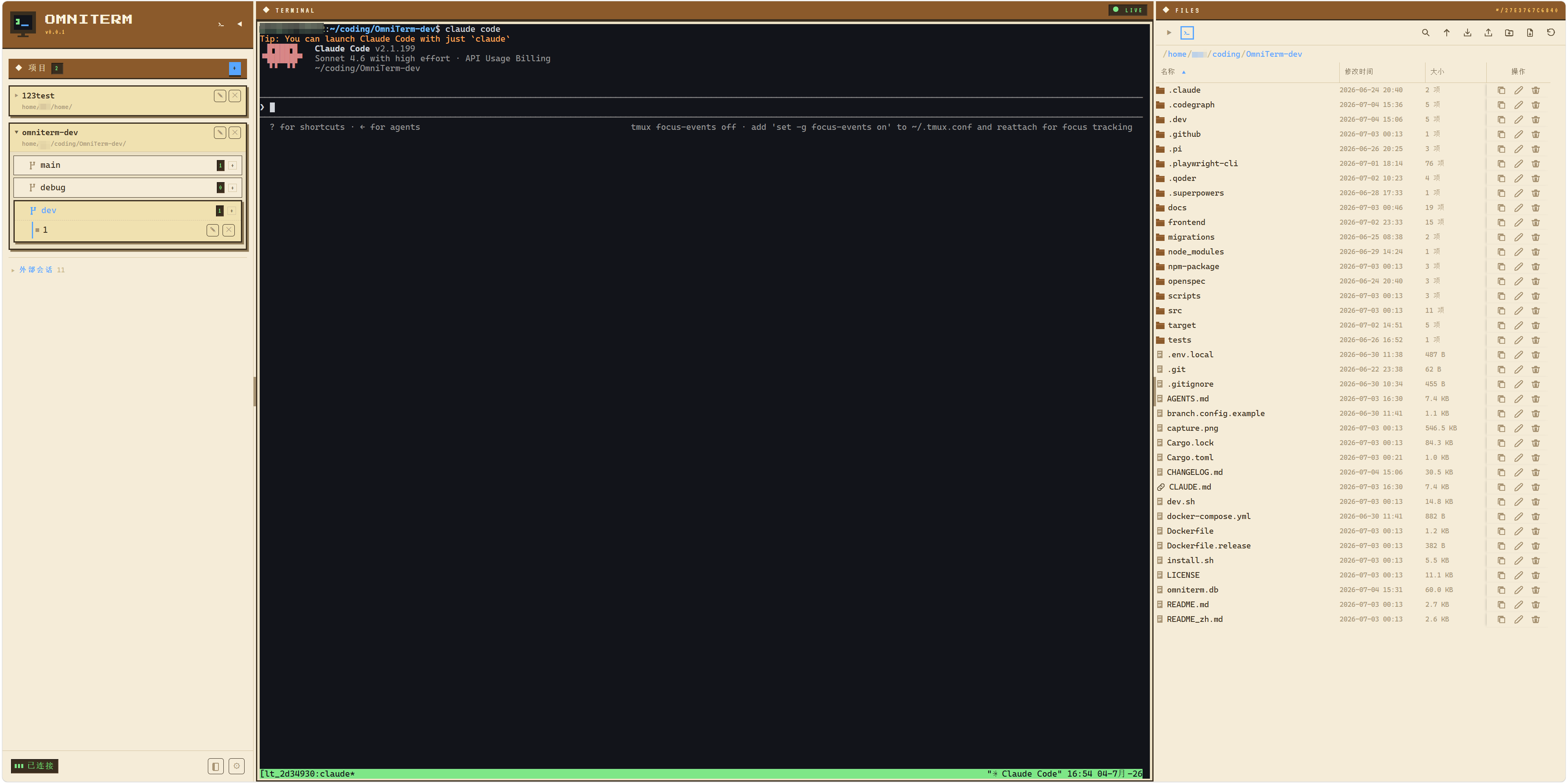
OmniTerm pulls them all into a single browser tab. Each agent gets a card that tells you what it's doing in real time; when it needs you, the tab flashes, a sound plays, and you know instantly. Most of the time, you just watch them work.
What you can do with it
See every agent at a glance — running, waiting for input, or done. Live status for each, no more flipping through windows one by one.
Drive agents like a chat — pick an agent and just talk (over the ACP protocol): its replies become clean text, tool-call cards, and collapsible thinking — not a wall of terminal text. One-click presets for Claude Code, Codex, Gemini, OpenCode, Qwen Code, and Kiro.
Step in exactly when it matters — approve or deny a tool right where it asks; switch models or thinking level mid-session.
Get pinged the moment you're needed — permission requests and waiting prompts trigger a tab flash + sound + sidebar badge, even if you've navigated away.
Jump in anytime — built-in terminal (xterm.js) and file browser for when you want to read code, edit files, or run commands — mobile soft keyboard included.
Easy on memory — release a session with one click to free memory while keeping the log; resume anytime. Idle sessions recycle themselves.
Knows your project — auto-detects git worktrees and groups sessions by branch, file browser follows the current directory, syntax highlighting for 13 languages.
Quick start
cargo install omniterm        # or see other methods below
omniterm                      # open http://localhost:9077
In the browser, set an initial password, add a project directory, and start a session — pick an agent for chat mode, or leave it blank for a plain terminal. Upgrade anytime with omniterm update.
Prerequisites: tmux (on Windows, use psmux instead).
# npm (requires Node.js >= 18, cross-platform)
npm install -g @gdwhisper/omniterm
# Shell script (Linux/macOS) — installs tmux automatically if missing
curl -fsSL https://raw.githubusercontent.com/GDWhisper/OmniTerm/main/install.sh | bash
# PowerShell (Windows) — bring your own psmux or tmux
irm https://raw.githubusercontent.com/GDWhisper/OmniTerm/main/install.ps1 | iex
# Docker — tmux bundled
docker run -d -p 9077:9077 -v omniterm-data:/app/data ghcr.io/GDWhisper/omniterm
For developers
Single-binary deployment: Rust backend with embedded frontend and SQLite, one command to start.
| Layer | Technology |
|---|---|
| Backend | Rust + Axum + SQLite |
| Frontend | React 19 + Tailwind CSS 4 + xterm.js |
| Agent protocol | ACP client + tmux control mode |
| Terminal bridge | portable-pty + WebSocket |
Contributing — ⭐ Star the repo; 🐛 Issues for bugs or ideas.
License — FSL-1.1-MIT © GDWhisper
Yorumlar (0)
Yorum birakmak icin giris yap.
Yorum birakSonuc bulunamadi