dockit
Health Pass
- License — License: Apache-2.0
- Description — Repository has a description
- Active repo — Last push 3 days ago
- Community trust — 1102 GitHub stars
Code Warn
- process.env — Environment variable access in .github/workflows/release.yml
- process.env — Environment variable access in eslint.config.js
Permissions Pass
- Permissions — No dangerous permissions requested
No AI report is available for this listing yet.
Agentic desktop GUI client for Elasticsearch, OpenSearch, DynamoDB, MongoDB & EasySearch. Natural language queries, visual management, and monitoring. Privacy-first. Open source.

DocKit
Open-source GUI client for Elasticsearch, OpenSearch, DynamoDB and MongoDB — one native desktop app for all your NoSQL databases.
Privacy-first. Your data, your keys. Open source.




DocKit replaces browser consoles like Kibana and AWS Console with a single native desktop app. Describe what you need in natural language and get runnable queries, or use the Monaco-powered editors directly. Supports OpenAI, Anthropic, and DeepSeek — bring your own key.
 Elasticsearch
 OpenSearch
 DynamoDB
 MongoDB
 EasySearch
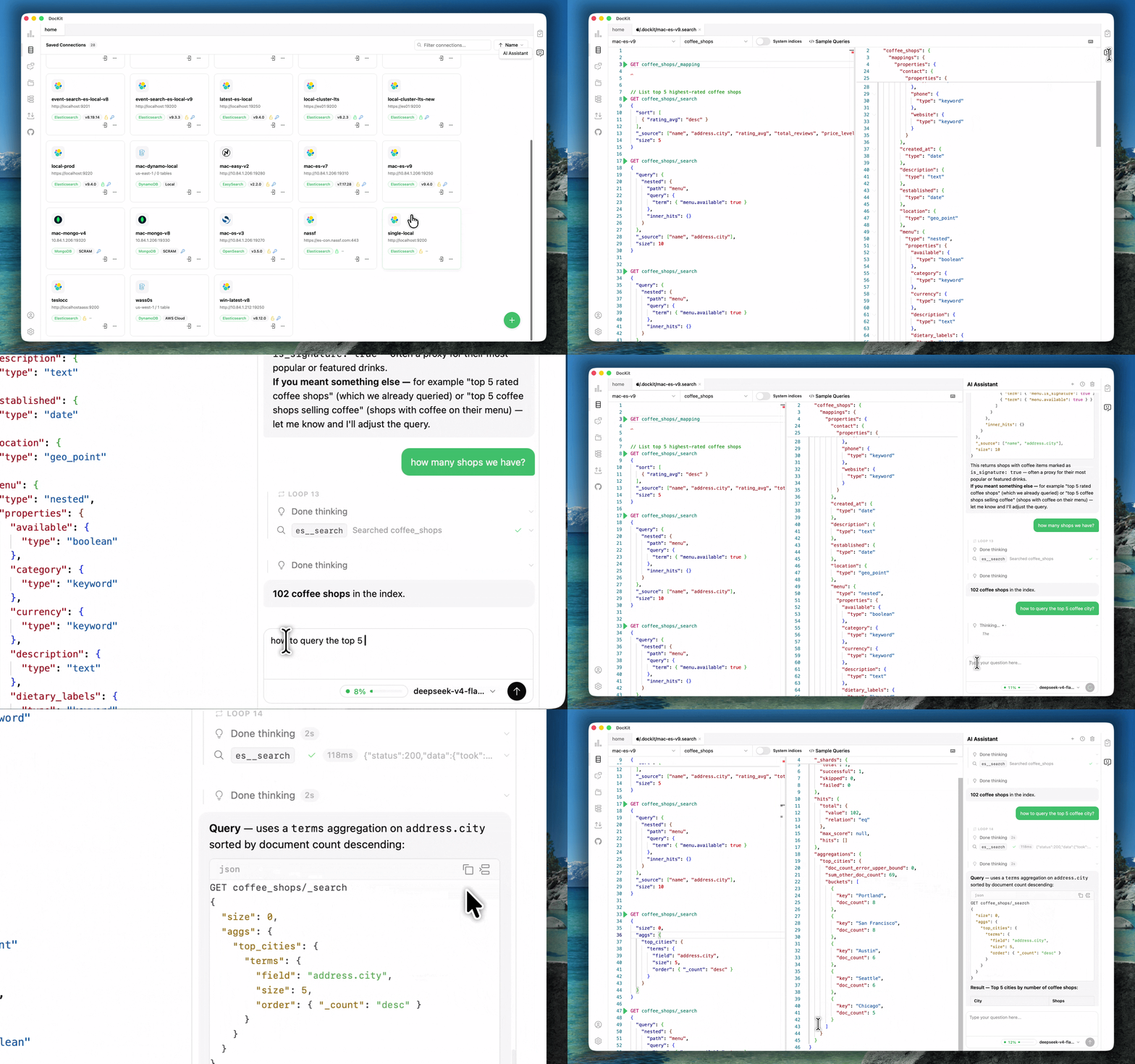
Key Features
Agentic Data Studio
DocKit's data agent lets you interact with your databases through natural language. Describe what you need — the agent writes queries, inspects schemas, updates documents, deletes records, creates indexes, and returns results. Every operation runs through validated tools with built-in safety: fine-grained per-source permissions, a security gate requiring explicit confirmation before destructive actions, and a credential-safe architecture that never exposes connection secrets to the LLM. Supports OpenAI, Anthropic, and DeepSeek.
Manage & Monitor
Interactive management panels for every supported database. Monitor node health, shard states, index status, and storage metrics. Manage indexes, aliases, table configurations, and collection metadata — all through a visual UI. No command-line needed.
DynamoDB
Visual Query Builder for scan and query operations with primary key filtering and advanced conditions. PartiQL Editor with autocomplete and syntax highlighting. Inline edit, update, and delete items directly from results. Full table lifecycle — browse, create, modify tables, manage indexes, monitor capacity and item counts. Supports DynamoDB Local for offline development without AWS credentials.
MongoDB
Connect with authentication, TLS, and replica set configurations. Full-featured query editor with autocomplete and result formatting. Document browser with pagination and inline CRUD. Manage view for indexes, storage stats, and collection metadata. Bulk write support. Query history with star/bookmark favorites, persisted per connection. Import and export collections in JSON, CSV, and JSONL.
Elasticsearch & OpenSearch
Supported as separate connection types with independent configurations. Monaco-powered editor with full syntax highlighting and autocomplete. Cluster management — node health, shard state, index tracking, alias control. Native API key authentication for both Elasticsearch and OpenSearch.
Query History
Every query recorded automatically. No save button needed. 500 entries per connection, stored locally. Copy, reload into the editor, or re-execute past queries. Covers PartiQL, MongoDB, and visual form queries.
Import & Export
JSON, CSV, JSONL. Batch operations handle millions of records. Move data between clusters, back up tables, or seed development environments.
Privacy & Security
DocKit does not phone home. No query data, credentials, or analytics leave your machine. Connection profiles encrypted by your OS keychain. No internet connection required — air gap compatible.
Accessibility
Full keyboard navigation — tab through interactive elements, arrow keys in lists and trees, enter/space to activate. Action buttons and query results fully keyboard accessible. Screen reader friendly.
Development
DocKit is Built with Tauri (Rust), Vue 3 + TypeScript, shadcn-vue, UnoCSS, Monaco Editor, and Pinia.
Prerequisites
- Node.js >= 20
- NPM >= 10
- Rust toolchain (for Tauri)
Setup
git clone https://github.com/geek-fun/dockit.git --depth=1
cd dockit
npm install
npm run tauri dev
Build
npm run tauri build         # current platform
npm run build:macos         # macOS Universal
Contributing
Issues and PRs welcome. Check the contribution guide.
Community & Sponsor


License
Apache 2.0 © GEEKFUN
Reviews (0)
Sign in to leave a review.
Leave a reviewNo results found