shopify-mcp
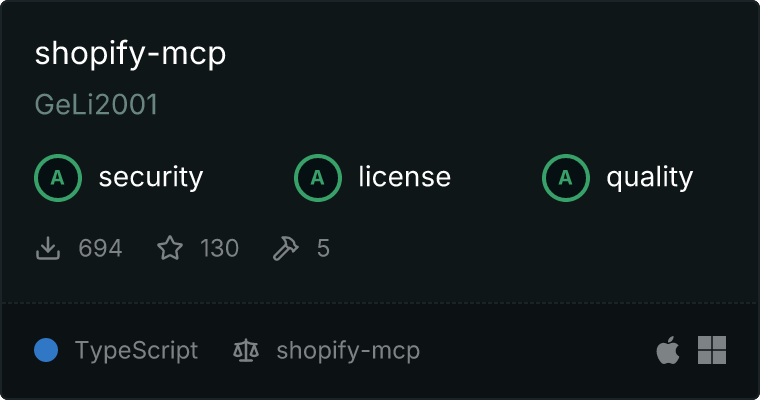
Health Gecti
- License — License: MIT
- Description — Repository has a description
- Active repo — Last push 0 days ago
- Community trust — 181 GitHub stars
Code Basarisiz
- child_process — Shell command execution capability in direct_test.cjs
- rimraf — Recursive directory removal in package.json
- process.env — Environment variable access in src/index.ts
- network request — Outbound network request in src/lib/shopifyAuth.ts
Permissions Gecti
- Permissions — No dangerous permissions requested
This MCP server acts as a bridge between AI hosts (like Claude or Cursor) and the Shopify Admin GraphQL API, allowing you to programmatically manage store products, customers, and orders.
Security Assessment
Risk Rating: Medium
The server requires access to sensitive data, specifically Shopify Client IDs, Client Secrets, or legacy static access tokens to function. It relies on environment variables to handle these credentials securely, which is standard practice, and no hardcoded secrets were detected. However, there are two notable security flags. First, the package includes the `rimraf` dependency, which enables recursive directory removal. Second, a direct shell command execution capability was detected in `direct_test.cjs`. While this might just be part of a local testing script, child process execution is a high-risk feature that requires careful scrutiny. Unsurprisingly, the tool makes outbound network requests, but this is strictly necessary to communicate with the Shopify API.
Quality Assessment
This is a highly active and trusted open-source project. It is licensed under the permissive MIT license and features strong community traction with 181 GitHub stars. Maintenance appears to be excellent, with repository updates pushed as recently as today. The setup instructions are clear, comprehensive, and follow modern authentication standards (supporting both newer OAuth client credentials and legacy tokens).
Verdict
Use with caution: it is a well-maintained and popular tool with necessary network access, but users should review the shell execution script before running it due to the sensitive nature of Shopify store credentials.
MCP server for Shopify api, usable on mcp hosts such as Claude and Cursor
Shopify MCP Server
(please leave a star if you like!)
MCP Server for Shopify API, enabling interaction with store data through GraphQL API. This server provides tools for managing products, customers, orders, and more.
📦 Package Name: shopify-mcp
🚀 Command: shopify-mcp (NOT shopify-mcp-server)
Features
- Product Management: Full CRUD for products, variants, and options (8 tools)
- Customer Management: Full CRUD, merge, and address management (8 tools)
- Order Management: Smart lookup, cancel, close/open, mark as paid, fulfillment, refunds (10 tools)
- Metafield Management: Get, set, and delete metafields on any resource (3 tools)
- Inventory Management: Set absolute inventory quantities at locations (1 tool)
- Tag Management: Add/remove tags on any taggable resource (1 tool)
- Pagination & Sorting: Cursor-based pagination and sort keys on all list queries
- Advanced Filtering: Pass-through Shopify query syntax for all list endpoints
- GraphQL Integration: Direct integration with Shopify's GraphQL Admin API (2026-01)
- Comprehensive Error Handling: Clear error messages for API and authentication issues
Prerequisites
- Node.js (version 18 or higher)
- A Shopify store with a custom app (see setup instructions below)
Setup
Authentication
This server supports two authentication methods:
Option 1: Client Credentials (Dev Dashboard apps, January 2026+)
As of January 1, 2026, new Shopify apps are created in the Dev Dashboard and use OAuth client credentials instead of static access tokens.
- From your Shopify admin, go to Settings > Apps and sales channels
- Click Develop apps > Build app in dev dashboard
- Create a new app and configure Admin API scopes:
read_products,write_productsread_customers,write_customersread_orders,write_orders
- Install the app on your store
- Copy your Client ID and Client Secret from the app's API credentials
The server will automatically exchange these for an access token and refresh it before it expires (tokens are valid for ~24 hours).
Option 2: Static Access Token (legacy apps)
If you have an existing custom app with a static shpat_ access token, you can still use it directly.
Usage with Claude Desktop
Client Credentials (recommended):
{
  "mcpServers": {
    "shopify": {
      "command": "npx",
      "args": [
        "shopify-mcp",
        "--clientId",
        "<YOUR_CLIENT_ID>",
        "--clientSecret",
        "<YOUR_CLIENT_SECRET>",
        "--domain",
        "<YOUR_SHOP>.myshopify.com"
      ]
    }
  }
}
Static Access Token (legacy):
{
  "mcpServers": {
    "shopify": {
      "command": "npx",
      "args": [
        "shopify-mcp",
        "--accessToken",
        "<YOUR_ACCESS_TOKEN>",
        "--domain",
        "<YOUR_SHOP>.myshopify.com"
      ]
    }
  }
}
Locations for the Claude Desktop config file:
- MacOS:
~/Library/Application Support/Claude/claude_desktop_config.json - Windows:
%APPDATA%/Claude/claude_desktop_config.json
Usage with Claude Code
Client Credentials:
claude mcp add shopify -- npx shopify-mcp \
  --clientId YOUR_CLIENT_ID \
  --clientSecret YOUR_CLIENT_SECRET \
  --domain your-store.myshopify.com
Static Access Token (legacy):
claude mcp add shopify -- npx shopify-mcp \
  --accessToken YOUR_ACCESS_TOKEN \
  --domain your-store.myshopify.com
Alternative: Run Locally with Environment Variables
If you prefer to use environment variables instead of command-line arguments:
Create a
.envfile with your Shopify credentials:Client Credentials:
SHOPIFY_CLIENT_ID=your_client_id
SHOPIFY_CLIENT_SECRET=your_client_secret
MYSHOPIFY_DOMAIN=your-store.myshopify.com
Static Access Token (legacy):
SHOPIFY_ACCESS_TOKEN=your_access_token
MYSHOPIFY_DOMAIN=your-store.myshopify.com
Run the server with npx:
npx shopify-mcp
Direct Installation (Optional)
If you want to install the package globally:
npm install -g shopify-mcp
Then run it:
shopify-mcp --clientId=<ID> --clientSecret=<SECRET> --domain=<YOUR_SHOP>.myshopify.com
Additional Options
--apiVersion: Specify the Shopify API version (default:2026-01). Can also be set viaSHOPIFY_API_VERSIONenvironment variable.
⚠️ Important: If you see errors about "SHOPIFY_ACCESS_TOKEN environment variable is required" when using command-line arguments, you might have a different package installed. Make sure you're using shopify-mcp, not shopify-mcp-server.
Available Tools (31)
Pagination, Sorting & Filtering
All list query tools (get-products, get-customers, get-orders, get-customer-orders) support:
- Cursor-based pagination:
after/before(cursor strings), withpageInfoin the response (hasNextPage,hasPreviousPage,startCursor,endCursor) - Sorting:
sortKey(enum specific to each resource) andreverse(boolean) - Advanced filtering:
queryorsearchQueryparameter accepting Shopify query syntax
Product Management (8 tools)
get-products- Get all products or search by title with pagination and sorting
- Inputs:
searchTitle(string, optional): Filter products by title (wraps intitle:*...*)limit(number, default: 10): Maximum number of products to returnquery(string, optional): Raw Shopify query string (e.g."status:active vendor:Nike tag:sale")sortKey(string, optional): One ofCREATED_AT,ID,INVENTORY_TOTAL,PRODUCT_TYPE,PUBLISHED_AT,RELEVANCE,TITLE,UPDATED_AT,VENDORreverse(boolean, optional): Reverse the sort orderafter/before(string, optional): Pagination cursors
get-product-by-id- Get a specific product by ID with full details including SEO, options, media, variants, and collections
- Inputs:
productId(string, required): Shopify product GID
- Returns:
productType,descriptionHtml,seo,options(withoptionValues),media(images),variants,collections,tags,vendor, price range, inventory
create-product- Create a new product. When using
productOptions, Shopify registers all option values but only creates one default variant (first value of each option, price $0). Usemanage-product-variantswithstrategy: REMOVE_STANDALONE_VARIANTafterward to create all real variants with prices. - Inputs:
title(string, required): Title of the productdescriptionHtml(string, optional): Description with HTMLhandle(string, optional): URL slug. Auto-generated from title if omittedvendor(string, optional): Vendor of the productproductType(string, optional): Type of the producttags(array of strings, optional): Product tagsstatus(string, optional):"ACTIVE","DRAFT", or"ARCHIVED". Default"DRAFT"seo(object, optional):{ title, description }for search enginesmetafields(array of objects, optional): Custom metafields (namespace,key,value,type)productOptions(array of objects, optional): Options to create inline, e.g.[{ name: "Size", values: [{ name: "S" }, { name: "M" }] }]. Max 3 options.collectionsToJoin(array of strings, optional): Collection GIDs to add the product to
- Create a new product. When using
update-product- Update an existing product's fields
- Inputs:
id(string, required): Shopify product GIDtitle(string, optional): New titledescriptionHtml(string, optional): New descriptionhandle(string, optional): New URL slugvendor(string, optional): New vendorproductType(string, optional): New product typetags(array of strings, optional): New tags (overwrites existing)status(string, optional):"ACTIVE","DRAFT", or"ARCHIVED"seo(object, optional):{ title, description }for search enginesmetafields(array of objects, optional): Metafields to set or updatecollectionsToJoin(array of strings, optional): Collection GIDs to add the product tocollectionsToLeave(array of strings, optional): Collection GIDs to remove the product fromredirectNewHandle(boolean, optional): If true, old handle redirects to new handle
delete-product- Delete a product
- Inputs:
id(string, required): Shopify product GID
manage-product-options- Create, update, or delete product options (e.g. Size, Color)
- Inputs:
productId(string, required): Shopify product GIDaction(string, required):"create","update", or"delete"variantStrategy(string, optional):"LEAVE_AS_IS"(default) or"CREATE"— controls whether new variant combinations are generated when adding options- For
action: "create":options(array, required): Options to create, e.g.[{ name: "Size", values: ["S", "M", "L"] }]
- For
action: "update":optionId(string, required): Option GID to updatename(string, optional): New name for the optionposition(number, optional): New positionvaluesToAdd(array of strings, optional): Values to addvaluesToDelete(array of strings, optional): Value GIDs to remove
- For
action: "delete":optionIds(array of strings, required): Option GIDs to delete
manage-product-variants- Create or update product variants in bulk
- Inputs:
productId(string, required): Shopify product GIDstrategy(string, optional): How to handle the default variant when creating."DEFAULT"(removes "Default Title" automatically),"REMOVE_STANDALONE_VARIANT"(recommended for full control), or"PRESERVE_STANDALONE_VARIANT"variants(array, required): Variants to create or update. Each variant:id(string, optional): Variant GID for updates. Omit to create newprice(string, optional): Price, e.g."49.00"compareAtPrice(string, optional): Compare-at price for showing discountssku(string, optional): SKU (mapped toinventoryItem.sku)tracked(boolean, optional): Whether inventory is tracked. Setfalsefor print-on-demandtaxable(boolean, optional): Whether the variant is taxablebarcode(string, optional): Barcodeweight(number, optional): Weight of the variantweightUnit(string, optional):"GRAMS","KILOGRAMS","OUNCES", or"POUNDS"optionValues(array, optional): Option values, e.g.[{ optionName: "Size", name: "A4" }]
delete-product-variants- Delete one or more variants from a product
- Inputs:
productId(string, required): Shopify product GIDvariantIds(array of strings, required): Variant GIDs to delete
Customer Management (8 tools)
get-customers- List customers with search, pagination, and sorting
- Inputs:
searchQuery(string, optional): Freetext or Shopify query syntax (e.g."country:US tag:vip orders_count:>5")limit(number, default: 10): Maximum number of customers to returnsortKey(string, optional): One ofCREATED_AT,ID,LAST_UPDATE,LOCATION,NAME,ORDERS_COUNT,RELEVANCE,TOTAL_SPENT,UPDATED_ATreverse(boolean, optional): Reverse the sort orderafter/before(string, optional): Pagination cursors
get-customer-by-id- Get a single customer by ID with full details
- Inputs:
id(string, required): Shopify customer ID (numeric only, e.g."6276879810626")
- Returns: name, email, phone, addresses, tags, note, tax status, amount spent, order count, metafields
create-customer- Create a new customer
- Inputs:
firstName(string, optional): Customer's first namelastName(string, optional): Customer's last nameemail(string, optional): Customer's email addressphone(string, optional): Customer's phone numbertags(array of strings, optional): Tags to applynote(string, optional): Note about the customertaxExempt(boolean, optional): Whether the customer is exempt from taxesmetafields(array of objects, optional): Custom metafields (namespace,key,value,type)addresses(array of objects, optional): Customer addresses (address1,address2,city,provinceCode,zip,country,phone)
update-customer- Update a customer's information
- Inputs:
id(string, required): Shopify customer ID (numeric only, e.g."6276879810626")firstName(string, optional): Customer's first namelastName(string, optional): Customer's last nameemail(string, optional): Customer's email addressphone(string, optional): Customer's phone numbertags(array of strings, optional): Tags to apply to the customernote(string, optional): Note about the customertaxExempt(boolean, optional): Whether the customer is exempt from taxesemailMarketingConsent(object, optional): Email marketing consent settingsmarketingState(string, required):"NOT_SUBSCRIBED","SUBSCRIBED","UNSUBSCRIBED", or"PENDING"consentUpdatedAt(string, optional): ISO 8601 timestampmarketingOptInLevel(string, optional):"SINGLE_OPT_IN","CONFIRMED_OPT_IN", or"UNKNOWN"
metafields(array of objects, optional): Customer metafields
delete-customer- Delete a customer
- Inputs:
id(string, required): Shopify customer ID (numeric only, e.g."6276879810626")
customer-merge- Merge two customer records into one
- Inputs:
customerOneId(string, required): GID of the first customercustomerTwoId(string, required): GID of the second customeroverrideFields(object, optional): Override which fields to keep from which customer (firstName, lastName, email, phone, defaultAddress, note, tags)
manage-customer-address- Create, update, or delete a customer's mailing address
- Inputs:
customerId(string, required): Customer GIDaction(string, required):"create","update", or"delete"addressId(string, optional): Address GID (required for update/delete)address(object, optional): Address fields (required for create/update):address1,address2,city,company,countryCode,firstName,lastName,phone,provinceCode,zipsetAsDefault(boolean, optional): Set as customer's default address
Order Management (10 tools)
get-orders- Get orders with filtering, pagination, and sorting
- Inputs:
status(string, optional):"any","open","closed", or"cancelled". Default"any"limit(number, default: 10): Maximum number of orders to returnquery(string, optional): Raw Shopify query string (e.g."financial_status:paid fulfillment_status:shipped tag:rush")sortKey(string, optional): One ofCREATED_AT,ORDER_NUMBER,TOTAL_PRICE,FINANCIAL_STATUS,FULFILLMENT_STATUS,UPDATED_AT,CUSTOMER_NAME,PROCESSED_AT,ID,RELEVANCEreverse(boolean, optional): Reverse the sort orderafter/before(string, optional): Pagination cursors
get-order-by-id- Get a specific order by ID with smart lookup — accepts order name (
#77235or77235), numeric ID (8054938337547), or full GID (gid://shopify/Order/...) - Inputs:
orderId(string, required): Order name, numeric ID, or full GID
- Returns: pricing, customer, shipping/billing addresses, line items, tags, notes, metafields, cancel reason, return status, discount codes, PO number, timestamps
- Get a specific order by ID with smart lookup — accepts order name (
update-order- Update an existing order
- Inputs:
id(string, required): Shopify order GIDtags(array of strings, optional): New tags for the orderemail(string, optional): Update customer email on the ordernote(string, optional): Order notesphone(string, optional): Phone number for the orderpoNumber(string, optional): Purchase order numbercustomAttributes(array of objects, optional): Custom key-value attributesmetafields(array of objects, optional): Order metafieldsshippingAddress(object, optional): Shipping address fields
get-customer-orders- Get orders for a specific customer with pagination and sorting
- Inputs:
customerId(string, required): Shopify customer ID (numeric only, e.g."6276879810626")limit(number, default: 10): Maximum number of orders to returnsortKey(string, optional): Same sort keys asget-ordersreverse(boolean, optional): Reverse the sort orderafter/before(string, optional): Pagination cursors
order-cancel- Cancel an order with options for refunding, restocking, and customer notification. Irreversible.
- Inputs:
orderId(string, required): Order GIDreason(string, required):"CUSTOMER","DECLINED","FRAUD","INVENTORY","OTHER", or"STAFF"restock(boolean, required): Whether to restock inventorynotifyCustomer(boolean, default: false): Notify the customerstaffNote(string, optional): Internal noterefund(boolean, optional): Refund to original payment method
order-close-open- Close or reopen an order
- Inputs:
orderId(string, required): Order GIDaction(string, required):"close"or"open"
order-mark-as-paid- Mark an order as paid (for manual/offline payments)
- Inputs:
orderId(string, required): Order GID
create-fulfillment- Create a fulfillment (mark items as shipped) with optional tracking
- Inputs:
lineItemsByFulfillmentOrder(array, required): Fulfillment orders and line items to fulfilltrackingInfo(object, optional):{ number, url, company }tracking detailsnotifyCustomer(boolean, default: false): Send shipping notification
refund-create- Create a full or partial refund with optional restocking
- Inputs:
orderId(string, required): Order GIDrefundLineItems(array, optional): Line items to refund withlineItemId,quantity,restockType(CANCEL/RETURN/NO_RESTOCK),locationIdshipping(object, optional):{ amount, fullRefund }shipping refundnote(string, optional): Refund notenotify(boolean, optional): Send refund notification
create-draft-order- Create a draft order for phone/chat sales, invoicing, or wholesale
- Inputs:
lineItems(array, required): Product variants (variantId) or custom items (title+ price). Max 499customerId(string, optional): Customer GIDemail,phone,note,tags,poNumber(optional)shippingAddress,billingAddress(objects, optional)appliedDiscount(object, optional):{ title, value, valueType }order-level discount
Draft Order Management (1 tool)
complete-draft-order- Complete a draft order, converting it into a real order
- Inputs:
draftOrderId(string, required): Draft order GIDpaymentGatewayId(string, optional): Payment gateway GID
Metafield Management (3 tools)
get-metafields- Get metafields for any Shopify resource (products, orders, customers, variants, collections, etc.)
- Inputs:
ownerId(string, required): GID of any resourcenamespace(string, optional): Filter by namespacefirst(number, default: 25): Number of metafields to returnafter(string, optional): Pagination cursor
set-metafields- Set metafields on any Shopify resource. Creates or updates up to 25 metafields atomically
- Inputs:
metafields(array, required): Metafields to set, each withownerId,key,value, and optionalnamespace,type
delete-metafields- Delete metafields from any Shopify resource
- Inputs:
metafields(array, required): Metafields to delete, each withownerId,namespace,key
Inventory Management (1 tool)
inventory-set-quantities- Set absolute inventory quantities for items at specific locations
- Inputs:
reason(string, required): Reason for change (e.g."correction","cycle_count_available")name(string, required):"available"or"on_hand"quantities(array, required): Items withinventoryItemId,locationId,quantity
Tag Management (1 tool)
manage-tags- Add or remove tags on any taggable resource (orders, products, customers, draft orders, articles)
- Inputs:
id(string, required): GID of the resourcetags(array of strings, required): Tags to add or removeaction(string, required):"add"or"remove"
Order Query Filter Reference
The get-orders tool's query parameter supports Shopify search syntax:
| Filter | Example |
|---|---|
name |
name:#77235 |
created_at |
created_at:>2024-01-01 or created_at:2024-01-01..2024-03-31 |
updated_at |
updated_at:>2024-06-01 |
financial_status |
financial_status:paid |
fulfillment_status |
fulfillment_status:shipped |
status |
status:open |
email |
email:[email protected] |
tag / tag_not |
tag:vip tag_not:wholesale |
discount_code |
discount_code:SUMMER20 |
sku |
sku:PROD-001 |
risk_level |
risk_level:high |
gateway |
gateway:shopify_payments |
test |
test:true |
Debugging
If you encounter issues, check Claude Desktop's MCP logs:
tail -n 20 -f ~/Library/Logs/Claude/mcp*.log
License
MIT
Yorumlar (0)
Yorum birakmak icin giris yap.
Yorum birakSonuc bulunamadi