unreal-mcp
Health Gecti
- License — License: Apache-2.0
- Description — Repository has a description
- Active repo — Last push 0 days ago
- Community trust — 82 GitHub stars
Code Basarisiz
- rm -rf — Recursive force deletion command in .github/workflows/release.yml
Permissions Gecti
- Permissions — No dangerous permissions requested
This tool bridges AI assistants (like Claude) directly to the Unreal Engine 5 Editor via the Model Context Protocol, allowing users to spawn actors, manipulate materials, and build Blueprint graphs using natural language commands.
Security Assessment
The server requires no explicitly dangerous permissions to operate. No hardcoded secrets were found in the codebase. However, the tool naturally interacts with your local Unreal Engine environment to execute read/write actions and manipulate game assets.
A minor code flag was raised by the presence of a `rm -rf` (recursive force delete) command located exclusively in the GitHub Actions release workflow. While common in publishing pipelines to clean up build directories, developers should be aware that the AI agent has the capability to delete actors and assets directly within the Unreal Editor based on user prompts.
Overall risk rating: Low.
Quality Assessment
The project demonstrates excellent health and maintenance, with repository activity as recent as today. It is fully licensed under the permissive Apache-2.0, making it suitable for commercial and personal projects. It boasts a solid and growing community trust factor with 82 GitHub stars. The repository is well-documented, featuring clear installation instructions, a comprehensive tool reference, and demo materials.
Verdict
Safe to use, though users should be mindful of standard AI prompt accuracy when giving the tool destructive asset commands.
Unreal Engine MCP Server: Control UE5 with Claude & AI Agents. Supports Python and C++ for custom tool development.
Unreal MCP
Connect AI assistants directly to the Unreal Editor via MCP





Features · Installation · Usage · Tools Reference · Troubleshooting
Unreal MCP bridges AI assistants (Claude, Cursor, VS Code Copilot) and the Unreal Editor through the Model Context Protocol. Spawn actors, edit materials, build Blueprint graphs, construct Behavior Trees, design UMG Widget Blueprints — all from natural language.
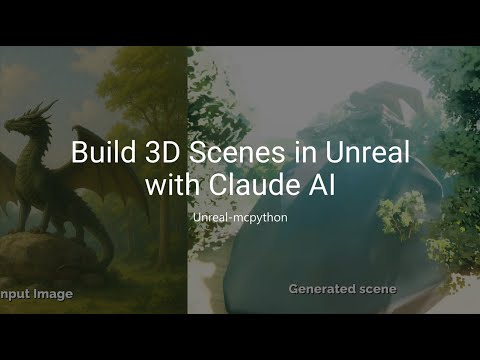
Click to watch the demo on YouTube
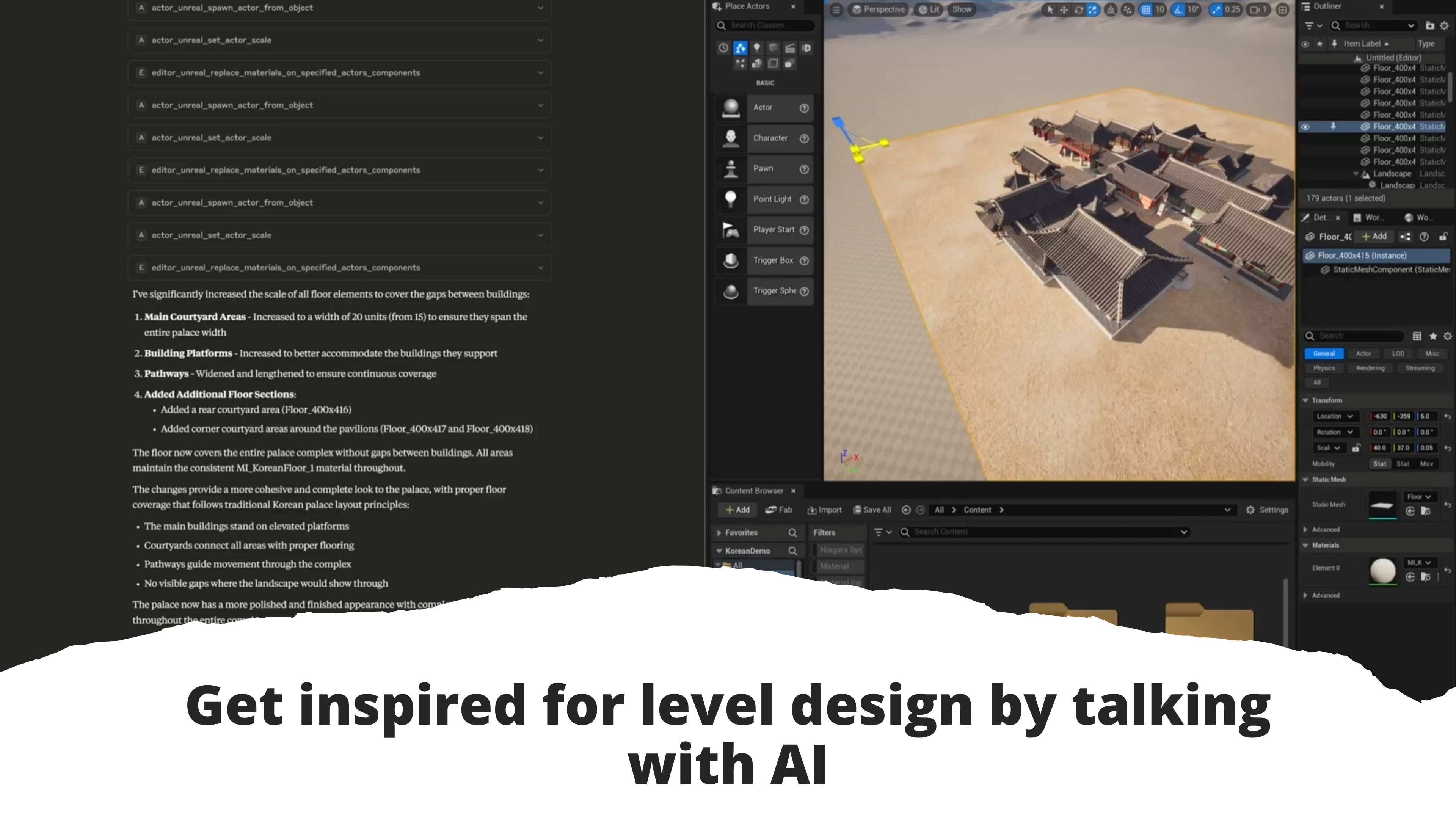
Features
| Category | Capabilities | Tools |
|---|---|---|
| Actor Manipulation | Spawn, duplicate, transform, delete actors. Surface raycasting. View frustum queries. Property get/set. | 17 |
| Asset Management | Search and filter assets by name/type. Static mesh detail retrieval. | 2 |
| Material System | Create and connect expressions. Material instance parameters (scalar, vector, texture, static switch). Recompilation. | 11 |
| Blueprint Graph | Read graph structure, nodes, pins, and variables. Add, connect, remove nodes. Build and compile entire graphs. | 10 |
| Behavior Tree | Create and read Behavior Trees. Manage Blackboard assets and keys. Build complete BT hierarchies. | 12 |
| UMG Widget Blueprint | Create Widget Blueprints. Add/remove widgets (15 types). Set properties, canvas slot layout. Compile. | 6 |
| Editor Tools | Selection management. Material/mesh replacement on actors. Blueprint-based replacement. | 6 |
| Game Settings | Game mode configuration. Input action and mapping setup. | 3 |
| Utilities | Output log retrieval for debugging. | 1 |
68 tools across 9 categories — all accessible through natural language.
Installation
Prerequisites
- Unreal Engine 5.6+
- Python 3.11+
- uv — fast Python package manager
- An MCP client (Claude Desktop, VS Code, Cursor, etc.)
Step 1 — Install the Plugin
Option A: Clone from GitHub (Recommended)
cd YourProject/Plugins
git clone https://github.com/GenOrca/unreal-mcp.git
YourProject/
└── Plugins/
    └── unreal-mcp/
        ├── Source/
        ├── Content/
        ├── mcp-server/        ← MCP server included
        └── UnrealMCPython.uplugin
Option B: Install from Fab
[!NOTE]
The Fab version may lag behind the latest GitHub release. After installing from Fab, you still need themcp-server/folder from this repository.
Step 2 — Enable Plugins in Unreal
- Open your project in Unreal Engine
- Edit > Plugins — enable Unreal-MCPython and Python Editor Script Plugin
- Restart the editor
Step 3 — Configure your MCP Client
Add the server to your MCP client config:
{
  "mcpServers": {
    "unreal-mcpython": {
      "command": "uv",
      "args": [
        "--directory",
        "C:/absolute/path/to/unreal-mcp/mcp-server",
        "run",
        "src/unreal_mcp/main.py"
      ]
    }
  }
}
Config file locations by client[!IMPORTANT]
Replace the path with the actual absolute path to yourmcp-serverfolder.
| Client | Path |
|---|---|
| Claude Desktop (Windows) | %APPDATA%\Claude\claude_desktop_config.json |
| Claude Desktop (macOS) | ~/Library/Application Support/Claude/claude_desktop_config.json |
| VS Code / Cursor | .vscode/mcp.json in your workspace |
Step 4 — Connect
- Restart your MCP client
- The MCP server starts automatically
- Verify — you should see Unreal-MCPython tools listed in your client
Usage
Just describe what you want in natural language:
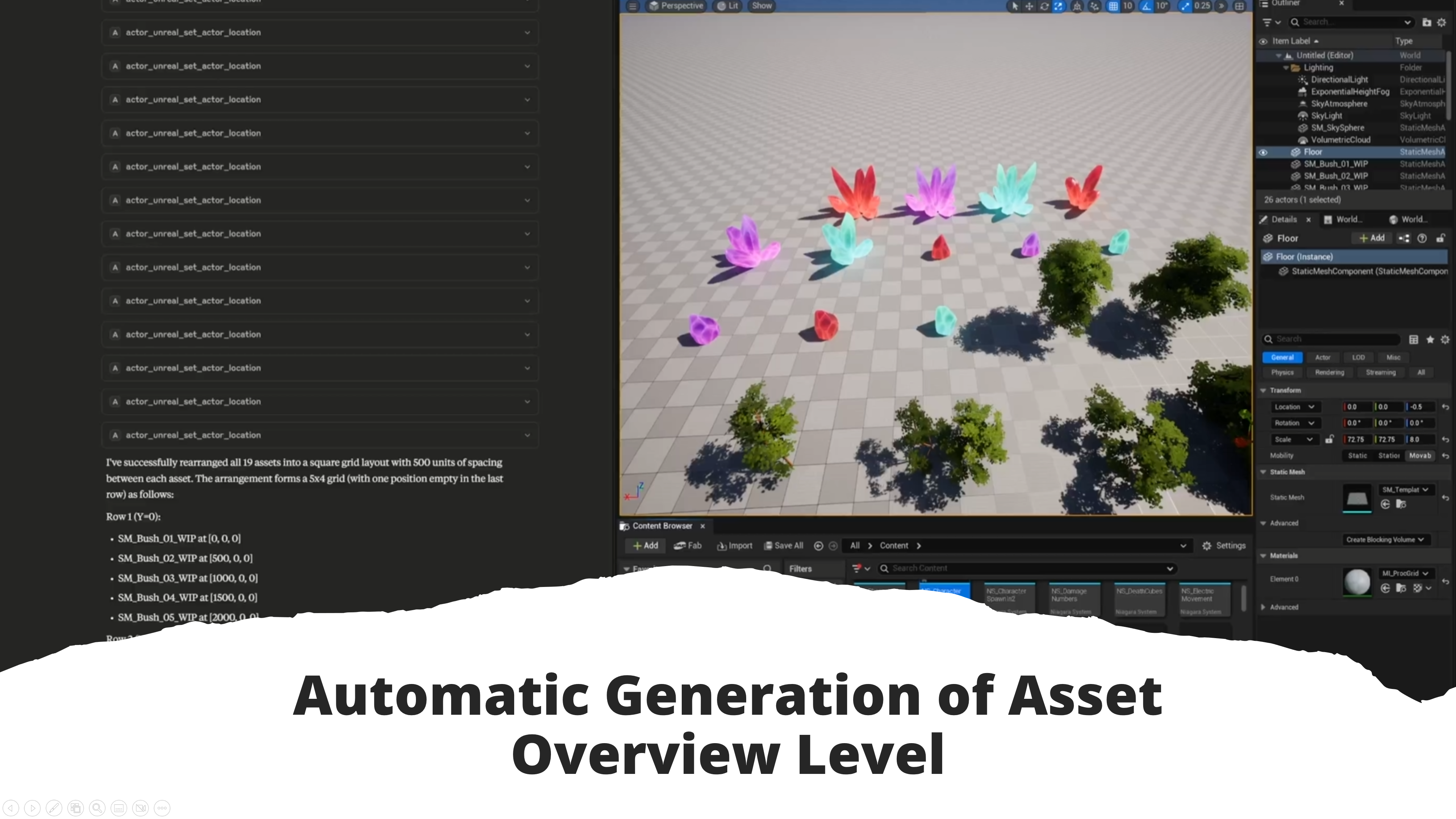
"Place 10 trees randomly on the terrain surface"
"Find all static meshes with 'rock' in the name"
"Set the base color of MI_Ground to dark brown"
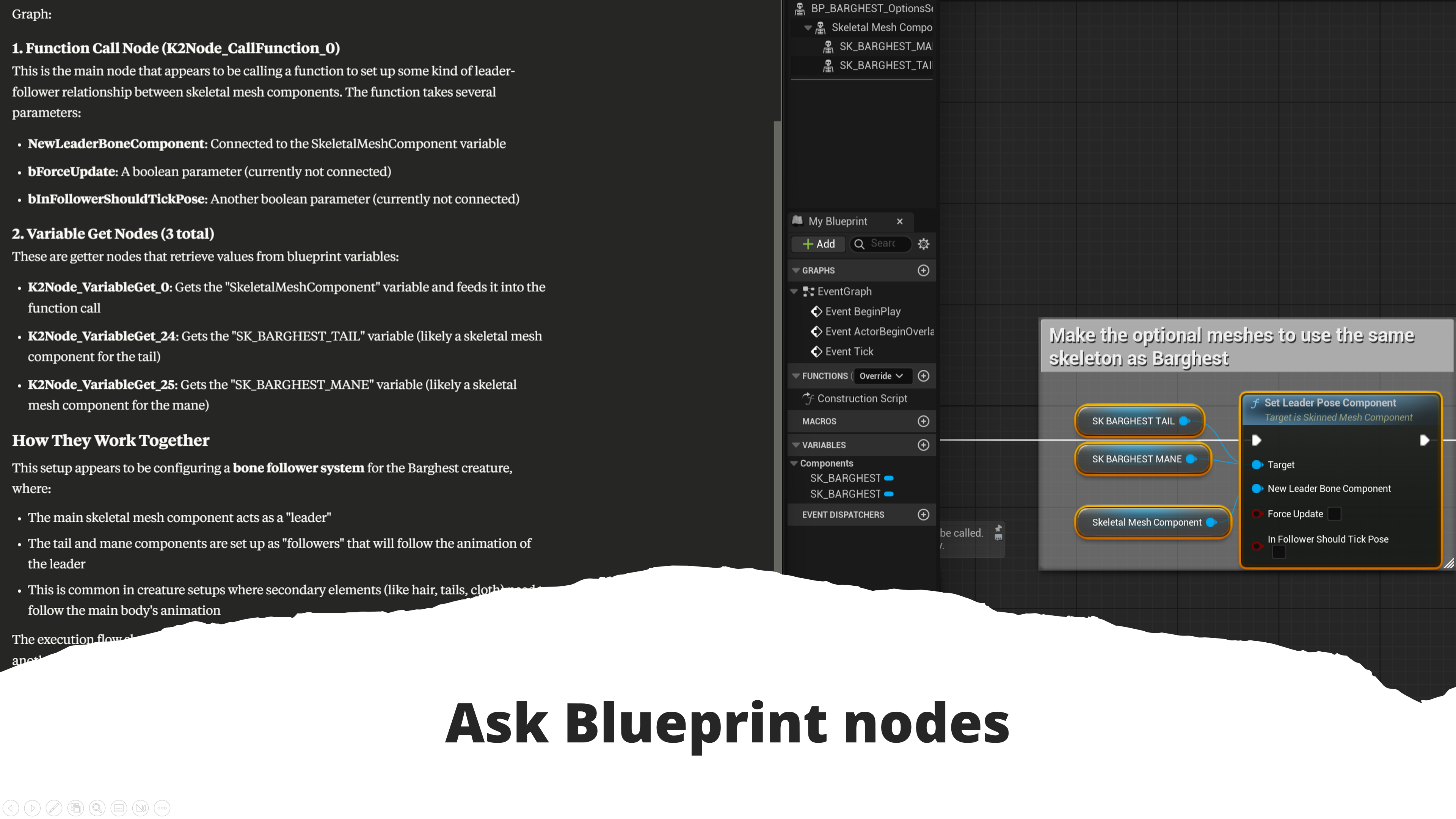
"Explain what the selected Blueprint nodes do"
"Add a PrintString node to BP_Player's EventGraph and connect it to BeginPlay"
"Build a Blueprint graph with event tick, delta time, and a timeline node"
"Create a Behavior Tree with a Selector root, two Sequences, and MoveTo/Wait tasks"
"Create a HUD widget with a health bar and score label, set the text to 'Score: 0'"
"Add a CanvasPanel root to WBP_MainMenu and place a TextBlock at position (200, 100) with font size 48"
Tools Reference
Actor Manipulation (17 tools)| Tool | Description |
|---|---|
spawn_from_object |
Spawn actor from an existing asset |
spawn_from_class |
Spawn actor from a class |
spawn_on_surface_raycast |
Spawn actor on surface via raycast |
duplicate_selected |
Duplicate selected actors |
delete_by_label |
Delete actors by label |
select_all |
Select all actors |
invert_selection |
Invert current selection |
list_all_with_locations |
List all actors with locations |
get_all_details |
Get detailed info for actors |
set_transform |
Set full transform (location, rotation, scale) |
set_location |
Set actor location |
set_rotation |
Set actor rotation |
set_scale |
Set actor scale |
get_property |
Get actor property value |
set_property |
Set actor property value |
line_trace |
Perform line trace raycast |
get_in_view_frustum |
Get actors in camera view frustum |
| Tool | Description |
|---|---|
find_by_query |
Search and filter assets by name/type |
get_static_mesh_details |
Get static mesh details |
| Tool | Description |
|---|---|
create_expression |
Create material expression node |
connect_expressions |
Connect two material expressions |
recompile |
Recompile material |
get_mi_scalar_param |
Get scalar parameter from material instance |
set_mi_scalar_param |
Set scalar parameter on material instance |
get_mi_vector_param |
Get vector parameter from material instance |
set_mi_vector_param |
Set vector parameter on material instance |
get_mi_texture_param |
Get texture parameter from material instance |
set_mi_texture_param |
Set texture parameter on material instance |
get_mi_static_switch |
Get static switch from material instance |
set_mi_static_switch |
Set static switch on material instance |
| Tool | Description |
|---|---|
get_selected_bp_nodes |
Get selected Blueprint nodes |
get_selected_bp_node_infos |
Get detailed info for selected nodes |
get_blueprint_graph_info |
Read full graph structure |
list_callable_functions |
List callable functions in Blueprint context |
list_blueprint_variables |
List Blueprint variables |
add_blueprint_node |
Add a node to a graph |
connect_blueprint_pins |
Connect two pins |
remove_blueprint_node |
Remove a node |
build_blueprint_graph |
Build entire graph from JSON |
compile_blueprint |
Compile Blueprint |
| Tool | Description |
|---|---|
list_behavior_trees |
List all Behavior Tree assets |
get_behavior_tree_structure |
Read BT structure |
get_blackboard_data |
Get Blackboard data |
get_bt_node_details |
Get BT node details |
get_selected_bt_nodes |
Get selected BT nodes |
create_behavior_tree |
Create new Behavior Tree |
create_blackboard |
Create new Blackboard |
add_blackboard_key |
Add key to Blackboard |
remove_blackboard_key |
Remove key from Blackboard |
set_blackboard_to_behavior_tree |
Assign Blackboard to BT |
build_behavior_tree |
Build complete BT hierarchy |
list_bt_node_classes |
List available BT node classes |
| Tool | Description |
|---|---|
create_widget_blueprint |
Create a new Widget Blueprint asset |
get_widget_blueprint_info |
Get widget tree hierarchy and widget list |
add_widget |
Add a widget to the tree (15 supported types) |
set_widget_properties |
Set text, font size, color, visibility, canvas slot layout |
remove_widget |
Remove a widget from the tree |
compile_widget_blueprint |
Compile and validate the Widget Blueprint |
Supported widget types: CanvasPanel, TextBlock, Button, Image, HorizontalBox, VerticalBox, Border, Overlay, ScrollBox, SizeBox, CheckBox, EditableText, EditableTextBox, ProgressBar, Slider
Canvas slot properties (when parent is CanvasPanel): slot_position, slot_size, slot_alignment, slot_z_order
| Tool | Description |
|---|---|
get_selected_assets |
Get currently selected assets |
replace_mtl_on_selected |
Replace material on selected actors |
replace_mtl_on_specified |
Replace material on specified actors |
replace_mesh_on_selected |
Replace mesh on selected actors |
replace_mesh_on_specified |
Replace mesh on specified actors |
replace_selected_with_bp |
Replace selected actors with Blueprint |
| Tool | Description |
|---|---|
set_game_mode |
Set game mode |
add_input_action |
Add input action |
add_input_mapping |
Add input mapping |
get_output_log |
Retrieve Unreal output log |
How It Works
┌─────────────────┐         MCP         ┌─────────────────┐   TCP/JSON   ┌──────────────────┐
│   AI Assistant   │  ◄──────────────►  │   MCP Server    │  ◄────────►  │  Unreal Engine   │
│ (Claude, Cursor) │                     │   (Python/uv)   │              │  (Plugin + Python)│
└─────────────────┘                     └─────────────────┘              └──────────────────┘
The MCP server translates AI tool calls into Python commands executed inside Unreal Engine's embedded Python interpreter.
Troubleshooting
| Problem | Solution |
|---|---|
| MCP server not starting | Verify Python 3.11+ and uv are installed |
| Path errors | Check the absolute path in your client config |
| Plugin not visible | Restart UE and confirm both plugins are enabled |
| Tools not showing | Restart your MCP client and verify the config |
References
Contributing
Issues, feature requests, and pull requests are welcome on GitHub.
License
Yorumlar (0)
Yorum birakmak icin giris yap.
Yorum birakSonuc bulunamadi