gerdr
Health Uyari
- License — License: MIT
- Description — Repository has a description
- Active repo — Last push 0 days ago
- Low visibility — Only 5 GitHub stars
Code Basarisiz
- rm -rf — Recursive force deletion command in browser-extension/scripts/pack.sh
- rm -rf — Recursive force deletion command in desktop/build.sh
Permissions Gecti
- Permissions — No dangerous permissions requested
Bu listing icin henuz AI raporu yok.
One window for all your coding agents: Claude Code, Codex and any ACP agent in splits and tabs, approvals as cards, steer them from your phone, and a UI your agent can change.
Gerdr

install · usage · Gerdr vs herdr · http api · architecture
English · 简体中文


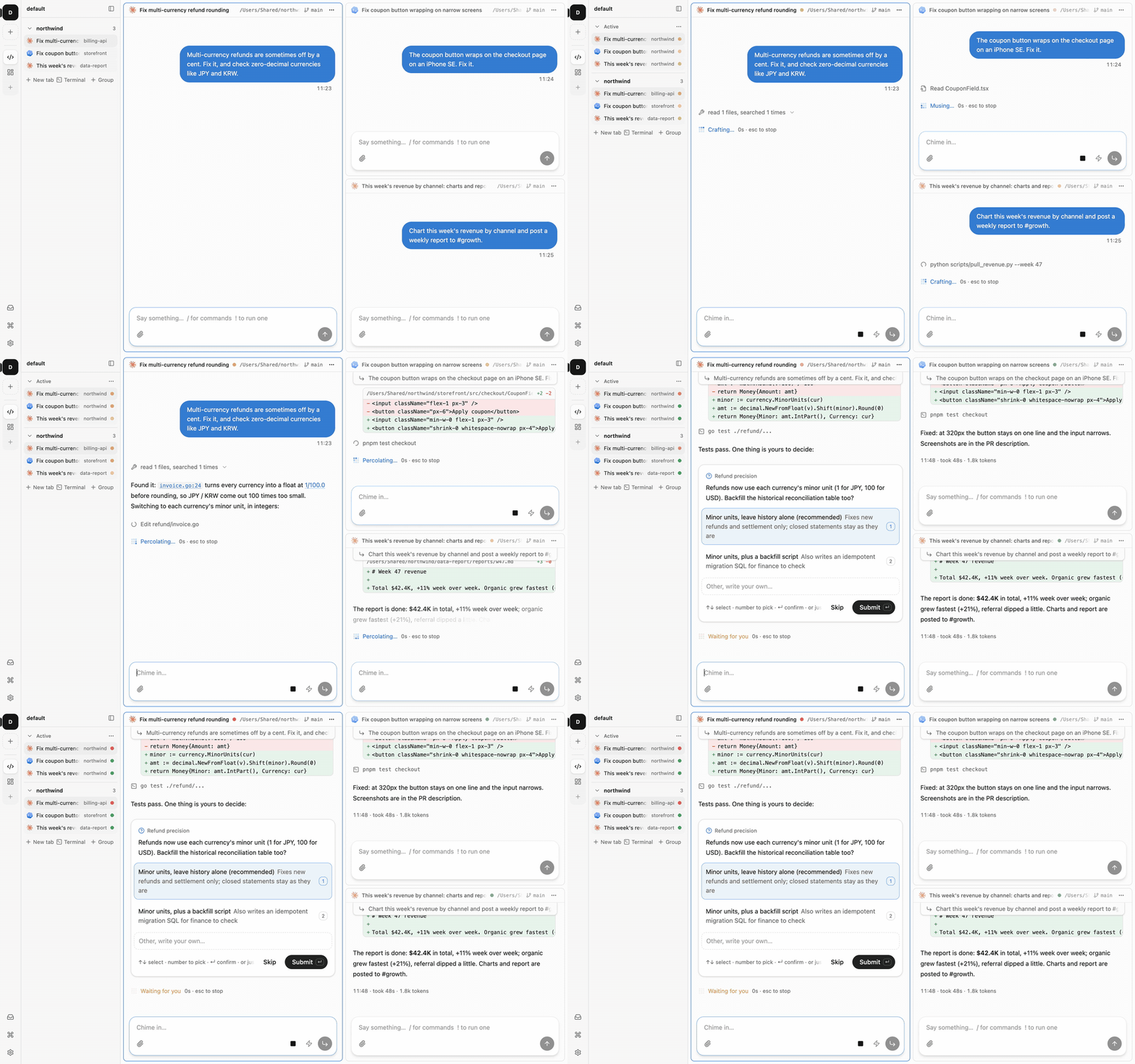
One window for all your coding agents.
Like herdr: splits, tabs and workspaces, with one key to zoom a pane, and separate
sessions to keep groups of workspaces apart; when an
agent gets stuck waiting on you, you see it at once and one key takes you there; and agents can talk to each other:
start sessions, hand out work, wait for the replies and read them.
Not at home in a terminal? Gerdr is an equally good choice, as an app: images, videos and PDFs from the agent show right in the chat, and clicking a path
opens the file; away from your desk, keep watching and steering from your phone.
chat
- talk while it works — your message joins the turn that's already running.
- approvals and questions are cards — approve a command or an edit, answer a question, in one click.
- rewind — go back to before any message; your words return to the input box to edit and resend.
- pick up old sessions — Claude Code / Codex sessions started in a terminal, listed per directory.
agents
- beyond Claude and Codex — several accounts side by side, any ACP agent, and a built-in Gerdr Agent for GPT / DeepSeek APIs.
- background work in view — running commands and subagents: stop them, read their full transcripts.
workspace
- terminals —
ctrl+b topens one alongside; it survives reloads and follows you to your phone. - coming from herdr — same keys; import your workspaces, tabs and splits, each agent reattached to its session.
DIY your own Gerdr
- a UI your agent can change — the whole interface: add buttons, shortcuts, what gets shown. Just tell the AI;
no release, no deploy, live at once. Break it and an unbreakable rescue panel gets you back. - TypeScript add-ons — rename tabs, title panes, add commands and keys; install more from a store.
- skills and MCP — the agent's own, Gerdr's, or both.
anywhere
- Desktop app (macOS / Windows) or any browser; remote access via relay (pairing codes + passkeys); Android and iOS apps with LAN direct-connect (plus background notifications on Android).
install
Install and log in to the agents you want to use first:
curl -fsSL https://claude.ai/install.sh | bash   # Claude Code, then run `claude` once to log in
npm i -g @openai/codex                           # Codex, then `codex login`
Then grab Gerdr from releases:
- macOS —
Gerdr-x.y.z-mac-arm64.dmg(Apple silicon) orGerdr-x.y.z-mac-x64.dmg(Intel); drag it into
Applications. If macOS says the developer can't be verified, right-click → Open in Finder
(orxattr -dr com.apple.quarantine /Applications/Gerdr.app). - Android —
Gerdr-x.y.z-android.apk. It connects to your own Gerdr through remote access. - iOS — not in releases yet; build it with Xcode and install it on your iPhone (how).
Like Android, it connects through remote access. - Windows — not in releases yet; build the installer with
make win(from source;
unsigned: on SmartScreen click More info → Run anyway).
Open the app, pick an agent and a directory, and start. Or from a terminal:
gerdr --open # start the server and open it in the browser
learn more
- Using Gerdr — sessions, the input box, rewind, keys
- Gerdr vs herdr — what's the same, what's different, which to pick
- More agents and accounts — a second Claude subscription, ACP agents, the Gerdr Agent for GPT / DeepSeek
- Remote access — your phone or another computer, via relay or Tailscale
- Add-ons — TypeScript add-ons and the store
- Configuration — environment variables, security
- HTTP API — scripting sessions and approvals
- Building and developing — from source, tests, architecture
Yorumlar (0)
Yorum birakmak icin giris yap.
Yorum birakSonuc bulunamadi