subpool
Health Uyari
- No license — Repository has no license file
- Description — Repository has a description
- Active repo — Last push 0 days ago
- Low visibility — Only 5 GitHub stars
Code Basarisiz
- Hardcoded secret — Potential hardcoded credential in web/src/App.test.tsx
- network request — Outbound network request in web/src/api.ts
Permissions Gecti
- Permissions — No dangerous permissions requested
Bu listing icin henuz AI raporu yok.
A lightweight, self-hosted AI subscription pool for teams.

Enterprise AI subscription quota allocation and governance, self-hosted.




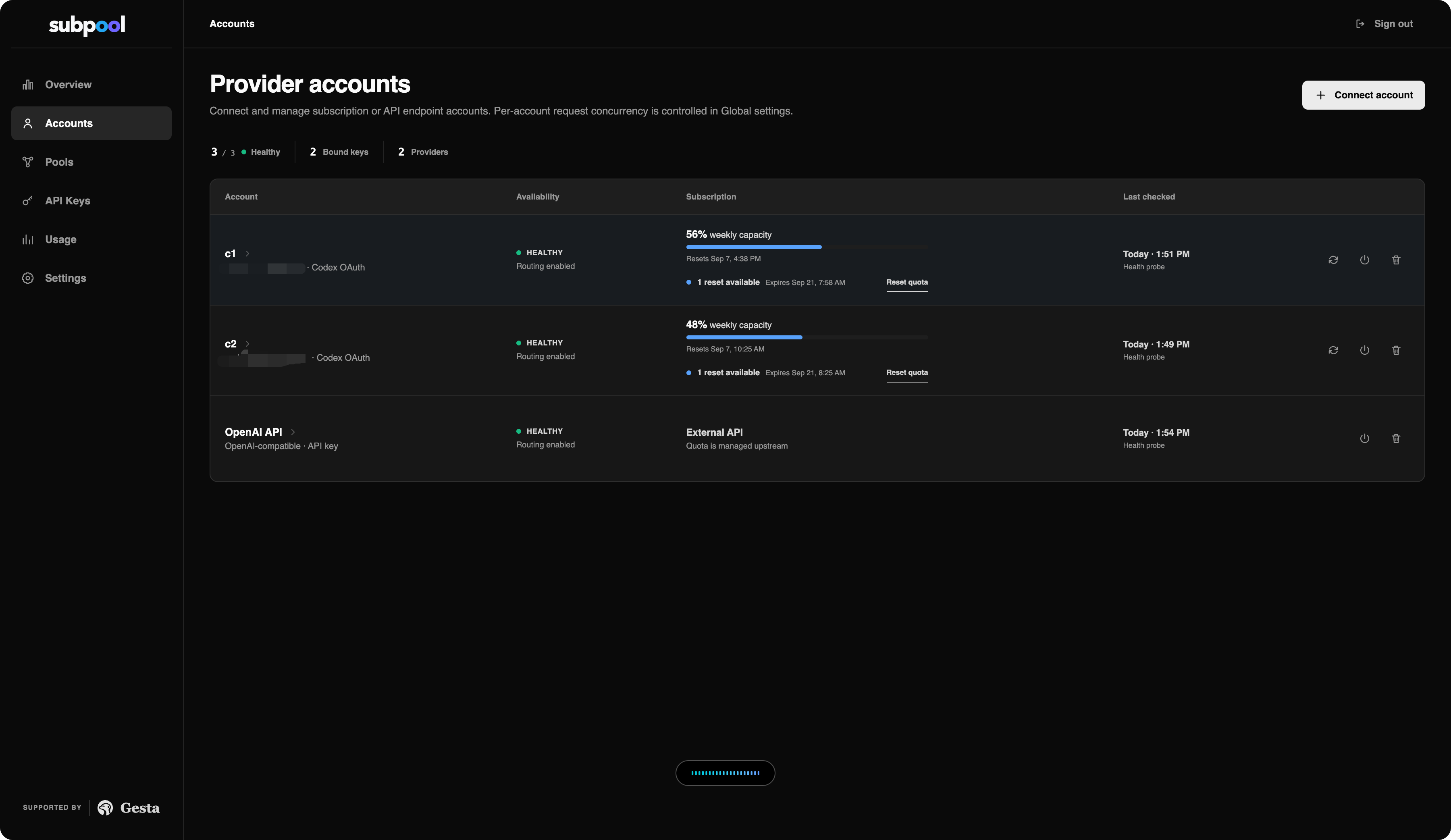
Subpool is a self-hosted control plane for allocating, governing, and auditing AI subscription capacity across teams. Administrators combine authorized subscription and API accounts into pools, distribute employee-specific keys, monitor remaining quota, and expose one consistent API without storing conversation content.
Features
- Pool authorized subscription and API capacity behind one managed endpoint.
- Allocate employee-specific keys across healthy provider accounts.
- Monitor account health, remaining subscription capacity, and reset availability.
- Keep key-to-account assignments visible and auditable.
- Prefer subscription capacity and fall back to paid API accounts with the same employee key.
- Rate-limit, expire, and revoke employee access independently.
- Expose OpenAI-compatible Responses and Chat Completions APIs.
- Track aggregate input and output usage per API key.
- Encrypt upstream credentials and never persist prompts, responses, or source code.
Architecture

Subpool is a single Go service with an embedded React console and PostgreSQL persistence.
Quick start
Requires Docker Engine and Docker Compose.
cp .env.example .env

# Generate independent secrets and place them in .env.
openssl rand -base64 32
openssl rand -base64 32
openssl rand -hex 32

docker compose up -d --build
Replace every replace-with-* value, then open http://localhost:8080 and sign in with the administrator credentials from .env.
Connect and use
- Open Accounts and connect a Codex or OpenAI-compatible account.
- Create a pool and add the account.
- Create an employee API key for the pool.
Codex subscriptions use device-code authorization. Copy the one-time code from Subpool, continue to OpenAI, and confirm it there. This works on remote and headless deployments without a localhost callback or an extra exposed port. Device-code login must be enabled in ChatGPT security or workspace settings.
Configure Codex CLI:
model = "gpt-5.6-sol"
model_provider = "subpool"
model_reasoning_effort = "xhigh"

[model_providers.subpool]
name = "Subpool"
base_url = "https://subpool.example.com/v1"
wire_api = "responses"
experimental_bearer_token = "sk-example-not-a-real-key"
requires_openai_auth = false
Available endpoints include POST /v1/responses, POST /v1/chat/completions, GET /v1/models, GET /healthz, GET /readyz, and GET /metrics.
Deployment notes
- Terminate TLS at a reverse proxy and set
SUBPOOL_PUBLIC_URLto the public origin. - Back up PostgreSQL together with
SUBPOOL_CREDENTIAL_KEYandSUBPOOL_API_KEY_HMAC_KEY. - Use PostgreSQL for shared authentication, rate-limit, assignment, and health state across replicas.
See .env.example for configuration options.
Development
docker compose up -d --build
make web-install
make dev
Before opening a pull request:
make web-test
make web-build
go test ./...
Terms
Subpool is independent and self-hosted. Use only accounts you are authorized to manage, and review each upstream provider's terms before sharing access.
Yorumlar (0)
Yorum birakmak icin giris yap.
Yorum birakSonuc bulunamadi