dango
Health Gecti
- License — License: Apache-2.0
- Description — Repository has a description
- Active repo — Last push 0 days ago
- Community trust — 11 GitHub stars
Code Gecti
- Code scan — Scanned 12 files during light audit, no dangerous patterns found
Permissions Gecti
- Permissions — No dangerous permissions requested
Bu listing icin henuz AI raporu yok.
Open-source data platform for small teams.
Dango




Open-source data platform for small teams.
Dango gives you a complete data stack — ingestion, warehouse, transformations, and dashboards — in a single CLI. It combines dlt for data loading, DuckDB as the analytics database, dbt for SQL transformations, and Metabase for dashboards. One pip install, one command to start.
Upgrading from v0.1.x? v1.0.0 is a complete rewrite. Back up your data and run
dango initto create a new v1 project. See the migration guide for details.
Quick Start
Prerequisites: Python 3.10-3.13, Docker (for Metabase)
mkdir my-project && cd my-project
pip install getdango
dango init
dango start
Open http://localhost:8800 to see your data platform.
Or use the install script:
curl -sSL https://getdango.dev/install.sh | bash
For detailed installation instructions, see the documentation.
Features
- 33 data sources — Stripe, Google Sheets, Google Analytics, Shopify, PostgreSQL, MySQL, CSV, REST APIs, and more
- Auto-generated dbt models — staging models created automatically when you add a source
- Data catalog — browse tables, columns, and profiling stats; view dbt lineage and test results
- Web dashboard — monitor syncs, manage sources, and view platform health
- Metabase integration — dashboards and SQL queries, auto-configured and ready to use
- Scripts — schedule custom Python scripts alongside your syncs; runs on a schedule with access to your warehouse
- Cloud deployment — deploy to DigitalOcean or any server with
dango deploy - Authentication — admin login, user management, 2FA, API keys
- Schema drift detection — get alerted when source schemas change
- PII scanning — detect personally identifiable information across your tables
- Notebooks — Marimo notebooks connected to your DuckDB warehouse
- Monitoring — metric tracking with trend detection and drill-downs
- Scheduled syncs — cron-based scheduling with queued execution, retry, and timeout handling
- Webhooks — Slack notifications for sync results and alerts
- Local backup —
dango backuplists and restores local project backups - File watcher — auto-sync when CSV files change on disk
Screenshots
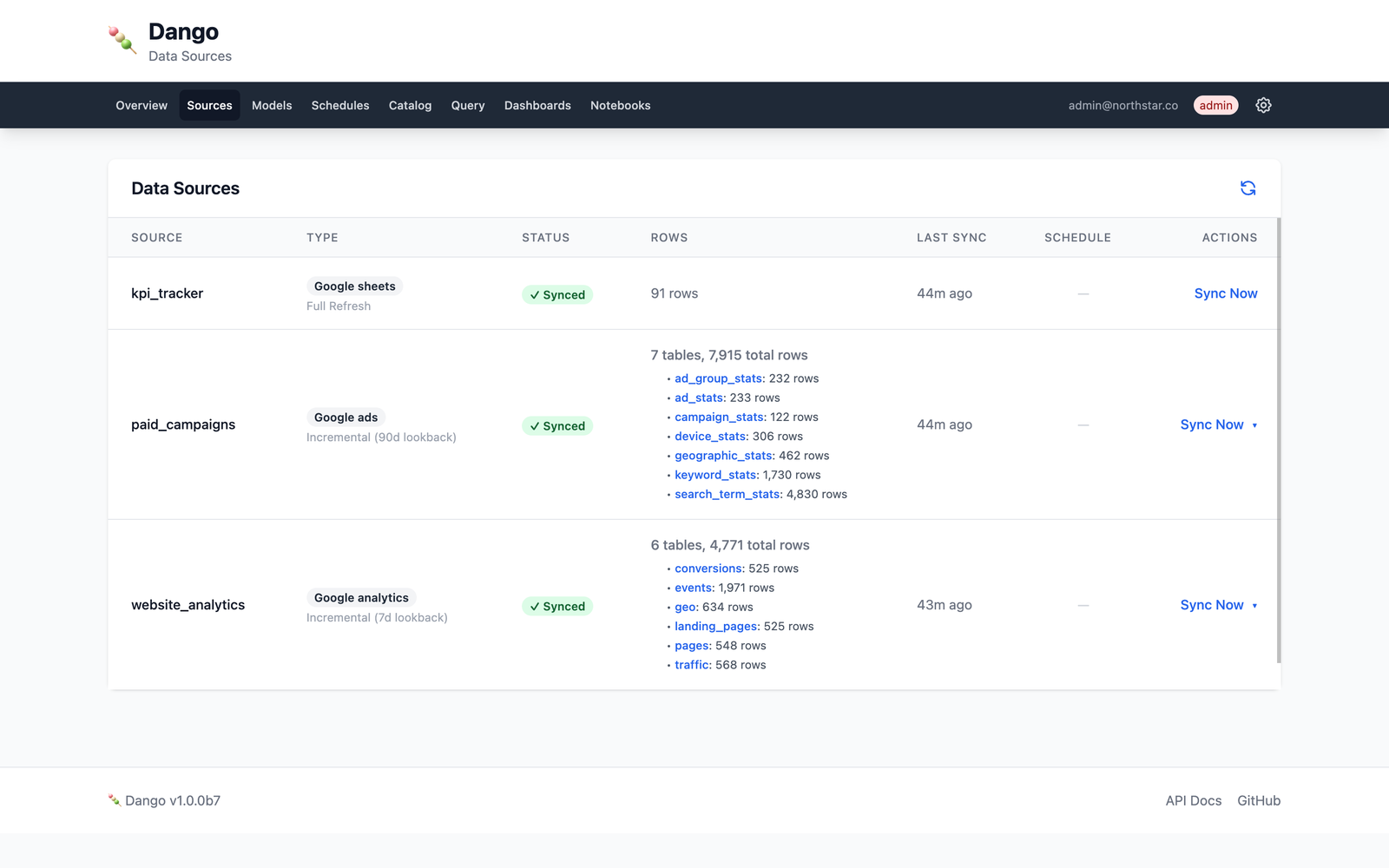
Data Sources page — monitor syncs, row counts, and schedule status for all your data sources.
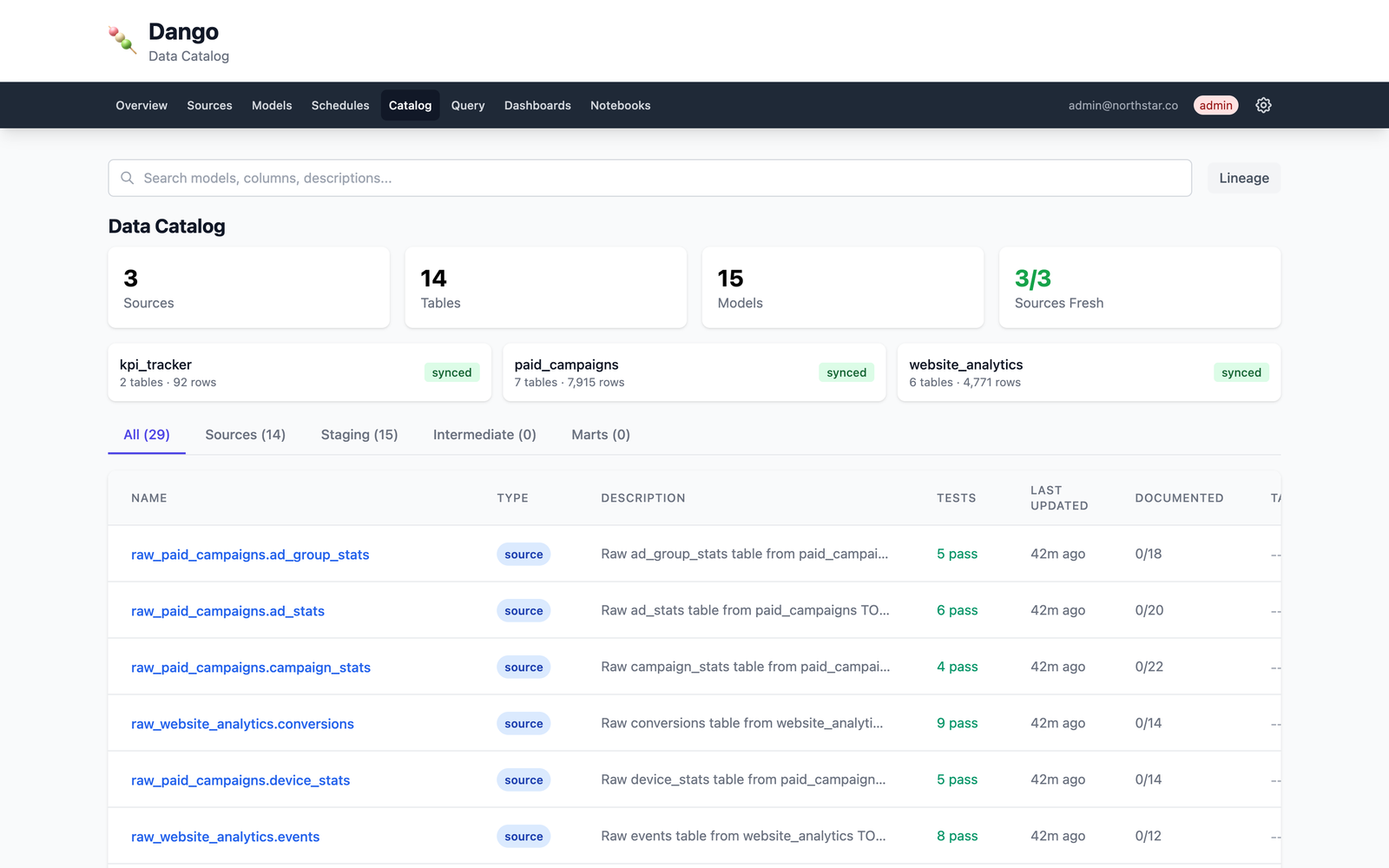
Data Catalog — browse tables, explore columns with profiling stats, view data lineage.
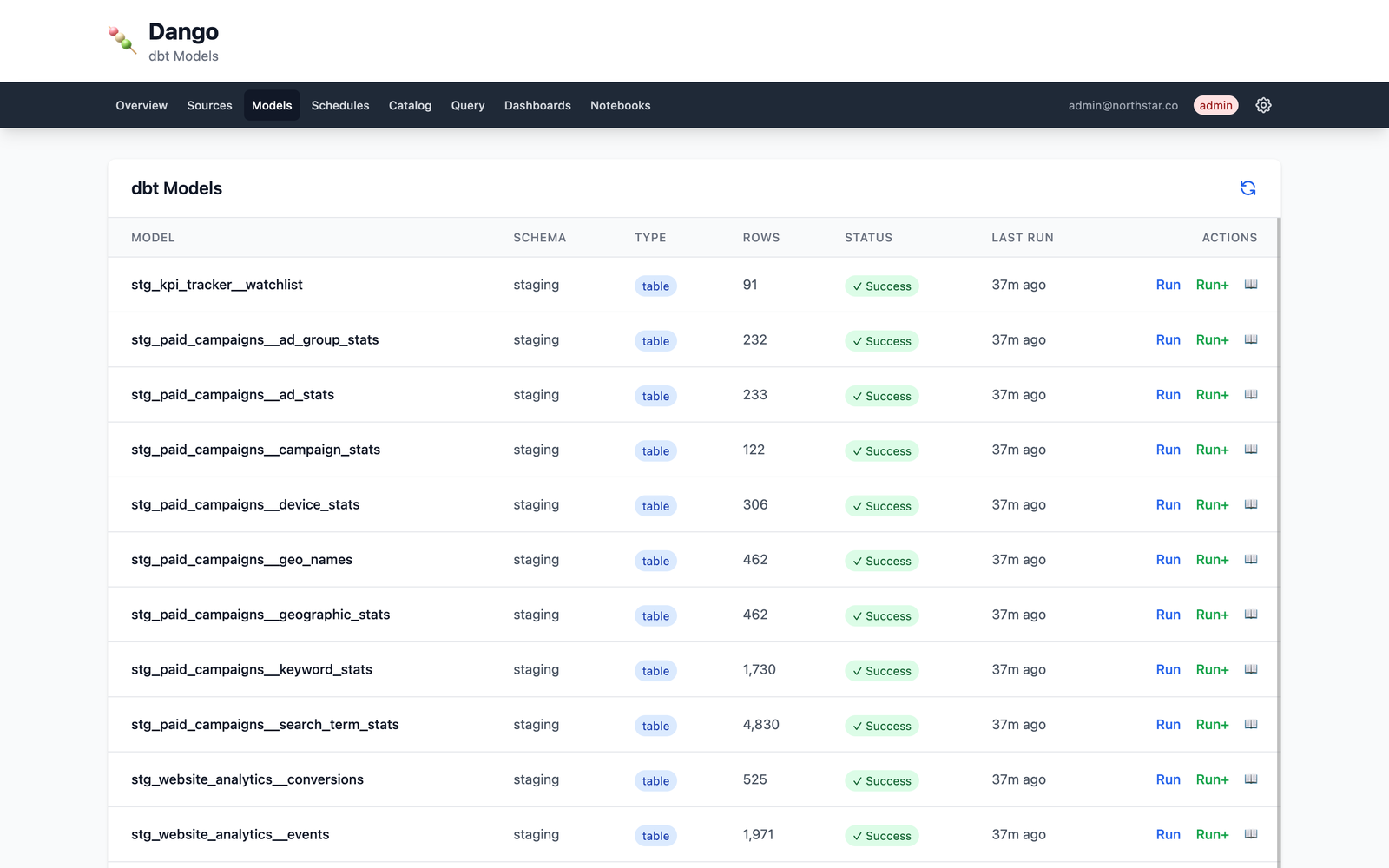
dbt Models — view model status, run transformations, and track test results.
Architecture
Sources  →  dlt  →  DuckDB  →  dbt  →  Metabase
(APIs,       (load)  (warehouse) (transform) (dashboards)
 CSVs,
 databases)
All data stays local in DuckDB. No external warehouse needed.
Tech Stack
| Component | Tool | Role |
|---|---|---|
| Ingestion | dlt | Load data from 33+ sources |
| Warehouse | DuckDB | Embedded analytics database |
| Transformation | dbt | SQL modeling and testing |
| Dashboards | Metabase | BI and SQL queries |
| Web UI | FastAPI | Monitoring and management |
| Containers | Docker | Metabase and service orchestration |
Documentation
Full documentation at docs.getdango.dev.
Contributing
See CONTRIBUTING.md for development setup and guidelines.
License
Apache 2.0 — see LICENSE for details.
Links
Yorumlar (0)
Yorum birakmak icin giris yap.
Yorum birakSonuc bulunamadi