ai-meter
Health Uyari
- License — License: MIT
- Description — Repository has a description
- Active repo — Last push 0 days ago
- Low visibility — Only 5 GitHub stars
Code Basarisiz
- rm -rf — Recursive force deletion command in create-dmg-installer.sh
Permissions Gecti
- Permissions — No dangerous permissions requested
Bu listing icin henuz AI raporu yok.
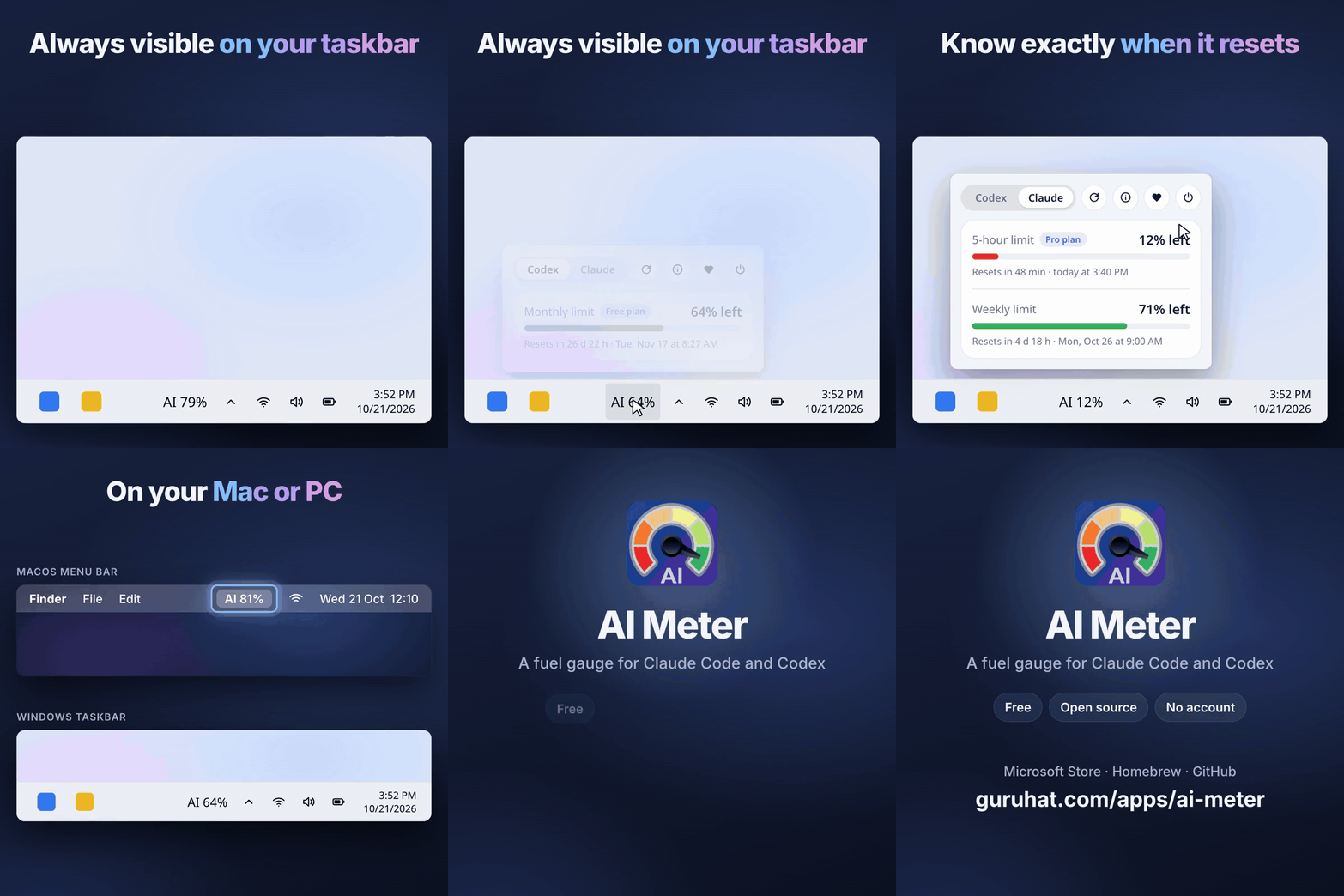
A fuel gauge for Claude Code and Codex, always visible on your Mac menu bar or Windows taskbar. Free and open source.
AI Meter
A fuel gauge for Claude Code and Codex, always visible on your Mac menu bar or Windows taskbar. Free and open source.
No account, no analytics; your token only goes to Anthropic or OpenAI.
⭐ Star this repo if it saves you a limit surprise. This is the main project page for both the Mac and Windows versions. Questions and ideas are welcome in Discussions.
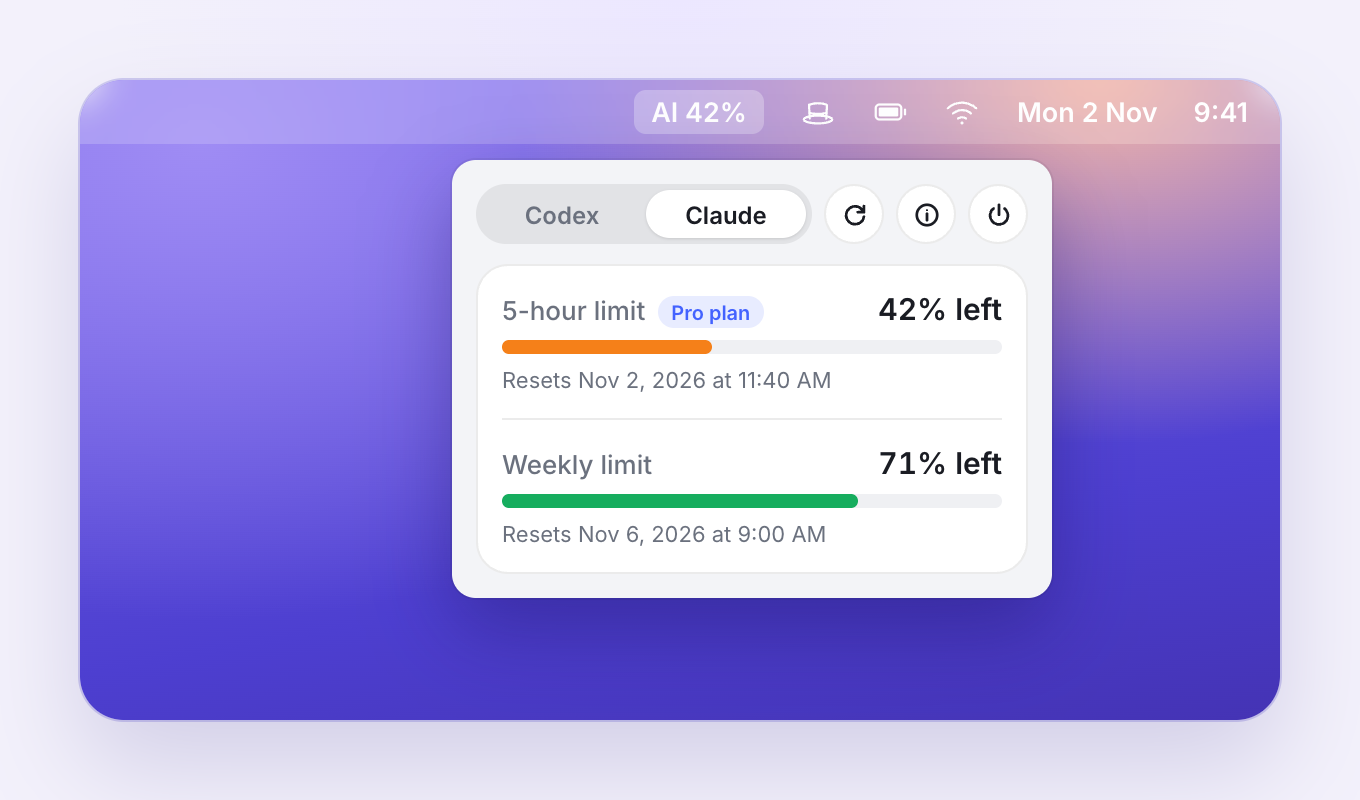
| macOS menu bar | Windows taskbar |
|---|---|
 |
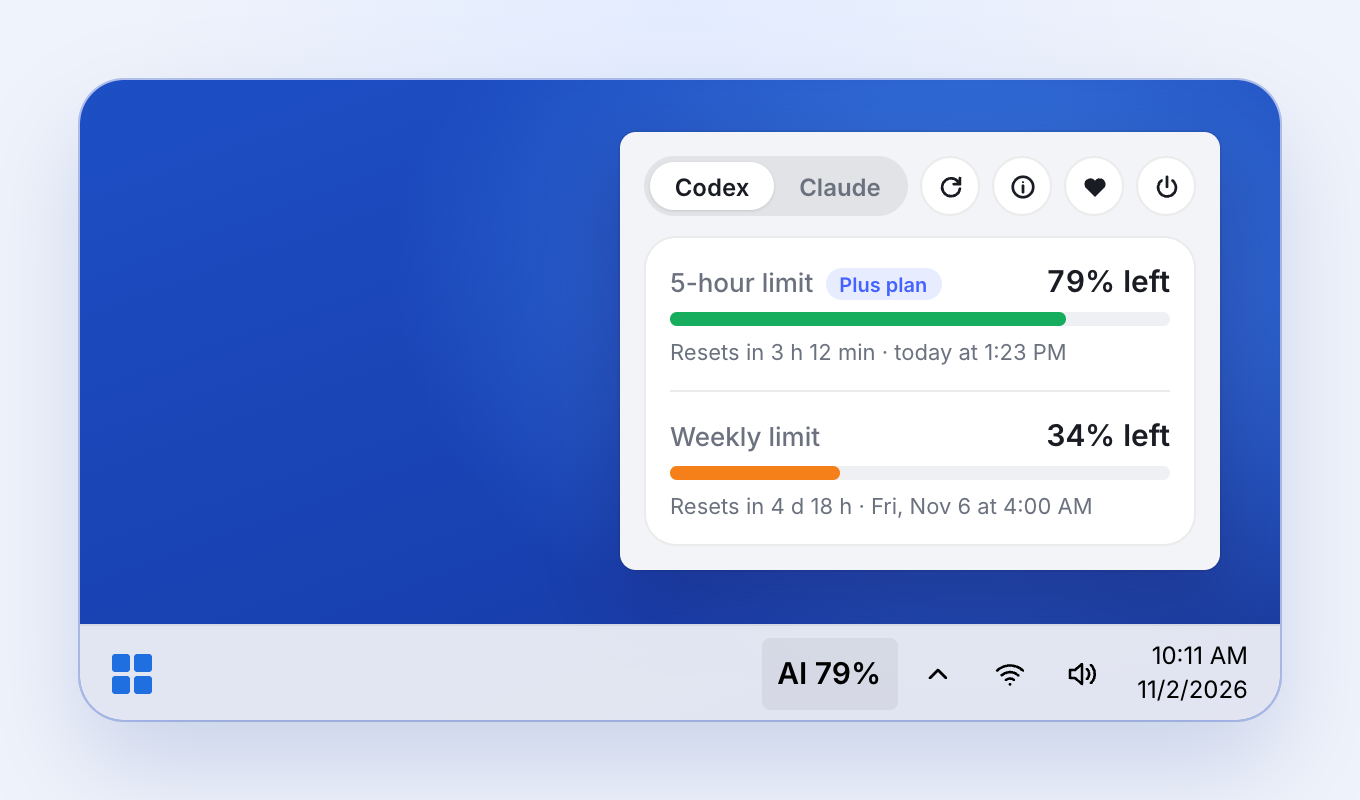 |
It shows how much of your current Claude Code or Codex usage window is left, and when it resets, so you can plan the big refactor instead of getting cut off halfway through it. It refreshes every five minutes using the sign-in you already have.
Website: https://guruhat.com/apps/ai-meter/?ref=readme-mac
Download
macOS (13+, Apple silicon)
- Homebrew:
brew install --cask getguruhat/tap/ai-meter - DMG: download
AI-Meter-<version>-Installer.dmgfrom the latest release, open it, and dragAI Meter.apponto Applications. The app isn't notarized yet, so approve Open Anyway in System Settings › Privacy & Security the first time.
Windows (10 and 11)
Microsoft Store: AI Meter on the Microsoft Store
Scoop:
scoop bucket add guruhat https://github.com/getguruhat/scoop-bucket
scoop install guruhat/ai-meter
Installer:
AI-Meter-<version>-Windows-Setup.exefrom the Windows releases. The Windows source code lives in getguruhat/ai-meter-windows.
Privacy
AI Meter reads the sign-in Claude Code or the Codex CLI already saved on your computer and sends that token only to the provider it belongs to: https://api.anthropic.com/api/oauth/usage for Claude and https://chatgpt.com/backend-api/wham/usage for Codex. There is no account, no analytics, and no GuruHat server. Every line of code is in this repo and the Windows repo.
How the macOS version works
AI Meter displays the remaining AI allowance for either Codex or Claude, depending on the provider selected in the menu. It reads your existing local sign-in through the system curl command; if a provider changes its usage endpoint, the display will show AI — until updated.
- Codex: remaining allowance from the ChatGPT session in
~/.codex/auth.json. - Claude: the five-hour window from the Claude Code sign-in stored in the macOS Keychain (
Claude Code-credentials), or~/.claude/.credentials.jsonif the Keychain entry is not found.
The release package includes the complete app bundle and does not require Swift or Xcode to be installed.
Requirements
- macOS 13 or later
- Swift 5.9 or later (the package uses Swift Package Manager)
- A signed-in Codex/ChatGPT session (
~/.codex/auth.json) for the Codex provider, and/or a signed-in Claude Code session for the Claude provider (troubleshooting)
Claude Code renews its saved sign-in only while the claude command runs (the Claude desktop app keeps a separate one). When the saved sign-in has expired, AI Meter runs claude doctor in the background, at most every 10 minutes, so the CLI renews it. That sends no prompt and uses none of your allowance.
The first time Claude usage is read, macOS may ask whether AI Meter (or security) can access the Claude Code-credentials Keychain item. Choose Always Allow to avoid repeated prompts.
Build and run from the command line
From this directory, build the executable with:
swift build -c release
Run the app directly with:
swift run -c release
The app runs as a menu-bar-only application, so there is no normal window or terminal output. Click the AI — menu-bar item to view the status. Stop it with Control-C in the terminal, or choose Quit from the menu.
For a debug build, use swift run without -c release.
Create and run an app bundle
To create a relocatable .app bundle from the release executable:
./build-app.sh
This also creates AI-Meter-Installer.dmg, a Finder disk image with the app and an
Applications shortcut arranged for drag-and-drop installation.
If macOS blocks the app because it is unsigned, use System Settings > Privacy & Security > Open Anyway, or run it from the command line with open "AI Meter.app" after reviewing the warning.
Start automatically at login (optional)
The included com.guruhat.aimeter.plist is a launchd agent. Its ProgramArguments points to /Users/andre/Applications/AI Meter.app. Update that path if the app is stored elsewhere. Then install and load it with:
mkdir -p ~/Applications
cp -R "AI Meter.app" ~/Applications/
launchctl bootout gui/$(id -u) ~/Library/LaunchAgents/com.guruhat.aimeter.plist 2>/dev/null || true
cp com.guruhat.aimeter.plist ~/Library/LaunchAgents/
launchctl bootstrap gui/$(id -u) ~/Library/LaunchAgents/com.guruhat.aimeter.plist
To stop automatic launch, unload the agent and remove the installed plist:
launchctl bootout gui/$(id -u) ~/Library/LaunchAgents/com.guruhat.aimeter.plist
rm ~/Library/LaunchAgents/com.guruhat.aimeter.plist
Xcode
Open the folder in Xcode, or use File > Open Package and select this directory. Select the AIMeter scheme and run it on My Mac. The package manifest defines the executable target and the minimum macOS version; no separate Xcode project is required.
The app reads the access tokens locally and calls each provider's usage endpoint through the system curl executable. The Claude provider calls https://api.anthropic.com/api/oauth/usage, and the Codex provider calls https://chatgpt.com/backend-api/wham/usage. If the credentials are missing or the endpoint response changes, the menu bar displays AI —. Tokens are never sent anywhere else, and AI Meter has no analytics.
License
MIT. AI Meter is an independent project and is not affiliated with Anthropic or OpenAI.
Yorumlar (0)
Yorum birakmak icin giris yap.
Yorum birakSonuc bulunamadi