murmur
Health Uyari
- License — License: MIT
- Description — Repository has a description
- Active repo — Last push 0 days ago
- Low visibility — Only 5 GitHub stars
Code Basarisiz
- process.env — Environment variable access in desktop/main.ts
- process.env — Environment variable access in desktop/scripts/build.ts
- process.env — Environment variable access in desktop/scripts/dev.ts
- spawnSync — Synchronous process spawning in desktop/scripts/dist.ts
- process.env — Environment variable access in desktop/scripts/dist.ts
Permissions Gecti
- Permissions — No dangerous permissions requested
Bu listing icin henuz AI raporu yok.
A beautiful home for your Hermes agents. Chat with them one at a time or all together, connect your apps, and reach them from the browser, your Mac or PC, your phone, WhatsApp and Telegram.
Murmur
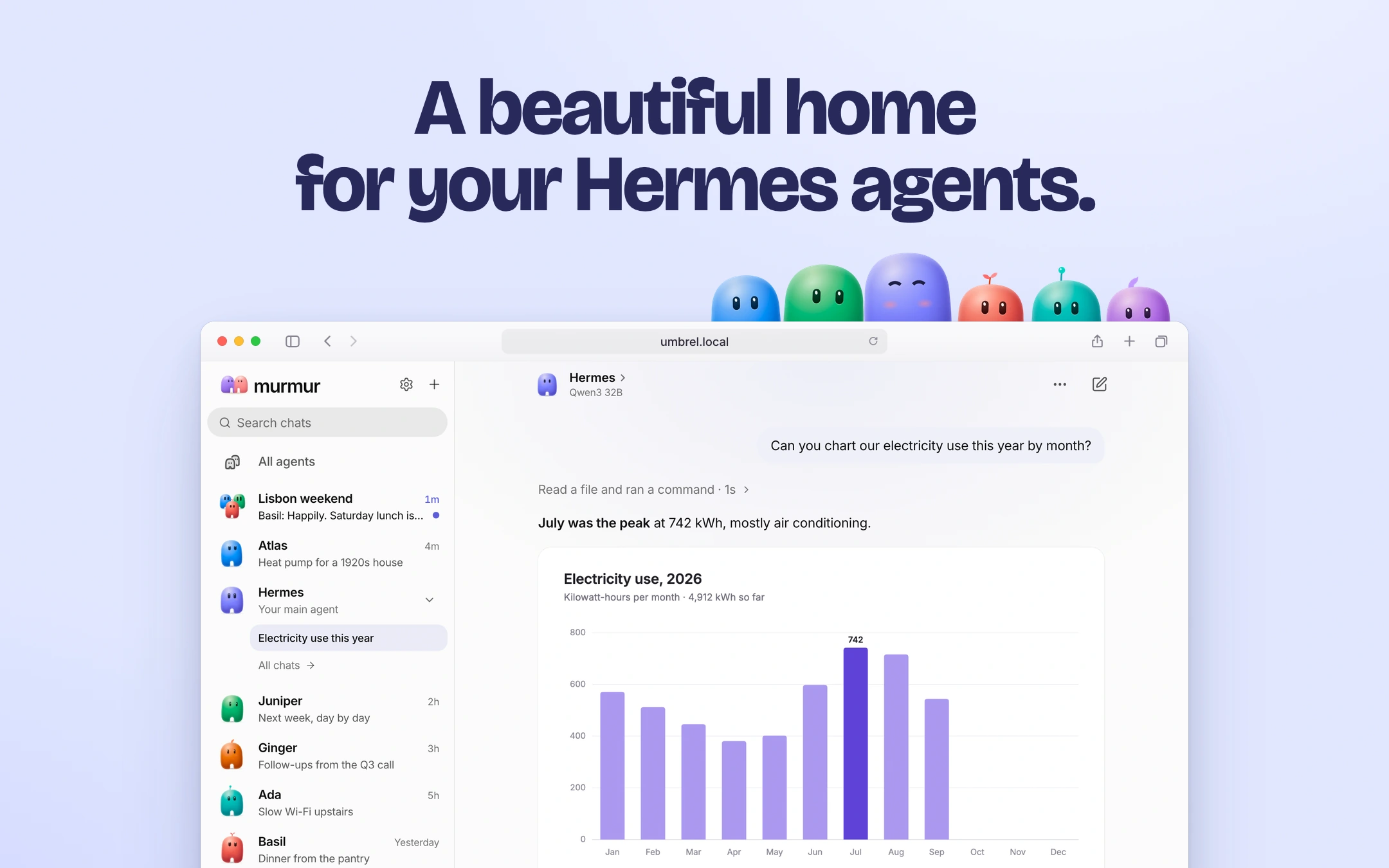
Chat with your own AI agents, one at a time or all together.
In the browser, on your Mac or PC, and on your phone.
Get Murmur · Your Hermes · Features · How it works · Develop
Murmur is the app for Hermes Agent, the open-source agent that runs on your own hardware, remembers what matters, uses tools and gets things done. Murmur is the friendly face on top. There are no terminals, config files or jargon. Make a few agents, give each one a personality, and talk to them from anywhere.
One Murmur, everywhere
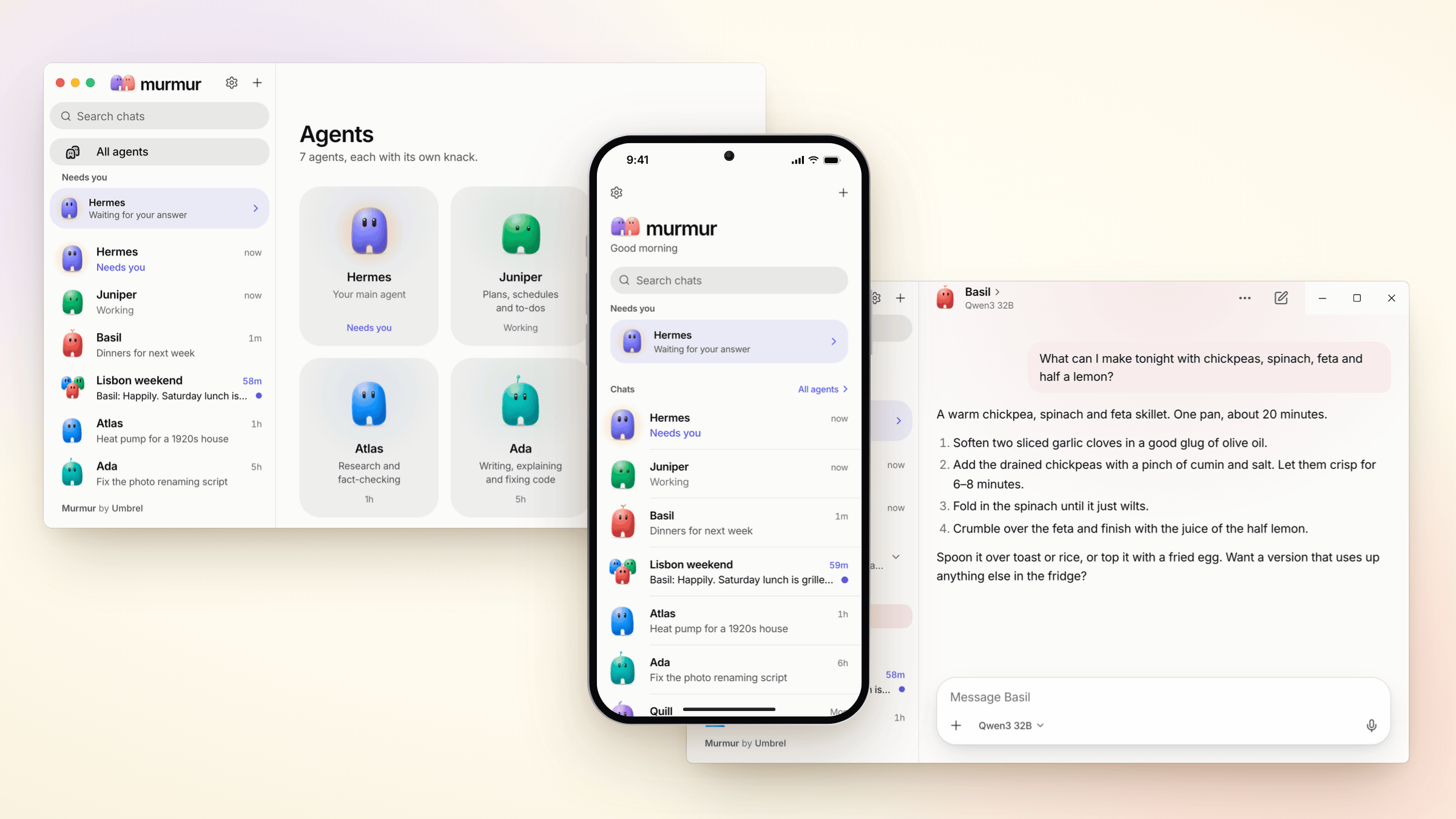
Open it in any browser on your network, install the app for macOS, Windows or Linux, or add it to your phone's home screen. It's the same Murmur everywhere, with the same agents and chats, and every chat picks up where you left off on another device.
Bring your Hermes, or start fresh
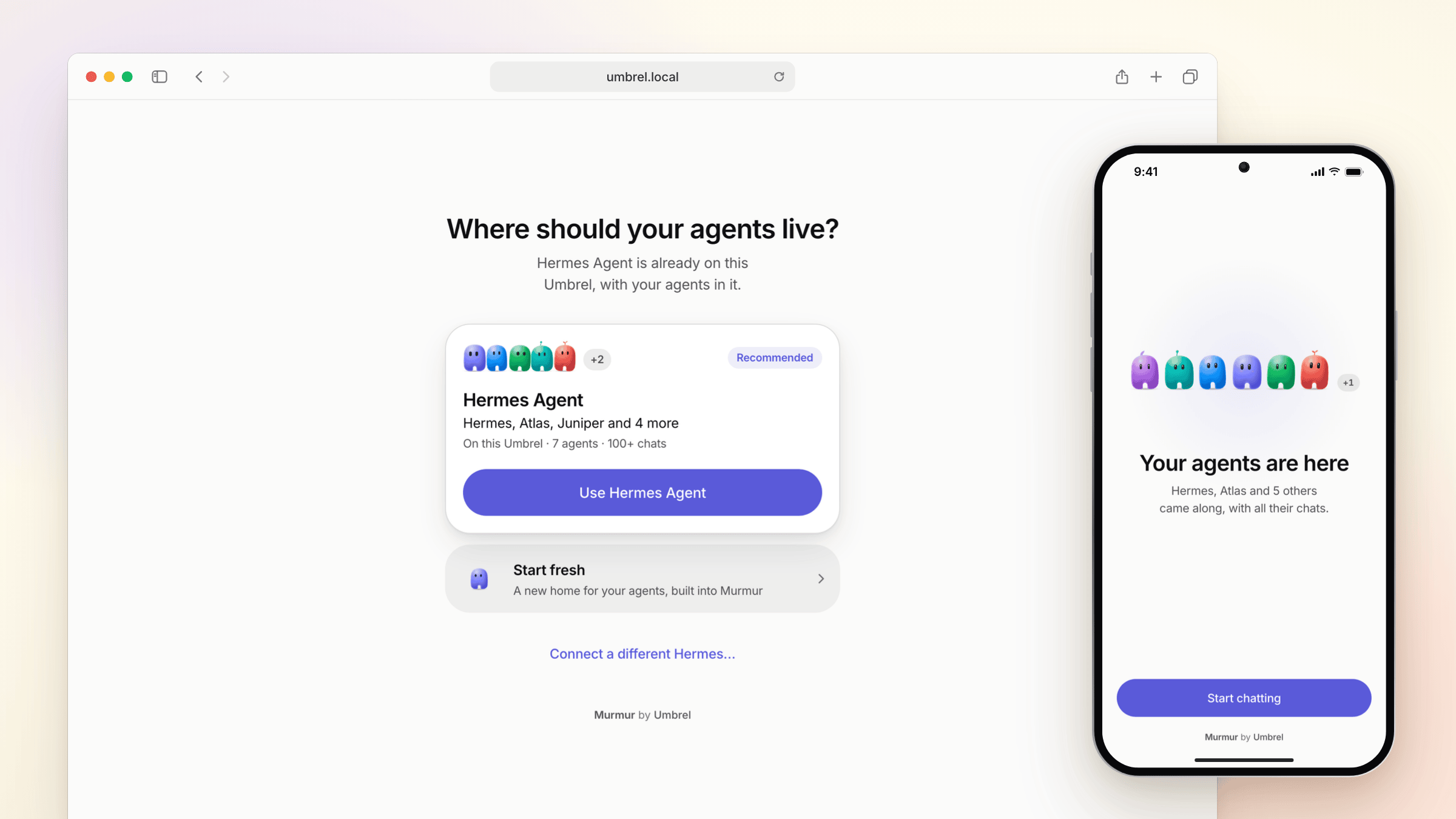
Murmur comes with Hermes built in, so you can start fresh with nothing else to install. Already have Hermes? It can live anywhere: on your Umbrel, a Mac in the closet, a Raspberry Pi or a server in the cloud. Murmur finds the ones on your network, or you can paste an address. Your agents, their memories and every past chat come along, including chats from the Hermes dashboard, Hermes Desktop, the terminal and Telegram. Nothing is imported or copied: it all stays in your Hermes.
Make an agent in seconds
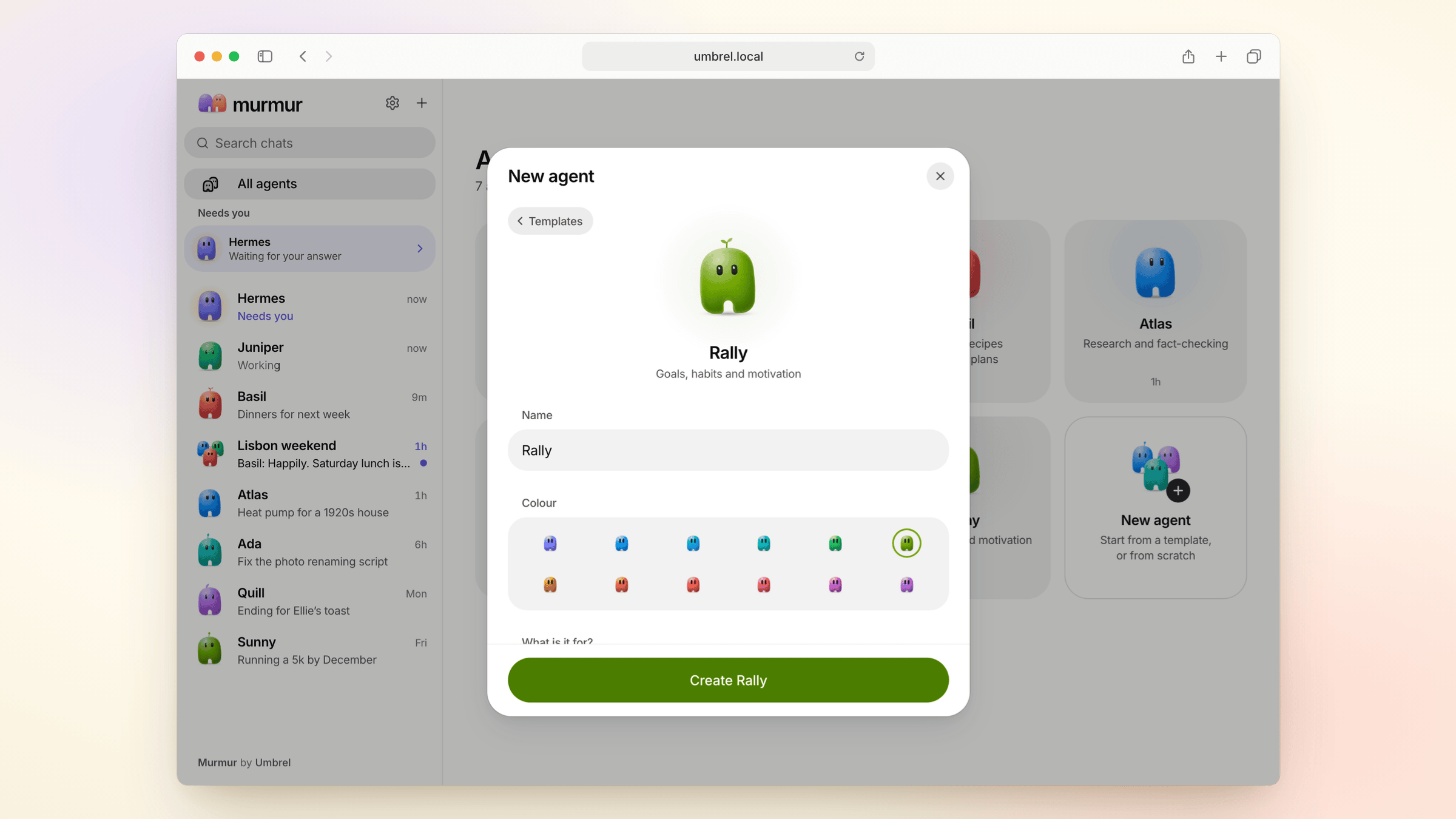

Start from a template (Researcher, Writer, Planner, Coder, Coach or Chef) or from scratch. Pick a name and a colour, say what it's for, and it's ready to talk.
No model yet? Connect one in a minute
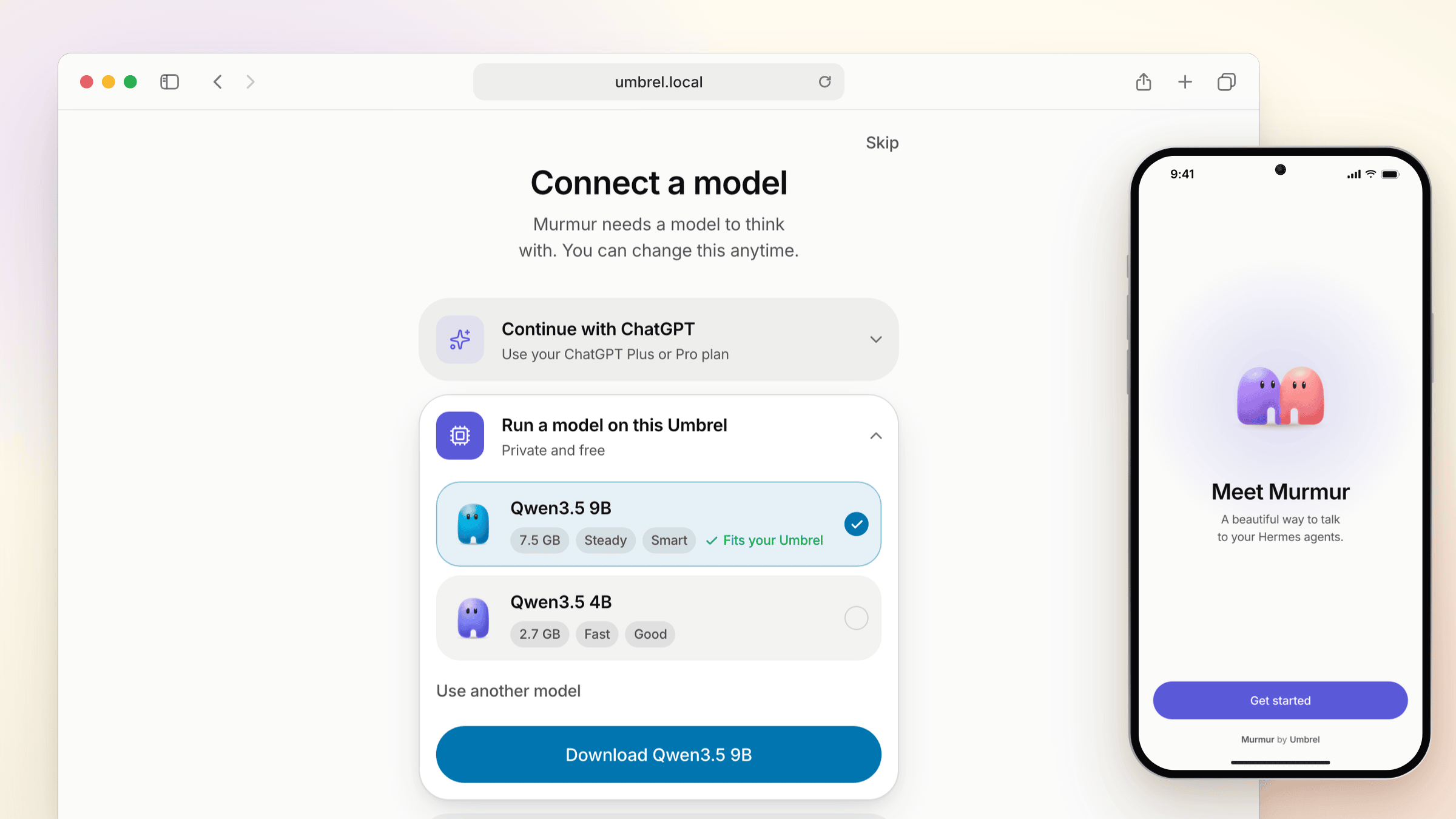
Sign in with your ChatGPT plan, or run a model right on your Umbrel: Murmur picks one that fits its memory and sets it up in one tap, using its graphics when it has them. Or use Ollama or another model server, or an API key from OpenRouter, OpenAI, Anthropic and others. You can switch any time.
What you can do
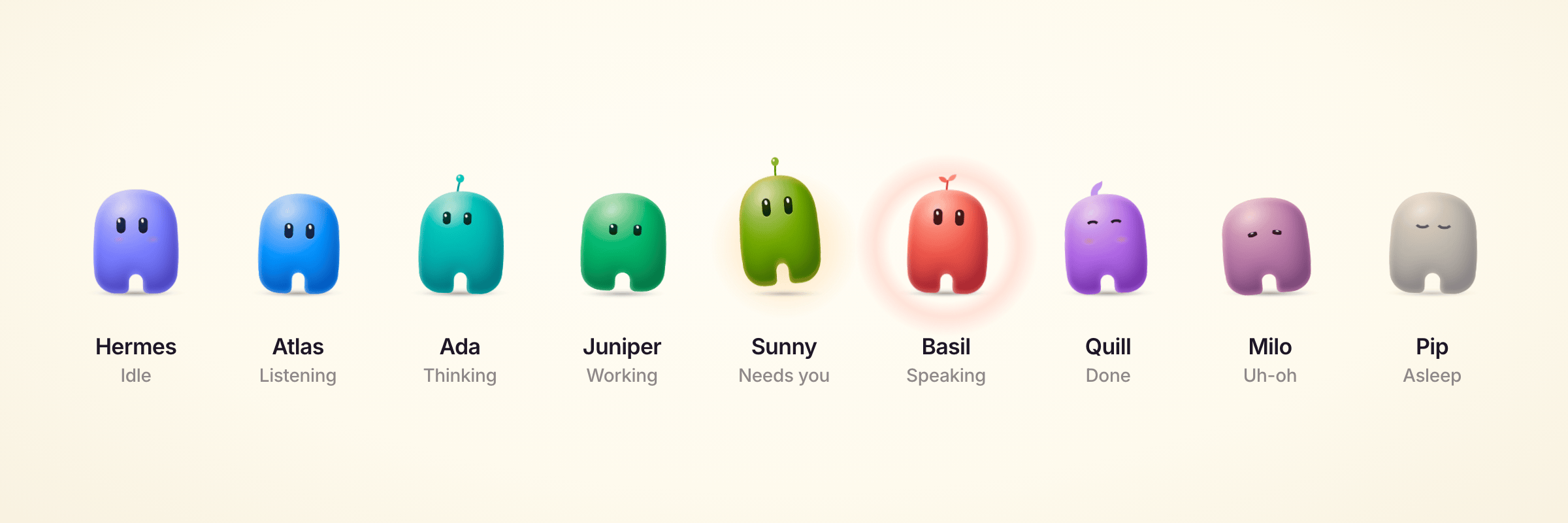
Agents with a personality
Every agent is a Buddy, a little character in its own colour that shows what it's doing at a glance: listening, thinking, working, waiting on you, or done. Anything that needs you rises to the top.
Chats that show their work
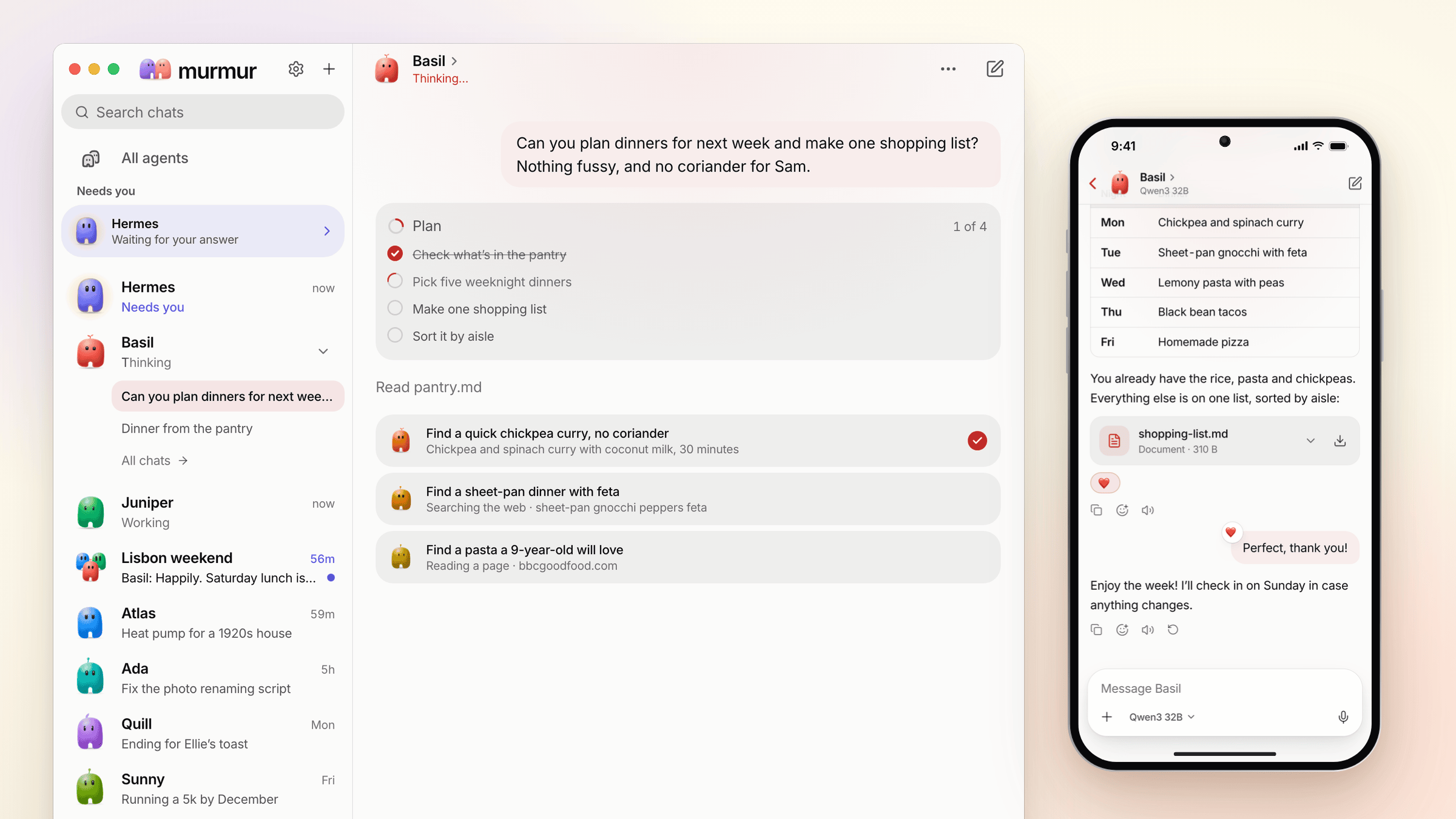
Answers stream in as they're written. For bigger jobs, the agent writes a plan and ticks it off as it goes, and sends helpers off to work side by side, each with a line on what it's doing. When it's done, it all folds away. Searches, pages and commands show up in plain words, and you can open any step. Stop it, steer it mid-answer, or have the answer read aloud. Tap a heart on a reply, and your agents react to you, too.
Connect your apps
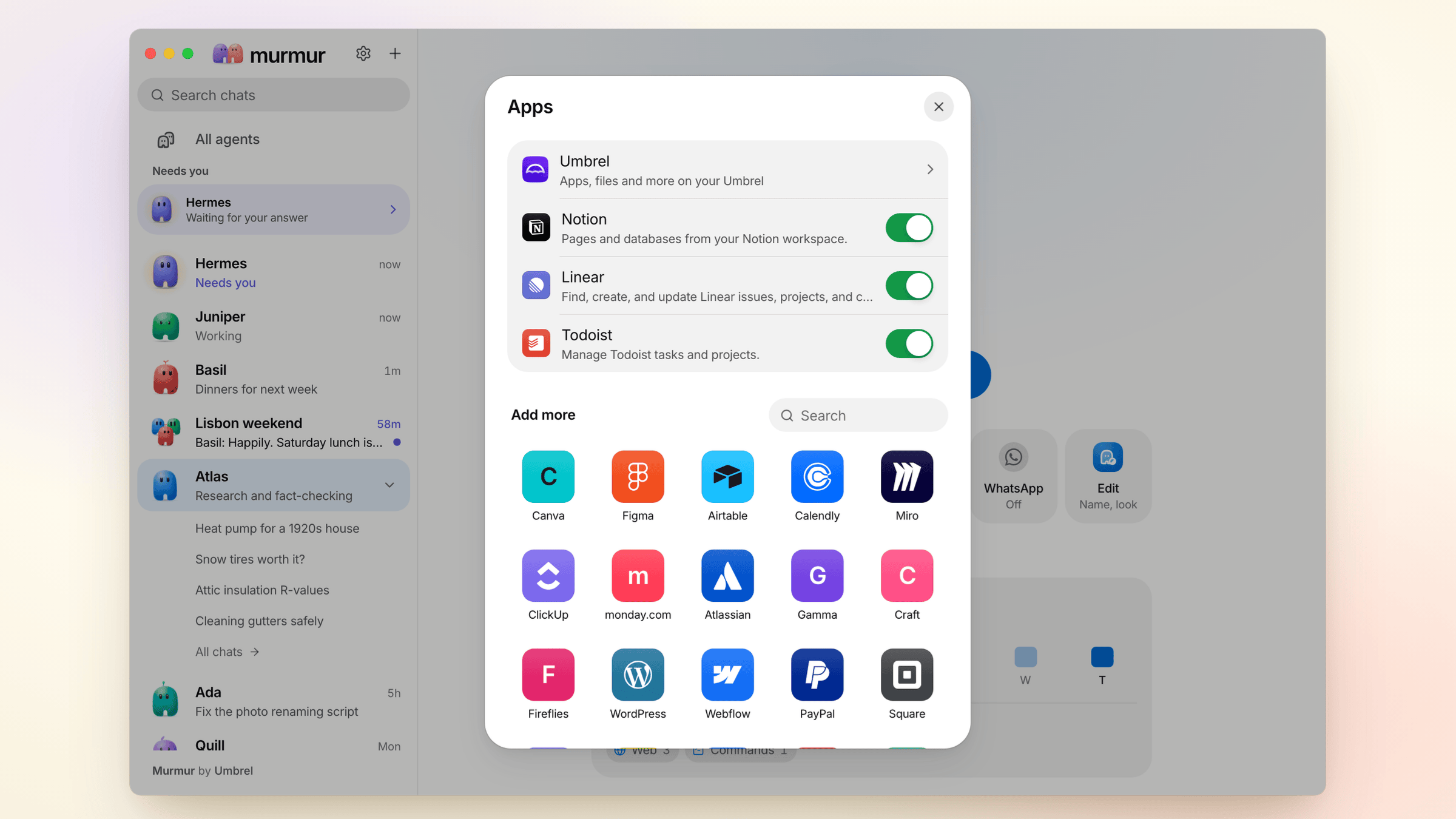
Give each agent the apps it needs: Notion, Linear, Todoist, Figma, Canva and dozens more, with one sign-in each. Add an app to another agent in a tap. Most apps only sign in over https, on localhost or in the desktop app.
You stay in charge
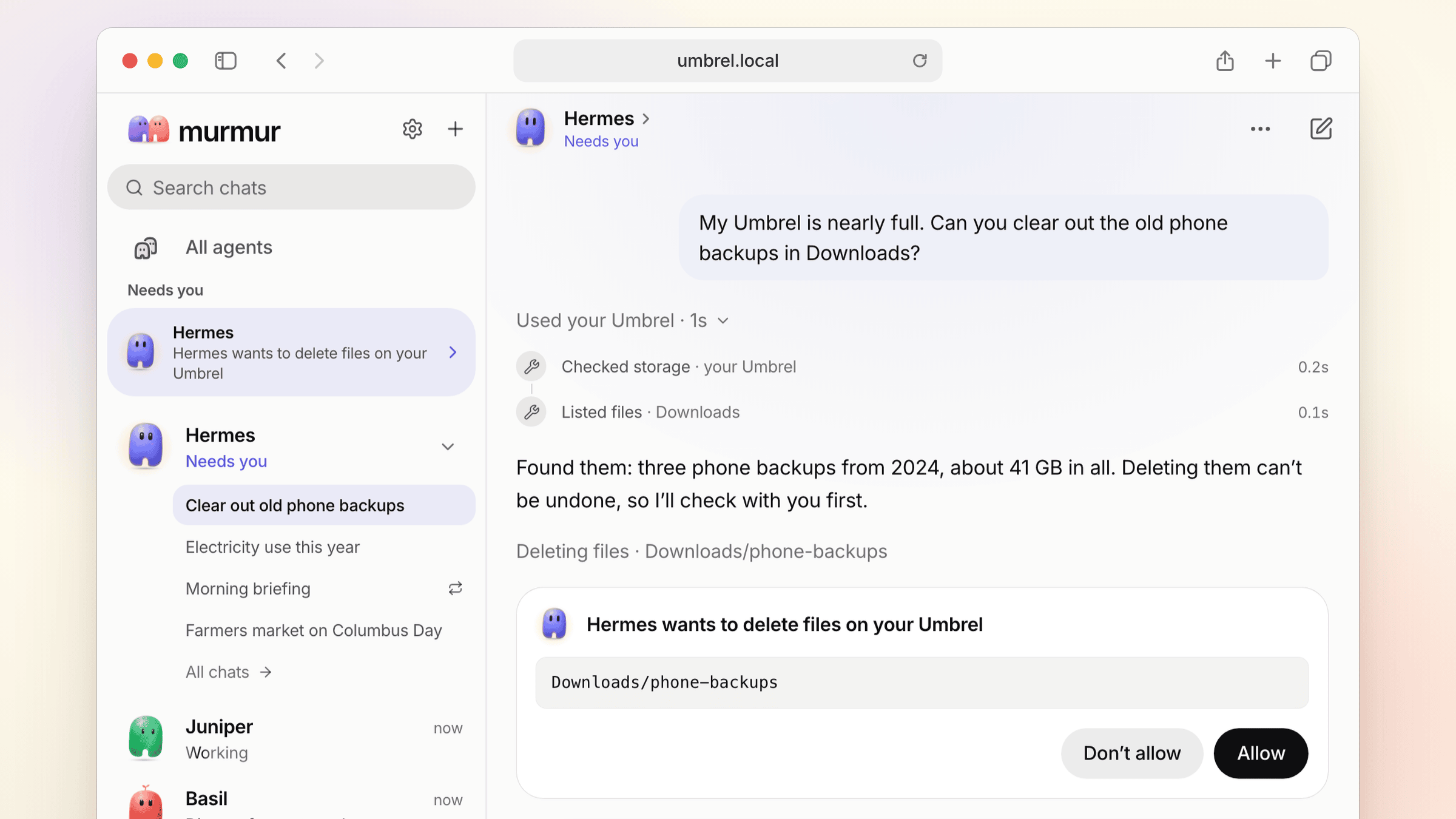
On umbrelOS, your agents can work with the Umbrel itself: its apps, files and more. Connect it in Settings → Umbrel, or just paste the message umbrelOS gives you into a chat, and every agent gets it. Before anything changes, like deleting files, the agent asks in plain words and waits for Allow or Don't allow.
Group chats
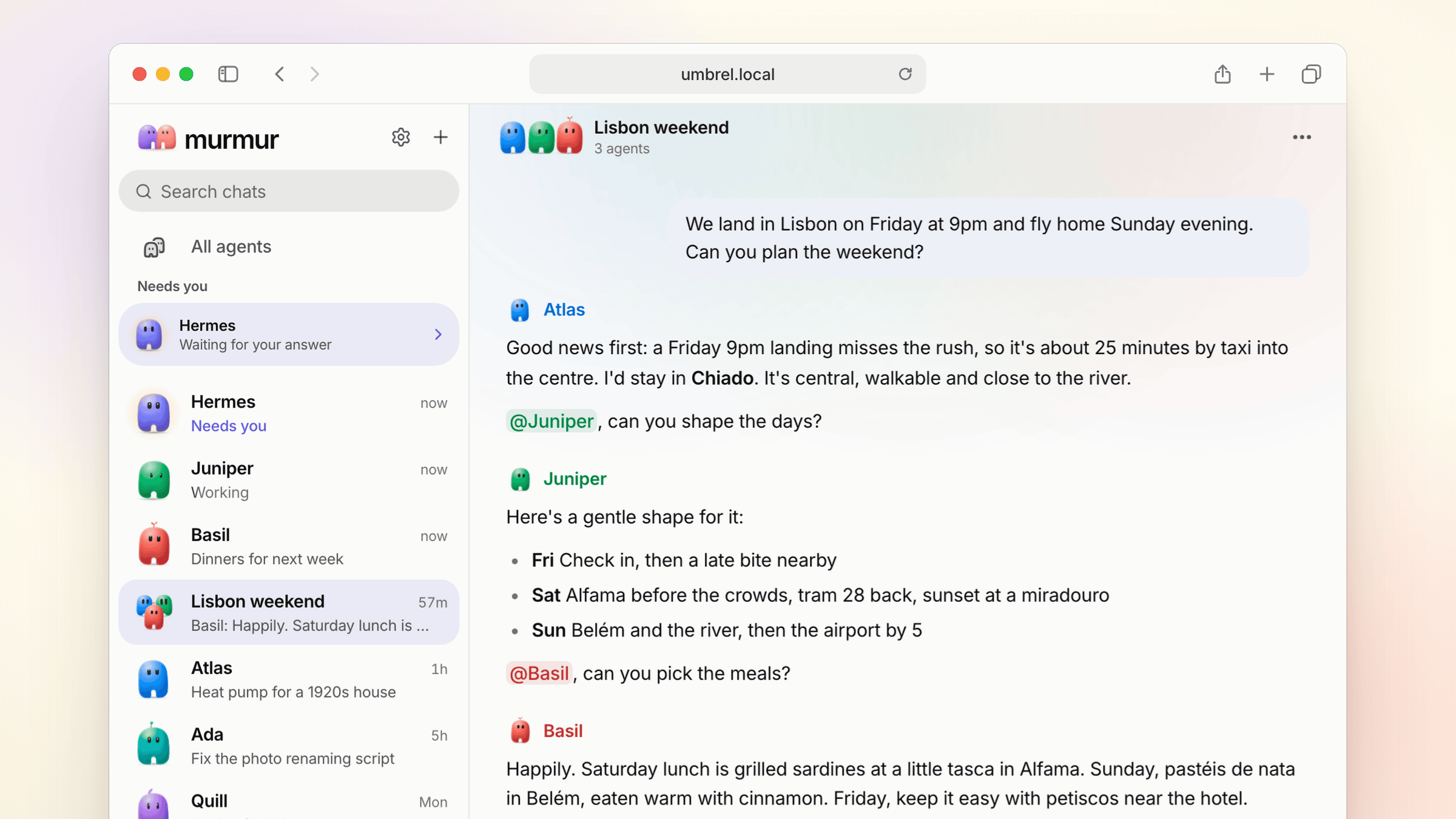
Put a few agents in one room and let them work it out together. Mention one with @ to ask just them. Each one speaks in its own colour.
Text them on WhatsApp and Telegram
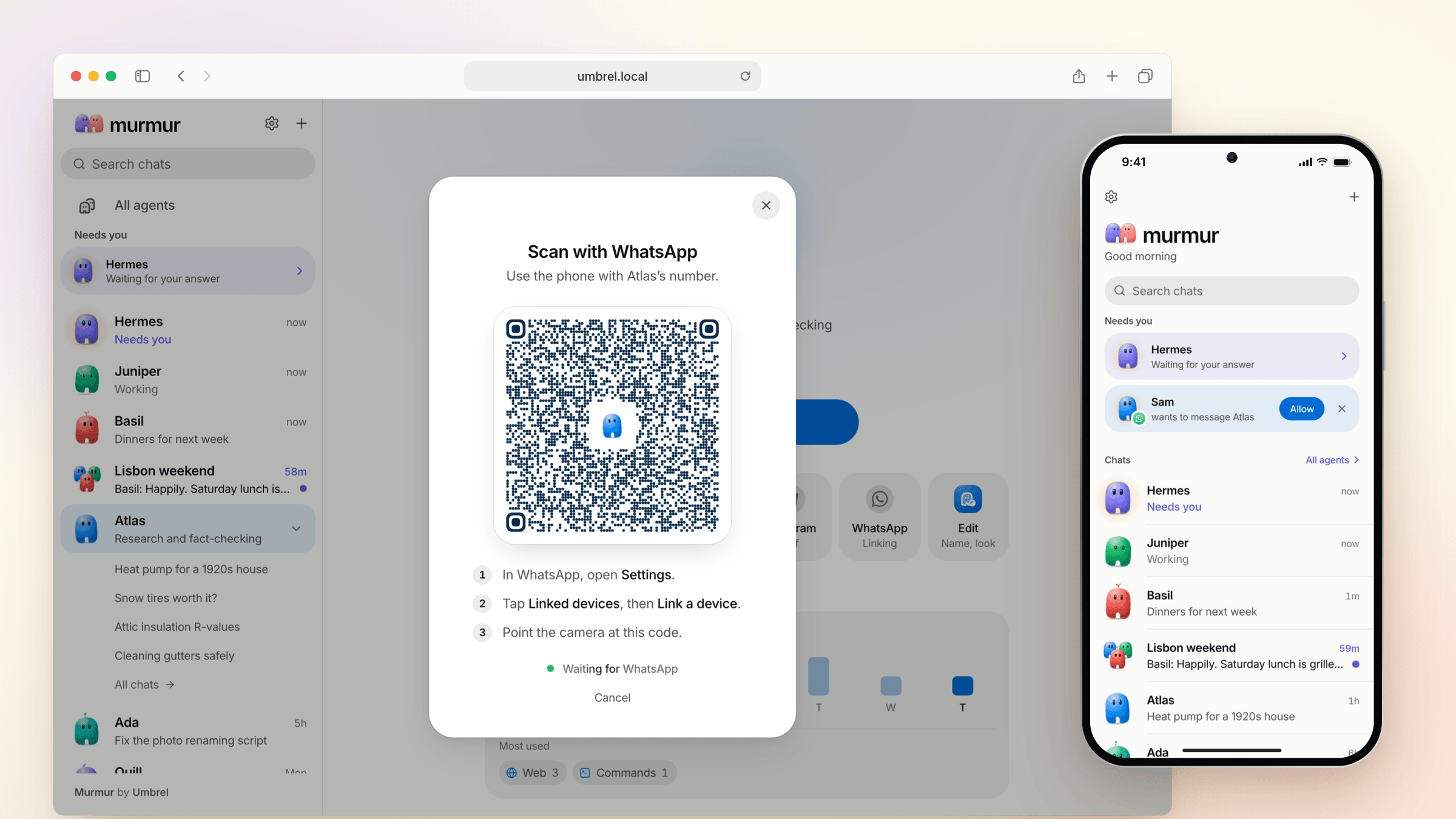
Scan a code and an agent is on WhatsApp or Telegram, so you can text it from the apps already on your phone. Talk to it in your own WhatsApp, or give it a spare number of its own. When someone new writes in, they wait under Needs you until you tap Allow.
In your pocket, too
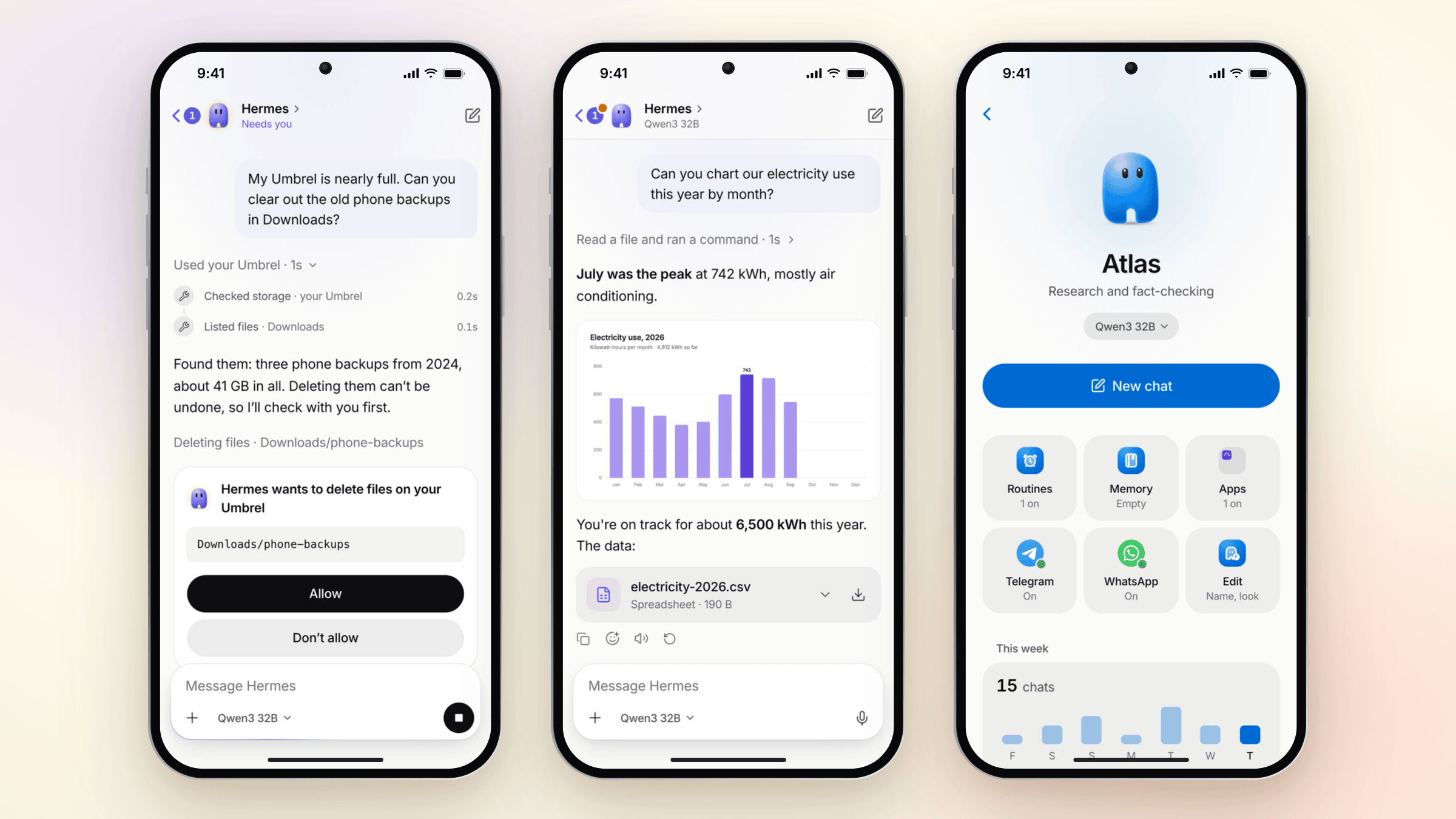
- Answer from anywhere. Approvals, questions and replies follow you to your phone.
- Pictures, files and live widgets. Send photos and files, and get images, downloads and little interactive tools back right in the chat.
- Routines and memory. Ask for a briefing every morning at 8. See what an agent remembers, and change or forget any of it.
And the details
- Honest usage. See how much of your plan is left and when it resets, how full a chat is, and what each agent did this week.
- Choose the model and how hard it thinks for each agent or each chat.
- Move agents. Export an agent to a file and bring it in on another Hermes.
- More than one Hermes? Keep one at home and another at work, and switch in one tap.
- Give it a goal with
/goal, and the agent keeps working until it's done. Ask a quick side question with/btwwithout interrupting it. - Search every chat, with a command palette and keyboard shortcuts on desktop.
- Light and dark, desktop notifications and a Dock badge, and fluid at every screen size.
Get Murmur
On umbrelOSInstall Murmur from the Umbrel App Store. It comes with Hermes built in. Already use the Hermes Agent app? Murmur finds it and offers to use it instead, agents and all. |
On your Mac or PCDownload Murmur for macOS, Windows or Linux from Releases, open it, and pick your Hermes from the list. |
With Docker
Run Murmur with its own Hermes:
curl -fsSLO https://raw.githubusercontent.com/getumbrel/murmur/master/docker-compose.yml
curl -fsSL https://raw.githubusercontent.com/getumbrel/murmur/master/.env.example -o .env
# set MURMUR_HERMES_PASSWORD in .env, then:
docker compose up -d
Or run Murmur alone and point it at your Hermes. docs/STANDALONE.md has every option.
docker run -d -p 3000:3000 -v murmur:/data ghcr.io/getumbrel/murmur:0.5
Murmur comes with Hermes 0.22.0, and works with any Hermes Agent 0.21.4 or newer. If yours is older, Murmur shows you how to update it.
How it works
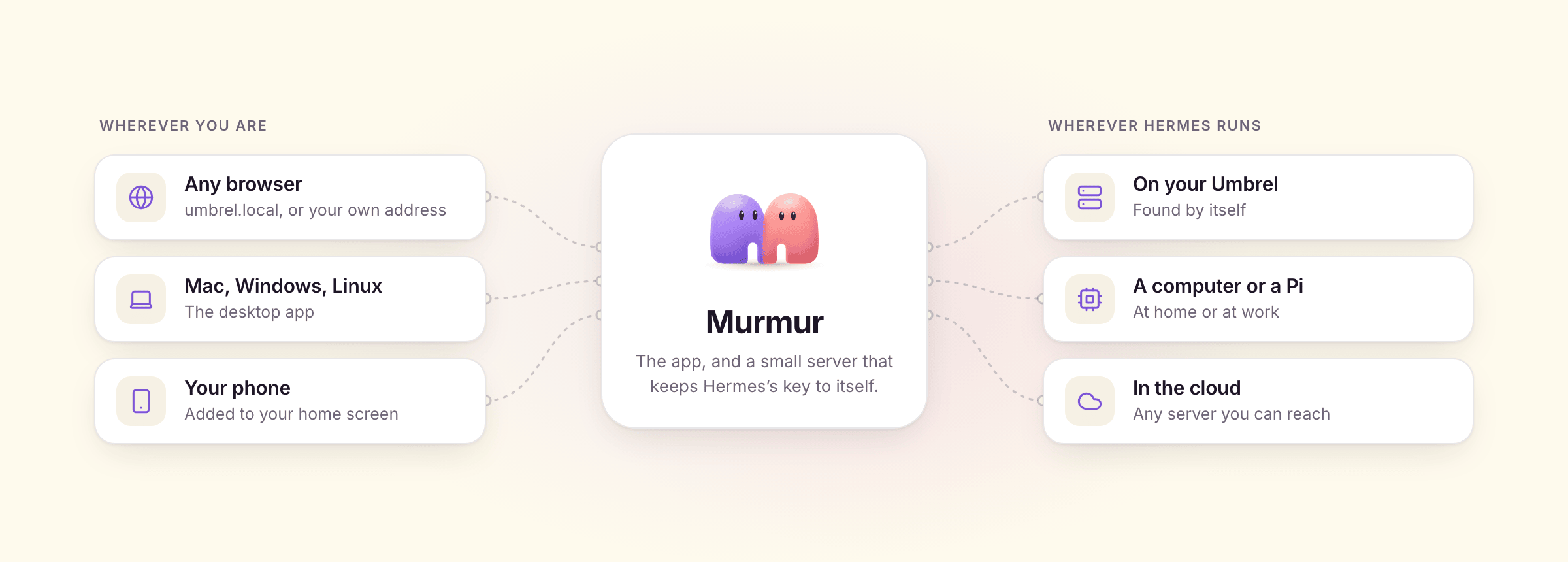
- Hermes does the work. Agents are Hermes profiles and chats are Hermes sessions. Murmur reads and writes the same data, so it stays in sync with the Hermes dashboard, Hermes Desktop and Telegram.
- Hermes comes along. On umbrelOS and with Docker Compose, Murmur runs its own Hermes right beside it, private to Murmur. Or it uses a Hermes you already have.
- Murmur is the experience. A mobile-first React app and a tiny Node server with no dependencies. The browser never sees Hermes's access key.
- The desktop app is the same Murmur in a native window, with its server built in.
Privacy and security
- Everything runs on hardware you control. Murmur talks only to your Hermes.
- On umbrelOS, Murmur sits behind your Umbrel login. On its own, you can give it a password (
MURMUR_PASSWORD). - Hermes's access key stays on Murmur's server, and Murmur refuses requests from other websites.
- An exported agent leaves its keys and sign-ins behind.
Develop
npm install
docker compose -f dev/docker-compose.yml up -d        # a local Hermes, like the Umbrel app
HERMES_URL=http://localhost:18789 npm run dev:server   # Murmur's server on :3000
npm run dev:web                                        # the app on :5173, with hot reload
docs/DEVELOPMENT.md covers the architecture, server settings, tests, releases and updating the Hermes client. docs/DESKTOP.md covers the desktop app, and docs/DESIGN.md and docs/BRAND.md cover design and brand.
License
MIT. Murmur includes Hermes Agent's typed client, which is also MIT.
Murmur by Umbrel
Yorumlar (0)
Yorum birakmak icin giris yap.
Yorum birakSonuc bulunamadi