Octopal
Health Uyari
- License — License: MIT
- Description — Repository has a description
- Active repo — Last push 0 days ago
- Low visibility — Only 6 GitHub stars
Code Basarisiz
- exec() — Shell command execution in renderer/src/App.tsx
- exec() — Shell command execution in renderer/src/components/Chat/selectiveInterrupt.test.ts
- network request — Outbound network request in renderer/src/components/ChatPanel.tsx
Permissions Gecti
- Permissions — No dangerous permissions requested
Octopal is a desktop workspace that lets you create and manage a group chat of multiple AI agents. It runs locally through a Tauri app, using your local project folders to store agent configurations and collaborate with Claude Code.
Security Assessment
The overall security risk is Medium. The tool actively executes shell commands, as detected in the core application file (`App.tsx`) and its related test files. This is likely how it interfaces with Claude Code, but executing shell commands always introduces risk if the agent is prompted with malicious instructions. Additionally, the code makes outbound network requests (`ChatPanel.tsx`), which is standard for communicating with AI APIs but could pose a data-leakage risk depending on what information is sent. The scan found no hardcoded secrets and the app requests no elevated system permissions.
Quality Assessment
The project is actively maintained, with its most recent push happening today. It uses standard, modern technologies (Tauri, React, TypeScript) and benefits from a clean MIT license, making it fully open source. However, it suffers from very low community visibility. Having only 6 GitHub stars means the codebase has undergone minimal peer review, so hidden bugs or security vulnerabilities are much more likely to go unnoticed by the broader community.
Verdict
Use with caution: it is actively maintained and open source, but its extensive shell execution capabilities and lack of community auditing require you to trust the developer and the prompts given to the agents.
Agentic workplace messenger for Claude Code. Collaborate with your Claude Code agents more efficiently. A group chat interface where multiple agents work together in real time.
Octopal

Create a Space, Talk to your Agents.
A team workspace of AI agents — right on your computer, inside your folders.
Free & open source — available on macOS & Windows.



🌐 octopal.app | English | 한국어
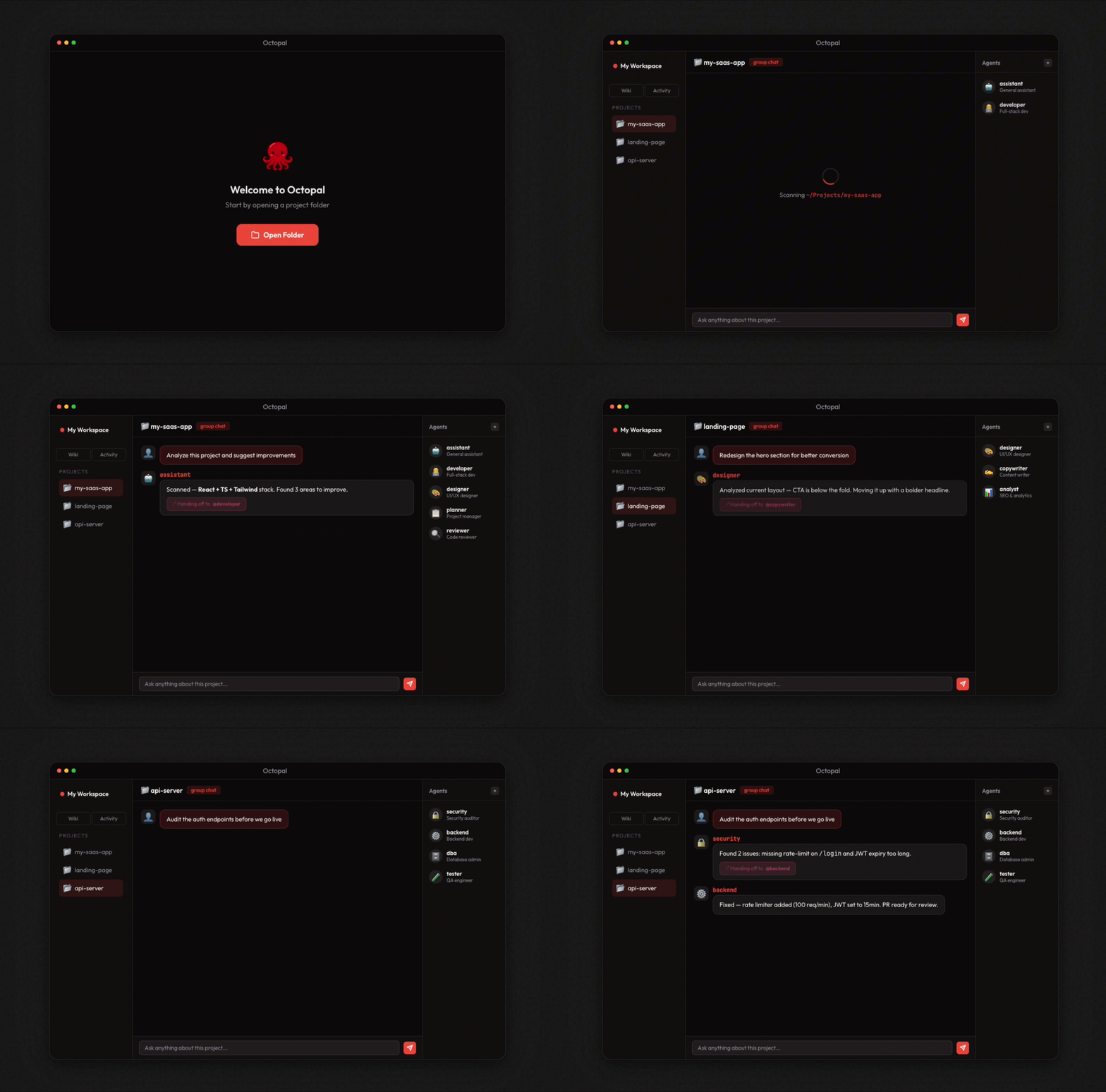
What is Octopal?
Octopal is a team workspace of AI agents that runs on top of Claude Code. Create a space for each project, assign agents, and start collaborating — all right on your computer, inside your folders.
Built for power users who work on multiple projects simultaneously.
All agent data is stored in the octopal-agents/ folder inside your project — each agent gets its own subfolder with config.json and prompt.md.
Philosophy
Create a Space, Talk to your Agents.
One simple metaphor, zero infrastructure.
Octopal's uniquely simple structure turns familiar concepts into a powerful AI workspace. No servers, no accounts — everything lives on your machine.
| Concept | Becomes | Description |
|---|---|---|
| 📁 Folder | Team | Each folder becomes an independent team with its own agents and context. |
| 📁 octopal-agents/ | Agents | Each subfolder defines an agent — its config, prompt, and personality. |
| 🏢 Workspace | Company | Group your folders into a workspace and you have your own AI company. |
No complex setup, no cloud — just your computer and your AI agents.
Highlights
| Feature | Description | |
|---|---|---|
| 🐙 | Octo Agents | Define agents in octopal-agents/ subfolders. Each folder is an independent agent with its own config, prompt, and capabilities. |
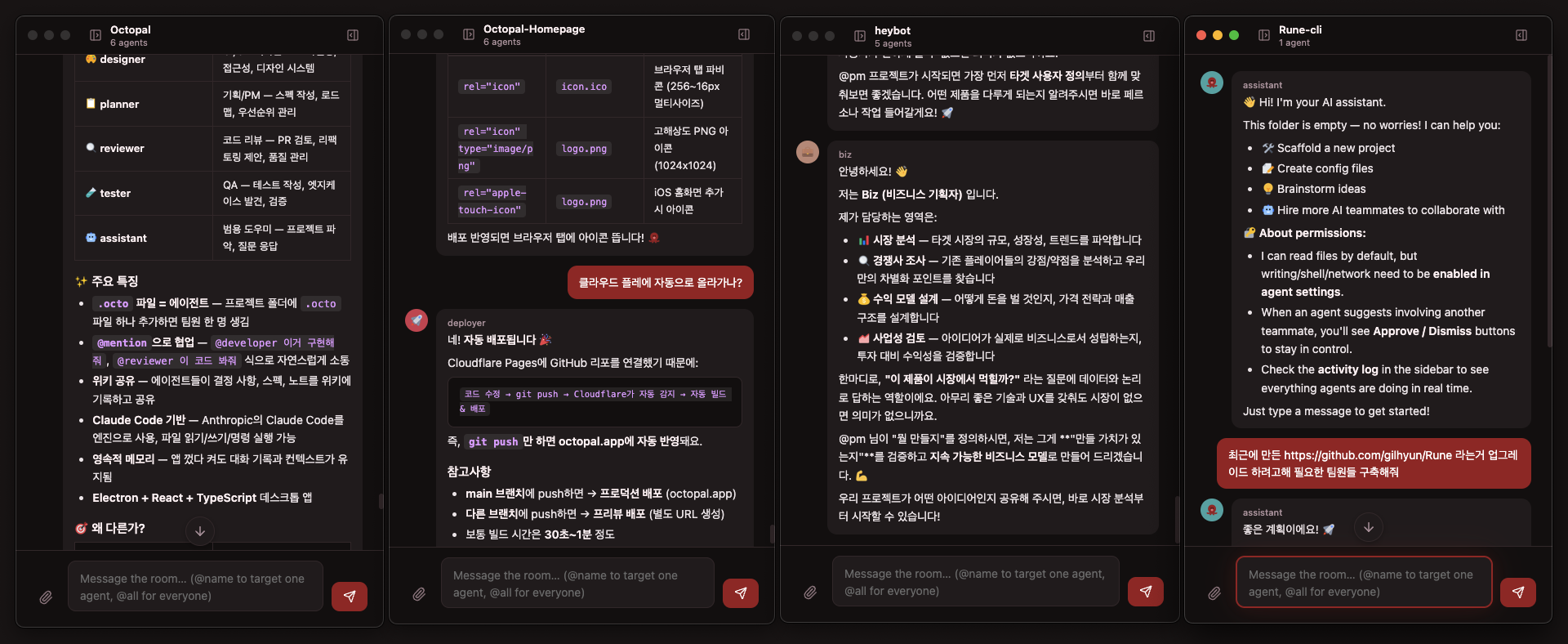
| 💬 | Group Chat | Agents talk to each other and to you in a natural group chat. @mention to direct, or let the orchestrator route automatically. |
| 🧠 | Hidden Orchestrator | A smart orchestrator reads the context and calls the right agent at the right time. You direct, agents collaborate. |
| 📁 | Your Folders, Your Teams | Each folder is a team, each workspace is a company. Organize agent teams the way you already organize files. |
| 🔗 | Agent-to-Agent | Agents can @mention each other, triggering chain reactions of collaboration without your intervention. |
| 🔒 | Local-first, Privacy-first | Everything runs on your machine. No cloud servers, no data collection — your agents, your files, your control. |
How It Works
- Open Octopal App — Launch the app and open a workspace. That's your company — ready in seconds.
- Add a Folder — Add a folder with an
octopal-agents/directory. Each folder is a team, each subfolder is an agent — alive and ready to work. - Create Agents & Chat — Give each agent a role and start chatting. @mention who you need, or let the orchestrator route the conversation.
Features
Chat
- Multi-agent group chat — A hidden mediator agent automatically summons domain-expert agents that can answer your questions.
@mentionrouting,@allbroadcast- Real-time streaming responses + Markdown rendering (GFM, syntax highlighting)
- Image/text file attachments (drag & drop, paste)
- Consecutive message debouncing (1.2s buffer before agent invocation)
- Message pagination (loads 50 messages on scroll-up)
Agent Management
- Create/edit/delete agents (name, role, emoji icon, color)
- Granular permission control (file write, shell execution, network access)
- Path-based access control (allowPaths / denyPaths)
- Agent handoff & permission request UI
- Automatic dispatcher routing
Wiki
- Shared knowledge base per workspace — notes, decisions, and context accessible to all agents and sessions
- Markdown page CRUD (create, read, update, delete)
- Real-time editing with live preview
- All agents in the same workspace can read and write wiki pages
- Persistent across sessions — wiki pages survive app restarts
Workspace
- Create/rename/delete workspaces
- Multi-folder management (add/remove folders)
octopal-agents/change detection (file system watch)
Prerequisites
To build Octopal from source you need two things on your machine:
1. Rust toolchain (for the Tauri backend)
Octopal is a Tauri app, so cargo must be available on your PATH.
# macOS / Linux
curl --proto '=https' --tlsv1.2 -sSf https://sh.rustup.rs | sh
source "$HOME/.cargo/env"
On Windows, download and run
rustup-init.exeinstead.
You may also need platform-specific dependencies listed in the
Tauri prerequisites guide
(Xcode Command Line Tools on macOS, WebView2 + MSVC on Windows,webkit2gtkon Linux).
2. Claude CLI (for the AI agent)
Octopal requires Claude CLI to be installed and logged in.
# 1. Install Claude CLI
npm install -g @anthropic-ai/claude-code

# 2. Log in
claude login
Without Claude CLI, Octopal cannot communicate with agents. The app will show a login prompt on startup if Claude CLI is not detected or not logged in.
Download
👉 Download the latest release (macOS / Windows)
⚠️ Note for Windows users
You may see a security warning when launching the app for the first time.
- Windows: Windows protected your PC (SmartScreen) → Click "More info" → "Run anyway".
Getting Started
# Install dependencies
npm install

# Development mode (Hot Reload)
npm run dev

# Production build
npm run build
Scripts
| Command | Description |
|---|---|
npm run dev |
Run Tauri dev mode (Vite + Rust backend with hot reload) |
npm run build |
Production build (compiles Rust backend + Vite frontend) |
Tech Stack
| Layer | Tech |
|---|---|
| Desktop | Tauri 2 (Rust backend) |
| Frontend | React 18 + TypeScript 5.6 |
| Build | Vite 5 + Cargo |
| AI Engine | Claude CLI |
| Markdown | react-markdown + remark-gfm + rehype-highlight |
| Icons | Lucide React |
| i18n | i18next + react-i18next |
| Styling | CSS (Dark Theme + Custom Fonts) |
Why Rust? Octopal uses Tauri 2 instead of Electron. The Rust-based backend provides significantly smaller binary sizes (~10MB vs ~200MB), lower memory usage, and native OS integration — while keeping the same React + TypeScript frontend.
Project Structure
Octopal/
├── src-tauri/                    # Tauri / Rust backend
│   ├── src/
│   │   ├── main.rs               # App entry point
│   │   ├── lib.rs                # Plugin registration, command routing
│   │   ├── state.rs              # Shared app state
│   │   └── commands/             # Tauri IPC command handlers
│   │       ├── agent.rs          # Agent lifecycle
│   │       ├── claude_cli.rs     # Claude CLI spawn & streaming
│   │       ├── dispatcher.rs     # Message routing / orchestration
│   │       ├── files.rs          # File system operations
│   │       ├── folder.rs         # Folder management
│   │       ├── workspace.rs      # Workspace CRUD
│   │       ├── wiki.rs           # Wiki page CRUD
│   │       ├── settings.rs       # App settings
│   │       ├── octo.rs           # Agent config read/write (octopal-agents/)
│   │       ├── backup.rs         # State backup
│   │       └── file_lock.rs      # File locking
│   ├── Cargo.toml                # Rust dependencies
│   └── tauri.conf.json           # Tauri app configuration
│
├── renderer/src/                 # React frontend
│   ├── App.tsx                   # Root component (state management, agent orchestration)
│   ├── main.tsx                  # React entry point
│   ├── globals.css               # Global styles (dark theme, fonts, animations)
│   ├── types.ts                  # Runtime type definitions
│   ├── utils.ts                  # Utilities (color, path)
│   ├── global.d.ts               # TypeScript global interfaces
│   │
│   ├── components/               # UI components
│   │   ├── ChatPanel.tsx         # Chat UI (messages, composer, mentions, attachments)
│   │   ├── LeftSidebar.tsx       # Workspace/folder/tab navigation
│   │   ├── RightSidebar.tsx      # Agent list & activity status
│   │   ├── ActivityPanel.tsx     # Agent activity log
│   │   ├── WikiPanel.tsx         # Wiki page management
│   │   ├── SettingsPanel.tsx     # Settings (general/agent/appearance/shortcuts/about)
│   │   ├── AgentAvatar.tsx       # Agent avatar
│   │   ├── MarkdownRenderer.tsx  # Markdown renderer
│   │   ├── EmojiPicker.tsx       # Emoji picker
│   │   ├── MentionPopup.tsx      # @mention autocomplete
│   │   └── modals/               # Modal dialogs
│   │
│   └── i18n/                     # Internationalization
│       ├── index.ts              # i18next configuration
│       └── locales/
│           ├── en.json           # English
│           └── ko.json           # Korean
│
└── assets/                       # Logo, icons
Architecture
┌──────────────────────────────────────────────┐
│                  Tauri 2                      │
│  ┌─────────────┐         ┌────────────────┐  │
│  │  Rust Core   │  IPC    │   WebView      │  │
│  │  (commands/) │◄───────►│   (React)      │  │
│  │  lib.rs      │ invoke  │   App.tsx      │  │
│  └──────┬──────┘         └───────┬────────┘  │
│         │                        │            │
│    ┌────▼────┐           ┌──────▼──────┐     │
│    │ File    │           │ Components  │     │
│    │ System  │           │ ChatPanel   │     │
│    │ Agents  │           │ Sidebars    │     │
│    │ Wiki    │           │ Modals      │     │
│    │ State   │           │ Settings    │     │
│    └────┬────┘           └─────────────┘     │
│         │                                     │
│    ┌────▼────┐                               │
│    │ Claude  │                               │
│    │ CLI     │                               │
│    │ (spawn) │                               │
│    └─────────┘                               │
└──────────────────────────────────────────────┘
Data Storage
| Item | Path |
|---|---|
| State (Dev) | ~/.octopal-dev/state.json |
| State (Prod) | ~/.octopal/state.json |
| Chat history | ~/.octopal/room-log.json |
| Attachments | ~/.octopal/uploads/ |
| Wiki | ~/.octopal/wiki/{workspaceId}/ |
| Settings | ~/.octopal/settings.json |
License
MIT License © gilhyun
Yorumlar (0)
Yorum birakmak icin giris yap.
Yorum birakSonuc bulunamadi