slashbooks
Health Gecti
- License — License: Apache-2.0
- Description — Repository has a description
- Active repo — Last push 0 days ago
- Community trust — 30 GitHub stars
Code Gecti
- Code scan — Scanned 12 files during light audit, no dangerous patterns found
Permissions Gecti
- Permissions — No dangerous permissions requested
Bu listing icin henuz AI raporu yok.
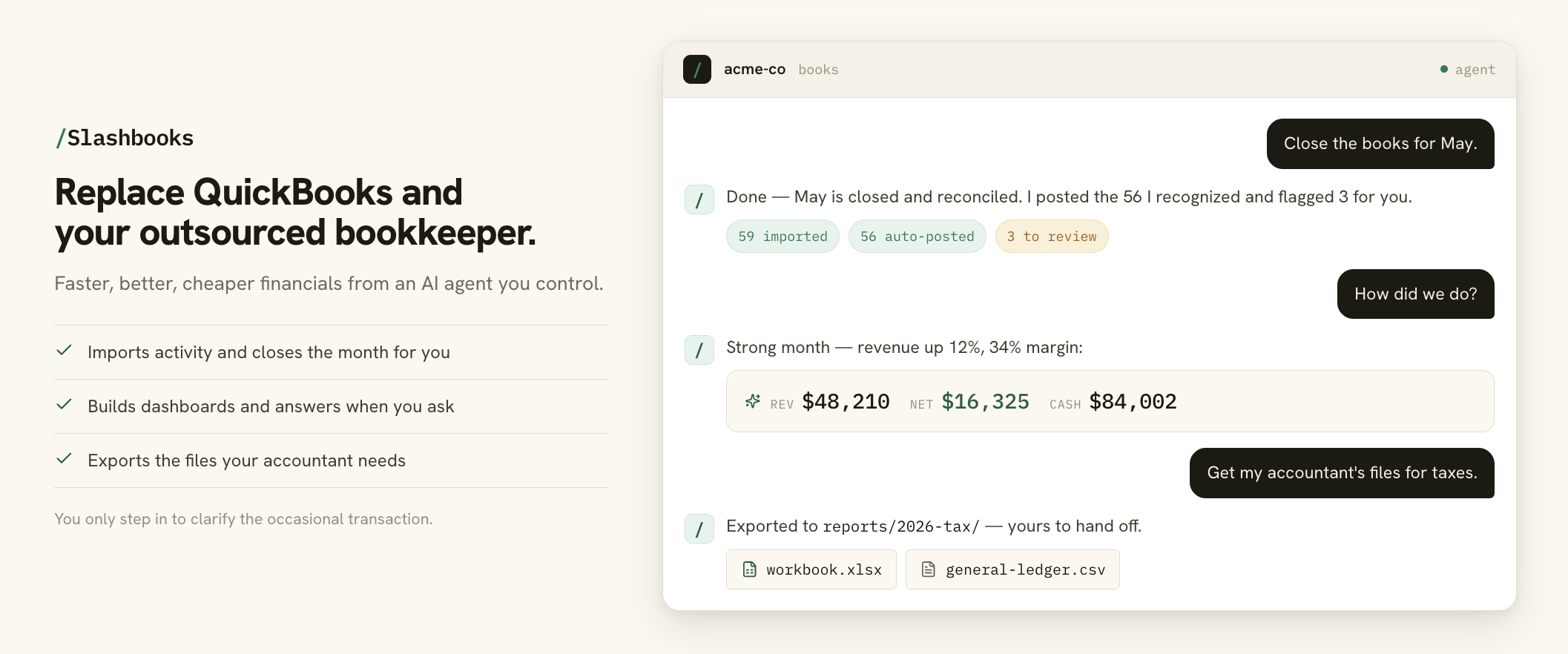
Replace QuickBooks and your outsourced bookkeeper with an AI agent you control.
Slashbooks
Bookkeeping for people who keep putting it off. Your AI agent keeps the
books current and tax-ready, so you always know where you stand.
Replace QuickBooks and your outsourced bookkeeper. Slashbooks gives you
faster, better, cheaper financials from an AI agent you control. It runs in
Claude Cowork, Claude Code, Codex, and other agents. Use the /books skill or
just ask in plain English.
It does the tedious work: set up the books, pull in bank and card activity,
categorize the repeat transactions, close the month, answer your questions, and
export the files your accountant needs. You only step in to help clarify the
occasional transaction.
No bloated accounting app. No spreadsheet wrangling. Nothing new to learn.
Why I built this: I was tired of paying for QuickBooks and an outsourced
bookkeeper for books that were always behind, so I built a bookkeeper my AI
agent runs and that I control.
Your books also stay yours: they live in local files you own, not a vendor's
cloud. Slashbooks works from QuickBooks exports and live bank/card feeds (via
BankSync) and exports the Excel/CSV files your accountant needs; it does not sync
back to QuickBooks or Google Sheets.
Install for Claude Cowork, Claude Code, or Codex →
What You Can Do
- Start books for a company in an empty directory.
- Keep the ledger in a local SQLite store you own, with Beancount-style exports
when you need plain text. - Connect Stripe, Mercury, and bank feeds, or have your agent build a connector for anything else.
- Schedule the monthly close to run on its own, with current books waiting.
- Review unfamiliar transactions before they become trusted rules.
- Ask for an analysis of anything, anytime, with every figure at hand.
- Get any report, chart, or export on demand, without clicking around an app.
- Backtest against QuickBooks exports (prove the numbers match) before trusting a migration.
- Export the workbook and CSV files your accountant needs at tax time.
Status
Slashbooks is beta software. Use it for cash-basis owner-operated businesses only,
review its output, and keep an accountant or tax professional in the loop.
Slashbooks is not tax, legal, accounting, payroll, inventory, or investment advice.
It doesn't replace professional review, and it isn't designed for businesses
that need payroll, inventory, multi-user accounting controls, or full accrual
accounting (yet). We're open to expanding what it covers; if you'd like to help,
see CONTRIBUTING.md.
Start Here
To use Slashbooks for a company, read:
- How to do your books with Slashbooks
- Accounting philosophy
- For accountants
- Connectors
- BankSync setup
- CSV, QuickBooks, and file imports
The short version: after installing the plugin, create or choose a parent folder
for company books, such as ~/Documents/books. Each company gets its own
subfolder inside that parent, such as ~/Documents/books/acme-co. Do not use
the plugin source repo as the company books folder.
Open the parent folder in Claude Cowork, Claude Code, or Codex and say:
I want to set up books for this company here.
The agent will ask onboarding questions, confirm the company subfolder, and
create the starter files there. Plugin upgrades should never overwrite company
books.
Want to explore before connecting real data? Open the parent books folder and
ask:
Let's setup the books for the demo company.
The agent will show the onboarding questions with Northstar Metrics LLC's
fictional answers and ask whether you want to use them as-is or change anything
first. Then it creates the most recent full calendar year plus current
year-to-date sample business activity and a few transactions to review, so you
can try the normal Slashbooks workflow without connecting real accounts.
Install
Pick the app you prefer. Install the plugin once, then use it from a
separate books parent such as ~/Documents/books/, with one subfolder per
company.
Claude Cowork
Best for most people. Cowork gives you a guided workspace for setup, review, and
monthly bookkeeping without living in a terminal.
Open Claude and go to Cowork.
Open Customize.
Go to Plugins.
Under Personal plugins, click +.
Choose Add marketplace. If your UI first shows Create plugin, choose
that, then Add marketplace.Paste:
https://github.com/giltotherescue/slashbooksClick Sync.
Install or enable
/booksfrom the synced marketplace.
Claude Code
Use this if you prefer Claude in a terminal.
/plugin marketplace add https://github.com/giltotherescue/slashbooks
/plugin install slashbooks@slashbooks
Codex
Use this if you prefer OpenAI Codex for local coding-agent work.
codex plugin marketplace add https://github.com/giltotherescue/slashbooks
Then restart Codex if needed, open the plugin directory, choose the Slashbooks
marketplace, and install the plugin.
Development
git clone https://github.com/giltotherescue/slashbooks slashbooks
cd slashbooks
pip install -e .
python3 -m unittest discover -s tests
The public command is books.
To try the current checkout without installing the plugin through an app
marketplace:
books demo init ~/Documents/books/northstar-demo
cd ~/Documents/books/northstar-demo
books queue list --entity .
books demo init prints the generated period. Use those dates for local report
commands.
To test the current checkout through an agent before publishing a release, add
the local marketplace.
Claude Code:
/plugin marketplace add /path/to/slashbooks
/plugin install slashbooks@slashbooks
Codex:
codex plugin marketplace add /path/to/slashbooks
codex -C ~/Documents/books
Then install/enable slashbooks from the local Slashbooks marketplace if the app
prompts for it. To test the demo through the agent, start in the books parent
folder and say:
Let's setup the books for the demo company.
If the local marketplace is hidden in the Codex app, open the plugin detail page
directly:
SLASHBOOKS_REPO=/path/to/slashbooks
MARKETPLACE_URL=$(python3 - <<'PY'
import os
from urllib.parse import quote
print(quote(os.path.join(os.environ["SLASHBOOKS_REPO"], ".agents/plugins/marketplace.json"), safe=""))
PY
)
open "codex://plugins/slashbooks?marketplacePath=${MARKETPLACE_URL}"
Workflows
Start with /books or natural language like “do my books here.” That router
checks whether the current directory already has an entity and sends the agent to
the right workflow.
/books
├── /books-onboard      set up a company, sources, and opening balances
├── /books-backtest     compare against QuickBooks exports before trusting it
├── /books-checkup      review setup, mappings, and close readiness
├── /books-close        import activity, review unknowns, and finalize a period
├── /books-dashboard    create dashboards, snapshots, and formatted reports
├── /books-review       resume or work through queued transactions
├── /books-ask          answer questions from the ledger
└── /books-export       export the workbook and CSV files accountants need
The agent workflows call the books CLI and don't compute financial totals
themselves.
Company Data
Each company directory contains its own books and generated state:
acme-co/
├── entity.json
├── trust-policy.json
├── ledger.sqlite
├── staging/
├── review-queue/
├── learned-context/
├── ingestion/
└── reports/
Slashbooks stores company data locally in the company directory you choose. The
plugin does not host your books.
Context and preferences live there too:
business-profile.mdkeeps human-readable business background and accountant
context.entity.jsonstores structured settings such as legal structure, business
type, dates, mappings, and jurisdiction context.trust-policy.jsoncontrols how conservative Slashbooks is before auto-posting
repeat transactions.ledger.sqlitestores the books, account catalog, and tamper-evident audit
history.learned-context/records what Slashbooks learns from owner review decisions,
such as usual categories for counterparties.review-queue/holds transactions waiting for owner judgment.
Credentials should live in .env, your OS credential store, or another local
ignored secrets file. The books command reads ./.env from the current company
directory. Do not commit API keys, bank exports, QuickBooks exports, company
ledgers, generated reports, or entity directories.
When you need a Beancount file for inspection or another tool, generate it fromledger.sqlite; Beancount is an export/projection format, not the canonical
account catalog.
Contributing
See CONTRIBUTING.md. Do not commit API keys, bank exports,
QuickBooks exports, company ledgers, generated reports, or entity directories.
Support
For bugs, feature requests, and questions, open a GitHub issue.
License
Apache-2.0. See LICENSE.
Project names and logos are not licensed under Apache-2.0. See
TRADEMARKS.md.
Yorumlar (0)
Yorum birakmak icin giris yap.
Yorum birakSonuc bulunamadi