agent-dispatch
Health Gecti
- License — License: MIT
- Description — Repository has a description
- Active repo — Last push 0 days ago
- Community trust — 26 GitHub stars
Code Gecti
- Code scan — Scanned 12 files during light audit, no dangerous patterns found
Permissions Gecti
- Permissions — No dangerous permissions requested
Bu listing icin henuz AI raporu yok.
MCP server + CLI that lets Claude Code agents delegate tasks to agents in other project directories. Multi-agent orchestration: parallel dispatch, sessions, async jobs, agent dialogues.
agent-dispatch




MCP server that lets Claude Code agents delegate tasks to agents in other project directories.
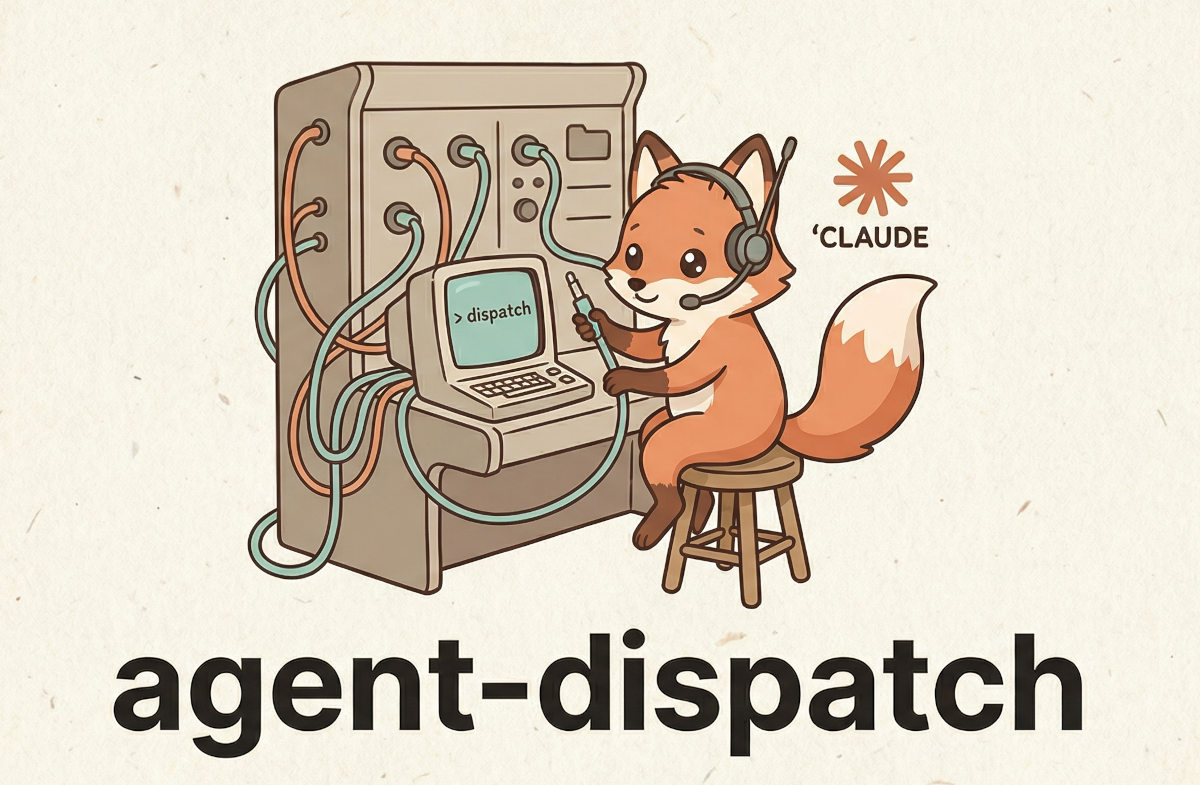
Each agent runs as a separate claude -p session in its own project directory — inheriting that project's MCP servers, CLAUDE.md, and tools. The calling agent just gets the result back.
Works with OAuth, API key, and Claude subscription authentication.
AI agents: this README is the canonical doc for using the tool — setup: Quick Start (every step has a deterministic verify), first call:
dispatch, tool selection: Which Tool to Use, failure handling: Error Recovery. Working on this repo instead? See AGENTS.md.
Quick Start
Prerequisite: the Claude Code CLI must be installed and authenticated. Check first:
claude --version # must print a version — if it fails, install Claude Code before continuing
Then:
pip install agent-dispatch   # or: pipx install agent-dispatch

# 1. Create config + register the MCP server with Claude Code (user scope)
agent-dispatch init

# 2. Register project directories as agents — REPLACE the example paths with
#    real directories on your machine; they must exist (~ is expanded, relative
#    paths are resolved). Descriptions are auto-generated from project files.
#    No second project handy? Use the zero-setup block below instead.
agent-dispatch add infra ~/projects/infra
agent-dispatch add backend ~/projects/backend

# 3. Smoke test — dispatches a real task to the agent added in step 2 and prints
#    the answer; exit 0 on success. Default task when none given:
#    "What project is this? Describe in one sentence."
agent-dispatch test infra

# 4. Verify the whole install — prints "All checks passed." and exits 0 on success
agent-dispatch doctor
Zero-setup alternative for steps 2–3 (no second project needed — registers the current directory):
agent-dispatch add self . && agent-dispatch test self "Say hello"
Every Claude Code session now has the dispatch tools. Independent check: claude mcp list must print a line starting with agent-dispatch:. From inside a Claude Code session, the first MCP calls are list_agents(), then dispatch(...).
If init fails to register the MCP server (prints a warning instead of Registered MCP server), register manually:
claude mcp add-json agent-dispatch "{\"type\":\"stdio\",\"command\":\"$(which agent-dispatch)\",\"args\":[\"serve\"]}" --scope user
If test fails with a permission error (error_type: "permission"), grant tool access and re-test:
agent-dispatch update infra --allowed-tools "Bash,Read,Grep"      # least privilege
# or, if the agent needs everything (see SECURITY.md for the trade-off):
agent-dispatch update infra --permission-mode bypassPermissions
When to Dispatch
Do dispatch when a task needs tools, files, or context from another project:
- Check container logs via infra agent's Portainer MCP
- Query a database via db agent's postgres MCP
- Read code or run tests in another repository
Don't dispatch when you can do it yourself — dispatching spawns a full Claude session.
MCP Tools Reference
list_agents
Lists all configured agents. Call this first to see what's available.
// Response (capability + permission fields shown only when populated)
[
  {
    "name": "infra",
    "directory": "/home/user/projects/infra",
    "description": "Infrastructure agent. MCP: portainer. Stack: Python, Docker",
    "healthy": true,
    "has_claude_md": true,
    "has_mcp_config": true,
    "mcp_servers": ["portainer", "postgres"],
    "stacks": ["Python", "Docker"],
    "dbs": ["Alembic"],
    "permission_mode": "bypassPermissions",
    "allowed_tools": ["Bash", "Read", "Grep"]
  }
]
mcp_servers, stacks, and dbs are detected from the agent's project files (.mcp.json, Dockerfile, pyproject.toml, Cargo.toml, prisma/, alembic.ini, etc.) so callers can pick the right agent without dispatching a probe.
inspect_agent
Cheap detailed lookup — reads the agent's files without spawning a claude session. Returns the full config (timeout, model, budget, permission mode, allowed/disallowed tools), detected MCP/stacks/DBs, plus short previews of CLAUDE.md and README.md when present.
| Parameter | Type | Required | Description |
|---|---|---|---|
name |
string | yes | Agent name from list_agents |
preview_lines |
int | no | Max lines of CLAUDE.md/README.md (default 40, max 200, 0 disables) |
Use this before dispatch_async/dispatch to confirm an agent has the tools and context for your task — much cheaper than a probe dispatch.
dispatch
One-shot task delegation. Results are cached — identical requests within TTL return instantly.
| Parameter | Type | Required | Description |
|---|---|---|---|
agent |
string | yes | Agent name from list_agents |
task |
string | yes | What to do — be specific, the agent has no context from your conversation |
context |
string | no | Extra context: error messages, code snippets, stack traces |
caller |
string | no | Your project/role — helps the agent understand who's asking |
goal |
string | no | Broader objective — helps the agent make better trade-offs |
response_format |
string | no | "json" to request a single JSON value; the parsed result lands in parsed_result. Empty = free-form text. |
return_ref |
bool | no | When true, returns just a ref + summary preview instead of the full result text. Use fetch_result(ref) to load the full text on demand. |
summary_chars |
int | no | Max chars of result text to include in the ref response (default 500). |
timeout_seconds |
int | no | One-off timeout override for this call (0 = agent's configured timeout; clamped to 10–7200). No config edit needed for known-long tasks. |
# Call — recommended form (always include caller and goal)
dispatch(
    agent="infra",                # must exist in list_agents()
    task="Check container logs for errors related to the scheduler service",
    context="Error: TypeError at scheduler.py:42",
    caller="backend",             # your project/role
    goal="debug production crash" # the broader objective
)
// Response (success)
{
  "agent": "infra",
  "success": true,
  "result": "Found 3 errors in container logs: TypeError in scheduler.py:42...",
  "session_id": "sess-abc-123",
  "cost_usd": 0.02,
  "duration_ms": 5000,
  "num_turns": 2
}

// Response (failure — error_type helps you handle programmatically)
{
  "agent": "infra",
  "success": false,
  "result": "",
  "error": "Tool_use is not allowed in this permission mode\n\nHint: ...",
  "error_type": "permission"
}
error_type values: permission (tool/action denied), timeout, recursion (dispatch depth exceeded), not_found (missing directory or CLI), cli_error (other failures). Permission errors include an actionable hint.
Resumable timeouts: every fresh dispatch pre-assigns a session UUID (--session-id), so a timed-out dispatch still returns a session_id — the partial transcript survives the kill. The timeout error spells out the recovery: resume with dispatch_session(agent, "Continue where you left off", session_id=...), retry with a bigger timeout_seconds, or use dispatch_async.
Denied-tools visibility: in non-interactive mode the claude CLI auto-denies tools the agent isn't allowed to use — the agent then often "succeeds" with an answer like "I need your permission for one read-only query". When that happens the response carries the deterministic signal: denied_tools (parsed from the CLI's permission_denials) plus a hint explaining the result may be incomplete and how to grant access. success stays true — it's a soft signal, not a failure.
// Response (success, but a tool was blocked)
{
  "agent": "analysis",
  "success": true,
  "result": "Here is the offline mapping. To finish I'd need to run one read-only query...",
  "denied_tools": ["Bash"],
  "hint": "1 tool call(s) were denied by permissions: Bash. The result may be incomplete..."
}
Structured JSON output: pass response_format="json" to ask the agent for a single JSON value. The runner appends an instruction footer ("respond with a single valid JSON value, no fences, no prose") and on success parses the response — the parsed value lands in parsed_result. The raw text is always in result. Parse failures leave parsed_result=None but don't fail the dispatch (soft mode).
// Response with response_format="json"
{
  "agent": "infra",
  "success": true,
  "result": "{\"errors\": 3, \"first_at\": \"14:02\"}",
  "parsed_result": {"errors": 3, "first_at": "14:02"}
}
Always pass caller and goal — the dispatched agent sees a structured prompt:
## Goal
debug production crash

## Dispatched by
backend

## Context
Error: TypeError at scheduler.py:42

## Task
Check container logs for recent errors related to the scheduler service
dispatch_session
Multi-turn: continue a conversation with an agent. First call starts a session, pass session_id back to continue. Never cached.
| Parameter | Type | Required | Description |
|---|---|---|---|
agent |
string | yes | Agent name |
task |
string | yes | Task or follow-up message |
session_id |
string | no | From previous response — empty for new session |
context |
string | no | Extra context |
caller |
string | no | Who is dispatching |
goal |
string | no | Broader objective |
timeout_seconds |
int | no | One-off timeout override (0 = agent default; clamped to 10–7200) |
dispatch_session is also the timeout recovery path: a timed-out dispatch returns a session_id — pass it here with task="Continue where you left off" to salvage the partial work instead of restarting.
Turn 1: dispatch_session("infra", "List running containers")
         → session_id: "sess-abc"

Turn 2: dispatch_session("infra", "Restart the nginx one", session_id="sess-abc")
         → agent remembers previous context
dispatch_parallel
Run multiple tasks concurrently. Much faster than sequential dispatch calls.
| Parameter | Type | Required | Description |
|---|---|---|---|
dispatches |
string (JSON) | yes | JSON array of {"agent", "task", "context?", "caller?", "goal?", "response_format?", "return_ref?", "summary_chars?", "timeout_seconds?"} |
aggregate |
string | no | Agent name to synthesize all results into one answer |
Important: dispatches is a JSON string, not a list.
// Input
[
  {"agent": "infra", "task": "check pod logs for errors", "caller": "backend", "goal": "debug crash"},
  {"agent": "db", "task": "are all migrations applied?", "caller": "backend", "goal": "debug crash"}
]
// Response (without aggregate)
[
  {"agent": "infra", "success": true, "result": "No errors in pod logs", ...},
  {"agent": "db", "success": true, "result": "All migrations applied", ...}
]
// Response (with aggregate="backend")
{
  "individual_results": [
    {"agent": "infra", "success": true, "result": "No errors in pod logs", ...},
    {"agent": "db", "success": true, "result": "All migrations applied", ...}
  ],
  "aggregated": {
    "agent": "backend",
    "success": true,
    "result": "Summary: all systems nominal. No pod errors, all migrations applied."
  }
}
dispatch_stream
Same as dispatch but shows live progress while the agent works. Use for long-running tasks. Not cached.
Parameters are the same as dispatch except return_ref/summary_chars (streaming is incompatible with ref-mode).
dispatch_dialogue
Two agents collaborate through multi-turn conversation. Never cached.
| Parameter | Type | Required | Description |
|---|---|---|---|
requester |
string | yes | Agent with the problem/context |
responder |
string | yes | Agent with the expertise/tools |
topic |
string | yes | Problem or question to discuss |
max_rounds |
int | no | Max back-and-forth rounds (default: 3, max: 10) |
Each round costs up to 2 dispatches. Agents signal completion with [RESOLVED].
// Response
{
  "resolved": true,
  "rounds": 2,
  "total_cost_usd": 0.04,
  "total_duration_ms": 12000,
  "final_answer": "Staging had 1 pending migration. Applied successfully.",
  "conversation": [
    {"agent": "db", "role": "responder", "round": 1, "message": "Which environment?", "cost_usd": 0.01},
    {"agent": "backend", "role": "requester", "round": 1, "message": "Staging", "cost_usd": 0.01},
    {"agent": "db", "role": "responder", "round": 2, "message": "Applied. [RESOLVED]", "cost_usd": 0.01}
  ]
}
add_agent
Register a new project directory as an agent. Description is auto-generated from project files if omitted.
| Parameter | Type | Required | Description |
|---|---|---|---|
name |
string | yes | Agent name (letters, digits, hyphens, underscores) |
directory |
string | yes | Path to an existing project directory (~ is expanded, relative paths resolved) |
description |
string | no | What this agent can do — auto-generated if empty |
timeout |
int | no | Timeout in seconds (0 = use global default) |
max_budget_usd |
float | no | Max cost in USD per dispatch (0 = no limit) |
permission_mode |
string | no | Permission mode (e.g. default, plan, bypassPermissions) |
allowed_tools |
string | no | Comma-separated allowed tools (e.g. "Bash,Read,Edit") |
disallowed_tools |
string | no | Comma-separated disallowed tools |
update_agent
Update an existing agent's configuration. Only non-empty fields are changed. Pass "none" to clear a field.
| Parameter | Type | Required | Description |
|---|---|---|---|
name |
string | yes | Agent name to update |
description |
string | no | New description |
timeout |
int | no | New timeout (0 = don't change) |
max_budget_usd |
float | no | New budget limit (0 = don't change, negative = clear the limit) |
model |
string | no | Model override. "none" to clear |
permission_mode |
string | no | Permission mode. "none" to clear |
allowed_tools |
string | no | Comma-separated. "none" to clear |
disallowed_tools |
string | no | Comma-separated. "none" to clear |
remove_agent
Remove an agent from config.
| Parameter | Type | Required | Description |
|---|---|---|---|
name |
string | yes | Agent name to remove |
cache_stats / cache_clear
View cache hit rate and size, or clear all cached results.
Result references — return_ref + fetch_result
For dispatches whose result text is large (audits, log dumps, code searches), passing the full text back inflates the calling agent's context. Use return_ref=True to get just a small reference instead:
dispatch(agent="infra", task="audit every container", return_ref=True, summary_chars=200)
  -> {"ref": "8f3a...e1", "agent": "infra", "success": true,
      "size": 14823, "summary_chars": 200,
      "summary": "Inspected 32 containers. Found 3 OOM kills in the last hour:\n- worker-3...",
      "cost_usd": 0.08, "duration_ms": 9200}

// Later, when you actually need to read the result:
fetch_result(ref="8f3a...e1")              -> full DispatchResult JSON
fetch_result(ref="8f3a...e1", max_chars=2000)  -> truncated, plus {"truncated": true, "full_size": 14823}
Refs reuse the same storage as dispatch_async jobs (under ~/.config/agent-dispatch/jobs/), so any job_id returned by dispatch_async is also a valid ref for fetch_result. parsed_result (when response_format="json" is set) is small and is always inlined directly in the ref response — no second fetch needed.
Async dispatch — dispatch_async, dispatch_status, dispatch_wait, dispatch_cancel, dispatch_jobs, dispatch_gc
When a dispatched task is going to take a while, you don't want to block your own tool slot for minutes. Async dispatch returns a job_id immediately and lets you check back when you're ready.
// 1. fire and forget (timeout_seconds= works here too for known-long tasks)
dispatch_async(agent="infra", task="audit every container log for OOM kills today")
  -> {"job_id": "8f3a...e1", "status": "pending", "agent": "infra"}

// 2. do other work, then check progress (non-blocking)
//    `progress` is a rolling tail of what the agent is doing right now
dispatch_status(job_id="8f3a...e1")
  -> {"id": "8f3a...e1", "status": "running", "started_at": 1730000123.4,
      "progress": ["Using tool: Bash", "Scanning container logs for OOM events..."], ...}

// 3. or block until done (timeout_seconds default: 60, capped at 3600)
dispatch_wait(job_id="8f3a...e1", timeout_seconds=120)
  -> {"id": "8f3a...e1", "status": "done", "result": {"agent": "infra", "success": true, ...}}

// If the timeout fires, the job keeps running:
  -> {"id": "...", "status": "running", "timed_out_waiting": true}
dispatch_cancel(job_id) cancels a job that is still pending (before its subprocess starts) — a running job is left to finish, since its claude subprocess can't be safely interrupted. The response carries an outcome of cancelled, running, already_terminal, or not_found.
Async workers run with streaming under the hood: the job file keeps a rolling tail (last 20 lines, ~1 write/sec) of assistant text and tool-use events. dispatch_status shows it as progress while the job runs and keeps it afterwards as a post-mortem trace; dispatch_jobs shows last_progress for running jobs.
dispatch_jobs(status?) lists recent jobs as summaries (filter by pending / running / done / failed / cancelled). dispatch_gc(max_age_days=7) purges terminal jobs older than the threshold — pending and running jobs are never deleted.
Job state persists to disk at ~/.config/agent-dispatch/jobs/ (override with AGENT_DISPATCH_JOBS_DIR). One JSON file per job, written owner-only (0o600) with atomic writes — safe to read or ls while jobs are in flight. Caller-supplied job_ids are validated as 32-char hex before any file access (no path traversal). On startup the server marks jobs left in running by a crashed instance as failed once they are stale (stuck for over an hour).
| When to use async | When to use dispatch |
|---|---|
| Long task (minutes) — you want to keep working | Short task — you need the answer right now |
| Several long tasks you'll collect later | Several short tasks → dispatch_parallel |
| Don't care about caching (each call is a fresh job) | Cached by default — identical requests are free |
Which Tool to Use
| Scenario | Tool |
|---|---|
| Quick one-off question to another project | dispatch |
| Multi-step workflow with follow-ups | dispatch_session |
| Need answers from several agents at once | dispatch_parallel |
| Long task, want to see progress | dispatch_stream |
| Two agents need to collaborate | dispatch_dialogue |
| Need a combined summary from multiple agents | dispatch_parallel with aggregate |
| Long task — don't block your tool slot | dispatch_async + dispatch_wait |
| Check progress without blocking | dispatch_status |
| Known-long task, one-off | any dispatch tool with timeout_seconds=... |
| A dispatch timed out | dispatch_session with the session_id from the error |
Error Recovery
Failures are deterministic: check success, then branch on error_type.
error_type |
Meaning | Recovery |
|---|---|---|
permission |
A tool call was denied | update_agent(name, allowed_tools="Bash,Read") (least privilege) or update_agent(name, permission_mode="bypassPermissions"), then re-dispatch. The error text includes a hint with the exact fix. |
timeout |
Process killed at the timeout | Resume the partial work: dispatch_session(agent, "Continue where you left off", session_id=<from the error text>). Or retry with a bigger timeout_seconds=, or use dispatch_async. |
not_found |
Agent directory or claude CLI missing |
list_agents() → check healthy. Re-add the agent with an existing path, or run agent-dispatch doctor to find what's missing. |
recursion |
Dispatch nesting exceeded max_dispatch_depth (default 3) |
Don't dispatch from dispatched agents; if the nesting is intentional, raise max_dispatch_depth in settings. |
cli_error |
Anything else from the claude subprocess |
Read the error text; run agent-dispatch doctor for environment issues; retry once if transient. |
Two soft signals that arrive with success: true:
denied_tools+hint— the agent finished but some tool calls were blocked; the result may be incomplete. Grant access (see thepermissionrow) and re-dispatch.parsed_result: nullwithresponse_format="json"— the reply wasn't valid JSON; the raw text is still inresult. Caveat: an agent that can't comply returns{"error": "<reason>"}— which parses successfully — so also checkparsed_resultfor an"error"key.
Tool-level errors (unknown agent, malformed input) return a plain envelope instead of a DispatchResult:
{"error": "Unknown agent: 'foo'. Available: infra, db, monitoring"}
Configuration
Config at ~/.config/agent-dispatch/agents.yaml (override: AGENT_DISPATCH_CONFIG env var):
agents:
  infra:
    directory: ~/projects/infra
    description: "Infrastructure agent. MCP: portainer."
    timeout: 300            # seconds, default: 300
    # model: sonnet         # optional model override
    # max_budget_usd: 1.0   # cost limit per dispatch
    # permission_mode: bypassPermissions  # one of: default | plan | bypassPermissions
    # allowed_tools:        # restrict which tools the agent can use
    #   - Read
    #   - Grep
    # disallowed_tools:     # block specific tools
    #   - Write

settings:
  default_timeout: 300
  # default_permission_mode: bypassPermissions  # inherited by all agents
  # default_allowed_tools:                      # inherited when agent has none
  #   - Bash
  #   - Read
  #   - Edit
  max_dispatch_depth: 3     # recursion protection
  max_concurrency: 5        # max parallel claude -p processes (per dispatch path)
  cache:
    enabled: true
    ttl: 300                # seconds
    max_size: 1000          # max cached entries; oldest evicted first (FIFO)
Config is reloaded on every tool call — add agents without restarting.
Auto-Description
agent-dispatch add without --description generates one from:
CLAUDE.md— first meaningful paragraph (priority)README.md— first substantial line (fallback)pyproject.toml/package.json— project description.mcp.json— lists MCP server names- Stack indicators — Docker, Rust, Go, Python, Node.js
- DB indicators — Prisma, Alembic, migrations
How It Works
Your Claude Code session
  │
  ├─ dispatch("infra", "find errors", caller="backend", goal="debug crash")
  │
  ▼
agent-dispatch MCP server
  ├─ cache check → hit? return cached result
  ├─ semaphore → limit concurrent processes
  └─ subprocess.run("claude -p ...", cwd=~/projects/infra/)
       │
       ▼
     New Claude Code session in ~/projects/infra/
       ├─ Inherits: CLAUDE.md, .mcp.json, project tools
       ├─ Receives structured prompt with goal/caller/context/task
       └─ Returns result → cached for future identical requests
Safety
- Recursion protection —
AGENT_DISPATCH_DEPTHenv var tracks nesting. Default limit: 3. Best-effort across the subprocess boundary (see SECURITY.md). - Argument-injection guard — structured CLI fields (
session_id,model,permission_mode, tool names) that start with-are rejected so they can't smuggle extraclaudeflags. - Path-traversal guard — caller-supplied
job_id/refvalues are validated as 32-char hex before any filesystem access. - Owner-only state — job files (
0o600) andagents.yaml(0o600) are written for the owner only; their directories are0o700. - Cost control —
max_budget_usdper agent or globally. - Concurrency —
max_concurrency(default: 5) caps parallelclaude -pprocesses. Note: the sync and async dispatch paths use separate semaphores, so the worst-case total is2 × max_concurrency. - Timeout — per-agent or global (default: 300s). Orphaned processes are cleaned up.
- Caching — identical
(agent, task, context, caller, goal, response_format)requests return cached results, bounded bycache.max_size(oldest entry evicted first). Only successes are cached. Sessions and dialogues are never cached.
See SECURITY.md for the full threat model (including the bypassPermissions escalation risk and on-disk job files).
CLI
| Command | Description |
|---|---|
agent-dispatch init |
Create config + register MCP server with Claude Code |
agent-dispatch add <name> <dir> |
Add an agent (auto-generates description) |
agent-dispatch update <name> |
Update agent config (permissions, timeout, model, etc.) |
agent-dispatch remove <name> |
Remove an agent |
agent-dispatch list |
List agents with health status and permissions |
agent-dispatch describe <name> |
Show full configuration for one agent (tri-state tools, project files) |
agent-dispatch test <name> [task] [--stream] |
Test an agent with a dispatch (--stream for live progress) |
agent-dispatch doctor |
Diagnose installation: claude CLI, MCP registration, agent health |
agent-dispatch serve |
Start MCP server (stdio, used by Claude Code) |
Requirements
- Python >= 3.10
- Claude Code CLI installed, authenticated, and on
PATH(verify:claude --version)
License
MIT
Yorumlar (0)
Yorum birakmak icin giris yap.
Yorum birakSonuc bulunamadi