eide
Health Gecti
- License — License: MIT
- Description — Repository has a description
- Active repo — Last push 0 days ago
- Community trust — 988 GitHub stars
Code Gecti
- Code scan — Scanned 12 files during light audit, no dangerous patterns found
Permissions Gecti
- Permissions — No dangerous permissions requested
Bu listing icin henuz AI raporu yok.
An embedded development environment for mcs51/stm8/avr/cortex-m/riscv on VsCode.
Embedded IDE





中文
Summary 📑
A mcu development environment for 8051/STM8/Cortex-M/MIPS/RISC-V on VsCode.
Provide 8051/STM8/Cortex-M/MIPS/RISC-V project development, compilation, program flash and other functions.
Supported Platforms:
- Windows x64 (>= Windows 10)
- Linux x64
- macOS(Only tested in 'macOS 10.15 x64')
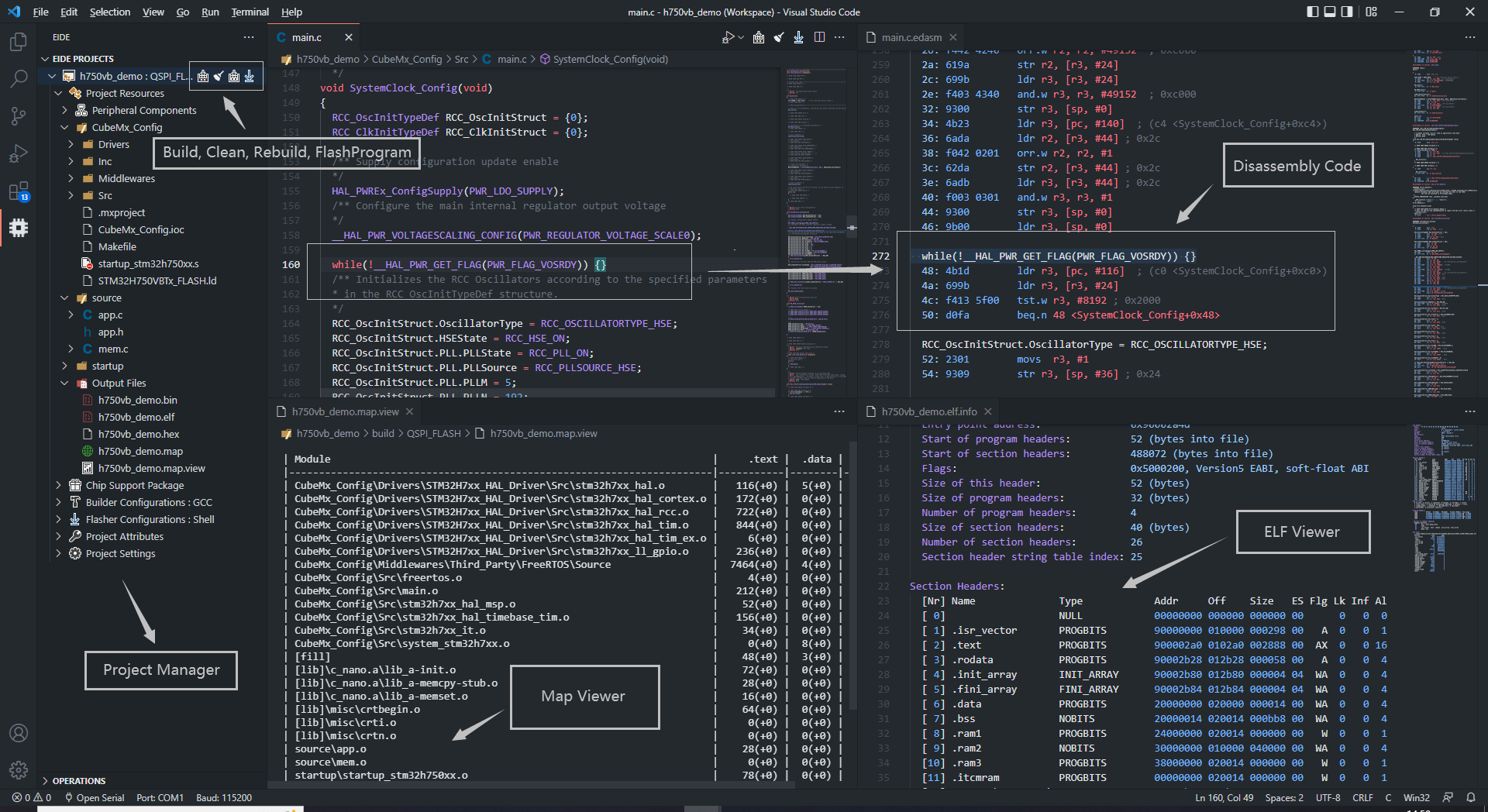
Features 🎉
- Support 8051, STM8, Cortex-M, MIPS MTI, RISC-V, GCC projects.
- Support to import KEIL5/IAR/Eclipse projects, support to import 'IAR-STM8, IAR-ARM, Segger Embedded Studio' project source file resource tree.
- Support for installing standard KEIL chip support packs (only for Cortex-M projects).
- Provides many project templates for quick start a project.
- Build, rebuild, support many toolchains (armcc, gcc-arm-none-eabi, llvm-for-arm, riscv-gcc, xxx-gcc, keil_c51, sdcc ...).
- Program flash, support: jlink, stlink, openocd, pyocd ...
- Built-in serial port monitor (recommended to use
Serial Monitorplug-in). - Supports static checking projects by using Cppcheck.
- Automatically generates default debug configurations for debugger plug-in
cortex-debug, STM8-Debug. - Built-in many utility tools, 'CMSIS Config Wizard UI', 'Disassembly view', 'Program resource view'...
- Built-in implement
C/C++ IntelliSense Providerforms-vscode.cpptools, Not Need to configuratec_cpp_properties.jsonfile. - Built-in Msys Unix Shell environment.
- Built-in Callgraph gui tool for gcc toolchain.
- Support the basic functions of the built-in plugins when calling MCP Tools (this needs to be enabled in the settings; MCP server is disabled by default). Skills
Quick Start 🏃♀️
Install any of the above compilers
Open the Operations bar of the extension to set the compiler installation path
Click on the
NeworImportfunction in the Operations bar to start your project
Getting Start 📖
Example
- Create A Project By Internal Template
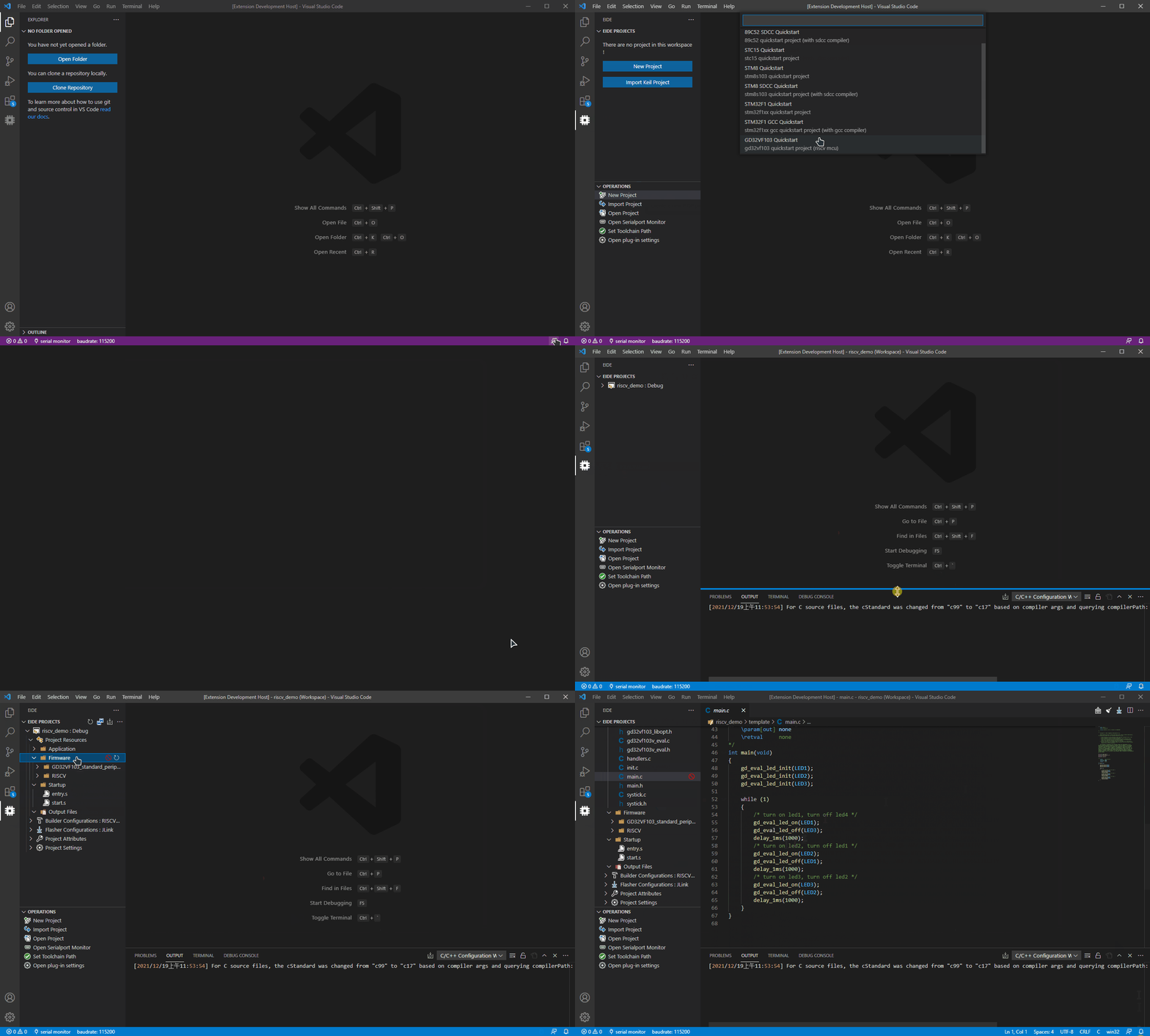
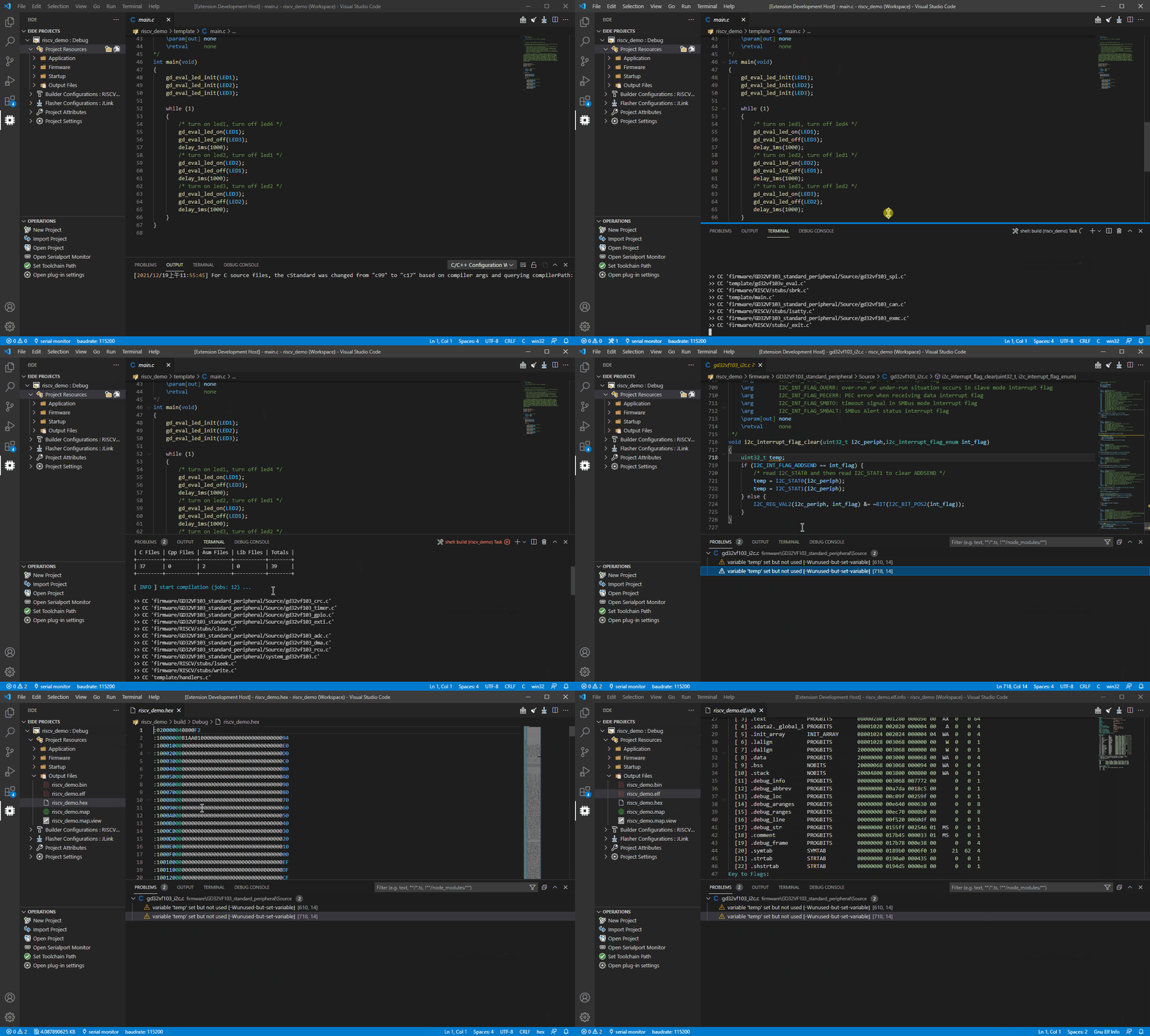
- Build Project
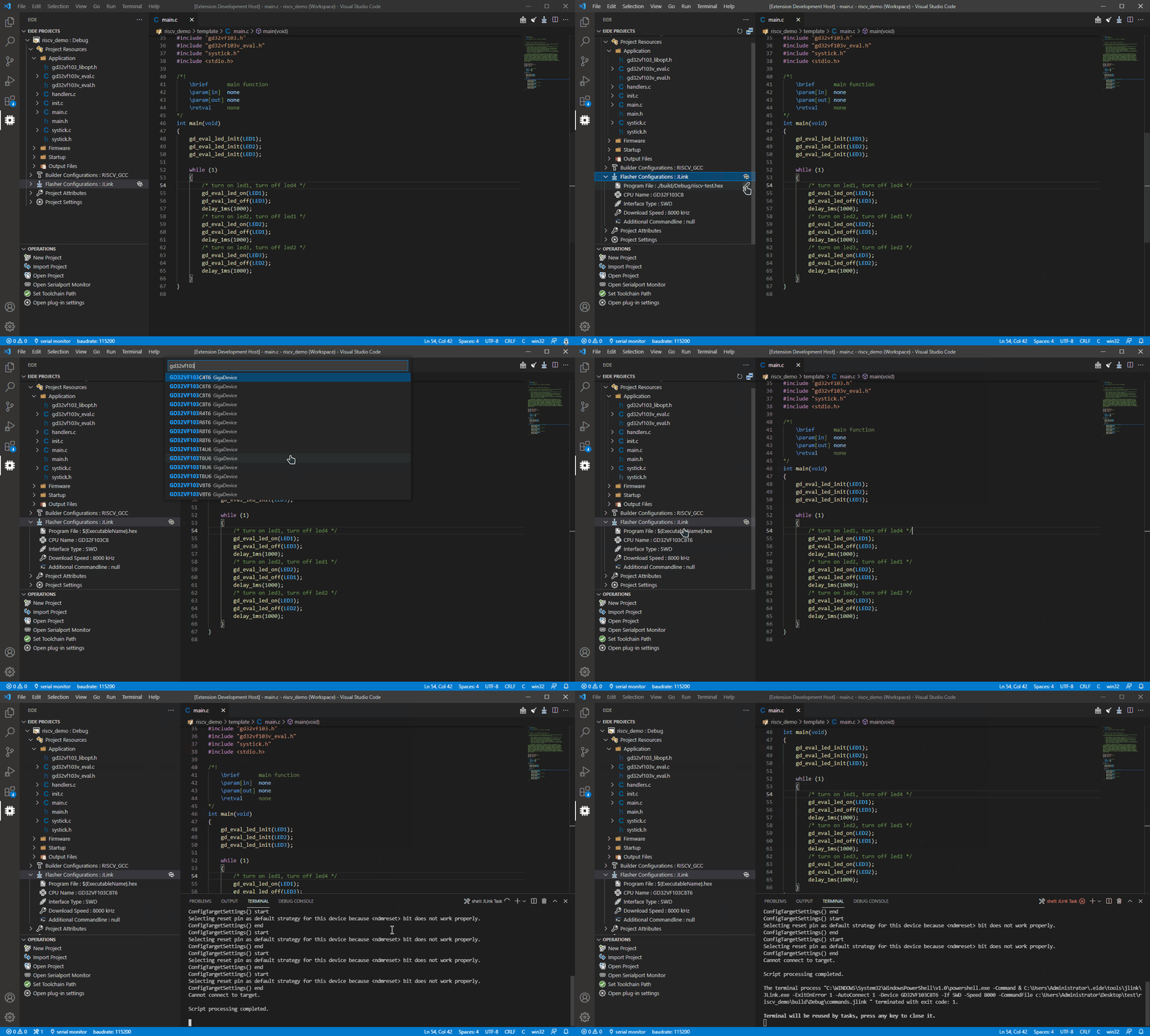
- Flash Project (It failed because there was no connection to the development board, for demonstration purposes only)
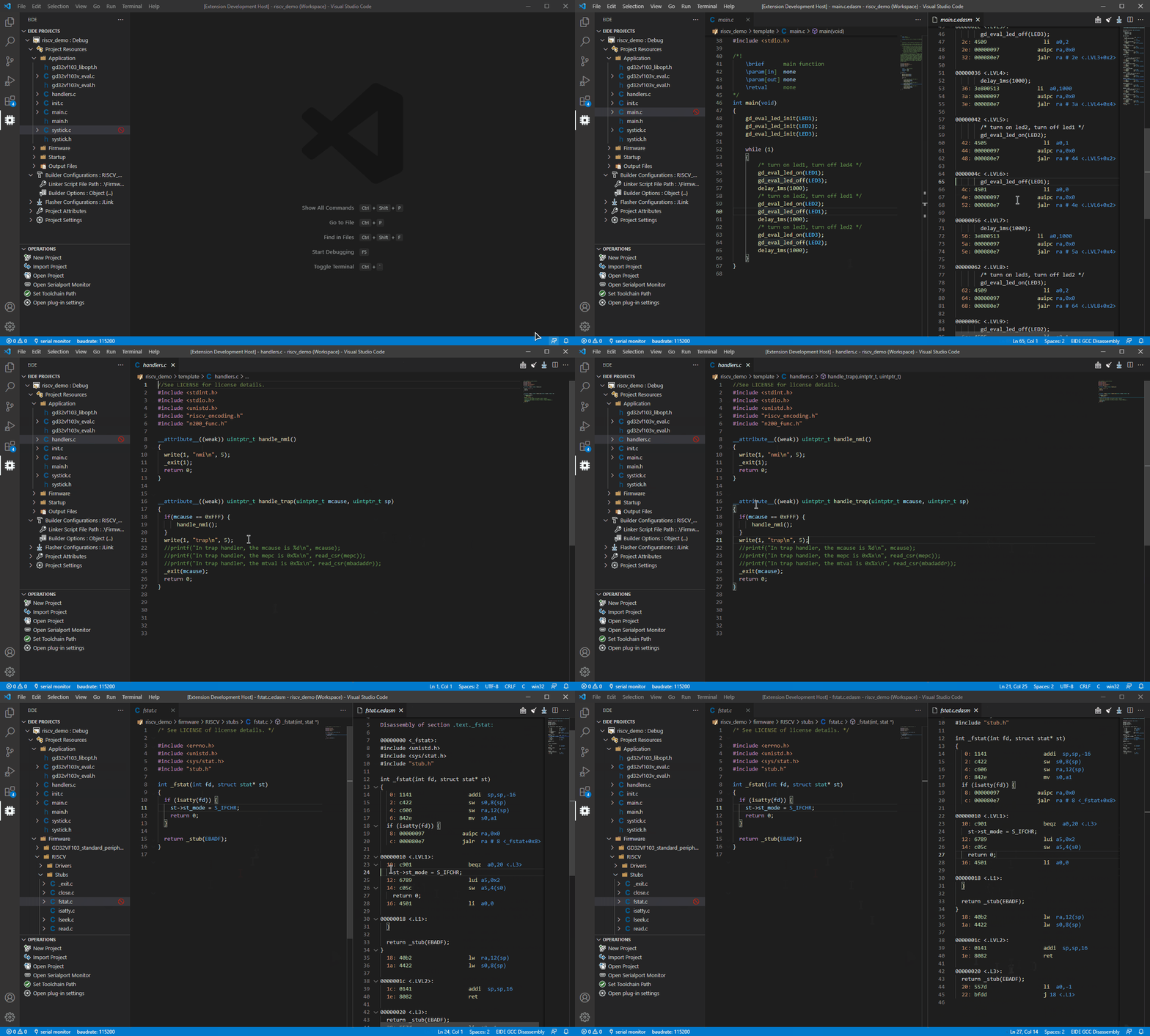
- Show Source File Disassembly Code
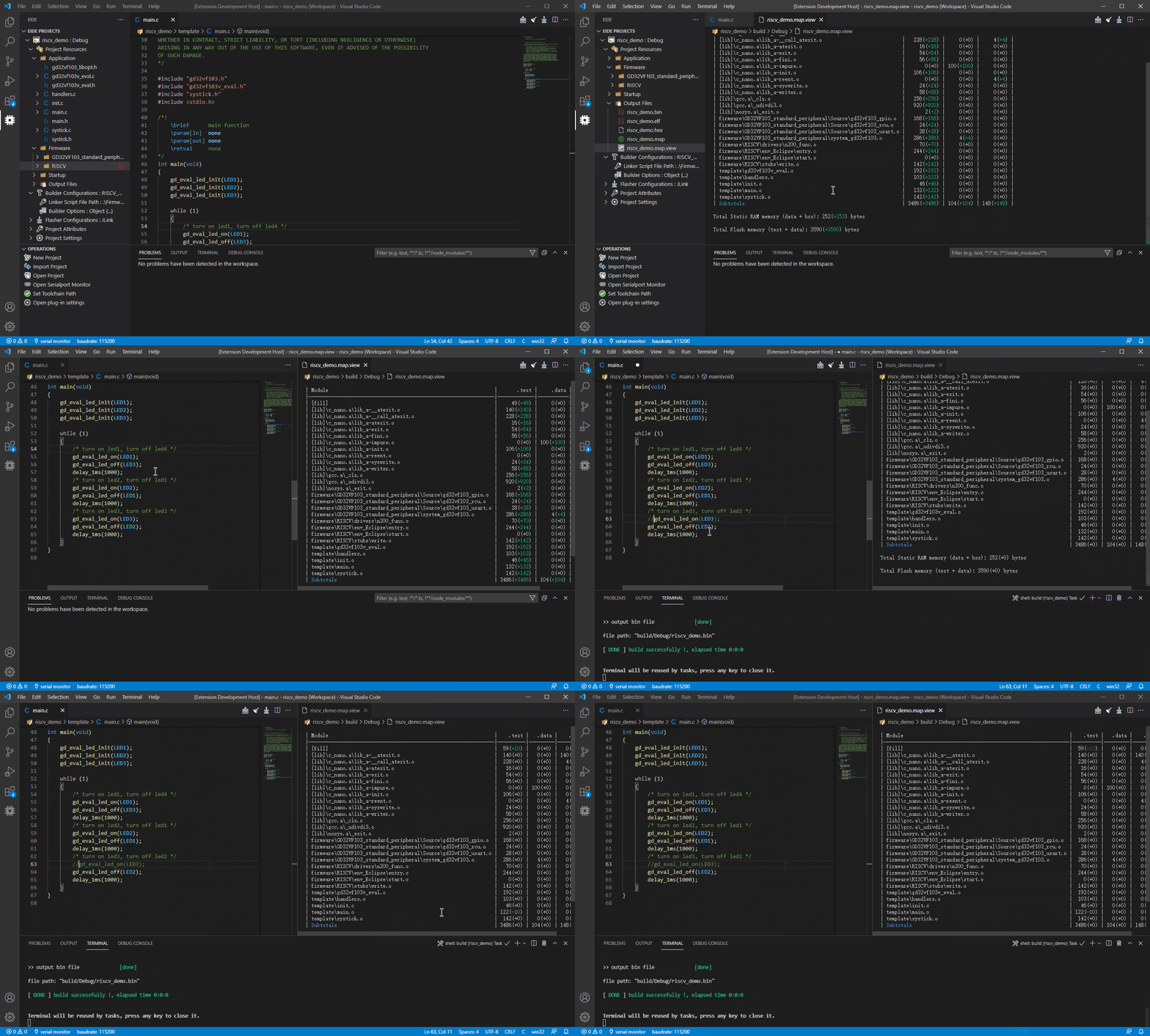
- Program Resource View
ChangeLog 📌
Community 🌈
How to build ?
You can build this project by your self.
[!IMPORTANT]
The required version of NodeJS is 18 because of some historical reasons for this extension.
Install
NodeJS 18(recommanded v18.18.2). You can usenvmto manage your NodeJS.
Installvscebynpm install -g [email protected] @vscode/[email protected]Clone this repo, Open folder by vscode and then run command:
npm installPress
ctrl+shift+bto show vscode taskUse
npm: webpackto build this extension, and then you can press F5 to debug it.Use
build vsixto build as a vsix package.
[!NOTE]
There may be syntax errors when opening project source code using VSCode, this is because the project uses an older Version of TypeScript, please pressCtrl+Shift+Pto executeTypeScript: Select TypeScript Version...and select version:v5.8.2.
Contribution Guidelines
If you have any good ideas, you can first put forward your suggestions in the issue section. If they are feasible, we will implement them later. If you want to add features by yourself, please also share your ideas at the very beginning (otherwise, we cannot guarantee that your PR will be merged).
If you are ready and have completed the debugging and testing, then you can submit a pull request request to the dev branch. Thanks.
Sponsor 👍
Thanks:

Yorumlar (0)
Yorum birakmak icin giris yap.
Yorum birakSonuc bulunamadi