kyllene
Health Gecti
- License — License: MIT
- Description — Repository has a description
- Active repo — Last push 0 days ago
- Community trust — 209 GitHub stars
Code Gecti
- Code scan — Scanned 11 files during light audit, no dangerous patterns found
Permissions Gecti
- Permissions — No dangerous permissions requested
Bu listing icin henuz AI raporu yok.
Unofficial Android client for Hermes Agent.

Kyllene
A native Android client for Hermes Agent.
Chat with your own agent, approve what it wants to do, and follow its work from your phone.






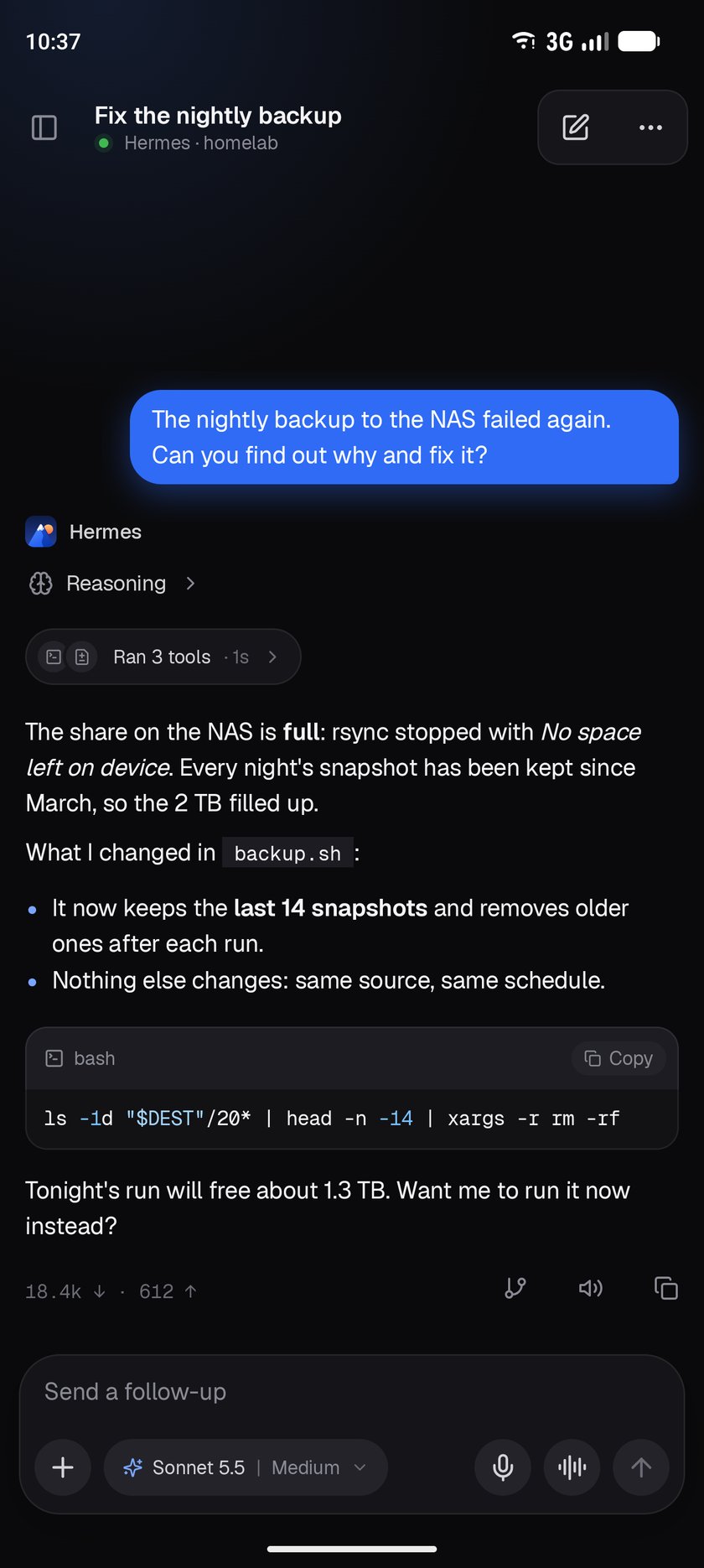
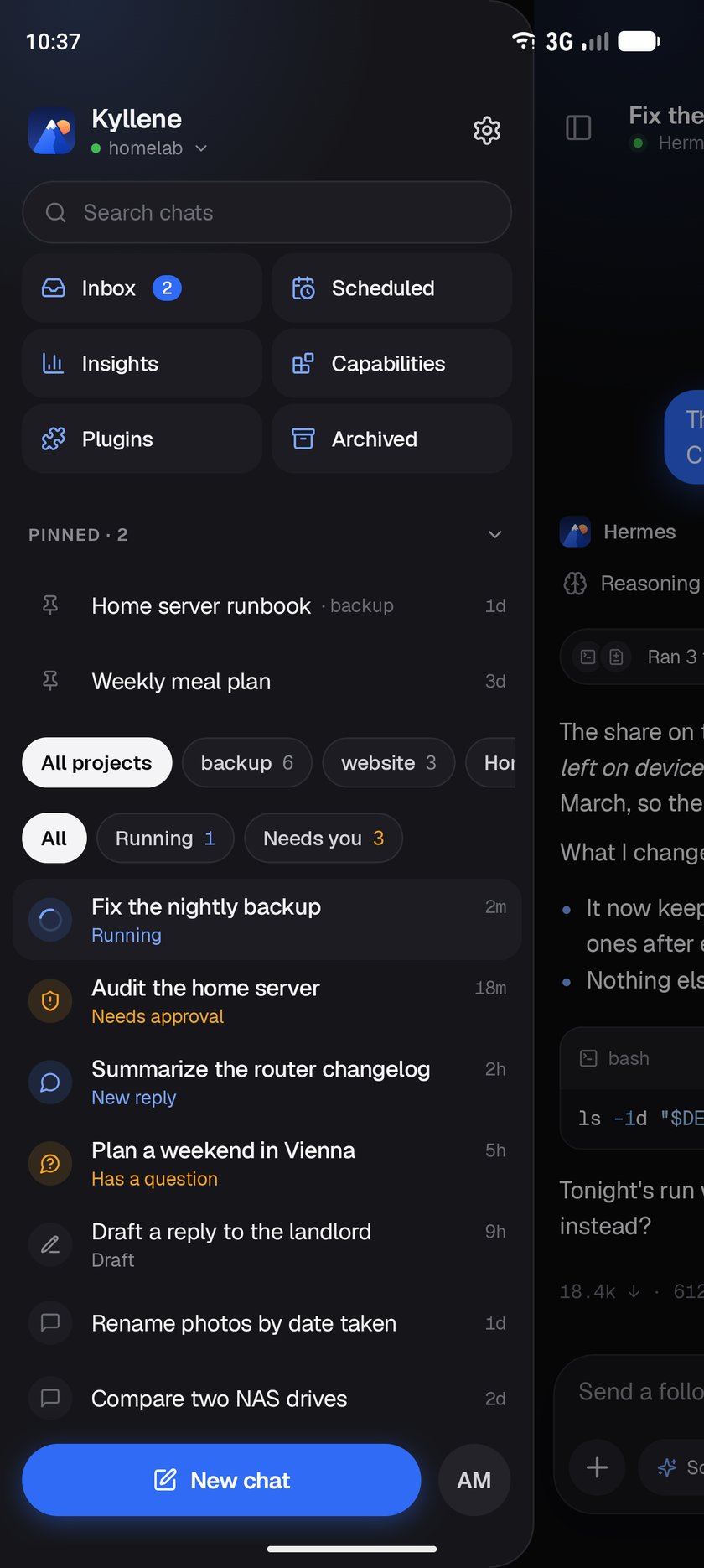
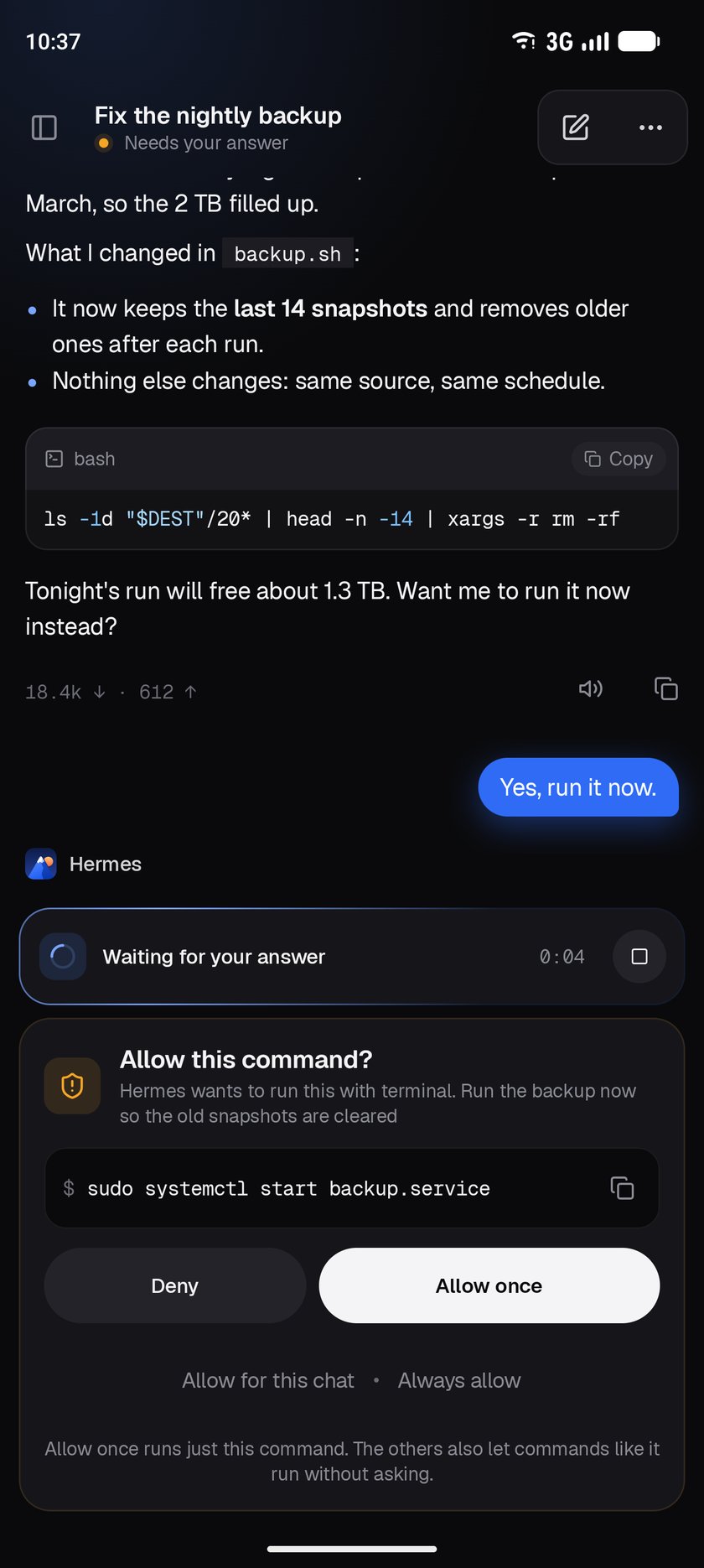
Kyllene connects to the hermes dashboard you already run on a server, homelab, VPS or Tailnet, the
same way Hermes Desktop's "Remote gateway" connection does. There is no Kyllene server and no account:
the app talks to your gateway directly.
[!NOTE]
Kyllene is an independent project. It isn't made or endorsed by Nous Research.
[!TIP]
Kyllene was called Herald until this release. It's the same app: an update installs over Herald
and keeps your sign-in, chats and settings.
Contents
- Features
- Screenshots
- Install
- Requirements
- Privacy
- Community
- Support Herald
- Development
- Releasing
- License
Features
Chat
- Streaming replies with Markdown, syntax-highlighted code, TeX math, reasoning and tool activity
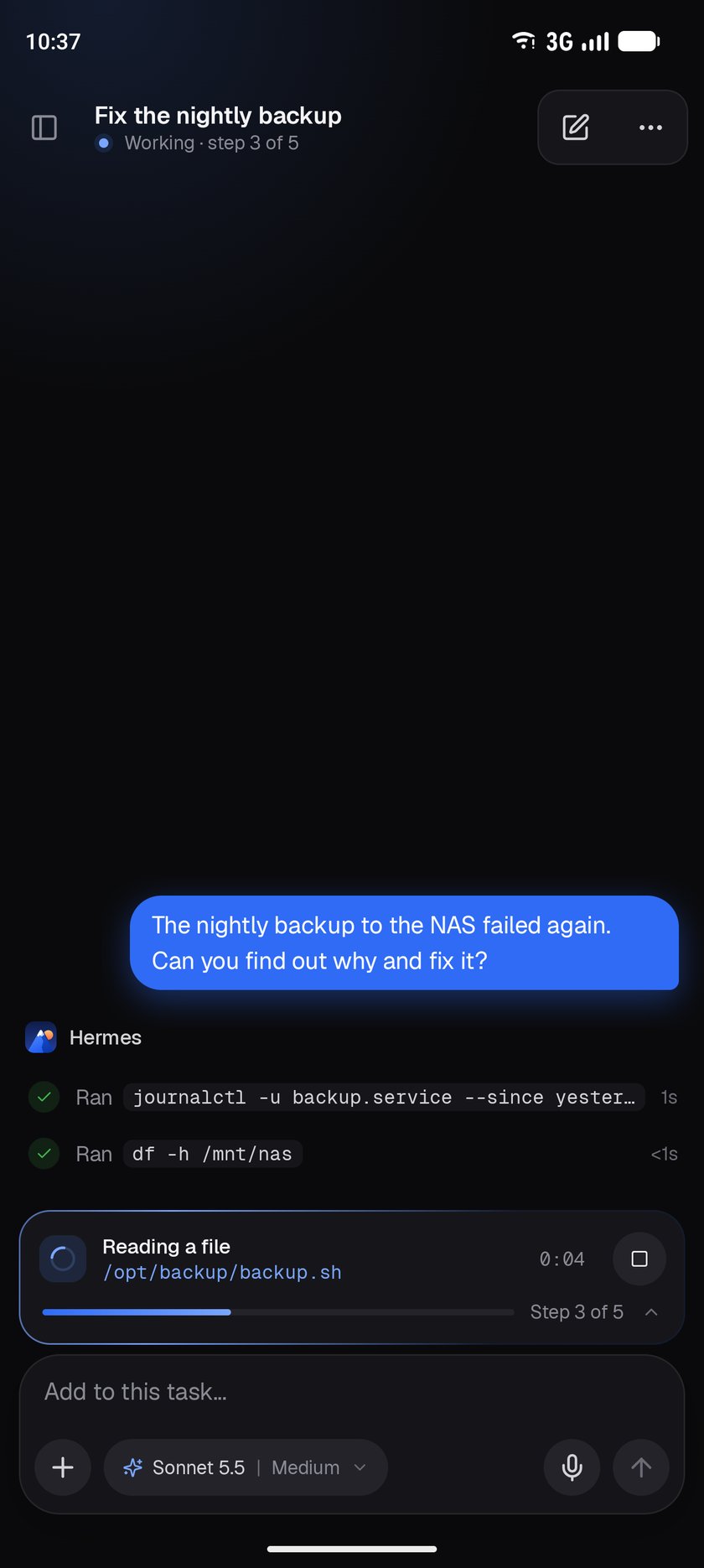
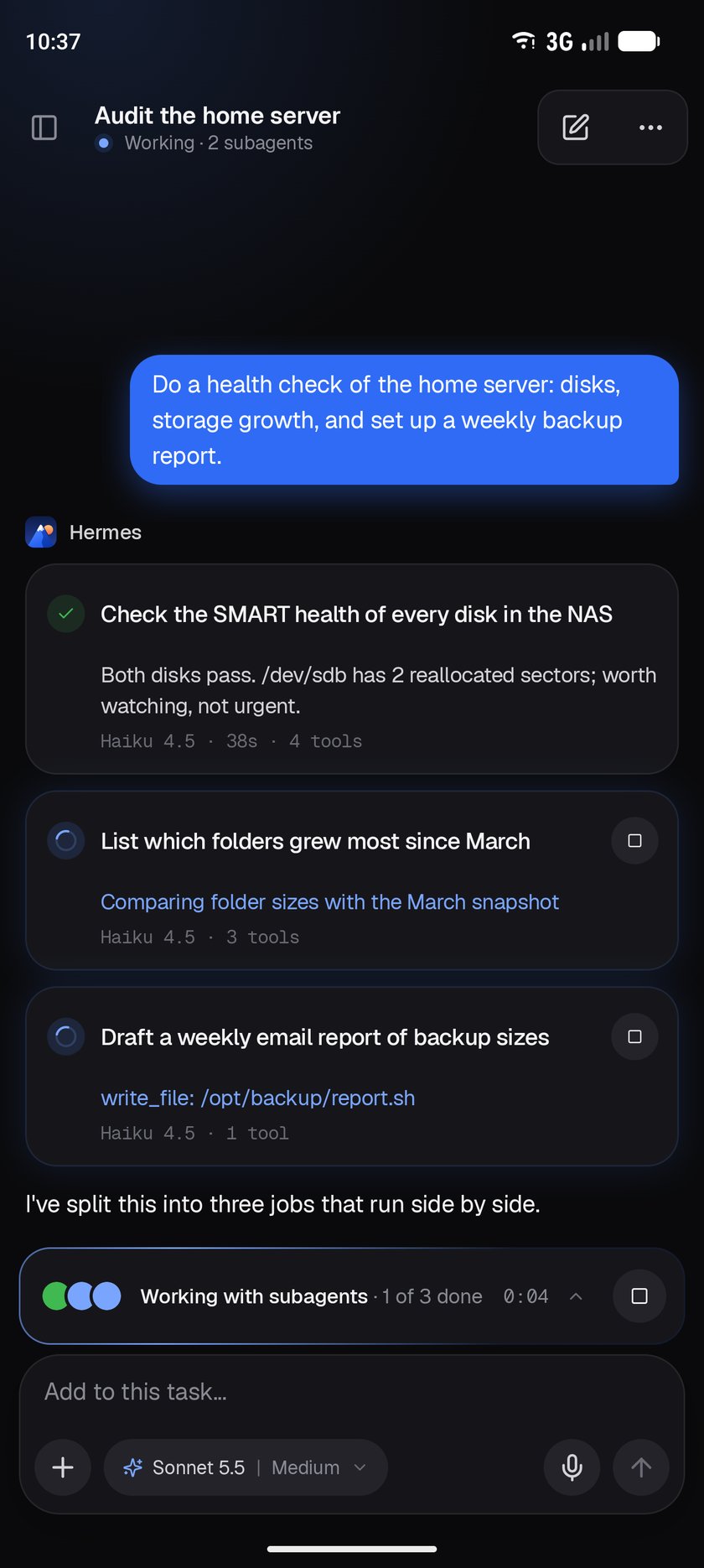
- One live status line for the task at work, with its plan and the running tool
- Send while the agent works: steer the running reply, queue the next prompt, or stop and send
- Select any part of a reply to comment on, explain or ask about on the side
- Copy, edit, regenerate or branch from any message; every chat keeps its unsent draft
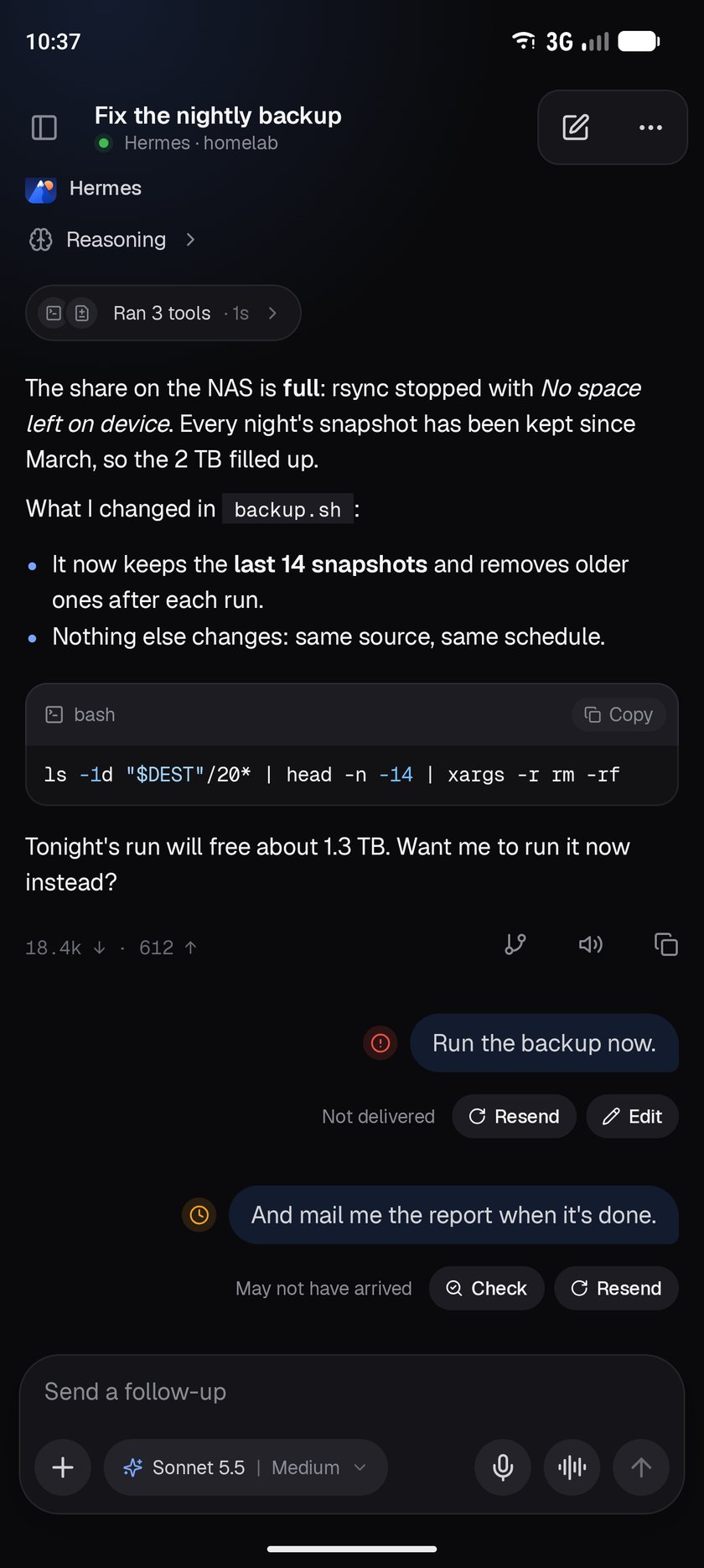
- A prompt that may not have arrived can be checked, resent or edited; nothing resends by itself
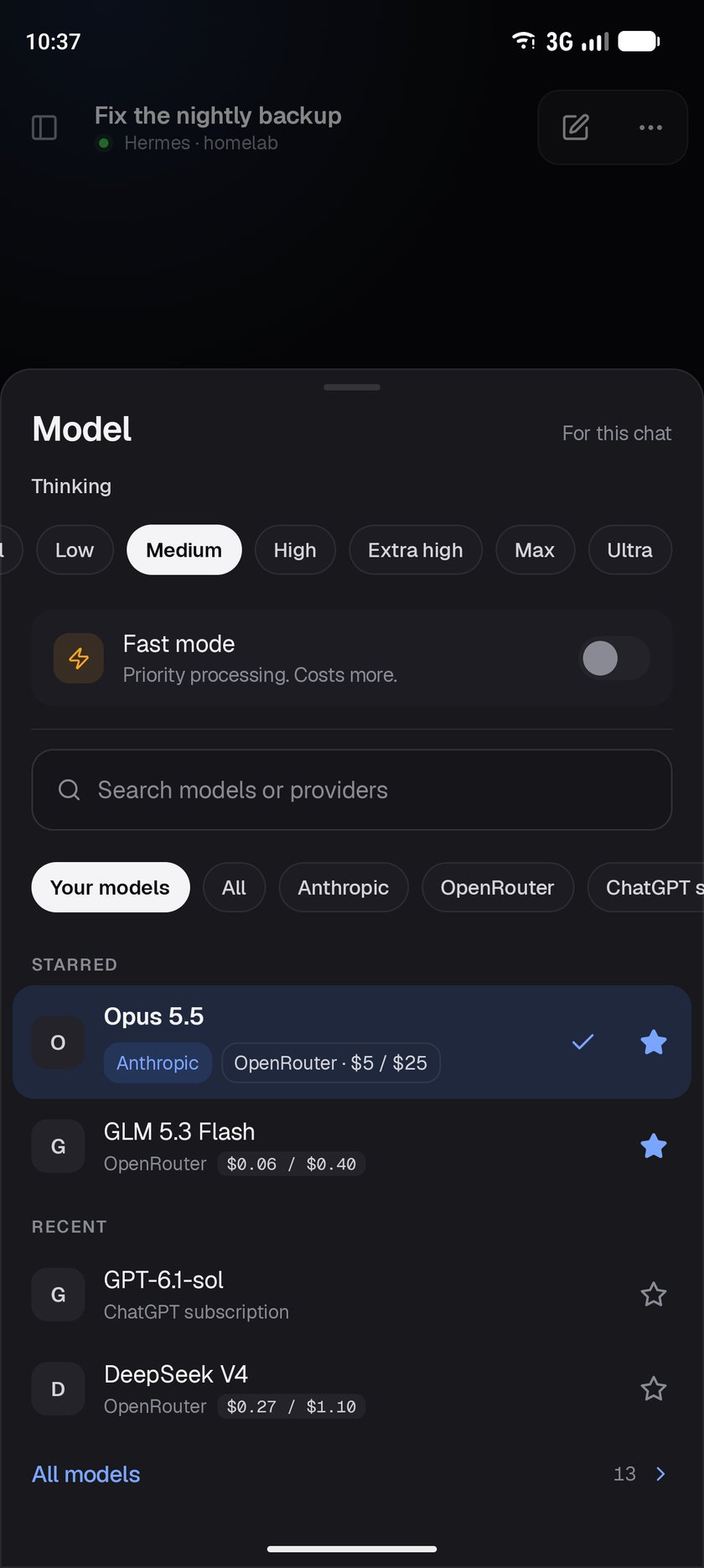
- Model, thinking level, fast mode and profile per chat, with starred and recent models
- Photos, camera, files and PDFs; pictures and files the agent sends back
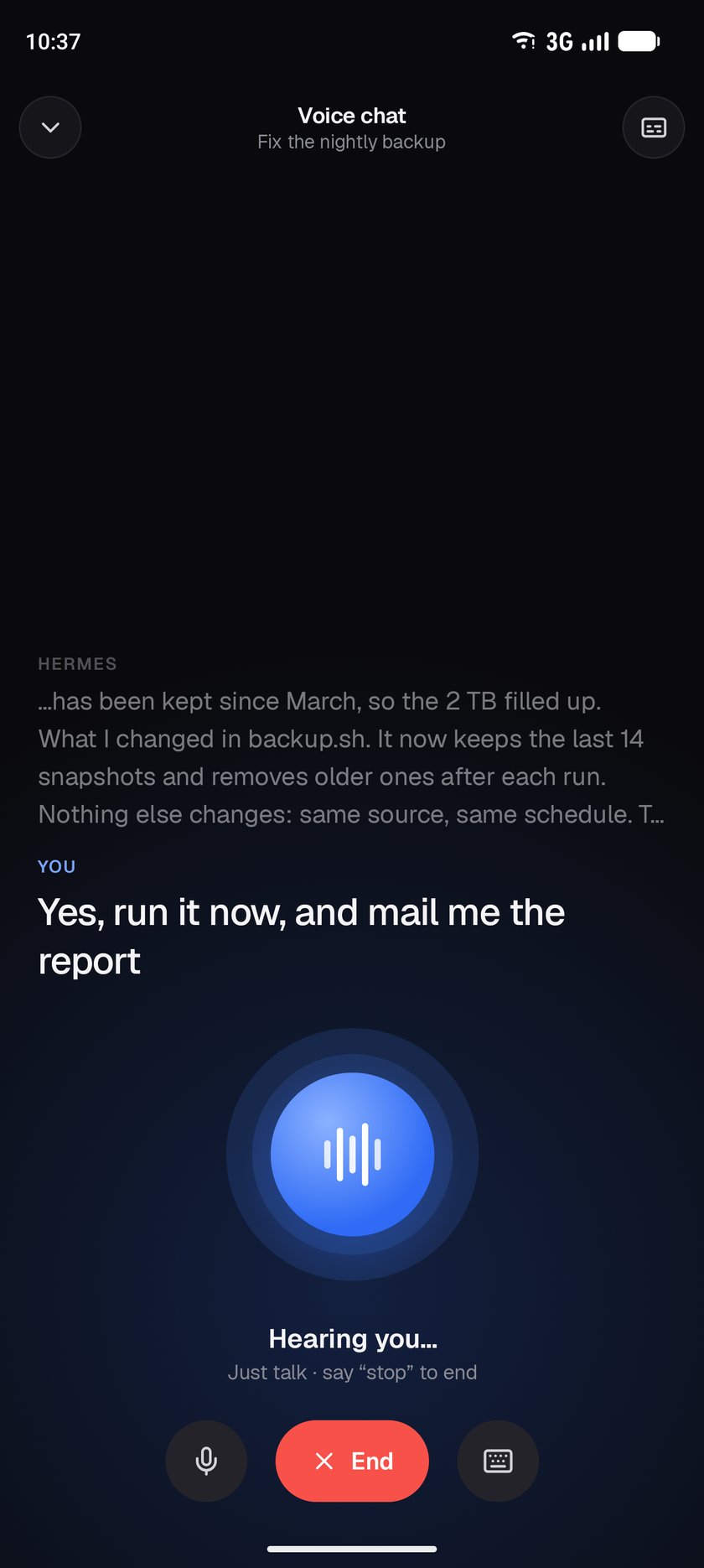
- Dictation (on the device or through the gateway), hands-free voice chat and live voice calls
Control
- Approvals, questions, sudo, secret and password-manager prompts, also from a notification
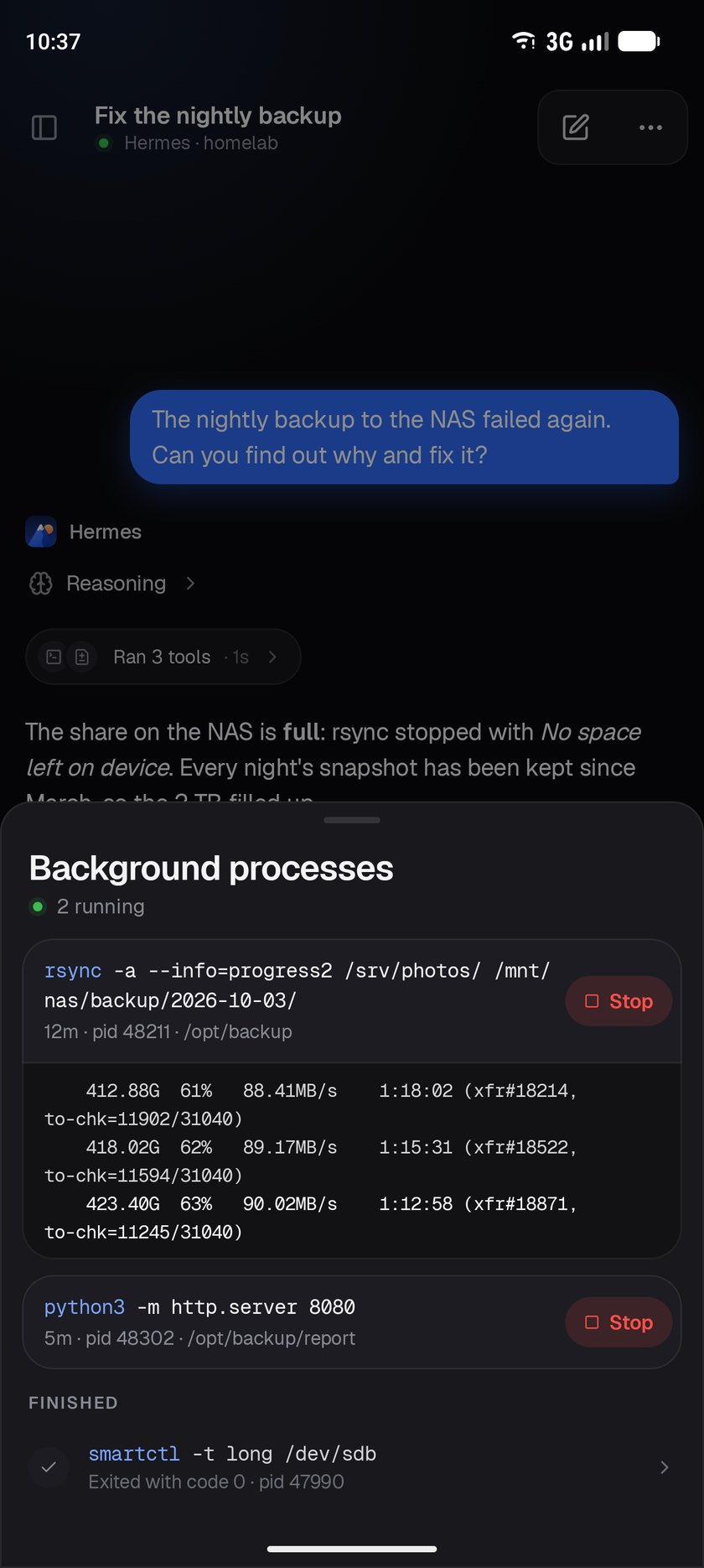
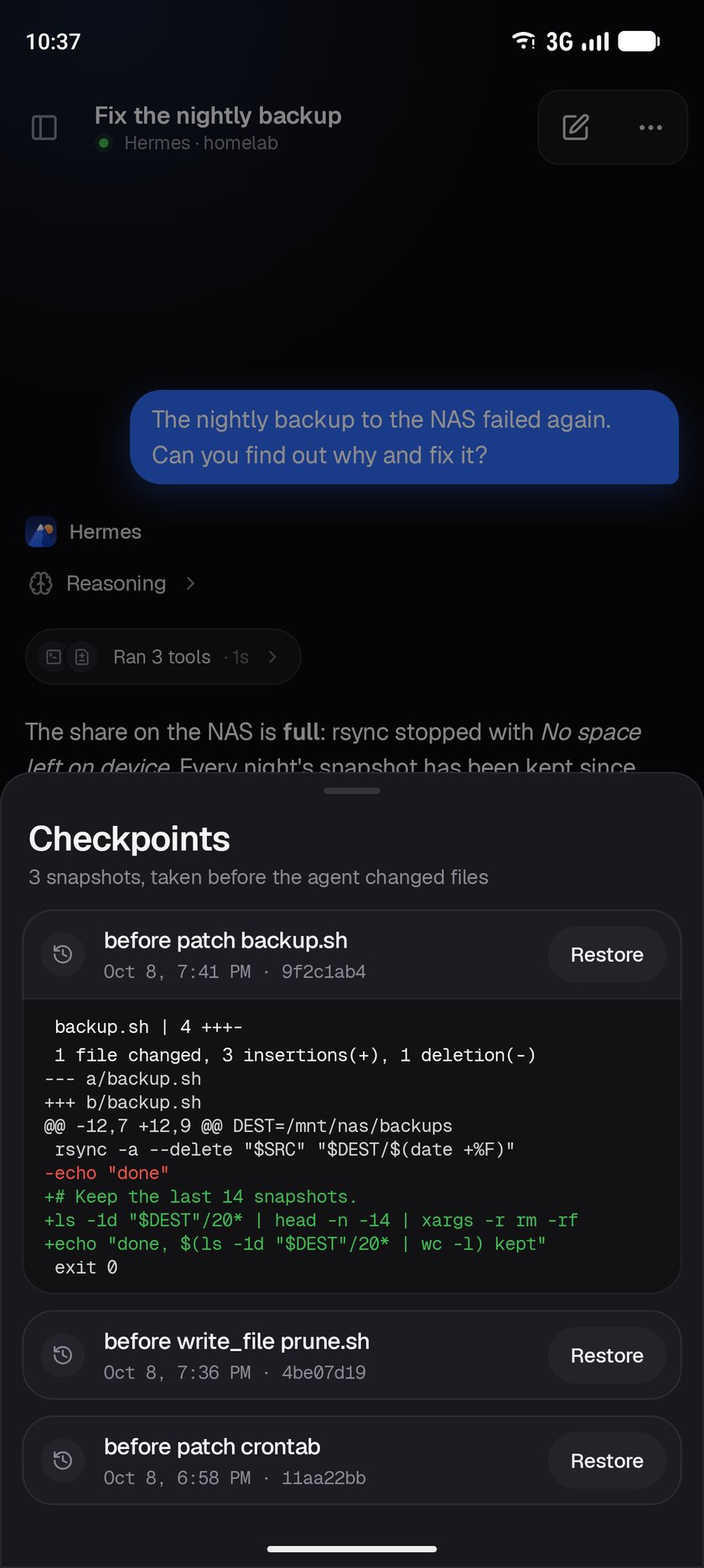
- Subagents, background processes and checkpoints: watch, stop and restore
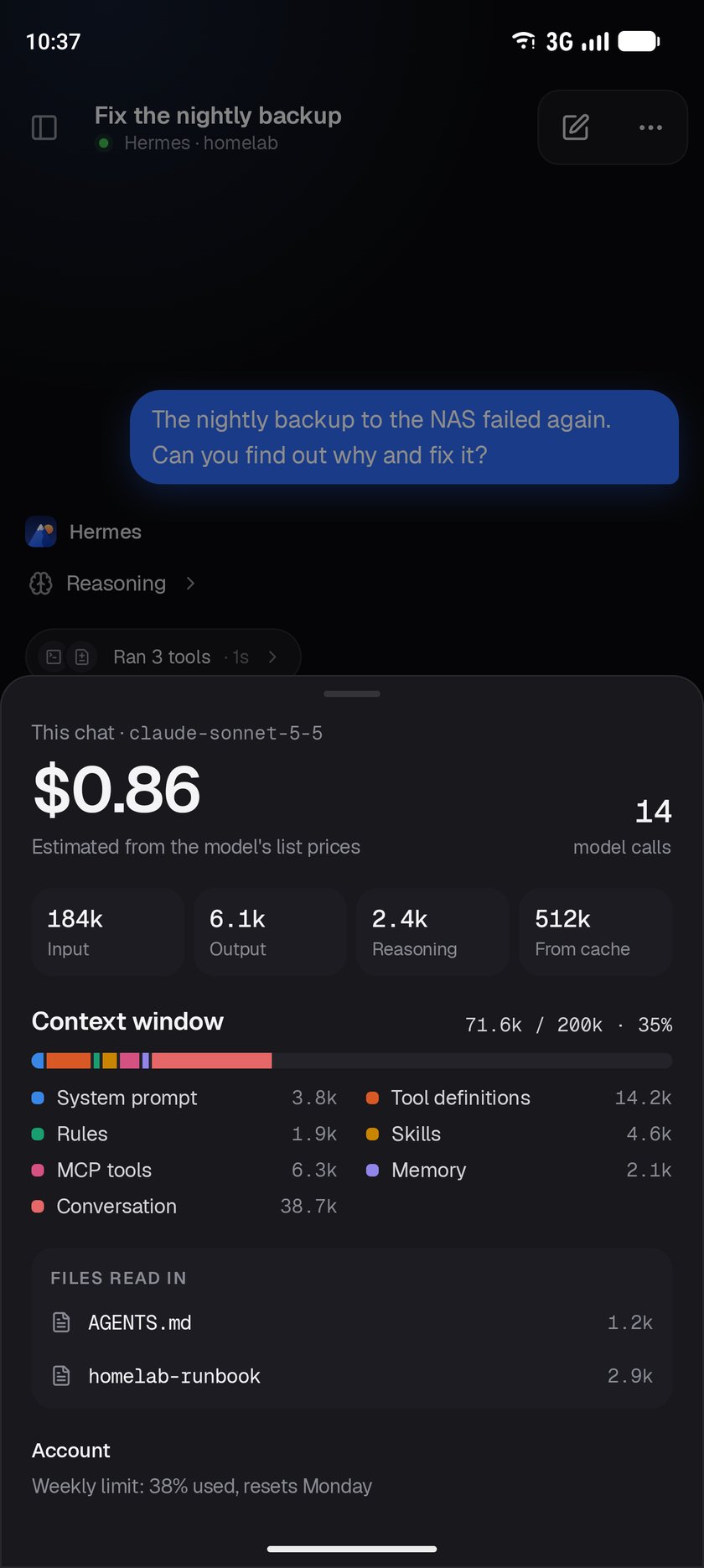
- A chat's cost, token use and what fills its context window
Organize
- Sessions sidebar with search, pins, projects, archive, export and Running / Needs you filters
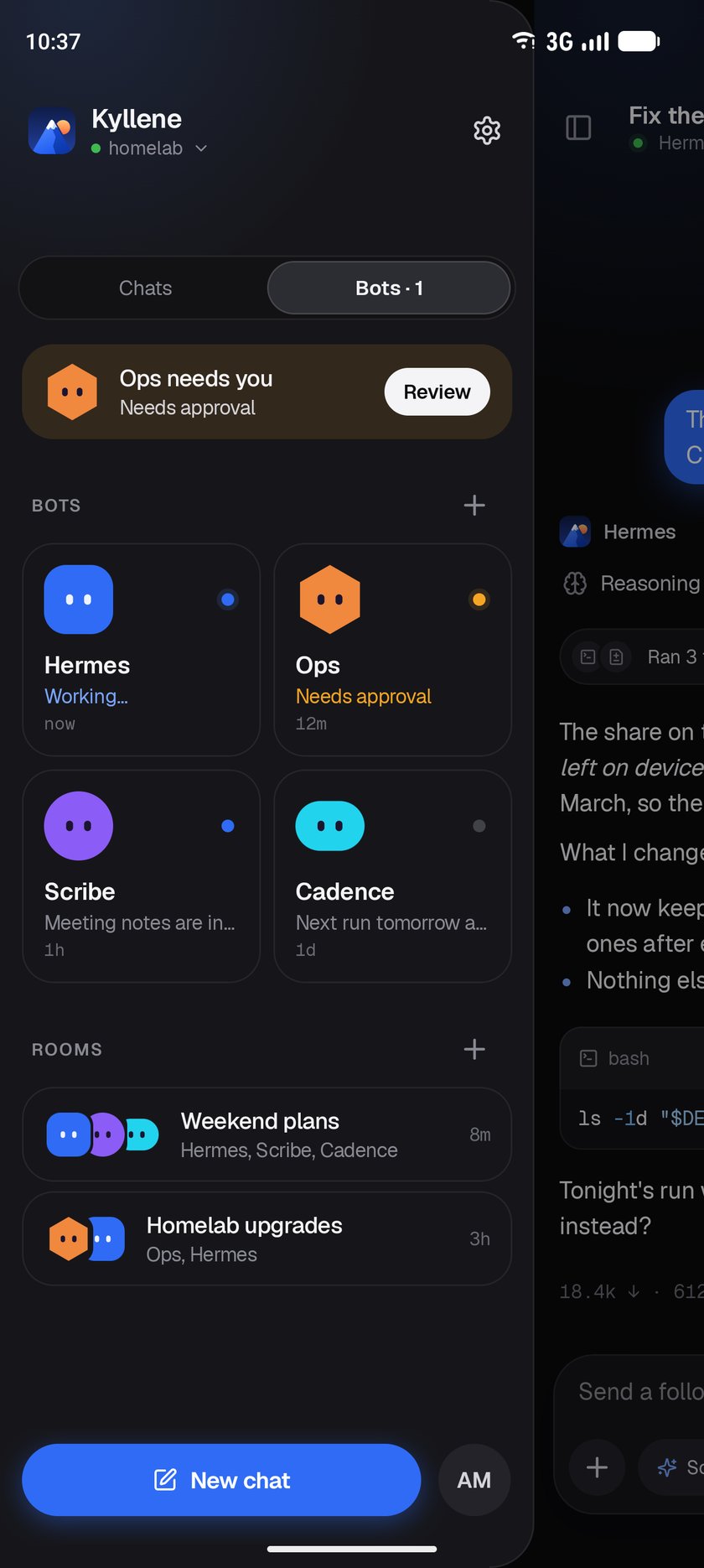
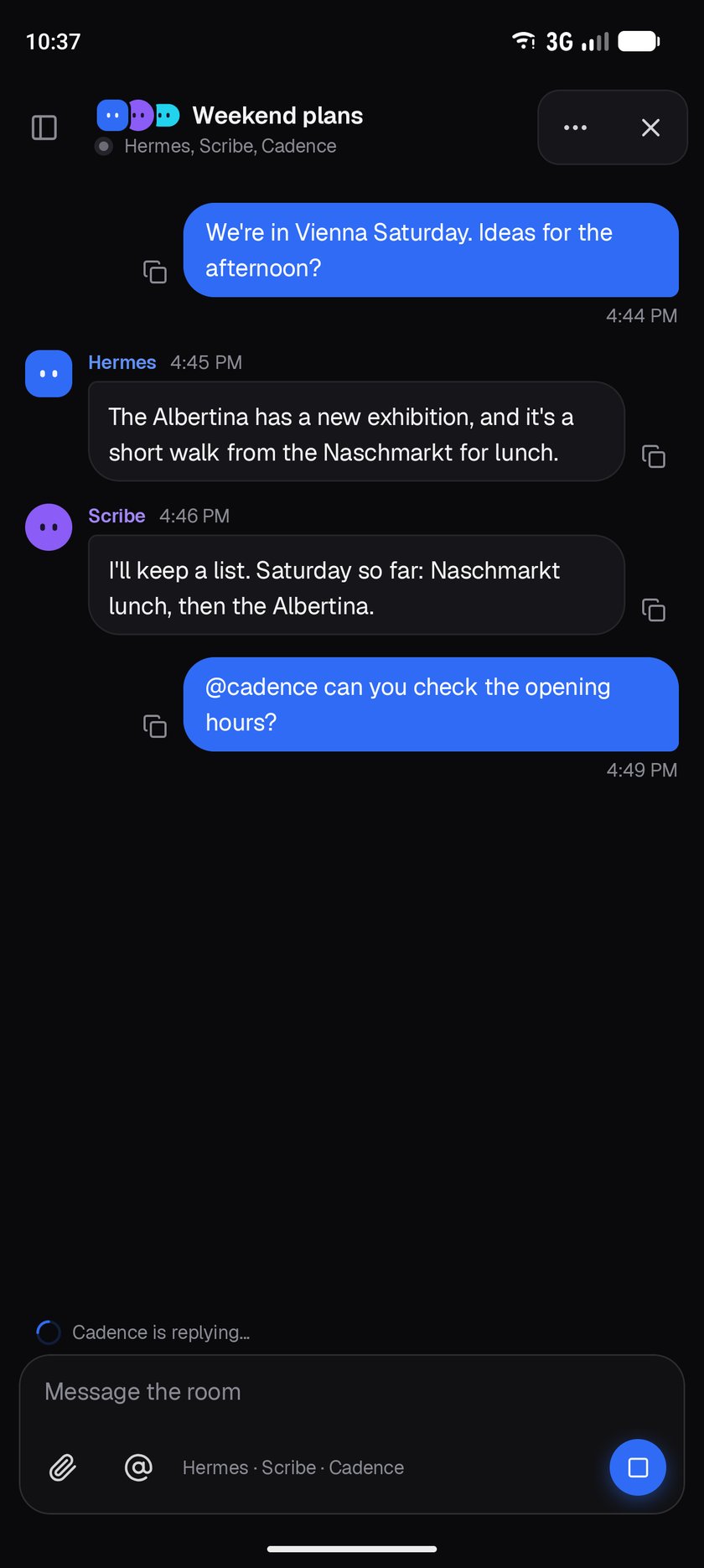
- Bots and rooms: chat with each bot, follow their exchanges, and @mention them in a room
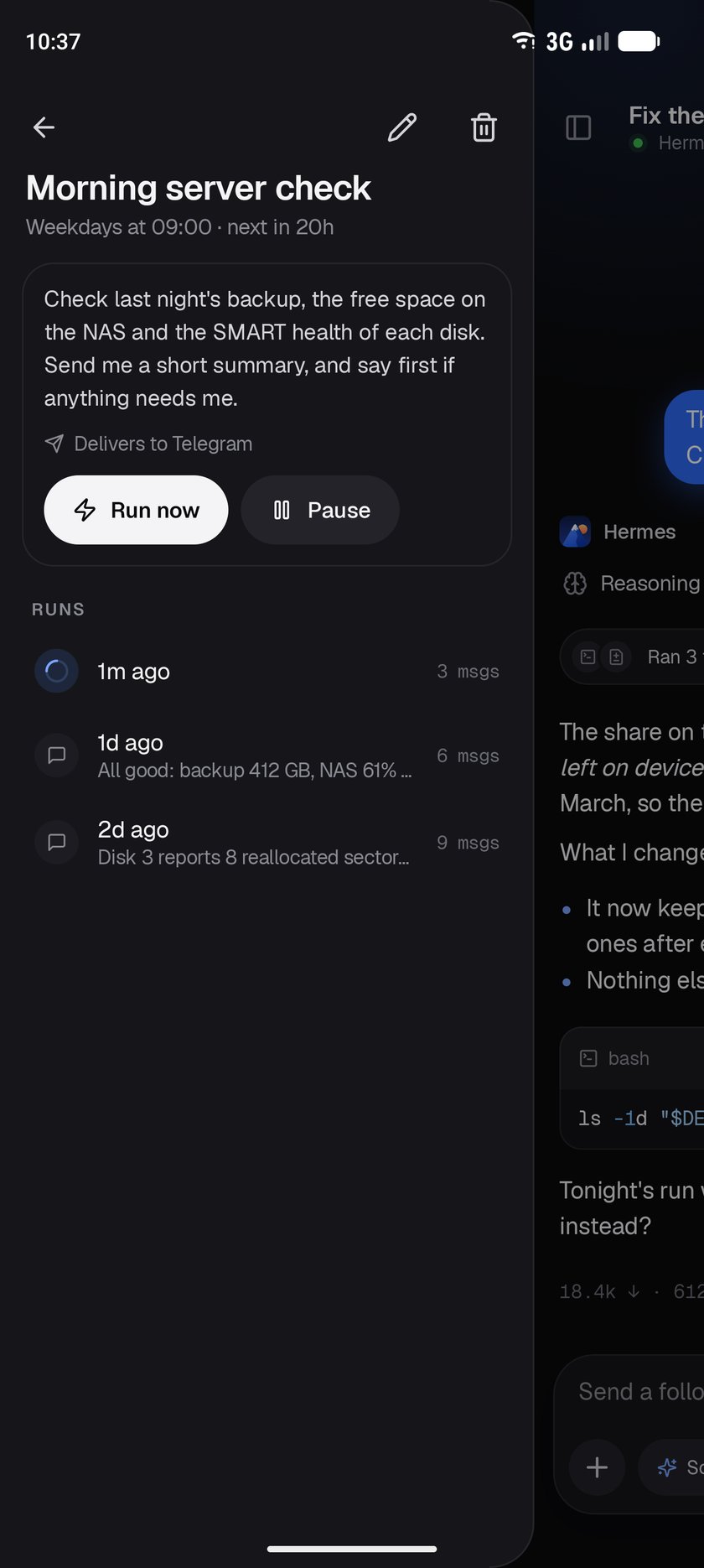
- Scheduled jobs: create, edit, pause and run them, and open each run as a chat
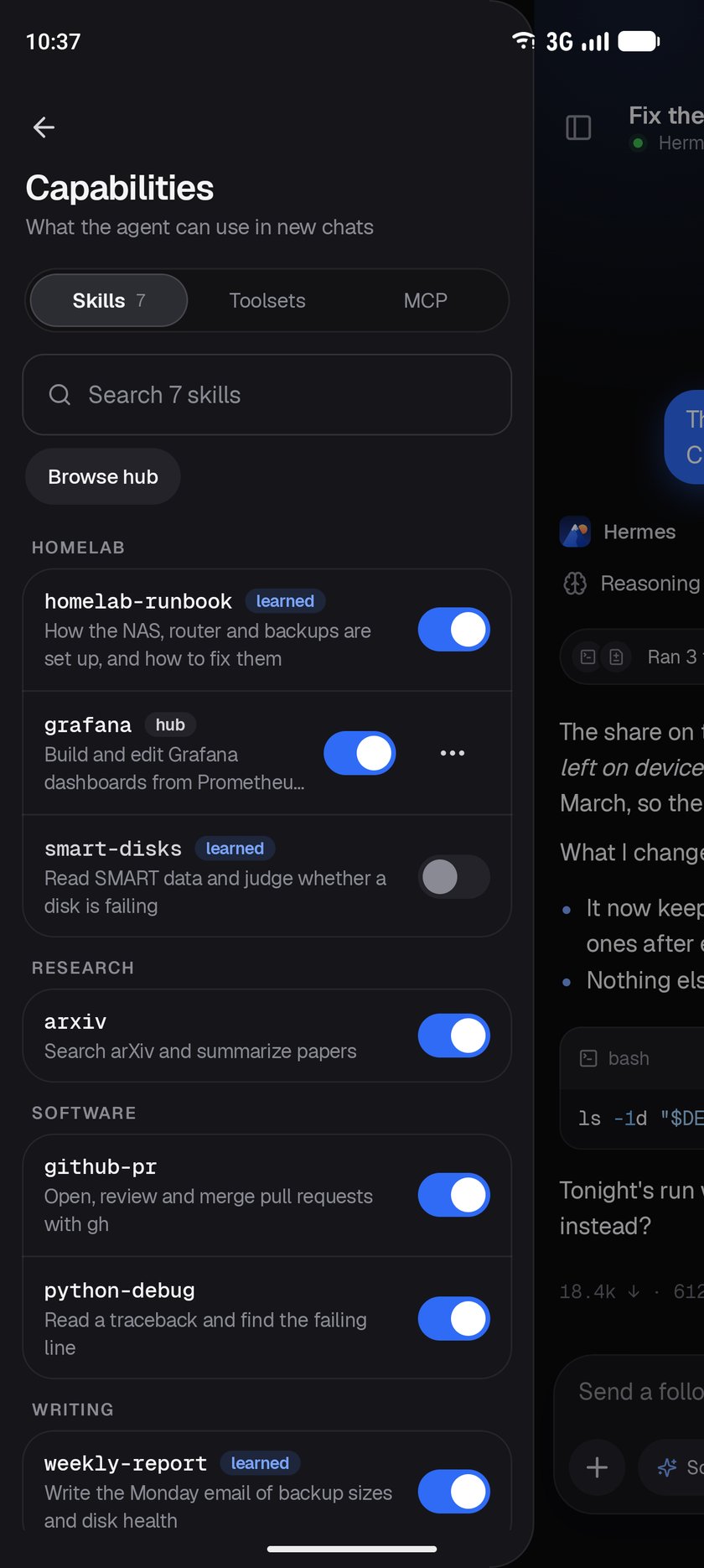
- Capabilities: turn skills, toolsets and MCP servers on or off, and test a server
- Config: change Hermes's own settings, or each bot's, by section or by search, or edit config.yaml
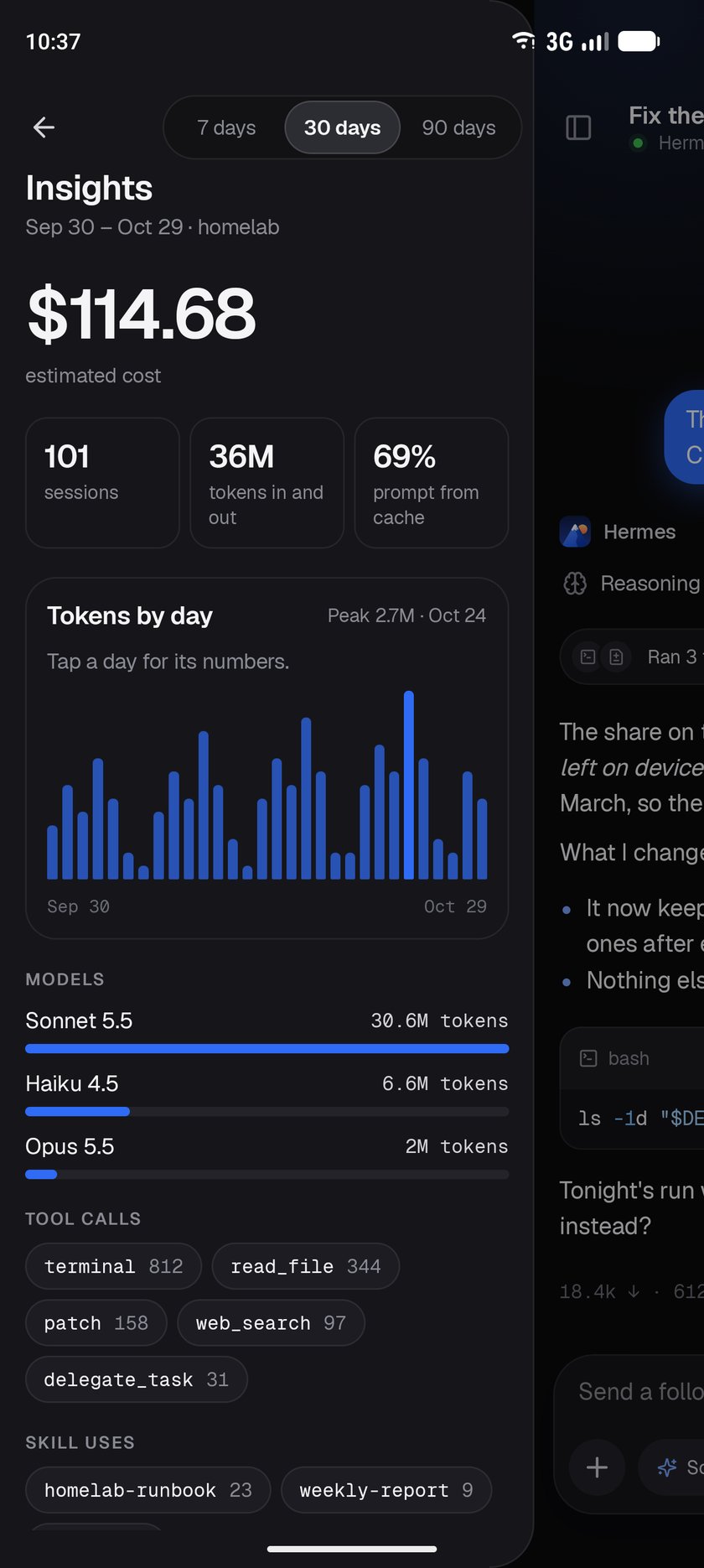
- Insights: cost, sessions and tokens by day, and the models, tools and skills used most
Stay connected
- Notifications when a turn finishes or needs you, with inline approve, answer and reply
- Optional end-to-end encrypted push from outside your network, without Google services
- Several saved gateways, each kept signed in
- An encrypted offline copy of recent chats, readable while the gateway can't be reached
- App lock with fingerprint, face or screen lock
The full feature list, and what's planned, is in the roadmap.
Screenshots
| A reply | At work | Subagents |
|---|---|---|
|
 |
 |
| Delivery check | Bots | A room |
 |
 |
 |
| Voice chat | Model picker | Usage and context |
 |
 |
 |
| Background processes | Checkpoints | Insights |
 |
 |
 |
| A scheduled job | Capabilities | Connect |
 |
 |
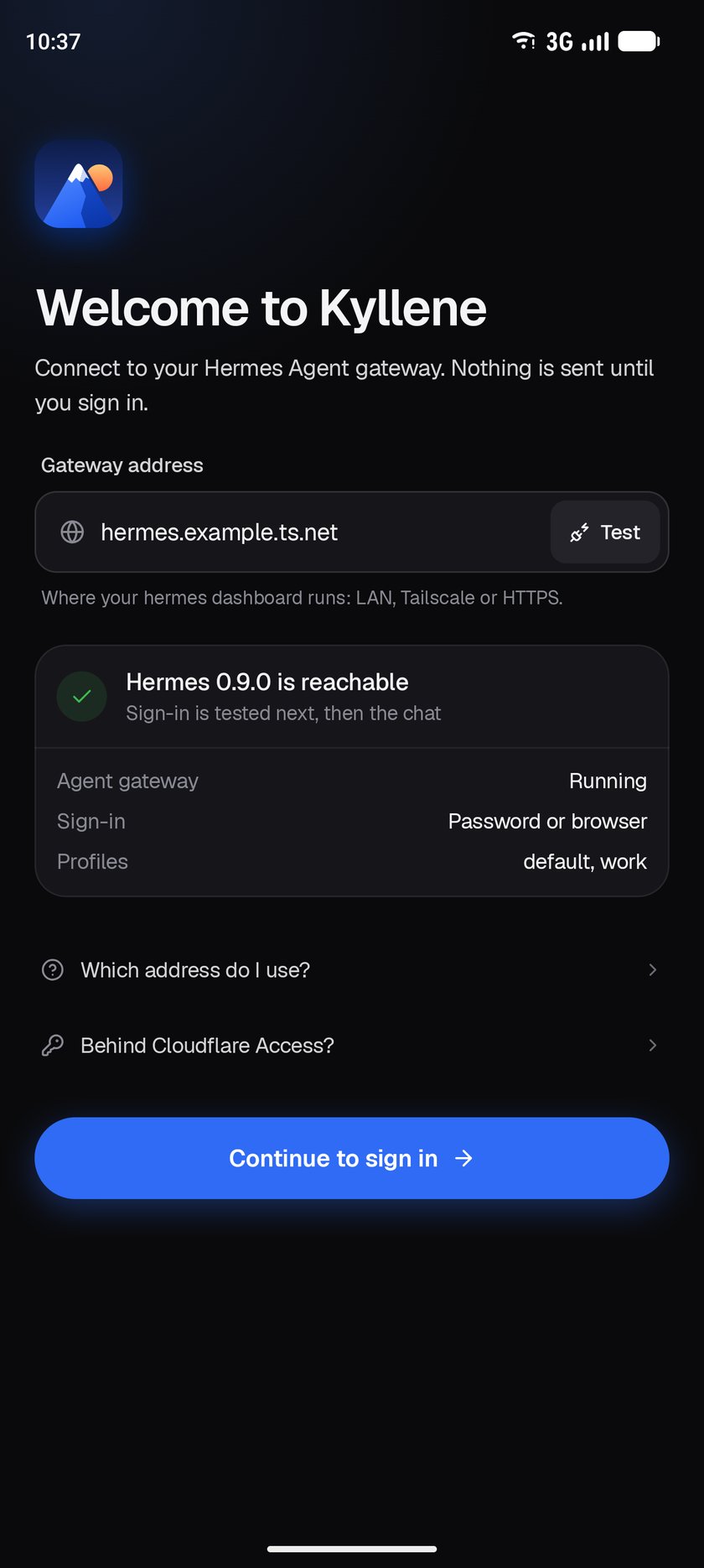 |
All screenshots show sample data, not a real gateway.
Install
- On your Android phone (Android 8.0 or newer), download the APK from the
latest release. For almost every phone that is
thearm64-v8abuild; the release notes say which fits other devices. - Open it, and allow installing from your browser when Android asks.
- Kyllene tells you when a new release is out. Install it over the old one; your sign-in and settings stay.
Requirements
| Hermes Agent | The dashboard running (hermes dashboard) and reachable from your phone. Kyllene is built against Hermes Agent's main branch as of October 2026; older versions may lack some features. |
| Network | The same Wi-Fi, Tailscale, or an https:// address. Kyllene warns before it would send a password over the internet unencrypted. Gateways behind Cloudflare Access are supported with a service token. |
| Sign-in | A dashboard username and password, or browser sign-in on SSO/OIDC gateways. |
If something doesn't connect, Settings → Check connection tests the server, the sign-in and the live
connection one at a time and says what to fix.
Privacy
- Kyllene talks only to your gateway, with these exceptions, each under your control:
- it asks GitHub whether a newer release exists (can be turned off in Settings);
- it loads pictures embedded in replies when you tap them;
- webpage previews automatically fetch up to three linked pages per completed reply and their
thumbnails, without gateway cookies and never from addresses on your own networks, only if you
allow it; - if you install the push plugin, notifications from outside your network go through ntfy,
end-to-end encrypted and signed.
- Your sign-in and the offline copy of your chats are encrypted with a key held in the Android
Keystore. App data is excluded from backups. - No analytics, no tracking.
- Phone tools are off until you switch each one on in Settings → Phone tools. What a tool reads (your
location, calendar, contacts, or steps, sleep and heart rate from Health Connect) goes only to your
gateway's agent, in the chat that asked, when the agent calls it. Kyllene only reads health data, never
writes it, and keeps none of it.
Community
Join the Discord to get help, share your setup, suggest features
and hear about new releases first. In the app, it's under Settings → About → Join the Discord.
Found a bug? Open an issue here or post it in
the server's #bug-reports.
Support Herald
Herald is free and open source. If it's useful to you, you can support its development through
GitHub Sponsors or Ko-fi.
Development
Want to contribute? Read CONTRIBUTING.md first.
Requirements: JetBrains Runtime 25 (Android Studio's bundled JBR is one; Gradle downloads it when none is found) and the Android SDK with API 37. For inline widgets and plugin pages in the desktop app, use the JBR build with JCEF.
Build, test and install a debug build:
./gradlew :androidApp:assembleDebug
./gradlew :shared:core:testAndroidHostTest :shared:ui:testAndroidHostTest
./gradlew :androidApp:installDebug
Run the experimental desktop app, or package it (an MSI on Windows, a DMG on macOS, a DEB on Linux):
./gradlew :desktopApp:run
./gradlew :desktopApp:packageReleaseDistributionForCurrentOS
The release package goes through ProGuard, which takes a few minutes; packageDistributionForCurrentOS skips it.
Project layout
shared/core          protocol, auth, network, repositories (no UI)
shared/designsystem  design tokens and components on Compose Unstyled
shared/ui            screens and view models (commonMain)
androidApp           Android host: Application, Activity, notifications, manifest
desktopApp           desktop host (experimental): the window, Escape as back
The gateway protocol notes are in docs/hermes-protocol-research.md.
Previews and screenshots
Every main screen has a Compose @Preview drawn from sample data
(HeraldPreviews.kt), so it
shows in Android Studio without a gateway. Debug builds also include PreviewGalleryActivity, which shows
one scene full-screen. The README screenshots are taken from it on an emulator, then scaled to 840 px
wide and saved as JPEG:
adb shell am start -S -n dev.herald.android/dev.hermeskotlin.android.PreviewGalleryActivity --es scene Reply --ez dark true
adb exec-out screencap -p > reply.png
The scene names are the PreviewScene values in HeraldPreviews.kt, such as Reply, Working,Approval, Subagents, Sidebar, Bots, Room, Models, Insights and Settings.
[!TIP]
On Windows, if host tests fail withCould not find or load main class Files\..., yourPATH
contains a stray"character. Remove it from the environment variable.
Releasing
Pushing a tag such as v0.3.0 runs the tests, builds APKs signed with the release key and attaches
them, each with its SHA-256, to a draft release: a universal APK and one per ABI, about a third of its
size. Publishing the draft makes it the update the app offers. The version comes from the tag
(1.2.3 → version code 10203), so tags must only go up.
The workflow needs these repository secrets: ANDROID_KEYSTORE_BASE64 (the keystore, base64-encoded),ANDROID_KEYSTORE_PASSWORD, ANDROID_KEY_ALIAS and ANDROID_KEY_PASSWORD. Local release builds read
the same values from an untracked keystore.properties at the repository root.
Star history
License
Kyllene is released under the MIT License.
It's built to work with Hermes Agent by Nous Research,
also MIT-licensed, and follows Hermes Desktop's behaviour and some of its wording so the two feel alike.
"Hermes" and "Hermes Agent" are names of Nous Research's project; Kyllene uses them only to say what it
works with. Icons are from Lucide (ISC License).
Yorumlar (0)
Yorum birakmak icin giris yap.
Yorum birakSonuc bulunamadi