nvidia-MCP
Health Uyari
- License — License: MIT
- Description — Repository has a description
- Active repo — Last push 0 days ago
- Low visibility — Only 5 GitHub stars
Code Gecti
- Code scan — Scanned 12 files during light audit, no dangerous patterns found
Permissions Gecti
- Permissions — No dangerous permissions requested
Bu listing icin henuz AI raporu yok.
Let your AI assistant inspect Kodi, diagnose playback problems and make reversible changes. Built for NVIDIA Shield.




Quick start · Agent setup prompt · Features · Kodi Manager · Documentation
Diagnose Kodi problems with your AI assistant. nvidia-MCP runs on your computer and lets an MCP
assistant inspect Kodi, diagnose playback problems, preview repairs and apply changes with backups.
It uses public ADB and Kodi HTTP interfaces on NVIDIA Shield, Android TV, Google TV and Android-based
Fire TV. Apple TV support is experimental. No cloud account is required for the server.
Start here: Copy the guided setup prompt.
You do not need the TV's IP yet; the agent explains where to find it.
[!NOTE]
0.5.12 prerelease. Read-only by default. Live evidence comes from one customized Shield;
Fire OS, Google TV and Apple TV hardware validation is pending. See compatibility.
What you can do
- Inspect Kodi's version, profile, skin, add-ons, playback state and redacted logs.
- Diagnose Android apps, connection readiness and native crashes; capture the TV screen.
- Preview configuration repairs, then apply and undo them with checksum checks and private backups.
- Inspect and upgrade local Android APKs with optional SDK tooling and recovery bundles.
- Use optional Kodi Manager for live settings, playback routing,
cached rows, configuration checkpoints and reviewed Bingie layouts.
The nvidia://playbook resource and audit_kodi prompt guide focused audits.
The default profile shows 10 everyday tools (9 on Apple TV, which has no ADB). Your agent can
enable the full profile for advanced file/APK repair; see the tool reference for profiles, permissions and limits.
Quick start
You need a computer, an assistant app that supports local MCP tools, and a TV on the same
home network. Your assistant needs permission to run commands and edit files on the computer;
it installs Python 3.11+ and other tools if needed. A browser chat alone cannot do this setup.
- Give your agent one prompt.
- Copy the complete setup request below.
- No IP address or technical checklist is needed before you start.
- Answer the agent's questions.
- It asks which TV/device you use and gives the matching menu steps.
- It explains how to find the IP, enable debugging where applicable, and enable Kodi remote control.
- Reply after each step; the agent waits before continuing.
- Approve the connection and let setup finish.
- Select Allow on the TV when asked, or enter a pairing code through private input.
- The agent verifies nvidia-MCP, then installs and connects Kodi Manager.
- Once it confirms both work, ask: “Read the Kodi repair playbook and audit Kodi without interrupting anything.”
One prompt for both
Use an assistant that can run commands, edit files and use local MCP tools on your computer.
Have Kodi installed, keep your TV remote handy, and connect the TV and computer to the same home network.
- Copy and paste.
- Expand Show the setup prompt to copy below and copy the whole text box into your agent.
- No editing is needed. You do not need to know the TV's IP address yet.
- Follow the conversation.
- The agent asks which TV you have, then explains the relevant settings and IP-address menus.
- Reply after each step. It waits for missing details and permission prompts before continuing.
- One prompt starts the setup; you will still answer questions and use the TV remote when needed.
Help me set up nvidia-MCP on this computer, then install and connect
Kodi Manager on my TV:
https://github.com/glasgowm148/nvidia-MCP
https://github.com/glasgowm148/kodi-manager

Read nvidia-MCP's docs/agent-setup.md and docs/companion.md first.
If not already known, first ask which TV/device I use. Do not assume I
know its IP address or have enabled debugging. Ask one short question
at a time. Explain the exact menus for my device, what to select and
what information to read back. Guide my device's TV preparation, including
debugging where applicable, finding its IP and enabling Kodi HTTP control.
For Apple TV, use the separate tvOS instructions. If a menu differs,
ask what I see. Wait for my reply before moving to the next TV step.
Do not invent connection details or scan my network.
Ask for the IP address on its own and wait for my answer. Only then ask
about a required port in a separate reply. Never request the IP and port
together, even as an optional extra. Ask about Kodi's HTTP port and any
Wireless debugging pairing port in separate replies too. Reuse details
I have already supplied.

Once TV preparation is ready:
1. Install and configure nvidia-MCP. Verify the actual MCP connection
   can read my TV and Kodi before continuing.
2. Install Kodi Manager from https://glasgowm148.github.io/kodi-manager/
   using Kodi's native installer. Reuse supported existing installations
   and back up customizations before any replacement.
3. Connect the active profile's Manager token privately. You cannot change
   Kodi Manager's own settings, so ask me to turn on Allow LAN access under
   Kodi Manager → Configure → Dashboard. Then give me its browser address
   and verify read-only Manager access.

Handle computer commands, downloads and supported TV navigation yourself.
Ask me for details or TV actions your tools cannot obtain or complete.
Request passwords, tokens and pairing codes only through private input.
Preserve my other MCP servers and settings. Target only my specified TV
and never interrupt playback. Enable only writes needed for setup;
finish with write mode and provider browsing off.
Continue both setup stages in this conversation, waiting for my replies
whenever information or permission is needed.
- Full instructions
- TV menu steps, if you prefer to prepare the TV yourself.
- Firestick / Fire TV,
Shield and
Android TV / Google TV. - Apple TV setup, experimental.
- Troubleshooting.
Vega OS Firesticks are unsupported; check the device guide.
How it connects
flowchart LR
    A[Your assistant] -->|MCP · stdio| B[nvidia-MCP on your computer]
    B -->|ADB + Kodi HTTP| C[Android TV or Fire OS / Kodi]
    B -.->|Optional settings and layout API| D[Kodi Manager inside Kodi]
Each server instance targets one explicitly configured device. Apple TV uses an opt-in backend and
separate configuration. Credentials and recovery files stay in your private local storage.
Optional Kodi Manager companion
Kodi Manager runs inside Kodi and adds a browser dashboard,
live add-on settings, playback pipeline inspection and supported Bingie layout editing.
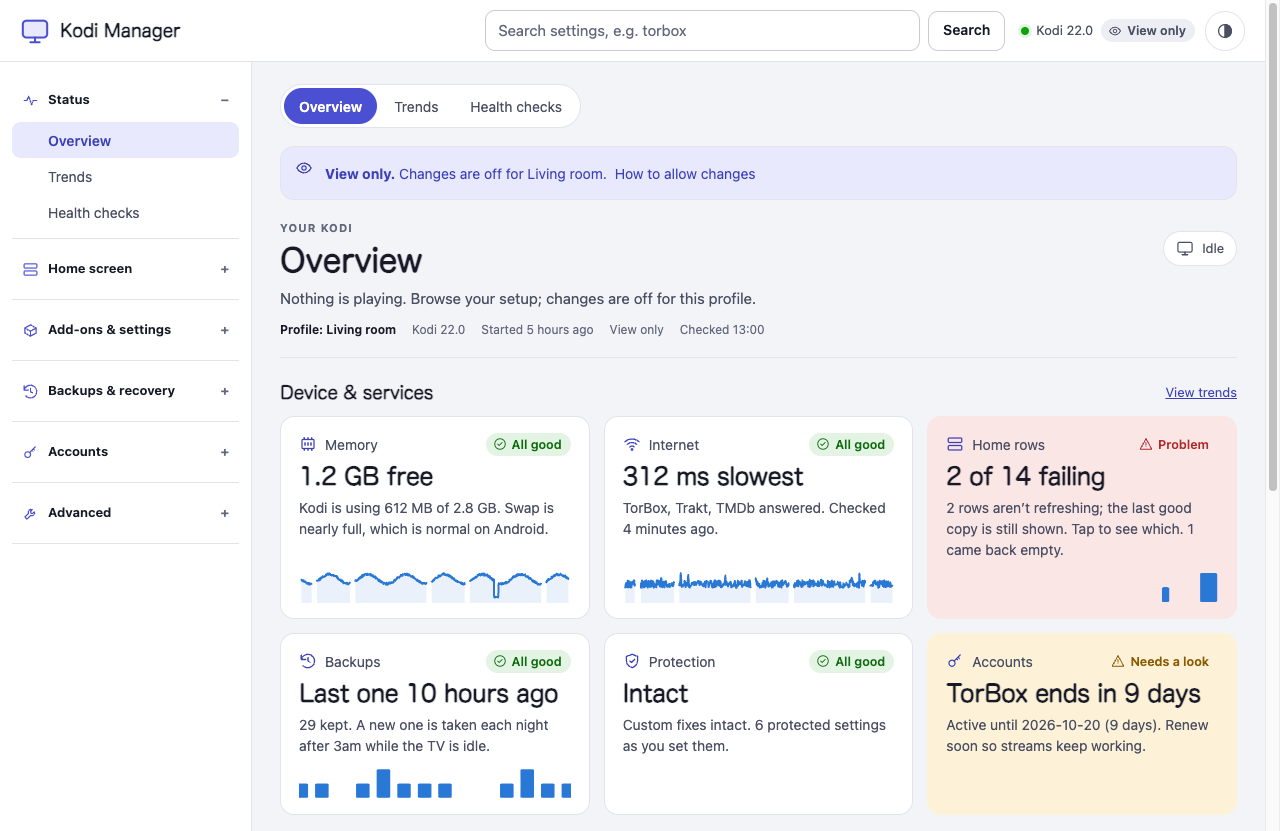
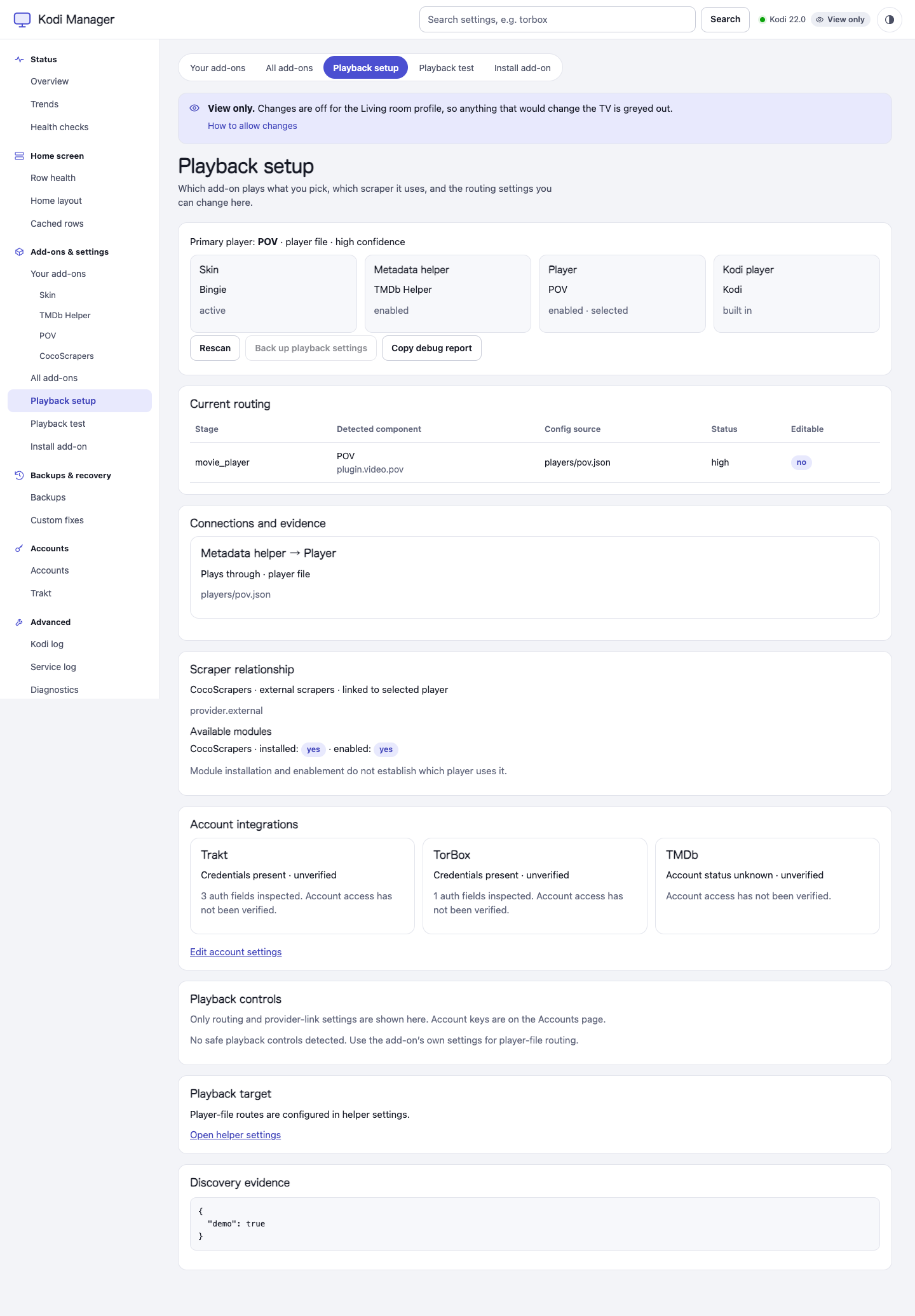
Current optional companion UI, captured with synthetic demo data in view-only mode. The MCP server itself is a stdio service.
Watch Kodi Manager: find an add-on setting (45-second demo)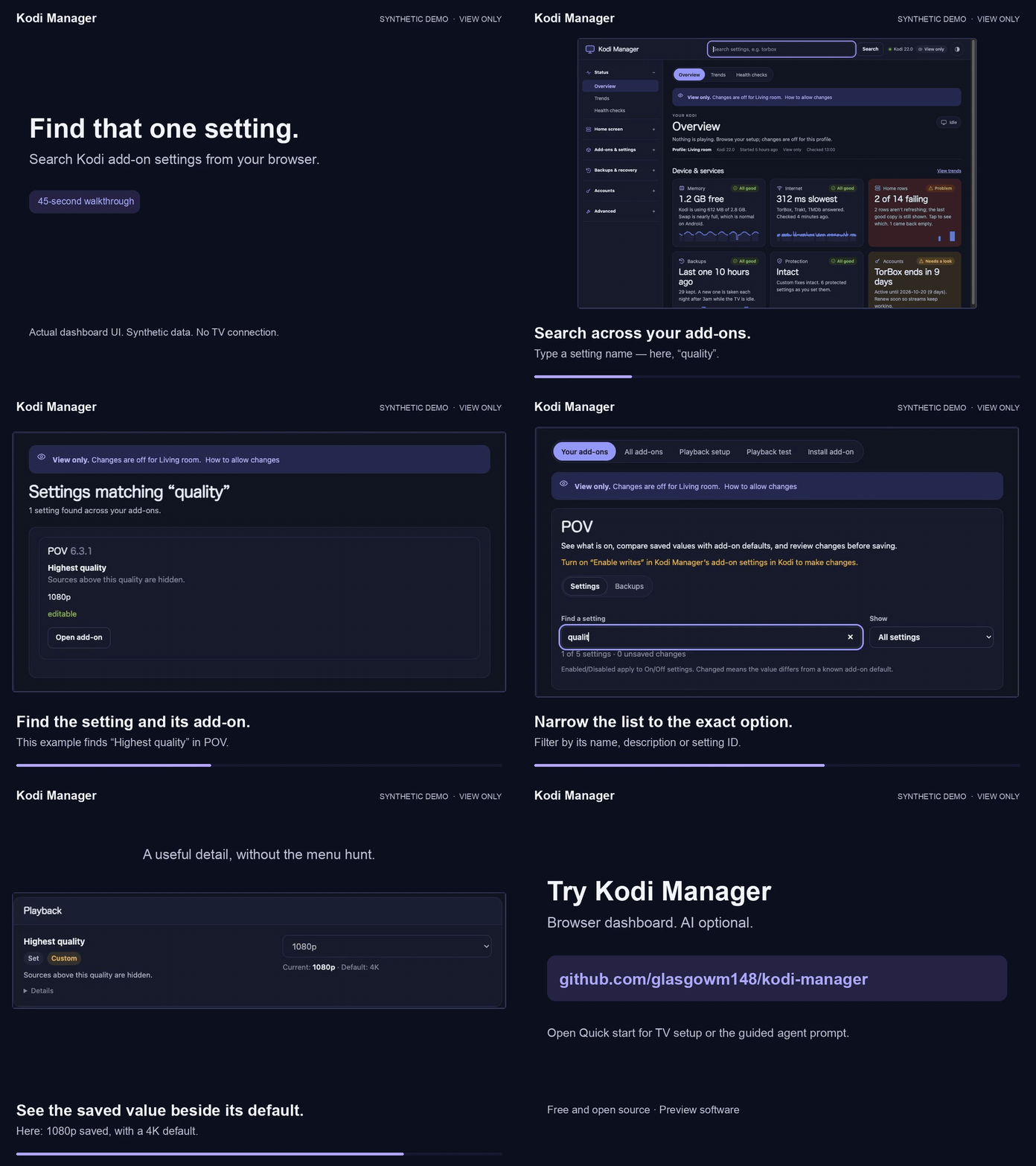
Download the shareable MP4 · Text walkthrough and captions
This shows the optional browser dashboard. Silent, edited capture with synthetic data in view-only mode; no TV was connected.
- Already using nvidia-MCP?
- Ask your agent: “Install Kodi Manager and connect it to nvidia-MCP.”
- Follow agent-assisted setup.
- Only want the browser dashboard?
- Follow Kodi Manager's TV remote steps.
- Install from its Kodi repository; no computer file transfer is needed.
- Need an offline or pinned version?
- Use the bundled ZIP instructions.
Repository installations receive preview updates through Kodi's update settings.
Making changes
Writes and provider browsing have separate opt-ins. Inspect and preview before enabling changes.
Disruptive tools check playback and the foreground app; unknown viewing state blocks them. Manager
writes also require its own write mode. Layout editing requires reviewed Bingie / Skin Shortcuts
versions and source hashes; unknown variants stay view-only.
Use a trusted LAN and keep credentials, logs and backups private. Repair tools have platform-specific
limits; the optional Android profile-relaunch helper needs separate private deployment.
See operation rules, repair workflows,
APK recovery and Apple TV limits.
Tool reference
The complete generated tool catalogue lists Android/Shield tools and access gates.
Apple TV has a separate capability table.
Agent skill
skills/nvidia-shield-kodi is a standard SKILL.md skill that
tells an agent when to use these tools and how to stay safe with them: triage order, common
playback/audio/add-on recipes, write and undo rules, and the setup flow when the server is missing.
Install the skill free from Agensi,
or copy the folder into your agent's skills directory (for example ~/.claude/skills/). It contains
only instructions and needs this MCP server installed.
Practical guides
Documentation
Local verification
Run the offline checks from a checkout before connecting a device. The suite uses synthetic
credentials and fixtures; it does not contact a TV:
python3 -m pytest -q
ruff check --no-cache .
CHECK_DIST="$(mktemp -d)"
python3 -m build --outdir "$CHECK_DIST"
python3 scripts/check_release.py "$CHECK_DIST"/*.whl "$CHECK_DIST"/*.tar.gz
Keep NVIDIA_MCP_ALLOW_WRITES=0 and NVIDIA_MCP_ALLOW_PLUGIN_BROWSE=0 for the first live
connection. The server targets one explicitly configured device and will not discover or scan
other devices. Read operation rules before enabling either capability.
Start with the documentation index, or go directly to:
| I want to… | Guide |
|---|---|
| Set up a TV and assistant | TV preparation · Agent setup |
| Connect Android / Fire TV or Apple TV | Android / Fire OS · Apple TV |
| Use the dashboard and live settings | Kodi Manager companion |
| Configure access or repair a problem | Configuration · Repairs |
| Check support or reuse the Python code | Compatibility · Library |
Contributing · Changelog · Security · MIT license.
Independent project; not affiliated with NVIDIA, the Kodi Foundation or any add-on author.
Yorumlar (0)
Yorum birakmak icin giris yap.
Yorum birakSonuc bulunamadi