blender-shorts-agent
Health Uyari
- License — License: MIT
- Description — Repository has a description
- Active repo — Last push 0 days ago
- Low visibility — Only 5 GitHub stars
Code Gecti
- Code scan — Scanned 12 files during light audit, no dangerous patterns found
Permissions Gecti
- Permissions — No dangerous permissions requested
Bu listing icin henuz AI raporu yok.
Claude Code plugin: make finished, narrated vertical explainer shorts entirely in Blender.
blender-shorts-agent




Tell Claude Code what you want explained. Get back a finished, narrated vertical short made entirely in Blender.
A Claude Code plugin that takes one idea ("why does a bike wheel tick when you coast?") to a ready-to-post 1080×1920
MP4 for YouTube Shorts, Reels or TikTok: the story, a real 3D scene built from code, narration, captions, recorded
sound effects, a checked render, a thumbnail, caption files and the post text. You follow and approve every stage on
one page in your browser; between approvals it runs on its own, and it checks its own work at every step.
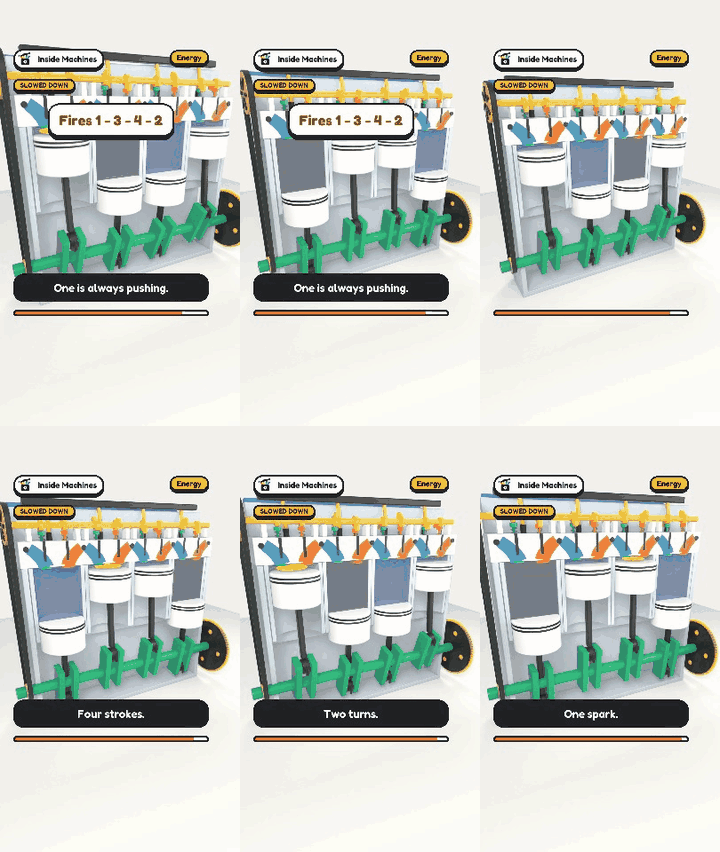 Inside a car engine Watch · Read |
 Inside a jet engine Watch · Read |
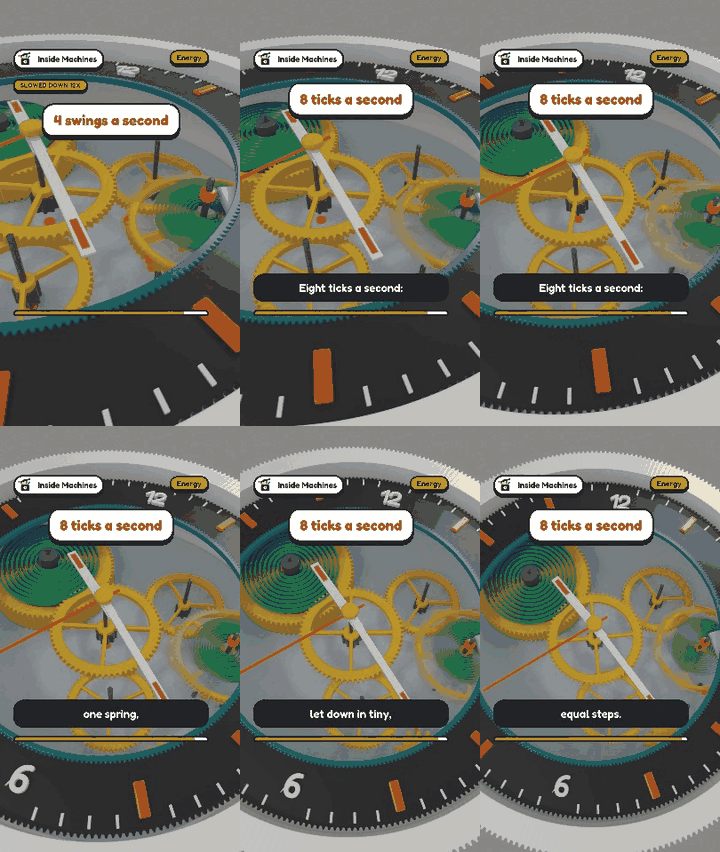 Inside a mechanical watch Watch · Read |
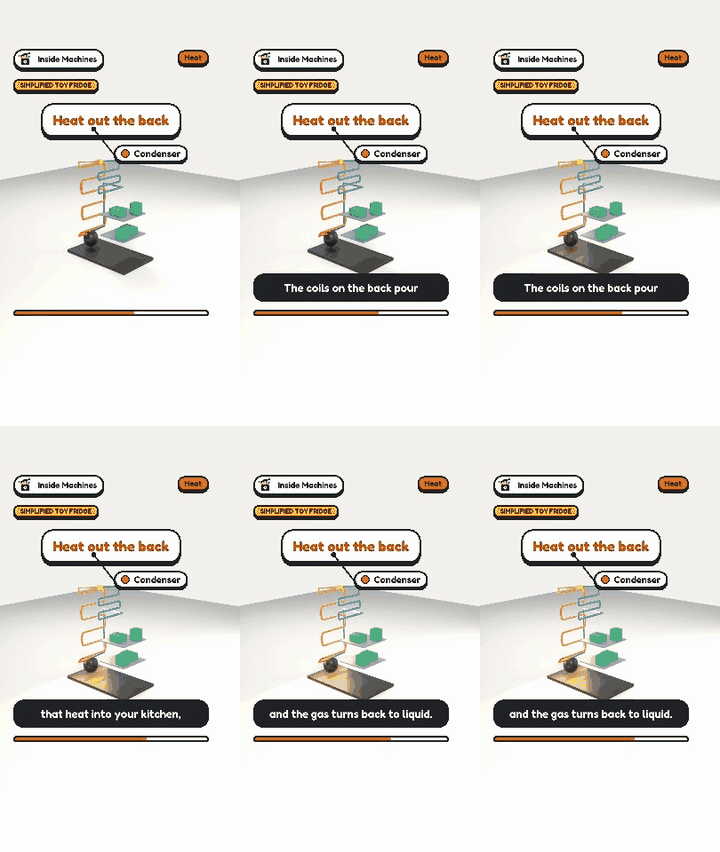 Inside a fridge Watch · Read |
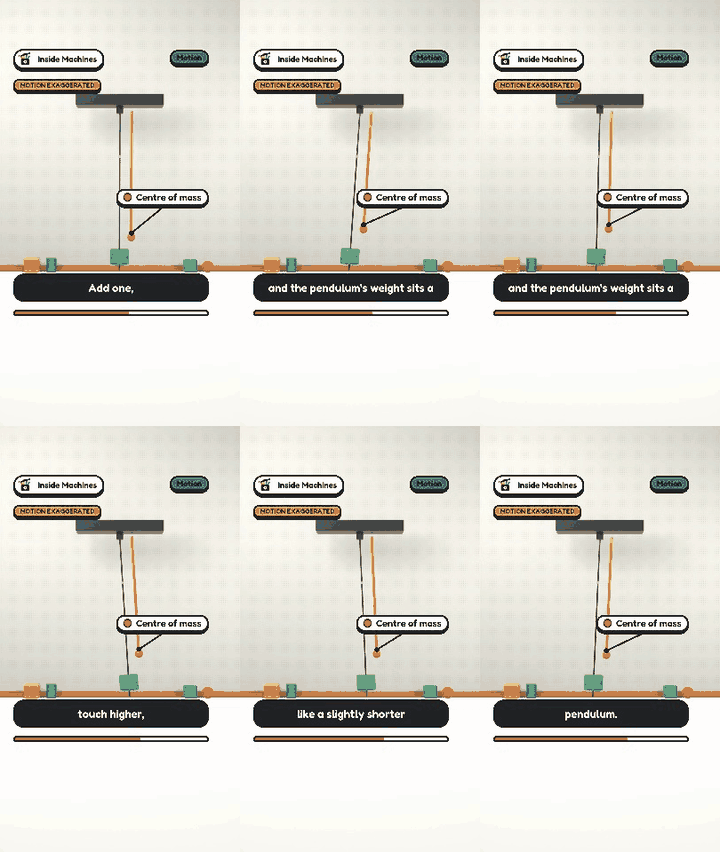 Big Ben's pennies Watch · Read |
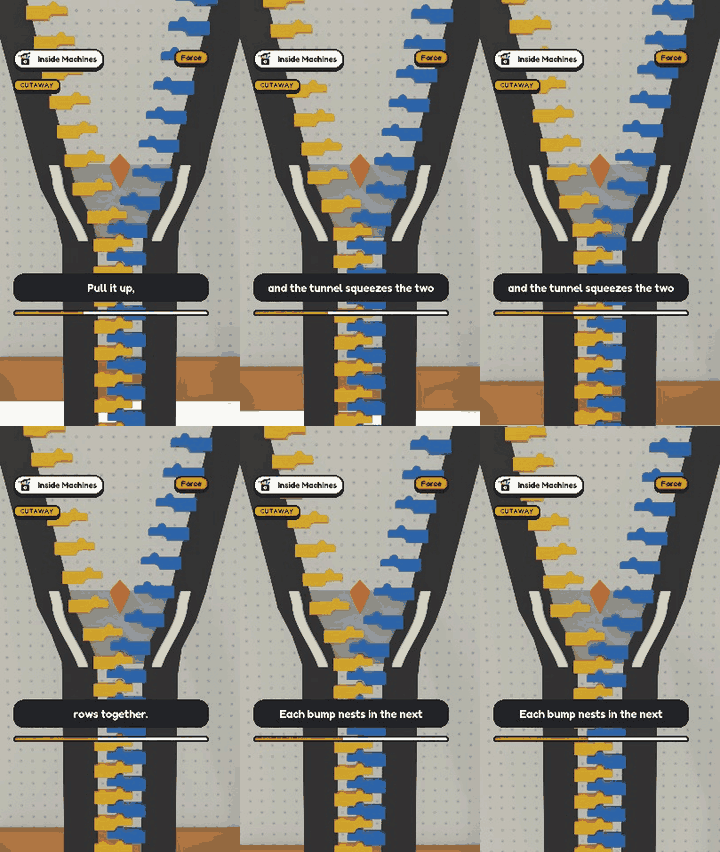 How a zipper locks Watch · Read |
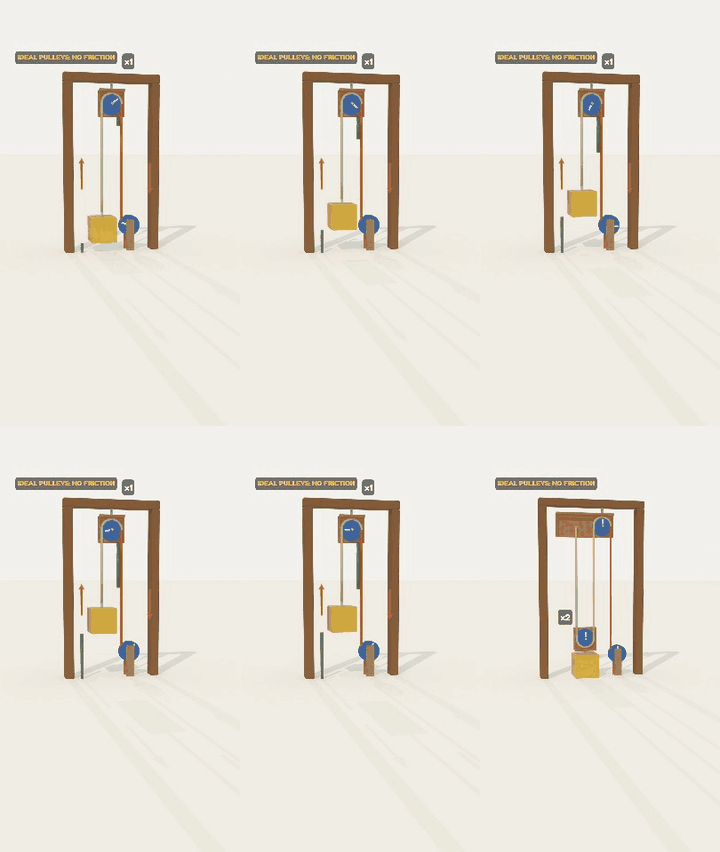 Pulleys Watch · Read |
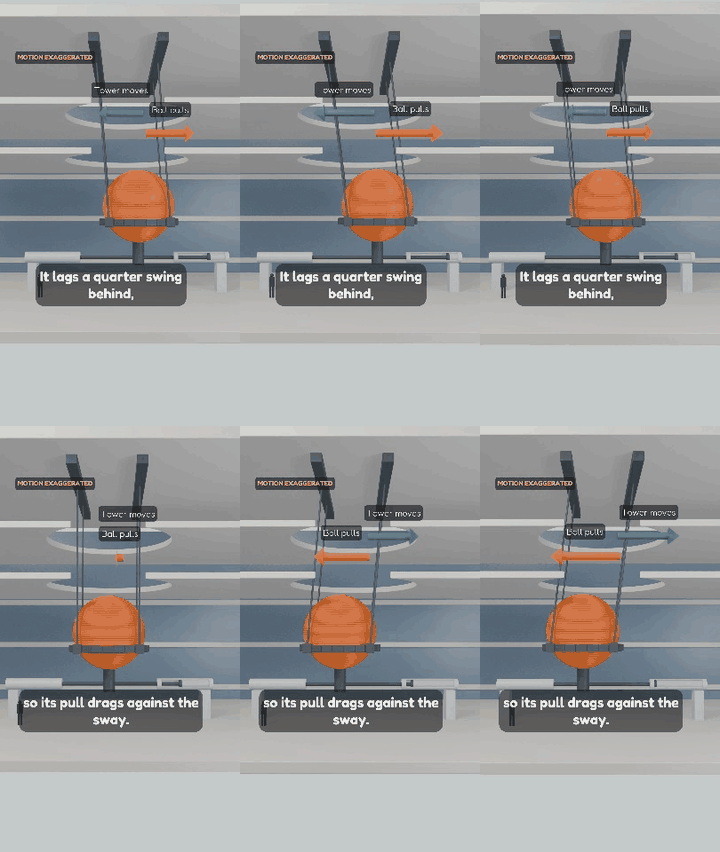 The Taipei 101 damper Watch · Read |
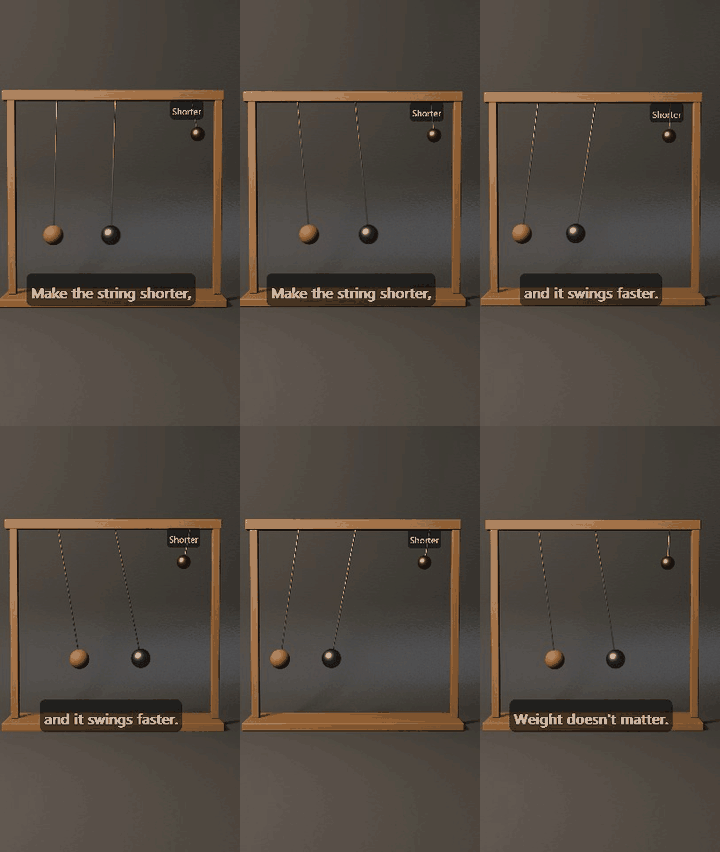 Heavy or light pendulum Watch · Read |
Every short above was made by this plugin, end to end, with no hand editing: story, models, animation, voice,
captions, sound and edit. Click one to watch it with sound.
What you get
- A finished MP4, 1080×1920 at 30 fps, with narration, captions timed to it, recorded sound effects and your own
closing card. No music, ever. - A post pack: title, description with sources, hashtags, a thumbnail you pick from candidates, SRT and VTT
caption files (and translated ones, if you ask), and a before-you-post checklist. - One page per short instead of chat walls: every stage, every approval, your notes and the review tools in one
place, live while it works. - A real Blender project you can open:
blend/short.blend, built by abuild.pyyou can read and change. - Checks you can trust: the scene, the motion and every rendered frame are checked before you see anything.
What's new in 0.7.0
Your style, written down once. Everything below is off or unchanged until you set it, so existing shorts look and
sound exactly as before.
- Style presets: keep your pacing, caption size, loop and loudness as a named preset in your settings
(preset save NAME --from SHORT), pick one as your default, or choose one per short. Two ship with the plugin:explainer(the classic pace) andfast-loop(tight gaps, 1–3 word captions, loop ending). - Pacing you control: the gaps between lines, the lead-in and tail, the end-card hold and the size of caption cards
are settings now (timing.*,captions.*), in every process, background renders included. - Loop endings:
loop: truedrops the end and closing cards, blends the sound across the loop point, and a new
check tells you which object or camera move doesn't come back to frame 1. Builder helpers make whole turns and
smooth joins easy. - Loudness master: the final mix is brought to a target level (−14 LUFS, −1 dBTP by default; set your own), and the
finished video is measured again so you know it landed. - Targets (optional): set the pace, longest pause, how many numbers you say, the most cuts, the length, when the
payoff lands, a hook that pays off at the end, or motion in the very first frame. Each one is a warning with the
measured value next to your target, on the review page and withcheck-targets. - Captions without a box:
brand.caption.style outlinedraws bold white text with a dark outline and soft shadow,
and a*word*in a line is drawn in your highlight colour.
What's new in 0.6.1
- Windows: the full test suite now passes on Windows 11 with Blender 5.3.
- No needless re-renders: a scene's fingerprint no longer changes after the file is reloaded in the background,
so cached results are kept when nothing in the scene changed.
What's new in 0.6.0
Every fix in 0.6.0 comes from a real short, and every output now gets a check of its own, so the same kind of
bug can't ship silently again.
- Nothing ships broken: an end card that came out black, a thumbnail title
you couldn't see, a kicker covering a three-line title, a line cut at the wrong word. Each is now caught on the
output itself. - Safe on your machine: a memory guard stops a runaway Blender before it takes the PC down, long
renders run in chunks in fresh Blenders, and a quick scan after the build warns about heavy scenes before any
render. - Picks up where it stopped: an interrupted check or render resumes from what it finished, and the
live status says what really happened. - Release files in one place: a delivery folder with the final video and thumbnails, a command of
your own run after every final, and a hand-edited post pack that is never overwritten. - A professional sound mix: levelled effects, soft room tone, a short room reverb,
ducking under the voice and smooth crossfades at cuts. - Fewer false alarms: fades count as entrances, and machine words (brake drum, levelling foot, spider gear) no
longer trip your hard rules.
How it works
flowchart LR
    subgraph S1 [You approve]
        direction TB
        A[Idea and interview] --> B[Story page]
        B --> C[Storyboard page]
        C -. optional .-> C2[Camera test]
        C2 --> D[Engine and time estimate]
        C --> D
    end
    subgraph S2 [It builds and checks]
        direction TB
        E[Narration] --> F[Build in Blender]
        F --> G[Scene and motion checks]
        G -. fix and rebuild .-> F
    end
    subgraph S3 [It renders]
        direction TB
        H[Preview, checks alongside] --> I[Final render]
        I --> J[Edit, captions, sound]
        J --> K[Final page and post pack]
    end
    S1 --> S2 --> S3
You talk to Claude Code as usual ("make a short about how a click pen clicks"). The make-short skill follows a
playbook chapter for every stage, tracks where each short stands, and picks up where it left off if you come back
tomorrow ("carry on with the pen short").
Everything shows on one page per short, served on your own computer. It updates while the plugin works, keeps
your notes on any line, shot or stage, and records each approval. Answer on the page or in chat.
1. Interview
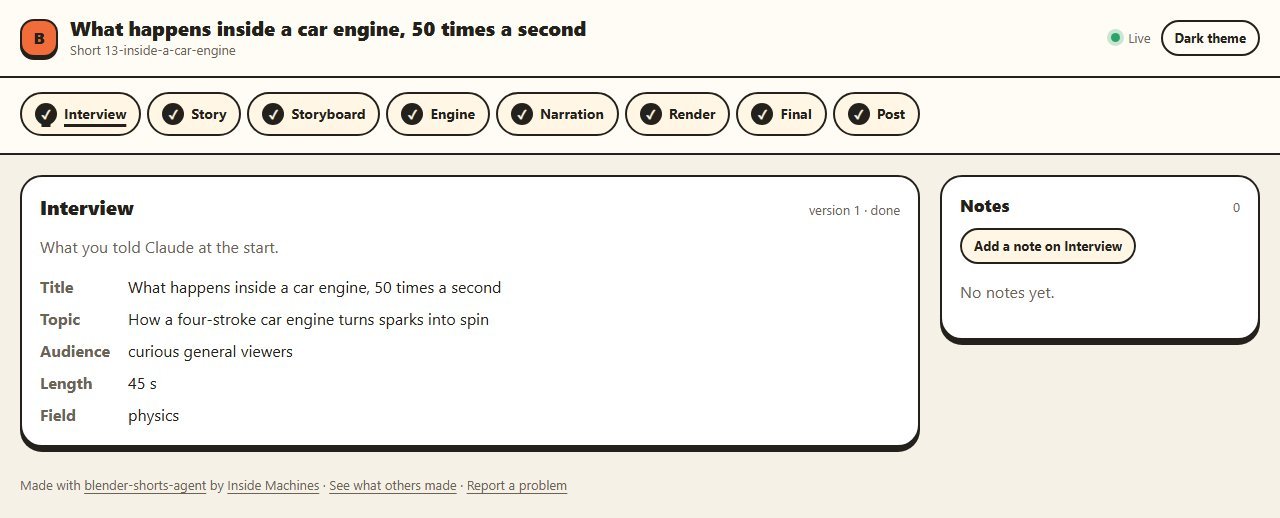
The topic, the length and the pace, your brand or a fresh look, and, if you started from an earlier short,
exactly what was copied, each with a button to change it.
2. Story
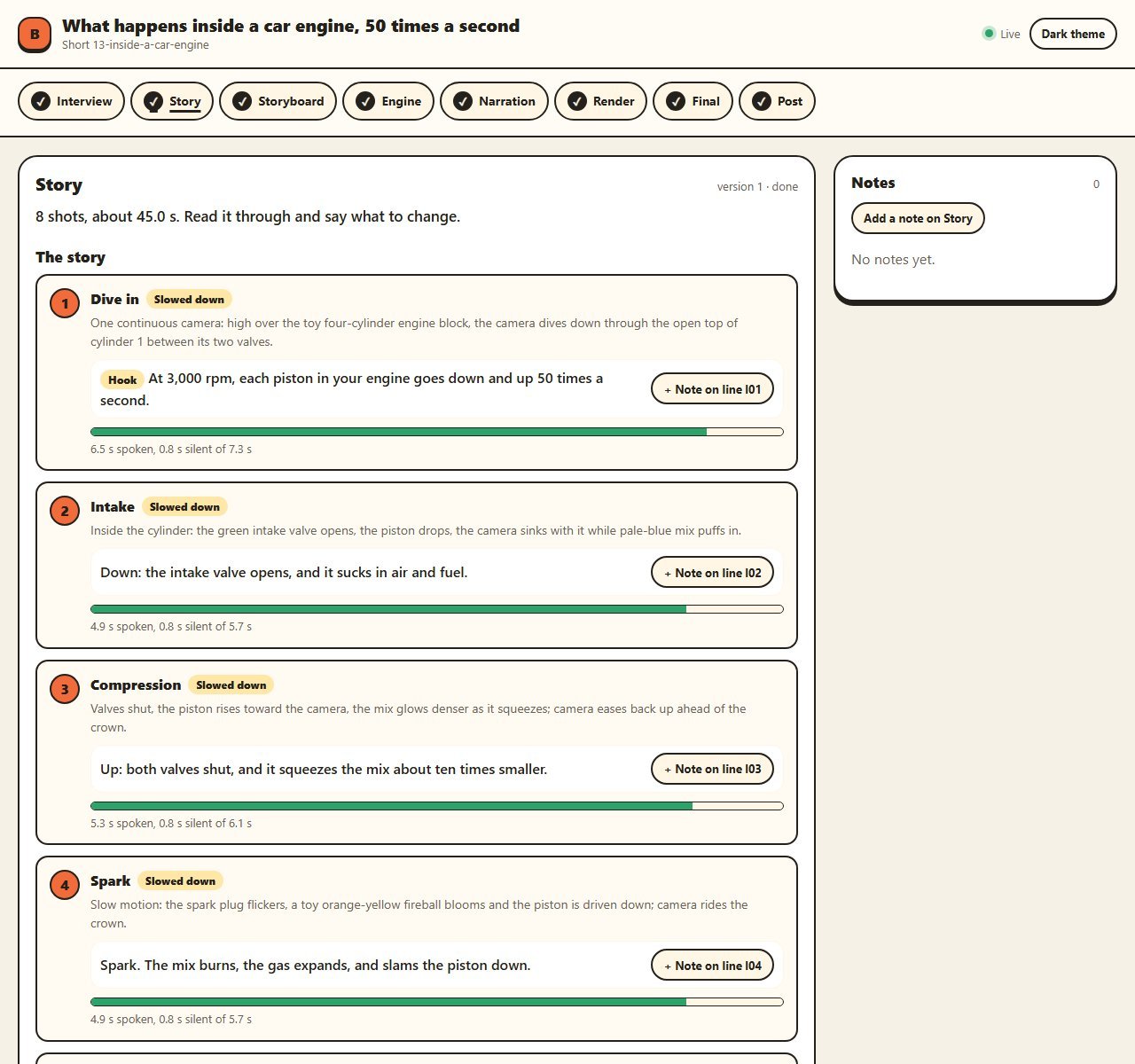
The hook, every beat with its narration line and how long it takes to say, honesty badges ("Simplified",
"Slowed down") wherever the picture bends reality, sources for every number, and how this short keeps each
of your hard rules.
3. Storyboard
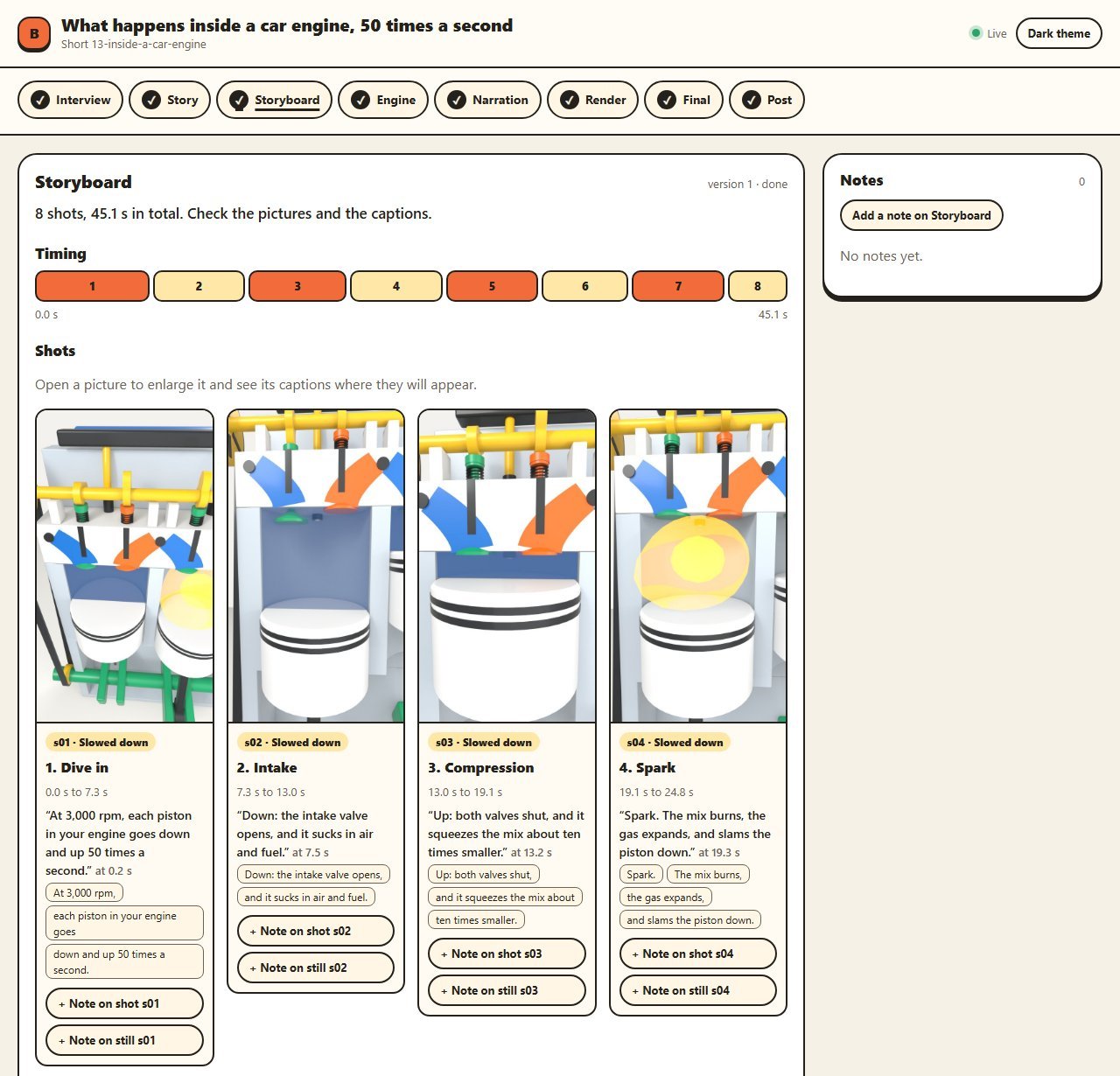
Each shot is built and rendered as a still before anything is animated, so you approve real pictures, not
descriptions. The look preview shows three stills with your cards, and the guides show where the captions and
top cards will sit.
4. Camera test (optional)
For shorts where the camera move is the star, camtest renders the whole move as a quick grey clip with a
contact sheet, and you approve the move before anything is rendered properly. It is always offered for
one-take shorts.
5. Engine
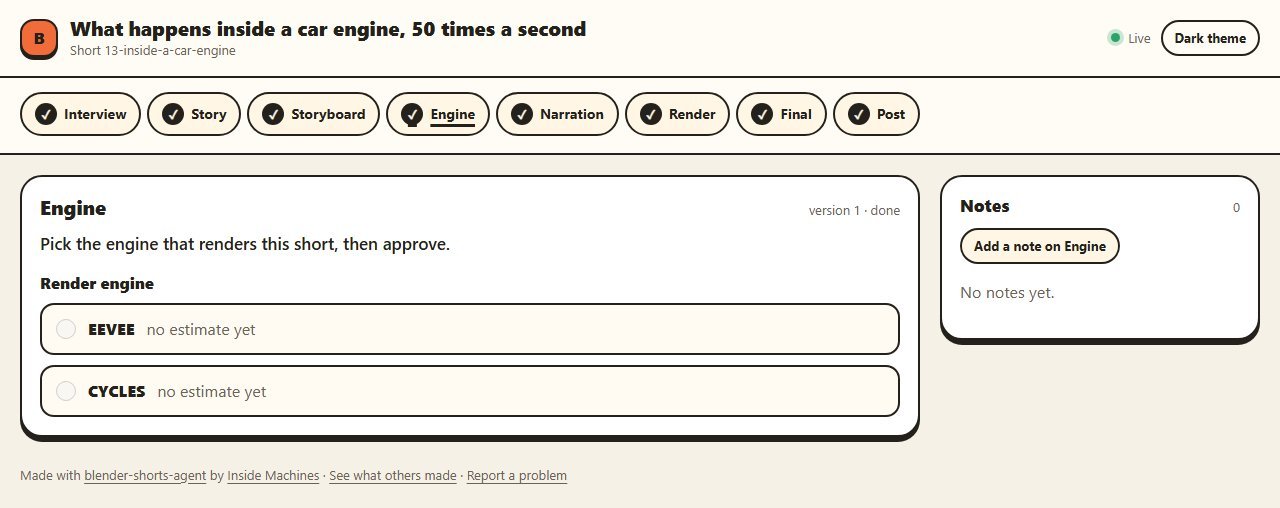
EEVEE or Cycles, with a time estimate for each from a real test frame. The choice is always yours.
6. Narration
Every line with its take, where its audio came from, and a voice check: what a speech recogniser heard, word by
word against the script, so a dropped or misread word stands out.
7. Render
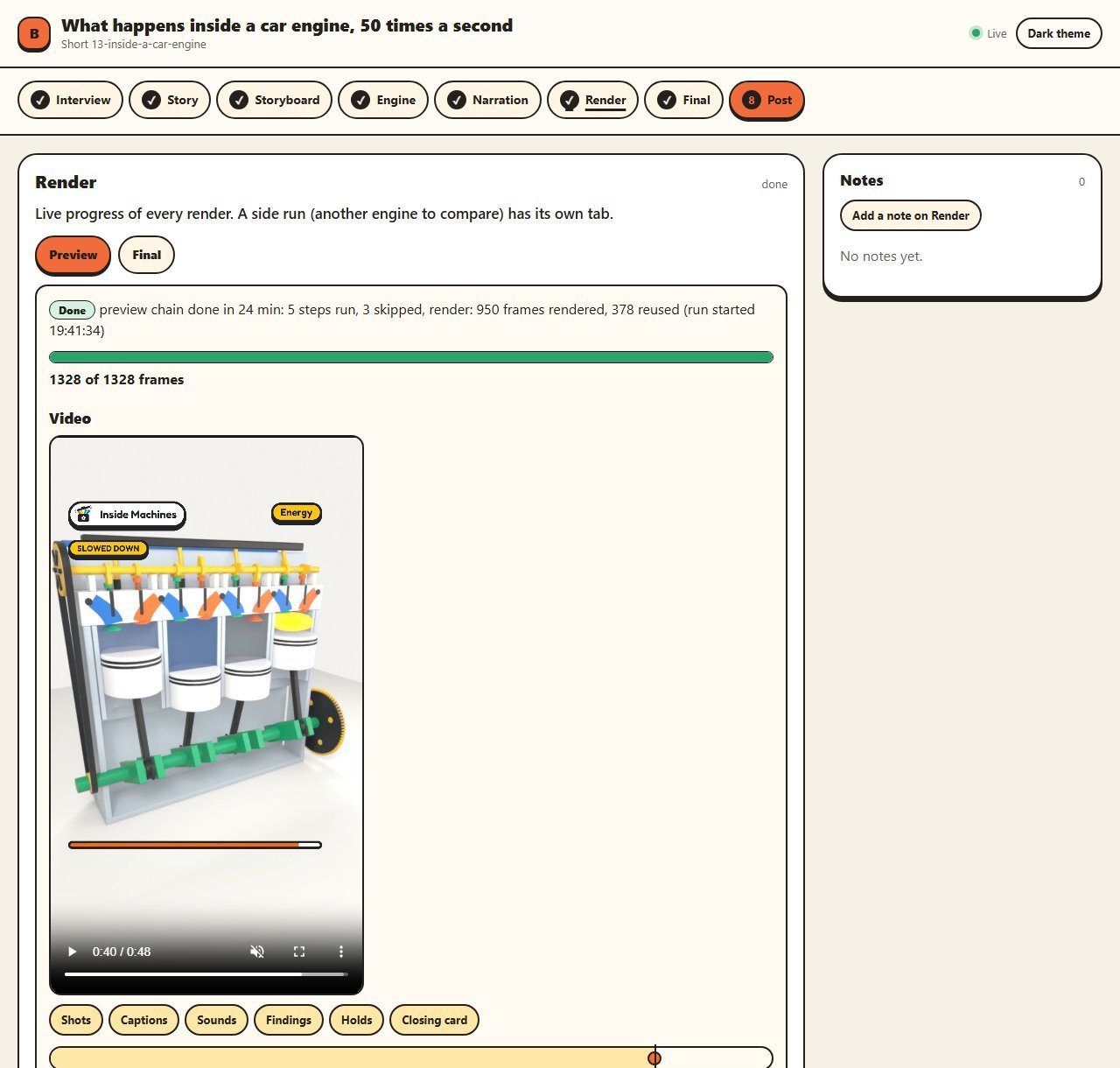
A live view of the whole chain (timeline, build, mix, checks, render, frame-check, edit): the current step,
frames done, time left, per-shot thumbnails and any warning as it appears. The checks run beside the preview
render, and only shots whose content changed render again.
- Memory guard: a Blender that grows past
render.memory_limit_gb(by default 60 % of your RAM) is stopped, with
the likely cause, before it takes the machine down. - Chunked renders: long renders run
render.chunk_framesframes at a time (250 by default), each chunk in a
fresh Blender, so memory stays bounded and a crashed render resumes from the frames on disk. An interrupted check
resumes too. - A clear GPU queue: a command waiting for the GPU shows who holds it, for how long and with how much memory;
--max-waitgives up instead of waiting for hours.
8. Final
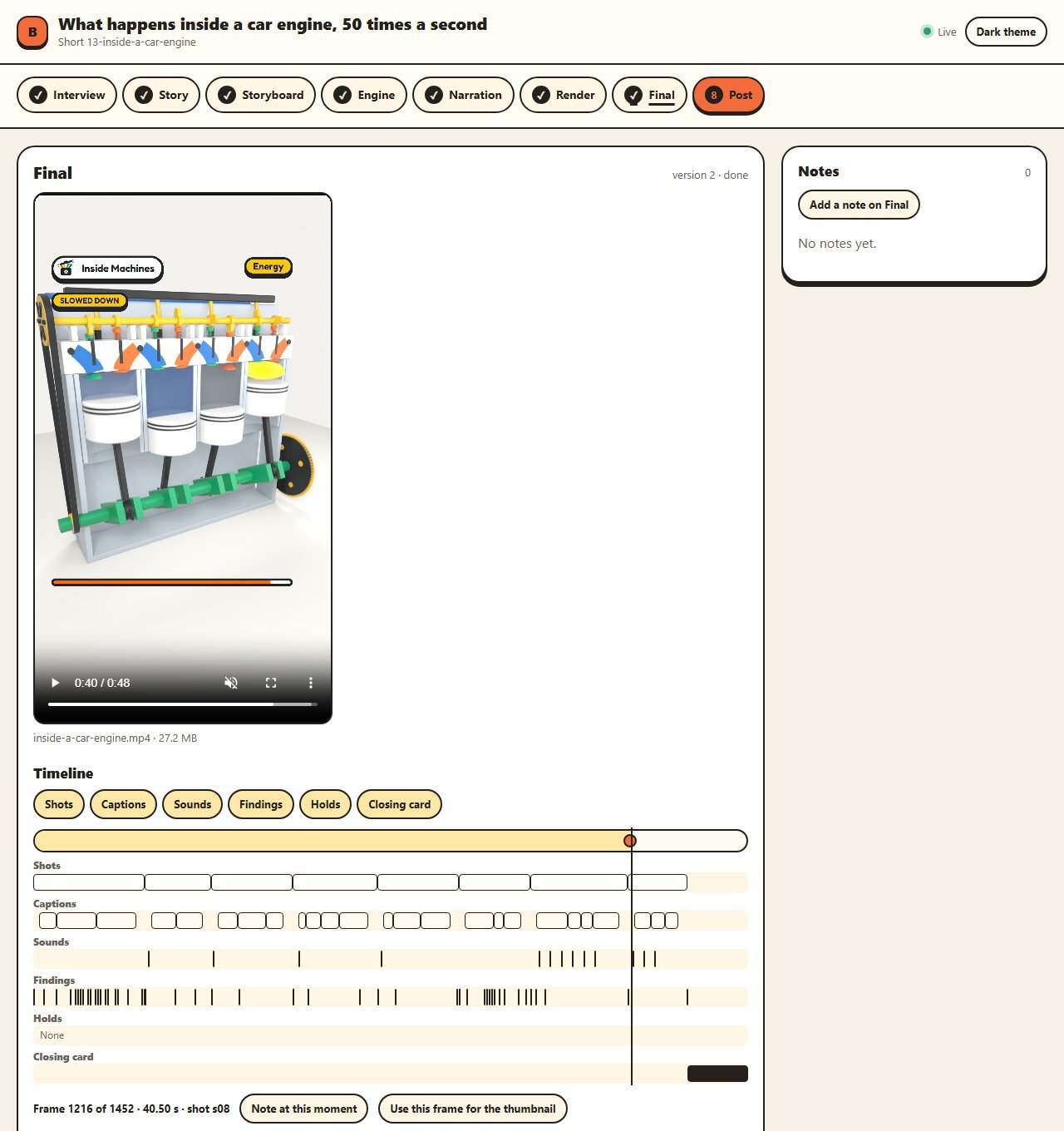
The video, a timeline of every shot and line, a before and after for anything you asked to change, and a
fact panel with each number and its source.
Set render.deliver_dir and the final video and both thumbnails are copied there as soon as the final is done.hooks.after_final runs a command of your own afterwards (a backup or an upload, say) with the short's paths; it
never fails the final.
9. Post
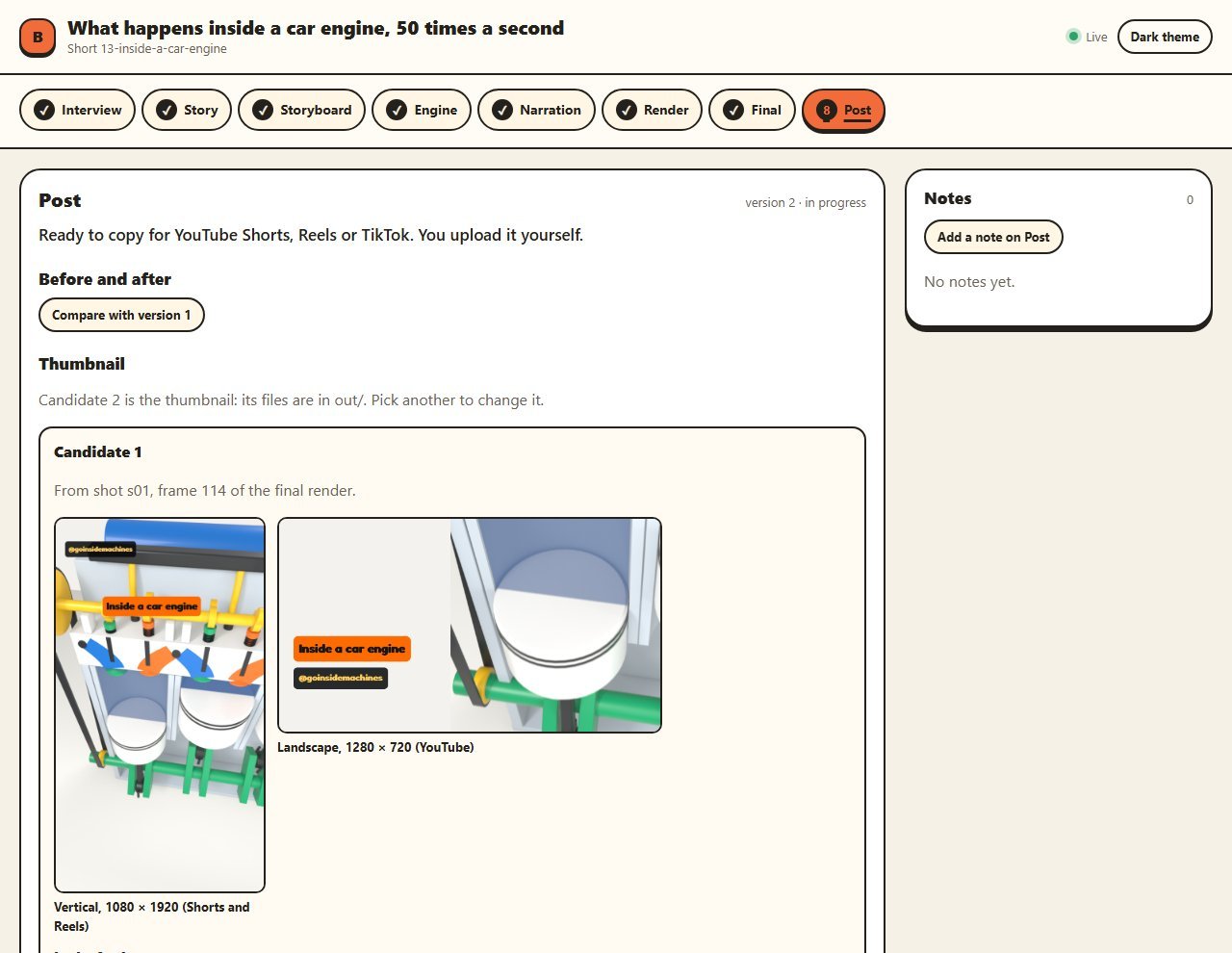
Thumbnail candidates to choose from, the post pack with copy buttons, the caption files (and any
translations), and a before-you-post checklist. There is one post file per platform you post to, with fixed headings.
If you edited the post pack by hand, a new run writes post-pack.generated.md beside it and leaves yours alone.
Checks that catch what you'd miss
Explainer animation fails in small ways: a rod that passes through a bearing, a ball that floats a millimetre above
its cradle, two faces that flicker, a part that teleports for one frame. The plugin looks for all of it, on every
frame, before you see the video.
| In the scene | In the motion | In the rendered frames |
|---|---|---|
| Missing textures (pink), missing materials (grey) | Parts passing through each other, with depth and frames | Fireflies and noise |
| Flipped or inside-out normals, faceted curves | Pops: a part that jumps in one frame | Flicker between frames |
| Z-fighting faces, scaled to what the camera can see | Floating or sinking objects | Frames stuck when they should move |
| Live Booleans that can render differently | Heroes leaving the frame | Black frames |
| Names, tags and labels that point at the wrong object | Contact pairs whose parents drift apart | Colours off the planned look |
Every finding says what is wrong, where (object, shot, frame, position) and how to fix it, and the agent fixes it
itself and checks again. Single bad frames can be re-rendered on their own.
The outputs are checked too, not just the scene: an end card that comes out one flat colour is refused, a thumbnail
title always has a visible colour and its text boxes are measured for overlaps, and a narration line spoken far
faster or slower than the rest of its take is re-spoken.
- Fast: the preview renders while the checks run in a second Blender, with a progress line per shot. A re-check
after a fix tests only the objects and pairs that changed. Errors still block the final. - Every problem in one run: overlapping pairs are grouped by name ("Tape left vs Tooth left 01-22: 22 pairs, up to
1 cm, s01-s05"), real clips first, so you fix them all in one round. - No false alarms for real designs: tag a part
fast(a flick that really is that quick),swap:<part>(one part
takes over from another in place),rigid(a part and its children are one solid),assembly:<name>(gears that
mesh),volume(gas or flame), orhero:[email protected](a subject the camera reaches later). Each tag is checked, never
just a mute: an assembly part that clips something outside its assembly is still an error.
Extremes. Before the preview, each moving part is rendered at full size at the ends of its motion, where things
usually collide:
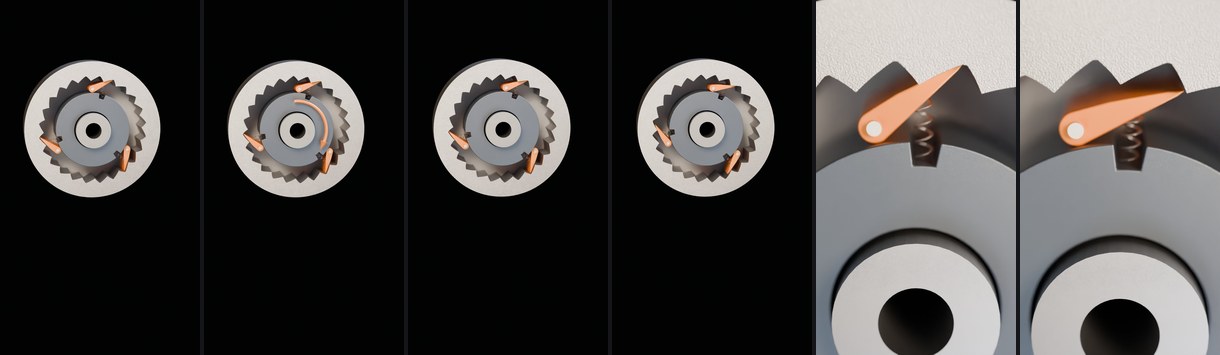
Your hard rules
The first time you use it, the plugin asks for your own content rules, the things every video must keep whatever
the topic. For example: "No people on screen. No brand logos. Keep it family friendly." A broad rule can be spelled out in parts
in your own words. The rules are:
- shown on the story, storyboard and final pages, with how this short keeps each one;
- checked in the scene where they can be (object, material and model names), and in the sound (recorded sounds
only, when you ask for that); - never reinterpreted: if a request conflicts with one, the agent says so and asks.
You can add or change a rule any time, in plain words:
Add a hard rule: no humans, no people, body parts, faces, silhouettes or stick figures.
Sound, voice and look
- Narration with a free local voice (Kokoro, Chatterbox or Chatterbox Turbo, installed only after you approve
a list of what downloads, its licence and size), ElevenLabs with your own key, or your own voice tool through
one command. Any voice problem means captions only, and the short goes on. - Sound effects from recorded CC0 packs (OpenGameArt, Kenney, Wikimedia Commons, Freesound with a key), placed
on the moments your simulation reports. Designed UI sounds are kept out of a natural-sounds-only mix. - A professional mix: each effect is levelled to the same loudness and shaped to its kind, effects get a short
room reverb, the voice ducks them ahead of time, sustained sounds crossfade at cuts, and a limiter keeps peaks
clean. A soft room tone (sound.room_db) runs under everything, the closing card included, so silence never
sounds dead. - A voice check for any voice, your own tool included:
CLI voice use-localpoints the plugin at a speech
recogniser you already have, with nothing downloaded. - Captions timed to the narration, kept clear of the platform's buttons, and checked for missing glyphs.
- Your brand or a fresh look per short: your colours, fonts, handle and end card, or a new style chosen on the
story page. - A closing card: set your website (and, if you like, your own 1080x1920 image and a line for the narrator) and
every short ends on it for a few seconds, the line read over it, so viewers who can't tap a link still see and hear
where to go. Without an image the plugin makes one from your brand. No music or sound is added. - Honesty: every number on screen or in the narration has a source; exaggerated or slowed motion carries a badge
(a shot'stime_scaleother than 1 needs one); myths are cut.
Your brand
A brand kit is your colours, fonts, handle, end card, a look and a set, saved once and used by every short. Say
"set up my brand" and the plugin shows a sample sheet of the kit before it saves anything.
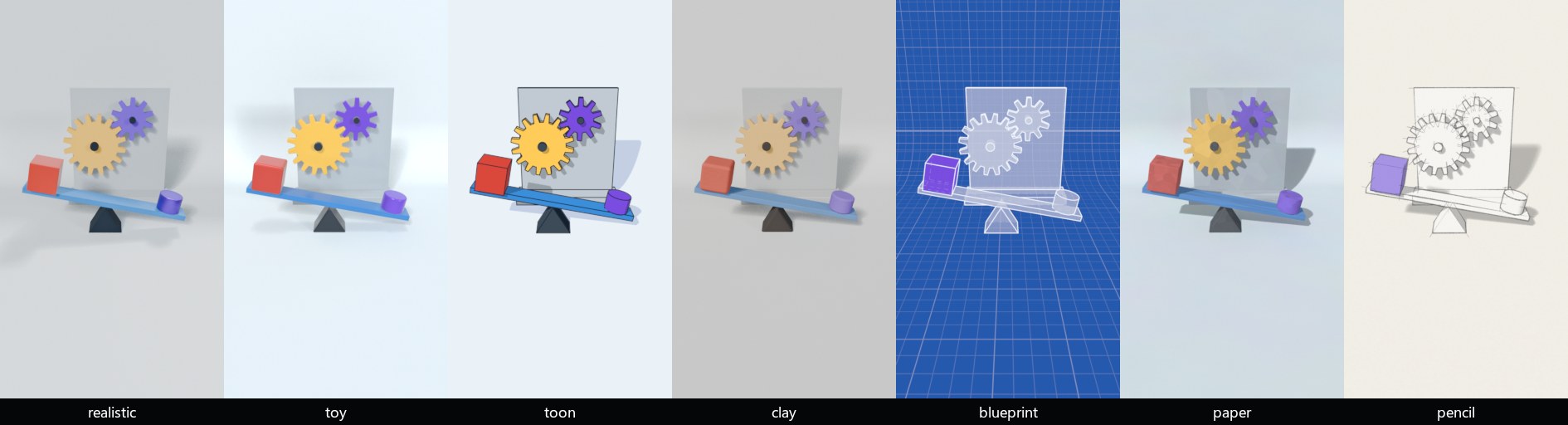
- Seven styles: realistic, toy, toon, clay, blueprint, paper and pencil, each built from your palette. With none
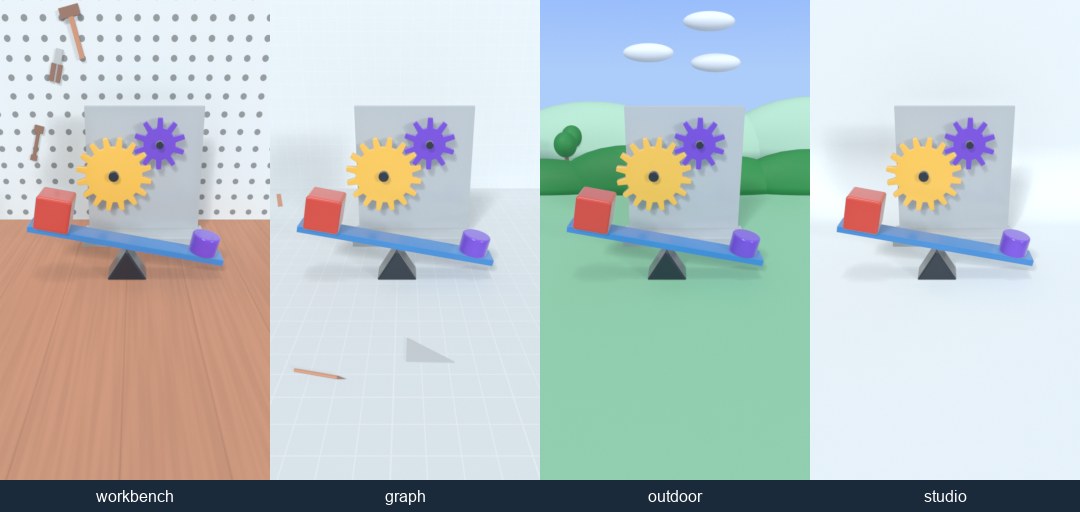
chosen, shorts look as they always did. - Four sets for the scene around the machine: workbench, graph, outdoor and studio (or none), picked per short or
fixed in the kit. - See it first: the storyboard page carries a look preview (three stills with your cards, plus the kit sheet), and
style-sampletiles any styles on any set. - Captions with or without a box:
brand.caption.styleisbox(the default) oroutline: bold white text with a
dark outline and a soft shadow, no box, so it hides less of the picture (brand.caption.stroke_px,brand.caption.shadow). Wrap a word in asterisks in a line (and every *crossing*) and it is drawn inbrand.caption.highlight(default your accent) in either style. - Your engine, your choice: EEVEE or Cycles is always yours to pick; every style looks right in both. These
samples were rendered with EEVEE.
Camera
Every camera style is your choice, short by short:
- Cuts (the default): each shot is its own shot, and each can be static, a move or orbit, or a follow.
camera.follow: track a moving part (the camera turns to keep it in the frame) or ride it (the camera moves
with it), smoothed and kept clear of the captions.- One take: one continuous move, where each shot is a fixed window on the camera path and its lines are placed
inside it. The narration never changes the move; a line too long for its window says by how much. camtest: a quick grey fly-through and contact sheet to approve the move first. It never changes your render
settings.
Make the next one faster
- Make it like that one:
new-short --like 09starts from an earlier short's look, pace, closing and voice. Only
the subject, story and facts are new, and the page shows exactly what was copied. - Paragraph takes: the voice speaks a paragraph at a time and the plugin cuts it back into lines, so lines flow
instead of starting cold. A lead-in gives every line the same breath before its first word. - Your voice engine's own settings (
narrator.params) for the local voices. - Machinery sounds: two CC0 packs with steam hiss, machine rumble and impacts, offered with their size before
anything downloads. - Move your workspace with
CLI workspace move NEW: it refuses while anything is running, fixes every stored
path, and never deletes the old folder.CLI workspace rename SHORT NEW-SLUGrenames one short when its title
changed. - Frames from the timeline: build code asks
bsa.timeline.at("s07", 1.5)for a frame, and after narration the
plugin lists the shots that moved, so nothing keyed stays at an old frame.
Built for real machines
The playbook has a physics chapter and helpers for mechanisms, structures, forces and motion: pendulums, contact
chains (Newton's cradle), ratchets, levers, dampers. Motion is solved or simulated and baked, not keyframed by eye, so
the balls in the cradle trade momentum the way real ones do. It also covers cutaway (section) models, gear trains
and engines (rigid assemblies), and time warps that keep sounds on the real beats.
Guidelines for a good short
What the playbook steers every short towards:
- Hook in the first three seconds: a question or a surprise, not a title card.
- One idea per beat, and each idea lands on its picture: say "the pawl drops in" while the pawl drops in.
- Captions carry the story with the sound off.
- Fast pace: a shot runs about as long as its line plus a breath.
- Honest pictures: every number has a source, slowed or exaggerated motion carries a badge, myths are cut.
- Approve stills before motion, and a camera move before a long render.
- A closing line that lands, over your own closing card.
Install
You need Claude Code and Blender 4.5 or newer.
An NVIDIA GPU makes Cycles and the local voices much faster, but EEVEE and Kokoro run on any computer.
In Claude Code:
/plugin marketplace add goinsidemachines/blender-shorts-agent
/plugin install blender-shorts-agent@blender-shorts-agent
Then just ask:
Make a short about why a bike wheel ticks when you stop pedalling.
The first run asks a few questions (where to save shorts, which voice, your render preference, brand or fresh look,
your hard rules, your handle) and remembers the answers.
Staying up to date. Plugins from a marketplace like this one don't update by themselves unless you turn it on
once: run /plugin, open the Marketplaces tab, pick blender-shorts-agent and choose Enable auto-update.
Claude Code then fetches each new release in the background and tells you to run /reload-plugins. Or update by
hand whenever a new release comes out:
/plugin update blender-shorts-agent@blender-shorts-agent
After updating to 0.6.0 with a local voice, run CLI voice install <voice> once so the voice runner picks up its
fixes.
Script mode or MCP mode. By default the plugin drives Blender in the background from the command line. If you
use the Blender MCP add-on, it can build in your open Blender instead, so you watch the scene
come together.
What it runs and connects to
Everything runs on your own computer. The plugin sends no telemetry and has no server of its own.
- What it runs: Python scripts in this repository, with Blender in the background (or your open Blender through
the Blender MCP add-on), and your own voice command if you set one. - What it fetches, only after you approve a list of what, from where, its licence and its size: sound effects
from OpenGameArt, Wikimedia Commons and Freesound (with your own Freesound key); textures, HDRIs and models from
Poly Haven; fonts from Google Fonts; and, for the optional local voices, model weights from Hugging Face and Python
packages through uv. - What it sends: search words to those asset sources, and, only if you choose ElevenLabs for narration, your
narration lines to ElevenLabs with your own API key. - Plugin feedback: when the plugin gets something wrong, Claude notes it in the short's folder. Only if you
choose, it opens a prefilled GitHub issue for you to review and submit yourself. Nothing is sent otherwise. - What it keeps: your settings in
~/.blender-shorts-agent/(workspace, voice, hard rules, handle) and each
short in its own folder in your workspace. Nothing leaves your machine besides the requests above.
Under the hood
skills/make-short/: the skill and its playbook, one chapter per stage, plus craft, honesty, sound, look and
physics chapters.bsa/: the Python package that runs inside Blender's own Python (standard library and numpy only): scene helpers,
checks, timeline, captions, audio mix, review pages.bsa_cli.py(plain Python) andbsa_blender.py(inside Blender): the commands the agent runs. Each prints one
JSON result.voices/: the optional local voice runner.
uv run pytest        # 2,000+ tests, including Blender scene tests
uv run ruff check .
Community
- Made a short with it? Post it in Show and tell.
- Questions and ideas: Discussions.
- Bugs: Issues, using the bug report form.
- Security problems: report them privately, as SECURITY.md explains.
- Contributing: see CONTRIBUTING.md and the code of conduct.
Licence
MIT. Sound packs, fonts, textures and voices the plugin downloads keep their own licences, which are shown before
anything is downloaded.
Made by Inside Machines, a studio of Mojood.
Yorumlar (0)
Yorum birakmak icin giris yap.
Yorum birakSonuc bulunamadi