vidxp
Health Gecti
- License — License: MIT
- Description — Repository has a description
- Active repo — Last push 0 days ago
- Community trust — 12 GitHub stars
Code Gecti
- Code scan — Scanned 12 files during light audit, no dangerous patterns found
Permissions Gecti
- Permissions — No dangerous permissions requested
Bu listing icin henuz AI raporu yok.
VidXP (Video eXPlain) - Video Indexing Engine. Search in videos in natural language. 👀 Connect your Hermes / Claude / OpenClaw agents, allow them to understand videos with low token cost.

VidXP
Search video by what was said, what appeared on screen, and recurring faces.
A local-first video search engine for people, applications, and AI agents.
Dialogue search · Scene search · Actor grouping

Windows · Apple Silicon macOS · Linux




Find the moment, not the timestamp
VidXP makes one video—or an entire collection—searchable by meaning:
- Dialogue search: type what you remember someone saying and jump to the
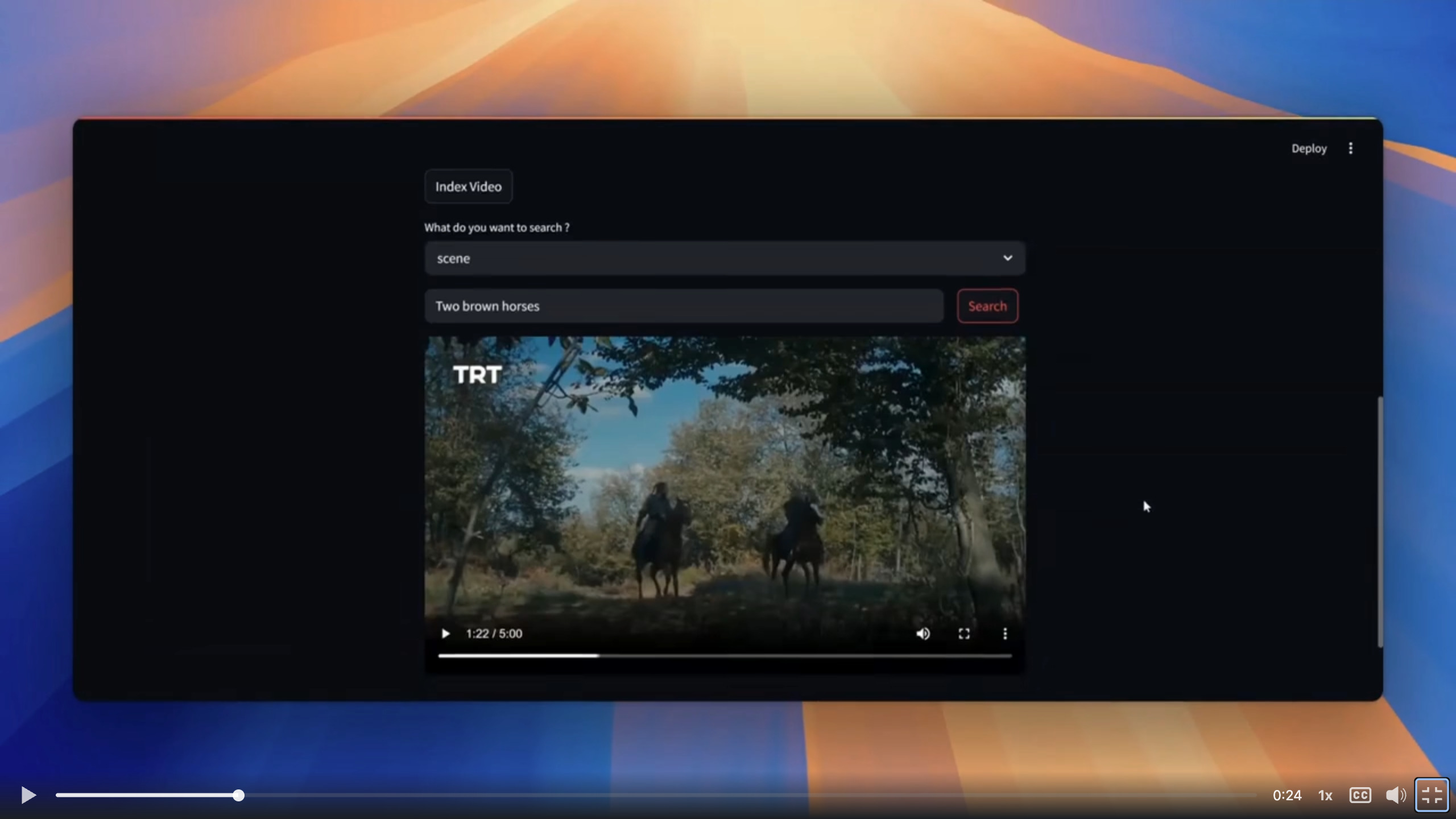
matching moments. - Scene search: describe what appeared on screen and find the closest
visual matches. - Actor matching: find recurring faces within a video and export a
highlighted video for a selected group.
Use it to search years of family videos, add video search to an editing
workflow, or let an AI agent answer questions using evidence from your own
video library. Your videos can stay on your machine.
Start here
Choose the setup that fits how you want to use VidXP.
1. CLI and MCP
For direct use, scripts, and local AI agents, install
uv, then run:
# Install the CPU edition
uv tool install --python 3.14 --torch-backend cpu "vidxp[local-worker,mcp]"

# Set up FFmpeg
vidxp init

# Download search models
vidxp prepare

# Check everything
vidxp doctor

# Connect an MCP client
vidxp mcp-config
The CLI works without MCP. Add the browser app with:
uv tool install --python 3.14 --torch-backend cpu \
  "vidxp[local-worker,mcp,frontend]"
vidxp ui
vidxp ui binds to loopback by default. Use vidxp ui --share only when you
intend to expose the unauthenticated browser interface on the local network.
Streamlit prints its Local and Network URLs when it starts. VidXP disables
Streamlit's first-run email prompt and usage-statistics collection.
If the vidxp command is not found, run uv tool update-shell once and reopen
the terminal.
2. Desktop app
Download the installer for Windows, Apple Silicon macOS, or Linux from
GitHub Releases.
The desktop installer manages Python, VidXP, and the local worker for you. On
first launch, choose the search capabilities you want, where model files should
live, and whether to download them immediately. Python and uv do not need to be
installed separately.
After setup, VidXP can stay available from the system tray. The browser
interface is optional and can be left out of the installed VidXP runtime.
3. Docker for a server
Run the published all-in-one image on a home server or another single machine:
docker run --rm --init \
  -p 8501:8501 \
  -v vidxp-data:/var/lib/vidxp \
  ghcr.io/grayhatdevelopers/vidxp:latest
For a long-lived server, pin a published version instead of latest. For a
Coolify deployment, use the published -control and -worker images withcompose.coolify.yaml—no repository build is required.
See the Coolify guide for the complete setup.
What you can do today
- Build a reusable search library from one video or a whole collection.
- Search dialogue by meaning, even when you do not remember the exact words.
- Find visual moments by describing the scene you are looking for.
- Group recurring faces in a video and render a highlighted actor overlay.
- Search one selected video or every video in the active library.
- Open matching timestamps and export downloadable clips and overlays.
- Keep personal, client, or project libraries separate.
- Follow long indexing jobs, cancel them, and keep the last working index if a
later run fails. - Use the browser app, automate the CLI, connect an MCP agent, or integrate
VidXP into another application.
A first search
The browser app guides you through importing and indexing. The same flow from
the command line is:
# Add a video
vidxp media import samplevideo.mp4 --json

# Index the returned media ID
vidxp index create <media-id>

# Find a visual moment
vidxp search scene "a yellow taxi on a city street"

# Find something that was said
vidxp search dialogue "the bread just came out of the oven"
Results include the source video, timestamps, match score, and the evidence
used to find the moment. Add --media-id <media-id> to search only one video.
Run vidxp --help or vidxp <command> --help for the full command reference.
For applications and AI agents
Use the Python package to add selected VidXP capabilities directly to an
application, or use the HTTP API when VidXP runs as a service.
MCP clients can add and discover videos, start indexing, search dialogue and
scenes, ask questions about a library, and create clips or actor overlays.
Local agents can connect over stdio; remote agents can connect to a
self-hosted VidXP server.
Agents can call get_workspace before acting to inspect registered media,
active-index coverage, model readiness, and the searchable, queryable,
inspectable, or renderable roles available for each video. Invalid capability
or media selections are rejected before a durable job is queued and include an
actionable next step.
Downloads and storage
First setup downloads only the models needed for the capabilities you select.
VidXP shows the download size and destination before it starts.
| Capability | Approximate model download |
|---|---|
| Dialogue search | 2.64 GiB |
| Scene search | 1.43 GiB |
| Actor matching | 37 MiB |
Leave additional space for the VidXP runtime, indexes, source videos, and
exported results.
By default, the CLI and desktop app share the same VidXP data directory:
| Platform | Default location |
|---|---|
| Windows | %LOCALAPPDATA%\VidXP |
| macOS | ~/Library/Application Support/VidXP |
| Linux | ${XDG_DATA_HOME:-~/.local/share}/VidXP |
Docker keeps the same data in the vidxp-data volume shown above.
Product roadmap
The next product improvements are focused on:
- labeling actor groups and matching the same person across different videos;
- more reliable face tracking across angle, lighting, motion, and occlusion;
- connecting visible people with the dialogue they are speaking;
- better search ranking, time ranges, and natural-language questions across a
whole library; - richer previews, timelines, filters, saved searches, and result playback;
- easier organization for large personal and project video collections;
- faster indexing and supported GPU acceleration; and
- smoother desktop updates, repair, and model management.
VidXP is in beta. Feedback about search quality, actor workflows, and real
video-library use cases is especially useful.
Help and project links
- Installation and troubleshooting
- Desktop application
- Coolify deployment
- Changelog
- Issue tracker
- MIT license
Contributing
Contributions are welcome. Read the
contribution guide before opening a pull request.
Credits
Built by Grayhat Developers PVT Ltd. and maintained by the community.
Originally researched by students:
Working with Dr Shahab Tahzeeb (NED University of Engineering and Technology) and Saad Bazaz (Grayhat.
Email: [email protected]
Yorumlar (0)
Yorum birakmak icin giris yap.
Yorum birakSonuc bulunamadi