abtop
Health Gecti
- License — License: MIT
- Description — Repository has a description
- Active repo — Last push 0 days ago
- Community trust — 17 GitHub stars
Code Gecti
- Code scan — Scanned 6 files during light audit, no dangerous patterns found
Permissions Gecti
- Permissions — No dangerous permissions requested
Bu listing icin henuz AI raporu yok.
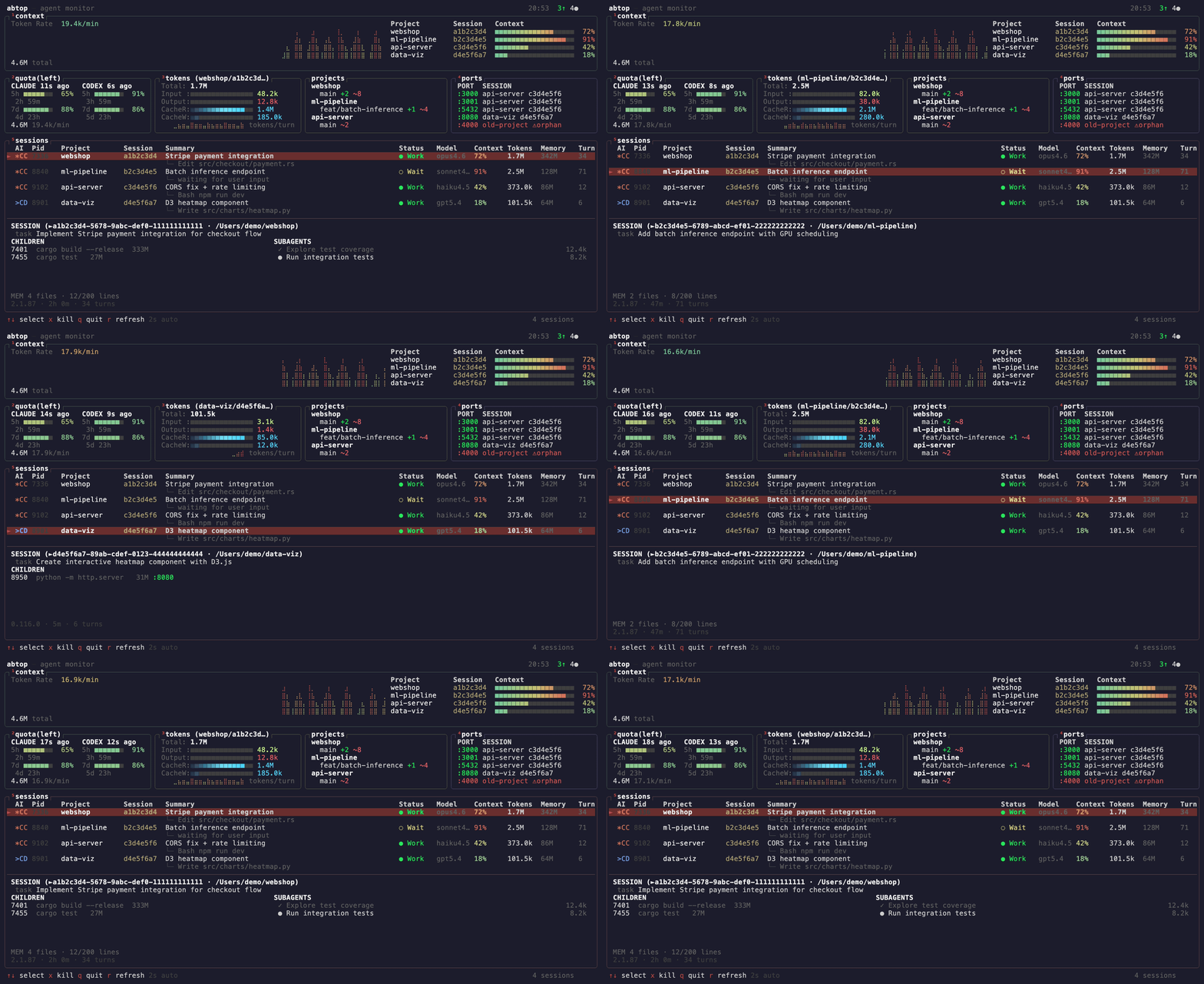
Like htop, but for AI coding agents. Monitor Claude Code & Codex CLI sessions, tokens, context window, rate limits, and ports in real-time.
abtop
Like htop, but for your AI coding agents.
See every Claude Code and Codex CLI session at a glance — token usage, context window %, rate limits, child processes, open ports, and more.
Why
- Running 3+ agents across projects? See them all in one screen.
- Hitting rate limits? Watch your quota in real-time.
- Agent spawned a server and forgot to kill it? Orphan port detection.
- Context window filling up? Per-session % bars with warnings.
All read-only. No API keys. No auth.
Install
macOS / Linux
curl --proto '=https' --tlsv1.2 -LsSf https://github.com/graykode/abtop/releases/latest/download/abtop-installer.sh | sh
Cargo
cargo install abtop
Other
Pre-built binaries for all platforms are available on the GitHub Releases page.
Usage
abtop          # Launch TUI
abtop --once   # Print snapshot and exit
abtop --setup  # Install rate limit collection hook
Recommended terminal size: 120x40 or larger. Minimum 80x24 — panels hide gracefully when small.
Windows
abtop requires Unix tools (ps, lsof) and is not supported natively on Windows. Use WSL instead:
wsl --install
# Inside WSL:
curl --proto '=https' --tlsv1.2 -LsSf https://github.com/graykode/abtop/releases/latest/download/abtop-installer.sh | sh
abtop
tmux
abtop works standalone, but running inside tmux unlocks session jumping — press Enter to switch directly to the pane running that agent.
tmux new -s work
# pane 0: abtop
# pane 1: claude (project A)
# pane 2: claude (project B)
# → Enter on a session in abtop jumps to its pane
Supported Agents
| Feature | Claude Code | Codex CLI |
|---|---|---|
| Session Discovery | ✅ | ✅ |
| Token Tracking | ✅ | ✅ |
| Context Window % | ✅ | ✅ |
| Status Detection | ✅ | ✅ |
| Current Task | ✅ | ✅ |
| Rate Limit | ✅ | ✅ |
| Git Status | ✅ | ✅ |
| Children / Ports | ✅ | ✅ |
| Subagents | ✅ | ❌ |
| Memory Status | ✅ | ❌ |
Key Bindings
| Key | Action |
|---|---|
↑/↓ or k/j |
Select session |
Enter |
Jump to session terminal (tmux only) |
x |
Kill selected session |
X |
Kill all orphan ports |
q |
Quit |
r |
Force refresh |
Privacy
abtop reads local files only. No API keys, no auth. Tool names and file paths are shown in the UI, but file contents and prompt text are never displayed. Session summaries are generated via claude --print, which makes its own API call — this is the only indirect network usage.
License
MIT
Yorumlar (0)
Yorum birakmak icin giris yap.
Yorum birakSonuc bulunamadi