agent-farm
Health Uyari
- No license — Repository has no license file
- Description — Repository has a description
- Active repo — Last push 0 days ago
- Low visibility — Only 5 GitHub stars
Code Uyari
- process.env — Environment variable access in .github/workflows/publish.yml
Permissions Gecti
- Permissions — No dangerous permissions requested
Bu listing icin henuz AI raporu yok.
Harness Configurator: Switch agent setups for Claude Code and Codex CLIs without reinstalling everything. Agent agnostic skill composition, made easy. Install Agent Farm, your Agent's Package Manager (APM) now.
Agent Farm
Load the right skills for each job. Keep your native terminal.
Agent Farm is a harness configurator. A harness is the full working setup around
an AI model — instructions, tools, permissions, and checks. Agent Farm lets you
save different setups and switch between them without reinstalling everything
for every conversation.
Pick a setup, point it at a repo, and Agent Farm opens your native Claude Code
or Codex terminal with that configuration loaded.
Think of each setup as a desk prepared for a job. For SEO, you might lay out site
references, search tools, and a skill that walks through researching and improving
a page. For presentations, you bring brand guidelines, slide tools, and a workflow
for turning an outline into a story. Each setup keeps the relevant material close
to the work.
Install
Requires Node 22.15+ on macOS, Linux, or Windows, and the Claude Code and/or
Codex CLI installed and authenticated. On Windows, turn on Developer Mode
(Settings > System > For developers) before launching Codex profiles or runningagent-farm set global, because those link individual files.
npm install --global @greenfieldco/agent-farm
agent-farm init
agent-farm plugin install orchestra    # optional: the overseer profile below
agent-farm init checks your prerequisites, installs the default greenfield
plugin (its profiles and skills), explains how everything fits together, and
offers to launch your first session. The orchestra plugin ships in the same
package but is installed only when you ask for it. After
upgrading Agent Farm, rerun agent-farm plugin install andagent-farm plugin install NAME for each plugin you use, to pick up new profiles.
Launched agents run without permission prompts (Claude--dangerously-skip-permissions, Codex --yolo). Read
docs/operations.md before pointing one at a repository
you care about.
To work on Agent Farm itself, see docs/development.md.
Profiles
Agent Farm ships with profiles ready to use. With greenfield and orchestra
installed, agent-farm shows a menu like this (abridged):
◆  What would you like to do? Tab: show all descriptions
│  ● greenfield/planner (2) (Help you understand a problem, decide what to do, and write the plan. Doesn't write code.)
│  ○ orchestra/overseer (2)
│  ○ greenfield/implementer (3)
│  ○ greenfield/qa-and-fix (2)
│  ○ greenfield/reviewer (2)
│  ─────────────────────
│  + Create new profile
Highlight a profile to see what it's for, or press Tab to show every
profile's description at once.
Plan — greenfield/planner helps you understand a problem, decide what
to do, and write the plan. Start here.
Build — greenfield/implementer is the AI model on its own plus a few good
habits: it builds a plan or a clear task into a pull request and watches it until
checks are green. orchestra/overseer builds, tests, and reviews a task into a
pull request with little hand-holding.
Check — greenfield/reviewer reviews a pull request from many angles at
once. greenfield/qa-and-fix tests a finished pull request, fixes small safe
problems, and tells you when it's ready. greenfield/simplify-and-refactor
asks whether an open pull request could be simpler and applies only the
cleanup you approve.
More (all in greenfield) — product-researcher for research write-ups,business for business documents, seo for search content, audits for
finding outdated issues and docs, and code-smell-fixes for an unattended
whole-codebase hunt for confusing code that ends in fix PRs and issues.
These profiles used to live in the dcouple plugin, which still ships for
existing installs. dcouple/raw became greenfield/implementer; dcouple/ideate
and dcouple/implementer were not moved. An installed dcouple keeps working
until you run agent-farm plugin uninstall dcouple.
Guides — Each plugin has a one-page visual guide to its profiles and how work is routed: greenfield, orchestra, and dcouple. They're also on Grain: greenfield, orchestra, and dcouple.
Variants — Some profiles come in more than one version, such as a Claude
and a Codex planner. They're one profile with variants, and the menu shows
how many: greenfield/planner (2). agent-farm run asks which one you want
and shows each variant's model; agent-farm profiles list shows every variant's
name. Add the variant name to skip the question, as in greenfield/planner:codex;
without it, scripts get the profile's default variant. Resuming with--resume ID never asks: it reopens the variant that started the session,
and Pane uses it to restore panels
(details).
Four entry points
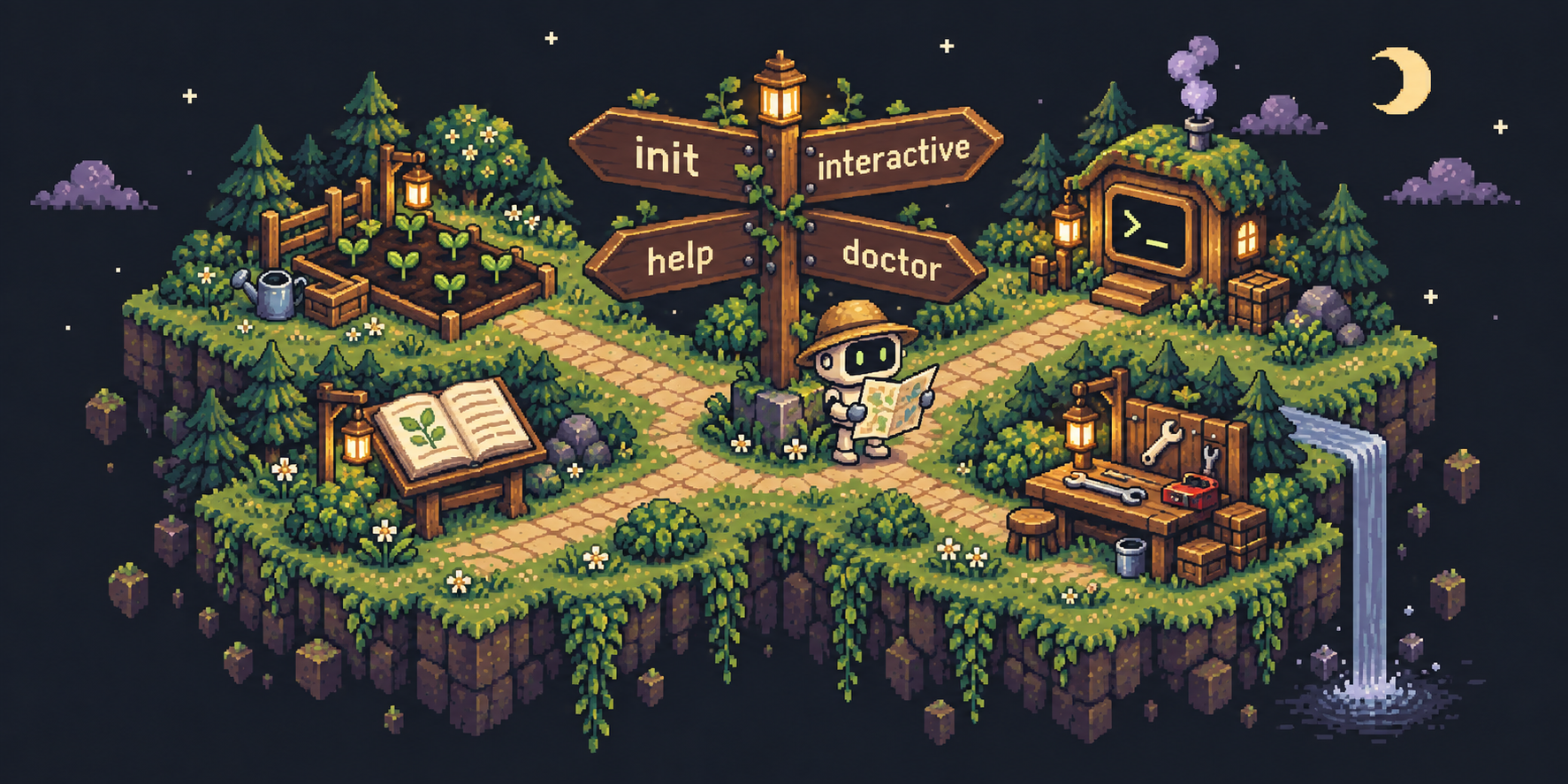
agent-farm init         # First-time setup — the starting point
agent-farm              # Interactive — pick a profile, create one, launch
agent-farm help         # Reference — every command, for humans and agents
agent-farm doctor       # Diagnostic — check prerequisites, config, profiles
agent-farm init is where you start, and agent-farm runs it for you on
first launch. After that, agent-farm is your everyday launcher. agent-farm help is the single discovery point for all
commands. agent-farm doctor tells you what's working and what's not.
For power users
agent-farm run greenfield/planner
agent-farm run greenfield/planner:codex
agent-farm run greenfield/implementer --directory ~/repos/my-project --message "Fix the failing tests"
agent-farm run greenfield/implementer:sol
agent-farm run greenfield/reviewer:codex --message "Review PR #42"
Several plugins can be installed together. Use plugin/profile when plugins
publish the same name: both dcouple and greenfield have an implementer,
so with both installed agent-farm run implementer stops and asks you to qualify it. Setting"default_plugin": "greenfield" in settings.json makes bare names prefer that plugin.
--arg values are declared by each agent; agent-farm inspect PROFILE lists
them. Run agent-farm help run for all flags.
Dashboard
agent-farm ui opens a local browser dashboard with Sessions and
Profiles. Sessions shows each run's user turns, sub-agents, timeline, token
usage, and reported cost. Profiles lets you create and edit local presets and
duplicate read-only plugin profiles. It opens a browser, not an agent session.
How it works
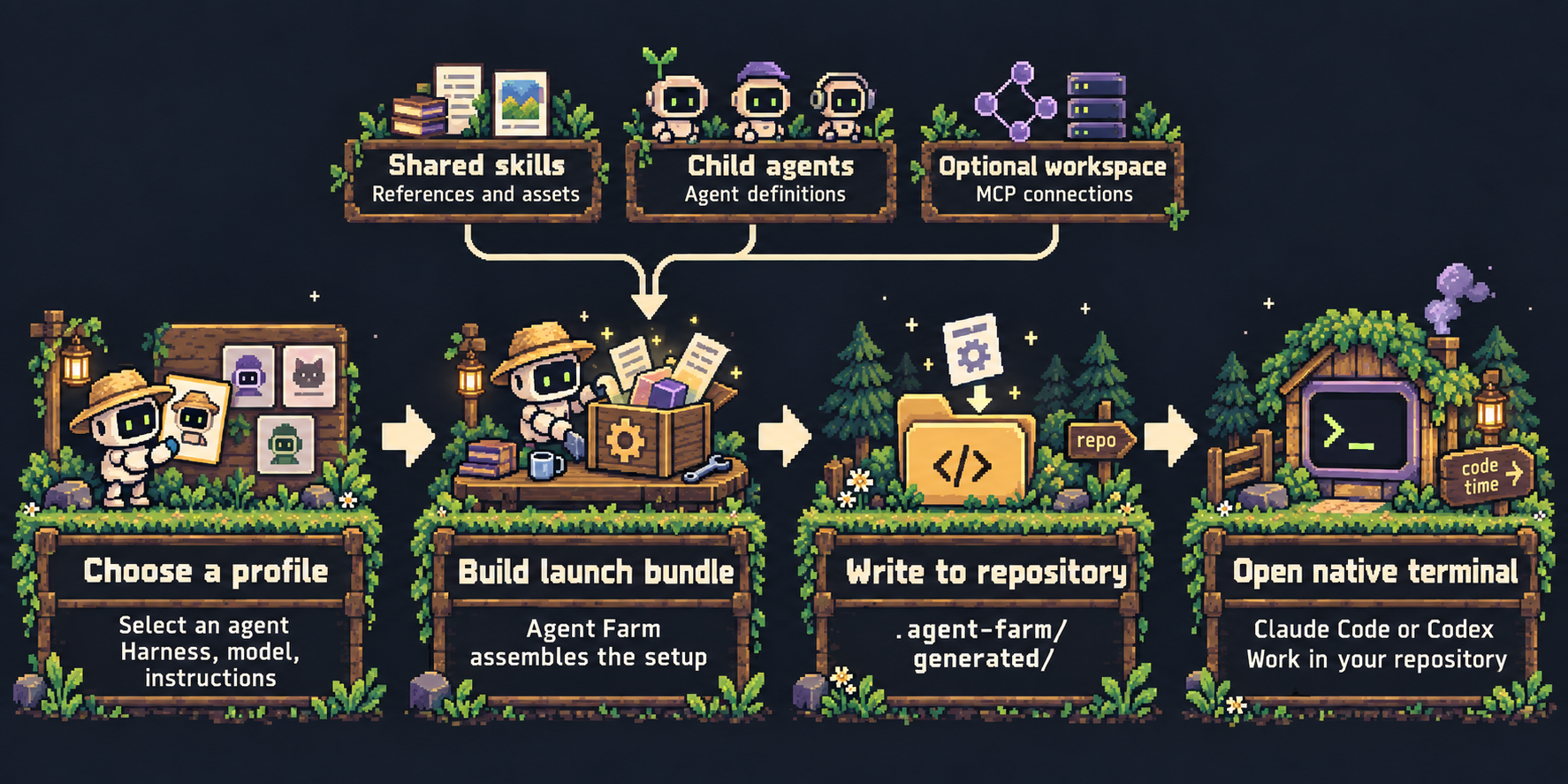
Choose a profile to select an agent's harness, model, and instructions. Agent Farm
combines that definition with shared skills, child agent definitions, and optional
workspace MCP connections into a launch bundle in .agent-farm/generated/ under
the launch directory, then opens Claude Code or Codex to work there. Add.agent-farm/generated/ to your repository's .gitignore.
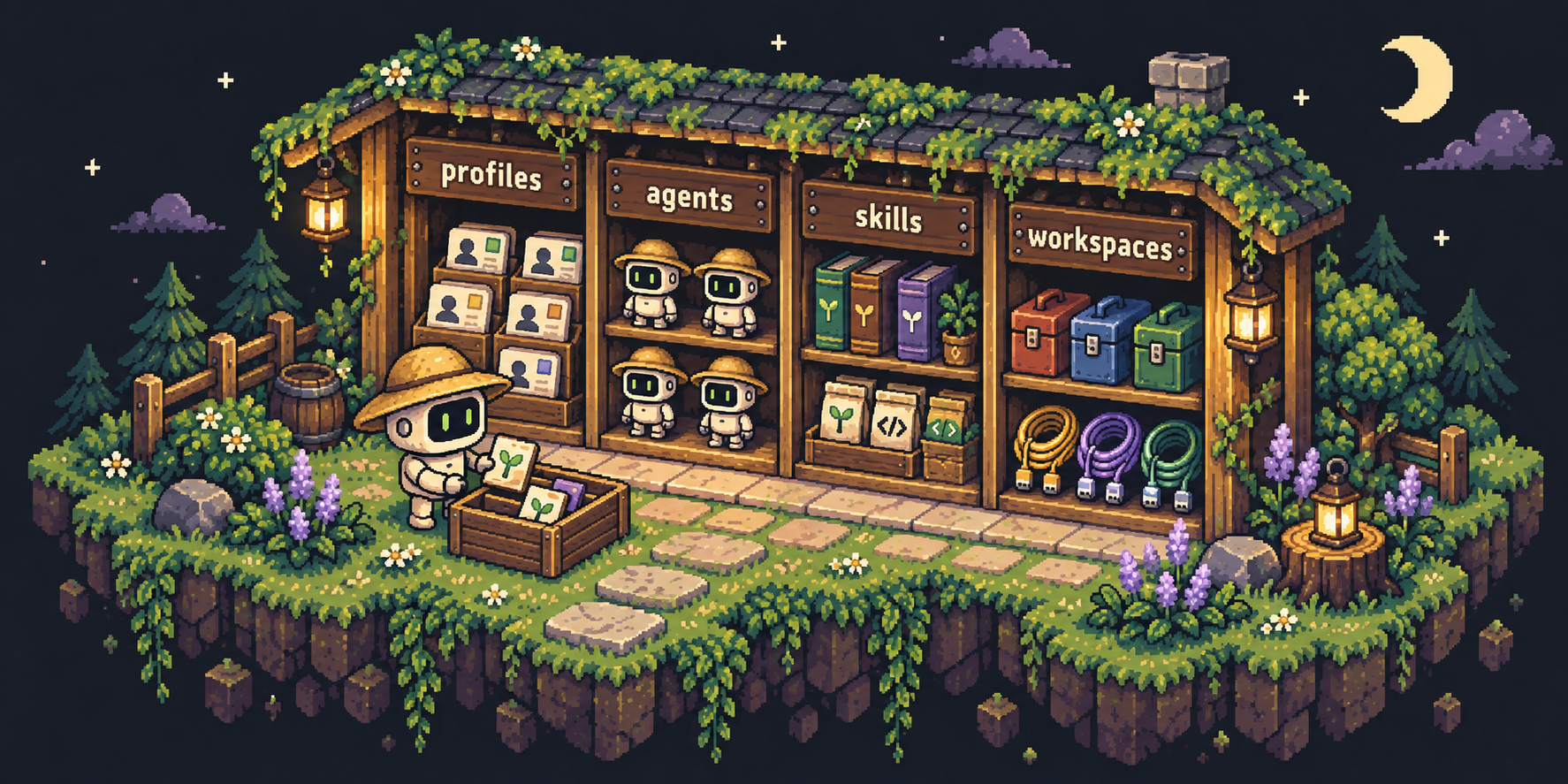
- Profile — a saved setup. "When I say planner, I mean: use this agent, optionally with these model fields and launch arguments." Like choosing which worker to send.
- Agent — the worker definition. Which AI brain, what it knows, what instructions it follows, who it can delegate to.
- Skill — a playbook. Step-by-step instructions for a kind of task: how to create a ticket, review code, or investigate a bug.
- Workspace — the toolbox for a project. Which external tools (Linear, Sentry, databases) an agent can reach when working on that project.
Configuration
Personal configuration lives in ~/.config/agent-farm/; every command accepts--config-root DIR to use another directory. Project connections and
instructions live in a tracked .agent-farm/workspace.yaml at the repository
root, which you approve once with agent-farm workspace trust. Keep secrets out
of these files: connections name environment variables instead of holding values.
agent-farm plugin install                 # bundled greenfield
agent-farm plugin install orchestra
agent-farm plugin install /path/to/plugin
agent-farm plugin list
agent-farm profiles list
agent-farm workspace trust                # approve this repository's workspace file
agent-farm run greenfield/implementer --explain   # show the resolved launch without starting it
Sessions record local OpenTelemetry data under~/.local/state/agent-farm/telemetry/; nothing is sent anywhere. Conversation
text is recorded only if you set telemetry.capture_content: true. To route
third-party models through a gateway such as OpenRouter, useagent-farm provider set (details).
The configuration reference covers profiles, agents, skills,
plugins, workspaces and trust, launch arguments, telemetry, and providers.
Documentation
- Configuration reference
- Operational notes: permissions, credentials, isolation limits
- Development: build, test, and contribute
- Runbook: releases and bundled-plugin updates
- Example configurations
- Plugin guides: greenfield, orchestra, dcouple
The bundled plugins are not all edited here. Maintainers publish plugins/dcouple/
from a separate source repository, and plugins/orchestra/ is generated from
upstream by a script, so hand edits to either are overwritten. plugins/greenfield/
is written here. See RUNBOOK.md.
Yorumlar (0)
Yorum birakmak icin giris yap.
Yorum birakSonuc bulunamadi