grepleaks
Health Pass
- License — License: NOASSERTION
- Description — Repository has a description
- Active repo — Last push 0 days ago
- Community trust — 39 GitHub stars
Code Pass
- Code scan — Scanned 12 files during light audit, no dangerous patterns found
Permissions Pass
- Permissions — No dangerous permissions requested
No AI report is available for this listing yet.
Grepleaks — your AI pentest environment. An AI pentest agent that lives in your terminal.
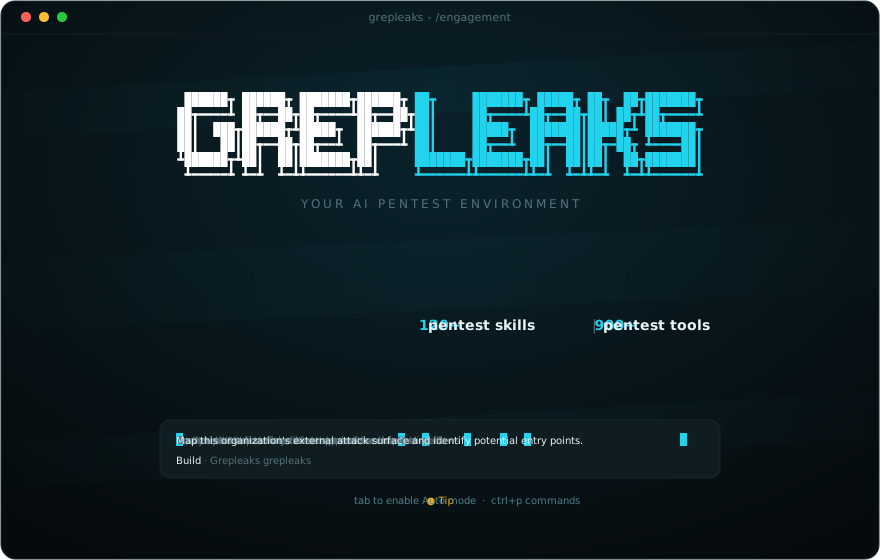



An AI pentest agent that lives in your terminal.
One key to unrestricted models, or bring your own. Describe your task. Work with a Linux toolbox.
Website · Get started · First engagement · Host access · Documentation · Contribute
Grepleaks brings a conversational agent, a searchable Pentest Tools catalog
and a Debian-based Linux toolbox into one terminal interface. Ask it to investigate,
review its proposed actions, and inspect the results as you work.
Built on an OpenCode fork and OpenTUI,
with a Grepleaks interface: white and cyan branding, an animated background,
interactive tool cards and pentest-oriented prompt suggestions.
[!NOTE]
Early preview. The complete Docker workflow has been tested on macOS with
Colima; component tests also pass under Linux. Launchers are provided for macOS,
Windows and Linux, but full host pairing on native Windows/Linux still needs
validation.
Inside Grepleaks
| What you get | |
|---|---|
| A terminal workspace | Chat, tool output and a browsable catalog in a TUI built for security work. |
| Pentest Tools | Search the catalog and open tool descriptions before deciding what to use. A catalog entry does not mean the tool is installed. |
| Tools on demand | A core toolkit comes with the image. The agent can install additional compatible tools inside the container when needed. |
| Your model | Start with the Grepleaks key (unrestricted models from our partner abliteration.ai), or connect any OpenAI-compatible API with your own endpoint, model ID and key. |
| Actions you can review | The default policy asks for permission for actions such as command execution; some operations, including reading files, are allowed. |
| An opt-in host companion | Pass --host-bridge to request commands on your actual Mac, Windows or Linux machine when the task needs access beyond the container. |
Get started
1. Check the prerequisites
You need:
- Docker, running and configured for Linux containers. On macOS, Docker Desktop
or Colima can provide it; Windows uses Docker Desktop; Linux can use Docker Engine. - Python 3.10+ on your machine. No extra Python packages are required.
- An OpenAI-compatible model API: its base URL, model ID and API key.
- Internet access and about 4 GB of free disk space. The sources are a small
download (~40 MB as a ZIP), and the first install builds the local Docker
image (~3 GB: Debian base, core toolkit, Bun runtime and engine dependencies).
Clone this repository, or grab the sources as an archive:
git clone https://github.com/grepleaks/grepleaks.git
cd grepleaks
Prefer a download? Use Download ZIP
or pick a tagged archive on the releases page.
For a verified install, use a tagged release archive and its SHA256SUMS; main
is a development branch.
Then open a terminal in the folder containing this README.
2. Install once
The installer builds the Docker image and adds grepleaks to your user PATH.
It requires no administrator access and installs no extra Python packages.
macOS / Linux
python3 scripts/install.py --source . && export PATH="$HOME/.local/bin:$PATH"
Unblock-File .\install.ps1
.\install.ps1
$env:Path = "$env:LOCALAPPDATA\Grepleaks\bin;$env:Path"
Make sure py -3 --version reports Python 3.10 or newer. For native Windows host
commands, use this launcher from PowerShell or cmd. Starting the companion from
WSL makes WSL its host environment.
3. Launch from any folder
grepleaks
Use grepleaks --workspace /path/to/engagement to keep engagement files in a host
folder. The host companion is opt-in: pass --host-bridge when the task needs
commands on the real host; the default is container-only operation.
After installation, you can remove the downloaded repository. The installer keeps
only the host launcher and license notices; the engine lives in the Docker image.
On first launch with no key configured, the TUI asks for the Grepleaks key
first: one key for the unrestricted models served by our partner abliteration.ai,
paste it once and switch between the three models from /models. ctrl+k
copies the console link when you need one, and escaping the step opens Models,
where + Add model connects your own OpenAI-compatible provider. On that first
run Grepleaks also opens the console in your browser once (grepleaks console
reopens it later).
Enter the provider's API base URL, exact model ID and API key directly in the TUI.
Key input is hidden. Connections and your selected model are saved in your private~/.grepleaks/state directory, outside the project. Use /models to switch
between your saved models; the public provider catalog is not shown.
Next time, just run grepleaks. Keep Docker running. The tool image refreshes
itself in the background once it is more than seven days old, so the pentest tools
stay current without you doing anything; grepleaks update moves to the newest
release immediately (see INSTALL.md). Starting a conversation does not require a
build. Source development with --dev uses ./grepleaks in a checkout.
Which model to use
The fastest path is the Grepleaks key: one key that gives you the unrestricted
reasoning models served by our partner
abliteration.ai. Paste it once and switch between the
models from /models in the TUI.
| Model | Best for |
|---|---|
abliterated-model-large-v2 |
Default large model. GLM-5.3, 1M context, text only, reasoning low / high / max. |
abliterated-model-large-flash |
Fast large model. 1M context, text and images, reasoning off / low / high / max. |
abliterated-model |
General purpose. 256K context, text and images. |
All three are unrestricted and support tool calling, which the agent needs to
drive its tools. The Grepleaks key is issued from your Grepleaks console; you can
also connect your own provider.
Bring your own key. Grepleaks also connects to any OpenAI-compatible provider
with your own endpoint, model ID and key, and you pay that provider directly. For
pentest work, prefer an unrestricted model: standard aligned models frequently
refuse legitimate, authorized security tasks such as reconnaissance, exploit
development and payload analysis, which stops the agent mid-engagement. Any
OpenAI-compatible provider works, as long as the model supports tool calling
since the agent drives tools through it.
| Variable | Value |
|---|---|
BYOK_BASE_URL |
Your provider's API base URL, including its API path if required. |
BYOK_MODEL |
The exact model ID exposed by that provider. |
BYOK_API_KEY |
Your API key. |
BYOK_PROVIDER_NAME |
Optional display name. |
Set these in the shell that launches Grepleaks, or supply them through your secret
manager. Automated runs must supply configuration through the environment.
The launcher does not automatically load .env files.
See INSTALL.md for PowerShell examples, advanced configuration and
optional gateway settings. This repository does not require a hosted Grepleaks
service or provide a prebuilt public image.
Your first engagement
Put the files you want the agent to work with inside engagements/. They appear
inside the container at /engagement.
Start with a scope.md describing the systems you are authorized to test, the
allowed activities, exclusions and any rate limits. Then try:
Read /engagement/scope.md and propose a reconnaissance plan.
List the tools you would use and wait for my approval before running commands.
Other starting points:
Review the API specification in /engagement for authentication and authorization risks.
Analyze the scan results in /engagement and write a report with evidence and next steps.
Browse Pentest Tools to understand the available options. The agent can use
included tools or install additional compatible ones as the task requires.
Ask it to save the output you want to keep under /engagement.
[!IMPORTANT]
The mounted workspace persists; the container is disposable. Files saved
under/engagementremain in your localengagements/folder. Conversation
history, model settings and credentials persist in~/.grepleaks/state.
Extra tool installations remain disposable. Without--workspace, files saved
in/engagementdisappear when the container stops.
Working with your host
Choose the access the task actually needs:
| Option | What it makes available |
|---|---|
--host-bridge |
Opt in to the companion, which can execute commands on the real host with your user privileges. |
--no-host-bridge |
Container execution only (the default), with private persistent state; no host commands. |
--workspace PATH |
One existing host folder, mounted read-write at /engagement. |
--host-access |
Your home directory, mounted read-write at /host. Set GREPLEAKS_HOST_ROOT to choose another folder. |
For a workspace plus the companion:
./grepleaks --host-bridge --workspace "$PWD/engagements"
On Windows:
.\grepleaks.cmd --host-bridge --workspace "$PWD\engagements"
The companion starts and pairs automatically when --host-bridge is passed. No
second terminal or manual token exchange is needed. The agent gets host_info to
identify the host and host_run to request host commands through the permission
flow.
Host commands run outside Docker. Permission prompts are application controls,
not a host sandbox: a compromised container with access to the pairing credential
can use the connection. Enable it only for workflows and plugins you trust.
Likewise, files in read-write mounts can be changed or deleted by container commands.
On macOS and Windows, Docker still runs Linux in a VM. A broad mount does not turn
it into the host OS or automatically grant access to host hardware, processes or
Wi-Fi monitor mode.
Read Host access and
Host companion for the capabilities and boundaries.
Verify your setup
After building, you can exercise the launcher without a real provider key or a
paid model request:
python3 scripts/smoke-container.py
On Windows, use py -3 scripts/smoke-container.py.
The test starts a local model stub and checks Docker startup, API authentication,
streaming, the host permission gate and a harmless host command. It verifies that
its marker file is absent before approval, approves that test command, then removes
its temporary workspace and container.
Develop without rebuilding every edit
./grepleaks --dev --workspace "$PWD/engagements"
This mounts local engine source files read-only into the image. Quit and relaunch
after editing them. Changes to dependencies, the Dockerfile or files outside those
source mounts require a rebuild. Windows supports the same flags via grepleaks.cmd.
See CONTRIBUTING.md for tests and engine development conventions.
Troubleshooting
| What you see | What to check |
|---|---|
| Docker is unavailable | Start your Docker runtime and check docker version. |
| Missing provider configuration | Launch from an interactive terminal, or set the three BYOK_* variables above. |
| Provider rejects the request | Check the API base URL, model ID, key and the provider's tool-calling support. |
| Workspace mount is rejected | The directory must exist and be shared with Docker. |
| A host service is unreachable | Container localhost refers to the container. Use host.docker.internal and check the service's bind address. |
EIO or “no space left” during a build |
Check free space on both the host and Docker VM, plus docker system df. |
More detail, including authenticated headless API mode: INSTALL.md.
Documentation
| Guide | Read it for |
|---|---|
| Installation | Provider configuration, headless commands and troubleshooting. |
| Host access | Workspace sharing, host mounts and VM limits. |
| Host companion | Native host commands, pairing and the trust model. |
| Security | Data exposure, permissions and vulnerability reporting. |
| Contributing | Local development, tests and contribution conventions. |
| Licensing | Permitted professional use, sharing and the no-resale restriction. |
| Changelog | What changed in each release, including upgrade notes. |
Use Grepleaks only on systems you own or are authorized to test. Prompts, file
contents and tool output go to the model that runs your session: with the
Grepleaks key, through Grepleaks to our partner abliteration.ai; with your own
key, directly to the provider you configure. Review that provider's handling of
data before working with sensitive material.
License and attribution
Free to use for your work. Not for resale as a software product.
Original Grepleaks contributions use the
Grepleaks Source Available License 1.0:
- Use Grepleaks for personal projects, internal business work and paid pentests.
- Modify it and share free copies or forks with the applicable notices and terms.
- Do not sell Grepleaks, a modified or rebranded version, or paid access to it as
a hosted software product without separate written permission.
You can charge for professional work and its reports; that does not grant the
right to sell the software itself. See Licensing for examples
and the full license for the binding terms.
Grepleaks is source available, built on an OpenCode fork and OpenTUI. Inherited
MIT code and bundled Apache-2.0 skills retain their licenses; these restrictions
apply only to original Grepleaks material. See
third-party notices.
Internal @opencode-ai/* package names, schemas and OPENCODE_* compatibility
settings remain intentional. The supported distribution is this terminal/container
product. Other retained upstream products are excluded from its installation
workspace graph and image, and require their own validation before use.
GREPLEAKS
Your AI pentest environment.
Reviews (0)
Sign in to leave a review.
Leave a reviewNo results found