diorama
Health Uyari
- License — License: Apache-2.0
- Description — Repository has a description
- Active repo — Last push 0 days ago
- Low visibility — Only 5 GitHub stars
Code Basarisiz
- fs.rmSync — Destructive file system operation in app/demo/architecture-take.ts
- fs.rmSync — Destructive file system operation in app/demo/cast-take.ts
- fs.rmSync — Destructive file system operation in app/demo/character-take.ts
Permissions Gecti
- Permissions — No dangerous permissions requested
Bu listing icin henuz AI raporu yok.
Type one sentence, walk around in the painted point-and-click game it becomes. Muse Spark plans it, Muse Image paints it, SAM 3.1 cuts it into something you can walk, click and talk in. Local CLI + Studio.
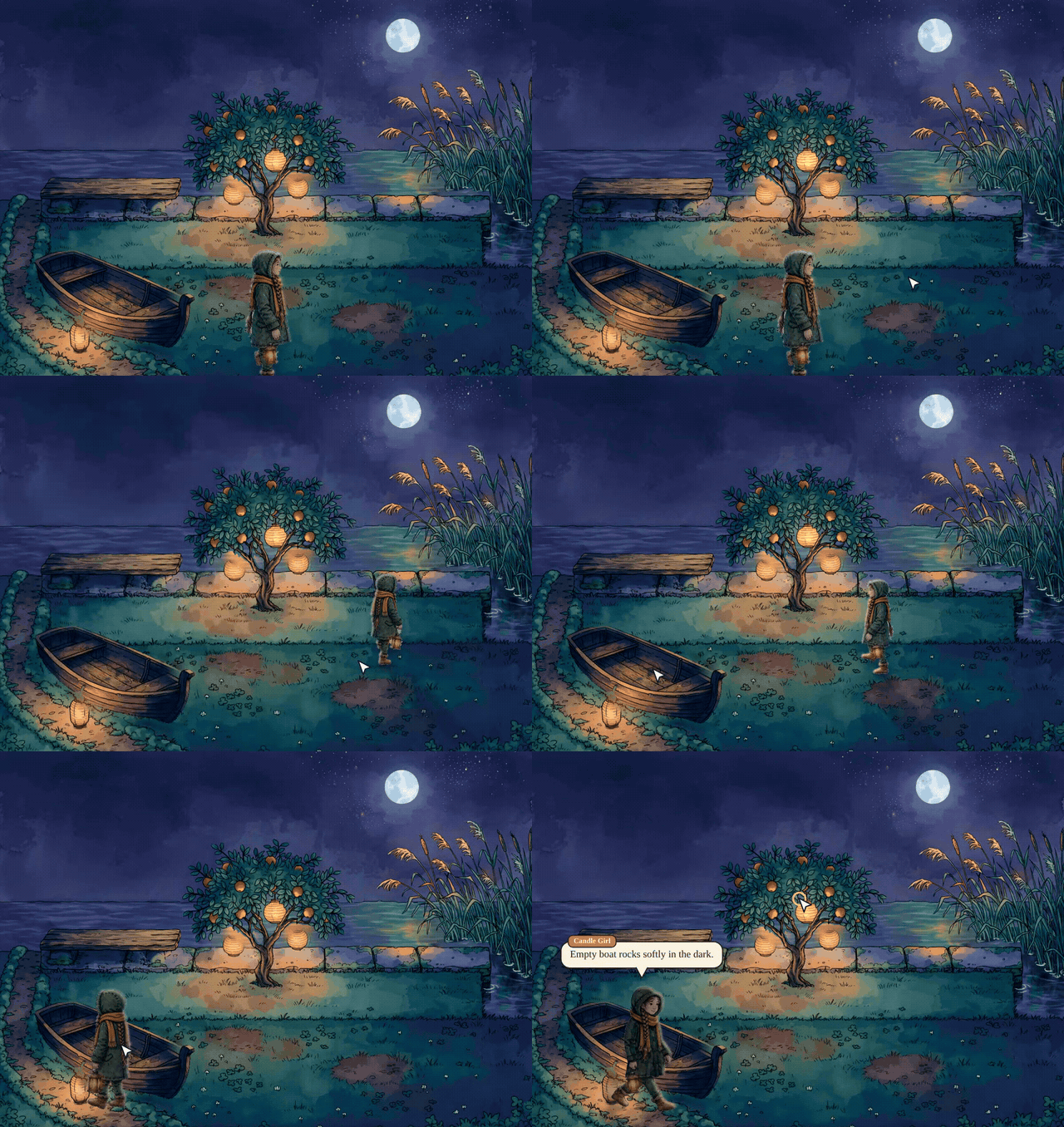
Diorama
Type one sentence. Walk around in the painted game it becomes.
Diorama is a local tool that turns a story idea into a small point-and-click adventure: painted places, a hero and characters who walk and talk, things to pick up and use, sound and voices, and endings that are checked to be reachable. Meta's models do the creative work; code measures and checks every result, so what comes out is playable, not only pretty. Every step writes plain files, and every fix you make survives the next rebuild.
See it on grzegorz.tanczyk.pl/diorama: the one-pager, and Paper Boat Storm, a world built from three sketches that you can play in the browser.
Quick start
You need Node 22+, ffmpeg and a Meta Model API key. Make an empty folder and run Diorama there with npx. Nothing to clone; your worlds are saved in ./worlds.
mkdir my-worlds && cd my-worlds
npx -y @gtanczyk/diorama setup      # checks this machine, asks for your keys (typed hidden, stored encrypted)
npx -y @gtanczyk/diorama studio     # opens the GUI on 127.0.0.1: describe a world, watch it build, play it
Prefer a terminal? Install it once and the command is just diorama:
npm install -g @gtanczyk/diorama
diorama build lanterns "A girl with a candle lantern looks for her lost cat at a night market by a canal."
diorama play lanterns               # http://localhost:4173
diorama browsers                    # once, for playthrough videos and sprites (Chromium)
To update: npm install -g @gtanczyk/diorama@latest, or add @latest to the npx line (npx -y @gtanczyk/diorama@latest studio).
From a checkout, for working on Diorama itself:
git clone https://github.com/gtanczyk/diorama && cd diorama && npm install
npm run setup
npm run studio
npm run diorama -- <command>        # any command, e.g. npm run diorama -- play lanterns
More in docs/setup.md: optional keys (ElevenLabs for sound, Hugging Face for 3D), sharing a world on GitHub Pages or itch.io.
Made with Diorama
 |
 |
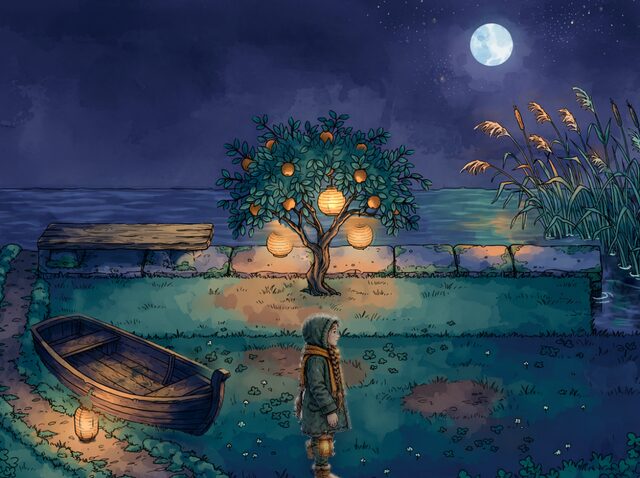 |
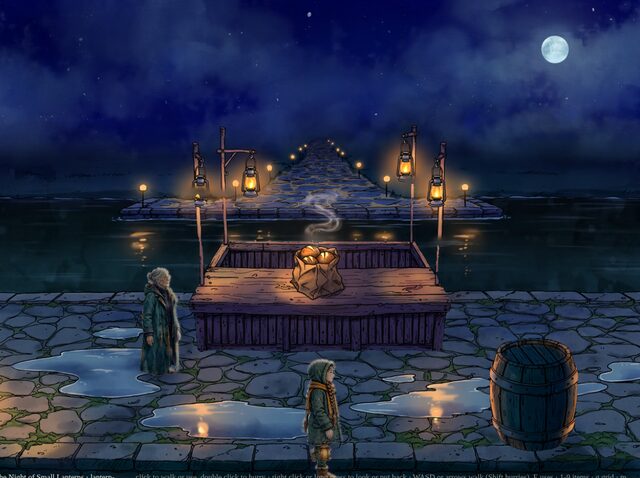
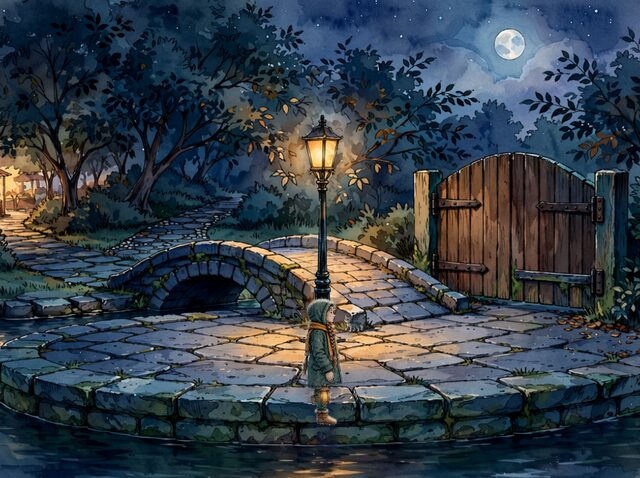
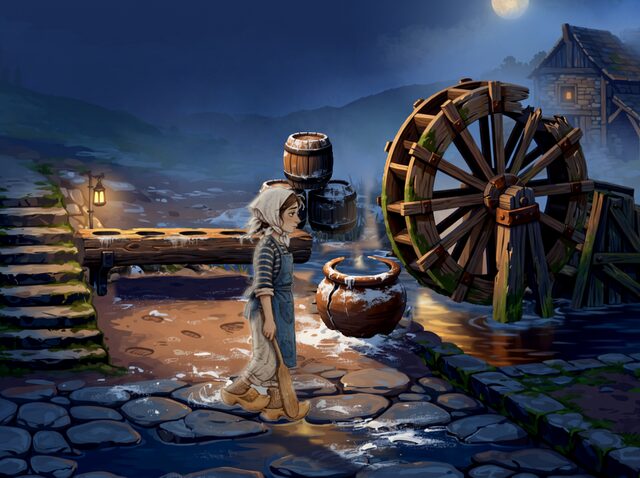
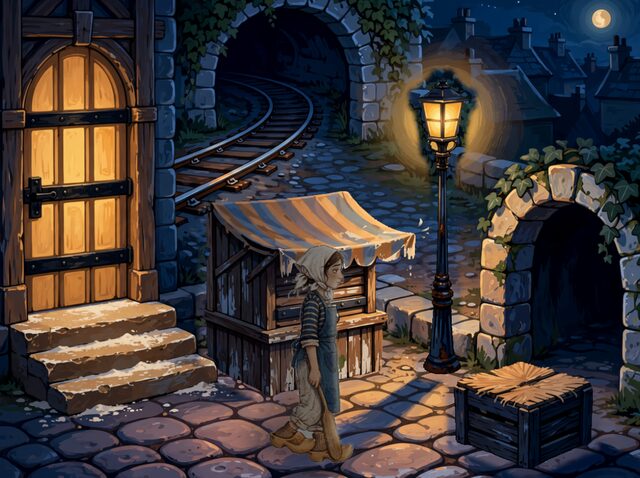
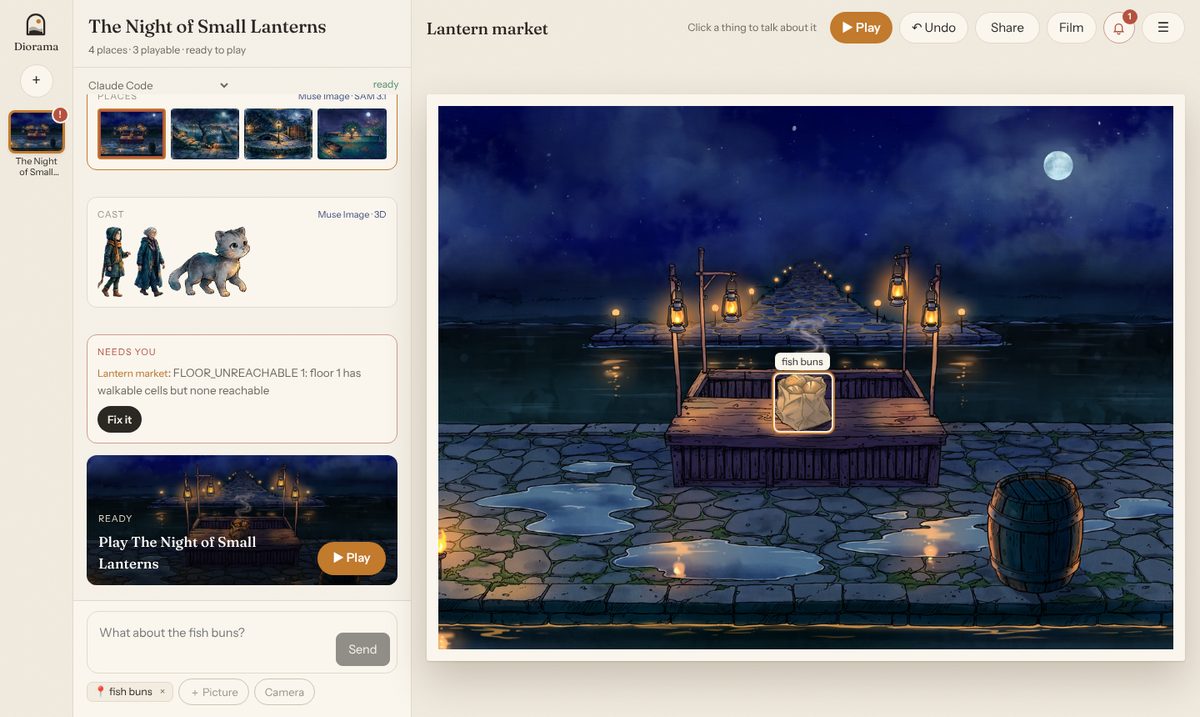
| The Night of Small Lanterns: "A small night market by a canal: a lantern seller's stall lit by hanging oil lanterns, a street lamp by a little bridge. A girl carrying a candle lantern must find her lost cat before the lanterns go out." | ||
 |
 |
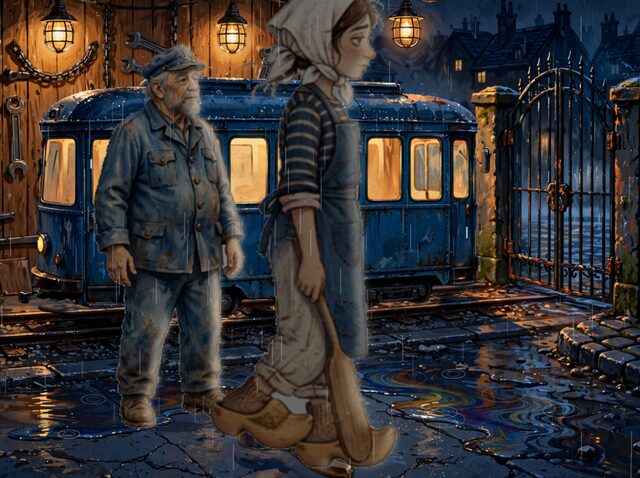 |
| Midnight Crust: "A night-shift baker in a tiny Kraków bakery must find the lost sourdough starter before the morning rush, helped by a grumpy tram driver." |
Each is a four-place world built from that one sentence: about 17 minutes of steps and some 200 Meta model calls, with no hand edits.
Meta models at work
| Model | What it does in Diorama |
|---|---|
| Muse Spark | Designs the world and the story, lays out each place as a shaded plan sketch (a perspective floor, a silhouette per thing, lights and shadows), critiques paintings, names what to cut out, plans the sound, judges playthroughs |
| Muse Image | Paints each place over its plan sketch, keeping every shape where it stands, repaints only the regions the critic flags, paints the cast, their walk and talk sheets and inventory icons |
| SAM 3.1 | Cuts every thing, floor, stair, puddle and patch of water out of the painting; the masks become the walk grid, occlusion and pick-ups |
| Muse Voice Transcribe | Hears an idea you say aloud, and listens to every voiced line to catch a take that does not say it |
| Muse Code | The Studio's agent: it fixes a world with you through the same actions as the GUI |
Also used: Depth Anything V2 (ONNX, on the CPU) for shadows and parallax, ElevenLabs for voices and effects, MusicGen (open weights, run locally) for music, and TRELLIS with Make-It-Animatable on Hugging Face for the characters' 3D models.
How a place is made
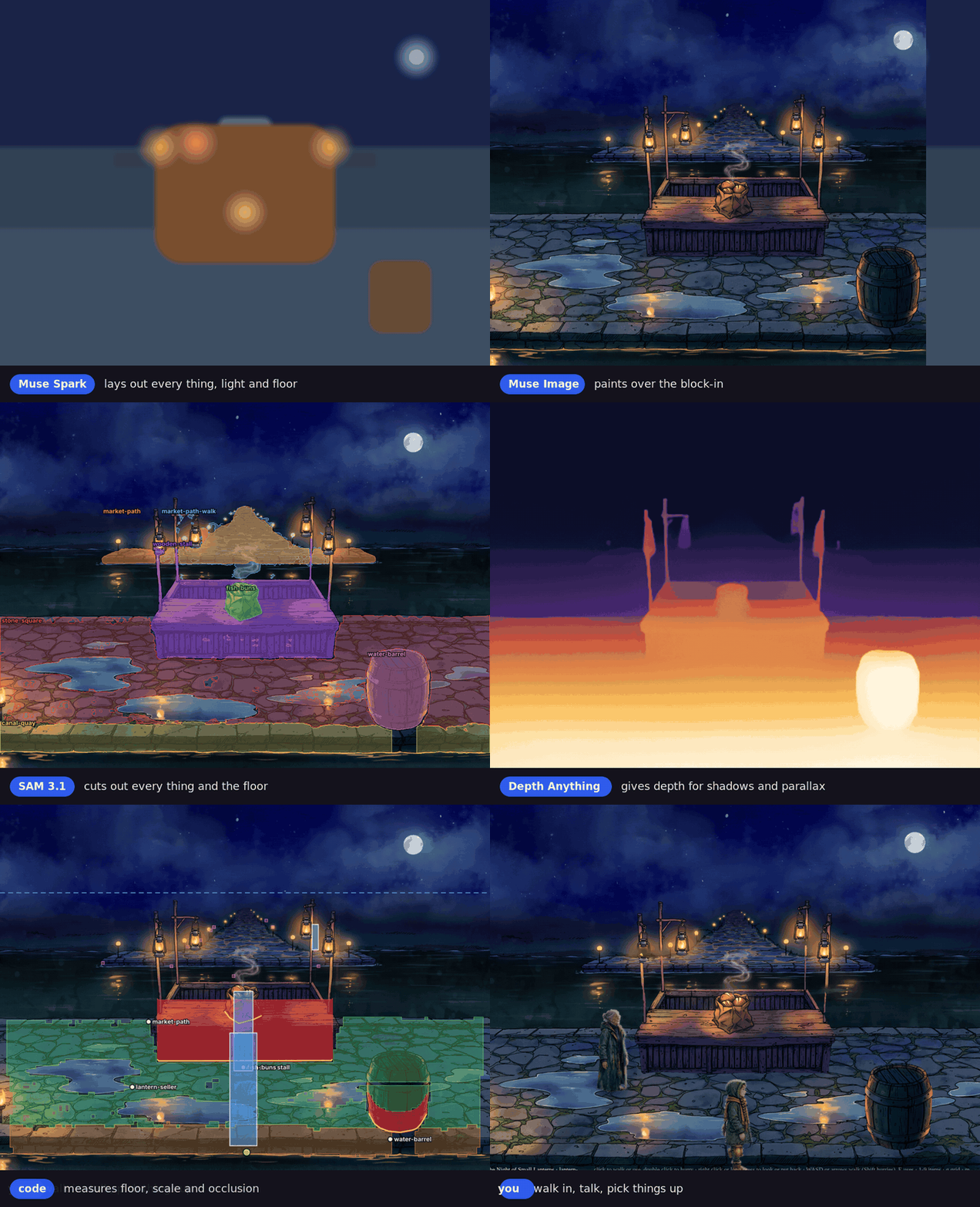
- world, story: Spark turns the sentence into places, a cast, items, locks and endings, and checks every ending can be reached. NPC progress uses simple story flags and conditional dialogue; optional walks and event-triggered travel follow that progress.
- layout, paint: Spark lays out each place and names each thing's silhouette; the layout becomes a shaded sketch (
blockin.png, what Muse sees) and a named plan (plan.png, what Studio shows); Muse paints over the sketch; a Spark critic marks what is wrong and Muse repaints only those regions. - masks, plates: SAM 3.1 cuts out every thing and floor; Muse paints the place without the things the hero can take.
- derive, backdrop, weather, reactions: code measures floor, scale, occlusion, stairs and light from the masks and the depth map; the place becomes a little stage with cards, far flats, moving water, rain and drips. The planner chooses subtle material-specific reactions, triggered by footsteps, entering floor regions and physical object interactions.
- cast, model, sprites: the hero and characters are painted, cut out, turned into 3D models and drawn back as sprite sheets in the world's style.
- sound, voices: ambience, loops, footsteps and music; a fitting voice for every character.
- verify: every place is walked and used by code; places that fail are repaired automatically, or handed to the agent with what is wrong.
Model answers are memoised by a hash of their inputs, so running a step again with the same inputs is free.
Studio
npm run studio opens the GUI on 127.0.0.1: describe a world (type it, say it, or add a photo of a real room or person), watch it build place by place, play it, and fix it by talking to the agent that looks after the world: click a thing on the stage and say what should change. Everything it does is an action that the page, the terminal (diorama action) and the agent (diorama mcp) share. See docs/studio.md.
Commands
diorama build <slug> "<idea>" |
every step, world to verify (--from, --to, --place, --photo, --hero-photo) |
diorama play <slug> |
serve the game on localhost |
diorama studio [slug] |
the GUI |
diorama style <slug> "<style>" |
repaint a finished world in another style |
diorama playthrough <slug> --video |
play every ending in the browser and record it |
diorama publish <slug> / export <slug> --zip |
GitHub Pages link / a zip for itch.io |
diorama |
all commands; each step also runs alone |
Docs
- Setup and sharing
- Studio
- Places: depth, weather and the play page
- Characters, style and icons
- NPC story stages, optional walks and travel
- Sound and voices
- Releasing and the changelog (CHANGELOG.md)
Built at the Meta AI Global Hackathon
Everything in this repository was written during the hackathon, from the kickoff on 26 October 2026; the commit log is the history. Earlier work is used only as declared dependencies in package.json, including genaicode, the author's own open-source package that gives the Studio its agent chat panel.
License
Apache-2.0
Per-character UV animation
Studio and the normal build choose animation settings automatically. A new
character with a self-contained base-colour texture and UV coordinates uses
16 walking frames plus a separate standing pose. Models without usable UV use
the painted eight-frame workflow. Existing painted sheets and explicit saved
choices are preserved. The Animate action builds the required sprites too.
Optional developer overrides (not needed in Studio):
npm run diorama -- sprites foggy-ferry-cat mara --texture model --frames 16
# Subsequent generation keeps the choice:
npm run diorama -- sprites foggy-ferry-cat mara
# Optional denser cycle:
npm run diorama -- sprites foggy-ferry-cat mara --frames 32
Choices are stored in cast/<key>/animation.json, outside the generated model/
and sprites/ directories. Automatic choices are rechecked against replacement models; explicit choices persist.diorama model <slug> <key> --texture model can set it before building a model.
UV sheets support 8, 16 or 32 walk frames, followed by a separate standing cell.
Talking sheets use the same grid and preserve the story's gesture mapping. The
GLB must contain a base-colour texture and UV coordinates. Rendering UV sheets
does not call Muse; existing line/gesture assignments are reused. New dialogue lines still use Spark
for gesture planning.
For trousers, pass --coat-correction off to model or sprites to preserve
the original thigh skin weights. This choice also persists per character;
new automatic UV characters keep their original rig weights; existing characters
retain their previous correction. New humanoid model views
use an A-pose with hands separated from the thighs to avoid fused geometry.
Use --texture views to return that character to painted 8-frame sheets.--plan reports the selected mode without saving animation choices or sheets.
Yorumlar (0)
Yorum birakmak icin giris yap.
Yorum birakSonuc bulunamadi