gymcoach
Health Gecti
- License — License: MIT
- Description — Repository has a description
- Active repo — Last push 0 days ago
- Community trust — 31 GitHub stars
Code Basarisiz
- rm -rf — Recursive force deletion command in .claude/settings.json
Permissions Gecti
- Permissions — No dangerous permissions requested
Bu listing icin henuz AI raporu yok.
Self-hosted workout tracker with an AI coach that knows your training. Bring your own LLM (Claude or any OpenRouter model). Strength + cardio, offline PWA, one-command Docker install. A free, open-source alternative to Strong, Hevy and Fitbod.
GymCoach
The self-hosted workout tracker with an AI coach that actually knows your training.
Log every set, see what is working, and get weekly coaching from Claude or any
OpenRouter model - on your own server, with your own key. Free, open source, no
subscription.





▶ Live demo (login [email protected] / gymcoachdemo) ·
Self-host in one minute ·
Features ·
How this repo maintains itself
▶ Watch the 20-second launch video · an AI coach, built by an AI
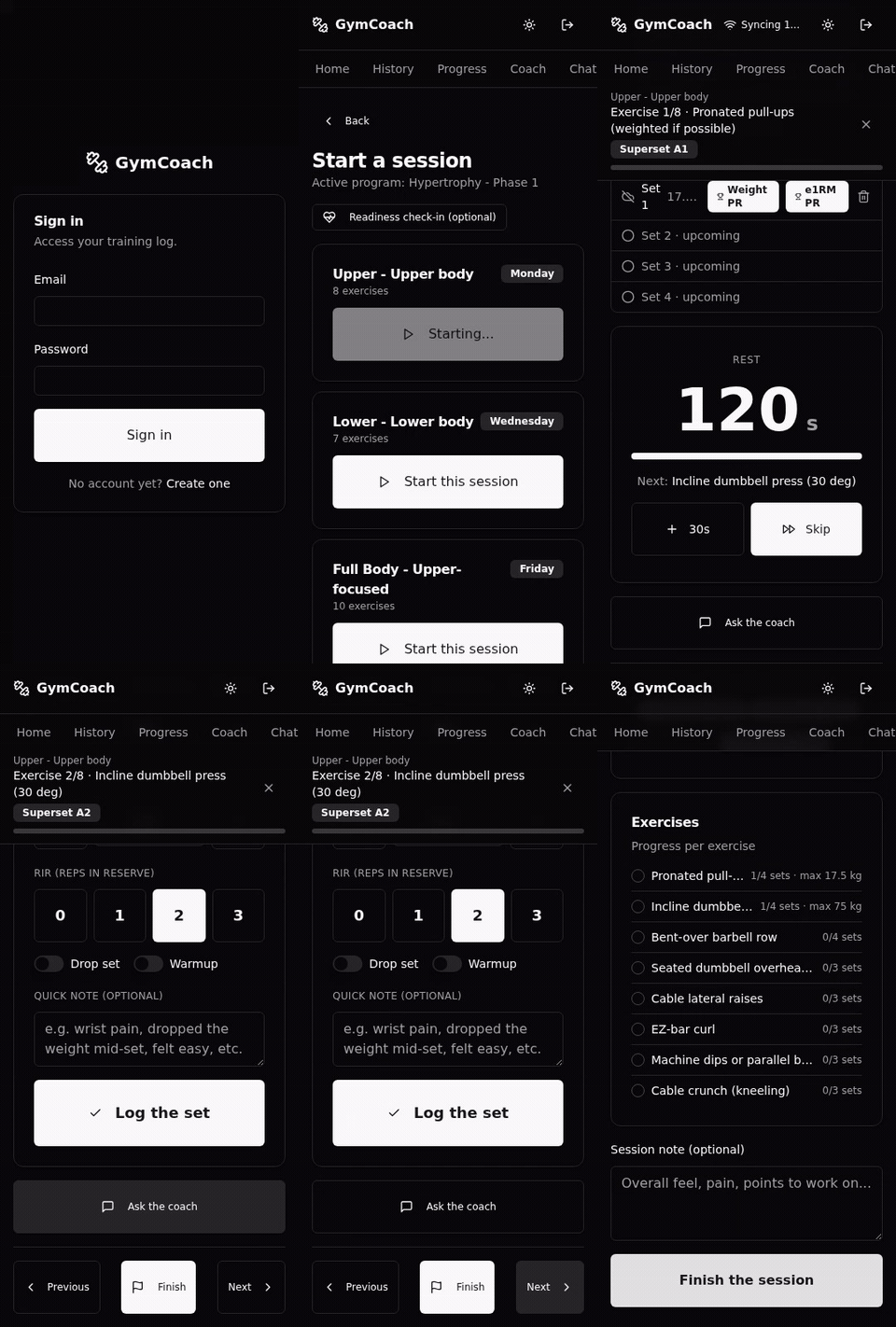 Fast logging · offline-first |
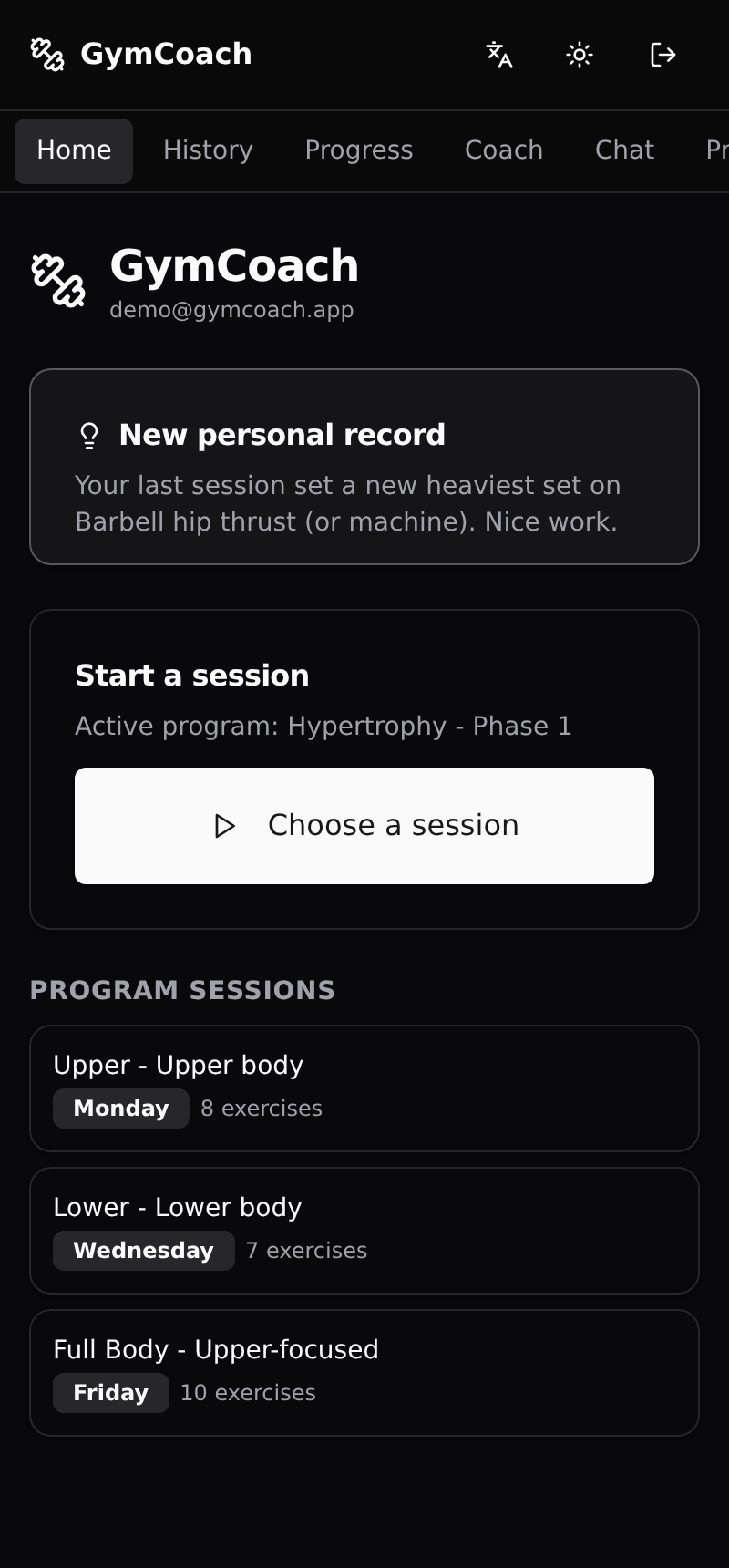 Dashboard · the one signal that matters today |
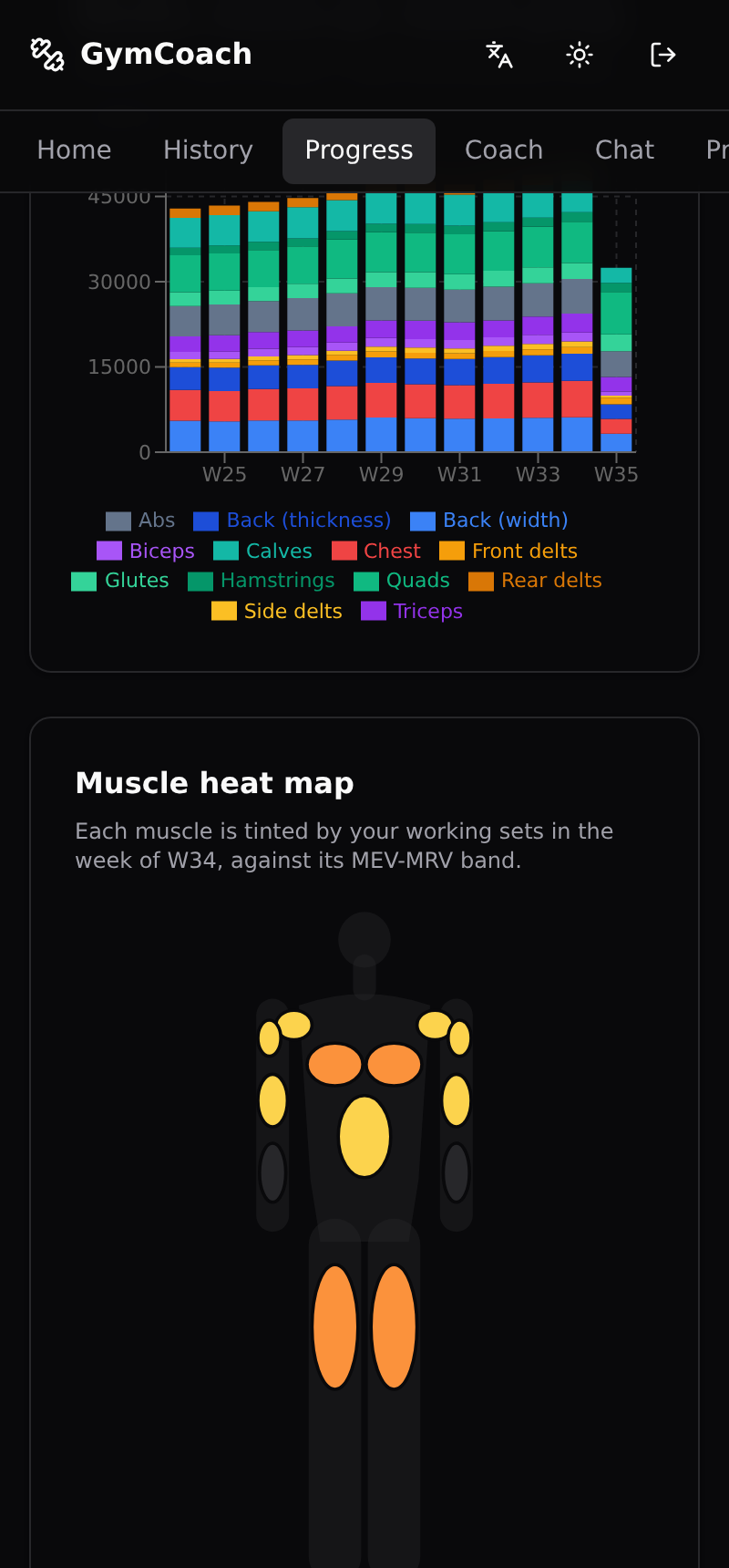 Progress · e1RM, volume, muscle map |
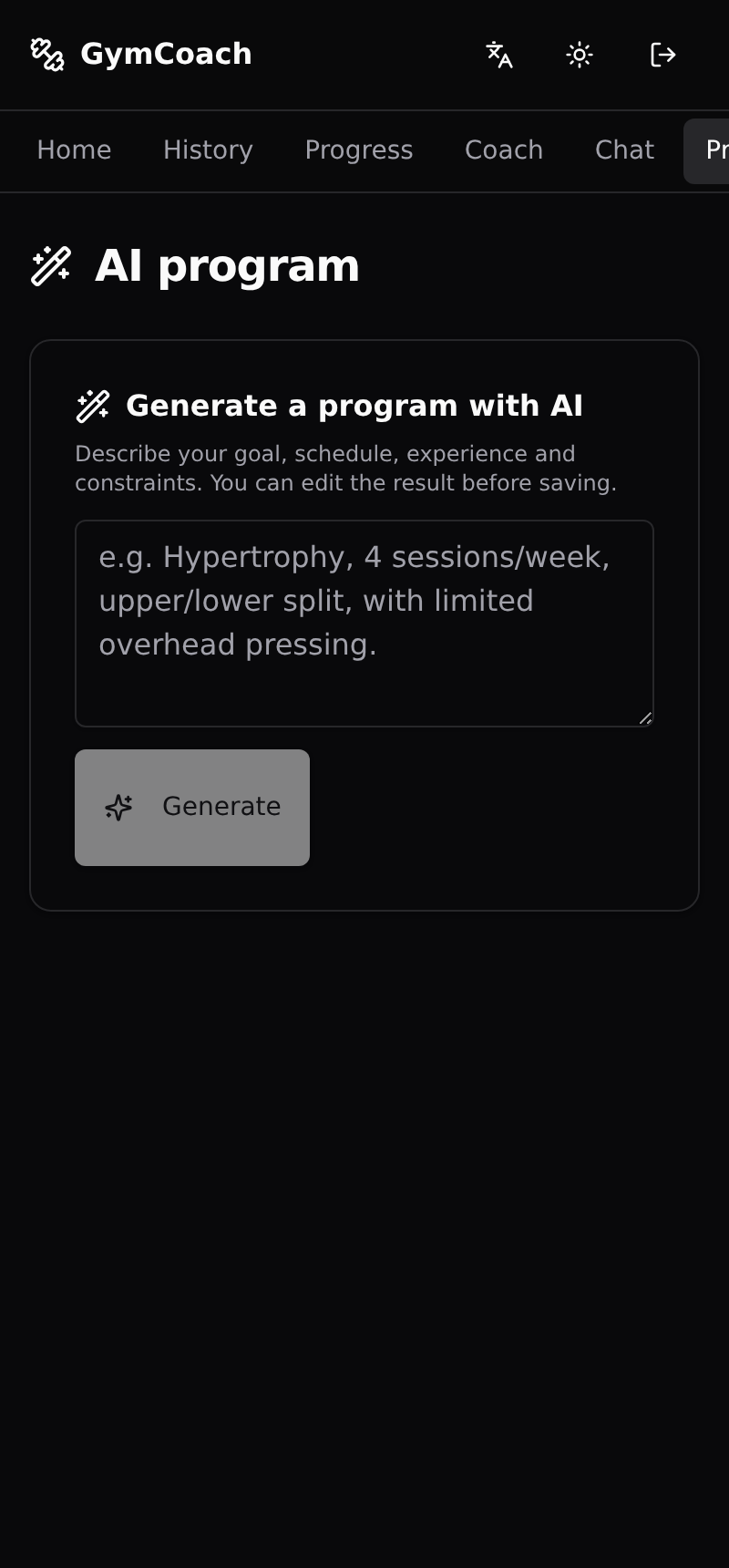 AI programs · from one sentence |
Why GymCoach
Looking for a self-hosted alternative to Strong, Hevy or Fitbod? GymCoach is a
complete training tracker you run yourself, plus something self-hosted trackers
rarely have: an AI coach grounded in your own numbers, running on the LLM key
you choose.
| GymCoach | Typical cloud app | Typical self-hosted tracker | |
|---|---|---|---|
| Your data in your own database | ✅ | ❌ | ✅ |
| AI coach that reads your sessions and explains why | ✅ | 💰 subscription | ❌ |
| Established programs as written (5/3/1, GZCLP, nSuns, PPL) | ✅ | partial | partial |
| Cardio from watch files (FIT, TCX, GPX), no cloud account | ✅ | ❌ | ❌ |
| Offline-first logging, installable (PWA) | ✅ | ✅ | varies |
| Full export, nothing paywalled | ✅ | varies | ✅ |
| ChatGPT / MCP connector | ✅ | ❌ | ❌ |
With no AI key set, GymCoach is still a clean, fast tracker. Add a key later to
turn on the coach, the chat and program generation.
Self-host in one minute
All you need is Docker on an x86_64 host (arm64 images are tracked in #411).
The prebuilt image is pulled from GHCR, so there is no clone and no build;
migrations run on start.
mkdir gymcoach && cd gymcoach
curl -fsSLo docker-compose.yml \
  https://raw.githubusercontent.com/gymcoach-app/gymcoach/main/docker-compose.selfhost.yml
printf 'JWT_SECRET=%s\nPOSTGRES_PASSWORD=%s\n' \
  "$(openssl rand -base64 48)" "$(openssl rand -hex 16)" > .env
docker compose up -d
Open http://localhost:3000 and create your account. To turn the coach on, addANTHROPIC_API_KEY=... (or LLM_PROVIDER=openrouter with OPENROUTER_API_KEY
and OPENROUTER_MODEL) to .env and run docker compose up -d again. Every
option is documented at the top ofdocker-compose.selfhost.yml; reaching the app
over plain HTTP from another machine needs SESSION_COOKIE_SECURE=false (Safari
may need it even on localhost). Run the printf line only once and keep .env
with your backups: it holds the database password.
If GymCoach is useful to you, a ⭐ on the repo is the best way to help other
lifters find it.
This repo largely maintains itself
GymCoach is also an experiment in autonomous software maintenance: most of its
ongoing changes are made by Claude Code running in documented loops, not by a
human typing each one. An agent picks an open issue, writes the change to the repo
conventions, makes it pass a green-gate (lint + typecheck + tests + build), has an
independent agent adversarially review the diff, opens a pull request, and
auto-merges it once CI is green. A human still owns the vision and the hard calls.
The whole playbook is open and reproducible in docs/loops/: the
pipeline (triage -> implement -> ship -> write-up), the guardrails, and the
autonomy charter the agent runs inside. If you care
more about how a repo can maintain itself than about the gym app, start there.
Features
Everything below ships in the box. At a glance: a fast logger, real progress
analytics, first-class cardio with watch-file import, and an AI coach that runs
on your own key - all self-hosted.
Log and train
- Fast set logging - sets, reps, RIR, warm-ups and drop sets, with shorthand
quick entry (100x8@9) and natural-language entry parsed by the AI. - In-logger tools - a rest timer, a plate-loading calculator that draws the
per-side load on a barbell, and a warm-up ramp calculator, right where you log. - A weight picker that knows your gym - the weight and reps fields open a
drum-style picker limited to the loads your equipment can actually make, with
a barbell preview of the pending load; nothing changes until you press Apply,
and typing an exact decimal still works. - Pick your table metrics - the live sets table shows estimated 1RM,
estimated 10RM or volume (volume alongside either), and remembers the choice. - Double-progression suggestions - the next working load is computed from
your last sets (and explained), with bodyweight-aware tonnage for pull-ups,
dips, etc. - Supersets - pair exercises in the builder and run them A1/A2 with grouped
navigation and superset-aware rest. - Fix a set without deleting it - the sets you have already logged stay on
screen as an editable table, so a mistyped weight, rep count or RIR is
corrected in place, offline included. - Jump around a session - a strip of the workout's exercises shows what is
done and what is next, and one tap opens an exercise page with its technique
media, your recent sessions on that movement and its best estimated 1RM,
then takes you back exactly where you were. - Change the plan mid-session - an actions menu on the exercise card
replaces an exercise with another from the same muscle group, adds one, or
removes one without leaving the session. These edits go to the saved
program, and the menu says so. - Readiness check-in - an optional pre-session soreness/readiness prompt that
auto-regulates the suggested load and says why it held or dropped. - Return-to-training calibration - after a real layoff, the first session
back is eased in on its own: fewer working sets, a higher target RIR and a
conservative opening load derived from your long-term history, then normal
autoregulation takes over. Adding a brand-new exercise is not a layoff and is
left alone. - Your actual gym, not a generic one - describe the concrete stations and
items you train on (type, manufacturer, model, quantity, item-specific weight
options, an optional photo), link them to the exercises they serve, and the
equipment you used is recorded on every set you log. If a selection cannot be
recorded (the item was deleted or unlinked while you trained), the set is
still saved and the logger says so instead of dropping it silently. A
machine's selectable weights can be corrected from the live session itself. - Quality-of-life - kilograms or pounds per user, an interface in English,
French or Russian (extensible message catalogs), multi-user with strict
per-user data isolation, and an installable PWA with offline logging.
Track progress
- Strength trends - estimated-1RM and max-load over time, plus a per-exercise
percentage loading table. - Volume and frequency - weekly volume per muscle group with MEV/MRV landmark
bands, and per-muscle weekly training frequency. - Muscle heat map - front and back body silhouettes tinted by last week's
working sets per muscle against its MEV/MRV band, so a neglected or
over-cooked area is one glance away. - Records and consistency - an all-time records board, personal-record badges
in-session and on the summary, and a training-consistency calendar. - Workout history on a calendar - page through the months, see which days you
trained, open a day's sessions, and filter by program. Days are bucketed in
your own timezone, not the server's
(example). - Auto-regulation - stalled-lift detection and a deload recommendation from
your stalls and readiness, with a one-tap planned deload that lightens loads
10% until it expires. - Goals and body comp - per-exercise goals (weight x reps) with a progress
bar, bodyweight tracking, and body measurements - each with a trend. - Progress photos - upload photos alongside your body metrics and compare
any two side by side. Stored locally on your server, visible only to you. - Home dashboard - a coach-insight card surfaces the single most important
signal right now (due deload, stalled lift, fresh PR, or your weekly streak),
with no AI call.
Cardio and wearables
- First-class cardio - log duration and distance (not weight x reps); a
weekly conditioning card (minutes, km, sessions vs the 150 min/week guideline)
that never pollutes your lifting metrics. - Watch-file import, no cloud - bring activities in as TCX, GPX or Garmin
FIT (duration, distance, heart rate; no OAuth, no cloud account). FIT imports
a whole batch at once, and every imported run or ride shows a
heart-rate-over-time chart plus its aerobic decoupling (how much your
pace per heartbeat drifted over the effort) on the session detail.
AI coach (bring your own model)
- Weekly debrief and adjustments - evidence-based, aware of your goals,
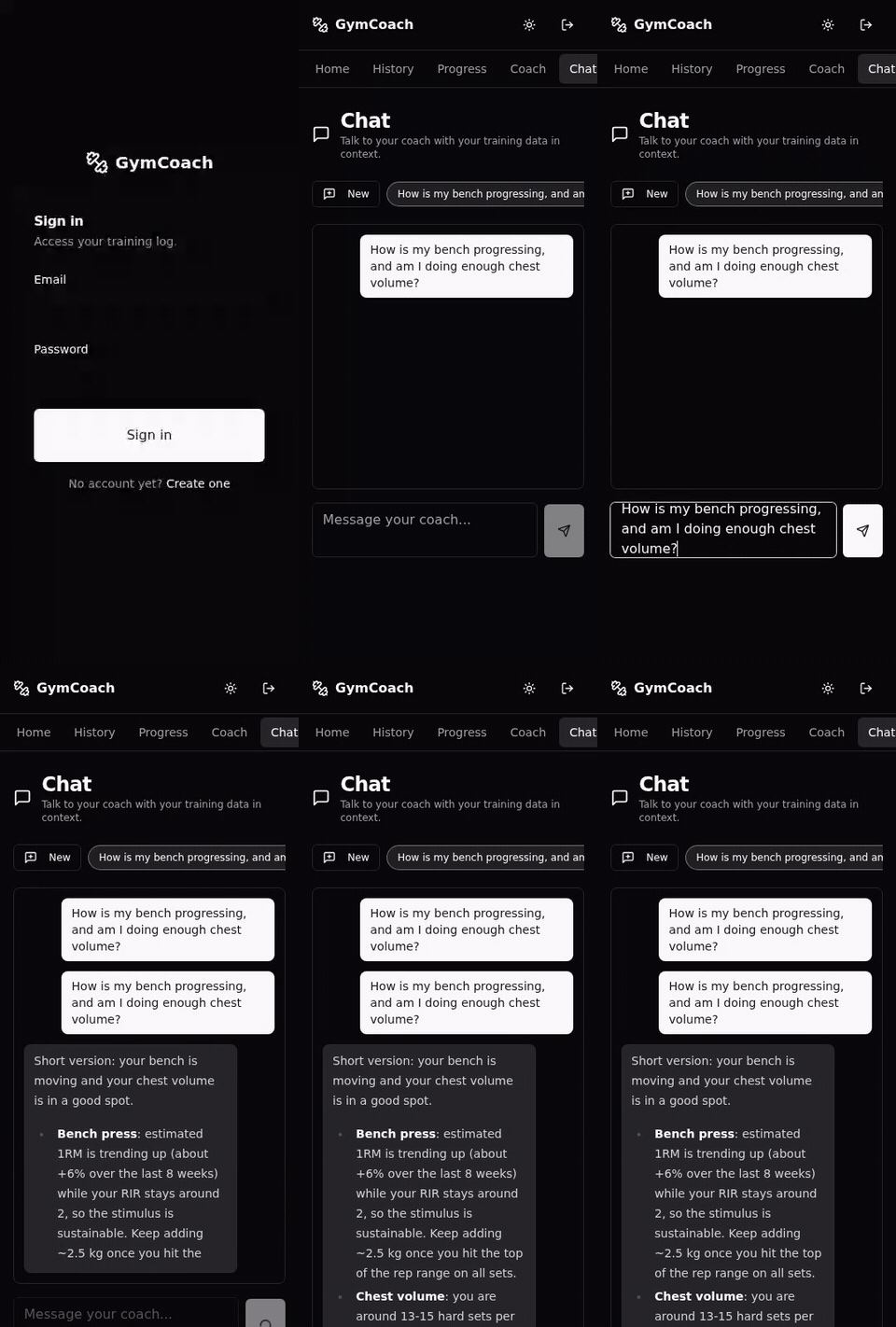
fatigue signals and conditioning volume. - Conversational coach - streaming chat grounded in your training data,
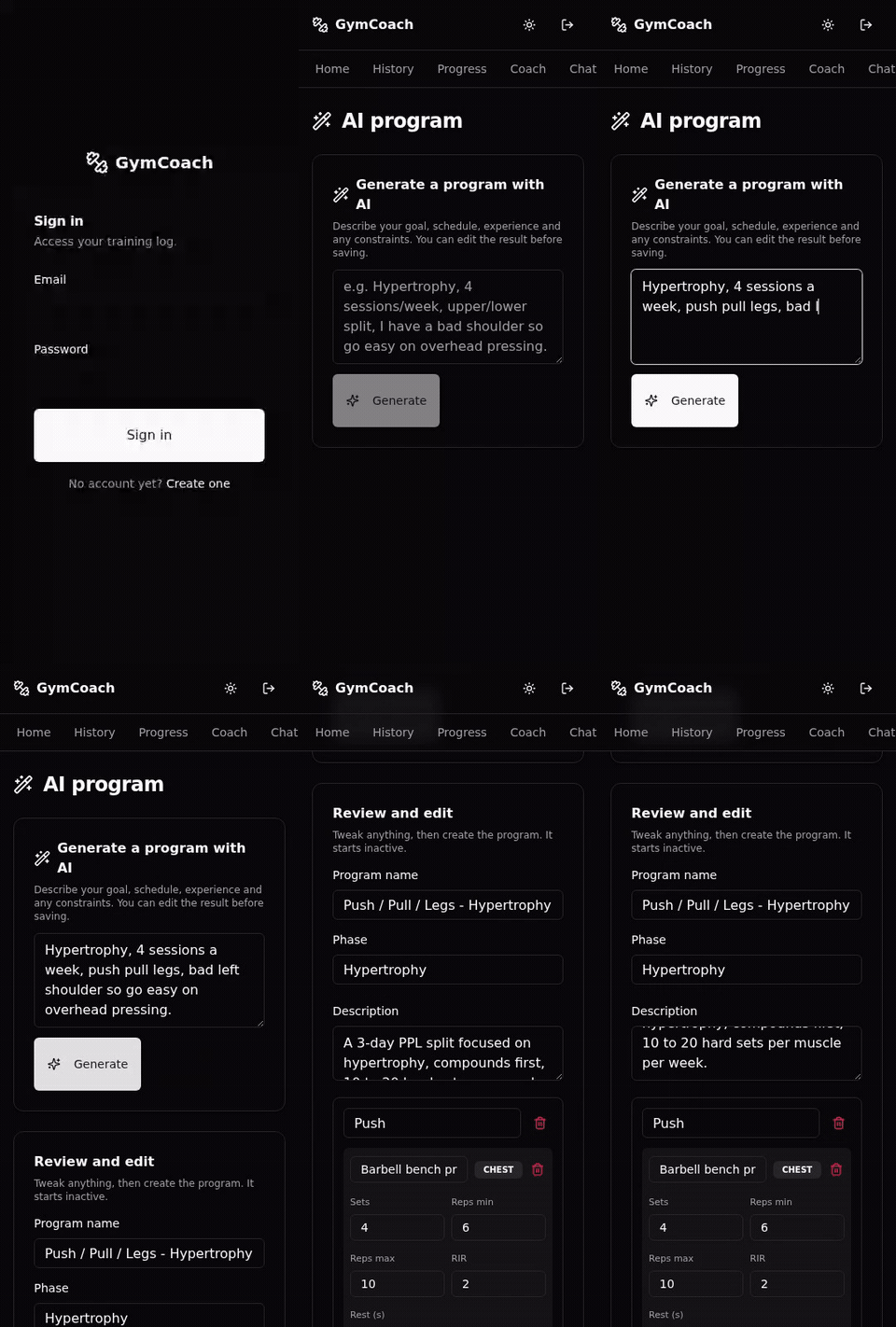
including mid-session with the live workout attached in one tap. - Program generation - a full program from a one-sentence goal, editable
before saving. - Explainable by design - a "What your coach sees" card shows the exact
structured context the AI receives. - Your provider - Anthropic SDK or any OpenRouter model. With no key set,
the app is still a clean, fast tracker.
Programs and exercises
- Built-in templates - 5/3/1 BBB, GZCLP, nSuns, PPL, Upper/Lower, Starting
Strength, StrongLifts 5x5, Madcow, PHUL, PHAT, Full Body - runnable as written
and editable like any program. - Exercise catalog - searchable by name, on top of your custom exercises and
muscle-group grouping. - Printable workout sheet - print (or save as PDF) a clean A4 sheet per
workout with empty weight / reps / RIR cells for every planned set, fill it in
by hand at the gym, and re-enter it later
(example).
Your data, your server
- Self-hosted - your training lives in your own Postgres; the AI runs on your
own key. No subscription, no rate-limited free tier. - ChatGPT / MCP connector - external agents can analyse your training data
and, when you enable "Allow changes to saved data" on the connection, change
it: create or edit programs, maintain your gym inventory (free weights,
equipment and its photos), and backfill the equipment on past sets with an
audited undo. Every write asks for confirmation, and a capability index tool
tells a client which tools exist and whether it can write. Details in
docs/chatgpt-mcp.md. - Import and export - bring history in from a Strong or Hevy CSV, or from
GymCoach's own history CSV (a spreadsheet with the same columns works too;
dry-run preview, duplicate-safe, cardio included), and export everything back
to CSV or TCX anytime.
Stack
- Frontend: Next.js 15 (App Router), TypeScript strict, Tailwind CSS, Shadcn UI
- Backend: Next.js API routes, Prisma ORM, PostgreSQL 16
- AI: pluggable LLM provider (Anthropic SDK or OpenRouter)
- Infra: Docker and Docker Compose
Principles
A few beliefs shaped GymCoach:
- Your training data is yours. It lives in a Postgres database you control, not on someone else's servers. No ads, no tracking, no account you cannot delete.
- AI should be optional and yours to pay for. The coach runs on your own Anthropic or OpenRouter key, so there is no subscription and no rate-limited "free tier". With no key set, the app is a clean, fast tracker.
- Coaching should be grounded in your numbers, not generic advice. The AI only ever sees a structured summary of your own sessions, program and progress.
- Evidence over hype. Load progression uses double-progression logic, and the coach is prompted to reason from your data (and cite the usual names: Schoenfeld, Helms, Israetel) rather than invent.
- Self-hosting should be boring: one Docker Compose file, one database, standard Next.js.
I built it for my own training and open-sourced it under MIT. There is nothing to buy: a public demo lets you look around, but GymCoach is meant to be self-hosted. Clone it, run it, change it.
How it works
The app:
- Next.js 15 (App Router) serves both the UI and the API routes; data lives in PostgreSQL through Prisma. Auth is a signed JWT in an httpOnly cookie; every record is scoped to a user id and every route checks ownership.
- The session logger is offline-first: each set is written to IndexedDB (Dexie) first for instant feedback, then synced to the server in the background, so a flaky gym connection never blocks you. A Wake Lock keeps the screen awake during a session.
- Progress is computed server-side: estimated 1RM (Epley), max load over time, and weekly volume per muscle group, with bodyweight-aware tonnage for movements like pull-ups and dips.
The AI layer:
- A single provider interface (
lib/llm) sits in front of the Anthropic SDK, any OpenRouter model, or an OpenAI Responses-compatiblecodex-lbendpoint. You pick one with theLLM_PROVIDERenv var; the rest of the app does not care which. - For every AI call the server builds a compact, structured payload (your profile + recent sessions + active program + per-exercise progression) instead of dumping raw rows, then:
- Weekly debrief and program adjustments: one completion that returns markdown plus an optional structured block of suggested changes, validated with Zod before anything touches your program.
- Chat coach: the same context plus your conversation, streamed back token by token.
- Program generation: a plain-language goal becomes a JSON program, validated and previewed so you can edit it before it is saved.
- The stable system prompt is marked for prompt caching, so multi-turn chats reuse it instead of re-sending it every turn.
See the AI in action
| Chat coach | Weekly debrief + 1-tap adjustments | Program generation |
 |
 |
 |
These clips use the built-in
demoprovider (canned responses, no key). PointLLM_PROVIDERat Anthropic, OpenRouter, orcodex-lbfor the real thing.
Requirements
- Node.js 20+
- Docker and Docker Compose
- npm
Development setup
Recommended setup: Postgres in Docker, Next.js running locally for hot reload.
# 1. Environment variables
cp .env.example .env
# Edit .env (the example ships with working dev defaults)

# 2. Install dependencies
npm install

# 3. Start Postgres
docker compose up -d db

# 4. Apply Prisma migrations
npm run db:migrate

# 5. Seed demo data (account + exercise catalog + program + sample session)
npm run db:seed

# 6. Start the dev server
npm run dev
The app runs on http://localhost:3030. Postgres is exposed on localhost:5433 on the host.
The demo account credentials come from .env (USER_EMAIL and USER_PASSWORD); the seed hashes the password at runtime.
Configuration
All configuration is done through environment variables. See .env.example for the full list (database, JWT secret, demo account, and the AI provider keys).
Progress photos / uploads
Progress photos are stored as plain files on the server's local filesystem,
under UPLOADS_DIR (default ./uploads, gitignored) - no cloud, no third
party. Images are served only through an ownership-scoped API route, never as
a public static path. Files are written owner-only (0o600) inside per-user
directories created 0o700, and every stored path is re-resolved (symlinks
included) inside the uploads dir before it is read, written or deleted. If you
self-host with Docker, mount that directory as a volume and include it in your
backups alongside the database.
Testing
Three tiers: unit/component (Vitest + jsdom), integration (Vitest against a
real Postgres), and end to end (Playwright driving the built app).
npm run test            # unit and component tests
npm run test:coverage   # with coverage report

# Integration + E2E use a dedicated Postgres (docker-compose.test.yml, port 5434):
docker compose -f docker-compose.test.yml up -d
DATABASE_URL=postgresql://gymcoach_test:gymcoach_test@localhost:5434/gymcoach_test \
  npx prisma migrate deploy
npm run test:integration
npm run build && npm run test:e2e
docker compose -f docker-compose.test.yml down
CI (.github/workflows/ci.yml) runs lint, typecheck, unit, integration,
build and E2E on every push and pull request.
Scripts
| Script | Description |
|---|---|
npm run dev |
Next.js dev server (port 3030) |
npm run build |
Production build |
npm run start |
Run the production build |
npm run lint |
ESLint |
npm run typecheck |
TypeScript type checking |
npm run test |
Unit and component tests |
npm run test:e2e |
End to end tests |
npm run format |
Prettier |
npm run db:migrate |
Apply migrations (dev) |
npm run db:reset |
Reset the database (drop + migrate + seed) |
npm run db:seed |
Load the demo dataset |
npm run db:studio |
Open Prisma Studio |
npm run db:generate |
Regenerate the Prisma client |
Project layout
.
├── app/              # Pages and API routes (App Router)
├── components/       # React components (Shadcn UI in components/ui)
├── lib/              # Helpers (db, auth, stats, llm, etc.)
├── prisma/           # Schema, migrations and seed
├── public/           # Static assets (PWA icons, manifest)
├── tests/            # Integration (Vitest) and E2E (Playwright) tests
├── docs/             # Project documentation
└── docker-compose*.yml
Deployment
The simplest path is Self-host in one minute:docker-compose.selfhost.yml runs the prebuilt image and applies migrations on
start. Put it behind a reverse proxy (Nginx, Caddy, Traefik) for HTTPS and setMCP_PUBLIC_URL to your public URL so MCP connector links point at it.
To build from source instead, docker-compose.prod.yml builds the image locally (app + Postgres):
cp .env.example .env
# Fill in real values (JWT_SECRET, the AI provider key, NEXTAUTH_URL, ...)
docker compose -f docker-compose.prod.yml up -d --build
docker compose -f docker-compose.prod.yml exec app npx prisma migrate deploy
Pulling the prebuilt image
Every main commit whose CI run is green publishes a linux/amd64 image to
GHCR, so you can pull instead of building on your own hardware, and registry
watchers (Watchtower, Diun) have digests to compare (a commit whose CI fails
is never published):
ghcr.io/gymcoach-app/gymcoach:latest- moving tag, followsmainghcr.io/gymcoach-app/gymcoach:sha-<short>- immutable, one per commit
The project moved to the gymcoach-app organization on 2026-10-05. Images
published before that live at ghcr.io/julien-au/gymcoach and no longer
receive updates: point an existing install at ghcr.io/gymcoach-app/gymcoach
(nothing else changes, your volumes are kept).
docker-compose.selfhost.yml uses it out of the box. Withdocker-compose.prod.yml, replace the build: block of the app service withimage: ghcr.io/gymcoach-app/gymcoach:latest (that file keeps build: as its
default so existing setups and forks keep working unchanged).
Deploying a public demo instance
Set NEXT_PUBLIC_DEMO_MODE=true (plus the throwaway demo credentials) in the
instance's .env, then build with the demo profile and run the one-shot
seeder. It fills the demo account with a rich deterministic dataset (12 weeks
of sessions, a bodyweight trend, a goal, readiness check-ins); re-running it
on every deploy also resets whatever visitors changed.
docker compose -f docker-compose.prod.yml --profile demo up -d --build
docker compose -f docker-compose.prod.yml --profile demo run --rm seed-demo
The public demo is a single shared account, so visitors who start a session
pollute it. Re-run the seeder on a schedule (e.g. a cron every 30 minutes) so
the demo always opens on the clean, populated state - it wipes and recreates
the demo account's data without touching the rest.
To keep the deployed demo on the latest code, prefer a pull-model cron on the
host (periodically git fetch and rebuild only when the branch moved) over an
inbound SSH deploy from CI - a host reaching out to GitHub is far more reliable
than CI reaching in to a small VPS.
Roadmap
- Single user MVP (logging, progress, weekly AI debrief, program adjustments)
- Pluggable LLM provider (Anthropic SDK or OpenRouter, switchable via env)
- Multi user support (registration, profiles, data isolation)
- AI program generation from a natural language goal
- Conversational AI coach (streaming chat with your training context)
- Test pyramid (unit, integration, E2E) and CI
- Shorthand set logging (
100x8@9) - the deterministic slice of
natural-language logging - In-session AI suggestions (ask the coach mid-workout with the live
session attached) - Free-text (AI-parsed) set logging (opt-in "Parse with AI" fills the set
form from plain language; you confirm before it logs) - Progress photos (local-only upload with side-by-side compare)
- Interface localization (English, French and Russian, extensible message
catalogs) - Muscle heat map (body silhouettes tinted by weekly volume vs MEV/MRV)
- Physical gym equipment inventory, with the equipment used recorded on
each logged set - Return-to-training calibration after a long layoff
- Printable A4 workout sheet (blank weight / reps / RIR cells)
- Calendar workout history (month grid, day drill-down, program filter, your
timezone) - Live-session exercise navigation (jump strip plus a per-exercise detail
page) - Inline set editing during a live session (correct a logged set in place,
offline included) - Gym-aware weight picker and in-session exercise actions (replace, add,
remove) - MCP gym inventory, equipment backfill and capability index tools
Contributing
Contributions are welcome and encouraged. See CONTRIBUTING.md
for setup, conventions, the test commands, and - since this repo is largely
maintained by an autonomous AI loop - an honest description of how external
issues and PRs are reviewed and merged ("How your contribution is handled").
Notable changes are tracked in the CHANGELOG.
Thanks
- @SHAREN - first external contributor, and a
big one: interface localization with Russian (#272), per-set workout
autoregulation (#273), saved gyms with equipment-aware load selection
(#274), exercise technique media (#275), and the ChatGPT / MCP connector
(#276). Along the way they also found and fixed a latent.gitignorebug
that shadowed an API route in fresh clones. Then a second series:
return-to-training calibration (#311), the physical gym equipment inventory
(#312) and the equipment recorded on each logged set (#313). They also
proposed making MCP a first-class "external deep coach" interface (#331); the
sequencing is answered on that issue, and its one web-app-only piece is
tracked as #333. A third series followed in September, seven PRs, all merged:
portable progress-photo paths (#350), locale-stable MCP dates (#354), the
calendar workout history (#351), the PWA update refresh (#352), reliable
locale switching behind a proxy (#353), live-session exercise navigation
(#355) and inline set editing (#356) - the last of which they hardened
themselves, closing every finding of the review within hours. A fourth
series of eight PRs, all merged on 2026-09-30, brought the barbell
diagram (#366), table metric columns (#367), the gym-aware weight picker
(#364), in-session exercise actions (#363), in-session equipment weight
editing (#365), and three MCP additions: the audited equipment backfill
(#362), the gym inventory tools (#368) and the capability index (#369). - @Retsumdk - fixed the silent weight-stack
inheritance of OTHER-typed exercises linked to a machine or cable item
(#385), a clean first contribution with a precise write-up of what it does
not touch. - @shaurya703 - picked up three of the loop's
own follow-up issues within hours of their filing and turned each into a
clean PR, including the persisted dropped-equipment notice (#342). - @mvnixon - reported the
GET /mcphang that
stopped MCP clients probing with GET from connecting at all (#314), and
made the case for publishing the production image so self-hosters can pull
instead of build (#310). - @gogoku121 - proposed the browsable
exercise library built on an MIT-licensed dataset (#308, scoped and tracked
as #320). - Exercise technique photos come from
free-exercise-db (Unlicense).
License
MIT, see LICENSE.
Yorumlar (0)
Yorum birakmak icin giris yap.
Yorum birakSonuc bulunamadi