haarness
Health Uyari
- License — License: Apache-2.0
- Description — Repository has a description
- Active repo — Last push 0 days ago
- Low visibility — Only 6 GitHub stars
Code Uyari
- process.env — Environment variable access in apps/browser-extension/e2e/fixtures/extension.ts
Permissions Gecti
- Permissions — No dangerous permissions requested
Bu listing icin henuz AI raporu yok.
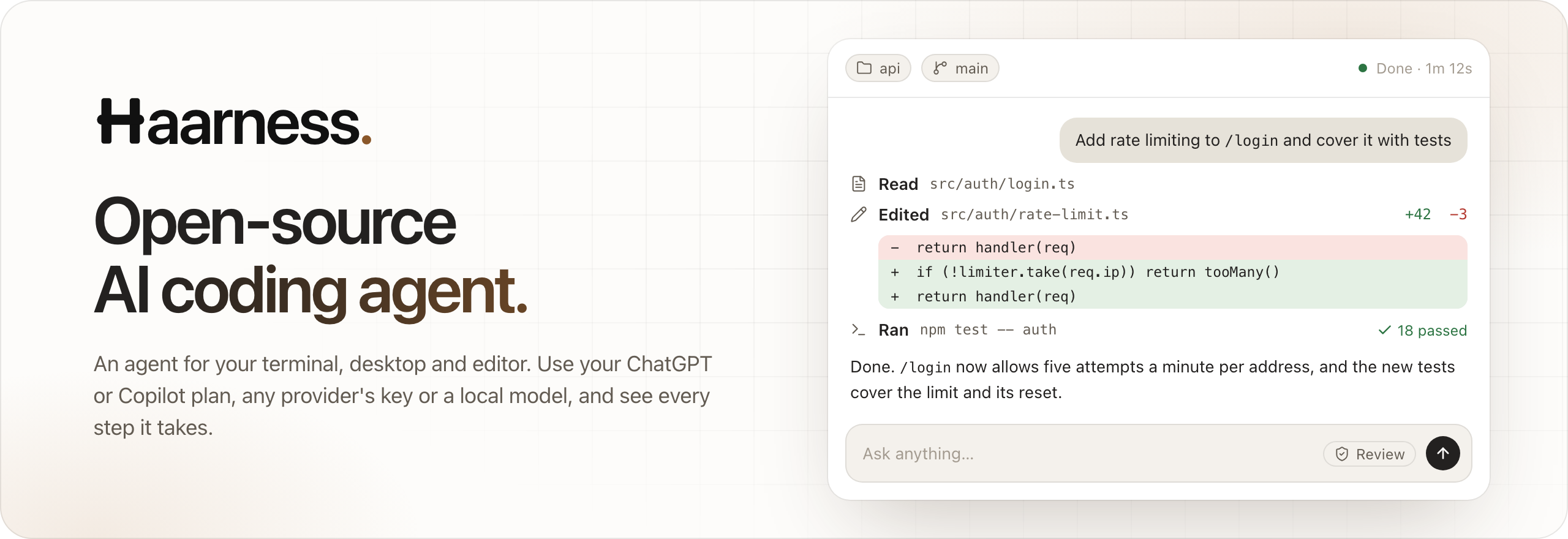
Open-source AI coding agent that works with any model: a terminal app, a desktop app and your editor. It reads your code, runs your tests and shows every step.
Website · User guides · Install · Engineering docs · Contributing




Haarness is an open-source AI coding agent that works with any model. Bring your ChatGPT or
GitHub Copilot plan, a key for Claude, GPT, Gemini and more, or a model on your own machine. It reads
your code, makes the change, runs your tests and shows every step. One agent works in your project from a
terminal UI, a desktop app, your editor, scripts and CI, and keeps going in
Haarness Cloud when you close the lid.
A local server owns every chat, turn and tool call and keeps them durable: closing a window or losing a
connection never stops the work, and every client sees the same chats. The CLI, server and terminal UI
are one Rust executable.
Why Haarness
|
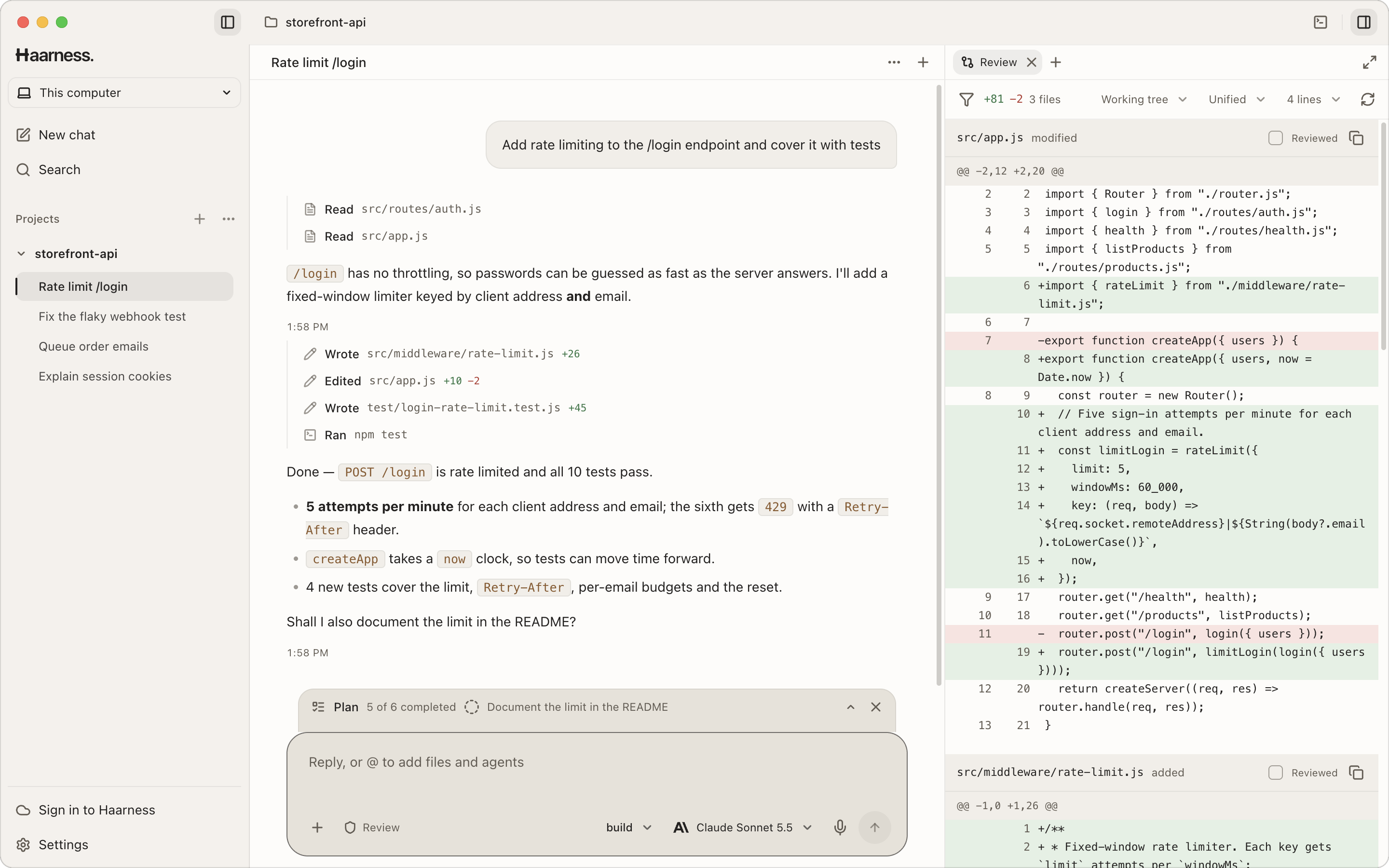
One agent, every screen. The terminal UI, Desktop, your editor (through the Agent Client Protocol), |
Any model you already use. Sign in with ChatGPT, GitHub Copilot or xAI, bring keys for OpenAI, |
|
You stay in charge. Each chat is in Review or Auto. Rules are plain text you can read, and every |
Built to finish the job. Plans, persistent goals, helper agents that run in parallel, JavaScript |
|
Extensible all the way down. MCP servers over stdio, HTTP and SSE with OAuth, Agent Skills, |
Durable by design. Every chat, step and tool call is saved as it happens. Close the window or lose |
Install
One command installs the CLI and terminal UI, then the Desktop app. It checks each download's
SHA-256 before it replaces anything, and needs no administrator rights.
macOS and Linux
curl -fsSL https://haarness.ai/install.sh | sh                      # CLI, terminal UI and Desktop
curl -fsSL https://haarness.ai/install.sh | sh -s -- --no-desktop   # CLI and terminal UI only
Windows (PowerShell)
irm https://haarness.ai/install.ps1 | iex                                    # CLI, terminal UI and Desktop
$env:HAARNESS_NO_DESKTOP='1'; irm https://haarness.ai/install.ps1 | iex      # CLI and terminal UI only
| macOS | Linux | Windows | |
|---|---|---|---|
| CLI | ~/.local/bin/haarness | ~/.local/bin/haarness | %LOCALAPPDATA%\Haarness\bin, added to your PATH |
| Desktop | /Applications/Haarness.app (~/Applications if that is not writable) | AppImage with a haarness-desktop command and a menu entry (only with a graphical session) | Its setup wizard, then the Start menu |
| Downloads | .dmg · .zip | .AppImage · .deb | .exe |
| Runs on | Apple silicon and Intel | x64 and ARM64; CLI on glibc 2.17+, Desktop on GTK 3 desktops such as Ubuntu 20.04+ | x64 and ARM64, Windows 10 and 11 |
Haarness Router, the OpenAI-compatible model router you run yourself, installs the same way into the CLI's
folder: curl -fsSL https://haarness.ai/install-router.sh | sh, or irm https://haarness.ai/install-router.ps1 | iex
on Windows (Connect Haarness Router).
On Debian and Ubuntu you can also install Desktop system-wide from the
download page: sudo apt install ./Haarness-<version>-linux-x64.deb.
Afterwards, haarness desktop opens Desktop (installing it first if you skipped it), haarness doctor
checks the install and haarness upgrade installs a newer CLI. Preview builds, pinned versions and
other options: Install Haarness.
Quick start
1. Connect a provider.
cd your-project
haarness
With nothing connected, the terminal UI opens on Connect a provider: choose Haarness Cloud,
sign in with a ChatGPT, GitHub Copilot or xAI subscription, or paste an API key for OpenAI,
Anthropic, Google Gemini, OpenRouter or any other provider in the list. A running Ollama or LM Studio
is detected without this step, and /connect opens the same picker later. From a shell instead:
haarness login                # Haarness Cloud account (--device on a machine without a browser)
haarness auth login openai    # ChatGPT Plus/Pro in the browser (--method headless for a code)
haarness auth set anthropic   # asks for an API key; a piped key works too
Provider variables such as OPENAI_API_KEY and ANTHROPIC_API_KEY work as well. Full guide:
Connect a provider.
2. Ask for something. Type your request at Ask anything… and press Enter. / lists commands,@ attaches files or hands work to an agent, and ! runs a shell command. Quitting leaves running
work on the server; haarness -c continues the last chat. Full guide:
Your first chat.
Desktop opens ready to chat: the Welcome to Haarness dialog connects Haarness Cloud or a
provider, then type in the message box and press Enter. A chat with No folder works in a folder
of its own under This computer; pick a project in the message box's folder chip (or Open
folder…) to work in your code instead. See the
Desktop first run and the full guide,
Install and first run.
3. Script it.
haarness run "Summarize what this project does"
git diff | haarness run "Review this change"
haarness run -m anthropic/claude-sonnet-5-5 --file ./brief.pdf "Check the code against this brief"
haarness run --format json "List the open TODOs"   # newline-delimited JSON records
With no terminal to ask at (a script, CI), a permission request stops the run and names what was
asked: allow it with a permission rule, let Auto's reviewer answer with --auto, or pass --yolo
where the damage is bounded. Exit codes, JSON records and Ctrl-C:
Run a prompt from a script or CI.
Everywhere you work
| Surface | What you get |
|---|---|
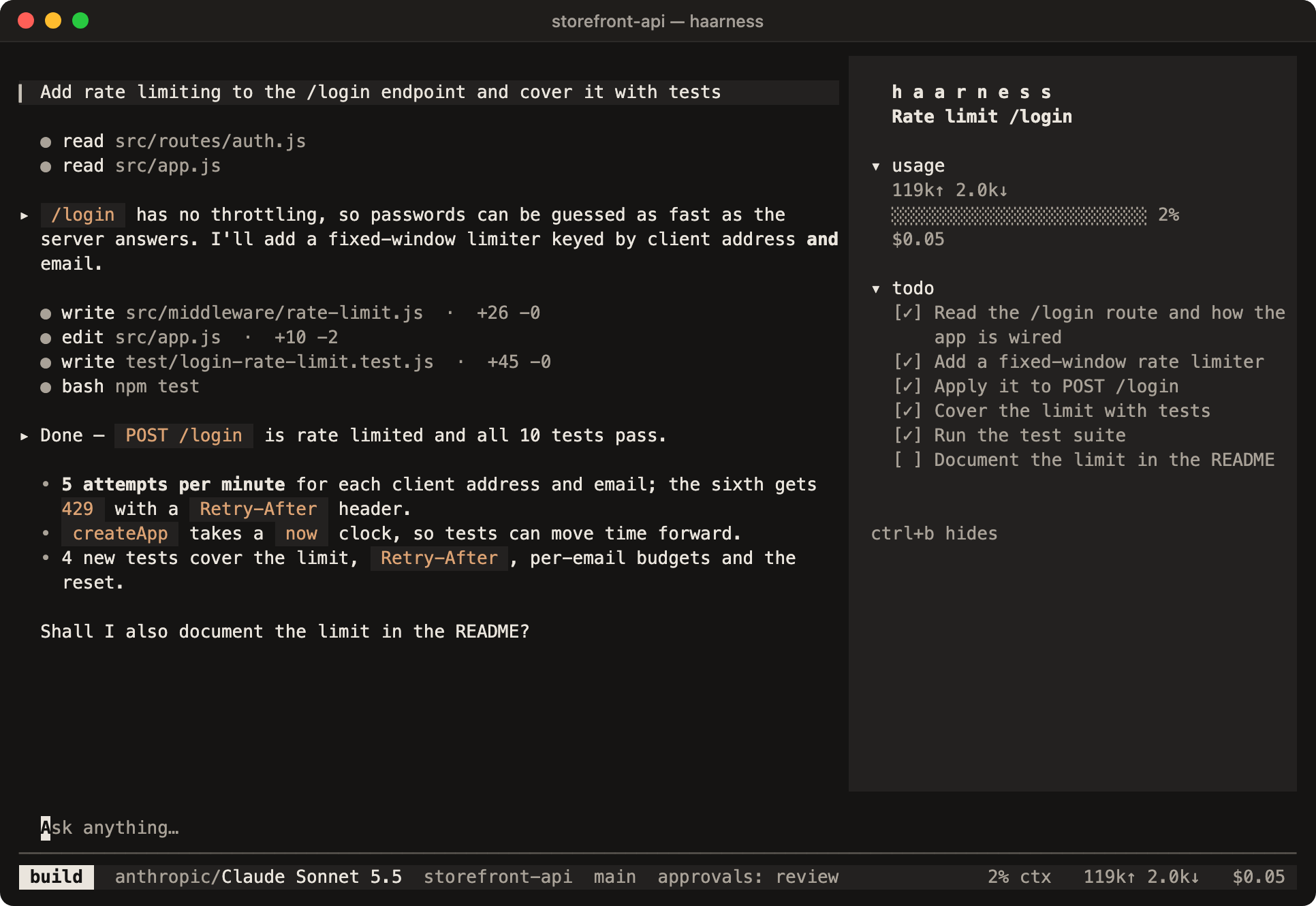
| Terminal UI | A quiet, keyboard-first interface: activity rows, inline diffs, approvals, tabs, workspace terminals and 17 languages. haarness |
| Desktop | macOS, Windows and Linux: streaming chats, diff review, a file editor, terminals and a built-in browser. Desktop guide |
| Scripts and CI | haarness run with text or JSON output, permission rules instead of prompts. Reference |
| Your editor | haarness acp speaks the Agent Client Protocol, with durable sessions visible everywhere. Set it up |
| Your Chrome | Haarness for Chrome lets agents use your own signed-in Chrome; every site asks in each chat. Use your Chrome |
| Your product | A versioned /v1 server API with generated TypeScript and Python SDKs. API · SDKs |
| Haarness Cloud | Workspaces that keep running, schedules, remote control of your own computers, one account for every model. haarness.ai |
| Your phone | Follow chats on your own computers and in Cloud, and approve or answer from the Lock Screen or a notification. Haarness for iPhone · Haarness for Android |
Approvals
[!IMPORTANT]
Haarness permissions are application-level policy, not an operating-system sandbox. Review
approval prompts before allowing tools to operate.
Each chat is in Review, Auto (the default) or Yolo, kept on the server so every client
agrees: Ctrl+Y in the TUI or the approvals pill in Desktop's composer switches the open chat. In
Review, edits and commands inside the project run without asking; Haarness asks before it uses files
outside the project, reads secrets such as .env, switches agents or generates paid media, and
wherever your own rules say to ask. In Auto, a reviewer model answers those requests: it approves
routine ones once, blocks risky ones with a reason the agent reads, and leaves the rest to you with a
short note; an ask you configured for a specific command or path still comes to you. In Yolo, every
one of those requests is approved once without asking, and the chat shows it in red. In every mode,
deny rules hold and some requests always come to a person: Haarness Cloud actions that spend money or
delete something, edits of Haarness's own configuration, and websites in your own Chrome. See
automatic approvals and permissions.
| Key | Answer |
|---|---|
y / n |
Allow once / Reject |
a |
Always — every chat on this server, until the server stops |
w / r |
This folder / Repository — saved, so they still apply after a restart |
u |
Once + Auto — allow this one and switch the chat to Auto |
a, w, r and u first show what they grant; Enter or the same key again confirms. An "always"
answer saves the rule shown on the card, which is a pattern: approving rm -rf build allows every rm
command. See Permissions and approvals.
Use your Chrome. Agents can also work in your own Google Chrome, signed in as you, through the
Haarness for Chrome extension: set it up with /chrome in the TUI, Settings → Browser → Chrome in
Desktop, or haarness browser setup. Each new site asks in each chat (Allow in Chrome: a allows it
in this chat), and Auto, --yolo, hooks and permission rules never answer for you. See
Use your Chrome.
Use this Mac. On macOS, agents can see the screen and work in native apps with computer use: turn it
on with Settings → Computer use in Desktop, /mac in the TUI, or haarness mac on, after agreeing to
its terms. Each app asks once per chat (Allow in this chat) unless you allow it, a strip along the top edge of the
screen offers Pause and Stop, and Escape stops the turn. See Computer use.
Usage statistics
Usage statistics are on by default. About every six hours, a running Haarness server sends Haarness
Cloud a summary of each of the last seven days: counts of chats and turns (completed, failed,
interrupted, run by subagents or by schedules), tokens and estimated cost overall and per model, tool
calls and errors per built-in tool, and files changed with lines added and removed. Only providers,
models and tools that Haarness ships are named; anything else is counted as custom, other, local
or mcp. The summary also carries a random installation id, the app version, the OS and the CPU type,
and never prompts, answers, code, file names, paths or titles. It is linked to your Haarness
account when you are signed in and anonymous otherwise.
Turn it off in Desktop Settings → General → Share usage statistics, with /usage-statistics in the
TUI, haarness telemetry off, HAARNESS_TELEMETRY=0 or DO_NOT_TRACK=1. haarness telemetry preview
shows exactly what is sent. See Usage statistics.
Build from source
You need the toolchain pinned in rust-toolchain.toml (rustup installs it on first use). Builds are
offline: OpenTUI and ripgrep are vendored, so you need no Bun, Node.js, Zig or separate rg.
cargo build --release
./target/release/haarness doctor
./target/release/haarness
Desktop lives in apps/desktop and needs Node.js 22+:
npm run desktop:install
npm run desktop:dev
./scripts/test-all.sh is the full gate: formatting, crate boundaries, Clippy, the workspace tests, a
release build, and end-to-end plugin, extension, attach, terminal and TUI flows driven in tmux (these
also need Python 3, tmux and Bun). See CONTRIBUTING.md for the checks each kind of
change needs.
Repository layout
crates/            the Rust workspace — core state machine, server, providers, MCP, TUI, store, CLI
apps/desktop/      Haarness Desktop (Electron + SolidJS)
apps/browser-extension/   Haarness for Chrome (MV3)
packages/browser-driver/  the CDP page driver Desktop and the extension share
sdks/              generated TypeScript and Python SDKs for the /v1 API
locales/           17 interface catalogs shared by the TUI and Desktop
skills/            Agent Skills that test, configure and release Haarness
scripts/           the full gate, end-to-end and release scripts
docs/              engineering docs, the reference and dated records
brand/             the logo, wordmark and app icons
haarness-core owns the agent state machine and its ports and cannot depend on HTTP, SQLite, provider
DTOs, MCP SDK types, CLI parsing or OpenTUI; outer crates implement those ports, and cargo run -p xtask -- architecture enforces it. See Architecture.
Documentation
- User guides — install, first chat, providers, Desktop, CLI, security.
- Reference — every command family, servers and clients, worktrees, the TUI,
agents and workflows, schedules, plugins, providers and the full configuration. - Engineering docs — behaviour in detail, the server API,
ACP, configuration scopes and hooks,
schedules, the marketplace, how the
terminal UI is built, and dated records.
The Haarness family
| Repository | What it is |
|---|---|
| haarness | This repository: the agent, terminal UI, Desktop, server and SDKs. Apache 2.0. |
| haarness-router | A stateless, OpenAI-compatible model router you can host yourself. MIT. |
Haarness Cloud is the hosted service at haarness.ai. The phone apps for
iPhone and iPad and Android are coming soon.
Contributing
Contributions are welcome — read CONTRIBUTING.md first. Everyone taking part is
expected to follow the Code of Conduct. Report security problems privately as
described in SECURITY.md; see SUPPORT.md for where to ask for help.
License
Haarness is licensed under the Apache License, Version 2.0. Bundled third-party components
keep their own licenses; see NOTICE. The Haarness name and logo are not covered by the
license — see TRADEMARKS.md.
Yorumlar (0)
Yorum birakmak icin giris yap.
Yorum birakSonuc bulunamadi