blocksy-skill
Health Uyari
- License — License: MIT
- Description — Repository has a description
- Active repo — Last push 0 days ago
- Low visibility — Only 5 GitHub stars
Code Uyari
- process.env — Environment variable access in scripts/remote.mjs
- network request — Outbound network request in scripts/remote.mjs
Permissions Gecti
- Permissions — No dangerous permissions requested
Bu listing icin henuz AI raporu yok.
OpenCode skill for configuring Blocksy, Blocksy Companion, and Blocksy Companion Pro — WP-CLI and remote REST bridge adapters
Blocksy skill
Repository: https://github.com/hadealahmad/blocksy-skill
A portable OpenCode skill for configuring WordPress sites that run:
- Blocksy
- Blocksy Child
- Blocksy Companion
- Blocksy Companion Pro
It sets global theme options, the header/footer builder, color palettes,
typography, menus, per-page settings, Content Blocks/popups, and extensions.
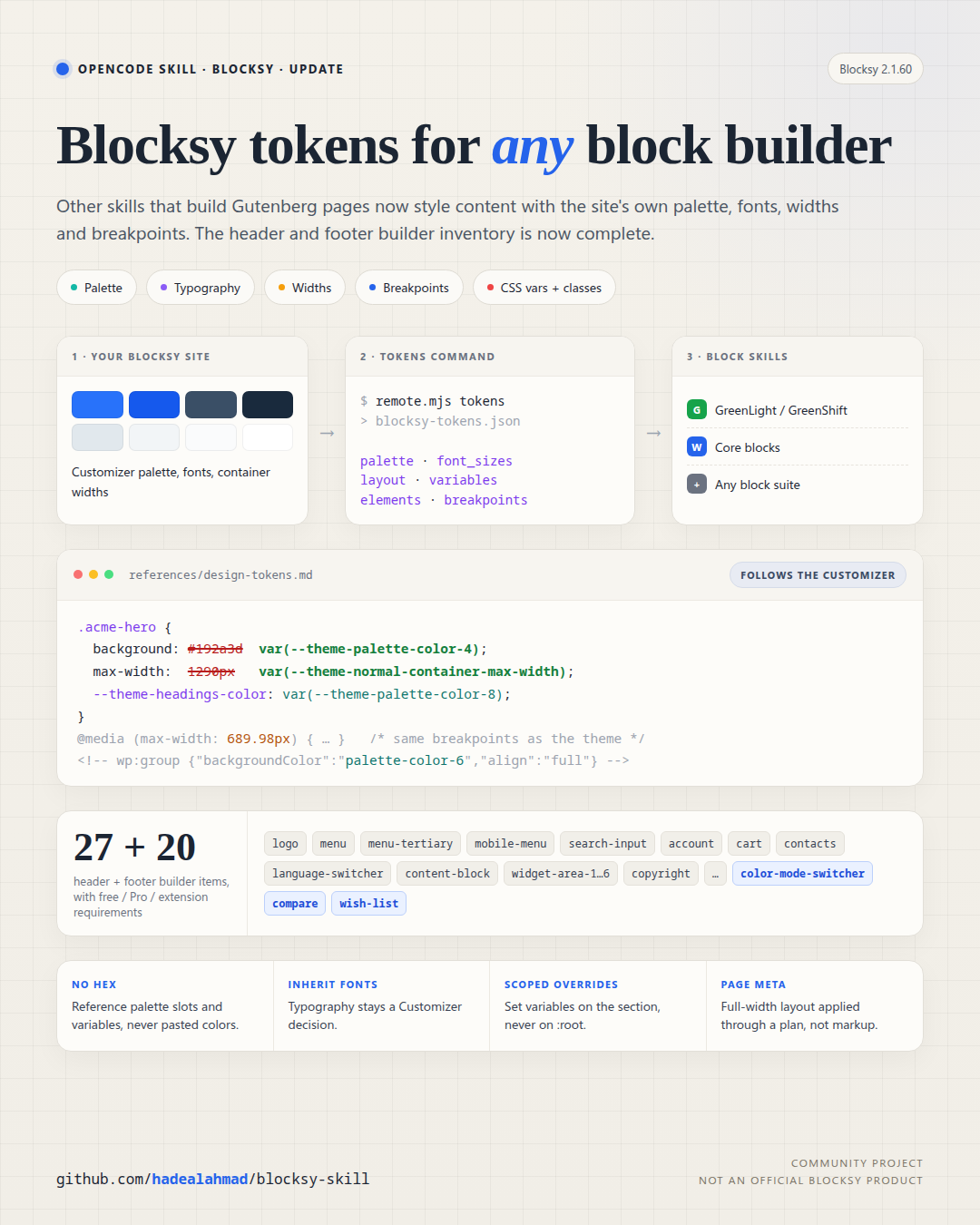
It also exports the site's design tokens (palette, typography, widths,
breakpoints, CSS variables and classes) so other skills that build Gutenberg
pages, such as GreenLight, core
blocks, or any block suite, style content with Blocksy's variables instead of
hard-coded values. See references/design-tokens.md.
Why there are two adapters
| Access | Adapter |
|---|---|
| Shell / SSH / LocalWP / WP-CLI | scripts/wp-local.sh + scripts/inspect.php + scripts/apply.php |
| No shell, but plugin install allowed from wp-admin | dist/blocksy-bridge.zip + scripts/remote.mjs |
| No plugin install, wp-admin + REST only | Core REST for menus/pages/per-page meta (partial) |
| No automation | Generated plan + manual import / manual Content Blocks |
The bridge is a single-file plugin. It exposes a narrow, authenticated REST API
for Blocksy settings. That is what makes full configuration possible when there
is no file or database access.
Install the skill
Clone it directly into the global skills directory:
git clone https://github.com/hadealahmad/blocksy-skill.git \
  ~/.config/opencode/skills/blocksy
Or copy this directory to ~/.config/opencode/skills/blocksy/, or keep it as a
project skill in .opencode/skills/blocksy/. The skill entry point isSKILL.md.
Quick start with WP-CLI
SITE=/path/to/wordpress
./scripts/wp-local.sh "$SITE" eval-file scripts/inspect.php > current.json
BLOCKSY_INSPECT=export BLOCKSY_INSPECT_PORTABLE=1 \
  ./scripts/wp-local.sh "$SITE" eval-file scripts/inspect.php > backup.json
BLOCKSY_PLAN=examples/example-plan.json \
  ./scripts/wp-local.sh "$SITE" eval-file scripts/apply.php
scripts/wp-local.sh discovers the LocalWP MySQL socket automatically.
Quick start with the bridge
- Upload
dist/blocksy-bridge.zipin Plugins → Add New → Upload Plugin. - Activate Blocksy Bridge.
- Settings → Blocksy Bridge → copy the token.
- Run:
export BLOCKSY_URL="https://example.com"
export BLOCKSY_TOKEN="..."

node scripts/remote.mjs info
node scripts/remote.mjs schema > schema.json
node scripts/remote.mjs export --portable --post-meta > backup.json
node scripts/remote.mjs apply examples/example-plan.json --dry-run
node scripts/remote.mjs apply examples/example-plan.json
node scripts/remote.mjs tokens > blocksy-tokens.json   # for block-building skills
Application Passwords are also supported:
export BLOCKSY_USER="admin"
export BLOCKSY_APP_PASSWORD="xxxx xxxx xxxx xxxx xxxx xxxx"
Example plan
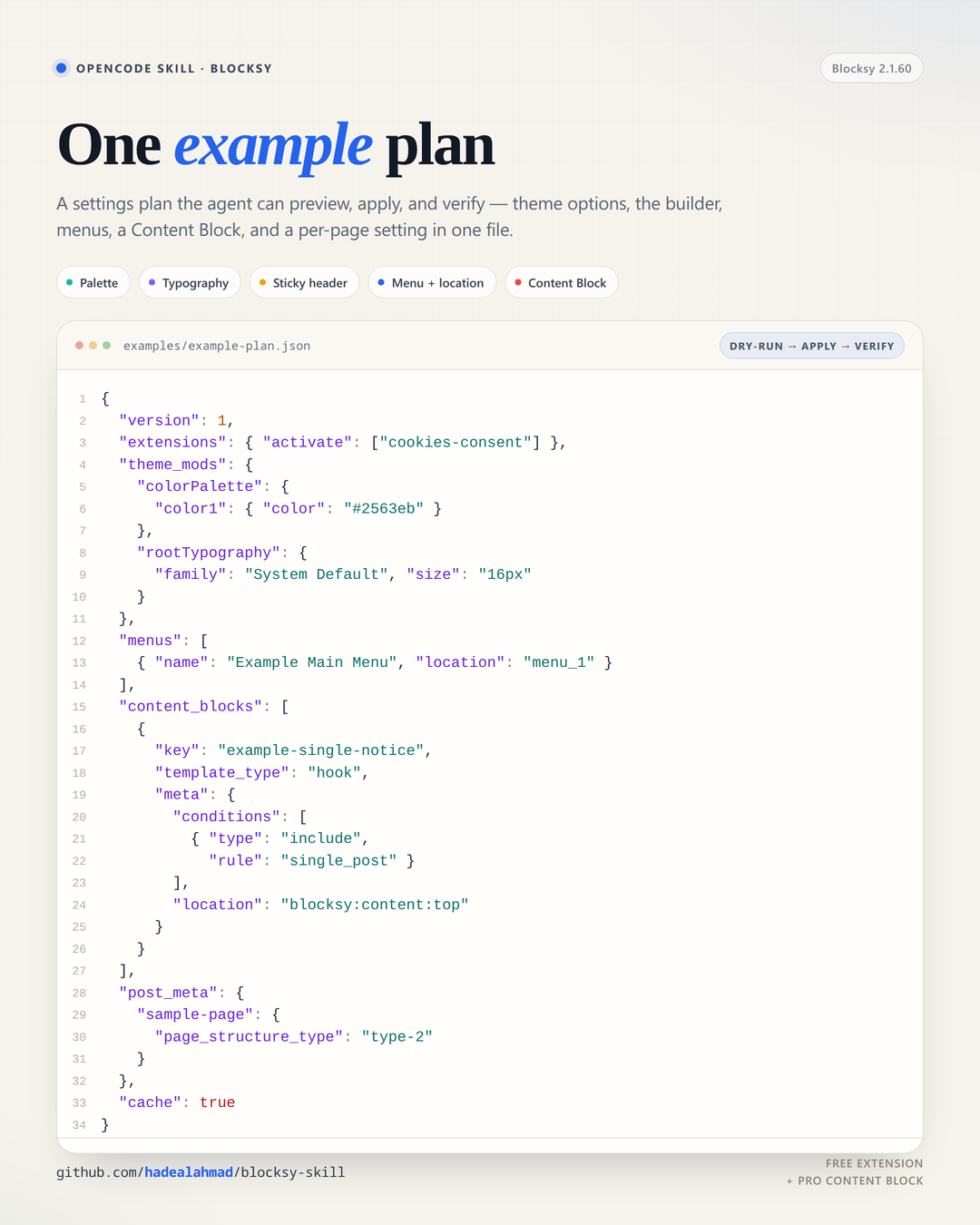
examples/example-plan.json sets a palette and typography, builds a sticky
header and footer, creates a menu, activates a free extension, creates a hook
Content Block, and sets a per-page layout.
Layout
SKILL.md                  entry point and workflow
references/               adapters, storage, options, builder, content blocks,
                          extensions, menus, verification, plan format
scripts/
  wp-local.sh             LocalWP-aware WP-CLI wrapper
  inspect.php             WP-CLI schema/info/export
  apply.php               WP-CLI plan apply
  remote.mjs              Bridge REST client
bridge/
  blocksy-bridge.php      single-file bridge plugin source
dist/
  blocksy-bridge.zip      uploadable plugin
data/                     versioned option/builder catalogs, builder item
                          inventory, CSS variable/class catalogs
examples/
  example-plan.json       one end-to-end example
assets/
  example-plan.png        social/repo preview image
  design-tokens.png       design tokens update image (source in assets/src/)
research/                 extraction notes and snapshots used to build this
Safety
- The bridge requires an administrator (
manage_options). - Pro gate: when a request needs a Pro-only feature and the site has the free
Companion build, stop and ask for Blocksy Companion Pro installation and
licence activation. Do not fake or bypass it. Seereferences/pro-gate.md. - It refuses arbitrary options, arbitrary post types, arbitrary PHP, plugin
installation, and user management. - It never returns Freemius/licence secrets.
- Always export a backup before applying a plan.
- Always run
--dry-runfirst. - Prefer HTTPS. Rotate the bridge token if it leaks.
Yorumlar (0)
Yorum birakmak icin giris yap.
Yorum birakSonuc bulunamadi