sillage
Health Warn
- License — License: MIT
- Description — Repository has a description
- Active repo — Last push 0 days ago
- Low visibility — Only 5 GitHub stars
Code Warn
- network request — Outbound network request in web/sw.js
Permissions Pass
- Permissions — No dangerous permissions requested
No AI report is available for this listing yet.
Pilot your AI coding agents (Claude Code, Codex) from one calm kanban: isolated git worktrees, live activity, token costs, and nothing ships without your click.
Sillage




A calm web dashboard to pilot AI coding agents (Claude Code, Codex CLI, GitHub Copilot, Antigravity, Kiro CLI) across your projects.
Sillage runs your agents in isolated git worktrees, streams their activity live, and never lets anything leave your machine without your explicit approval. One self-contained binary, zero dependencies, zero configuration: download, run, open a browser tab.
Why
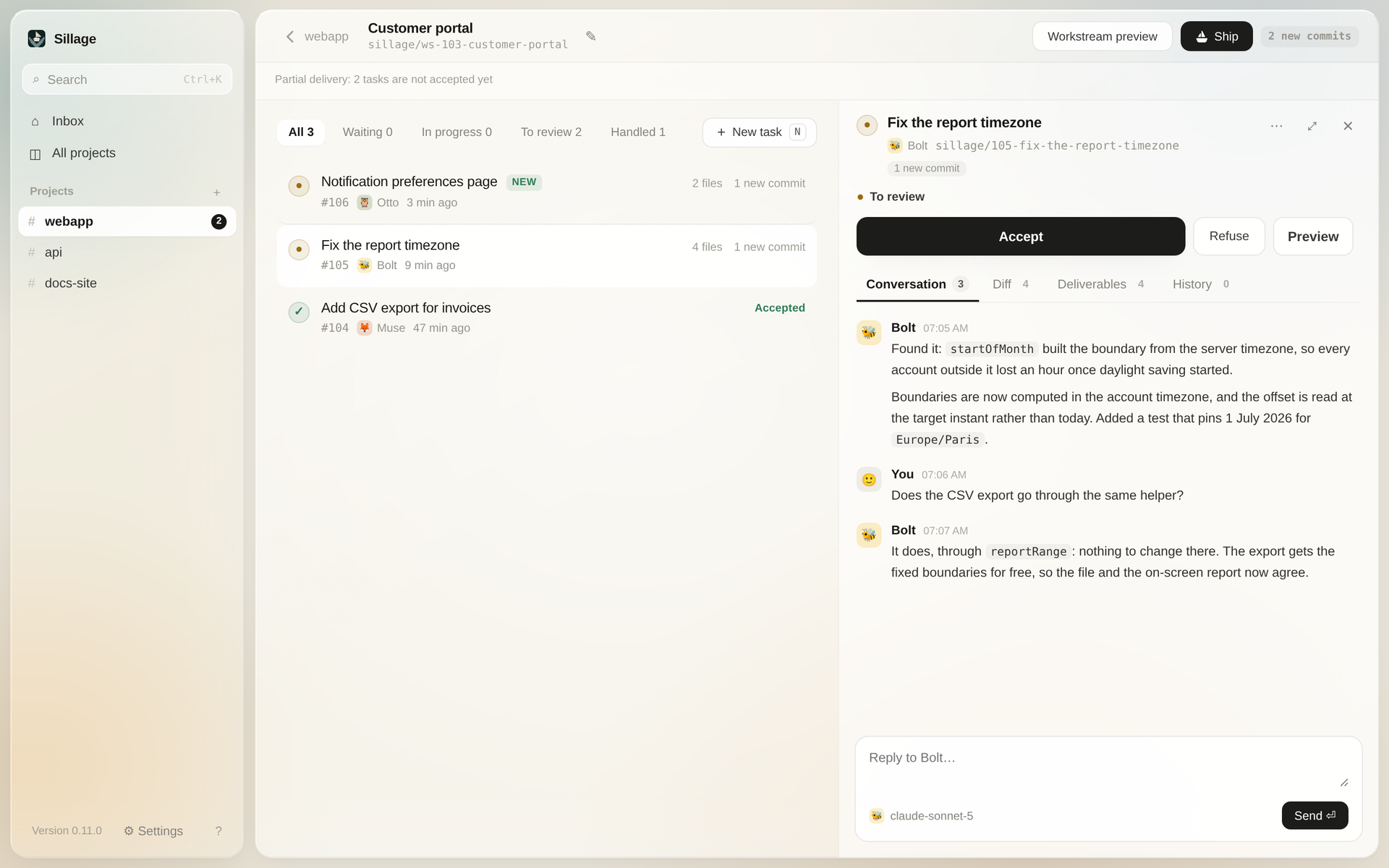
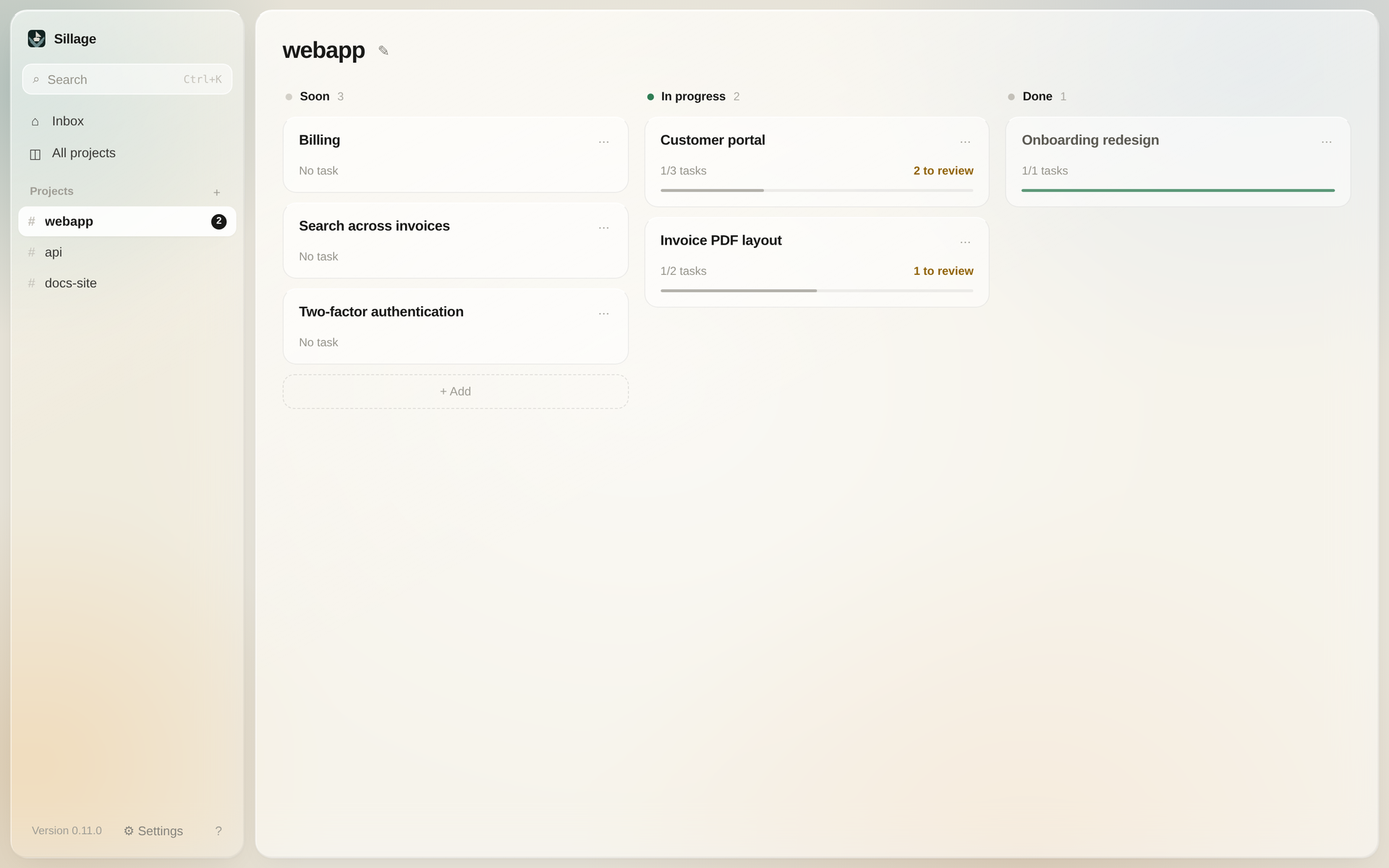
Working with several AI agents quickly turns into tab hell: five terminals, three repos, "wait, which task was I reviewing?". Sillage is built around one idea: reduce mental load. Each project is a kanban; each workstream is a small goal and a feature branch; each task is one agent working on its own branch. You review a task and accept it, then you ship the workstream: one outbound action, once. The wake (sillage, in French) of your work stays visible: branches, diffs, deliverables.
Features
Delegate, then watch: a kanban of workstreams per project, tasks like pull requests, live agent activity streamed to your browser.
Agents can never push: each task runs in an isolated git worktree; accepting a task merges it locally into the workstream branch, and shipping that branch is the only outbound action, behind one confirmed click. For project repositories,
git pushexists in exactly one function in the code, reached only from that click.Ship your way: you decide, per project, what Ship does: open a pull request (GitHub, GitLab), push the branch without opening anything, merge into the branch of your choice locally, or merge into it and push it. Fast-forward only, never
--force. Branches you merged by hand are noticed, and a shipped workstream can be picked up again.Real conversations: chat with the agent mid-task, review the colored diff. Messages sent while it works are queued, context never gets lost.
Layered context: agent prompt + project context + workstream context. Write things once, at the right level.
Token usage, out of the way: no counters cluttering the kanban or the task view; per-project token totals live in Settings > Statistics.
Your workspace is a git repo (optional): conversations, projects and settings versioned locally, synced to a private remote to follow you across machines.
Keyboard first:
Ncreates what the screen holds,Ctrl/⌘+Ksearches,?lists every shortcut. In the new-task form, "Create and add another" (Ctrl/⌘+Shift+Enter) keeps the agent selected so you can queue a batch of tasks without touching the mouse.Updates itself, if you ask: one line at the bottom of the sidebar when a new version is out, and one click to install it (
brew upgrade, or a download whose sha256 is verified before anything is written) and restart in place. Never while an agent is working, and the daily check can be switched off.
Also: multiple repositories per project, task reassignment, agent health warnings, pinned project links, English and French UI, works from your phone, and a free built-in agent to try everything without spending a token.
Quickstart
Sillage is a single static binary with the web UI embedded: no database, no runtime, no config files to write. The only things it talks to are git and the agent CLIs you choose: Claude Code, Codex CLI, GitHub Copilot CLI, Antigravity CLI, and Kiro CLI. The built-in free agent works without any external CLI.
curl -fsSL https://raw.githubusercontent.com/Halleck45/sillage/main/install.sh | sh
sillage
Or with Homebrew:
brew tap halleck45/sillage https://github.com/Halleck45/sillage
brew trust halleck45/sillage   # Homebrew requires explicit trust for third-party taps
brew install sillage
With Homebrew you can also keep it running in the background, started at every login:
brew services start sillage # stop it with: brew services stop sillage
Prefer doing it by hand? Grab a binary from the releases page, chmod +x, run it. Or go install github.com/Halleck45/sillage@latest.
Then open http://127.0.0.1:8787. No login is required by default. To require a password, set SILLAGE_PASSWORD=yourpassword sillage.
Rather have it in its own window? sillage -app opens Sillage as an app in Chrome, Edge, Brave or Chromium, starting the server first if it is not running yet. Closing the window leaves the agents working. On Linux, sillage -install-app adds it to the application menu with its icon. On macOS, run the server with brew services start sillage and choose "Install Sillage" in Chrome's address bar: it then lives in the Dock and Launchpad like any other app.
Add a project (any local git repository), create a card, create a task, pick an agent: it starts working immediately in its own worktree. Try the free agent Écho first if you want to see the flow without any API cost.
Project settings include explicit Ruby, Node.js, PHP, Python, Go, and Rust permission profiles. A profile allows the stack's local commands and redirects package/build caches to task-scoped writable directories managed by Sillage. For example, the Ruby profile keeps Bundler and gem executables out of /usr/local/bin without adding generated dependencies to the repository diff.
Security model
- Agents run headless with explicit tool permissions or a workspace sandbox. Outbound Git commands stay denied, and Antigravity never receives its permission-bypass flag.
- The server binds to
127.0.0.1by default. Optional password login (bcrypt,SILLAGE_PASSWORD), HttpOnly session cookies, login rate limiting, JSON content-type enforcement on mutations. - Never expose the HTTP port directly to the internet. For remote access use Tailscale (
sillage -addr <tailscale-ip>:8787) or a TLS reverse proxy; the session cookie switches to Secure automatically behindX-Forwarded-Proto: https. - Data lives in
~/.local/share/sillage(JSON state, atomic writes), with one git worktree and optional task-scoped package caches per task. - The only network call Sillage makes on its own is the daily update check: one read of GitHub's latest release number. No data from your machine is sent, no identifier, no telemetry, and you can switch it off in Settings. A binary it downloads for you is never installed without checking its sha256 against the release's
checksums.txt.
Note for codex agents: Sillage runs them with --sandbox workspace-write. Task directories are linked Git worktrees, so Sillage automatically grants Codex write access to the external Git metadata required for local commits while keeping repository hooks and configuration protected. On machines where AppArmor blocks bubblewrap (bwrap: Operation not permitted), either allow unprivileged user namespaces (sudo sysctl kernel.apparmor_restrict_unprivileged_userns=0) or start Sillage with SILLAGE_CODEX_SANDBOX=danger-full-access, knowing that the remaining containment is Sillage's own (dedicated worktree, no push, human validation).
Note for Antigravity agents: agy asks for approval before every terminal command and for some file operations, and headless nobody can grant it, so a single request ends the run without producing anything. Its permissions live in ~/.gemini/antigravity-cli/settings.json, not in flags: "toolPermission": "proceed-in-sandbox" (commands run without prompting, but only inside the terminal sandbox that Sillage always forces) plus read_file and write_file allow-rules on the worktrees folder, which is where agents work and nowhere else. Sillage never passes the permission-bypass flag; until both are set, the agent carries a warning with a button that writes them for you (your other settings and rules are preserved, and an unreadable file is never overwritten). An agent that tries to reach outside its worktree still stops, and now says so in the conversation.
Note for Kiro agents: Kiro's headless mode requires KIRO_API_KEY in the environment that starts Sillage. Each run gets a fresh, temporary KIRO_HOME containing a Sillage-owned agent profile: local read, write, and shell tools are available without an approval prompt, while git push, gh, glab, Kiro self-configuration, and inherited MCP servers stay disabled. The temporary profile is outside the project and is removed when the run ends.
Agents
Eight editable agents are seeded. Existing workspaces receive each newly introduced external profile once; deleting one remains permanent.
| Agent | CLI | Role |
|---|---|---|
| Bolt 🐝 | claude (sonnet) | pragmatic backend developer |
| Muse 🦊 | claude (opus) | product, specs, documentation |
| Otto 🦉 | codex | infrastructure, CI, tooling |
| Fably 🪶 | claude (fable) | pragmatic developer |
| Octo 🐙 | copilot | pragmatic developer |
| Astro 🚀 | agy | pragmatic developer |
| Kiro 🟣 | kiro-cli | pragmatic developer |
| Écho 🧪 | built-in fake | free local agent for demos and tests |
Each agent has an editable context prompt and model. A missing CLI is shown as not connected; clicking the agent gives you its installation command. Claude resumes its CLI session, while one-shot adapters replay the recent conversation for follow-up messages.
Architecture
Single Go binary, embedded vanilla JS frontend (no framework, no build step), JSON file persistence, SSE for realtime. The HTTP/JSON/SSE contract is documented in docs/SPEC-API.md and the internals in docs/SPEC-BACKEND.md.
main.go               server bootstrap, flags, embedded web/
internal/server/      store (JSON), auth, SSE hub, git worktrees, agent runners, handlers
web/                  index.html, style.css, app.js
Roadmap
- Project deletion and archiving.
- More agent CLI adapters.
- More languages for the UI.
Multi-user support was tried and deliberately removed: Sillage stays a personal tool, and that simplicity is a feature.
Contributions welcome: see CONTRIBUTING.md.
License
Reviews (0)
Sign in to leave a review.
Leave a reviewNo results found