threadlens
Health Uyari
- License — License: MIT
- Description — Repository has a description
- Active repo — Last push 0 days ago
- Low visibility — Only 6 GitHub stars
Code Basarisiz
- rm -rf — Recursive force deletion command in apps/api-ts/package.json
- process.env — Environment variable access in apps/api-ts/src/app/create-server.ts
- process.env — Environment variable access in apps/api-ts/src/domains/ops/agent-loops.test.ts
Permissions Gecti
- Permissions — No dangerous permissions requested
This is a local-first workbench application for searching, reviewing, backing up, and safely cleaning up AI chat history and session files from providers like Codex, Claude, and Gemini.
Security Assessment
Overall risk: Medium. The tool operates locally and provides dry-run guardrails against destructive actions, which is a strong security plus. However, the audit flagged a recursive force deletion command (`rm -rf`) inside a package script. While likely a standard cleanup script for developers, it warrants caution. The application accesses environment variables, which is expected for configuring local server ports and profiles. No hardcoded secrets or dangerous account permissions were found.
Quality Assessment
The project is actively maintained with a push occurring today and operates under the permissive MIT license. It includes comprehensive documentation, architecture guides, and a CI pipeline. On the downside, it currently has extremely low community visibility with only 6 GitHub stars. This means the codebase has not been widely peer-reviewed by the open-source community, and the developer should rely on their own review of the cleanup scripts before executing them.
Verdict
Use with caution: The application is active and MIT-licensed, but its low community adoption and the presence of recursive deletion commands mean you should inspect the source code before running any cleanup routines.
A local-first workbench for searching, reviewing, backing up, and safely cleaning up AI chat history from Codex, Claude, and Gemini.
 ThreadLens


ThreadLens is a local-first workbench for AI conversation search, provider-session review, and safe thread cleanup.
Search local conversations across Codex, Claude, Gemini, and Copilot, inspect transcripts, back up session files, and stop destructive work behind dry-run guardrails.
Overview
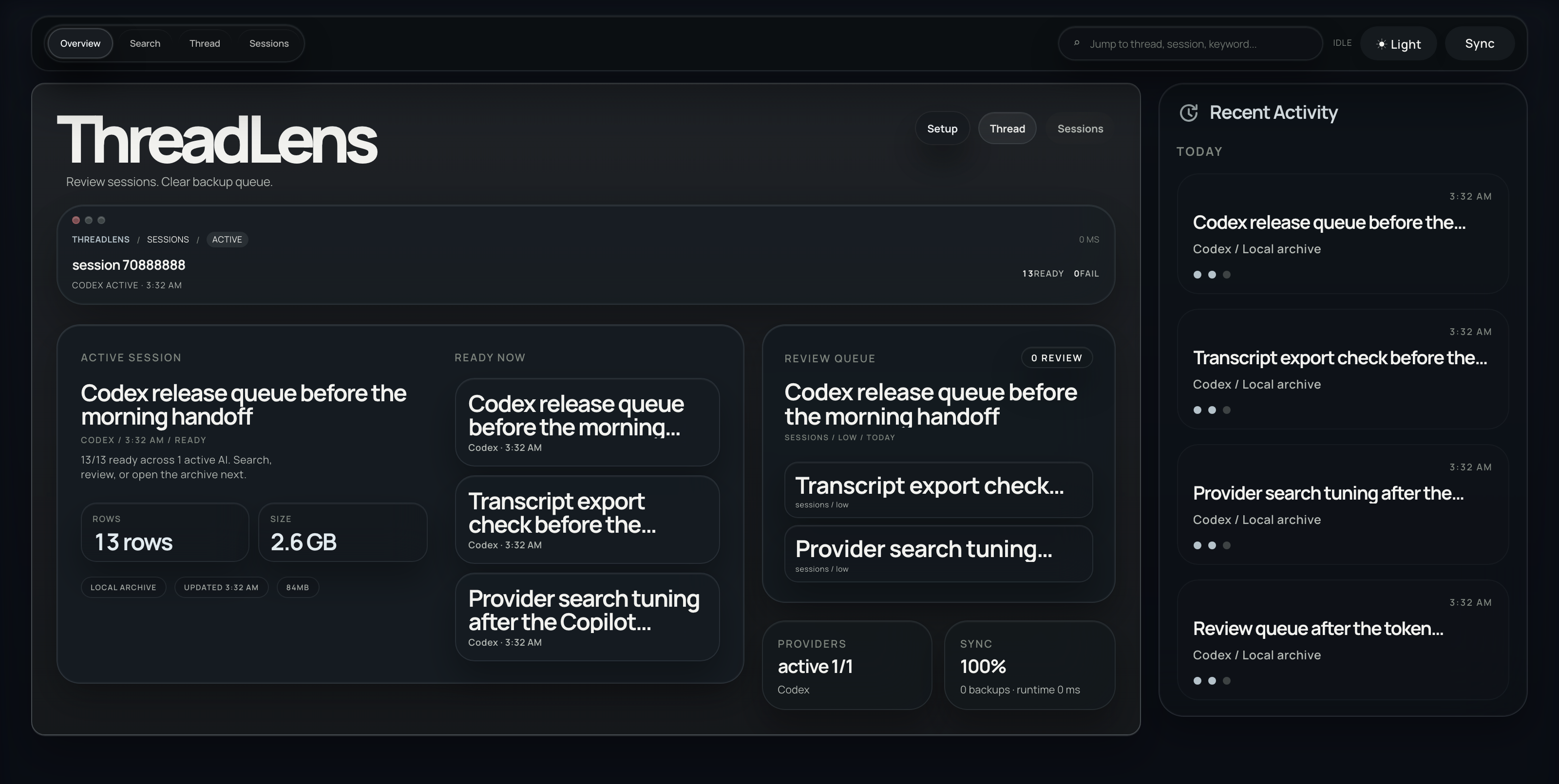
Start in Overview for recent activity, provider health, runtime recovery, and the default AI.
Core Workflows
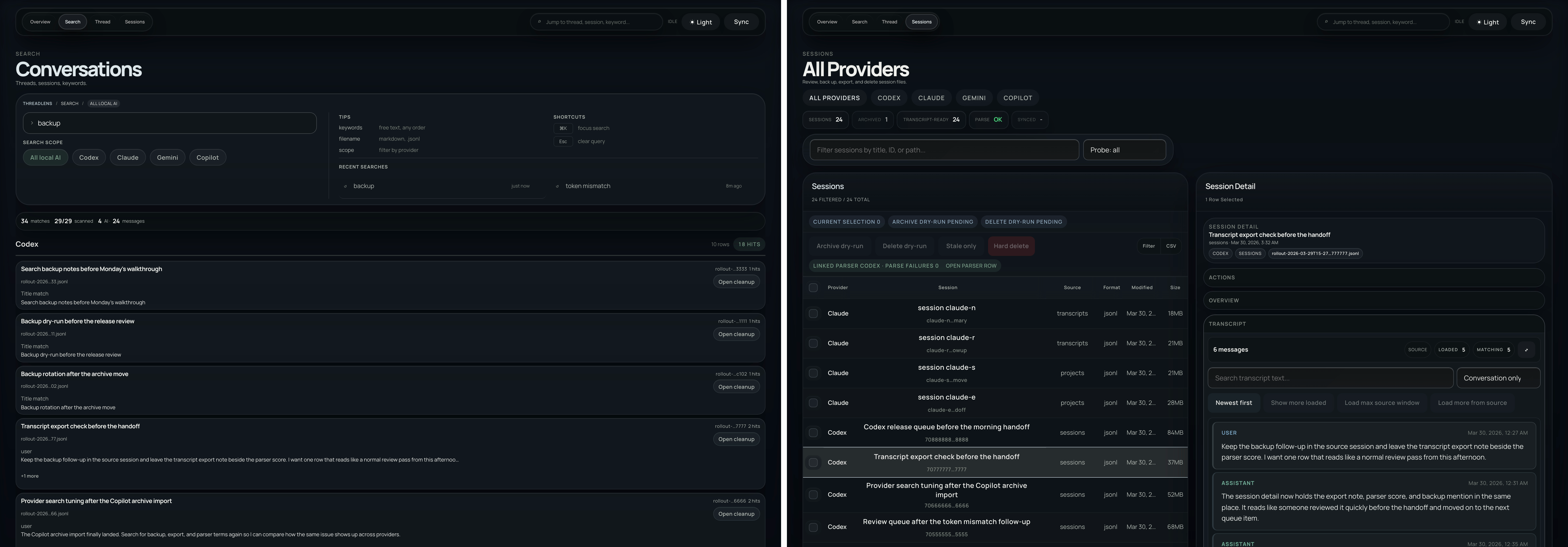
Start in Search when you know the phrase, then switch to Sessions for raw provider files and transcript detail.
Highlights
Conversation Searchfinds the right session or thread before you pick a workflow.Sessionsopens provider session files, transcript previews, and backup-first file actions.Threadgives Codex thread review, impact analysis, and dry-run token execution in a dedicated workflow.Overview Setupcan save one default AI soSessionsandSearchreopen from the same starting point.Diagnosticsexposes runtime, parser, data-source, recovery, and execution-flow signals from the same local runtime.- Web, TUI, and desktop all reuse the same Fastify API surface.
Getting Started
pnpm install
pnpm dev
Default local endpoints:
- Web UI:
http://127.0.0.1:5174 - TS API:
http://127.0.0.1:8788
Optional surfaces:
pnpm dev:tuistarts the terminal workbenchpnpm dev:desktopstarts the Electron shell in development modesync-lensis available as an optional read-only comparison surface for Codex state across machines
Desktop Build Note
- Electron packaging is wired for unsigned local macOS builds.
- First launch can trigger Gatekeeper. Use
Openfrom the context menu once, or allow the app inSystem Settings > Privacy & Security. - Packaged outputs land in
apps/desktop-electron/dist/mac-arm64/ThreadLens.appandapps/desktop-electron/dist/*.zip. - Desktop-specific build details live in
apps/desktop-electron/README.md.
Documentation
- Architecture:
docs/ARCHITECTURE.md - Workflows:
docs/WORKFLOWS.md - Provider support:
docs/PROVIDER_SUPPORT.md - TUI guide:
docs/TUI.md
Contributing
For development guidelines, read CONTRIBUTING.md.
Security
For vulnerability reporting, read SECURITY.md.
Support
For bug reports, feature requests, and release support, read SUPPORT.md.
License
Yorumlar (0)
Yorum birakmak icin giris yap.
Yorum birakSonuc bulunamadi