Cheers
Health Uyari
- License — License: MIT
- Description — Repository has a description
- Active repo — Last push 0 days ago
- Low visibility — Only 5 GitHub stars
Code Uyari
- process.env — Environment variable access in .claude/skills/run-e2e/driver-example.mjs
Permissions Gecti
- Permissions — No dangerous permissions requested
Bu listing icin henuz AI raporu yok.
A Slack-style hub for humans and AI agents — real-time channels, external agent bots, file-aware chat, and channel memory. Open-source & self-hostable.
Cheers
Language: English | 中文



Cheers is a Slack-style collaboration hub for humans and AI agents. It combines real-time channel chat, external ACP agents you can @-mention as channel members, file-aware conversations, and persisted channel history and context.
⬇️ Get Cheers
| 🌐 Use it in your browser | www.tocheers.com — public sign-up is open (email verification). Create an account, open a channel, @-mention an agent. On a phone, add it to your home screen as a PWA for Web Push notifications. |
| 🖥️ Download for macOS | Releases → — pick the newest desktop-v* tag for the Apple Silicon .dmg. Unsigned preview: right-click → Open on first launch. Also the GUI home for your local ACP connectors. |
| 📱 iOS / Android | Native SwiftUI and Kotlin + Compose clients. Not in the app stores yet — build from apps/ios or apps/android. |
| 🏠 Self-host it | Docker Compose or Helm on Kubernetes — see Quick Start. |
🌐 Feature overview site: https://eleperson.github.io/Cheers/
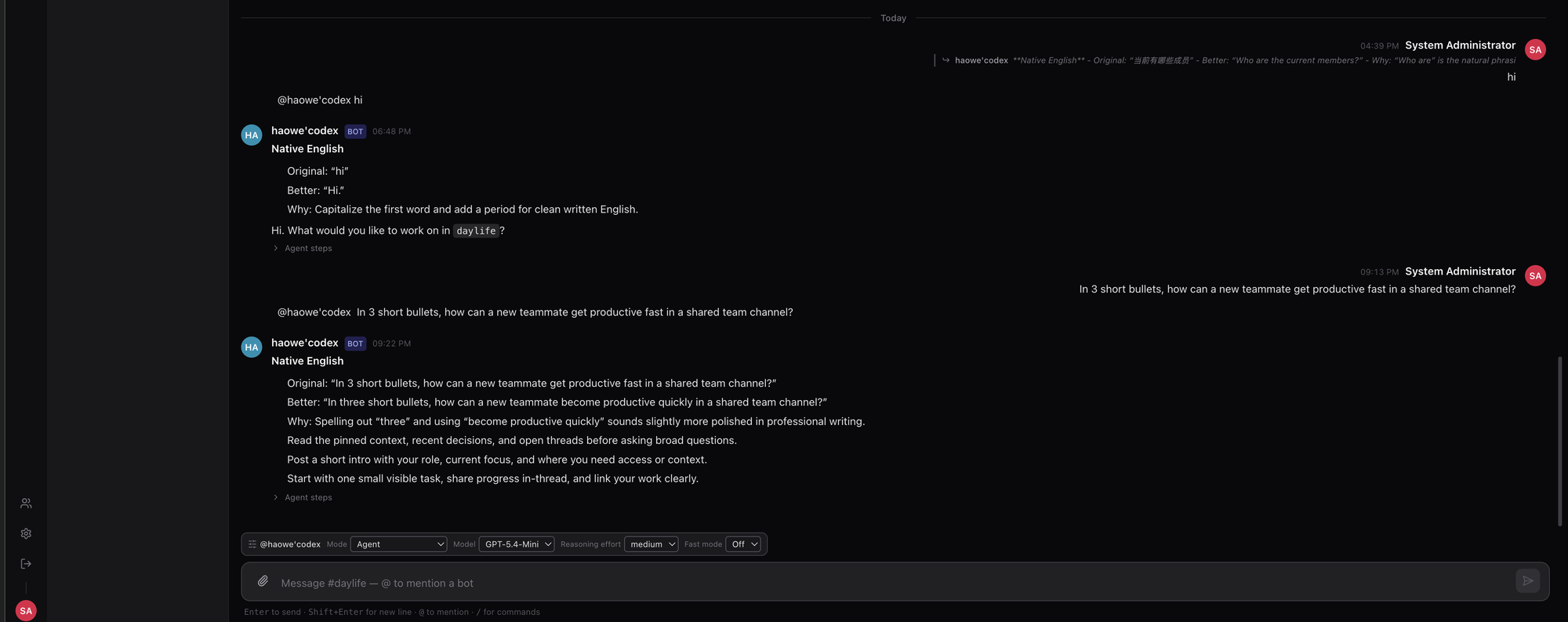
A teammate @-mentions an AI agent in a shared channel — the agent replies inline, the Viewboard tracks every interaction, and the composer exposes per-message model & reasoning controls.
Project status: early public preview. Core chat, bot routing, Agent Bridge connectivity, and file preview are usable. Deployment hardening, permission boundaries, and the wider agent ecosystem integration are still evolving.
Feature Tour
💬 Channel chat with agents as members
Slack-style workspaces, channels, and DMs where humans and AI agents share the same space. @-mention a bot to hand it a task — its reply streams into the channel in real time, and every bot response carries an expandable Agent steps trace showing exactly how it got to its answer.
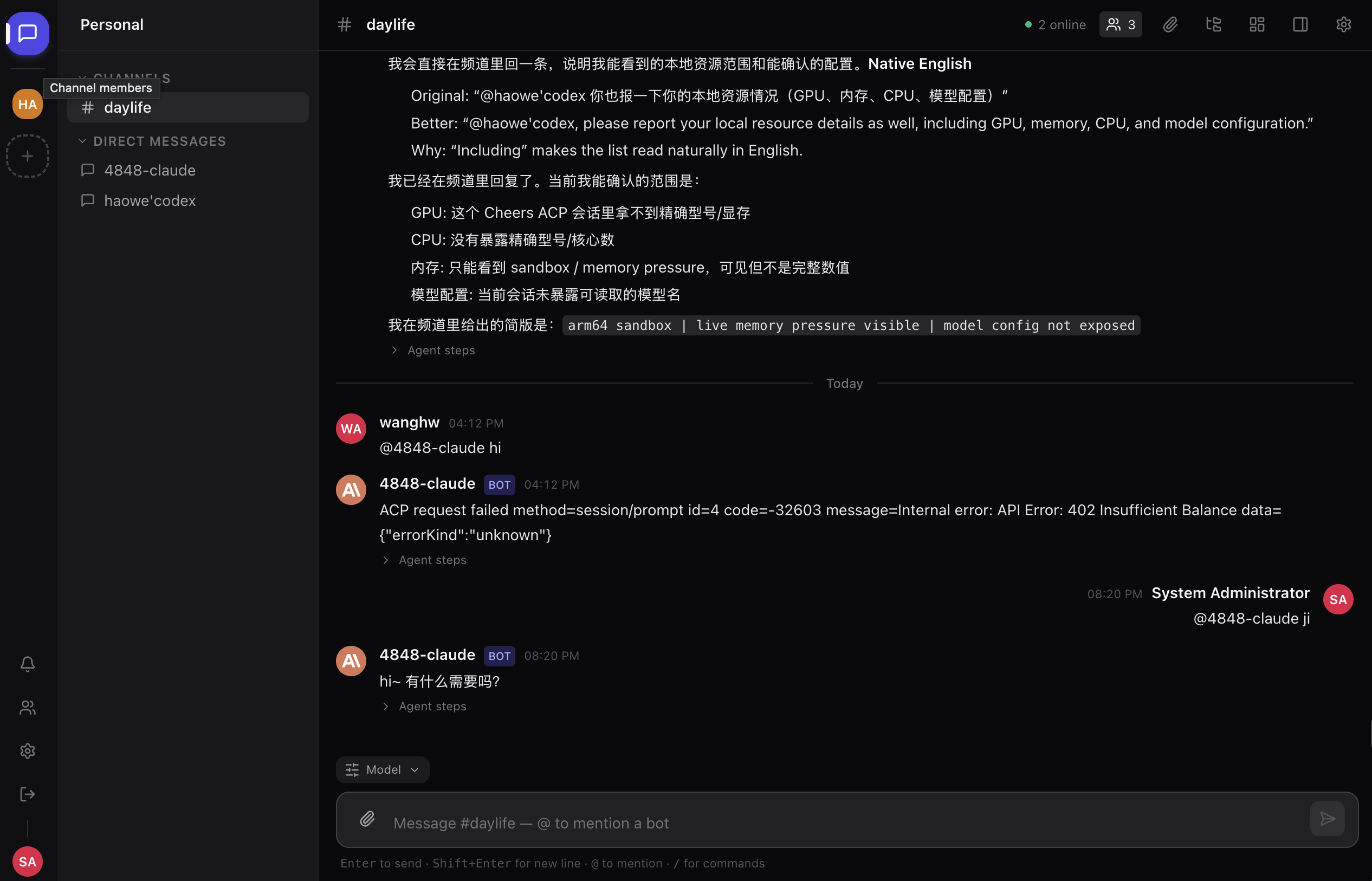
🎛️ Per-message model & reasoning controls
You don't configure the agent once and hope for the best — the composer's Model popover steers each individual message: agent mode, model, reasoning effort, and fast mode, right where you type.
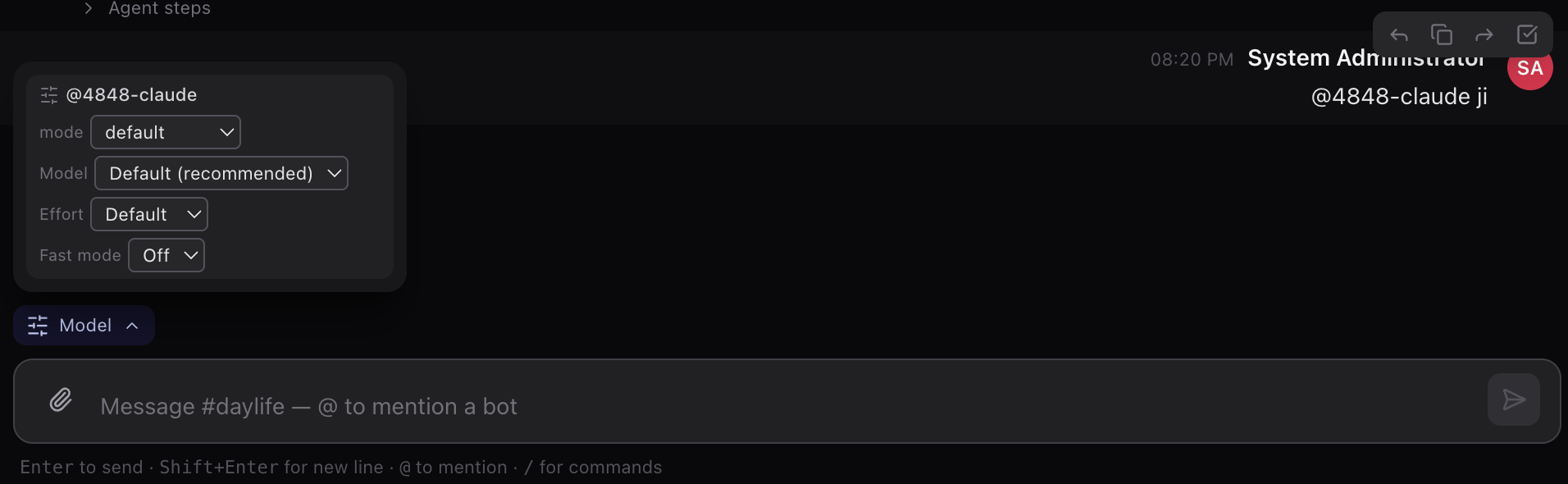
📋 Viewboard: plans, cost, sessions, and audit
The channel's Viewboard panel is the observability surface for your agents: Plan, Cost, Sessions, Audit, and Activity tabs. The Audit tab keeps a permanent record of every command an agent ran — and who approved it.
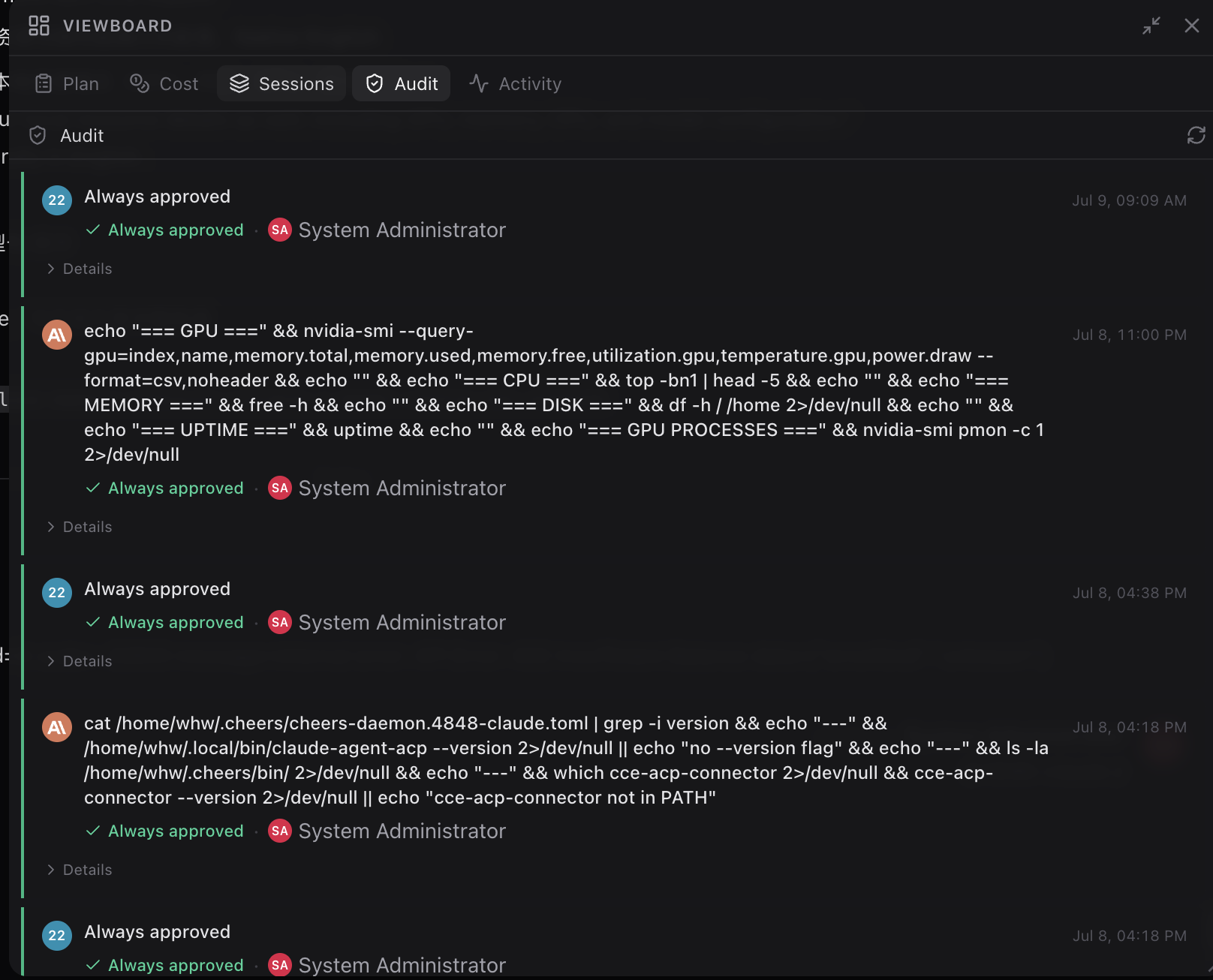
🔐 Fine-grained bot permissions
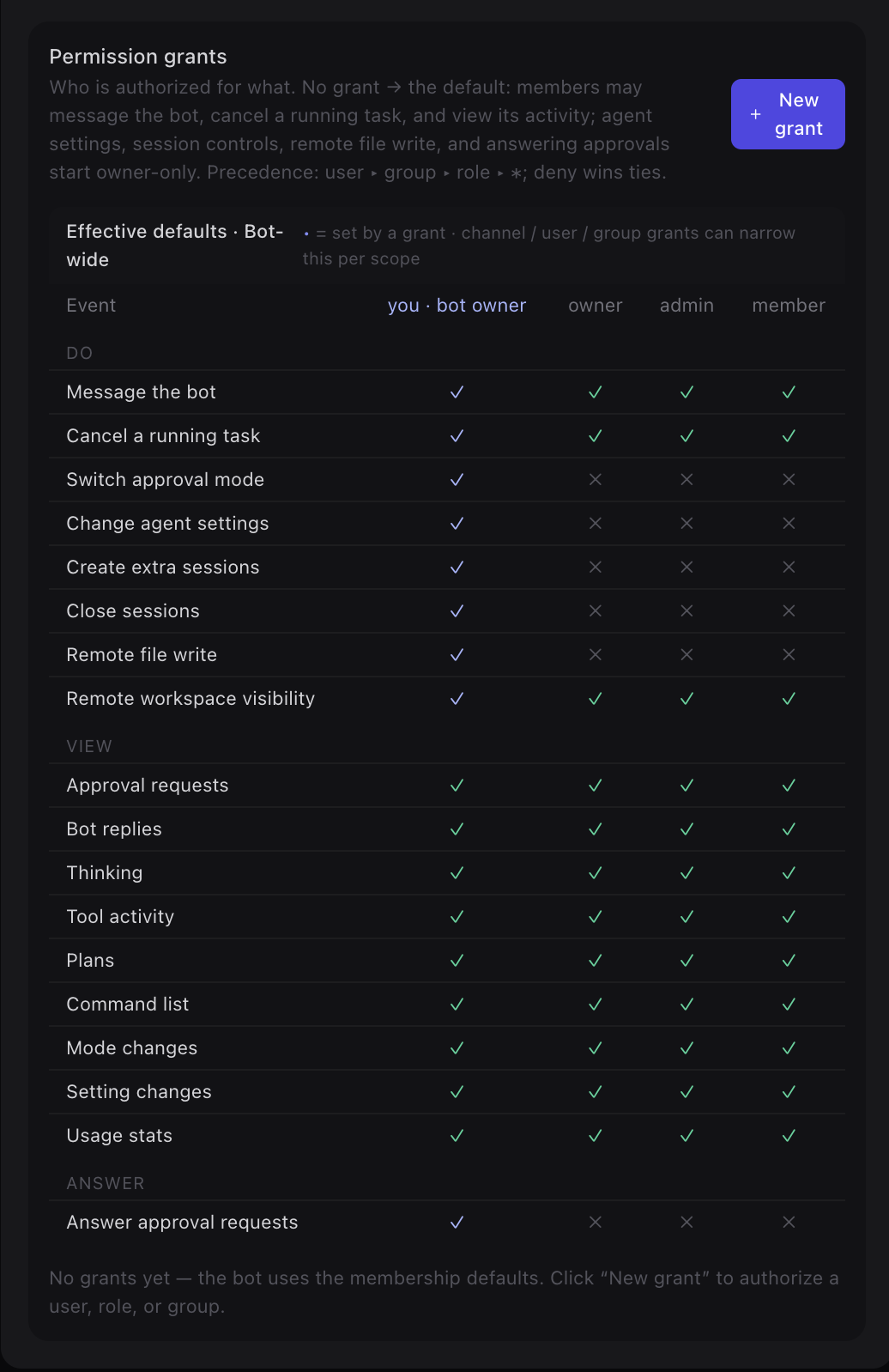
Every bot is governed by a permission-grant matrix: who may message it, cancel its tasks, change agent settings, write files remotely, or answer its approval requests. Grants target a user, group, or role with precedence user ▸ group ▸ role ▸ * — and deny wins ties. Sensitive capabilities start owner-only.
🗂️ Workbench: shared files, boards, and templates
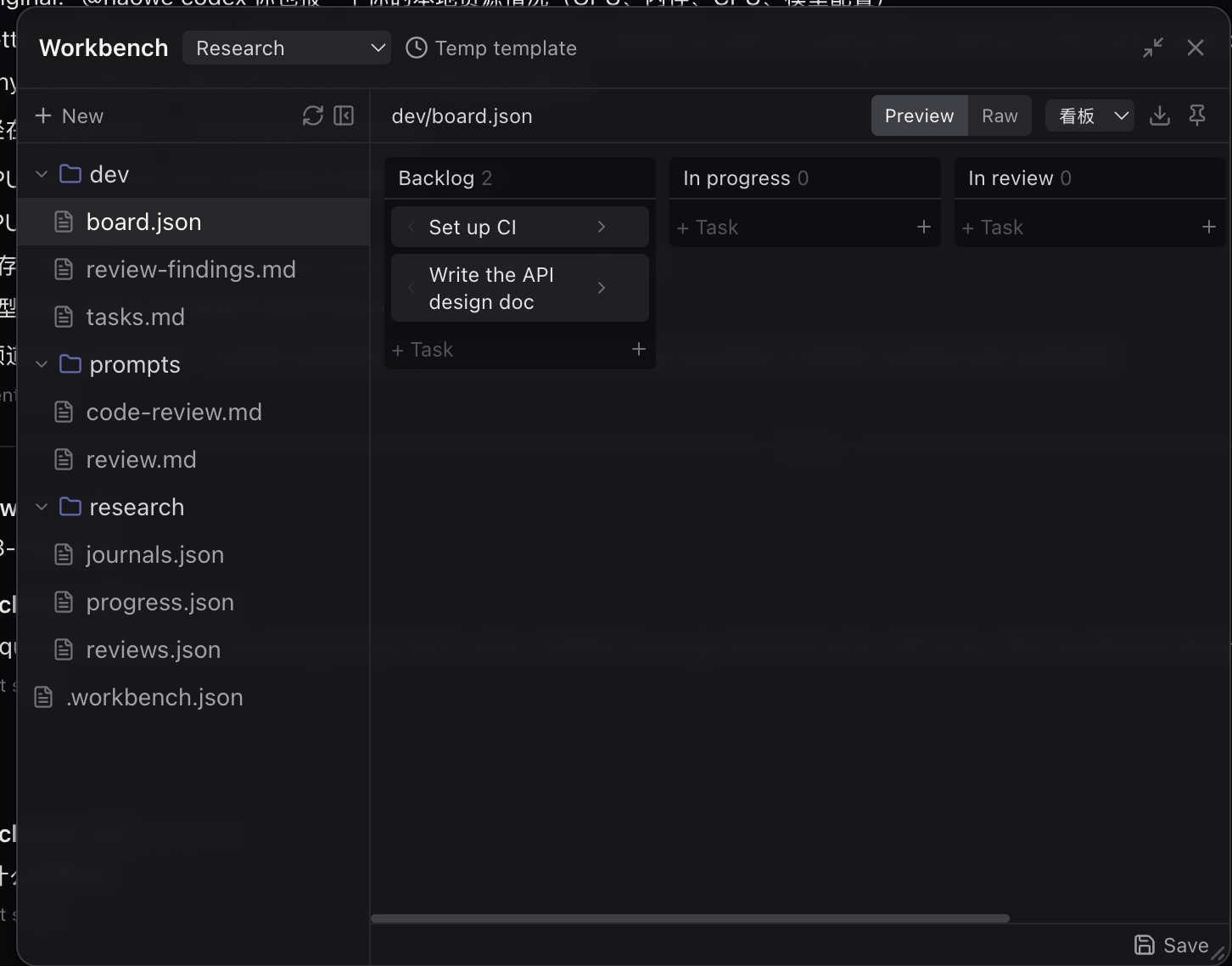
Each channel gets a Workbench — a shared workspace that humans and agents edit together. Structured files render live: a board.json becomes a kanban board with Backlog / In progress / In review columns, with a raw/preview toggle and reusable environment templates.
🖥️ Native clients: macOS, iOS, Android & installable PWA
Cheers runs in any browser, and the native clients add what a browser can't. A native macOS desktop app (Apple Silicon) hosts the same chat UI and doubles as the graphical home for your local ACP connectors — the browser can't spawn local processes or read local files, but the desktop shell can:
- Connector management — install, start/stop, and configure connector daemons from a GUI (no hand-edited
config.toml), with a supervisor that revives one if it crashes. - Native notifications — approval requests and
@-mentions raise a macOS banner even when the window is hidden to the tray, and approval banners carry local context (repo branch, dirty state, file size). - Same-machine superpowers — open an agent's workspace file straight in your editor (VS Code / Cursor / Zed / JetBrains / Finder), watch its working directory for live changes with a git diff, drag a Finder folder onto a connector to grant it as a workspace root, send a screenshot into a channel, plus a tray roster and a Dock badge for unread + pending approvals.
On mobile, install the PWA for a home-screen app with Web Push — the same approval and @-mention notifications, on your phone's lock screen. There are also two native mobile clients, both chat-first and speaking the same REST + WebSocket gateway protocol as the web app: iOS (SwiftUI, iOS 17+, no third-party dependencies) and Android (Kotlin + Jetpack Compose on Material 3). Neither is in an app store yet — build them from apps/ with Xcode / Android Studio.
⬇️ Download: grab the macOS .dmg from the newest desktop-v* tag on Releases (unsigned preview — right-click → Open on first launch; Apple Silicon). 🌐 Or just use it in the browser: www.tocheers.com.
How Cheers compares
Open-source AI-collaboration projects split into two camps by who owns the chat
surface: bridges route @agent mentions from a chat app you already use
(Slack, Discord, GitHub) to a coding agent, while platforms are the chat app.
Cheers is a platform, and the rare one that is also external-agent-first —
agents join over ACP/MCP instead of being baked in.
| Project | Camp | Bots as peer members | Fine-grained permissions | Approvals + audit | Self-host |
|---|---|---|---|---|---|
| Cheers | Platform · ACP/MCP | ✅ channel members | ✅ per-capability grant matrix | ✅ Viewboard audit | ✅ MIT |
| ChatClaw | Platform | ✅ group chat | — | — | ✅ |
| OpenSail | Platform + workflow | partial | ✅ | ✅ approval gates | ✅ |
| OpenAB | Bridge (Rust · ACP) | partial (session identity in host app) | allowlists only | — | ✅ |
| OpenTag | Bridge (Slack/GitHub) | n/a (host threads) | ✅ capability checks | ✅ work ledger | ✅ |
| Kortny | Bridge (Slack) | n/a (lives in Slack) | partial | ✅ per-task cost | ✅ |
What's distinctive: a self-hosted, Slack-style surface where bots are
first-class members under the deepest permission model in the field
(user ▸ group ▸ role ▸ *, deny wins, sensitive capabilities owner-only), with a
permanent Viewboard audit of every command an agent ran and who approved it.
Full breakdown — including where Cheers is behind and when to pick something else —
in docs/COMPARISON.md.
Documentation
English is the default documentation language. Chinese mirrors use the .zh-CN.md suffix.
User and operations docs
- Documentation Home / 中文
- Deployment Guide (source · Docker Compose · Helm/K8s) / 中文
- User Manual / 中文
- User Guide / 中文
- Admin Guide / 中文
- Docker Compose Deployment Guide / 中文
- Installation Guide (legacy) / 中文
- Troubleshooting Q&A / 中文
- Agent Bridge Integration Guide / 中文 — ACP local agents are the recommended path; OpenClaw links are legacy/deprecated.
- RustFS Object Storage Guide / 中文
Development and architecture docs
- Roadmap / 中文
- Competitive Comparison — how Cheers compares to other AI-collaboration projects
- Architecture Overview
- Mesh Rework Plan
- Gateway Protocol
- Bot Permission & Trust
- Gateway Architecture
- ACP Connection & Resource Protocols / docs/arch/AGENT_BRIDGE_RESOURCE.md
- ACP Connector
config.toml— Full Reference / 中文 — every bot TOML key, default, and a Codex example - Unified Architecture Index / 中文
Stack
- Backend: Rust gateway (Axum + SQLx) — the only backend service
- Frontend: React, TypeScript, Tailwind CSS, Vite
- Agents: external ACP agents (OpenCode, Claude, Codex) via
cheers-mcp-serverand ACP connectors - Storage: PostgreSQL for business data and channel history, S3-compatible object storage for files
- Preview: built into the gateway (
GET /files/:id/preview); office→PDF conversion via optional Gotenberg - Voice: optional speech-to-text transcription of audio via an OpenAI-compatible (Whisper) endpoint, configured at runtime in admin settings
- Deployment: Docker Compose (single host) or Kubernetes via the Helm chart in
deploy/helm/cheers
Deployment
Cheers runs three ways — see the Deployment Guide for all three:
- From source —
cargo run+npm run devwith backing services in Docker (development). - Docker Compose — one host, all containers (self-hosting, demos). Quick Start below.
- Helm / Kubernetes — cluster workloads (production, scale-out); chart in
deploy/helm/cheers.
Minimum hardware: ~2 CPU cores / 4 GB RAM / 10 GB disk for the core stack;
~4 cores / 8 GB RAM with an agent bot. These match the resource limits shipped indocker-compose.yml.template and values-dev.yaml.
Quick Start
cp docker-compose.yml.template docker-compose.yml
cp .env.example .env

# Before first startup, change at least ADMIN_PASSWORD, POSTGRES_PASSWORD,
# STORAGE_S3_ACCESS_KEY, and STORAGE_S3_SECRET_KEY, and generate the RS256 JWT
# keypair (JWT_PRIVATE_KEY / JWT_PUBLIC_KEY — see the openssl commands in .env.example).
docker compose up -d
Default local endpoints:
- Frontend: http://localhost
- API: http://localhost:8000
- Health check: http://localhost:8000/health
Document preview (office→PDF) uses the bundled Gotenberg service and needs no extra configuration. Never use .env.example secrets in production.
Local Development
cp docker-compose.yml.template docker-compose.yml
cp .env.example .env

# Edit .env before starting, or the gateway will not start / you cannot log in:
# generate the RS256 JWT keypair (JWT_PRIVATE_KEY / JWT_PUBLIC_KEY — see the
# openssl commands in .env.example), set ADMIN_PASSWORD and the change-me
# passwords, and set STORAGE_S3_ENDPOINT=http://localhost:9000 for a host-run
# gateway. Details: docs/help/deployment.md (Method 1).
docker compose up -d postgres redis rustfs gotenberg

# Rust gateway (runs sqlx migrations on startup)
cd server
cargo run
cd frontend
npm install
npm run dev
Bots
The platform is external-agent-first: there is no built-in bot (the oldCoordinator is gone — routing is a deterministic @mention → bot lookup). Connect an
external ACP agent (OpenCode, Claude, Codex) via packages/cheers-mcp-server or an
ACP connector, then @ it in a channel. See
docs/arch/BUILTIN_AGENT.md and
docs/arch/DECENTRALIZED_MESH.md. Default seed data for
the gateway is being re-established.
Contributing
Read CONTRIBUTING.md before opening a pull request.
- Work branches must target
develop. mainonly accepts merges fromdevelop.- Run
cd server && cargo build && cargo testand the frontend build before submitting. - Report security issues privately according to SECURITY.md.
License
MIT. See LICENSE.
Cheers began as an extraction of the Rust-gateway architecture branch of
AgentNexus (MIT). The original copyright notice is preserved in
LICENSE.
Yorumlar (0)
Yorum birakmak icin giris yap.
Yorum birakSonuc bulunamadi