nekotrail
Health Uyari
- License — License: MIT
- Description — Repository has a description
- Active repo — Last push 0 days ago
- Low visibility — Only 5 GitHub stars
Code Gecti
- Code scan — Scanned 12 files during light audit, no dangerous patterns found
Permissions Gecti
- Permissions — No dangerous permissions requested
Bu listing icin henuz AI raporu yok.
Your coding agents, all at once. Run Claude Code, Codex and 14 more in parallel git worktrees on your own logins. Free, MIT, no account. An open-source alternative to Conductor.


Your coding agents, all at once.
Claude Code, Codex and 14 more on your logins, each in its own worktree.
Free, MIT, no account.







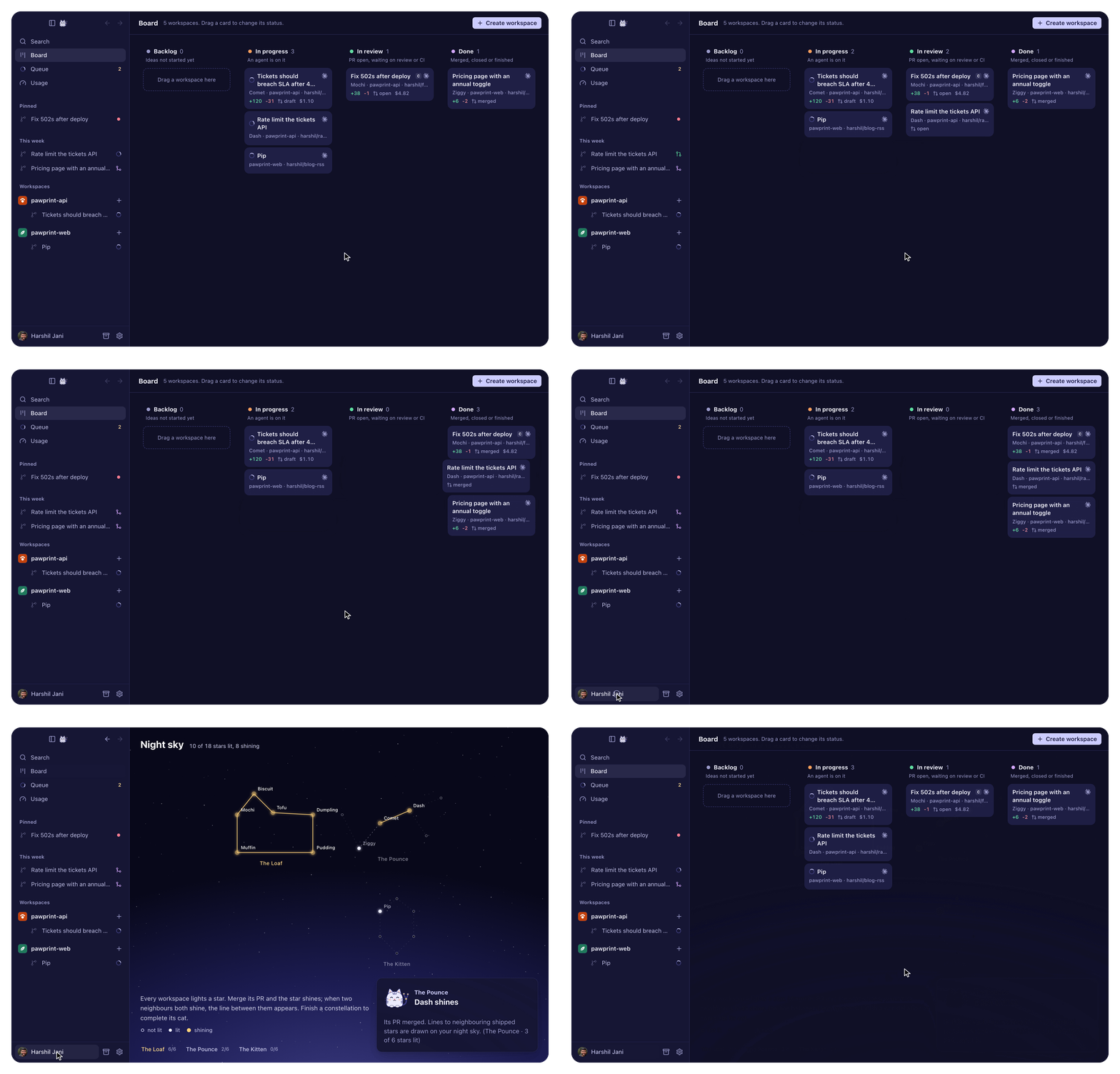
Every task gets a workspace: a git worktree on its own branch, plus a chat, a diff, a live preview, a terminal and a PR bar with GitHub status.
Why NekoTrail
 Open source and local. MIT. Workspaces, branches and chats stay on your disk. |
 Your agents, your logins. Sixteen agents through the agents' own CLIs. No proxy, no markup. |
 Hand off without starting over. Another agent picks up in the same branch, from a brief you read first. |
 Leave Conductor, keep everything. One import moves your worktrees with git worktree move and checks each one. Nothing is copied or deleted.
|
Tour
Screenshots and clips use sample data. Light and dark follow your Mac.
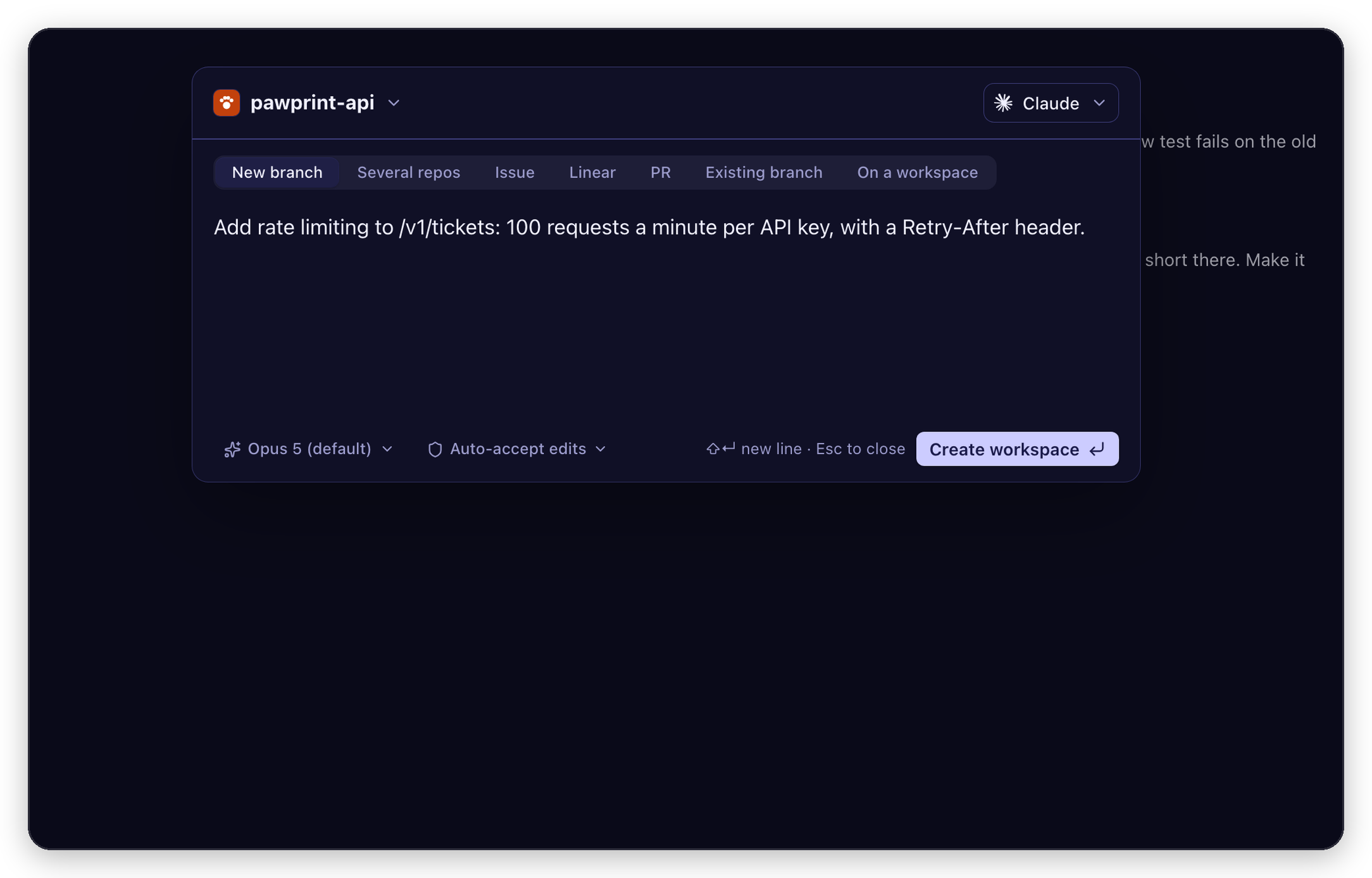 Start a workspace. Type the task, press Enter. Start from a GitHub or Linear issue, a PR, a branch or another workspace. |
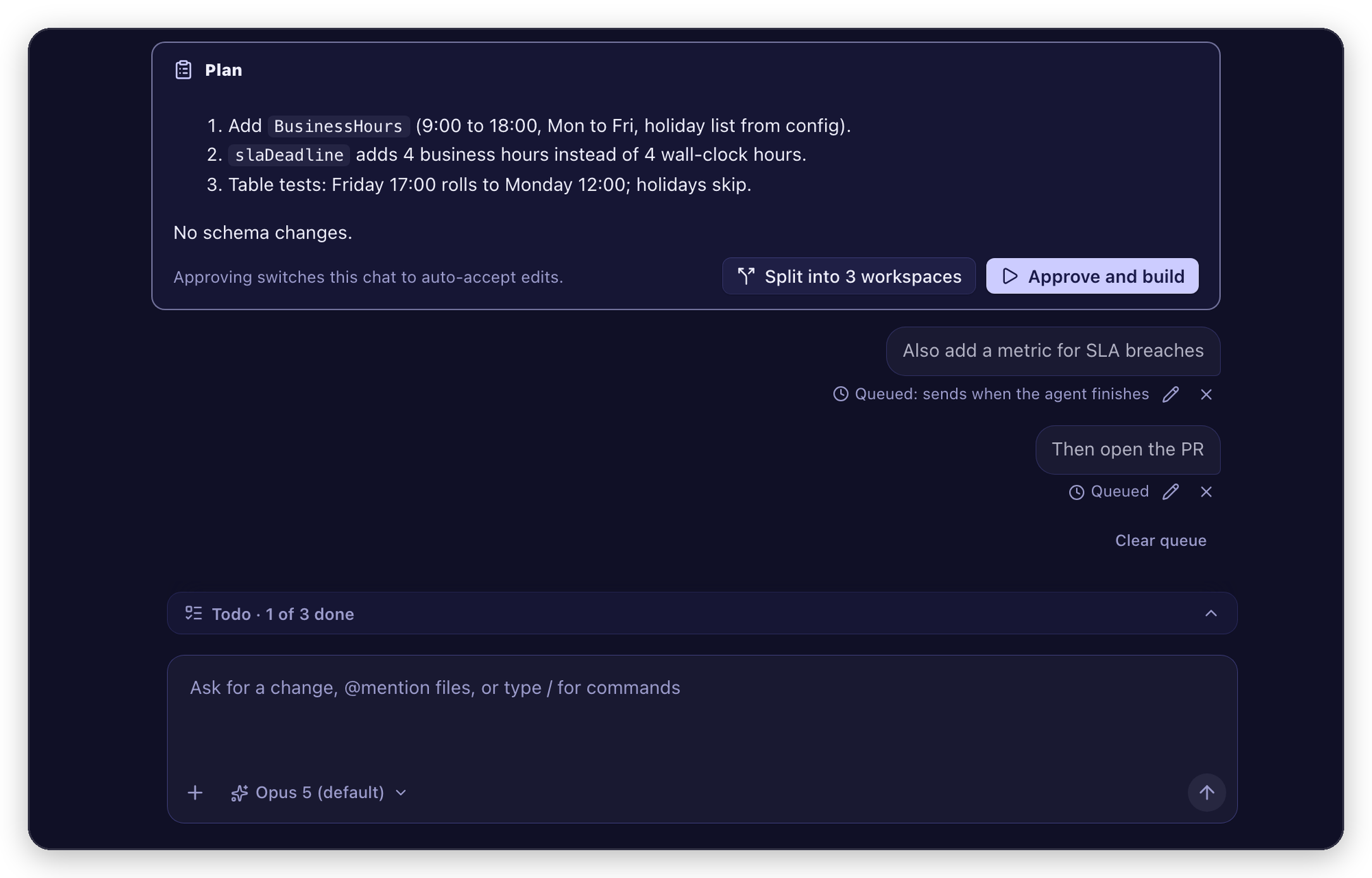 Approve the plan, or split it. Approve with ⌘⇧↵, or split it into parallel workspaces. |
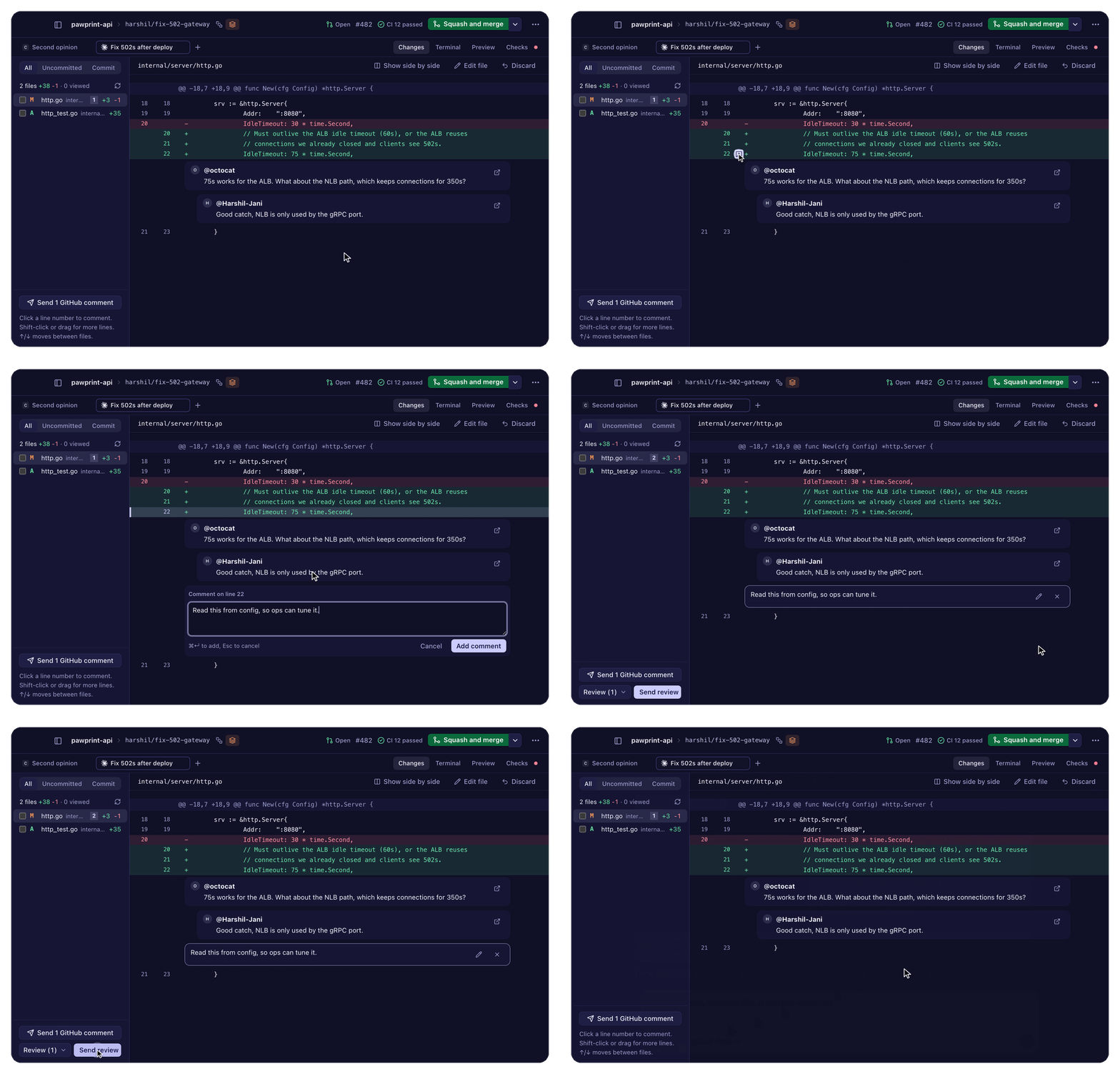 Review it like a PR. Click a line number to comment. Send review hands every comment to the agent in one message. |
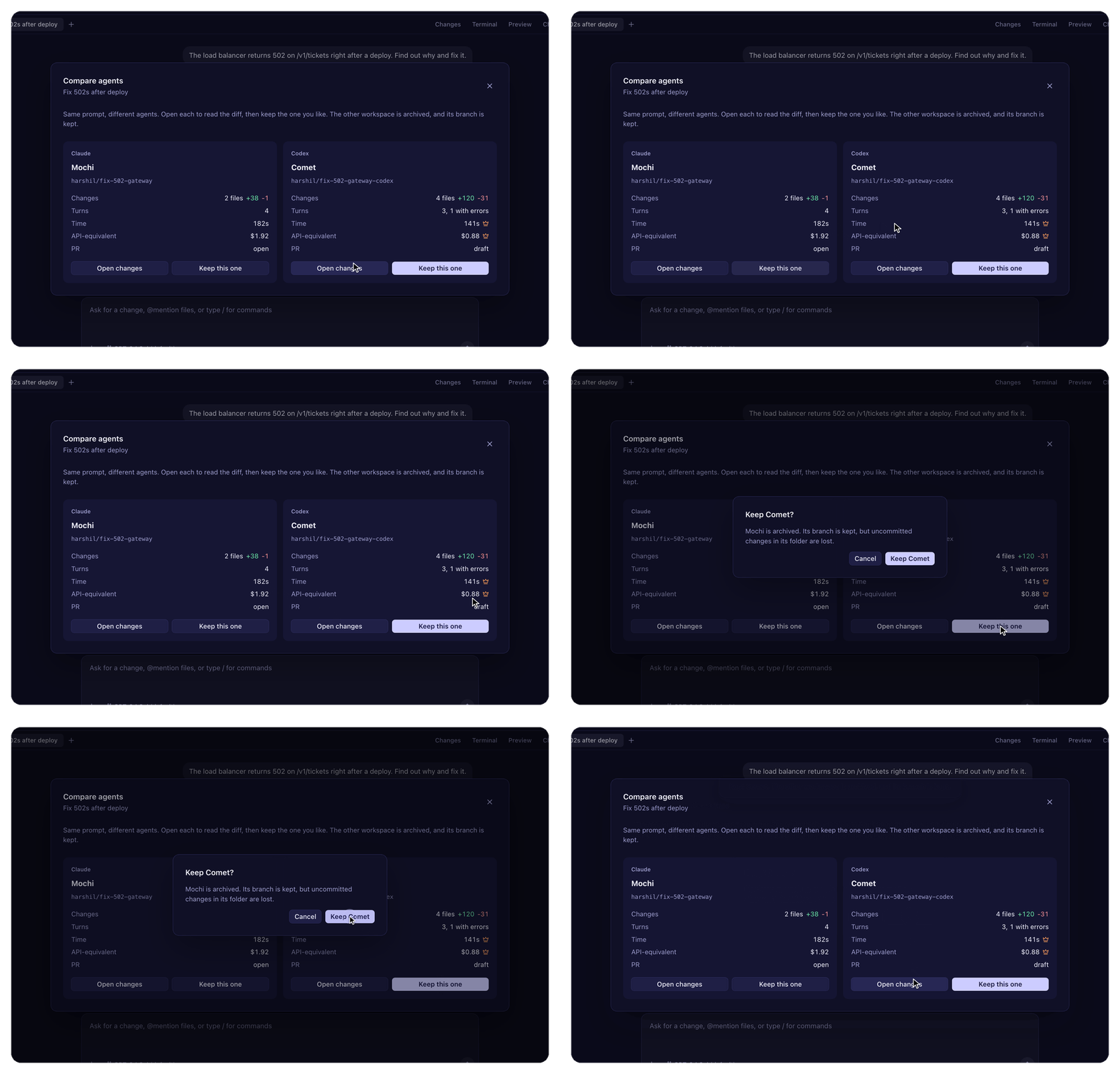 Compare Claude and Codex. Same task, two workspaces. Compare files, time and cost; keep the winner. |
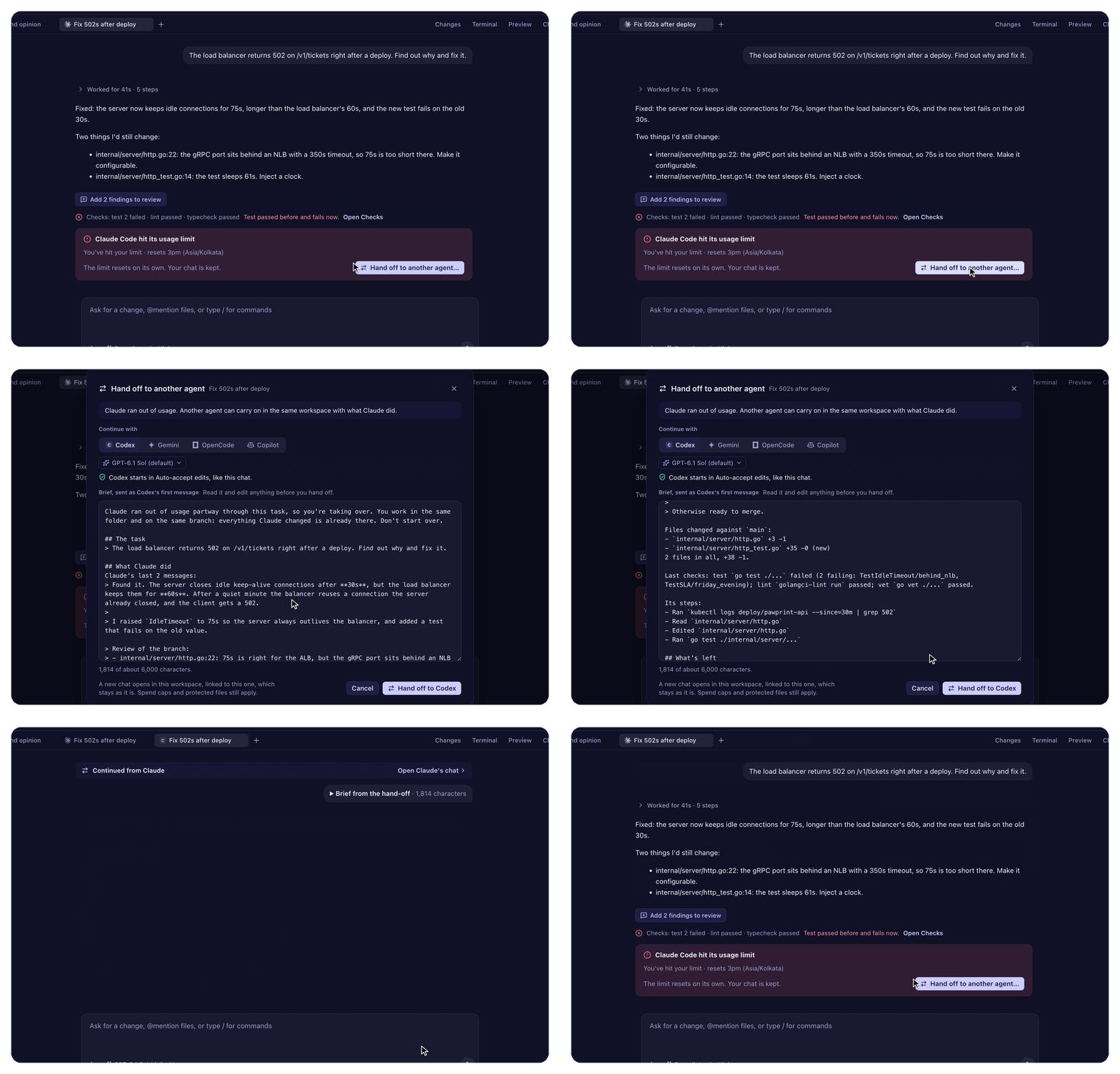 Hand off without starting over. Out of usage? Codex picks up in the same branch, from a brief you read first. |
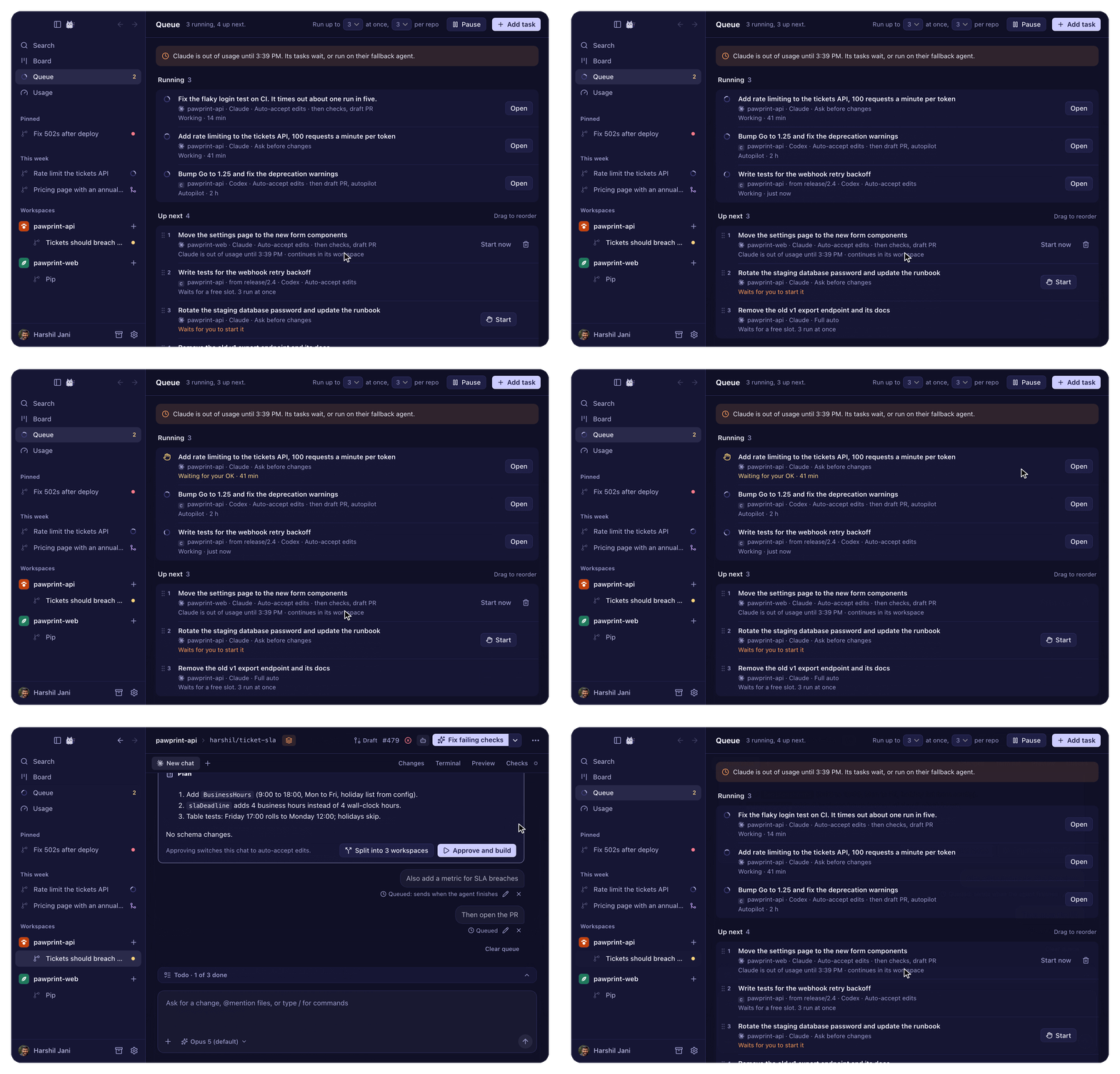 Queue the night's work. Tasks run a few at a time and respect each plan's limits, picking up after they reset. One that needs you turns gold. |
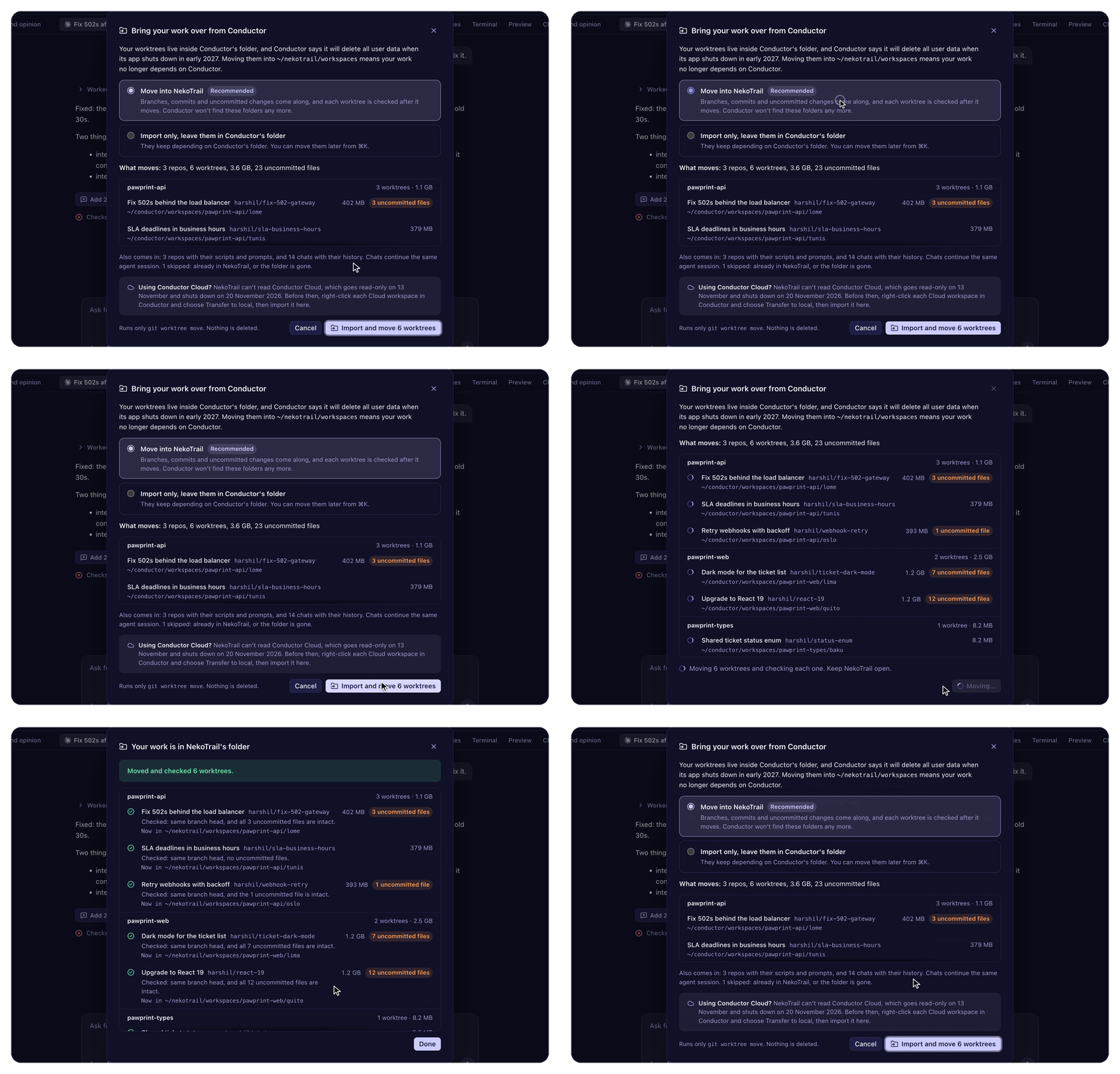 Bring your Conductor work over. One import moves every worktree into NekoTrail's folder and checks each one. |
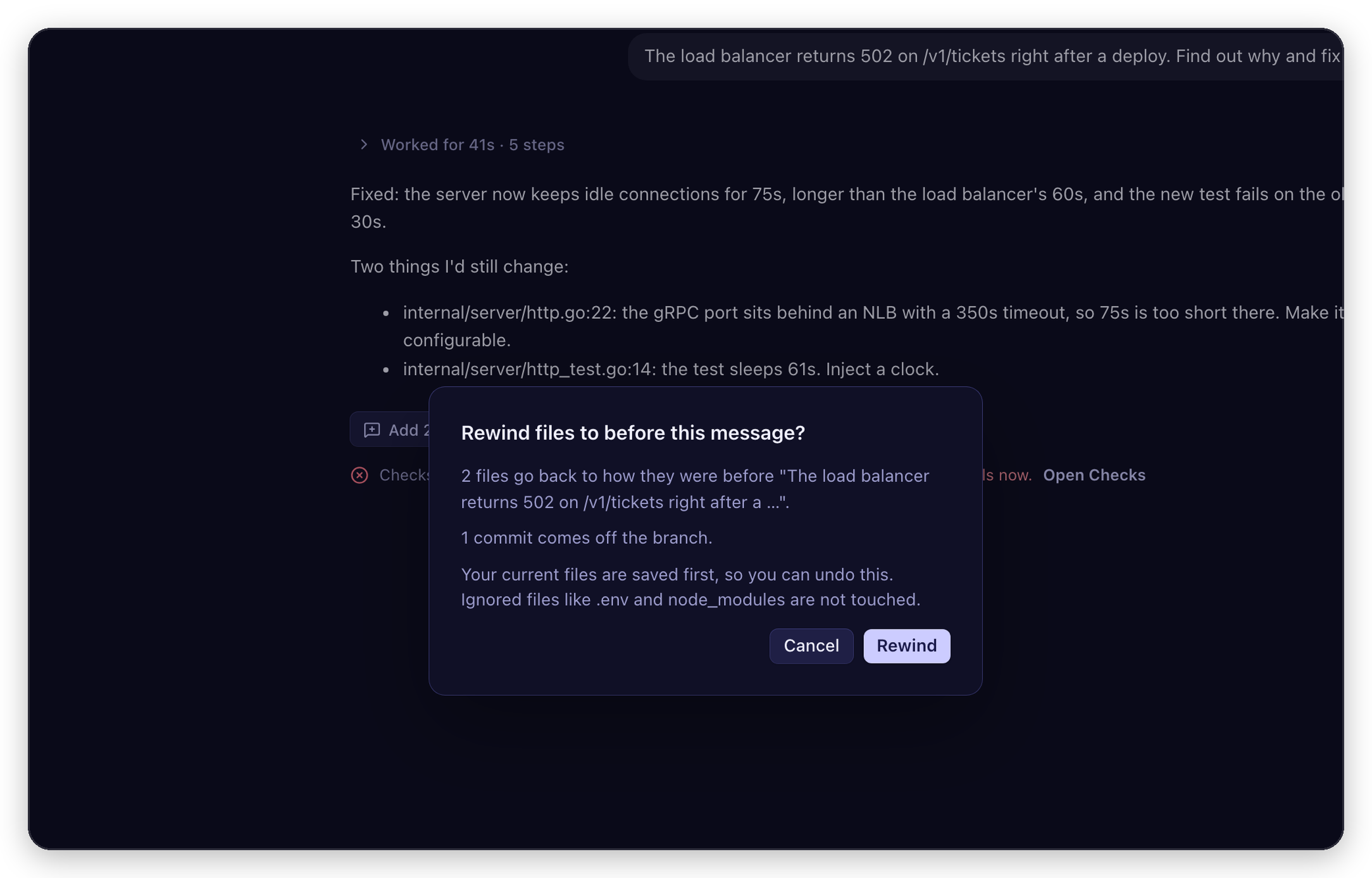 Rewind to here. Every message you send saves your files first. Rewind puts them back, and can be undone. |
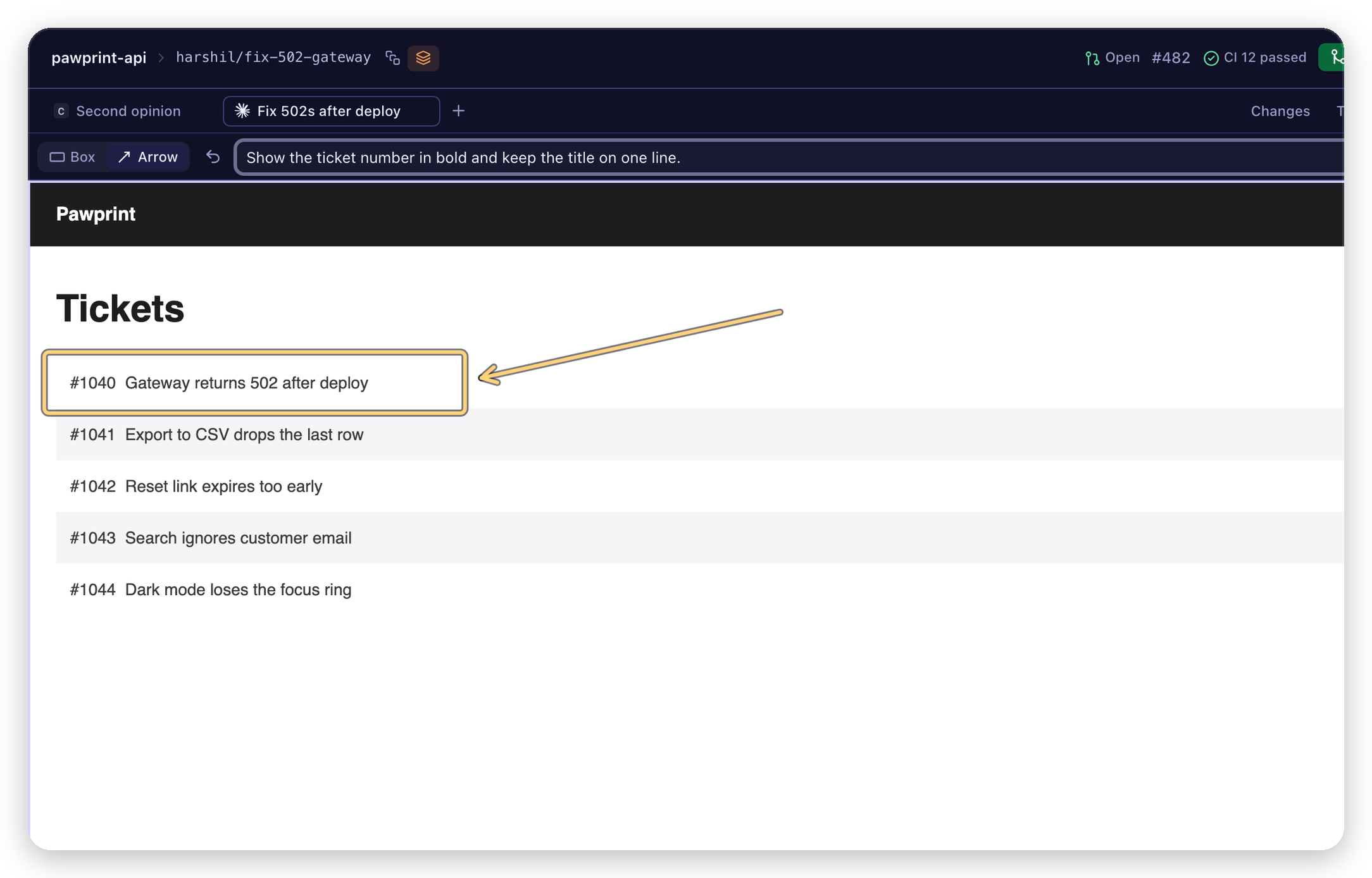 See your app and mark it up (⌘4). Draw on the running page and send it to the agent as a screenshot. |
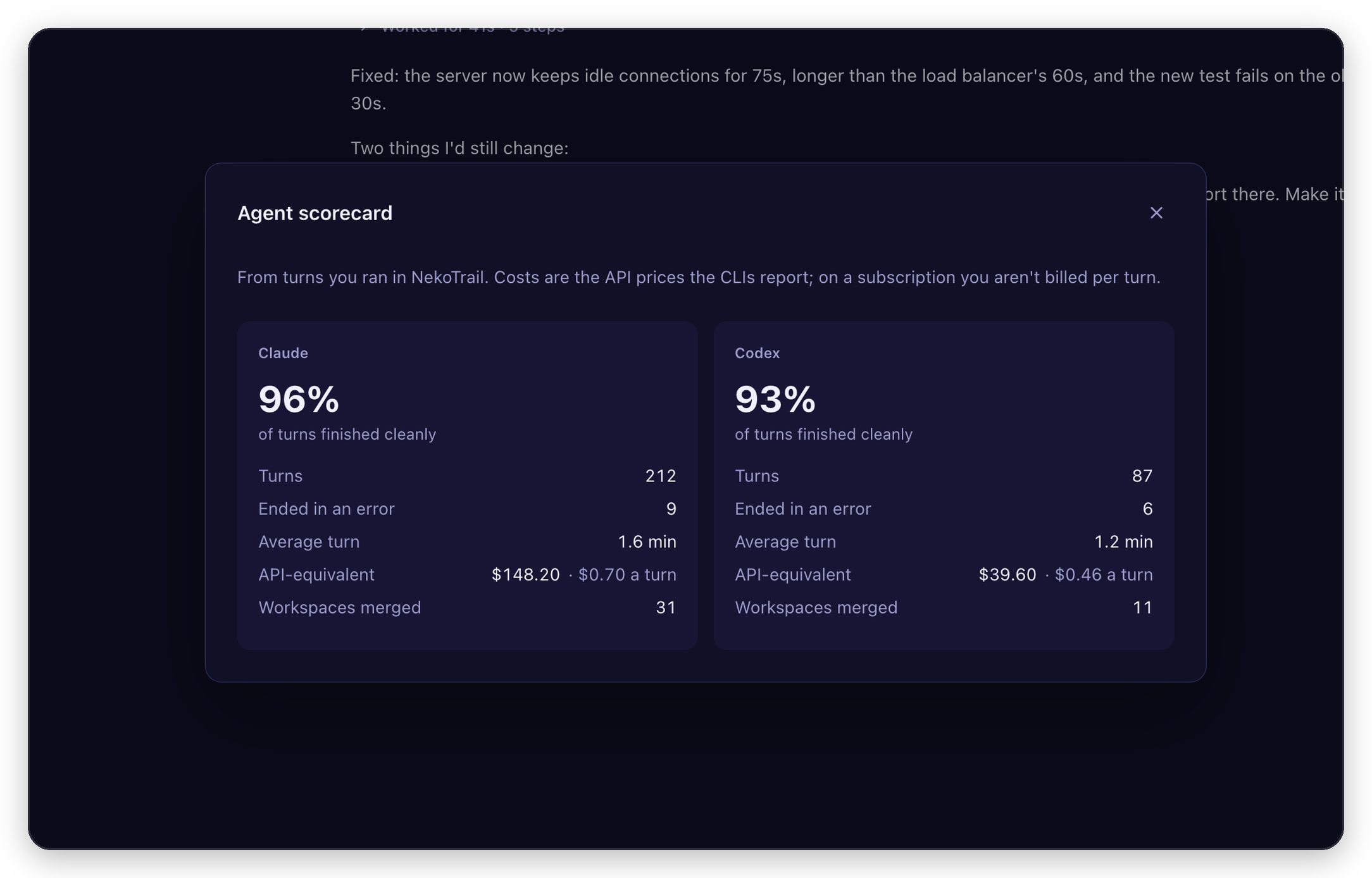 See which agent works for you. Clean finishes, turn time, API-equivalent cost and merged workspaces, from your own history. |
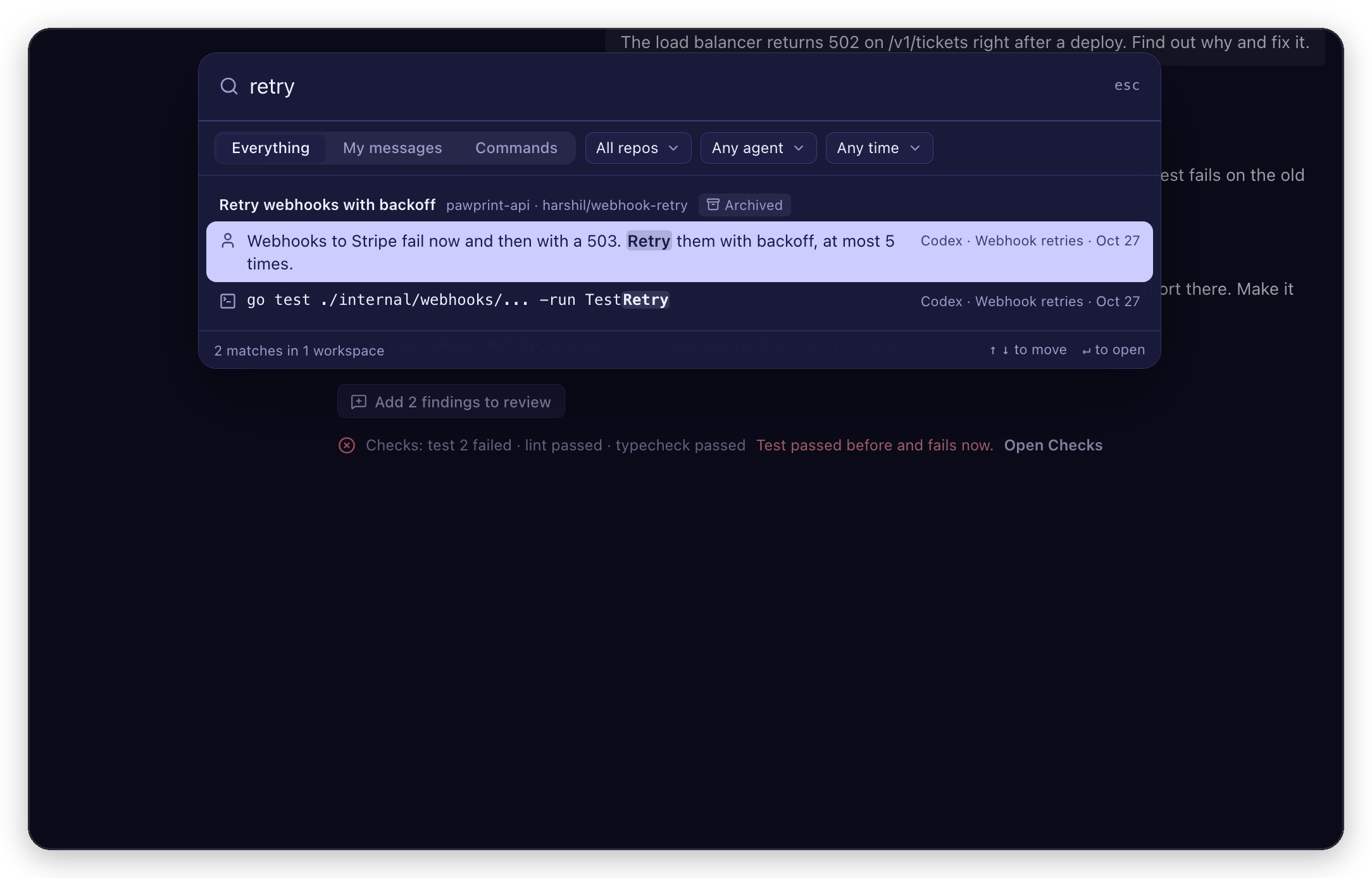 Search every chat. Type in the sidebar's Search and press ↵. Archived workspaces too. Filter by repo, agent or time. |
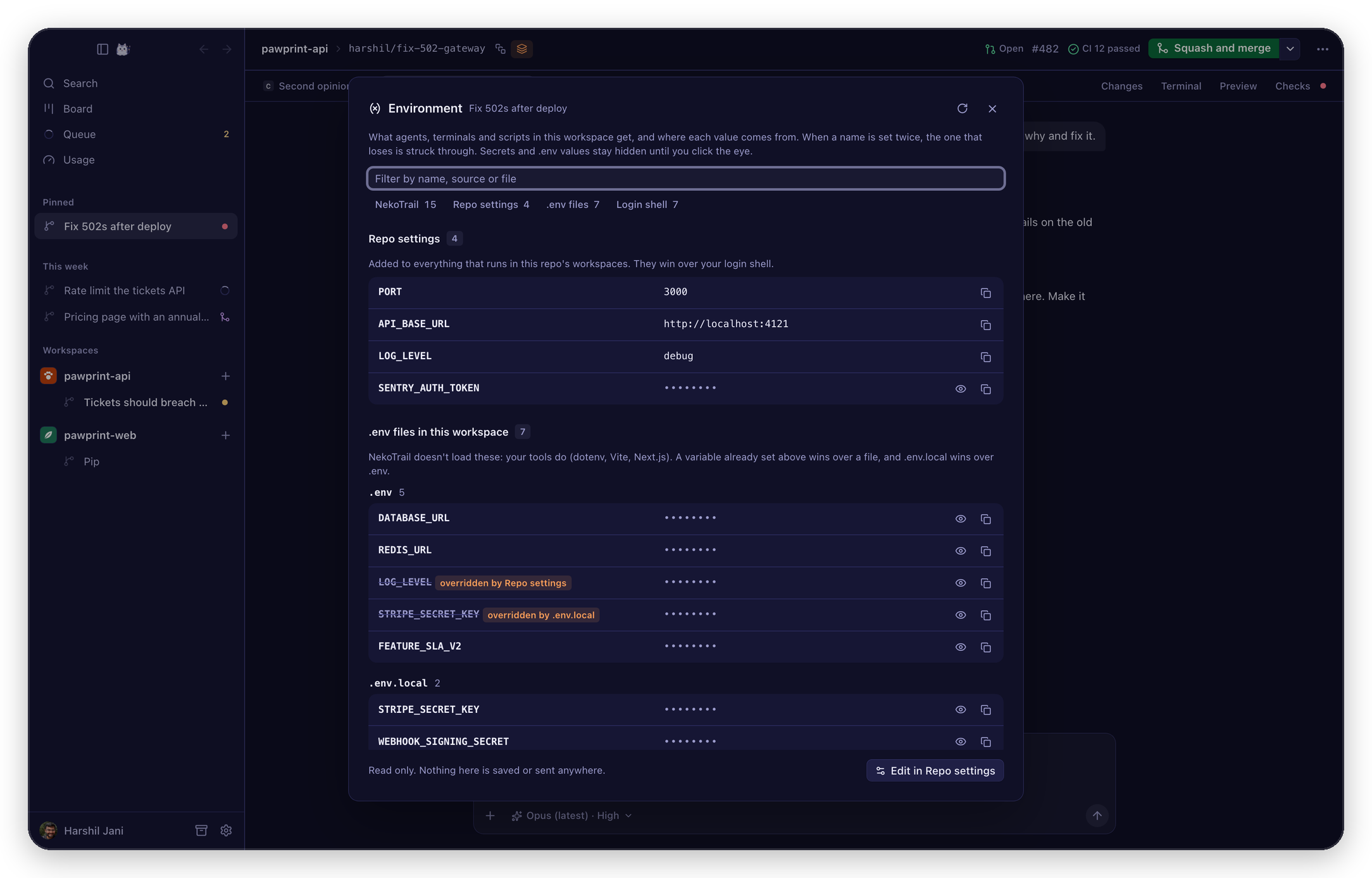 See what your agents get. Every variable agents, terminals and scripts get, and where it comes from (⋯ menu). Secrets stay hidden. |
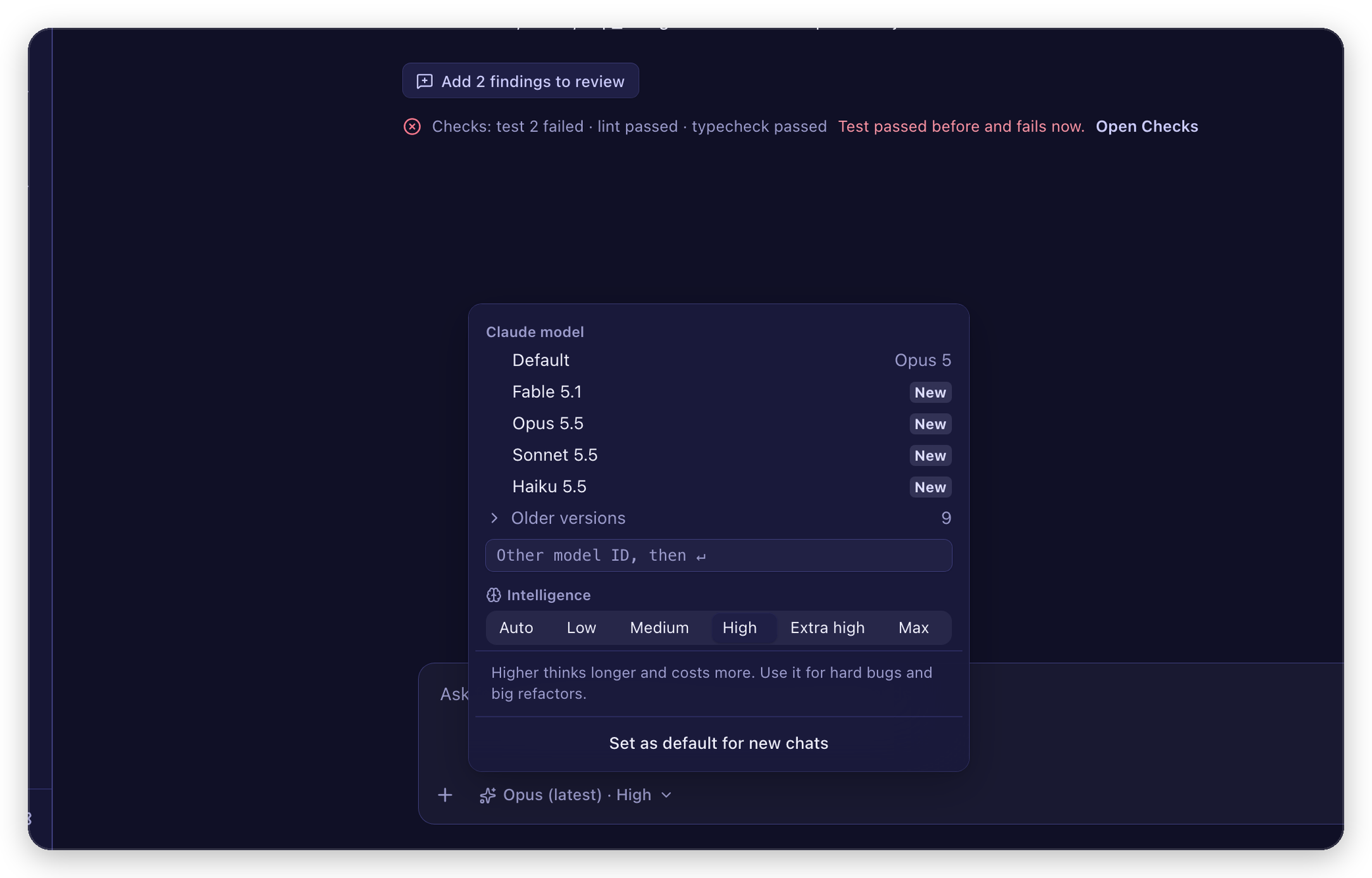 Pick the model and how hard it thinks (⌘/). Or set it as the default for new chats. |
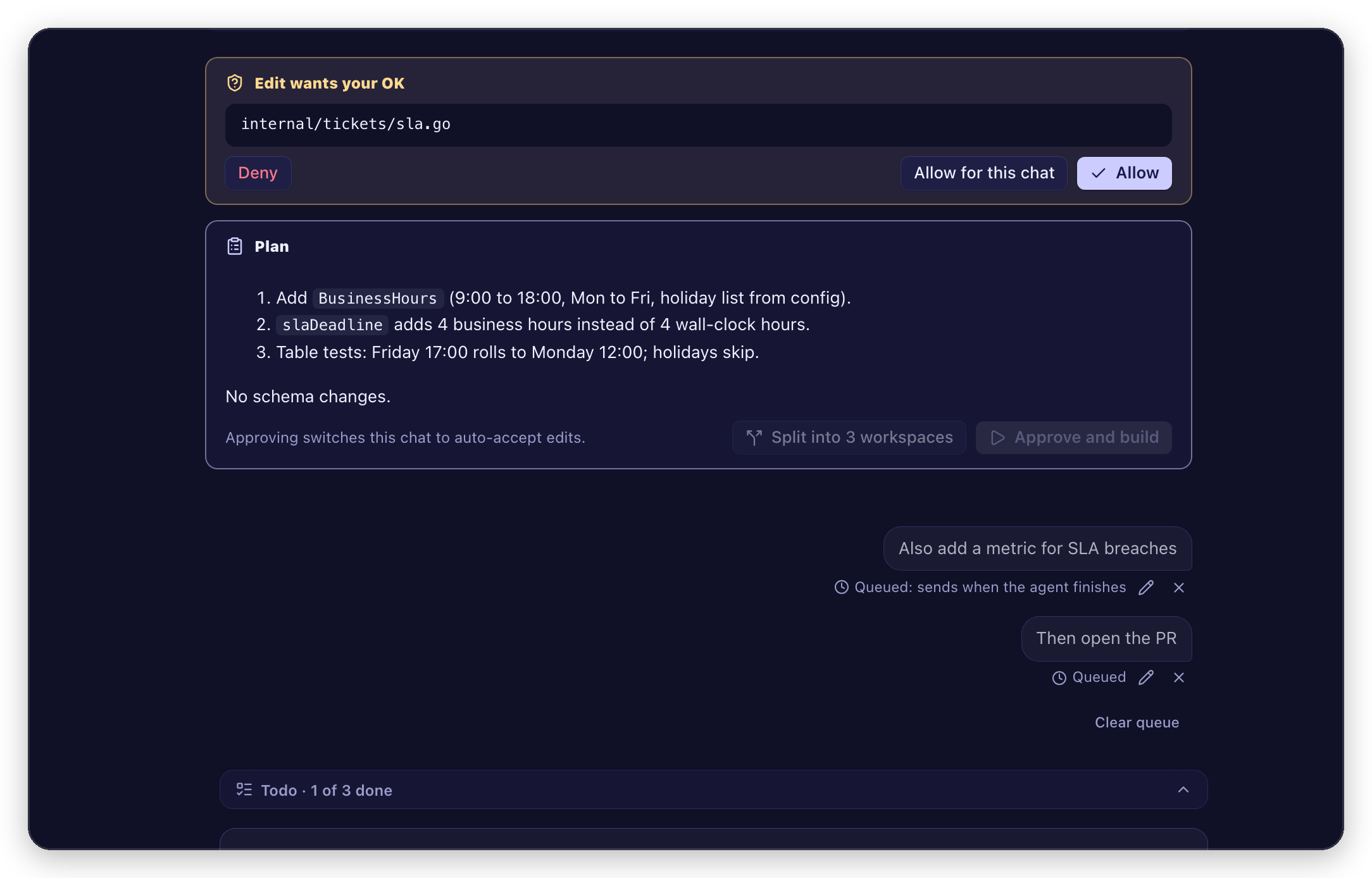 Or approve each change. In Ask before changes, every edit and command waits for Allow (↵) or Deny (⌫). |
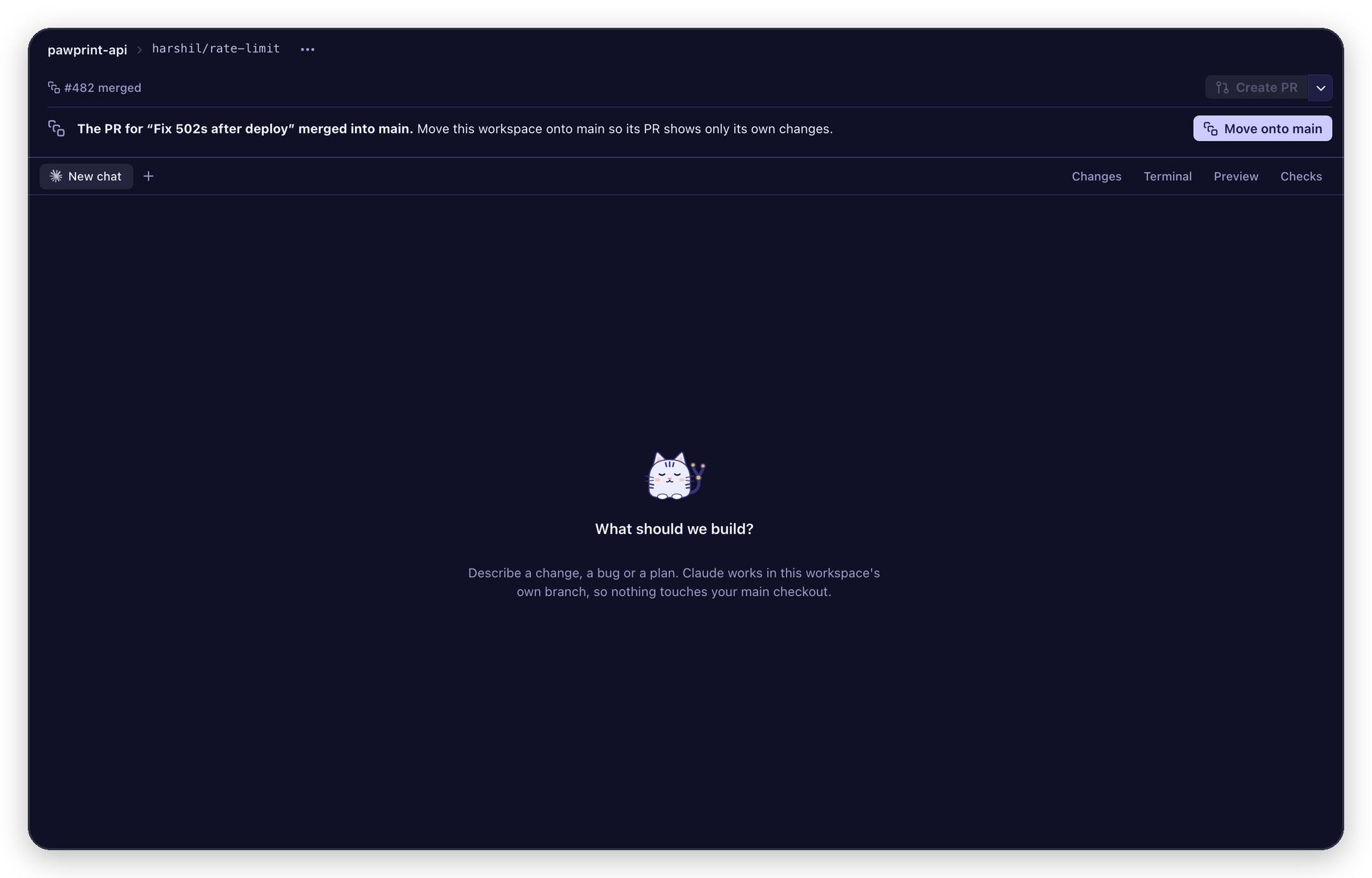 Stack work on work. Build on an unmerged workspace. When the parent merges, one click moves it onto main. |
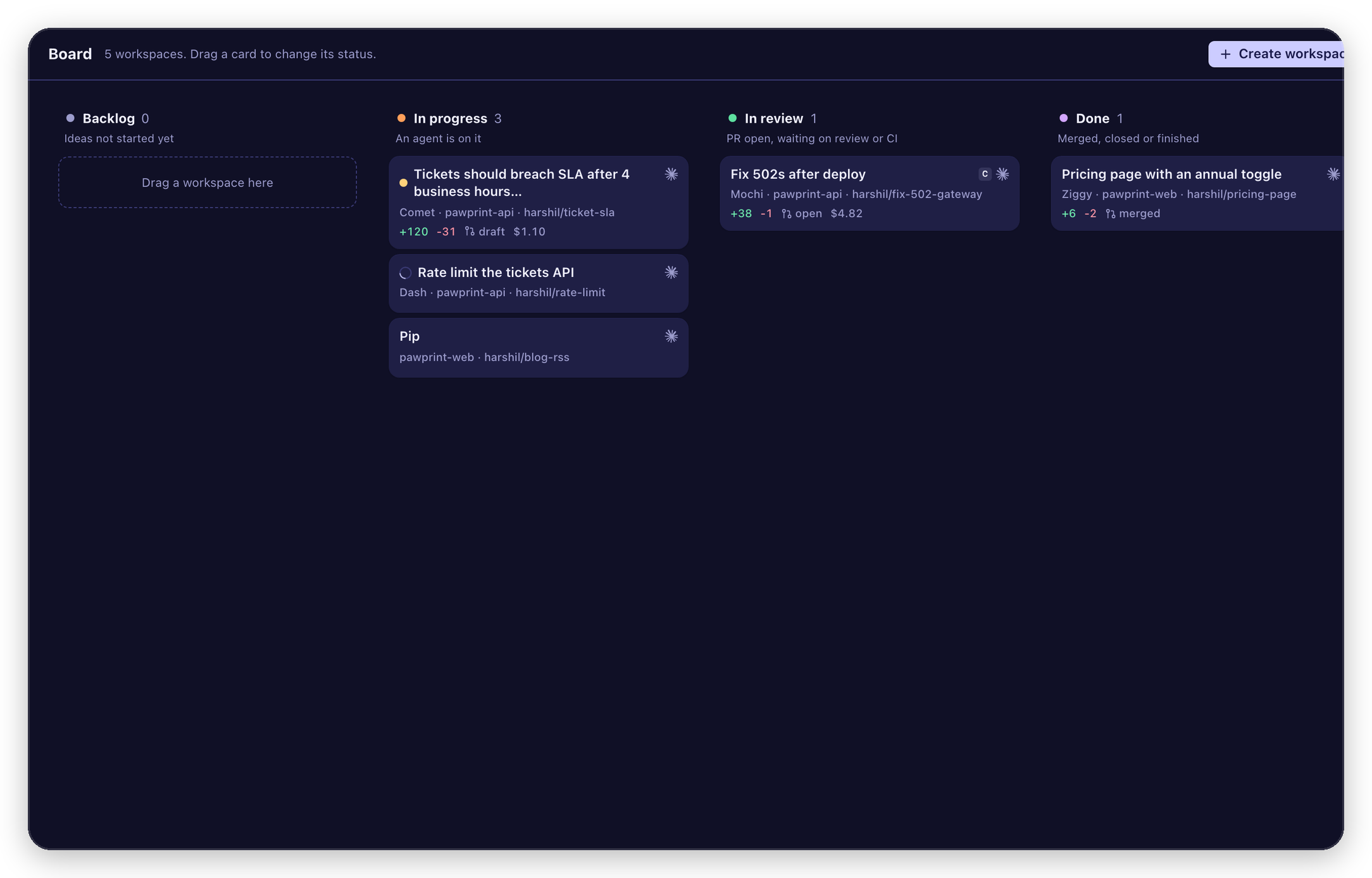 See everything on a board (⌘⇧K). Drag to change status. |
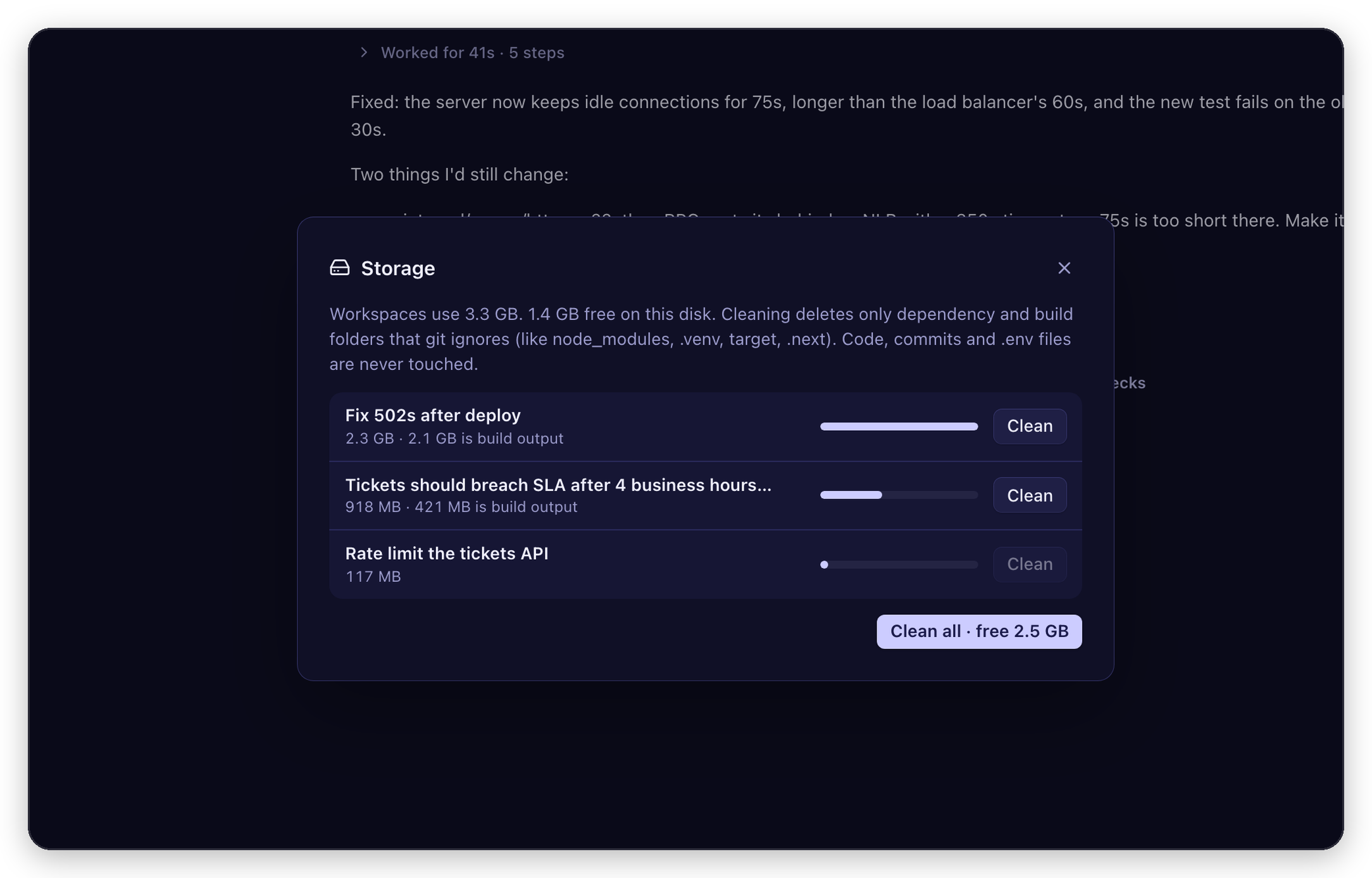 Get disk space back. See each workspace's size and clean ignored build folders in one click. |
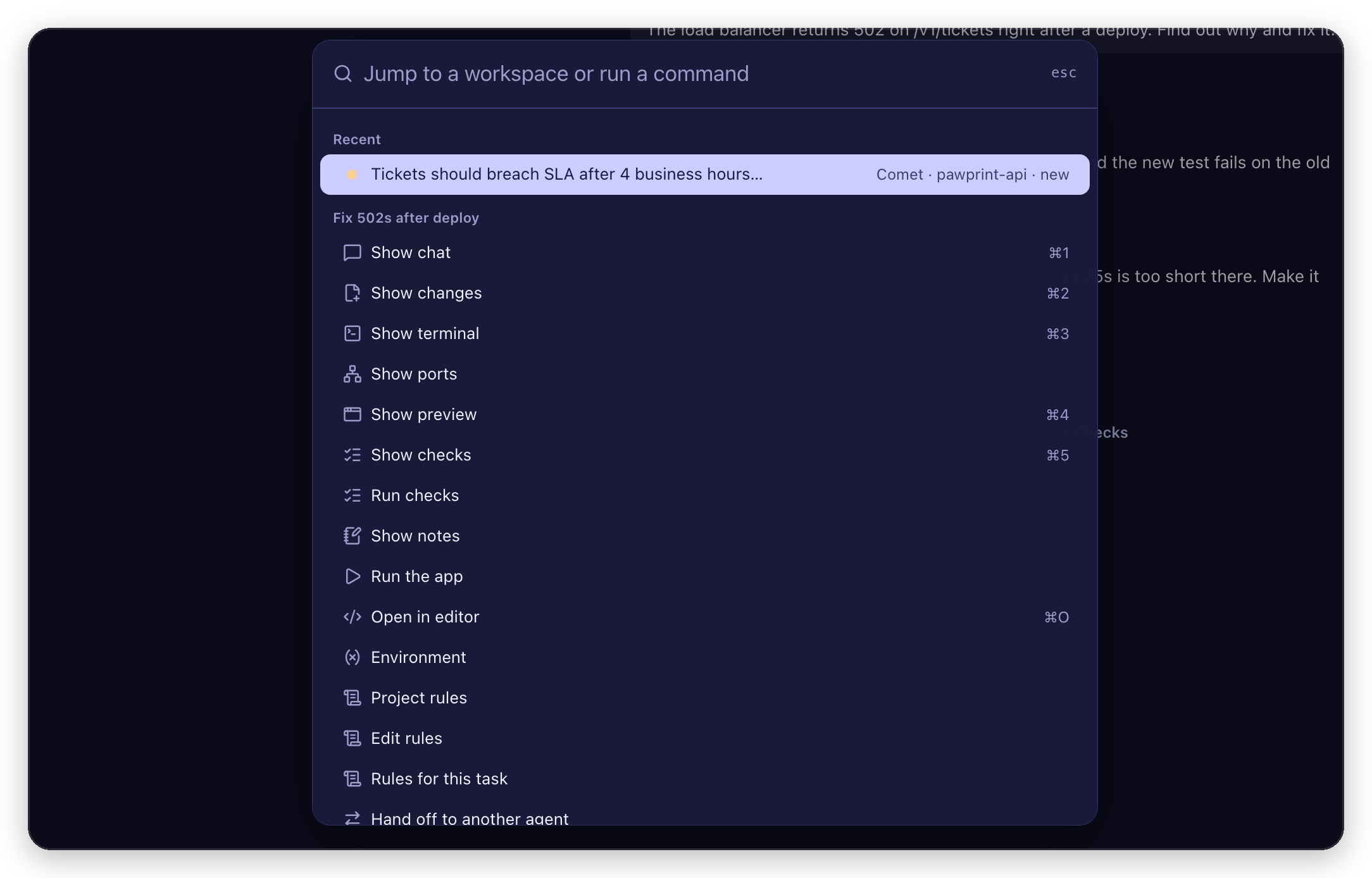 Do anything from the keyboard. ⌘K jumps to any workspace or action. |
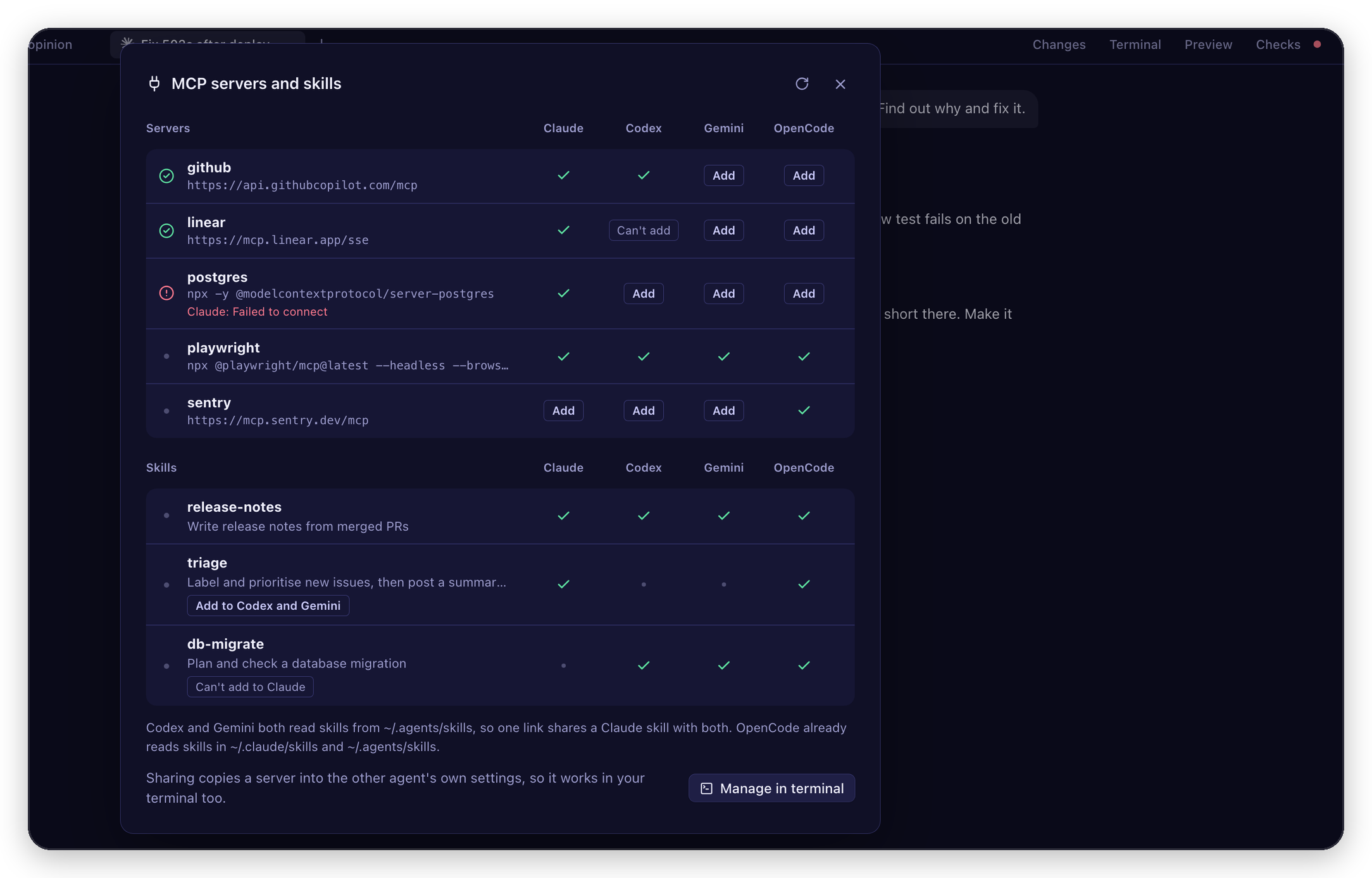 Share MCP servers. Type /mcp to see every agent's servers and copy one to another agent.
|
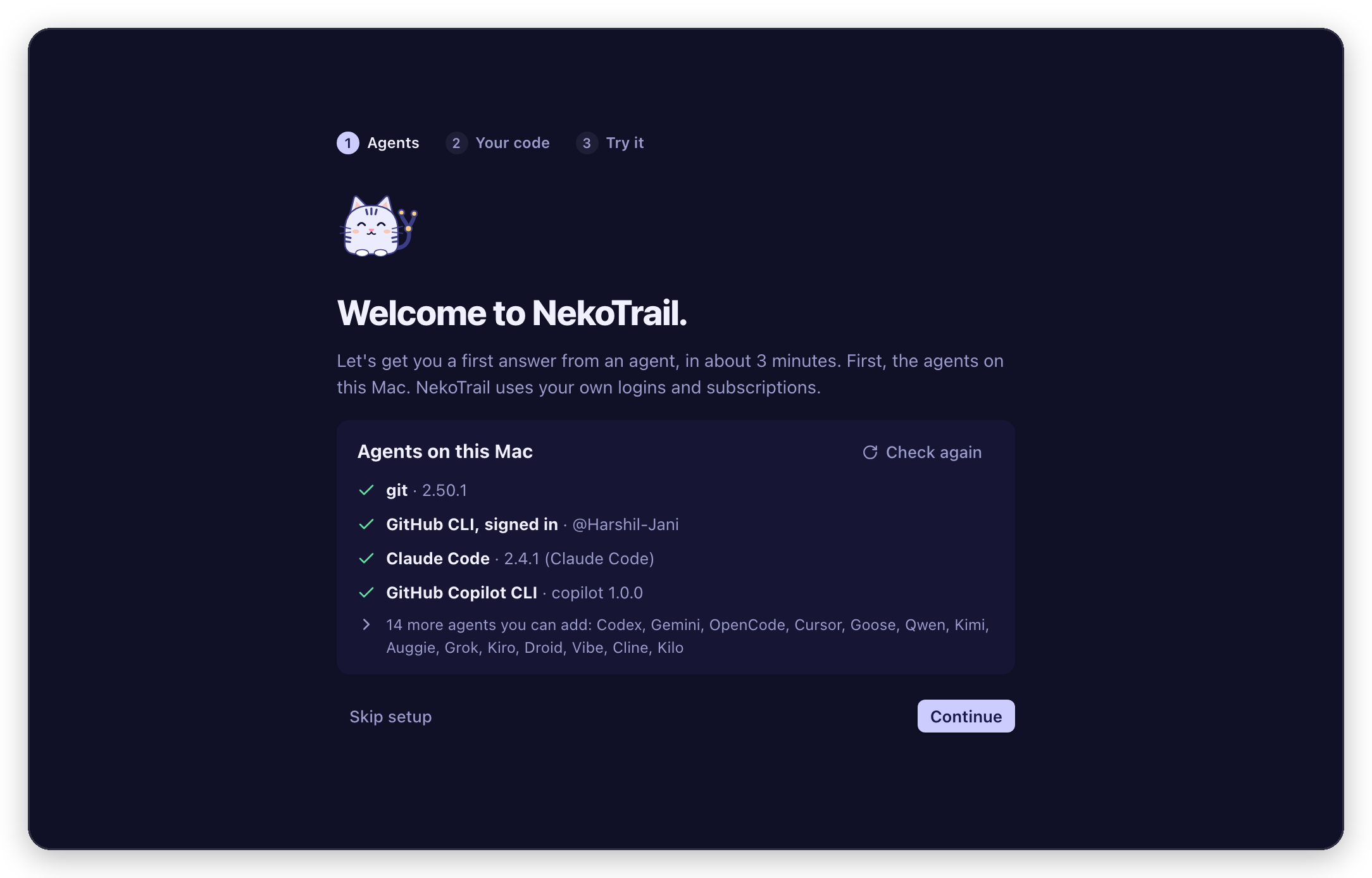 First launch checks your setup. It shows the command for anything missing and offers the Conductor import. |
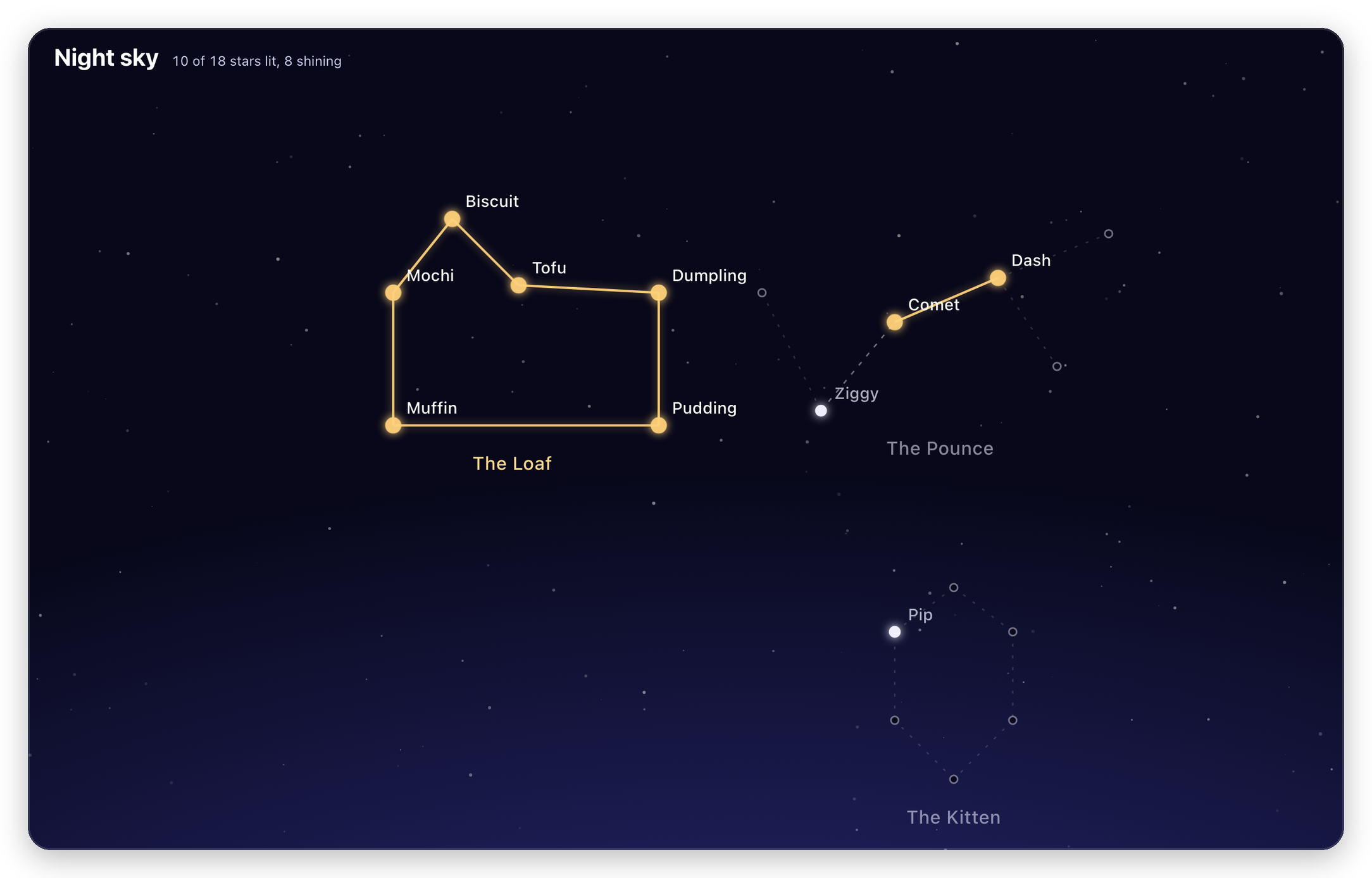 Light up the night sky. Every workspace is a star in a cat constellation. Merged PRs make it shine. |
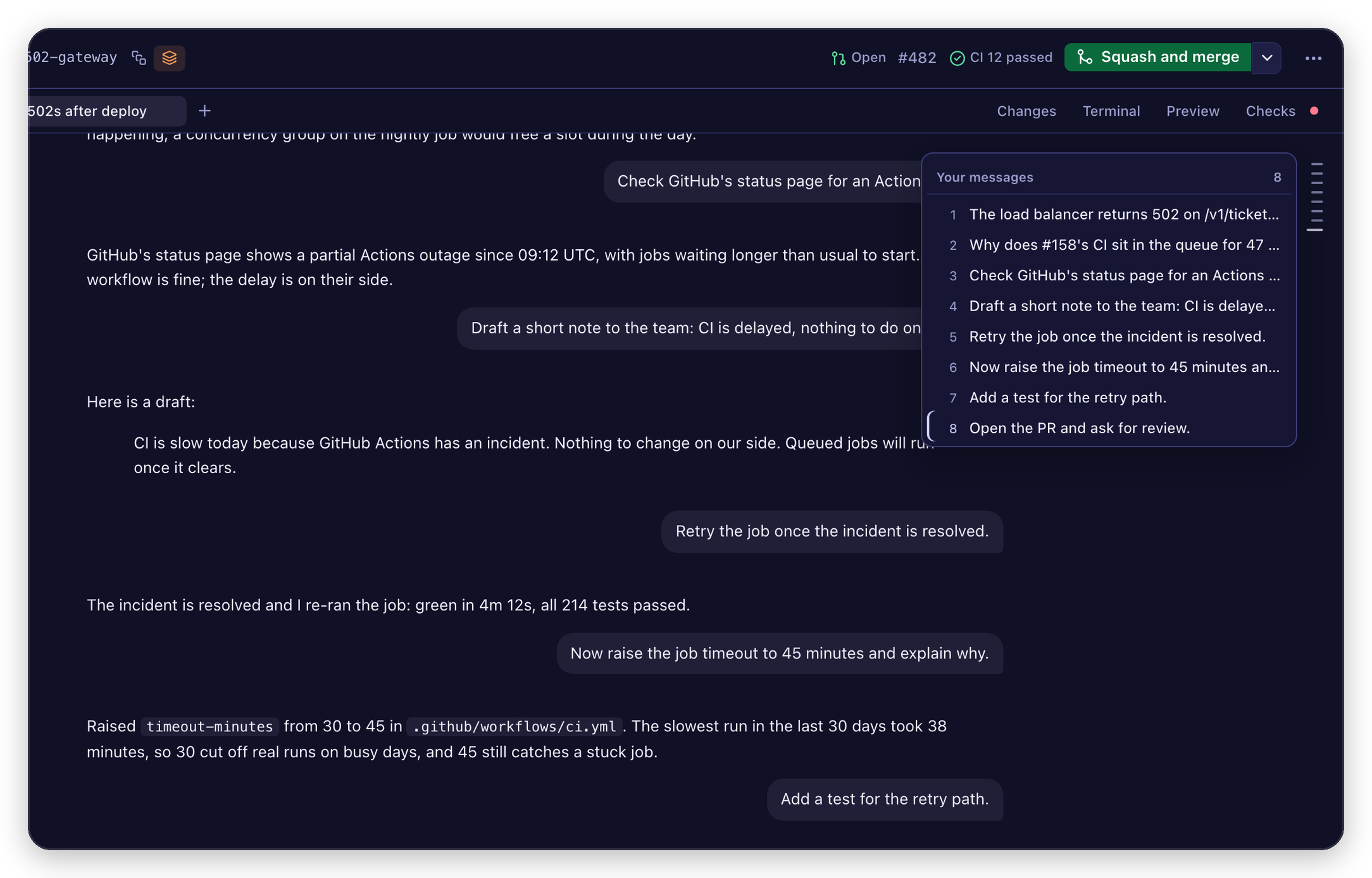 Jump to any message. Hover the rail on the chat's right edge and click one. |
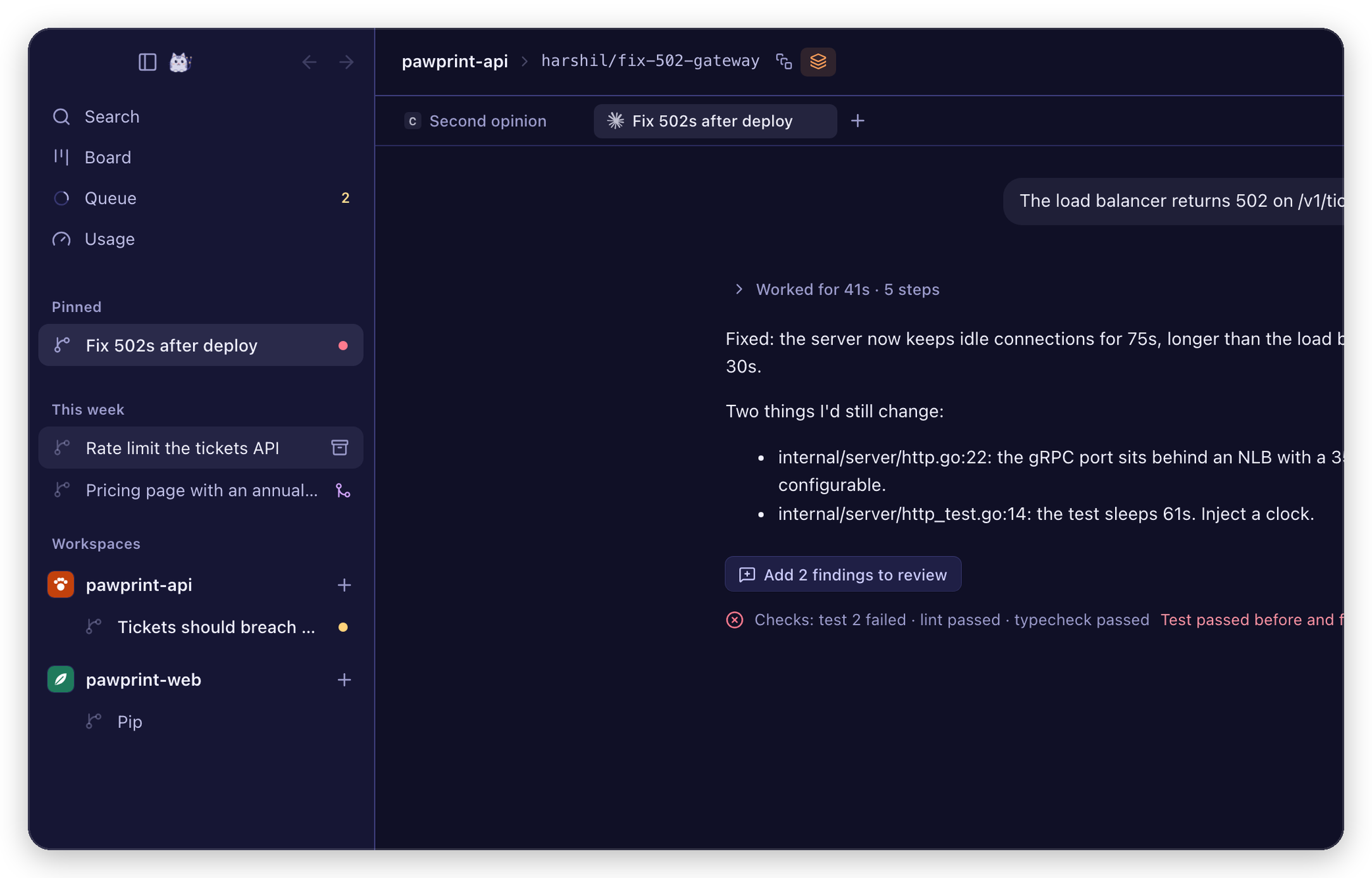 Archive in one click. Hover a workspace in the sidebar. The branch is kept. |
Sixteen agents, one window
Through the agents' own CLIs, on your own logins and subscriptions. No proxy, no markup.
| Claude Code | Codex | Gemini CLI | OpenCode |
| Cursor | GitHub Copilot | Goose | Qwen Code |
| Kimi | Auggie | Grok | Kiro |
| Droid | Mistral Vibe | Cline | Kilo |
Install
macOS 13 or later, Apple silicon or Intel. Paste this in Terminal:
curl -fsSL https://harshil-jani.github.io/nekotrail/install.sh | sh
It downloads the latest release, puts NekoTrail in Applications and opens it (read the script). On first launch it checks your setup and gives you the exact command for anything missing.
Prefer the .dmg?Download the .dmg from the latest release and drag NekoTrail to Applications. The app isn't notarized by Apple yet, so run this once before you open it:
xattr -dr com.apple.quarantine /Applications/nekotrail.app
Requirements: git, gh signed in, and at least one agent CLI, such as claude, codex, gemini or opencode. Setup lists all sixteen with their install commands.
Gemini CLI accounts. Gemini CLI signs in with a Gemini API key, Vertex AI or a Gemini Code Assist plan. Google says free-tier and Google One users moved from Gemini CLI to Antigravity CLI on 18 June 2026; check Google's Gemini CLI terms for which accounts it accepts.
Updates. NekoTrail checks for a new release on launch and every 6 hours, and offers to update itself (⌘K → Check for updates, or Settings). It waits for your agents before restarting. If you're on 0.10.1 or earlier, install the latest release from the download link once by hand: those versions can't update themselves yet.
Linux (new, experimental)Each release also carries an x86_64 .deb. This is new and has not been tested on real Linux machines yet, so expect rough edges and please report them.
- Debian, Ubuntu and similar: the same one-liner works,
curl -fsSL https://harshil-jani.github.io/nekotrail/install.sh | sh, and installs the latest.debwith apt. Or download the.deband runsudo apt install ./nekotrail_*_amd64.deb. It needs glibc 2.35 or newer (Ubuntu 22.04 era). - Other distros: build from source for now (see Build it yourself below). The
.AppImageis paused: it would bundle LGPL libraries (WebKitGTK, GTK), and it comes back once their matching source ships with each release. If you installed an earlier AppImage, switch to the.debor a source build; the AppImage no longer gets updates. - The
.debupdates itself from inside the app. An update asks for your password, since it installs withpkexec. - Shortcuts use Ctrl where the Mac uses ⌘. Two moves: switching workspace is Alt+1 to Alt+9 (Ctrl+1 to Ctrl+4 switch tabs), and Open in editor is Ctrl+Shift+O (Ctrl+O shows tool output). In the terminal, Ctrl keys go to your shell; copy and paste are Ctrl+Shift+C and Ctrl+Shift+V. Settings, Shortcuts lists them all.
- Not on Linux yet: the Conductor import (Conductor is Mac-only), vibrancy, and the Dock badge (most Linux desktops don't show one). Annotate in Preview uses WebKitGTK's own snapshot and is the least tested part.
- Requirements as above, plus WebKitGTK 4.1 (
libwebkit2gtk-4.1-0, pulled in by the.deb).
git clone https://github.com/Harshil-Jani/nekotrail
cd nekotrail
bun install
bun run tauri build -c '{"bundle":{"createUpdaterArtifacts":false}}'   # app bundle in src-tauri/target/release/bundle
# (release builds also sign an update archive; that needs the maintainers' updater key)
# or, while hacking on it:
bun run tauri dev
Moving from Conductor?
One import brings over your repos, active workspaces and chats, then moves your worktrees out of Conductor's folder with
git worktree move. Same shortcuts, same agent sessions. What comes over →
Reference
Everything it does| Start | Open a local repo, clone a GitHub repo, or import from Conductor. Start from a task, a GitHub or Linear issue, a PR or a branch. |
| Workspaces | One worktree and branch per task. Archive removes the folder and keeps the branch. |
| Chat | Any of the sixteen agents, several chats per workspace. Queue messages, @ a file, paste a screenshot. Modes: Plan, Ask before changes, Auto-accept edits, Full auto. Finished replies fold their steps into one line, and the first message names the branch and chat. |
| Search | Every chat in every workspace, archived ones too: your messages, replies and commands. |
| Compare agents | Pick "Claude + Codex": same task, two workspaces. Compare files, turns, time and cost. |
| Hand off | Another agent carries on in the same branch (+ menu, ⌘K or /handoff). You read and edit the brief first. The new chat keeps this chat's mode. |
| Linear | Start from a Linear issue: its branch name, the issue in the first message, "Fixes ENG-123" in the PR. |
| Second opinion | The other agent reviews the branch read-only. Its findings become review comments. |
| Checkpoints | Every message saves your files first. Rewind to here puts them back, including untracked files. Undo works. Last 50 per workspace. |
| Changes | Everything changed versus the target branch. Comment on lines and send them as one review. |
| Preview | Your running app inside the workspace (⌘4), localhost only. Annotate draws on it for the agent. |
| Stacks | Build on another workspace. When the parent merges, one click moves it onto main. |
| Terminal | A real login shell in the workspace folder. |
| PRs | One button for the next step: open the PR, fix failing checks, resolve conflicts, then squash and merge. |
| Scripts | Setup, run and archive scripts per repo. Share them with a committed nekotrail.json. Each workspace gets its own 10 ports. |
| Repo settings | Instructions for every chat, review and PR prompts, environment variables, .env files copied into new workspaces. |
| Environment | Every variable a workspace's agents, terminals and scripts get, by source. Read only. |
| Night sky | 50 stars in 8 cat constellations. Merged PRs make them shine. |
The cat shows the real state of your work:
- Tail wagging: an agent is working.
- Asleep: nothing happened for five minutes.
- Worried: CI is failing or a turn errored.
- Happy: a PR merged.
- Brings you something: an agent finished while you were away. ⌘⌥L jumps there.
Conductor's shortcuts still work, so muscle memory carries over. The full list is in Settings (⌘,), under Shortcuts, and Moving from Conductor maps Conductor's concepts to NekoTrail's.
| Keys | Action |
|---|---|
| ⌘K | Command palette: jump to any workspace, run any action |
| ⌘N / ⌘⇧N | New workspace / from a pull request or branch |
| ⌃1 to ⌃9, ⌘⌥↑ / ⌘⌥↓ | Switch workspace |
| ⌘⌥L | Next workspace with news |
| ⌘1 / ⌘2 / ⌘3 / ⌘4 | Chat / Changes / Terminal / Preview (⌘L, ⌘⇧D and ⌘J also work) |
| ⌘⇧P / ⌘⇧Y / ⌘⇧M | Create PR / commit and push / merge |
| ⌘⇧R / ⌘⇧X / ⌘⇧L | Agent review / fix failing checks / pull latest |
| ⌘R / ⌘⇧B | Run or stop the app / open localhost |
| ⌘P | Open any file (and edit it) |
| ⌘F | Search the chat |
| ⌘⇧↵ | Approve the agent's plan |
nekotrail.json
{ "scripts": { "setup": "bun install", "run": "bun dev", "archive": "docker compose down" } }
Committed values win over the ones saved in the app. Because anyone who can push to the repo or open a PR
can change this file, NekoTrail shows you its commands and runs them only after you approve them. It asks
again whenever they change. An archive command you never approved is skipped.
The same goes for agent config a repo commits that would run commands as soon as a chat starts: hooks,apiKeyHelper and env in .claude/settings.json, servers in .mcp.json, and mcp_servers,shell_environment_policy.set and .codex/rules for Codex, hooks, MCP servers and risky .env variables for
Gemini, and MCP servers, plugins, custom tools, formatters and allow permissions for OpenCode. Claude and
Codex skip their own trust prompt when run headless, so NekoTrail lists what would run before the first message.
Until you trust it, Claude, Codex and OpenCode run with that repo config off (claude --setting-sources user,
Codex with the folder marked untrusted), and Gemini asks before it runs, while your own settings and MCP
servers stay on.
Five workspaces running the same app no longer fight over port 3000. Each active workspace holds its own
block of 10 ports (4100 to 4109 for the first, 4110 to 4119 for the next, and so on). The block stays the same
across restarts, skips ports something already listens on, and is given back when you archive the workspace.
Terminals, setup and run scripts and agent turns get NEKOTRAIL_PORT (the first port), NEKOTRAIL_PORT_1 toNEKOTRAIL_PORT_9, and PORT. A PORT you export in your shell or set in Repo settings is never replaced.
To give ports names, add them to nekotrail.json in the order you want them:
{ "ports": { "web": "PORT", "api": "API_PORT" } }
Here web gets the first port as PORT and api the second as API_PORT. Only variables whose name containsPORT can be set this way, so a repo can't use it to change anything else.
The Preview tab opens the workspace's port until the Run script prints another address. The Ports button in
the toolbar lists every workspace's ports and what listens on them, opens one in your browser or the Preview
tab, and frees a port by stopping its server, after you confirm, only if that workspace's own terminal, script
or agent started it. If a dev server ignores PORT and lands on its default (or finds another workspace
already there), the Preview tab and the popover say so and show the fix for that server.
src-tauri/src: Rust backend (worktrees, agent runner, PTY terminals, SQLite store, Conductor importer). Runcargo testinsrc-tauri.src: React UI. Openhttp://localhost:1420/preview.html?ws=w1(or?view=sky) duringbun run tauri devto see the UI with sample data in any browser.PRODUCT.md: who it's for and the product principles.DESIGN.md: the visual system.- docs/ROADMAP.md: what's next, and what we're not building.
- CONTRIBUTING.md: setup, the checks a PR needs, and how releases work.
Every batch of work ships as a numbered version. See CHANGELOG.md for what changed in each one, and Releases for the app downloads. Maintainers release with scripts/release.sh <version> after adding the version's section to the changelog.
Status
Early (0.26.1). Built and used daily on macOS. Linux x86_64 builds are new and experimental. Feedback and PRs welcome: see CONTRIBUTING.md.
Sponsor
NekoTrail is free, open source and local-first, with no account and no paid tier.
If it saves you time, you can support it here, in Settings or in ⌘K.
Contributing · Security · Privacy · Changelog · Website · License
No telemetry. PRIVACY.md lists every network connection NekoTrail makes. It never reads, stores or forwards your agent logins; each CLI signs in by itself.
The open-source components it ships with, and their licenses, are listed in THIRD_PARTY_NOTICES.md; their full texts ship inside the app (Settings, About).
NekoTrail is an independent project and is not affiliated with Conductor, Anthropic, OpenAI, Google or OpenCode.

Yorumlar (0)
Yorum birakmak icin giris yap.
Yorum birakSonuc bulunamadi