gworkspace-agent
Health Pass
- License — License: MIT
- Description — Repository has a description
- Active repo — Last push 0 days ago
- Community trust — 81 GitHub stars
Code Pass
- Code scan — Scanned 12 files during light audit, no dangerous patterns found
Permissions Pass
- Permissions — No dangerous permissions requested
This autonomous AI assistant integrates with Google Workspace services (like Gmail, Drive, and Calendar) to translate natural language into automated, multi-step workflows. It utilizes a LangGraph and LangChain architecture to plan and execute these tasks across your data.
Security Assessment
The overall risk is rated as Medium. Because it is designed to interface directly with your Google Workspace account, the tool inherently accesses highly sensitive personal and professional data. The good news is that the automated code scan passed with no dangerous patterns or hardcoded secrets found. Furthermore, the project explicitly features sandboxed code execution and read-only modes to prevent unauthorized state changes. However, you will need to exercise caution when granting OAuth permissions, as the agent requires broad access to your Google account to function properly.
Quality Assessment
The project demonstrates strong health and maintenance indicators. It is actively updated, with the most recent push occurring today, and has earned 81 GitHub stars, showing a solid level of community trust. The codebase is cleanly licensed under the permissive MIT license. The repository also maintains a highly professional standard, including CI/CD pipelines, testing frameworks, and clear versioning.
Verdict
Safe to use, provided you fully understand and consent to the required Google Workspace account permissions.
Smart Agentic Assistant for your Google Workspace
🚀 Google Workspace Agent







An autonomous AI agent for Google Workspace, built on a hybrid LangChain ReAct + LangGraph DAG architecture. It converts natural language into verified, multi-step workflows across Gmail, Drive, Sheets, Docs, Calendar, and 15+ other Google services — with built-in safety, memory, and sandboxed code execution.
Table of Contents
- Key Features
- Demos
- Architecture
- LangGraph DAG
- ReAct Loop
- Supported Services
- Getting Started
- Interfaces
- Configuration
- Safety & Security
- Testing
- Statistics
- Contributing
Version
Latest: v1.0.1
See CHANGELOG.md for full version history.
Key Features
- 5-Step Verification Engine - Strict, non-bypassable verification system with severity levels (CRITICAL, ERROR, WARNING) that validates parameters, permissions, results, data integrity, and idempotency
- Hybrid ReAct + LangGraph Engine — LLM-driven planner generates a typed DAG of tasks; LangGraph executes nodes with full state persistence and smart retry logic
- Multi-Service Orchestration — a single natural language request can chain Gmail, Drive, Sheets, Docs, Calendar, and Code execution in one plan
- Long-Term Memory via Mem0 — agent learns from past interactions and recalls user preferences across sessions
- Sandboxed Code Execution — Python code runs inside a restricted E2B sandbox with stdout/stderr capture and exit code tracking
- Safety-by-Default — Read-Only mode blocks all writes; Sandbox mode requires manual confirmation before any state-changing action
- Multi-Interface — CLI, Desktop GUI, Web (Gradio), and Telegram Bot all share the same agent core
- Model Agnostic — works with any OpenAI-spec tool-calling model (Gemini, GPT-4o, Claude, Mistral, LLaMA) via OpenRouter or direct APIs
- Verified Tool-Calling —
model_registry.pyvalidates that the configured model supports function calling before any plan is generated
🎬 Demos & Showcases
⚡ Live Previews
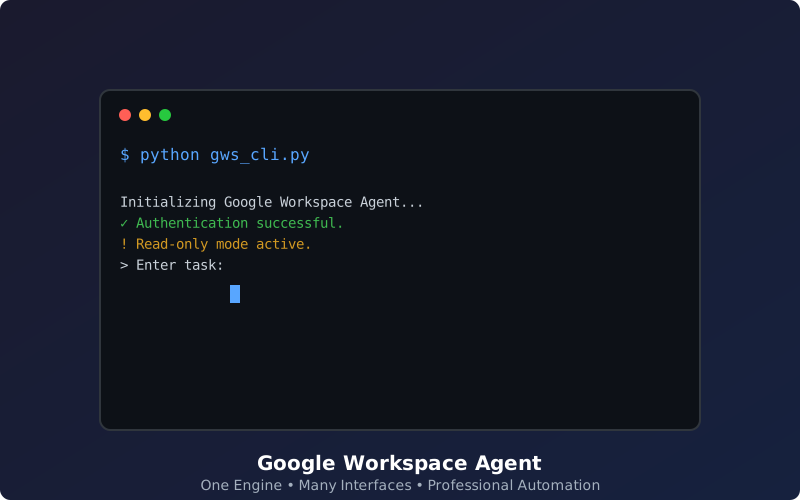
The following animated showcases demonstrate the agent's autonomous planning and multi-service execution in real-time.
| Autonomous Workflow Demo | Multi-Interface Simulation |
|---|---|
 |
 |
Dynamic Multi-Mode Preview: The simulation on the right is automatically generated and cycles through the CLI, Desktop, and Web interfaces.
🖼️ Interface Gallery
Detailed snapshots of the available user interfaces.
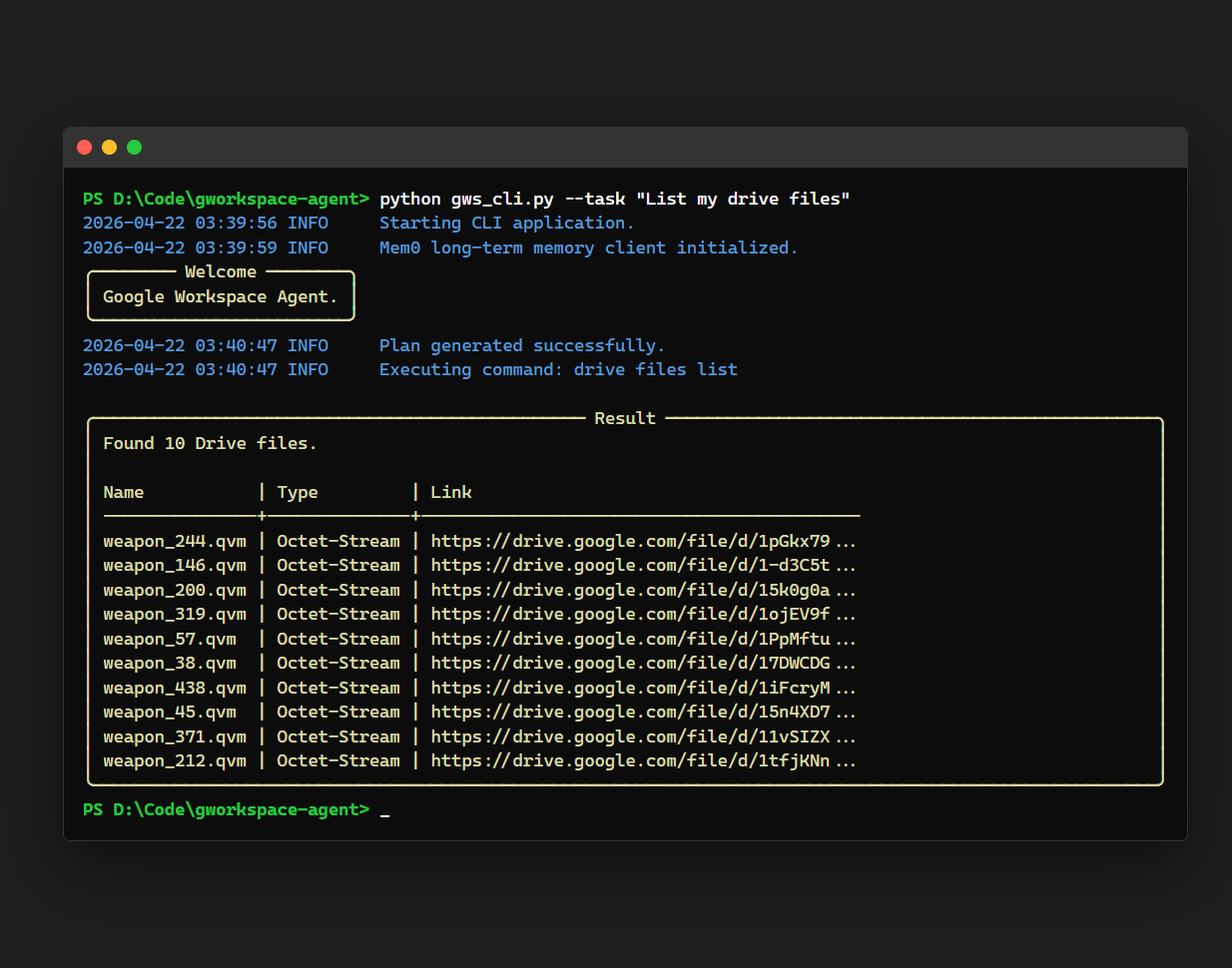
💻 CLI (Typer + Rich)
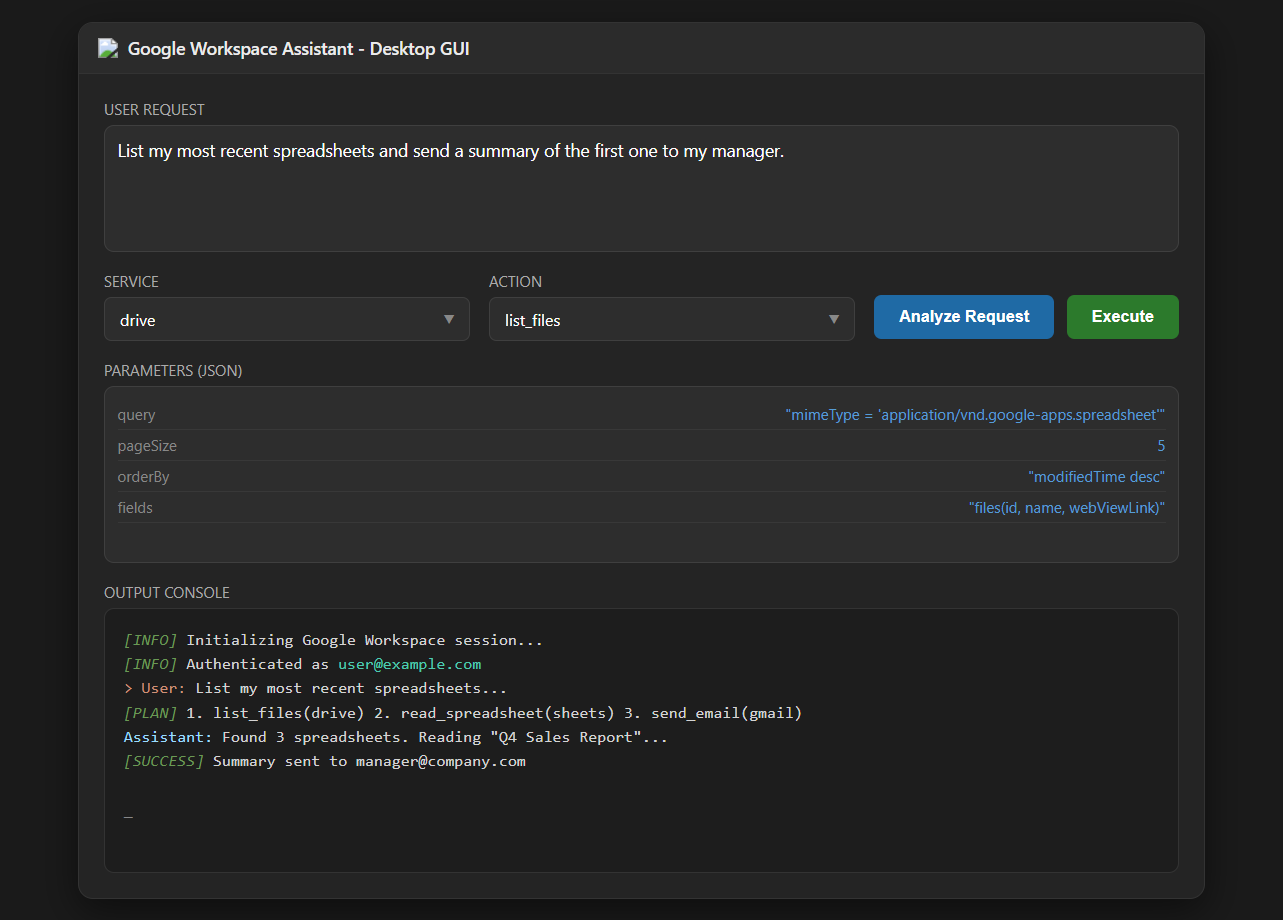
🖥️ Desktop GUI
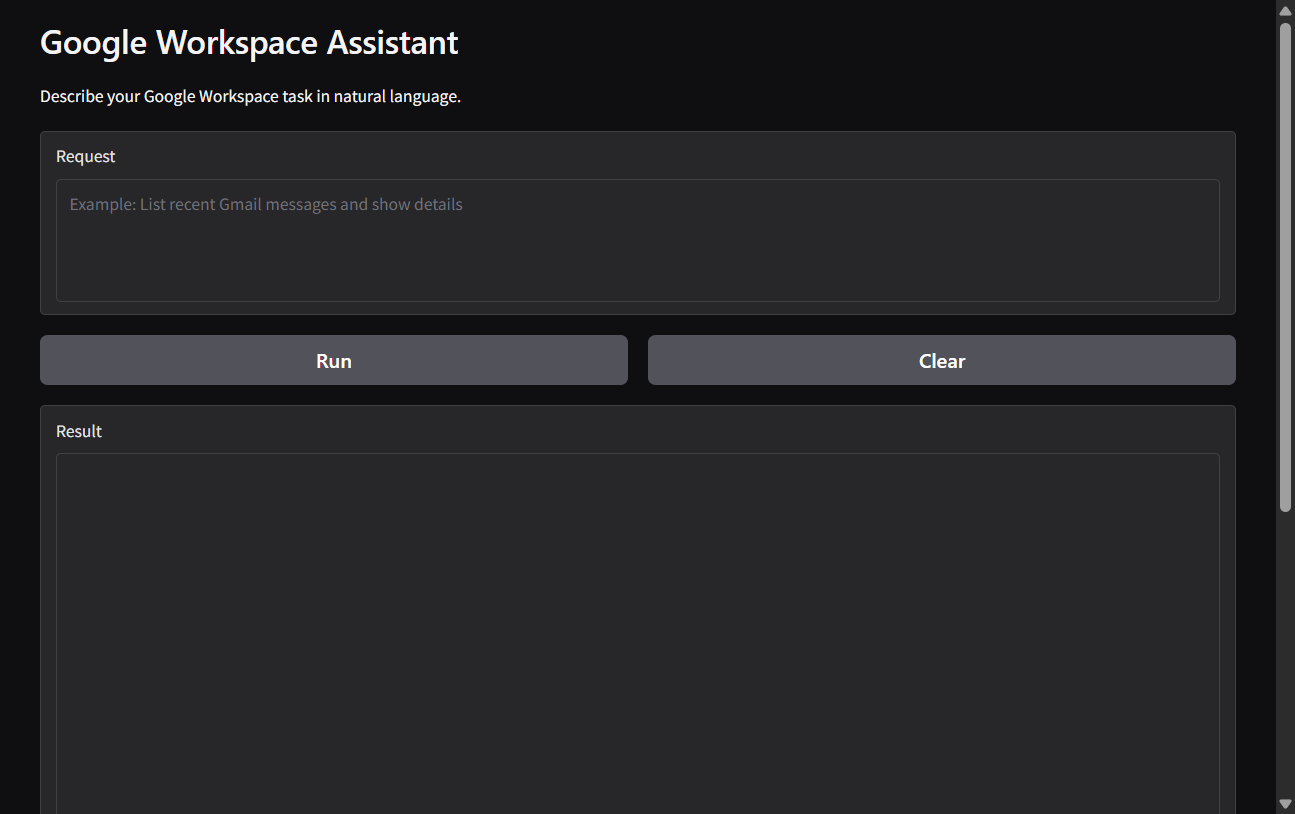
🌐 Web Interface (Gradio)
Architecture Diagram
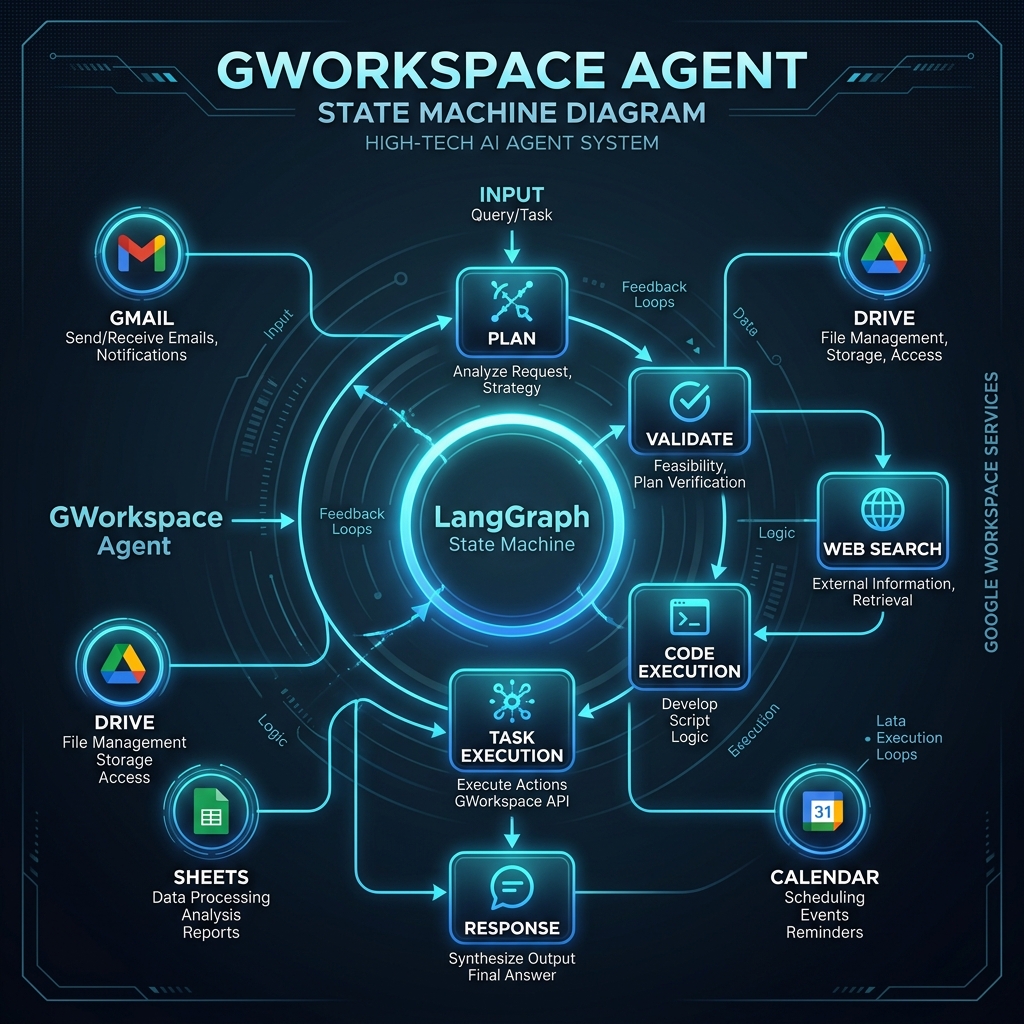
Architecture
The agent uses a three-layer architecture: an LLM Planner that reasons about intent, a LangGraph Workflow that manages stateful execution, and a GWS Executor that calls real Google APIs.
---
id: 381d8783-6e2b-46fa-b5fa-879171ca0dbf
---
flowchart TD
    USER["👤 User Request"] --> AGENT

    subgraph AGENT["🤖 Agent System"]
        PL["🧠 Planner LLM → TaskPlan DAG"]
        WF["⚙️ LangGraph Workflow generate → execute → reflect"]
    end

    AGENT --> EX

    subgraph EX["⚡ Execution Engine"]
        direction LR
        RS["Resolver"] --> EXC["Executor"] --> CU["Context Updater"] --> VF["Verifier"]
    end

    EX --> APIS

    subgraph APIS["☁️ Google Workspace APIs"]
        direction LR
        GM["Gmail"] --- DR["Drive"] --- SH["Sheets"] --- DC["Docs"] --- CA["Calendar"]
    end

    AGENT <--> SUP

    subgraph SUP["🛡️ Support"]
        direction LR
        MEM["Memory\nMem0"] --- SG["Safety\nGuard"] --- MR["Model\nRegistry"]
    end

    style AGENT fill:#1a1a2e,color:#fff,stroke:#4A90D9
    style EX fill:#0f3460,color:#fff,stroke:#E67E22
    style APIS fill:#16213e,color:#fff,stroke:#2ECC71
    style SUP fill:#1a1a2e,color:#fff,stroke:#8E44AD
LangGraph DAG
The agent's execution graph is a stateful directed acyclic graph with four core nodes and conditional edges. Each node operates on a shared AgentState object that persists across the entire request lifecycle.
flowchart TD
    START(["▶ START"]) --> GP

    GP["🧠 generate_plan\nLLM generates TaskPlan\nwith typed task list\nand service/action pairs"]

    GP --> ET

    ET["⚡ execute_task\n① Resolver expands $placeholders\n② Executor calls GWS API\n③ ContextUpdater writes outputs\n④ Verifier checks integrity"]

    ET --> RN

    RN{"🔍 reflect_node\nAll tasks done?\nAny errors?"}

    RN -->|"more tasks remaining"| ET
    RN -->|"transient error → retry"| GP
    RN -->|"AUTH / NOT_FOUND → skip"| FO
    RN -->|"all tasks complete"| FO

    FO["📋 format_output\nApply output_formatter\nBuild final response string"]

    FO --> END(["⏹ END"])

    style GP fill:#4A90D9,color:#fff,stroke:#2c6fad
    style ET fill:#27AE60,color:#fff,stroke:#1a7a43
    style RN fill:#E67E22,color:#fff,stroke:#b85e0a
    style FO fill:#8E44AD,color:#fff,stroke:#6b2f87
    style START fill:#2ECC71,color:#fff,stroke:#27ae60
    style END fill:#E74C3C,color:#fff,stroke:#c0392b
AgentState Schema
python
class AgentState(TypedDict):
user_request: str # original natural language query
task_plan: list[Task] # planned task list generated by LLM
context: dict # shared execution context (placeholders live here)
task_results: dict # keyed outputs per task ID e.g. task-1, task-2
current_index: int # execution cursor pointing to current task
error: str | None # last error string for reflect_node classification
retry_count: int # retry counter — capped per task to prevent loops
final_output: str # formatted final response string
ReAct Loop
Each task execution follows the ReAct (Reason → Act → Observe) pattern:
flowchart LR
    R["REASON<br>Planner reads user intent<br>+ service catalog 100+ actions<br>+ Mem0 conversation memory<br>→ generates typed TaskPlan JSON"]
    A["ACT<br>For each Task in plan:<br>① Resolver expands $placeholders<br>② Task validated vs model registry<br>③ GWS API called via executor<br>④ Result written to shared context"]
    O["OBSERVE<br>Verifier checks output integrity<br>Reflect node classifies errors<br>AUTH/NOT_FOUND → skip<br>SERVER/UNKNOWN → retry<br>Memory updated with outcome"]

    R --> A --> O --> R
Supported Services
The agent orchestrates 20+ Google services and 100+ actions via service_catalog.py:
| Service | Key Actions |
|---|---|
| 📧 Gmail | send, read, search, reply, forward, label, delete messages |
| 📂 Drive | list, upload, download, export, move, delete, share files and folders |
| 📊 Sheets | create, read, append, update, format spreadsheets |
| 📝 Docs | create, read, batch-update documents |
| 📅 Calendar | create, list, update, delete events with reminders |
| 📽️ Slides | create and read presentations |
| 👥 Contacts | list, search, create contacts |
| 💬 Chat | send messages to Google Chat spaces |
| 🐍 Code | execute Python in E2B sandbox, capture stdout/stderr/exit code |
| 🔍 Web Search | search and summarize web results |
| 🧠 Memory | store and retrieve user preferences via Mem0 |
| 🛡️ Admin SDK | manage users, groups, org units |
| 📜 Apps Script | run Google Apps Scripts |
| 🔐 Model Armor | content safety screening |
| 📋 Tasks | manage Google Tasks lists |
| 🗒️ Keep | create and read Google Keep notes |
| 📝 Forms | create and read Google Forms |
| 👥 Meet | create Meet links |
| 🏫 Classroom | manage courses and assignments |
Getting Started
To get the agent running on your local machine, please follow the comprehensive Setup Guide (SETUP.md).
Quick Start
- Clone & Install:
git clone https://github.com/haseeb-heaven/gworkspace-agent.git cd gworkspace-agent pip install -e . - Configure Credentials: Follow the Google Cloud Setup instructions.
- Run the Agent:
python gws_cli.py --task "List my drive files"
Interfaces
| Interface | Command | Description |
|---|---|---|
| 💻 CLI | python gws_cli.py |
Rich terminal UI with streaming output, tables, and interactive prompts |
| 🖥️ Desktop GUI | python gws_gui.py |
Native app with visual task logs and manual controls |
| 🌐 Web UI | python gws_gui_web.py |
Gradio chat interface accessible from any browser |
| 🤖 Telegram Bot | python gws_telegram.py |
Secure mobile access via whitelisted Telegram Bot API |
Configuration
All system configuration (API keys, security modes, and service endpoints) is managed via the .env file.
[!IMPORTANT]
Detailed configuration steps and a full environment variable reference can be found in the Configuration Section of SETUP.md.
Safety & Security
flowchart TD
    REQ["Incoming Task"] --> RO{"Read-Only Mode\nON by default"}
    RO -->|"write / delete / send action"| BLOCK["🚫 Blocked\nAction rejected immediately"]
    RO -->|"read-only action"| SB{"Sandbox Mode\nON by default"}
    SB -->|"state-changing action"| CONF{"User Confirmation\nY / N prompt"}
    CONF -->|"N"| SKIP["⏭ Skipped"]
    CONF -->|"Y"| EXEC["✅ Execute"]
    SB -->|"safe read action"| EXEC
    RO -->|"--read-write flag set"| SB

    style BLOCK fill:#E74C3C,color:#fff
    style SKIP fill:#E67E22,color:#fff
    style EXEC fill:#27AE60,color:#fff
- Read-Only Mode — default ON. Enable writes with
--read-writeorREAD_ONLY_MODE=false - Sandbox Mode — default ON. Disable with
--no-sandboxorSANDBOX_ENABLED=false - Email Recipient Lock —
DEFAULT_RECIPIENT_EMAILforces all outbound emails to one address regardless of what the LLM generates - Model Registry — raises
ValueErrorat startup if the configured model is not on the tool-calling allowlist inmodel_registry.py
Testing
# Full test suite
python -m pytest
# Drive metadata and placeholder contract tests only
python -m pytest -m "drive" -v
# With coverage report
python -m pytest --cov=gws_assistant --cov-report=term-missing
# Integration tests (requires live Google credentials)
python -m pytest -m "not skip_integration" -v
| Test File | Coverage |
|---|---|
tests/test_placeholder_contracts.py |
Canonical and legacy placeholder resolution |
tests/test_drive_metadata.py |
Drive file summarizer helper |
tests/test_resolver.py |
Full resolver logic including LEGACY_MAP |
Statistics
Detailed repository statistics including commit history, contributors, and project metrics are available in STATS.md.
Releases
See the CHANGELOG.md for details on all versions.
Contributing
- Fork the repository
- Branch from
develop:git checkout -b feature/your-feature develop - Make changes with tests
- Ensure all tests pass:
python -m pytest - Open a Pull Request targeting
develop— never targetmasterdirectly
License
Distributed under the MIT License. See LICENSE for details.
Star History
Note: This project was architected and designed by Haseeb Mir.
AI tools (GitHub Copilot, Jules) were used to assist with implementation,
boilerplate generation, and refactoring — all features, architecture
decisions, and system design are original.
Built with ❤️ by Haseeb Mir
Reviews (0)
Sign in to leave a review.
Leave a reviewNo results found