capri-syn
Health Uyari
- License — License: MIT
- Description — Repository has a description
- Active repo — Last push 0 days ago
- Low visibility — Only 5 GitHub stars
Code Uyari
- network request — Outbound network request in .github/workflows/ci.yml
Permissions Gecti
- Permissions — No dangerous permissions requested
Bu listing icin henuz AI raporu yok.
Capri, a desktop companion from Season 2 of Cyberpunk Edgerunners: perches on your windows, naps, pounces on your cursor, answers to "Hey Capri". Her brain is a Synaps agent session. Rust + GPUI, on Linux and Windows.
A living desktop companion with a real agent's brain.
She perches on your windows, naps when you're away, and talks back when you say her name.
[!IMPORTANT]
An unofficial fan project. Capri is a character from Cyberpunk: Edgerunners 2. capri-syn isn't
affiliated with or endorsed by CD PROJEKT RED, Studio Trigger or Netflix. None of the art is ours:
it's borrowed from other Capri projects, CapriCore (her
sprites) and Capri by lachydotmcg (her animations),
and her app icon is a frame from the show. Credits and terms: Credits & legal.




Tour · Talk to her · Settings · Install · Under the hood · Controls · Platforms · Credits
Strikes in on a red bolt. Picks a window. Makes herself at home.
Capri lives on your desktop. She sits on your windows, wanders off when she's bored, naps when you're
away and comes to find you when she wants attention. Nobody scripts her day.
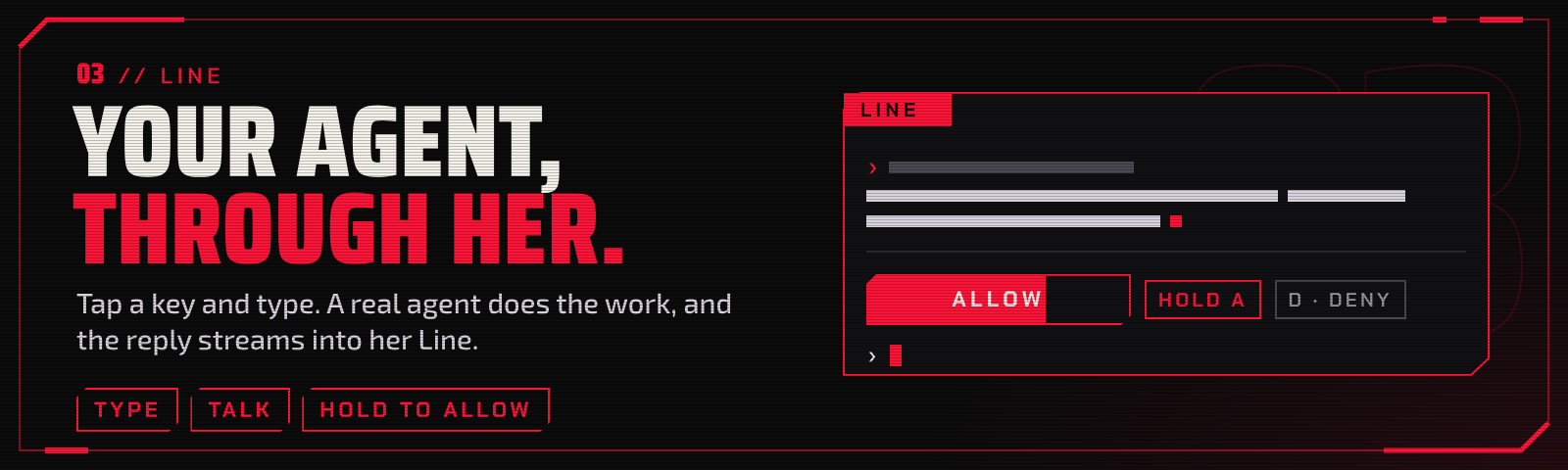
And she talks back. Say "Hey Capri", or tap a key and type. She answers out loud, gets things done
on your machine, and comes over when she needs a yes from you. Her brain is the real thing: an agent
session on Synaps. The installer brings it.
And she's free. Sign her in with a free ChatGPT account: no API key, no card, no GPU.
Linux and Windows. She's click-through, so your windows stay yours. She just sits on them.
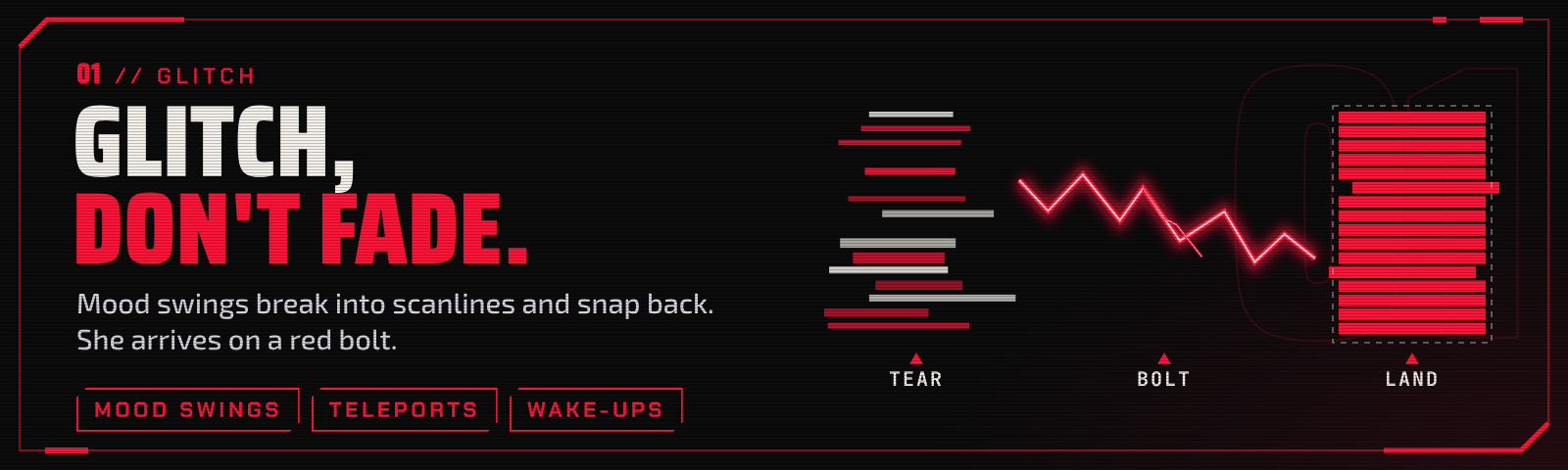
She lives here
Two drives run in the background, one for wandering and one for attention. She acts when one of them wins.
 Window tops Her favourite seat. Close it and she bolts to the next. |
 Perch Rides your windows. Lies down when it's quiet. |
 Attention bids Ignored too long? She'll cling to your window for it. |
 Summon Your agent needs a yes? She comes to you. |
 Naps Lock the screen, she sleeps. Come back, she waves. |
 Day and night Lively by day. Low-key after dark. |
- Roam. Every 45 seconds to 3 minutes she picks a spot: a window's top edge (her favourite), the
floor or a corner, usually on the monitor you're using. Small hops in between. - React. Switch windows and now and then she hops over. Switch workspace and she follows. Close the
window she's on and, a bit over half the time, she bolts to another; otherwise she falls. - Bid. Leave her alone 8 to 15 minutes and she comes over: hanging from the bar above your window,
clinging to its side, peeking round a corner. Ignore her and she sulks with her back to you. - Summon. When her session needs you (a prompt, a finished turn, an error) she comes straight to the
window you're in. The one move that isn't her idea. - Sleep follows you. She naps 10 minutes after your last input (5 at night), and at once when the
screen locks. Back from a while away, she greets you, a few times a day at most. - Manners. At most 45 moves an hour. She stays put while a bubble, the Line or her menu is open, hides
when a window goes fullscreen, and takesDND 1 HOURfrom her menu.
Hands on
 Headpats Supported. Hearts are not optional. |
 Ragdoll Grab her, shake her, fling her. She lands it. |
 Cursor games Wiggle the pointer near her. She will pounce. |
 Sulks Ignore her and she sulks. A headpat fixes it. |
 Music Something's playing? Headphones on. Sometimes she dances. |
 Walks Sometimes she just strolls over. |
Talk to her
She has her own Synaps session, named capri. The Line is how you reach it without leaving what
you're doing: tap $mod+c and it opens right beside her, wherever she is. On
Windows it's Win+Alt+C; on GNOME and stock Hyprland it's
Super+Alt+C, which the installer offers there.
The Line
Tap the key. Type. She relays it to her session.
Hold to allow
Risky tool call? Hold A. A tap does nothing.
Reader
Long reply? It opens in a reader, not a bubble.
- The thread stays open. Enter sends, or steers a turn that's already running.
Esc closes and keeps your draft. Esc Esc aborts the turn. - A reply you missed waits for you as a one-line strip on her tag.
- She's a real agent. Treat her like one. Her session can run commands and edit files as you. A
prompt appears only when something asks for one, and it isn't a sandbox.
What she can touch.
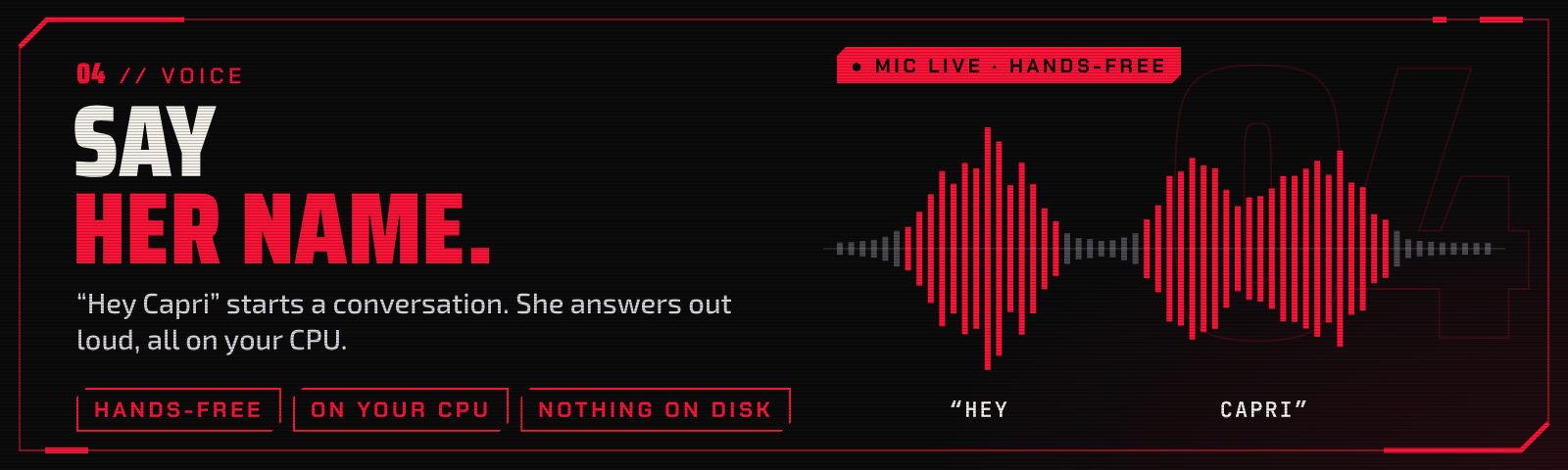
Hey Capri
Hands-free
Say her name. Talk. She answers aloud.
- A conversation, not a command. "Hey Capri" opens it: each pause sends, she answers aloud, and after
a minute of quiet she goes back to waiting for her name. Prefer a key? Tap the toggle chord, talk,
and pause when you're done. On Linux you can also just hold the key. - Her voice is a bright blend of Kokoro's stock voices, pitched up a little.
- Local. Speech-to-text is whisper.cpp and her voice is Kokoro, both on your CPU. Audio stays in
memory; nothing is written to disk. While her mic is open, her tag shows it. - She minds the room. Other audio dips while she listens or speaks, then comes back.
- Your call. Voice is a choice at install:
--voiceon Linux, the "Her voice" page in her Windows
installer (ticked when you have a mic). All of it: docs/VOICE.md.
Settings
No config file required. Click the cog beside the Line's field (or Ctrl+,), or pick
SETTINGS from her right-click menu. A change is written the moment you make it.
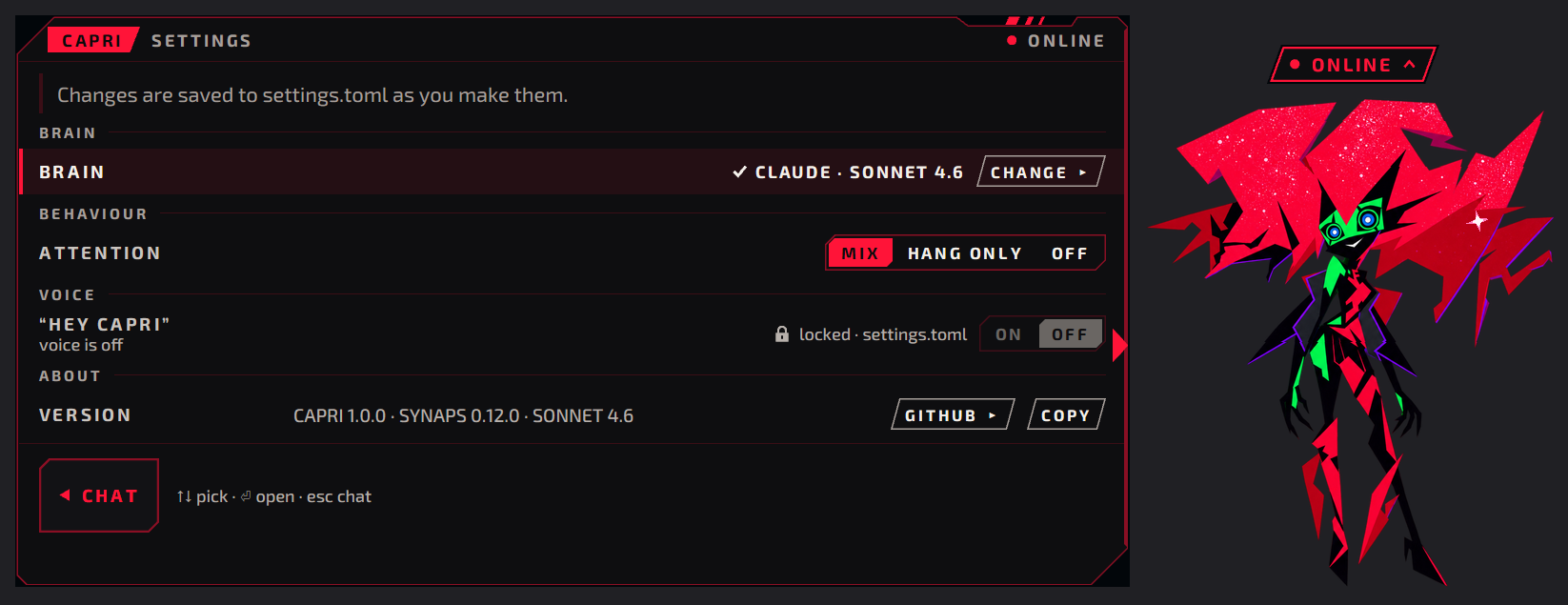
Settings · Her brain, her attention, her name.
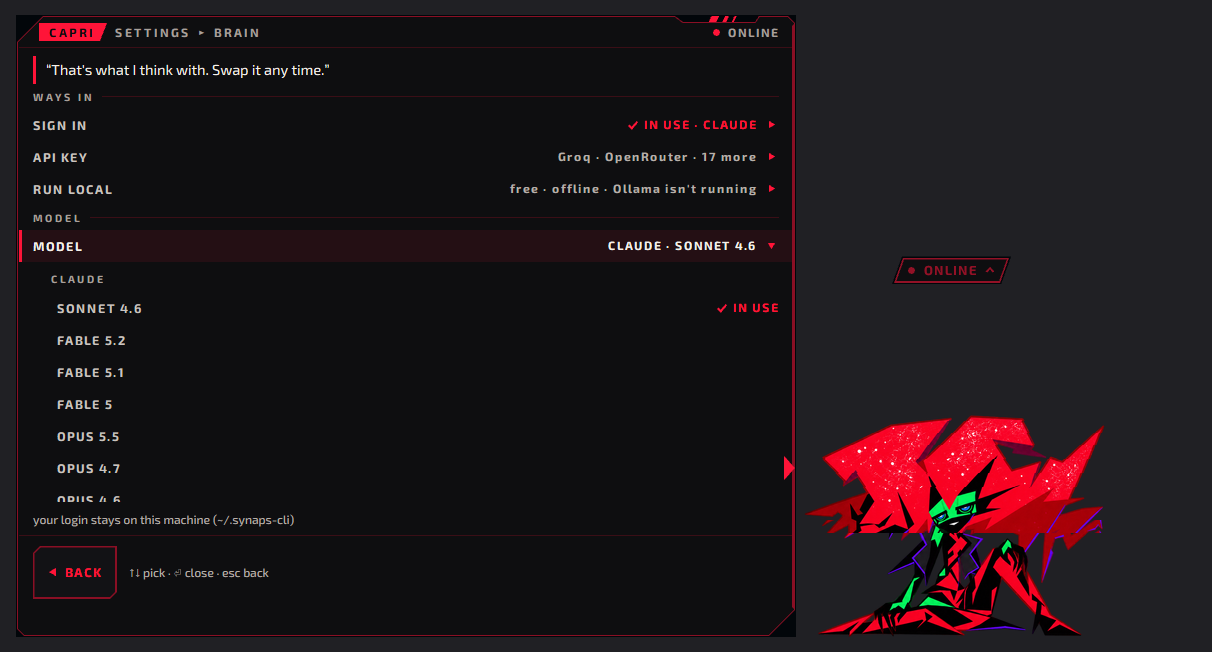
Settings ▸ Brain · Pick what she thinks with.
- BRAIN: her model and its login. Three ways in, none first: SIGN IN with an account you have
(ChatGPT, Claude, Copilot, Gemini, Grok, Kimi, Muse; she runs the sign-in and your browser opens on
it), an API KEY, or RUN LOCAL. Then MODEL: a menu of every model your logins and your local server
have. - ATTENTION: how she asks for it: a mix of bids, hanging only, or off.
- "HEY CAPRI": her wake word, on or off.
- ABOUT: her version, one click to copy for a bug report.
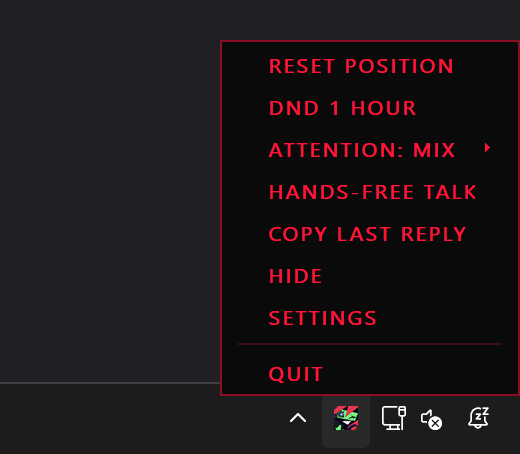
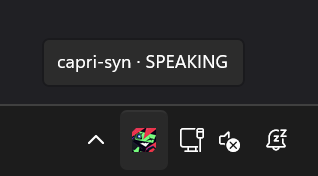
On Windows she's in the tray too. Click for the Line, right-click for her menu.
Requirements
| Minimum | Recommended | |
|---|---|---|
| OS | Windows 11 x64, or Linux x86_64 with glibc 2.35+ (Ubuntu 22.04, Debian 12, Fedora 36, Arch) on X11, Hyprland 0.40+, or GNOME, KDE or sway through XWayland. Windows 10 (1809+) and Windows 11 on Arm: untested (Platforms) | X11 with a compositor, or Windows 11 |
| Graphics | Linux: a Vulkan 1.1+ driver (OpenGL ES is GPUI's fallback). Windows: Direct3D 11, feature level 10.1, with compute shaders and structured buffers | A GPU with its driver. CI and the Windows VM run on software rendering (WARP): fine for layout, not for colour or timing |
| Tools (Linux) | curl and Python 3 with venv (python3-venv on Debian and Ubuntu), for her art pack; the installer fetches what's missing, asking first |
|
| CPU, RAM, disk | x86_64. RAM: about 84 MB idle on Linux, measured once during development; Windows not measured. Disk: about 120 MB for her and her art on Linux (binary 43 MB, built art pack 77 MB); Windows: a 10 MB setup, installed size not measured | CPU speed: not measured |
| Her brain | Synaps 0.11.0 or newer (the installers fetch 0.12.0) and one of: an account (ChatGPT, Claude, Copilot, Gemini, Grok, Kimi, Muse; Gemini needs Synaps' Google client, and Grok can't be signed in on Windows yet), an API key, or a local model: Ollama or LM Studio, with tool calling and a 16k+ context (qwen3:8b: ~5 GB) |
A GPU for a local model; without one it is slow |
| Voice (optional) | A microphone. Linux: PipeWire's pw-record and pw-play, and Python 3.10 to 3.13 (yours, else uv fetches 3.13: 105 MB more); ~540 MB (venv 169 MB, models 375 MB). Windows: Python comes with it; a 40 MB installer, 143 MB installed, 375 MB of models |
Runs on the CPU, no GPU; speed not measured |
| Network | To install (Synaps, her release, ~100 MB of art, the voice models) and for an account or an API key | A local model needs none once installed |
"Untested" means the installers accept it but she has never run there; "not measured" means nobody has measured it.
Older glibc builds her from source (install.sh does it).
Get her
🐧 Linux. One line, run as yourself:
curl -fsSL https://raw.githubusercontent.com/HaseebKhalid1507/capri-syn/main/install.sh | bash
It asks before anything needs sudo, and --dry-run prints every step without doing one.
🪟 Windows 11. ⬇ capri-syn setup,
then double-click it. Per user, no admin. It's unsigned for now, so SmartScreen asks first.
Rather a terminal?
irm https://raw.githubusercontent.com/HaseebKhalid1507/capri-syn/main/install.ps1 | iex
Both do the same steps, and a rerun is an upgrade:
- Synaps, her brain's runtime (open source), if you don't have it. Named, and asked first.
- Her, and her art pack, which is built on your machine: the art isn't in this repository.
- Her daemon and session, a summon key, autostart. Then she drops in.
First words. If she has no brain yet, she says so:
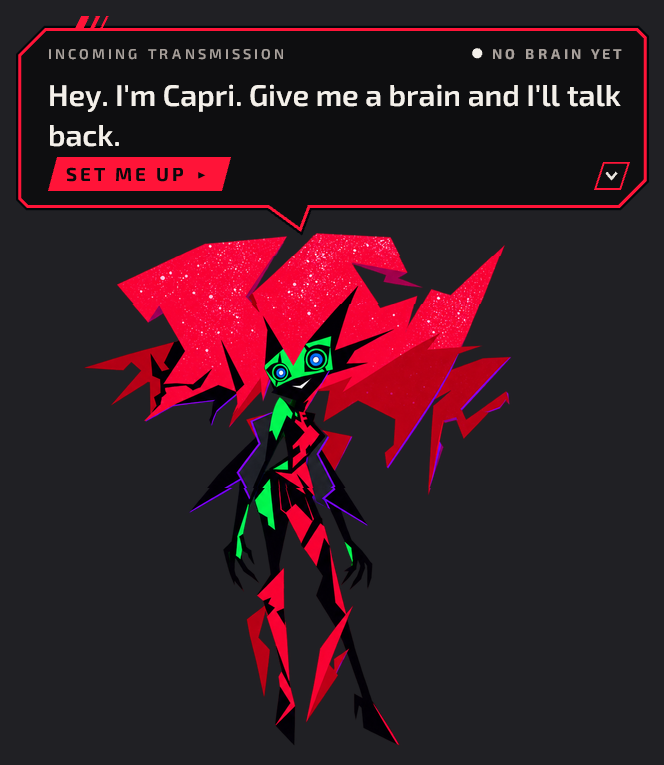
SET ME UP ▸ opens Settings ▸ Brain: sign in to an account (she runs the sign-in, your browser
opens on it), add an API key or run a local model. Her installers ask first: an account, a model on
your PC, an API key, or later.
Free: pick ChatGPT and sign in with a ChatGPT account, a free one too: a free account runs her
on GPT-5.6 Terra (Luna works too); the bigger models need a paid plan. No API key, no card, no GPU.
Free accounts have usage limits: when hers is used up she says she's hit her model's limit (her tag
flashes AT THE LIMIT). Wait for it to reset, or pick another brain in Settings ▸ Brain. No account
at all? Run a local model. Without a brain she still perches,
naps and plays.
Voice on Linux:
curl -fsSL https://raw.githubusercontent.com/HaseebKhalid1507/capri-syn/main/install.sh | bash -s -- --voiceOn Windows, setup's "Her voice" page (mic, "Hey Capri", replies aloud).
Uninstall: on Linux, the same line with
--uninstallremoves what it added, and says where
Synaps is (it stays: other clients may use its daemon). On Windows: Settings ▸ Apps ▸ capri-syn.Every step and flag, prebuilt or from source: docs/INSTALL.md. Windows in
depth: docs/WINDOWS.md.Release assets:
synaps-avatar-x86_64-unknown-linux-gnu.tar.gz,capri-syn-setup-x86_64.exe
andcapri-syn-voice-setup-x86_64.exe, each with a.sha256. Without a release, the installers build her from source.Her art is assembled on your machine from CapriCore
and lachydotmcg/capri-desktop
(see Credits).
What's running her
Synaps. An open-source agent runtime in Rust: one
background daemon owns every session, hers included. She's a client of it, the same as a terminal
would be. So:
synaps --attach capriopens her thread in a terminal. Type in either one.synaps send --session capri "tea's ready"and she comes over to tell you. Any script can do that.- MODEL in Settings ▸ Brain (or
[session] model) picks her brain: any model Synaps can reach. synapson its own starts a session that's yours, not hers.
One thread, two windows
Too big for a bubble? Take it to a terminal. Same thread.
The longer tour, and what she can and can't touch: docs/UNDER-THE-HOOD.md.
How it works
flowchart LR
    you(["You"])
    brain["Cat brain<br/>roam, bid, play, nap"]
    voice["capri-voice<br/>optional, local"]
    capri["Capri<br/>synaps-avatar"]
    desk["Your desktop<br/>X11, Wayland, Windows"]
    client["synaps-client<br/>vendored"]
    daemon["Synaps daemon<br/>local, or over ssh"]
    session["Her session<br/>capri"]

    you -->|"click, drag, the Line,<br/>Hey Capri"| capri
    brain -->|"moves her"| capri
    capri <-->|"windows, focus,<br/>idle, lock"| desk
    voice <-.->|"mic, speech"| capri
    capri <-->|"Observe to watch<br/>Mirror to act"| client
    client <--> daemon
    daemon <--> session
One process: a transparent GPUI window plus a client of the Synaps daemon, which can be on this machine
or on another one. The client is vendored, so the
repository builds on its own.
- She watches, and only steps in to act. She attaches to her session in
Observe. AMirrorattach
would keep the session from parking and cost tokens in keep-warm pings, so she takes one only to send,
answer a prompt or abort, and drops back toObserve3 seconds after the turn ends. - Her own session. With no
--sessionflag she uses one named after her pack's character
(capri): attached if it's live, resumed if she remembers it, created otherwise. She refuses the one
namedsubconscious. - Her mood is the session's: thinking, working (with the tool's name), done, annoyed after an abort
or an error, needs-you while a prompt waits, away when the daemon is gone. Sleep is yours, not the
session's.
The session rules, flags, packs and the dev control: docs/REFERENCE.md.
Controls
| You | She |
|---|---|
| Click her head | Headpat |
| Drag her, fling her | Ragdoll. Drop her on a window edge to perch her there |
| Right-click | Her menu |
| $mod+c tap · GNOME, stock Hyprland: Super+Alt+C (the installer offers it) · Windows: Win+Alt+C | The Line, beside her |
| "Hey Capri" | A hands-free conversation (voice on) |
| Ctrl+, in the Line | Settings |
| You | She |
|---|---|
| Click her body | Reacts, and opens a quick text field |
| Keep poking her | Gets annoyed |
| Right-click | RESET POSITION, DND 1 HOUR, ATTENTION, HANDS-FREE TALK, COPY LAST REPLY, HIDE, SETTINGS (SET UP MY BRAIN with no brain), QUIT (asks twice) |
| $mod+c, hold | Push-to-talk (Linux, voice on). Release sends |
| $mod+Ctrl+c · Windows: Win+Alt+Ctrl+C | Toggle talk: your pause sends. Double-tap for hands-free |
| Enter | Send, or steer a running turn |
| Shift+Enter | New line |
| ↑ ↓ | Recall what you sent |
| PgUp PgDn | Scroll the thread |
| Ctrl+Y | Copy her last reply |
| Ctrl+O | Open the last link in it |
| Esc | Close the Line (draft kept). While she speaks: hush. While she listens: cancel |
| Esc Esc | Abort the running turn |
| A / hold A | Allow a prompt / allow a risky one (about half a second) |
| D | Deny |
| Tab | Answer in words instead |
On Linux the app grabs no global keys; the installer binds them for i3, sway and Hyprland (with your
consent). By hand, in i3:
bindsym $mod+c             exec --no-startup-id avatarctl talk press
bindsym --release $mod+c   exec --no-startup-id avatarctl talk release
bindsym $mod+Ctrl+c        exec --no-startup-id avatarctl talk toggle
On Windows she registers her two keys herself.
Configure
Settings covers the everyday. Everything else is one file, every key optional:~/.config/synaps-avatar/settings.toml (Windows: %APPDATA%\synaps-avatar\settings.toml).
[brain]
enabled = true
attention = "mix"            # "mix" | "hang_only" | "off"  (also in Settings and her menu)
fullscreen = "hide"          # "hide" | "stay"
monitor = "follow"           # "follow" the monitor you work on | "any"
passive_every_min = [0.75, 3] # minutes between her own roams (small hops in between)
bid_every_min = [8, 15]      # minutes between attention bids
max_moves_per_hour = 45      # a small hop counts a quarter
no_repeat = 2                # avoid her last N entrances

[brain.approaches]           # how she shows up for a bid; weights, 0 turns one off
hang = 2
hang_upside_down = 1
cling = 3
sit_edge = 3
peek = 1
beside = 1

[brain.arrivals]             # how she gets there (hop = 0: no hops at all)
hop = 4
teleport = 2
drop_in = 2
glitch = 1

[ragdoll]
strength = 0.5               # 0 = rigid, 1 = full floppy

[mirror]
drag_facing = "back"         # dragged, she looks "back" where she came from, or "forward"

[display]
composited = "auto"          # "auto" | "on" (alpha) | "off" (X shape, no compositor needed)

[music]
detect = true                # headphones on (now and then a dance) while an MPRIS player plays
ignore = ["discord", "vesktop"]

[session]
# model = "anthropic/claude-opus-5"   # her brain; MODEL in Settings ▸ Brain writes this

[voice]
enabled = false              # talk to her and hear her answer, through capri-voice
wake_word = true             # "Hey Capri" (with voice on): one mic stream, always shown on her tag
duck = "duck"                # other audio while she listens or speaks: "duck" | "pause" | "off"
An unknown key makes her reject the whole file and keep the previous values, so check spelling. Edited
by hand? avatarctl settings reload on Linux; restart her on Windows.
Every setting and flag: docs/REFERENCE.md. Voice in depth:
docs/VOICE.md. Optional event hooks (a line into her session when something on your
machine needs a look): docs/WATCH.md.
Platforms
| Where | How she runs |
|---|---|
| Linux, X11 | Her home. Used daily on i3, with or without a compositor. |
| Linux, Hyprland | Native Wayland: perching, drag and fling, effects, several monitors. Tested in a nested rig, not yet daily-driven. No idle time there yet, so typing alone for 5 minutes reads as away. |
| Linux, GNOME, KDE, sway | Through XWayland, which she picks herself. She perches on X apps only, and may nap while you type in native Wayland ones (limits). Untested on a real GNOME or KDE session. |
| Windows 11 | Her installer, her tray, her own keys, her voice. Checked by hand in a Windows 11 VM (the VM day); live audio is still to check on real hardware. CI runs her installers end to end on every pull request. |
| Windows 10, Windows 11 on Arm | Both installers get through (Windows 10 1809 or newer; Arm through x64 emulation), but she has never been run on either. Untested, so not supported yet. |
| macOS | Planned. Being scoped now, to be tested on a real Mac before anything ships. No build yet. |
- Names. The repository and the Windows installers are
capri-syn. The crate, the binary and the
config and state paths are stillsynaps-avatar. - One character. The code ships no character ids. Everything Capri-specific is in her pack's
moods.json, so another pack is possible. Capri is the only one that exists.
Credits & legal
The art. Capri's sprite art comes from
CapriCore. It is not included in this repository:tools/make-packassembles the pack on your machine from your own CapriCore checkout.Desktop art. Her perch, sleep, walk, dance, dangle and transition animations come from Capri,
lachydotmcg/capri-desktop, under the
PolyForm Noncommercial License 1.0.0.
They are not included in this repository either:tools/make-pack --lachyadds them to your local pack.
Window perch and music perch animations: her artist, who prefers to stay private. Click effect: mixmix312352.
Transformation animation and emotes: Qewiw (mix_qewiw1412_86144).Required Notice: Copyright 2026 Lachy (https://github.com/lachydotmcg)
Required Notice: Anyone who uses Capri's code, art, animations or any of its other assets must credit the Capri project (https://github.com/lachydotmcg/capri-desktop). Capri's art and animations are by her artist, who prefers to stay private. Parts made by others keep their own licences, listed in its README.
Unofficial. This is a fan project. It is not affiliated with or endorsed by CD PROJEKT RED,
R. Talsorian Games, Studio Trigger or Netflix. All trademarks belong to their owners.Her voice. Speech uses stock Kokoro voices, blended, with light DSP.
Licence. capri-syn's own code, tools, data and docs are released under the MIT License (seeLICENSE), © 2026 Haseeb Khalid. MIT covers only what was written for this project. These
paths are excluded and keep their own terms:
vendor/gpui-pre-linux/,vendor/gpui-pre-windows/: GPUI by Zed Industries, Apache-2.0 (each folder'sLICENSE-APACHE; our changes, listed in itsPATCHES.md, are under the same licence).crates/synaps-client/: MIT, except the portions named in itsNOTICE, which are Apache-2.0.docs/media/, exceptcard-*.png(original type and motifs, MIT): the banner, screenshots and
recordings of the app showing third-party character art: Capri's sprites
from CapriCore, for which no licence is granted (see itsdocs/character-assets.md), and Capri's desktop art from
lachydotmcg/capri-desktop under the
PolyForm Noncommercial License 1.0.0 with
the Required Notices above (parts by Qewiw and mixmix312352). Not under MIT; no commercial use. Seedocs/media/NOTICE.md.assets/icon/: a crop of Capri's face from a still of Cyberpunk: Edgerunners 2; its rights belong to
their owners (seeassets/icon/NOTICE). Not under MIT; no licence of any kind is
granted for it. It is also built into the release binaries and the installer, where the same applies.tools/wake/hey-capri-v1.npz: a wake-word model trained on openWakeWord features (its models are
CC BY-NC-SA 4.0) and LibriSpeech dev-clean (CC BY 4.0); distributed under CC BY-NC-SA 4.0 (seetools/wake/NOTICE).
Two MIT files carry a note: packs/capri/moods.json holds frame timings, anchor points, visible bounds
and sha256s taken from CapriCore (docs/media/NOTICE.md says which), and tools/upscale_art.py follows
Real-ESRGAN's network (BSD-3-Clause; its licence text is in the file). Release binaries also contain
third-party crates under their own licences (mostly MIT/Apache-2.0), and the Windows voice installer
bundles Python and third-party Python packages under their own licences (espeak-ng's GPL-3.0 among them).
Every release artifact carries their texts in its licenses/ folder. espeak-ng's source (with sonic's,
which its build compiles in) is attached to every release beside the voice installer, and itslicenses/SOURCE.txt says where the GPL parts' source is (docs/INSTALL.md).
Capri runs on Synaps. Synaps is built with Synaps.
Yorumlar (0)
Yorum birakmak icin giris yap.
Yorum birakSonuc bulunamadi