tracerkit
Health Uyari
- License — License: MIT
- Description — Repository has a description
- Active repo — Last push 0 days ago
- Low visibility — Only 5 GitHub stars
Code Gecti
- Code scan — Scanned 12 files during light audit, no dangerous patterns found
Permissions Gecti
- Permissions — No dangerous permissions requested
This tool provides a spec-driven development workflow for AI coding assistants. It uses pure Markdown files to guide an AI agent through writing product requirements, phased implementation plans, and completion checks.
Security Assessment
Overall risk: Low. The tool is a set of pure Markdown skills with zero runtime dependencies and no build step. The automated code scan looked at 12 files and found no dangerous patterns, hardcoded secrets, or requests for dangerous permissions. Because the core functionality simply scaffolds and reads plain text files, it does not execute arbitrary shell commands, make unexpected network requests, or access sensitive system data. It writes to a `.tracerkit` folder in the user's working directory, which is standard behavior for development tools.
Quality Assessment
The project is very healthy from an administrative standpoint. It is actively maintained, with repository activity as recent as today. It uses the highly permissive MIT license and features continuous integration pipelines for automated testing. However, community trust and visibility are currently minimal. With only 5 GitHub stars, it is a very new or niche project. While the code is safe and clean, developers should expect a smaller community and fewer resources for troubleshooting compared to widely adopted tools.
Verdict
Safe to use.
Spec-driven development workflow for AI agents - PRD, plan, check.
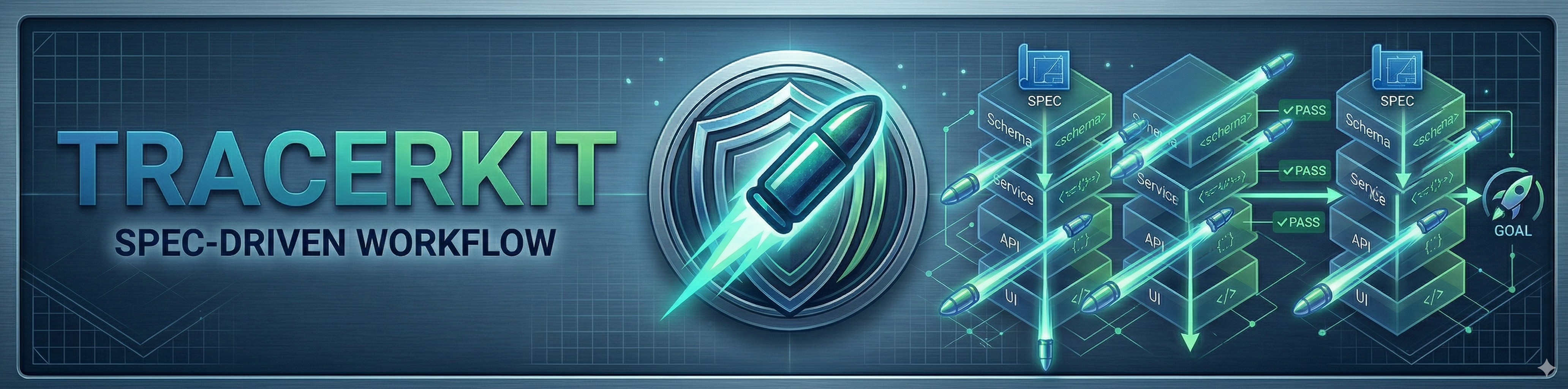


Replace ad-hoc AI prompts with a repeatable spec-driven workflow: from idea to verified, archived code.
Named after the tracer-bullet technique from The Pragmatic Programmer: Tracer + Kit.
Zero runtime dependencies. Pure Markdown skills, no build step.
Why TracerKit?
Without specs, every AI session starts from scratch. Vague prompts, duplicated context, no way to confirm "done." Most planning tools produce flat task lists where nothing works until everything is done.
TracerKit takes a different approach: tracer-bullet vertical slices. Each phase cuts through every layer (schema → service → API → UI → tests), so every phase is demoable on its own. Integration problems surface early, context stays focused, and AI assistants get small, well-scoped phases instead of sprawling layers.
Get Started
Install
npx tracerkit init
Skills are installed globally to ~/.claude/skills/, available in every project. No per-project setup needed.
Workflow
You: /tk:prd add dark mode support
AI:  Written .tracerkit/prds/dark-mode-support.md
     Run `/tk:plan dark-mode-support` next?

You: /tk:plan dark-mode-support
AI:  Phase 1 — Theme visible end-to-end
     Phase 2 — User can toggle and persist preference
     Written .tracerkit/plans/dark-mode-support.md
     Run `/tk:check dark-mode-support` when ready?

You: # open the plan, implement each phase, write tests...

You: /tk:check dark-mode-support
AI:  Status: done | Total: 5/5
     Archived to .tracerkit/archives/dark-mode-support/
See Examples for full walkthroughs.
Per-project usageTo scope skills to a single project (team members get them via git):
npx tracerkit init .              # install to .claude/skills/ in current dir
npx tracerkit update .            # update project-scoped skills
npx tracerkit uninstall .         # remove project-scoped skills
Skills
TracerKit ships three skills that take a feature from idea to verified archive.
/tk:prd <idea>: Write a PRD
Interactive interview that explores your codebase, asks scoping questions one at a time, designs deep modules, and writes a structured PRD.
Output: .tracerkit/prds/<slug>.md
/tk:plan <slug>: Create an implementation plan
Reads a PRD and breaks it into phased tracer-bullet vertical slices. Each phase is a thin but complete path through every layer (schema, service, API, UI, tests), demoable on its own.
Output: .tracerkit/plans/<slug>.md
/tk:check [slug]: Check and archive
Checks the codebase against the plan's done-when checkboxes. Runs tests, validates user stories, updates check progress, and transitions the PRD status. On done, archives the PRD and plan to .tracerkit/archives/<slug>/ automatically.
Without arguments, shows a feature dashboard with status and progress before asking which feature to check.
Output: Verdict block in .tracerkit/plans/<slug>.md. On done: .tracerkit/archives/<slug>/prd.md + .tracerkit/archives/<slug>/plan.md
Docs
| Document | Description |
|---|---|
| Examples | Walk through end-to-end usage scenarios |
| CLI Reference | Browse all CLI commands and flags |
| Configuration | Configure custom artifact paths via config.json |
| Metadata Lifecycle | Understand YAML frontmatter states and transitions |
| Comparison | Compare TracerKit to Spec Kit, Kiro, and OpenSpec |
Contributing
- Fork the repo and create a feature branch
- Use TracerKit itself to plan your change (
/tk:prd+/tk:plan) - Implement following the plan phases
npm run lint:fix && npm run test:run && npm run typecheck- Conventional Commits (enforced by commitlint)
- Open a PR against
main
Support
For support, please open a GitHub issue. We welcome bug reports, feature requests, and questions.
Acknowledgments
This project was born out of Claude Code for Real Engineers, a cohort by Matt Pocock. The hands-on approach to building real things with Claude Code sparked the idea for TracerKit. If you're serious about AI-assisted engineering, I can't recommend Matt's cohorts and content highly enough.
License
Yorumlar (0)
Yorum birakmak icin giris yap.
Yorum birakSonuc bulunamadi