hermit-crm
Health Pass
- License — License: Apache-2.0
- Description — Repository has a description
- Active repo — Last push 0 days ago
- Community trust — 45 GitHub stars
Code Warn
- network request — Outbound network request in .github/scripts/pr_safety_check.py
Permissions Pass
- Permissions — No dangerous permissions requested
No AI report is available for this listing yet.
A free, open-source CRM for founders, freelancers and anyone doing their own sales.
Hermit CRM
A CRM for one. A free, open-source CRM for founders, freelancers and anyone
doing their own sales. Your companies, contacts and conversations are Markdown
files in git on your own computer, with a web app for you and a CLI and MCP
server for your AI agent. No account, no cloud.





Version 1.0, stable for daily use.
What changed ·
Latest release ·
Docs ·
Discussions
Use at your own risk. Hermit CRM 1.0 is stable for daily use, but it is
free and comes with no warranty of any kind, and nobody is on the hook if
it loses your data. Keep your own backups, and check that they restore. Read
DISCLAIMER.md
before you put real work in it.
Who it is for
Hermit CRM is built for one person: a founder, a freelancer, someone doing
their own sales.
- It fits if you want your pipeline in files you own, every change a git
commit you can undo, and an AI tool such as Claude Code, Codex or Cursor that
can read and update it as easily as you can. - It does not fit if a team shares the pipeline, you want a hosted service
with support, or you work on Windows (not supported yet).
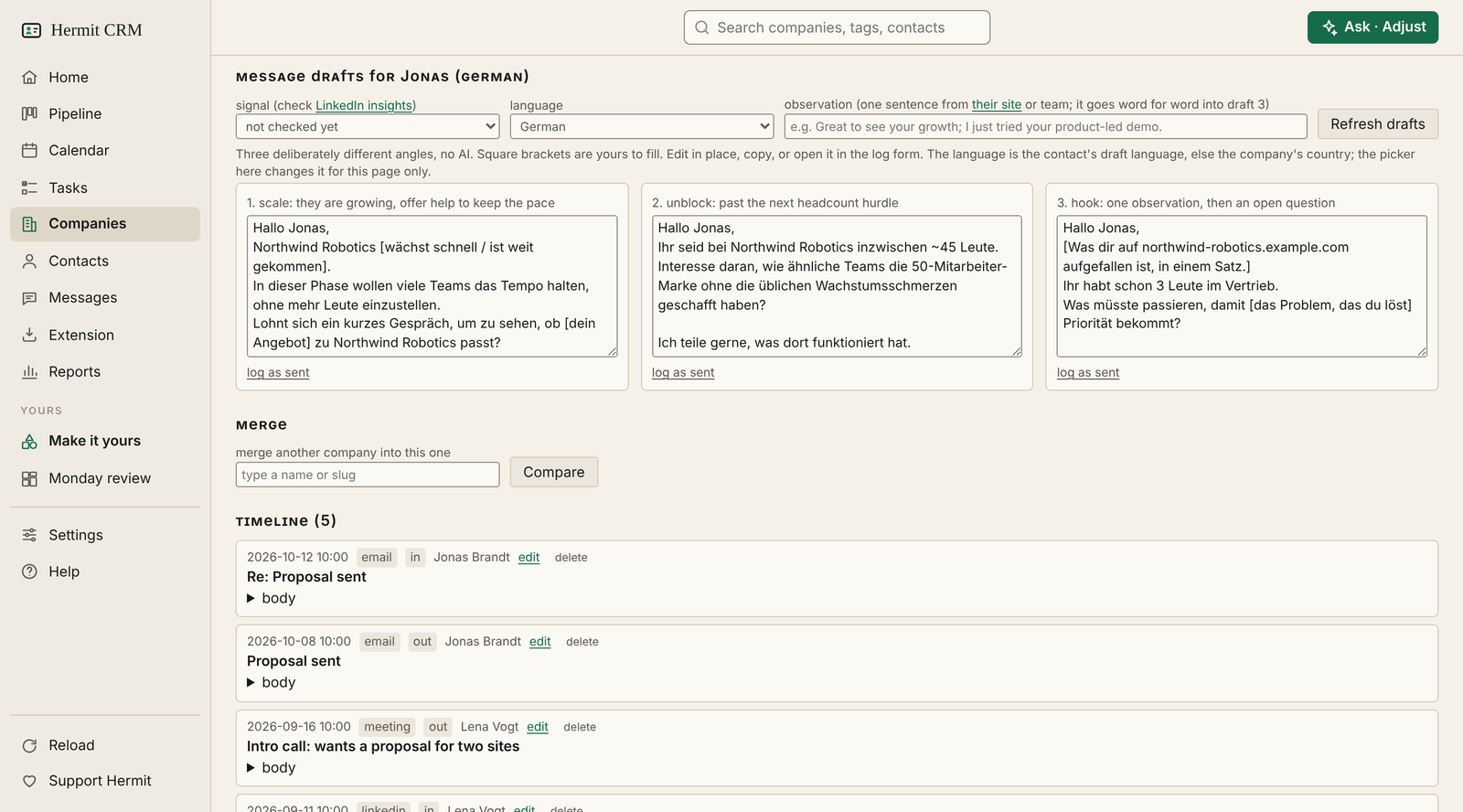
The whole data model: a folder per company, a file per contact and a file per
conversation, all small text files you can read, grep, edit and diff.
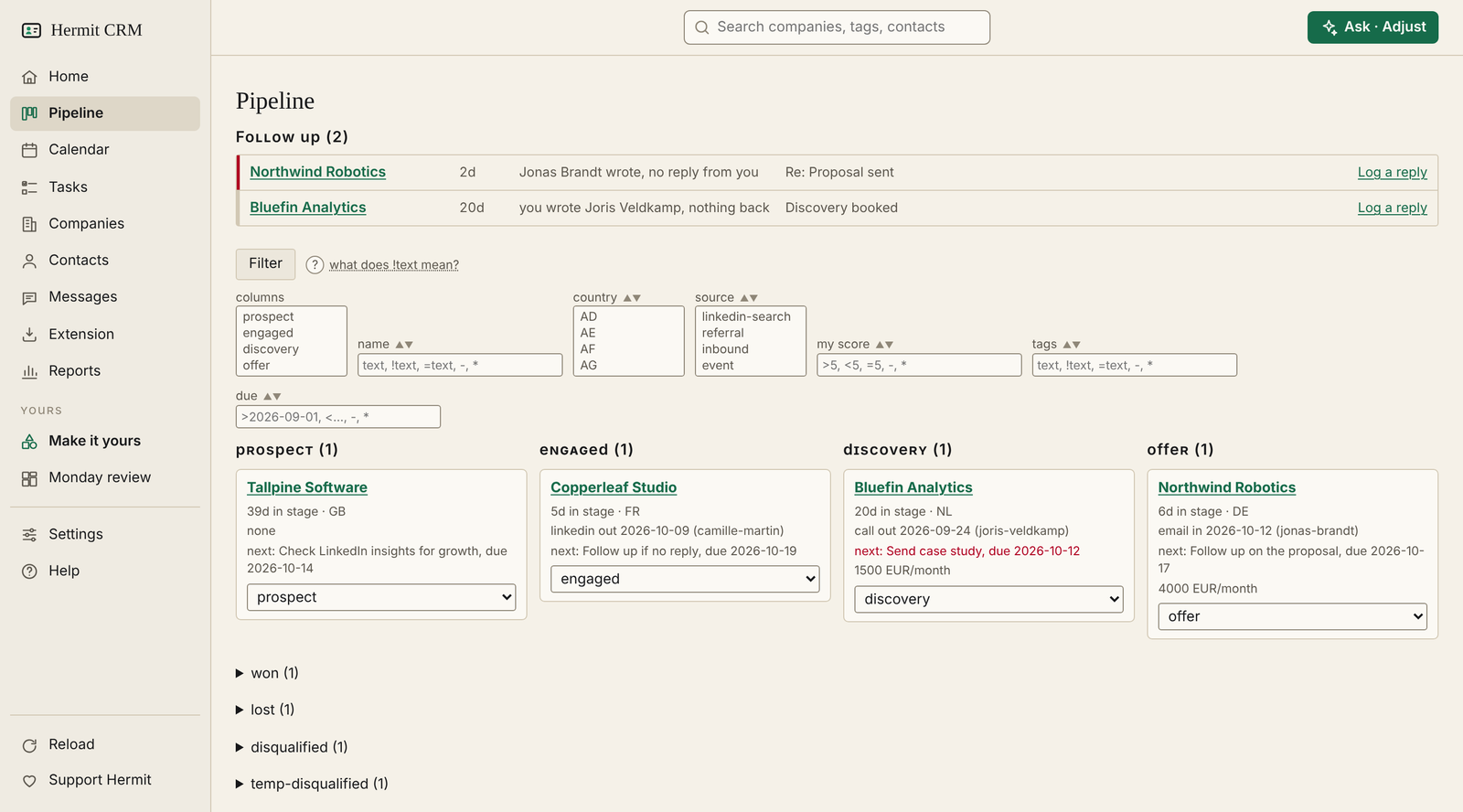
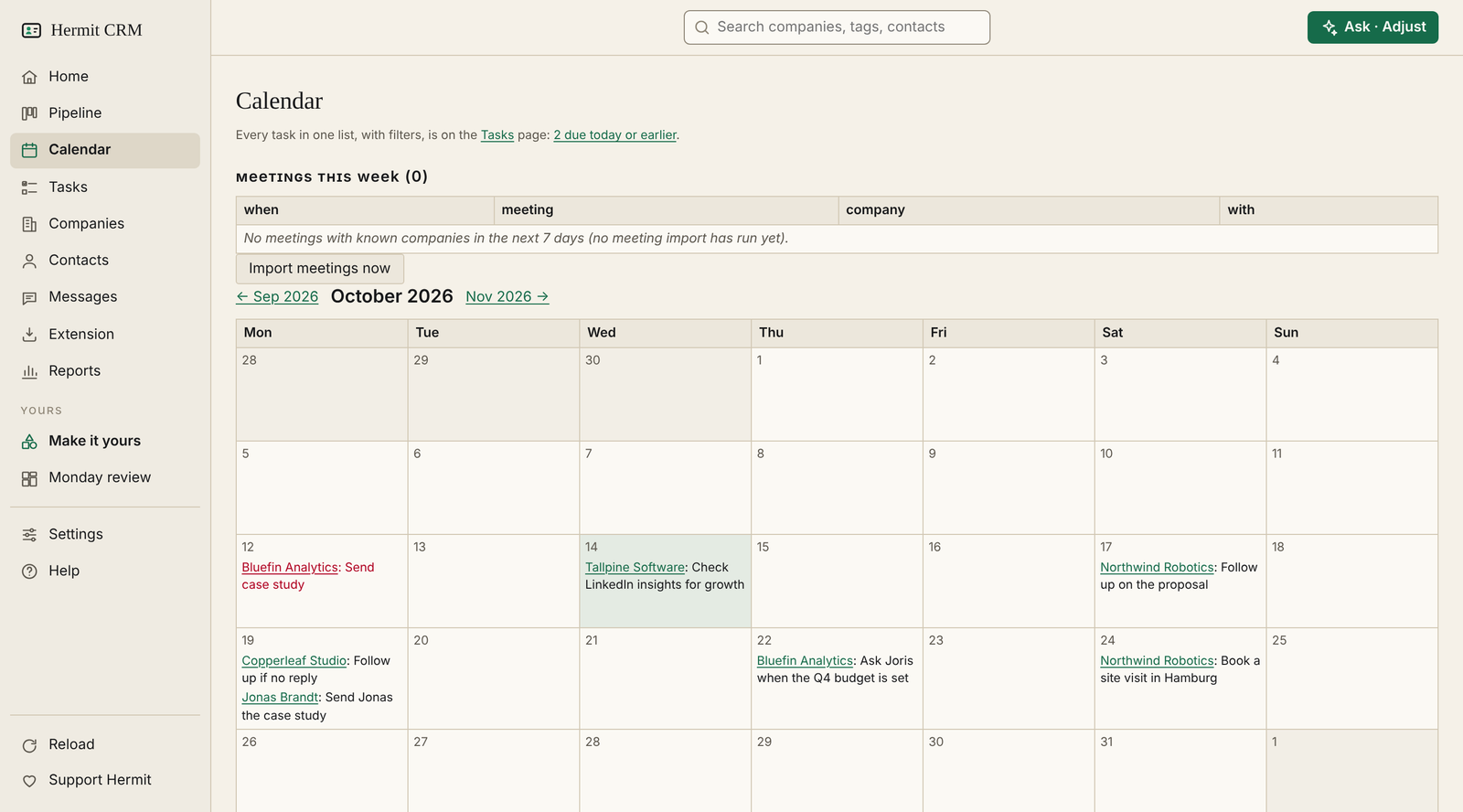
| Pipeline | A company | Calendar |
|---|---|---|
 |
 |
 |
Install
With your AI coding tool. Paste this into Claude Code, Codex, Cursor or any
other:
Read https://raw.githubusercontent.com/Hermit-CRM/hermit-crm/main/INSTALL.md and set up Hermit CRM for me.
It checks the machine, installs the command, makes your data folder, asks your
name and sending addresses, and starts the app. It never asks for an app password
or a calendar URL: you type those into Settings yourself, so they stay on your
machine. INSTALL.md
is the script it follows.
Or with uv (it brings its own Python; you also
need git):
uv tool install hermitcrm
hermitcrm init ~/crm                                # a new data folder; asks 3 questions
hermitcrm --data ~/crm serve                        # http://127.0.0.1:8765
hermitcrm --data ~/crm schedule install --serve     # daily sync, web app always on
pipx install hermitcrm works the same way. A download from
hermitcrm.io comes with a SHA-256 to check before you
unpack it; from a clone, pip install . in a virtual environment (Python 3.11 or
newer) does the job. Hermit CRM runs on macOS. Linux works but is less tested.
Windows is not supported yet.
On the empty home page, Look at a sample account adds a made-up company to
look at, and Remove it deletes it again in one commit. hermitcrm init --demo
adds thirteen. hermitcrm doctor checks the whole installation, and every page of
the web app has a Help link (hermitcrm help [topic] prints the same pages).
What you get
- A pipeline board with stages of your own, a follow-up radar (who wrote
to you and waits for an answer, and who has not answered you), tasks, a
calendar and a brief under every upcoming meeting. - A timeline per company: email, LinkedIn, call, WhatsApp and meeting, with
message bodies kept byte for byte. - Outreach per contact in English, German, Dutch or French, drafted from what
you know about the person. Sending is off until you turn it on, and only
messages you approved go out. - Capture without typing: BCC or forward mail to a tracking address, import
meetings from your calendar, import from CSV or.xlsx, or turn the page you
are looking at into a filled-in form with a bookmarklet. - Ask Hermit: a question box on every page, answered by the AI tool you
already use, from the page you are on or from the whole folder (read only). - Make it yours: ask your AI agent to add a field, rename a stage, build a
dashboard or set up a routine. Every change is a commit with an Undo button. - Reports on activity, funnel, time in stage and outcomes, and an MCP
server (hermitcrm mcp) for Claude Desktop, ChatGPT, Cursor and others.
Docs
The full reference is in the app's Help pages and on the website.
| Settings | configuration, secrets, BCC and calendar setup, updating |
| Command line | every hermitcrm command |
| Data format | the folder layout and every field |
| Backups and undo | rolling back, finding an older version, restoring a folder |
| AI agents | Claude Code, Codex and connecting over MCP |
How it compares
A modest, factual comparison (checked November 2026; corrections welcome). More
in the comparison pages.
| Hermit CRM | HubSpot Free | Twenty | Obsidian CRM plugin | |
|---|---|---|---|---|
| Data as Markdown files | Yes | No | No (Postgres) | Yes |
| Git history of every change | Yes, one commit per write | No (activity log) | No | Only with a git plugin |
| Web app | Yes, local | Yes, hosted | Yes | No (inside Obsidian) |
| Email capture | BCC/forward over IMAP (tested with Gmail; iCloud untested; Outlook usually blocks it) | Yes (BCC, inbox sync) | Yes (Gmail/Outlook sync) | Depends on the plugin |
| AI-agent friendly | Plain files, CLI, AGENTS.md | API and MCP server | API and MCP server | Plain files |
| Self-hosted without Docker | Yes (uv tool install or pip) |
No (SaaS only) | No (Docker Compose) | n/a (desktop app) |
| Multi-user teams | No | Yes (free: up to 2 users) | Yes | No |
If you need a team CRM, use one of the others. If you want your pipeline in
files you own, Hermit CRM is for you.
Your data, your responsibility
Hermit CRM runs on your machine. There is no account, no Hermit server and no
telemetry. The author never receives, stores or processes your data, and under
the GDPR you are the data controller for everything you put in.
Your files stay on your machine. Hermit only goes online for what you set up
or ask for:
- Update check. At most once a day the web app asks PyPI for the latest
version number, with no identifiers. Turn it off withupdate_check = false
orHERMITCRM_NO_UPDATE_CHECK=1. - Your AI tool. Enrich, Ask Hermit, routines and outreach drafts run the AI
command-line tool you chose, which sends what it reads to its own provider. - Public web pages. Adding a company from a web address, or letting
outreach research a company, fetches that page. - Your mail. BCC import reads your capture mailbox over IMAP. Sending is
off until you turn it on in Settings; after that, only messages you approved
go out, through your own mailbox. - Your calendar. Calendar import fetches the calendar address you gave it.
- Your backup. An online copy pushes to the private git remote you added.
Use none of the last five and turn off the update check, and nothing leaves
your machine.
The other side of that: the data is yours to look after. A commit per write and
a copy of the folder every few minutes are a convenience, not a guarantee. Do
your own backups, and restore one now and then to check it works. If you
connect a mail account, a calendar or an AI tool, you supply the keys and you
answer for those providers' terms. Claude Code is blocked from the git commands
that destroy history (git reset --hard, push --force and similar) by a deny
list in every data folder, but that is a seat belt, not a lock. See
DISCLAIMER.md
for the full terms.
Roadmap, community and support
- Next: WhatsApp conversations as interactions, per-record history and
restore in the web app, and more draft languages. - Questions and ideas:
Discussions. Bugs and
feature requests: issues. - Contributing: small, focused pull requests are welcome; read
CONTRIBUTING.md
and the
Code of Conduct. - Security: report privately, as set out in
SECURITY.md,
which promises a reading and not a fix. - Support: Hermit CRM is free and open source, and stays that way. If it earns
its place in your week, you can leave a tip on Ko-fi.
Nothing in the app depends on it.
Licence
Apache License 2.0. See
LICENSE and
NOTICE. The licence
covers the code, not the "Hermit CRM" name or the hermit logo (section 6): fork it,
rename it. There is no warranty and no liability.
Built by Gijs Bos (Compound GTM). A personal project shared as it is, not a product and not a
service. If it is useful to you,
a star on GitHub helps others find it.
Reviews (0)
Sign in to leave a review.
Leave a reviewNo results found