octogent
Health Pass
- License — License: MIT
- Description — Repository has a description
- Active repo — Last push 0 days ago
- Community trust — 73 GitHub stars
Code Fail
- exec() — Shell command execution in apps/api/src/claudeUsage.ts
- process.env — Environment variable access in apps/api/src/claudeUsage.ts
- process.env — Environment variable access in apps/api/src/cli.ts
- network request — Outbound network request in apps/api/src/cli.ts
- process.env — Environment variable access in apps/api/src/codexUsage.ts
Permissions Pass
- Permissions — No dangerous permissions requested
This tool is an orchestration dashboard designed to manage multiple Claude Code sessions. It provides a centralized interface to delegate tasks, manage scoped context, and enable communication between various AI coding agents.
Security Assessment
Overall Risk: Medium
The primary security concern is the use of shell command execution, which carries inherent risks, especially when managing multiple automated agents. The application also makes outbound network requests and relies on accessing environment variables to handle sensitive data like API keys or credentials. No hardcoded secrets or explicitly dangerous permission requests were detected in the scan. However, because the core functionality involves spawning child processes and executing commands, users should carefully review what instructions are being passed to the shell.
Quality Assessment
The project is actively maintained, with its most recent push occurring today. It is licensed under the standard MIT license, making it safe and flexible for open-source and commercial use. Community trust is currently at a modest but growing level, reflected by 73 GitHub stars, which suggests early adoption and peer interest rather than widespread enterprise maturity. The documentation is clear, visually informative, and thoroughly outlines the intended use cases for developers.
Verdict
Use with caution: while actively maintained and licensed, developers should monitor the tool's shell execution and network capabilities closely.
A thin orchestration dashboard over Claude Code for managing context, automation, and developer headspace. You need tentacles. 🦑
too many terminals, not enough tentacles





Octogent
It's really not fun to have ten Claude Code sessions open at once, constantly switching between them and trying to remember what each one was supposed to do. Things get blurry fast when one agent is doing documentation, another is touching the database, another is changing the API, and another is somewhere in the frontend. Octogent tries to fix that by giving each job its own scoped context, notes, and task list, while also making it possible for Claude Code to spawn other Claude Code agents, assign them work, and communicate with them.
The Vision
This repo is a personal exploration of what an AI coding environment might look like when terminal coding agents are treated as parts of a bigger orchestration layer, not the final interface by themselves. The point is not to hide Claude Code behind abstractions. The point is to make multi-agent work less chaotic for the developer on a real codebase.
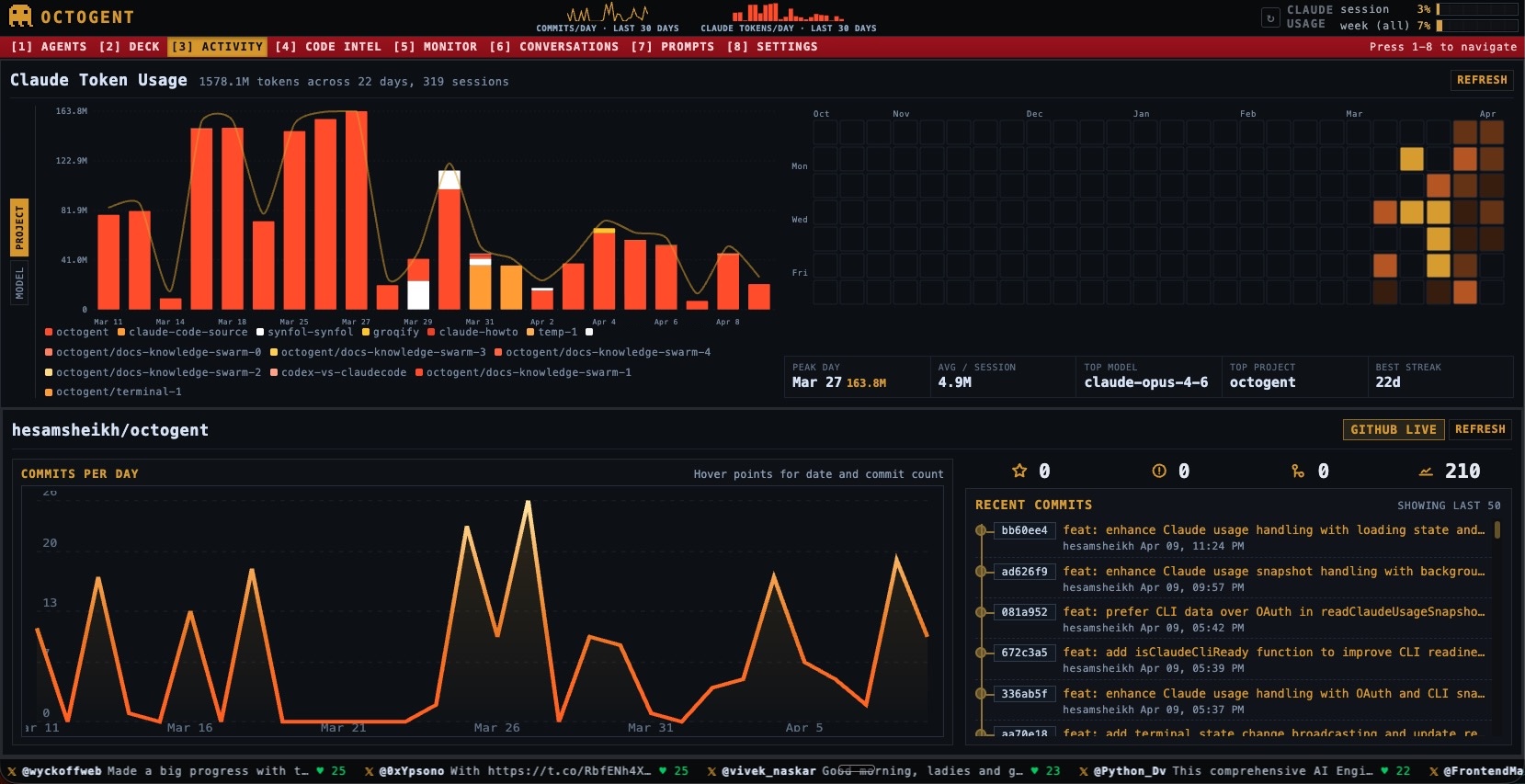
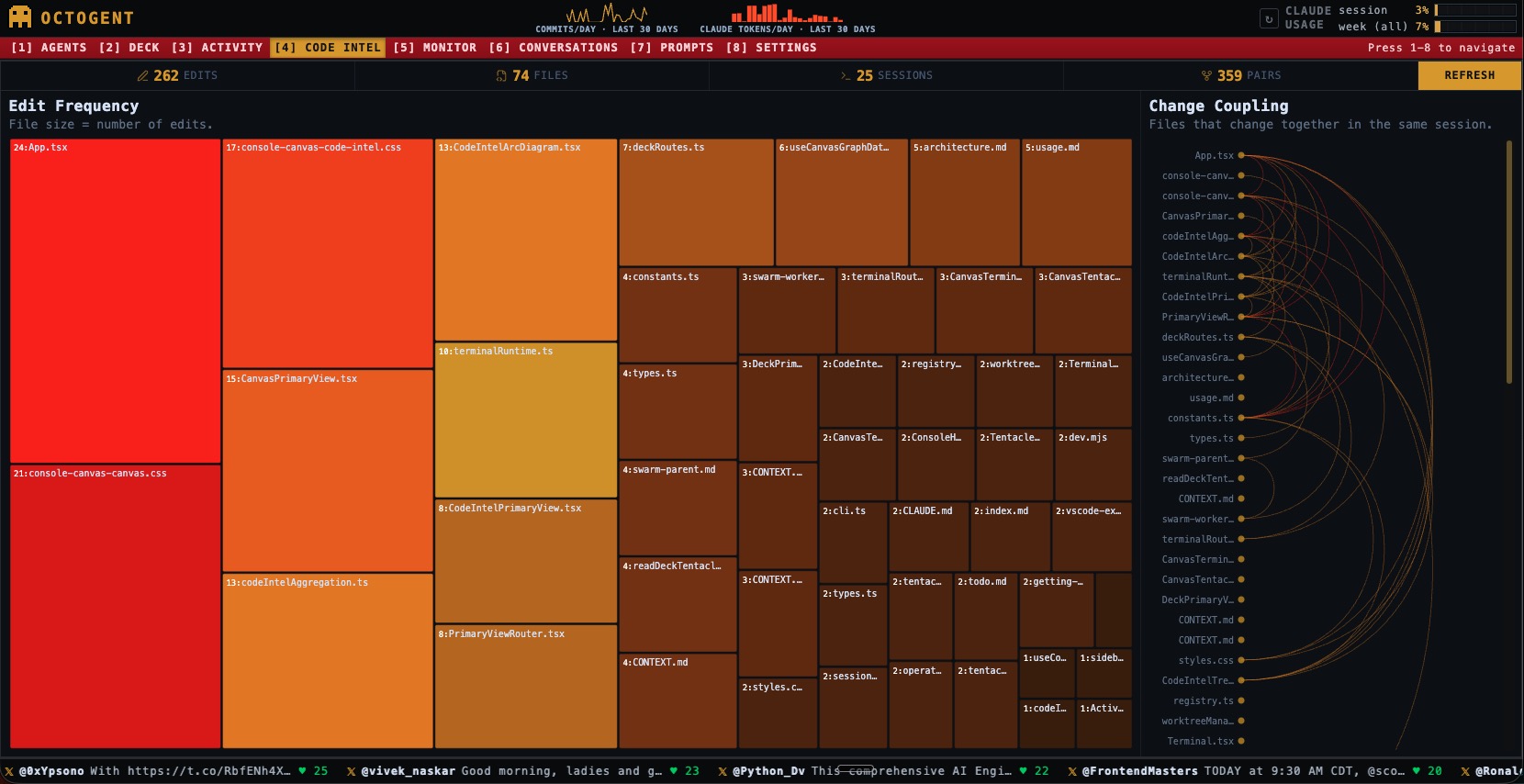
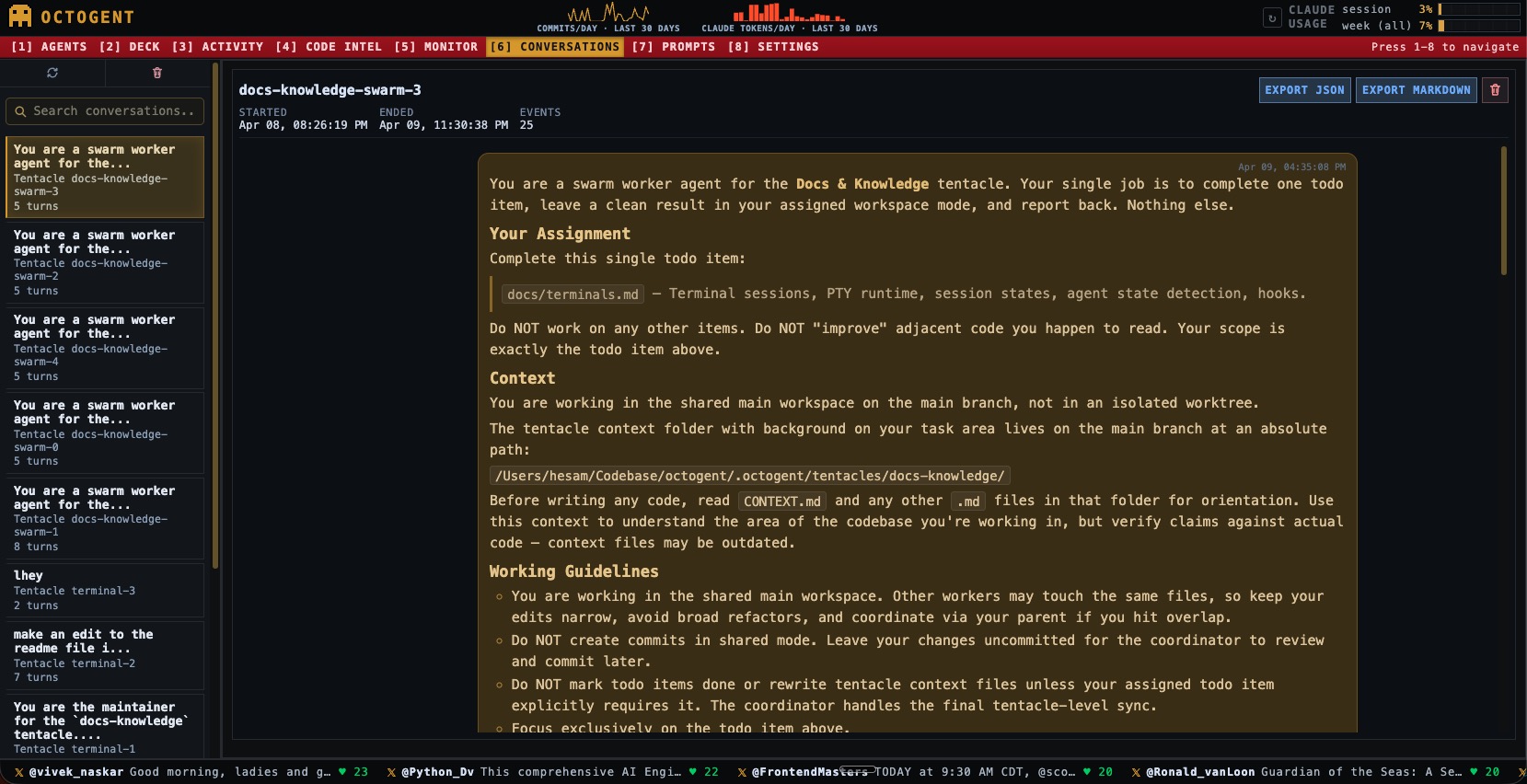
Screenshots
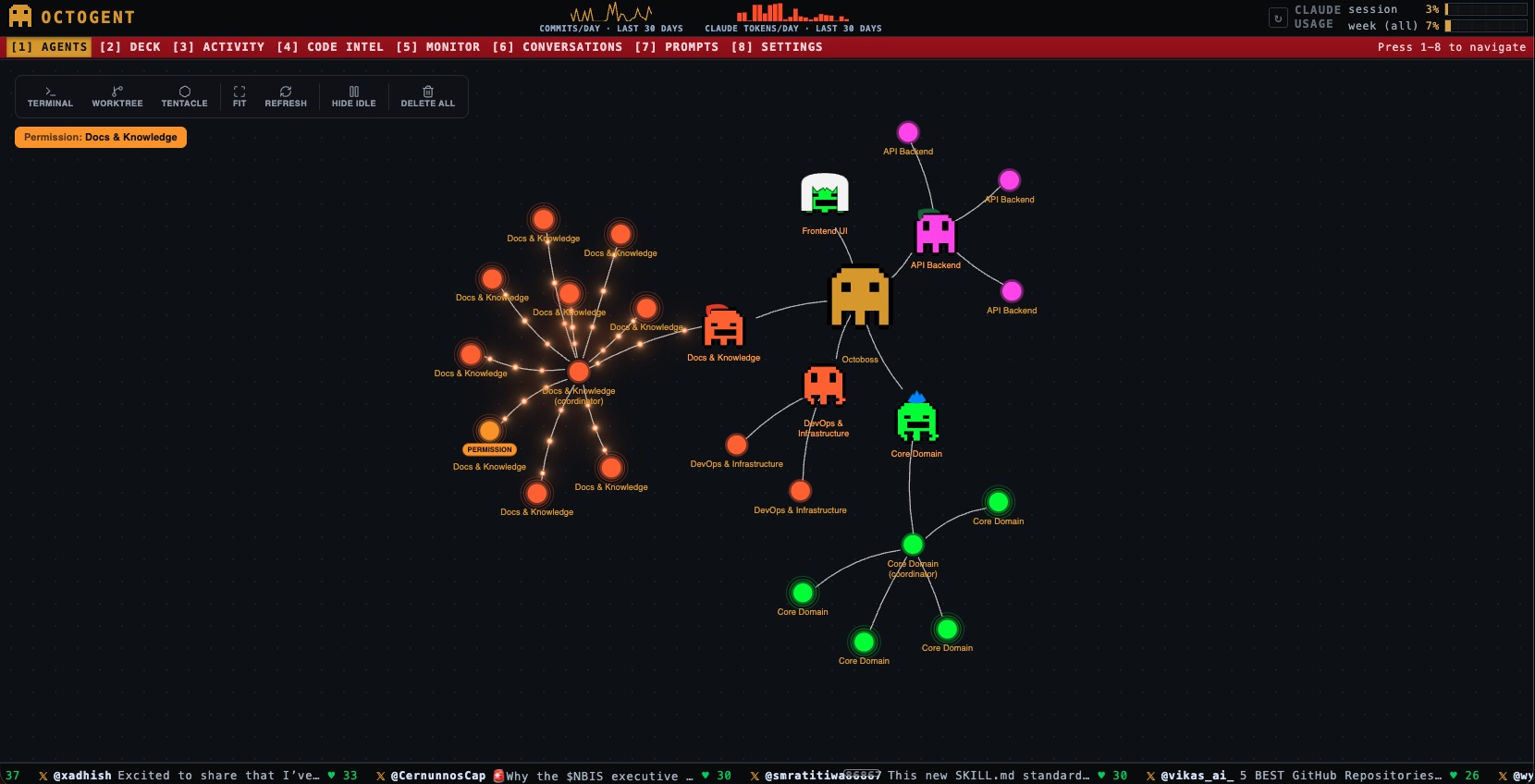 |
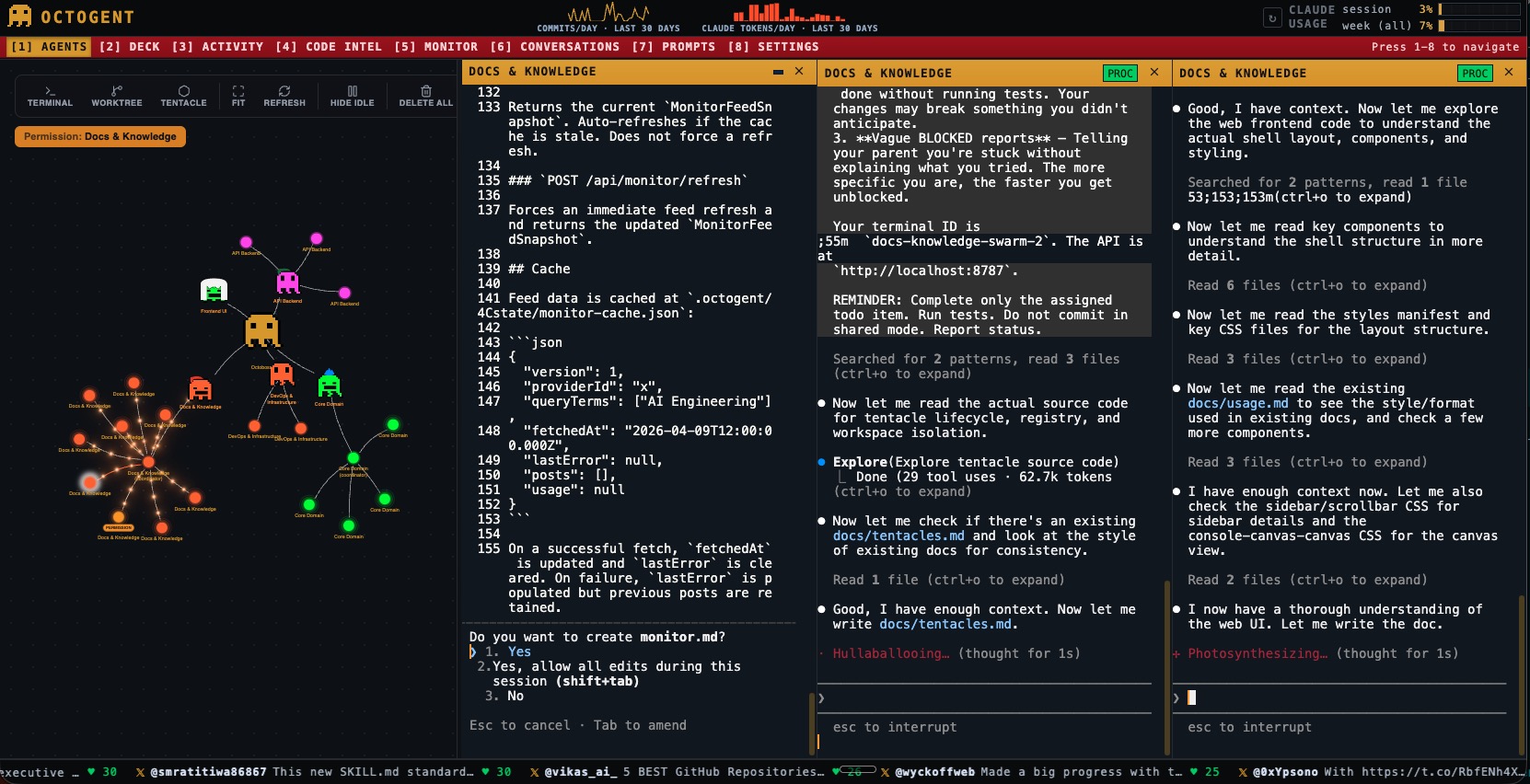 |
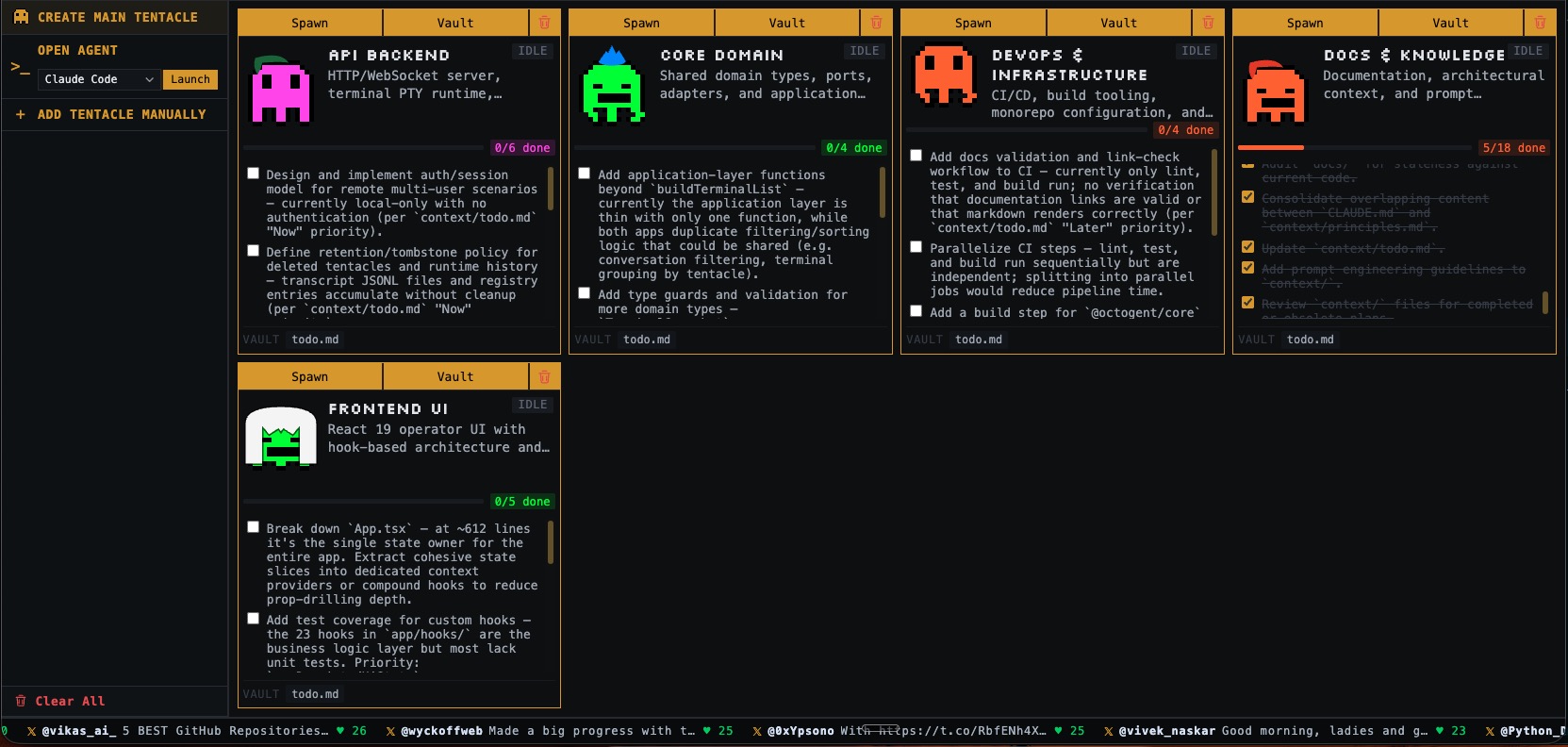 |
 |
 |
 |
What Octogent Does for You
- Creates tentacles as context layers so agents can work with scoped markdown files instead of broad, messy chat context
- Uses
todo.mdas an execution surface so tasks stay visible, trackable, and ready for delegation - Runs multiple Claude Code terminals so one developer can coordinate several coding sessions at once
- Spawns child agents from todo items so parallel work has a concrete source of truth
- Supports inter-agent messaging so workers and coordinators can report completion, blockers, and handoff notes
- Keeps agent-facing context in files so the system is more durable than a single prompt thread
- Provides a local API and UI for terminal lifecycle, persistence, websocket transport, and orchestration
A tentacle is a folder under .octogent/tentacles/<tentacle-id>/ that holds agent-readable markdown such as CONTEXT.md, todo.md, and any extra notes needed for that slice of the codebase.
The octopus metaphor is literal: one octopus, many tentacles, different work happening at the same time.
Tentacles
A tentacle is a scoped job container. It gives one slice of work its own files, notes, and todo.md so the agent is not forced to reconstruct the entire codebase context from chat history.
What it does:
- keeps context local to one area such as documentation, database work, API changes, or frontend work
- gives agents durable files they can read and update
- provides a natural source for delegation through todo items
For the full model, see Tentacles and Working With Todos.
Context, Notes, and Task Lists
In Octogent, a tentacle is not only a task bucket. It is also where the job keeps its local context. That can include notes about one part of the codebase, implementation details, handoff files, and a todo.md that tracks what still needs to happen. A Claude Code agent can read and update those files as the work moves forward.
That means you can:
- keep documentation, database, API, or frontend work separated into different job contexts
- store the notes that help an agent understand that part of the codebase
- spawn one agent for one specific item
- break a larger job into multiple items
- launch a swarm so several agents work through the list in parallel
- use the files inside the tentacle as the shared source of truth for what is done and what is left
For the full model, see Tentacles and Working With Todos.
Claude Code Managing Claude Code
One of the main ideas here is that Claude Code should not only be treated as a single terminal session waiting for a human prompt. In Octogent, one Claude Code agent can coordinate other Claude Code agents, assign them specific jobs, and exchange short messages with them while the human stays at the orchestration layer.
This is different from Claude Code's subagent spawning, since it allows you to directly see and control what each worker agent is doing.
That means Octogent is not just a dashboard for multiple terminals. It is also a way to structure parent-worker behavior around scoped tasks and shared context files.
For the current model, see Orchestrating Child Agents and Inter-Agent Messaging.
How It Works
- Create a tentacle for a scoped slice of work.
- Store context, notes, and
todo.mdinside that tentacle so the agent has durable, local guidance. - Run one or more agent terminals against that tentacle, and delegate child work from the task list when needed.
- Use the local API and web UI to monitor sessions, messages, transcripts, and worktree state.
Quick start
Local developmentpnpm install
pnpm dev
This starts the API and web app for local development.
Current install statusOctogent is not published to the npm registry yet.
For local development:
pnpm install
pnpm dev
For a local global CLI install from a clone:
pnpm install
pnpm build
npm install -g .
octogent
The registry install flow npm install -g octogent will only work after the package is published.
On first run, Octogent creates the local .octogent/ scaffold automatically, assigns a stable project ID, picks an available local API port starting at 8787, and opens the UI unless OCTOGENT_NO_OPEN=1 is set.
Requirements
- Node.js
22+ claudeinstalled for the supported agent workflowgitfor worktree terminalsghfor GitHub pull request featurescurlfor the current Claude hook callback flow
Startup fails if neither claude nor another supported provider binary is installed. The current docs only cover Claude Code.
What persists
.octogent/keeps project-local scaffold and worktrees~/.octogent/projects/<project-id>/state/keeps runtime state, transcripts, monitor cache, and metadata.octogent/tentacles/<tentacle-id>/keeps the context files and todos that agents read
PTY sessions survive browser reloads during the idle grace period, but they do not survive an API restart.
Docs
- Docs Home
- Installation
- Quickstart
- Mental Model
- Tentacles
- Runtime and API
- Working With Todos
- Orchestrating Child Agents
- Inter-Agent Messaging
- CLI Reference
- Filesystem Layout
- API Reference
- Experimental Features
- Troubleshooting
- Contributing
Contributor setup
Contributions are welcome 🤗. For contributor workflow and expectations, see CONTRIBUTING.md.
Reviews (0)
Sign in to leave a review.
Leave a reviewNo results found