bambu-studio-ai
Health Gecti
- License — License: MIT
- Description — Repository has a description
- Active repo — Last push 0 days ago
- Community trust — 98 GitHub stars
Code Gecti
- Code scan — Scanned 12 files during light audit, no dangerous patterns found
Permissions Gecti
- Permissions — No dangerous permissions requested
Bu listing icin henuz AI raporu yok.
Bambu Lab AI / Bambu Studio AI — agent skill that designs, checks and prints on Bambu Lab printers. Works with Claude Code, Codex, Cursor, Gemini CLI and any SKILL.md agent. Featured in 我的拓竹 Skill 大赏.
Bambu Studio AI
also known as Bambu Lab AI · 中文说明
Tell your AI agent what you need. It designs it, checks it, and gets it printed on your Bambu Lab.
An open-source skill for Claude Code, OpenAI Codex, Cursor, Gemini CLI, GitHub Copilot and any
other agent that reads SKILL.md. It finds or creates the model, makes
sure it will actually print, hands it to Bambu Studio for your review, then watches the print.
You stay in control the whole way.





🏆 Featured by Bambu Lab. Selected for the first batch of featured works in Bambu Lab's
official 我的拓竹 Skill 大赏 (Bambu Lab Player Skill Showcase, 2026), under the name Bambu Lab AI.
See the post on Xiaohongshu →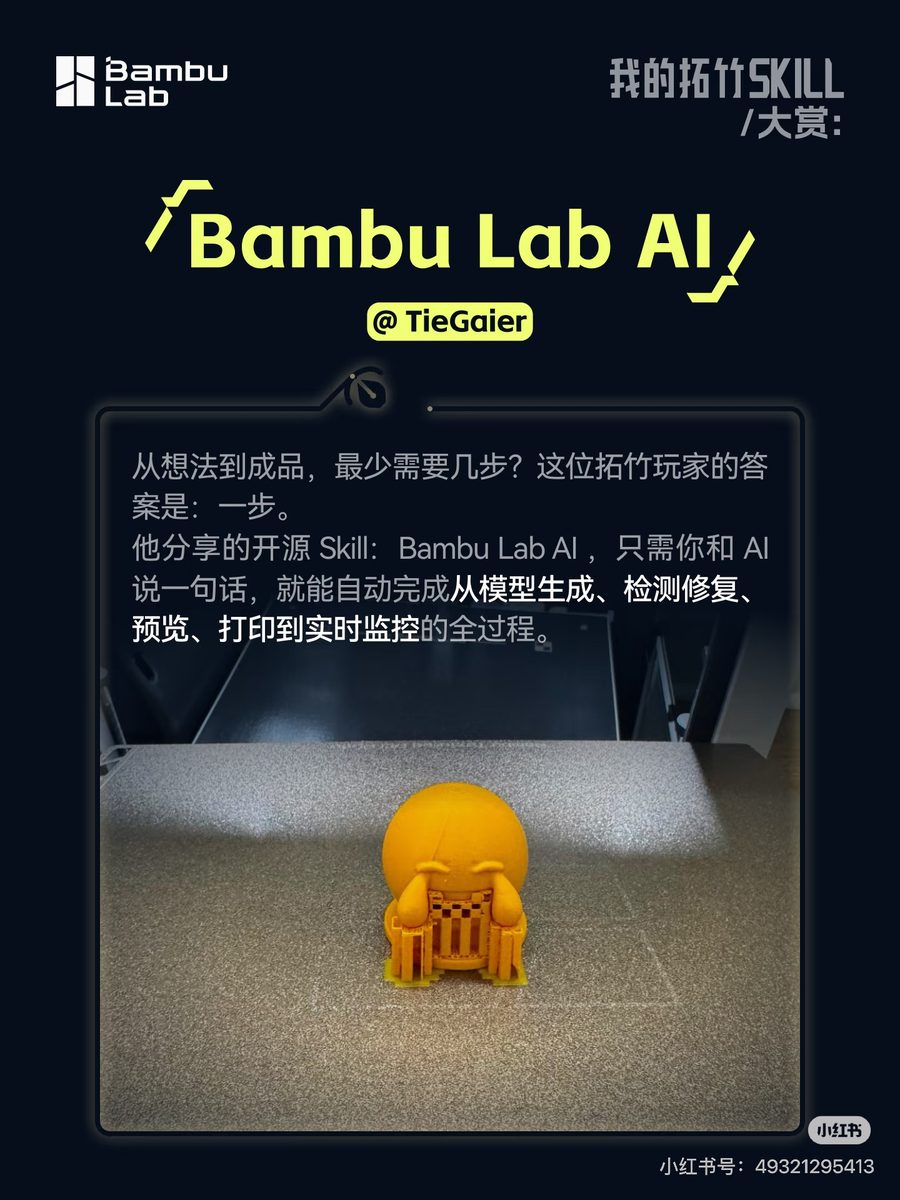
Poster © Bambu Lab, from the official announcement.
You    I need a wall bracket for a 32 mm pipe with two M4 screw holes.
       PETG, on my A1.

Agent  That's a precision part, so I'll model it to exact dimensions
       instead of using AI.
       → 32.3 mm clamp bore (0.3 mm clearance) · 4 mm walls
       → two 4.2 mm M4 clearance holes
       → printability 9/10 · fits the A1 plate
       → suggested: 0.2 mm layers · 40% infill · 240 °C
       [preview.png]
       It's open in Bambu Studio. Slice it and tell me if it looks right.

You    Looks good. Starting the print now.

Agent  Print detected. I'll send progress with a camera snapshot every
       30 minutes, and warn you right away if it stalls or overheats.
Why it's different
🧭 The right method for each object. Everyday objects: search MakerWorld, Printables,
Thingiverse and Thangs first, because tested designs beat generated ones. Functional parts:
parametric CAD with real millimetres and real screw clearances. Figurines, characters and
photos: AI text-to-3D and image-to-3D across five providers.
🔍 Checked before it's printed. Every model, downloaded or generated, goes through an
11-point check before you see it: scale, wall thickness, overhangs, floating fragments,
orientation, build volume, and whether the material suits your printer. Then it's repaired
automatically. Textured models become AMS-ready multi-color files with matched Bambu filaments.
🙋 You're always in the loop. You see a render first, then review and slice in Bambu Studio.
The agent never starts a print without an explicit yes, and it asks before enabling auto-pause.
🔌 Your agent, your printer, your keys. It works with the agent you already use and talks to
your printer over your own network. API keys live in a local file only you can read. There are
no accounts, no relay servers and no telemetry.
Get started
1. Add the skill to your agent
npx skills add heyixuan2/bambu-studio-ai
This detects the agents you have installed and puts the skill in the right place. Add -g to
install it for all projects. Manual install and per-agent paths ↓
2. Install the Python dependencies (skill installers copy files but don't install packages)
cd <skill folder>                        # e.g. ~/.claude/skills/bambu-studio-ai
python3 -m pip install -r requirements.txt
python3 scripts/doctor.py                # tells you what's installed and what's optional
3. Ask for something. Model search, AI generation, CAD and analysis work right away. For
printer control, say "set up my Bambu printer" and the agent walks you through LAN mode, which
takes about two minutes.
Things you can ask
| Make something | Check or fix a model | Print and watch |
|---|---|---|
| "Print me a cute cat figurine, about 6 cm tall" | "Why won't this STL slice properly?" | "What filament is loaded in my AMS?" |
| "Design a 60×40×30 mm electronics box with a lid" | "Scale this to 12 cm and check it fits my A1 Mini" | "Is my print done? Show me the camera" |
| "Turn this photo into a 3D print, in full color" | "Make this model 4 colors for my AMS Lite" | "Watch this print and pause it if it goes wrong" |
| "Find me a good cable organizer on MakerWorld" | "Is this OK to print in ABS on a P1S?" | "Pause it. What's the nozzle temperature?" |
How it works
flowchart TD
    R([Your request]) --> S{What is it?}
    S -->|everyday object| A[Search model sites]
    S -->|exact part| B[Parametric CAD]
    S -->|figurine / photo| C[AI text or image to 3D]
    A --> D[Analyze + repair]
    B --> D
    C --> D
    D --> E[Multi-color for AMS]
    D --> F[Preview render]
    E --> F
    F --> G[You review and slice in Bambu Studio]
    G -->|your go-ahead| H[Print]
    H --> I[Monitor + camera snapshots]
The skill is a set of plain Python tools plus a SKILL.md playbook that tells the agent when to use
each one and where to stop and ask you. Agents load it only when a 3D-printing task comes up, and
read the detailed references (setup, multi-color, monitoring, troubleshooting) only when a step needs
them.
| Capability | Tool | Details |
|---|---|---|
| Model search | search.py |
MakerWorld, Printables, Thingiverse, Thangs, deduplicated |
| AI generation | generate.py |
Meshy, Tripo3D, Printpal, 3D AI Studio, Hyper3D Rodin. Print-aware prompts, scaling to exact height, retries |
| Parametric CAD | parametric.py |
Brackets, plates with holes, enclosures, arbitrary CSG from JSON. Always watertight, exact to 0.01 mm |
| Printability | analyze.py |
11-point check, tiered repair, auto-orientation, unit detection |
| Multi-color | colorize |
Texture → up to 8 AMS colors, nearest Bambu filament by CIELAB ΔE |
| Preview | preview.py |
Blender renders and 360° turntable GIFs, size verification |
| Printer control | bambu.py |
Status, AMS, camera, pause/resume/cancel, speed, light, G-code, upload, print. LAN or cloud |
| Monitoring | monitor.py |
Waits for the print to start, progress reports, stall/temperature alerts, optional auto-pause |
| Setup | configure.py, doctor.py |
Settings and secrets without editing JSON, dependency diagnostics |
Printers and requirements
All current Bambu Lab printers: A1 Mini · A1 · P1S · P2S · X1C · X1E · X2D · H2C · H2S · H2D.
Build volumes, temperature limits and material compatibility are built in (specs).
Runs on macOS, Linux and Windows with Python 3.10+. The following are optional and unlock
more features:
| Tool | Unlocks | Install |
|---|---|---|
| Bambu Studio | Opening models for review and slicing | macOS brew install --cask bambu-studio · Windows/Linux installer, AppImage or Flatpak |
| Blender 4+ | Preview renders, multi-color | macOS brew install --cask blender · Linux snap install blender --classic · Windows installer |
| ffmpeg | Camera snapshots | brew install ffmpeg · apt install ffmpeg · winget install ffmpeg |
| An AI provider key | Text-to-3D and image-to-3D | Meshy, Tripo3D, Printpal, 3D AI Studio or Rodin (setup) |
OrcaSlicer, rembg, pymeshlab |
CLI slicing, photo background removal, heavy mesh repair | See doctor.py |
Privacy and safety
- Local first. Printer control runs over your LAN (MQTT/FTPS/RTSP). Cloud mode is optional.
- Your secrets stay put. Access codes and API keys are stored in
~/.bambu-studio-ai/.secrets.json
(chmod 600) and never shipped, logged or sent anywhere except the service they belong to. - Nothing prints by surprise.
bambu.py printrefuses to run without--confirmed, and the
playbook tells agents to pass it only after your explicit go-ahead. - Every network endpoint is listed in references/security.md.
Install details
Manual install (git clone) and per-agent pathsClone into your agent's skills folder. The folder must be named bambu-studio-ai.
git clone https://github.com/heyixuan2/bambu-studio-ai.git ~/.claude/skills/bambu-studio-ai
| Agent | For all projects | For one project |
|---|---|---|
| Claude Code | ~/.claude/skills/ |
.claude/skills/ |
| OpenAI Codex | ~/.codex/skills/ |
.agents/skills/ |
| Cursor | ~/.cursor/skills/ |
.agents/skills/ |
| Gemini CLI | ~/.gemini/skills/ |
.agents/skills/ |
| GitHub Copilot | ~/.copilot/skills/ |
.agents/skills/ |
| OpenCode | ~/.config/opencode/skills/ |
.agents/skills/ |
| Windsurf | ~/.codeium/windsurf/skills/ |
.windsurf/skills/ |
| Cline | ~/.agents/skills/ |
.agents/skills/ |
| Goose | ~/.config/goose/skills/ |
.goose/skills/ |
| OpenClaw | ~/.openclaw/skills/ |
skills/ |
.agents/skills/ is shared by most agents, so one project-level clone there covers Codex, Cursor,
Gemini CLI, Copilot, OpenCode, Cline and Amp at once. Update with npx skills update bambu-studio-ai
or git pull. Your settings live outside the skill folder, so updates never touch them.
Zip the folder and upload it under Settings → Capabilities → Skills. Search, generation, CAD and
analysis work there. Printer control needs a machine on the same network as the printer, so use a
local agent (Claude Code, Codex, …) for that.
| What | Where | Override |
|---|---|---|
| Settings, secrets, cloud token, certificates | ~/.bambu-studio-ai/ |
BAMBU_STUDIO_AI_HOME |
| Generated models, previews, snapshots, logs | ./bambu-output/ in your working directory |
BAMBU_OUTPUT_DIR |
Every tool is a normal CLI with --help:
python3 scripts/search.py "vase" --limit 3
python3 scripts/parametric.py enclosure --width 60 --depth 40 --height 30 --wall 2 --lid -o box.stl
python3 scripts/analyze.py box.stl --orient --repair --material PETG
python3 scripts/preview.py box_oriented.stl --views turntable
python3 scripts/bambu.py open box_oriented.stl
python3 scripts/monitor.py --wait-start 30 --interval 300
- v2 is a standard Agent Skill. The OpenClaw-only install metadata is gone, so install Python
dependencies withpip install -r requirements.txt. OpenClaw still loads the skill. - Settings moved from the skill folder to
~/.bambu-studio-ai/. Old files are still read, andpython3 scripts/configure.py migratemoves them. - Outputs moved from
<skill>/output/to./bambu-output/. - Python 3.10+ is required (
bambulabs-api2.x needs it).
Contributing
python3 -m pip install -r requirements-dev.txt
python3 -m pytest -q        # includes SKILL.md spec and link checks
python3 -m ruff check .
Help is especially welcome with more generation providers, better mesh repair, recognizing failed
prints from camera snapshots, and testing on Windows and Linux.
Version history
| Version | Highlights |
|---|---|
| 2.0.0 | Works with any agent: spec-compliant SKILL.md, settings in ~/.bambu-studio-ai/, configure.py, cross-platform Bambu Studio handoff, monitor.py --wait-start, config and cloud-login fixes, real L-bracket and enclosure-lid geometry, Python 3.10+ |
| 1.0.2 | X2D support, CI |
| 1.0.0 | --height across the pipeline, parametric modeling, test suite |
| 0.23.0 | Multi-color as a package, shared common.py |
| 0.22.0 | Colorize v4 (HSV + CIELAB + vertex-color OBJ), Blender previews |
| 0.20.0 | CLI slicing, auto-orient, Rodin provider, signed MQTT |
License
MIT, see LICENSE.
Bambu Studio AI (Bambu Lab AI) is an independent community project by TieGaier, featured by
Bambu Lab but not developed or officially supported by them. "Bambu Lab" and "Bambu Studio" are
trademarks of their respective owner.
Yorumlar (0)
Yorum birakmak icin giris yap.
Yorum birakSonuc bulunamadi