agent-bluetooth
Health Warn
- License — License: MIT
- Description — Repository has a description
- Active repo — Last push 0 days ago
- Low visibility — Only 6 GitHub stars
Code Pass
- Code scan — Scanned 12 files during light audit, no dangerous patterns found
Permissions Pass
- Permissions — No dangerous permissions requested
No AI report is available for this listing yet.
Let your AI agent make and take calls on your real phone. A $15 USB Bluetooth dongle pairs with any phone; calls become LiveKit rooms. No Twilio, no SIP trunk.
Teach your agent to make phone calls for you. Plug a $15 Bluetooth dongle
into your computer, pair a phone, and a LiveKit voice
agent can call anyone from your real number: book a table, sit through a phone
menu, chase a refund. No Twilio, no SIP trunk, no new number.
agent-bluetooth call +14155550142 --agent phone-agent \
  --task "Book a table for two tonight at 7, under Nikita"
The phone dials, the agent waits for someone to pick up, handles the
conversation, hangs up, and saves the transcript.
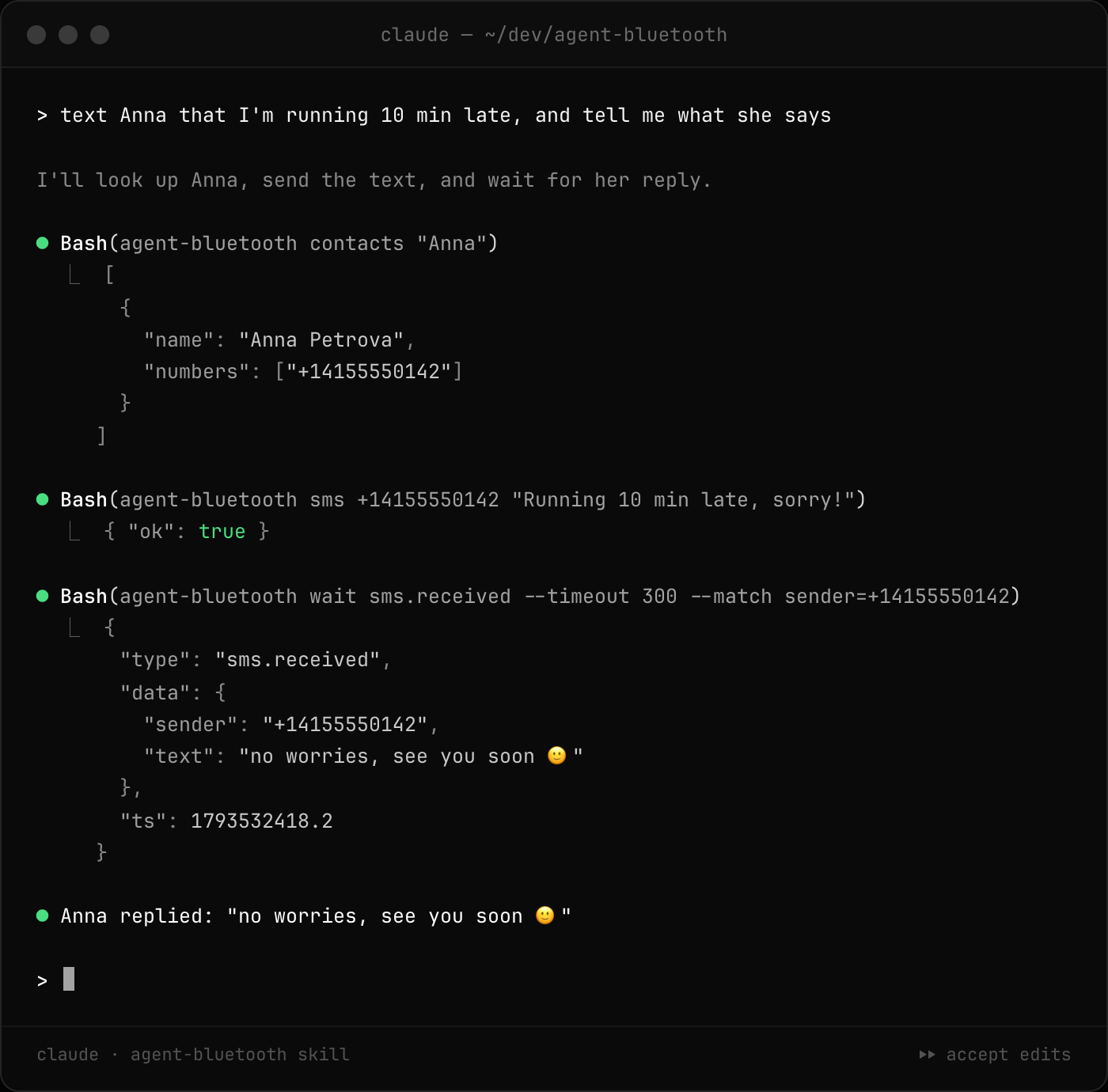
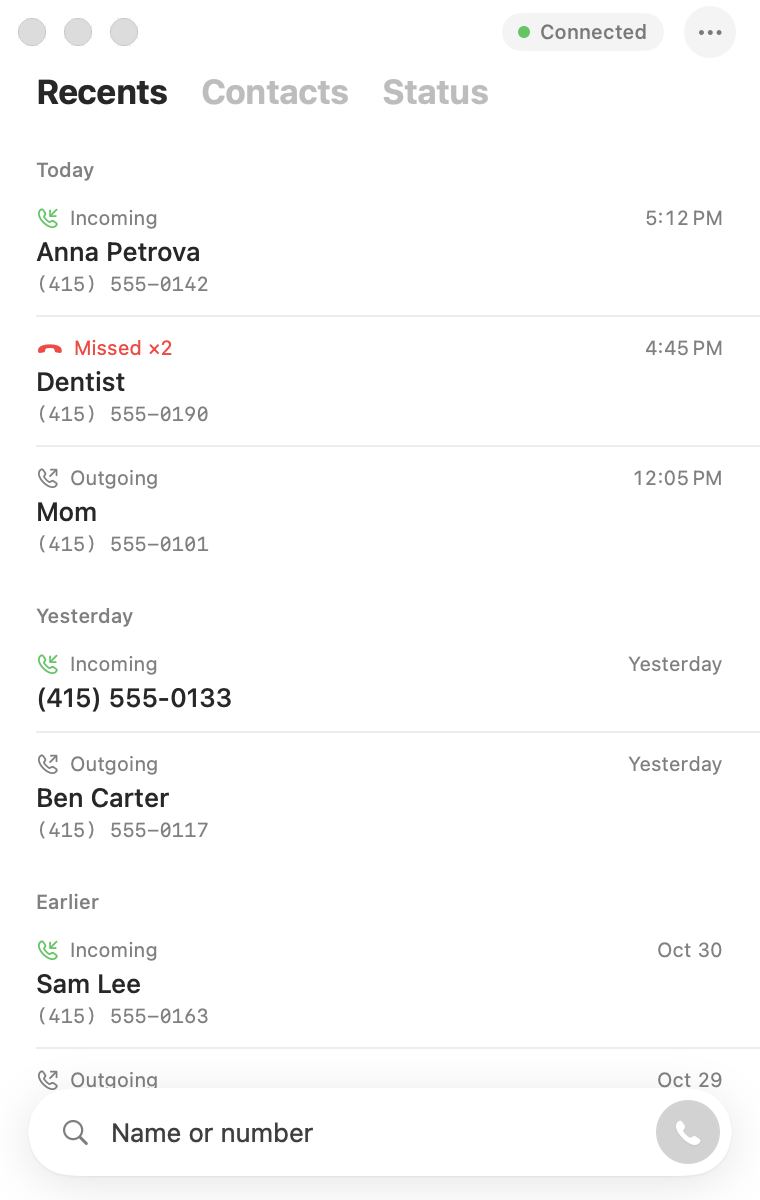
- Calls, both ways. Your agent places calls and answers them. Each call
is a LiveKit room with your phone in it as a SIP participant (DTMF
included), so anything built for LiveKit telephony works unchanged. - Recording: one switch records every call, both sides in stereo.
- Texts (Android): send, list, wait for a reply.
- Contacts and call history, synced from the phone.
- A CLI and HTTP API that print JSON, plus a Claude Code skill, so a
coding agent can text and call too. - Agent Phone, a small macOS softphone
(download).
You need
- A USB Bluetooth dongle. Tested: TP-Link UB400.
- A Mac or any Linux machine to plug it into.
- Any phone that can connect to a Bluetooth headset.
Run it
brew install libusb livekit            # Linux: libusb-1.0-0 + livekit-server
git clone https://github.com/Hormold/agent-bluetooth && cd agent-bluetooth
uv tool install . && cp config.example.toml config.toml   # puts `agent-bluetooth` on PATH

livekit-server --dev --bind 127.0.0.1 --node-ip 127.0.0.1 &
agent-bluetooth serve config.toml
Pair your phone with Agent Bluetooth. If the dongle doesn't come up,agent-bluetooth status says why and what to do. More (Linux, systemd,
call modes): docs/SETUP.md.
From an agent
agent-bluetooth sms +14155550142 "Running 10 min late"
agent-bluetooth wait sms.received --match sender=+14155550142
agent-bluetooth call +14155550142 && agent-bluetooth wait call.active
agent-bluetooth dtmf 1
agent-bluetooth contacts anna
agent-bluetooth debug                  # when something's off
Every command prints JSON. For Claude Code, copy the skill:cp -r skills/agent-bluetooth ~/.claude/skills/. Then just ask it to text or
call someone. Full recipe: agent-bluetooth guide.
Your agent makes the call
examples/livekit-agent is a complete voice agent on
LiveKit Agents: about 200 lines, one file,
both directions.
cd examples/livekit-agent && cp .env.example .env    # add OPENAI_API_KEY
uv sync && uv run python agent.py                    # registers "phone-agent"

agent-bluetooth call +14155550142 --agent phone-agent --task "Ask if they're open Sunday"
Or start it the LiveKit way, exactly like LiveKit's
outbound calls guide,
just without a SIP trunk:
lk dispatch create --new-room --agent-name phone-agent \
  --metadata '{"phone_number": "+14155550142", "task": "Ask if they are open Sunday"}'
To have it answer your calls as well:agent-bluetooth settings set incoming=agent agent_name=phone-agent.
How the phone shows up in the room: docs/LIVEKIT.md.
Why LiveKit
LiveKit is the open-source realtime
stack this is built on: rooms, WebRTC, and
Agents, the framework for voice agents
with any STT, LLM and TTS (or a realtime model). livekit-server --dev runs it
on your laptop; LiveKit Cloud hosts it when your
agent needs to be reachable from anywhere. agent-bluetooth only adds the
missing piece: a real phone line in the room.
Mac app
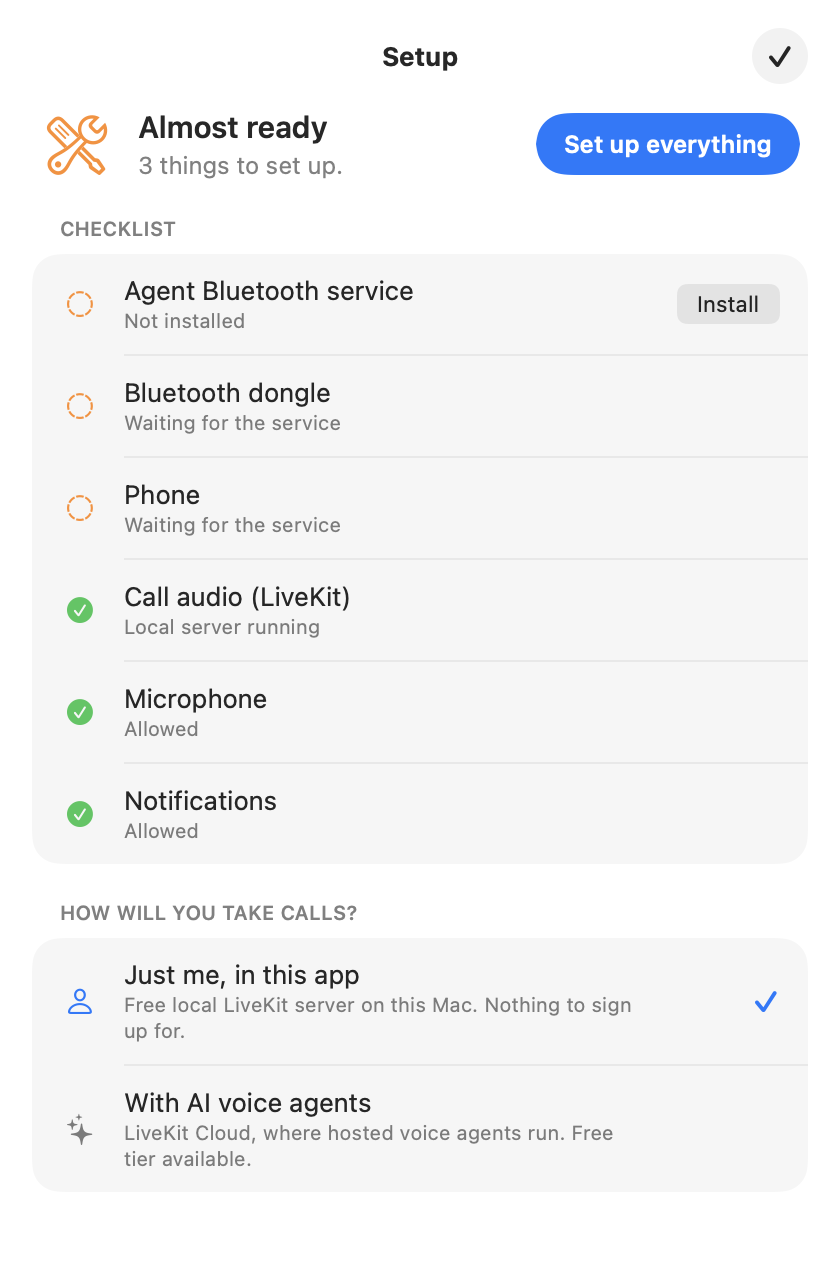
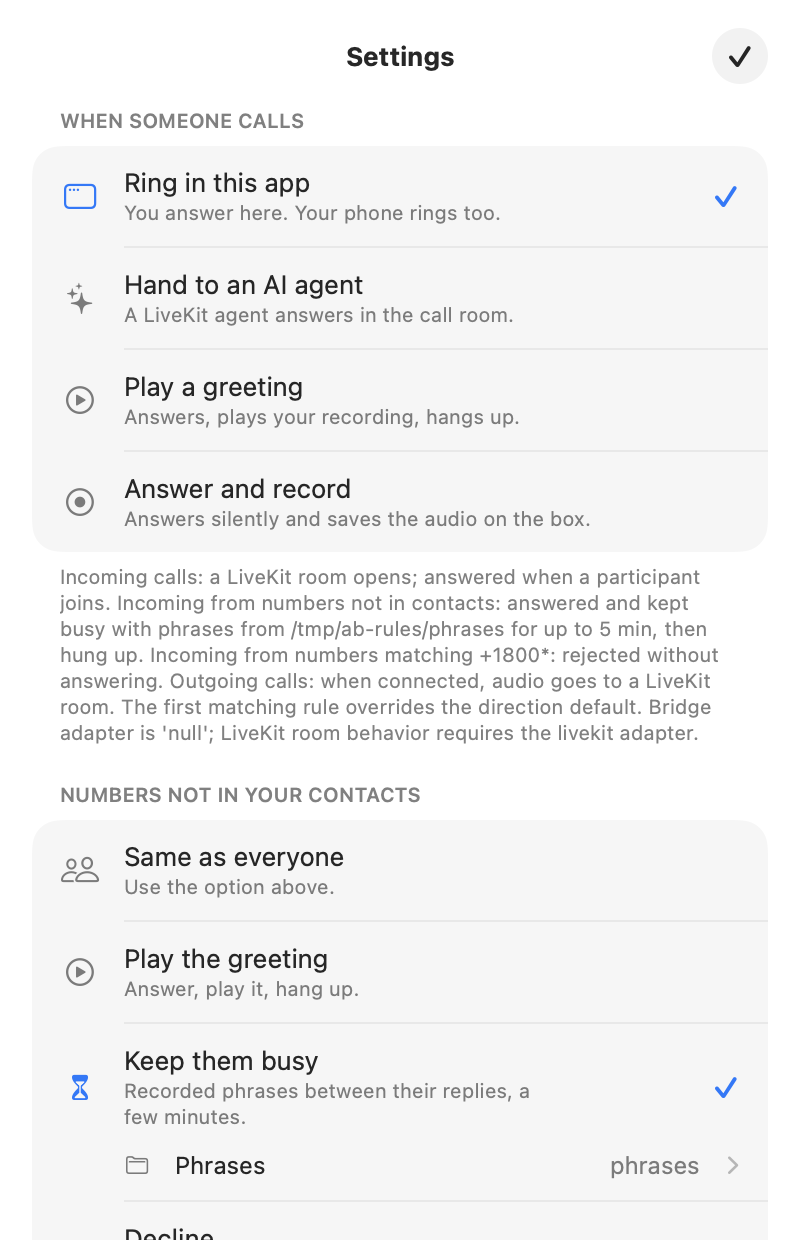
Download Agent Phone for macOS
(signed and notarized, macOS 14+). Unzip, drag it to Applications, open.
Or build it yourself:
apps/AgentPhone/install.sh # builds it and installs "Agent Phone" into /Applications
On first launch it checks everything it needs (the service, the dongle, the
phone, LiveKit, microphone, notifications) and sets up what it can with one
button: installs and starts the local service and LiveKit through Homebrew and
uv, or connects LiveKit Cloud if you want hosted voice agents. Then it's a
phone: recents, contacts, keypad, incoming call alerts, and a choice of what
happens when someone calls.
Ideas
- A phone in a drawer. Keep an old phone on the dongle at home. Forward
your number to it (or give it out as your public number) and the agent
answers, screens spam, and texts you what matters. - Calls on your real phone, through your agent. A small app that rings
your own phone with the call your agent picked up, so it can hand a caller
over to you. Next example.
Docs
Setup · LiveKit · Many phones · Troubleshooting · Changelog · Contributing
Inspired by an idea from Grigory Bakunov (@bobuk).
License
MIT.
Reviews (0)
Sign in to leave a review.
Leave a reviewNo results found