acpira
Health Uyari
- License — License: MIT
- Description — Repository has a description
- Active repo — Last push 0 days ago
- Low visibility — Only 9 GitHub stars
Code Uyari
- process.env — Environment variable access in .github/workflows/release.yml
Permissions Gecti
- Permissions — No dangerous permissions requested
Bu listing icin henuz AI raporu yok.
A native workbench for coding agents, built on ACP with a Rust core. Run Claude Code and Codex on your own login, or bring any model API. Hot-pluggable, self-extending plugins and cross-agent delegation. Desktop, VS Code, Cursor, IntelliJ and iOS.
Acpira


A native workbench for coding agents.
Acpira is built on ACP with a Rust core. It runs Claude Code and Codex on your own login and their own harness, or its built-in agent on any model API. The same engine powers a native desktop app, extensions for VS Code, Cursor, and IntelliJ IDEA, and a paired iPhone app.
English | 简体中文
- An agent of its own. The built-in agent reads, edits, runs commands, searches the web, and plans with any OpenAI- or Anthropic-compatible endpoint. Vendor CLIs keep their own harness and run beside it.
- Cross-agent delegation. Summon any agent from another with
@name. It works inside the running turn and reports back, and in Team mode the built-in agent calls on others by itself. Skills, MCP servers, instructions, and workspace hooks are shared across all of them. - Hot-pluggable, self-extending plugins. A plugin is a folder that adds tools, hooks, MCP servers, panels, themes, or a whole agent. Agents can write their own, each one goes live on the spot, and every version waits for your confirmation and can be rolled back.
- Remote built in. Open folders on SSH hosts from the desktop app. Pair an iPhone with your computer by scanning a code, with no account needed.
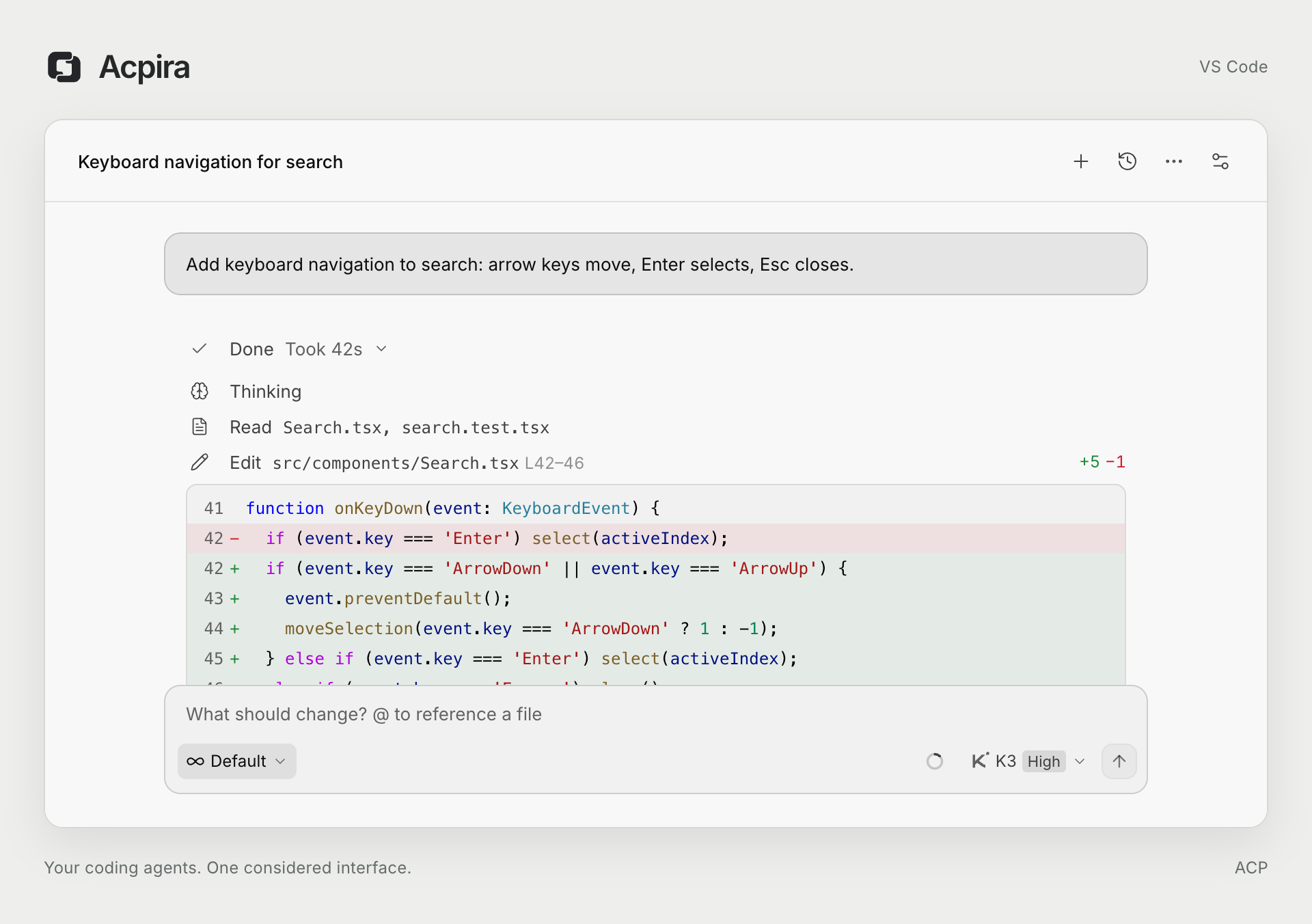
- A clear record of the work. File reads, diffs, and command output appear in the conversation. Queue or steer follow-ups while the agent works, and approve plans and actions in place.
- Small and native. The engine is written in Rust, and the desktop app renders with the system WebView.
| Execution and steering | Add and switch agents |
|---|---|

|

|
| Reads, edits, and test runs appear as they happen. A message sent while the agent works joins the running turn, and the finished turn folds into one row that opens again on click. | Install an agent from its settings page, then start a session with it from the + menu. |
| Cross-agent subagents | Built-in agent |

|

|
Summon subagents on other agent CLIs with @name. Each one reports back to the conversation. |
Connect an OpenAI- or Anthropic-compatible endpoint with its key, add models from its list, and pick them in the chat. |
Captured from Acpira's interface with scripted example sessions. Steering is turned on in Settings → General → Steer queued messages. Click an image for a larger view.
Where it runs
The desktop app and the IDE plugins run the same engine and share sessions, accounts, and settings in ~/.acpira. The iPhone app drives the engine on your computer.
| Platforms | Get it | |
|---|---|---|
| Desktop app | macOS on Apple silicon, Windows x64 | GitHub Releases |
| VS Code and Cursor | macOS, Linux, Alpine, and Windows on x64 and arm64 | Visual Studio Marketplace, Open VSX |
| IntelliJ IDEA 2026.1 and later | macOS, Linux, and Windows, including remote development | JetBrains Marketplace |
| iPhone | iOS, paired with a computer running Acpira | In testing, not yet on the App Store |
The desktop app adds a tool panel beside the conversation with files, terminals, and a browser, plus SSH remote folders and device pairing. A Linux build of the desktop app works but is not released yet.
Why keep the native agents?
A harness helps determine how much of a model's capability reaches a real task. It runs the agentic loop: calling the model, executing tools, feeding results back, and managing the context for the next step. With the same model, differences in that loop can change task success, cost, and speed.
Acpira connects to agent CLIs through ACP and keeps model calls and execution in the selected agent. Claude Code, Codex, Kimi Code, and the others each continue to own their tools and context compaction. Acpira handles the work around them: diffs, execution details, to-dos, approvals, queued follow-ups, accounts, and the context budget.
Some models have no harness of their own. For those, Acpira's built-in agent runs inside its engine and covers the everyday loop of reading, editing, running commands, searching the web, and planning. Pick it when a model only offers an API, and pick the vendor's CLI when one exists.
Related evaluationsThe following evaluations examine model–harness combinations across different workloads. Their scores use different definitions and should be compared within each study.
| Evaluation | Scope | Findings or methodology |
|---|---|---|
| Artificial Analysis Coding Agent Index | Independent evaluation across DeepSWE, Terminal-Bench 2.1, and SWE-Atlas-QnA | Includes a fixed-model Claude Opus 4.7 harness comparison, alongside cost, tokens, and runtime. Each task is evaluated three times. |
| FrontierHarness Eval v1.0 | Kimi K3; 30 software-engineering tasks; 9 harnesses across 12 configurations | Pass rates ranged from 50.0% to 66.7%. Published results and methodology. |
| Composio's eight-harness comparison | Kimi K3 via OpenRouter; 25 business-application tasks; shared MCP tools | Pass rates ranged from 68% to 88%. Estimated total API cost ranged from $9.28 to $35.37 on the shared 24-task usage subset. |
| PawBench v1.0 | AgentScope/OpenJudge evaluation; 9 models × 3 harnesses × 150 tasks | With Qwen3.6-35B-A3B fixed, overall scores ranged from 56.7 to 68.3. Grading combines automated checks and model judging; the suite includes its authors' QwenPaw harness. |
| Harness-Bench | Research preprint; 106 offline tasks; 8 model backends × 6 configurable harnesses | Aggregate scores ranged from 52.4 to 76.2, averaged across the same model pool. Scores include completion and process quality; this is a configuration comparison, not a single-model pass-rate gap. |
See evaluation notes for sources, metrics, and additional comparisons.
Plugins
A plugin is a folder under ~/.acpira/plugins/<id>/ with one plugin.json. It can add script tools, MCP servers, hooks on prompts, edits, and the built-in agent's loop, slash commands, skills, model sources, a theme, a tab in the desktop tool panel, or a specialised agent built on the built-in loop.
- Hot-pluggable. Once confirmed, a plugin applies to every open window at once. Nothing builds and nothing reloads.
- You confirm every version. A plugin runs only after you confirm it, and the confirmed version is frozen. Later edits wait for a new confirmation, and earlier versions stay available to roll back to.
- Self-extending. An agent can draft a plugin for itself and propose it. You confirm it on a card in the conversation.
- Safe mode. One switch unloads every user plugin at once, even when a broken plugin covers the interface.
acpira plugin new scaffolds a plugin in TypeScript or Python. The Plugins settings page lists, confirms, rolls back, and removes them. The format is described in the plugin notes.
Remote access
- SSH hosts. Add hosts from
~/.ssh/configon the Connections settings page of the desktop app, then open folders on them like local ones. Local run keeps sign-ins and the built-in agent on your computer and runs only tools on the host. Remote run uses the host's own sign-ins and every agent installed there. Each host folder keeps one session history. VS Code and IntelliJ IDEA keep using their own remote development. - Paired devices. The Devices card shows a pairing code. Scan it with the iPhone app and the phone can drive the sessions on your computer: chat, approvals, plans, terminals, and reviews. Pairing needs no account. The connection goes over your LAN at home, over Tailscale or a direct link when one is reachable, and through a relay otherwise, end-to-end encrypted on every path. Remote access runs on macOS, Linux, and Windows.
Agents
The Acpira agent is built in and needs only a model endpoint and its key; see Built-in agent. Other agents are official CLIs driven over ACP. Install the CLI and keep it on PATH:
- Claude Code:
claude-agent-acp(npm install -g @agentclientprotocol/claude-agent-acp) - Codex:
codex-acp(npm install -g @agentclientprotocol/codex-acp) - Grok:
grok(grok agent stdio) - Devin:
devin(devin acp) - Kimi Code:
kimi(kimi acp) - OpenCode:
opencode(opencode acp) - DSH:
dsh(npm install -g @deepseek-ai/dsh) - Pi:
piandpi-acp(npm install -g @earendil-works/pi-coding-agent pi-acp) - Antigravity: installed from its settings page as a checksum-verified native download. It has its own Google sign-in, separate from the
agyCLI. - Any other ACP-compatible command, added in
~/.acpira/agents.json
An agent without a CLI is greyed out in the menus. Its settings page installs it in the background with a streamed log, or shows the vendor's install command to copy or run in a terminal. Acpira notices a newly installed CLI on its own. If your network needs a proxy, set Network proxy in General settings. It applies to agents, their model requests, sign-ins, and installs.
Agent launch definitions belong to the machine running the agents; open the file from Settings → General → Agent launch configuration. It maps agent ids to definitions, for example:
{
  "opencode-custom": {
    "name": "OpenCode (custom)",
    "command": "opencode",
    "args": ["acp"]
  }
}
Optional fields include env, login, install, requires, subagents and terminalAuth. Using a built-in id replaces its entire definition. Save changes to apply them to new sessions. An empty {} restores built-in definitions. In a remote workspace, Acpira reads the remote ~/.acpira/agents.json; local Agent settings are not inherited.
Install
- Desktop app. Download the dmg for macOS or the zip for Windows from the latest release. The macOS app is signed and notarized. The Windows app is a single portable
Acpira.exeand is not code-signed yet. The app updates itself. - VS Code and Cursor. Install Acpira from the Visual Studio Marketplace or Open VSX. Each release also attaches platform
.vsixpackages (Extensions: Install from VSIX…). Open it from the Acpira icon in the Activity Bar; if it is hidden, right-click the Activity Bar and enable Acpira. The view can be dragged to the secondary sidebar. - IntelliJ IDEA. Install the plugin from the JetBrains Marketplace. The plugin carries the native backend for every supported platform and supports remote development with different client and backend operating systems. Open the Acpira tool window on the right; its title bar action opens a conversation as an editor tab.
Get started
- Install an agent CLI and sign in, or add a model source to the built-in agent. Add or switch accounts from the agent menu; see Accounts.
- Open a conversation. In the desktop app, pick a project or start a chat without one.
- Choose an agent, mode, and model from the toolbar below the composer, then send a message. Follow-ups sent mid-turn are queued. The square button cancels the current turn.
Built-in agent
The Acpira agent sits first in the agent list. It talks to any OpenAI Chat Completions, OpenAI Responses, or Anthropic Messages endpoint.
- Model sources. Add an endpoint with its base URL and key on the agent's settings page. Acpira checks the connection, fetches the model list, and tests a model with one small request. Ollama and LM Studio servers running on this machine are offered with one click. Keys are kept in Acpira's secrets file.
- Tools. It reads and edits files, runs commands and background jobs, searches the workspace, keeps a to-do list, and fetches or searches the web. Web search is free by default, or uses Jina with your own key.
- Plan mode and permissions. Plan mode writes only a plan, then hands it to the usual approval card. Edits and commands ask first by default. The Permissions section switches to auto-edit or full access.
- Context.
AGENTS.mdfiles are included, and skills from~/.agentsand the project's.agentswork as slash commands. Long sessions compact on their own or with/compact. - Extras. A Fast switch appears for models with a premium speed tier. A small model from Quick tasks can name new sessions.
It has been tested on GPT, Claude, Gemini, GLM, MiniMax, and DeepSeek endpoints. Other endpoints should work but are not yet verified.
Images and files
- Paste or drop images (PNG, JPEG, GIF, or WebP, up to 10 MB). They are sent with the message.
- Drag files into the composer, or type
@to search the workspace. The agent reads those files itself. Image files dropped this way are sent as images. - Text files dropped from the system file manager (up to 256 KB) are embedded in the message. Binary files are not supported.
Sessions and history
- Sessions, accounts, and secrets live in
~/.acpira(setACPIRA_HOMEto override). The desktop app and every IDE share this directory, also while open at the same time. - After a restart, Acpira resumes the session when the agent allows it; otherwise the transcript remains available as read-only history.
- Import in the history list shows the agent's own sessions for the current project and brings one into Acpira with its history replayed, when the agent can list and load sessions.
- Edit or retry an earlier message, fork a new session from a finished reply, or export a conversation as Markdown or JSON.
- Subagents started by Devin, Kimi Code, or Claude get their own transcript, approvals, and inspector instead of being mixed into the main conversation.
- When context usage is high, Acpira can send
/compactautomatically; you can also compact from the context panel. Compaction and provider retries appear as rows in the transcript. - Codex and Claude sessions can work toward a goal. Hover a prompt and click its goal icon to set one. The goal strip then shows it and lets you resume or clear it.
Accounts
Acpira can store several logins for Devin, Codex, and Claude and bind one account to each session. Credentials are supplied when a session starts, so picking a different account starts a new session. Grok and Kimi Code show the quota of their existing CLI login.
- The lower half of the agent menu lists saved accounts. Pick one to start a new session with it. Import CLI login reads the CLI's existing local login (for Devin,
~/.local/share/devin/credentials.toml). Sign in in terminal runs the agent's login command in an isolated directory and does not change your existing local login. This also works on remote servers: copy the link and paste the code. - Secrets are stored in
secrets.json(file mode 600), not the OS keychain.accounts.jsonkeeps metadata such as email and plan. Transcripts store only the account id. - Each session is bound to one account. A this session only option on the sign-in notice (for example Devin's Sign in with browser) authenticates the current process only and is not saved.
- Automatic account switch (General settings, off by default) moves a task to another saved account when the bound one runs out of quota mid-turn, then continues the same agent session. Pick the next account by earliest reset, most remaining quota, or list order.
Agents without an account list still use their own CLI login.
Shared configuration and hooks
- Shared skills, MCP, and prompts. Keep one set in
~/.agentsand in the project's.agents/skills,.mcp.json, andAGENTS.md. Acpira links them into each agent's own format. The Shared settings page creates and removes skills, manages MCP servers, edits the shared prompt, and can make every agent use it, with undo. - MCP injection. Shared MCP servers are passed to every session over ACP. No CLI's configuration is edited.
- Workspace hooks. A project's
.agents/hooks.jsoncan add context, check prompts before they are sent, check edits before their approval card, and review each finished turn. It works the same for every agent. Hook scripts answer like Claude Code hooks, so existing ones can be reused. - Subagents. Define cross-agent subagents on the Orchestration settings page with their CLI, model, effort, and mode.
Settings
Each agent has a settings page with its install and sign-in state, adapter version, model visibility, and a read-only view of the MCP servers, skills, rules, and config files the agent loads from its own configuration. Agents can be reordered or switched off in the settings navigation. The Appearance page adjusts theme, type sizes, density, and motion.
General settings also hold notifications, the network proxy, and a CPU cap. Notifications play a chime or show a system notification when a session needs you or finishes while you look elsewhere. Both are off by default. The CPU cap keeps agents at low priority on Windows.
Roadmap
- More agent integrations: Cursor CLI and others through ACP or adapters.
- One place to configure models and sync settings to different agents. The built-in agent's model sources are the first step.
- Installing skills from Git repositories and URLs into the shared set.
- Per-agent instructions on top of the shared prompt.
- The iPhone app on the App Store.
See the roadmap for the planned directions.
Development
pnpm install
pnpm build          # VS Code shell (esbuild) + webview (Vite)
pnpm probe grok     # run initialize + session/new against a CLI directly
pnpm probe devin --import-local "Reply pong"   # via the account layer: import local login → authenticate → one turn
pnpm typecheck && pnpm test
pnpm package        # one build, then this platform's .vsix and (arm64 Mac) the desktop app; package:vsix / package:desktop for one
pnpm install:local  # install them: the .vsix into VS Code / Cursor, Acpira.app into /Applications
(cd rust && cargo test --workspace)                  # the engine
cd apps/intellij && ./gradlew test buildPlugin verifyPlugin   # IntelliJ plugin; buildMarketplacePlugin for the universal ZIP; buildPluginVariants for manual platform ZIPs
cd apps/desktop && node scripts/smoke.mjs            # the desktop app end to end with a fake agent
apps/ios/scripts/check.sh                            # the iOS app's tests
In VS Code, press F5 to launch an Extension Development Host; logs are in Output → Acpira. See AGENTS.md for the architecture map and protocol notes.
Stable GitHub Releases publish the platform VSIXes to Visual Studio Marketplace and Open VSX, the IntelliJ plugin to the JetBrains Marketplace, and the desktop app to the release itself. See Publishing Acpira for the one-time credentials and release steps.
License
Yorumlar (0)
Yorum birakmak icin giris yap.
Yorum birakSonuc bulunamadi