grok-mcp
Health Warn
- License — License: MIT
- Description — Repository has a description
- Active repo — Last push 0 days ago
- Low visibility — Only 5 GitHub stars
Code Warn
- process.env — Environment variable access in src/ci-review.ts
- process.env — Environment variable access in src/grok.ts
Permissions Pass
- Permissions — No dangerous permissions requested
No AI report is available for this listing yet.
MCP server that wraps the xAI Grok CLI. Lets Claude Code, Cursor, Cline, and any MCP host use Grok as a peer code reviewer, adversary, and second-opinion consultant.
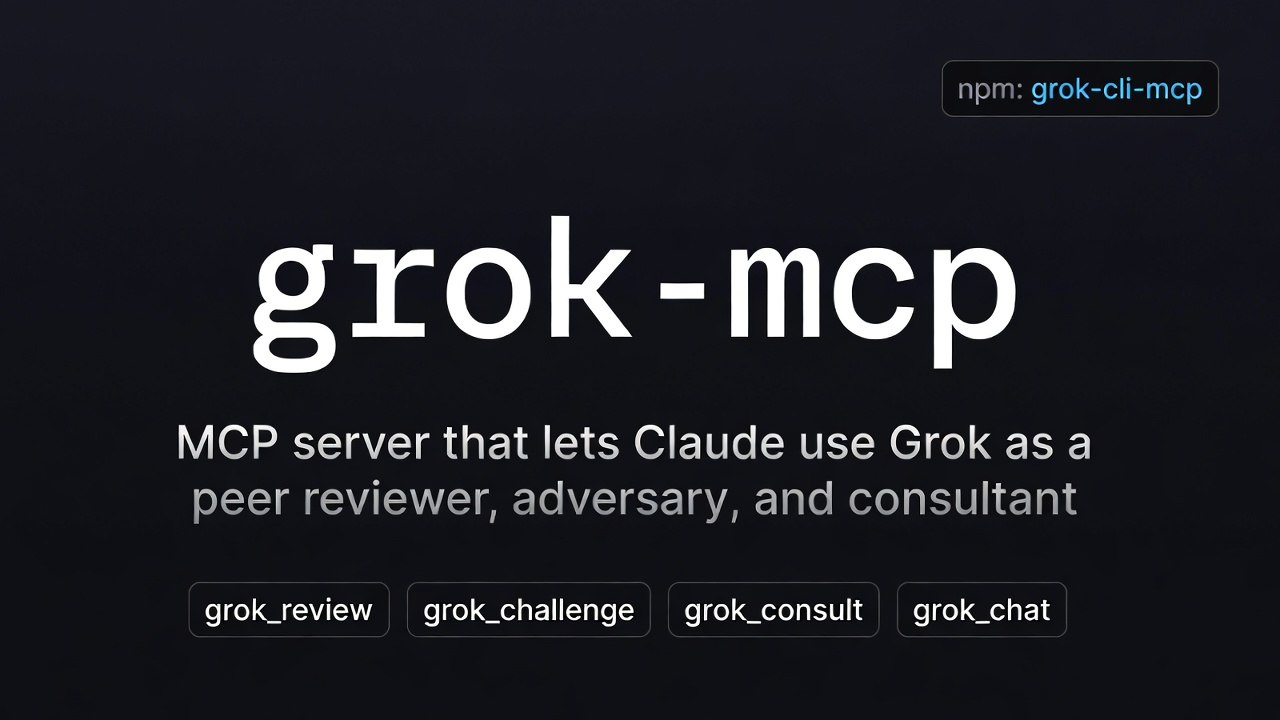
grok-mcp


Use Grok (via the official xAI Grok CLI) as a peer code reviewer, adversary, and consultant inside Claude Code, Cursor, Cline, OpenClaw, and any other MCP host.
grok-mcp (npm: grok-cli-mcp) is a Model Context Protocol server that wraps the grok CLI. It gives your primary agent (Claude, Cursor, etc.) four tools so it can delegate to Grok for second opinions without leaving the session:
grok_review— structured diff review with per-dimension scoresgrok_challenge— adversarial bug/race/security huntinggrok_consult— multi-turn consultation (caller owns history)grok_chat— one-shot questions
English | 繁體中文
Why grok-mcp?
Most "Grok MCP" packages expose Grok's chat/search/image capabilities so Claude can use Grok. grok-mcp does the opposite: it lets your main coding agent (Claude/Cursor/…) ask Grok to review and attack its own work. A different model challenging your primary catches bugs single-model loops miss.
What you get
Four tools, all stateless, all stdout-only:
| Tool | Use it for |
|---|---|
grok_chat |
One-shot prompt → Grok's reply |
grok_review |
Pass a unified diff (or auto-grab git diff main...HEAD) and get a per-dimension code review |
grok_consult |
Replay a message history for multi-turn — caller owns the thread |
grok_challenge |
Adversarial: ask Grok to find every bug, race, edge case, and security hole |
Prerequisites
- Node.js ≥ 18
- The Grok CLI installed:
curl -fsSL https://x.ai/cli/install.sh | bash - An auth method — either browser OAuth (
grokonce interactively) or anXAI_API_KEYfrom console.x.ai. See Authentication below.
Install
npm install -g grok-cli-mcp
# or use npx — no install needed
npx grok-cli-mcp
Why the npm name is
grok-cli-mcpinstead ofgrok-mcp? The baregrok-mcpname on npm was already taken by an unrelated project (a Grok HTTP-API integration). The brand, GitHub repo, and MCP server identity staygrok-mcp; only the npm install identifier isgrok-cli-mcp— chosen to highlight that this server wraps the official Grok CLI.
Authentication
The wrapped Grok CLI supports two auth methods; grok-mcp inherits whichever is active.
| Method | Best for | Rate limits |
|---|---|---|
API key (XAI_API_KEY env var) |
MCP / CI / automation | Pay-per-call, no subscription cap |
Browser OAuth (grok interactive login) |
Local interactive use | Subject to your grok.com plan tier |
Per xAI's auth precedence, XAI_API_KEY always wins over ~/.grok/auth.json. So you can keep your browser login for interactive grok use and override it just for this MCP server by setting XAI_API_KEY in the server's env block:
{
  "mcpServers": {
    "grok": {
      "command": "npx",
      "args": ["-y", "grok-cli-mcp"],
      "env": {
        "XAI_API_KEY": "xai-...",
        "GROK_MCP_TIMEOUT": "600000"
      }
    }
  }
}
Treat the key file as a secret — it ends up in your MCP host's config (e.g. ~/.claude.json), which is plain JSON on disk.
Wire it into your MCP host
Claude Code
Recommended — use add-json so the env block parses cleanly:
claude mcp add-json -s user grok '{
  "command": "npx",
  "args": ["-y", "grok-cli-mcp"],
  "env": { "XAI_API_KEY": "xai-...", "GROK_MCP_TIMEOUT": "600000" }
}'
Why
add-jsonnotclaude mcp add -e ...? The-e KEY=valflag is variadic and will greedily consume the server name as another env value if you pass more than one.add-jsonsidesteps that footgun entirely.
Or edit ~/.claude.json directly. Minimal (OAuth fallback):
{
  "mcpServers": {
    "grok": {
      "command": "npx",
      "args": ["-y", "grok-cli-mcp"]
    }
  }
}
Cursor
Create .cursor/mcp.json (project) or ~/.cursor/mcp.json (global):
{
  "mcpServers": {
    "grok": {
      "command": "npx",
      "args": ["-y", "grok-cli-mcp"]
    }
  }
}
Cline (VS Code)
Settings → Cline → MCP Servers:
{
  "grok": {
    "command": "npx",
    "args": ["-y", "grok-cli-mcp"]
  }
}
Any other MCP host
grok-mcp speaks plain stdio MCP. Point any client at npx -y grok-cli-mcp and it works.
Tool reference
grok_chat
{ "prompt": "Explain consistent hashing in two sentences." }
Optional: model to override the default Grok model; timeout (seconds) to extend the per-call limit for long grok-4 reasoning. All four tools accept timeout.
grok_review
{ "base_ref": "main", "focus": "security" }
If diff is omitted, runs git diff <base_ref>...HEAD in cwd (defaults to your host's working directory). Returns a markdown review by default with verdict, per-dimension scores (correctness / readability / architecture / security / performance), and concrete fix-it items.
Pass "format": "json" to get machine-parseable output suitable for CI gating — see Use as a PR gate.
grok_consult
{
  "messages": [
    { "role": "system", "content": "You are a senior backend engineer." },
    { "role": "user", "content": "How would you cache this query?" },
    { "role": "assistant", "content": "Two options..." },
    { "role": "user", "content": "What's the failure mode of option 2?" }
  ]
}
The server is stateless — the caller passes the full thread each time. Most MCP hosts handle this naturally.
grok_challenge
{
  "code": "function transfer(from, to, amount) { from.balance -= amount; to.balance += amount; }",
  "context": "Node.js, called concurrently from HTTP handlers"
}
Returns severity-ranked issues (Critical / High / Medium / Low) with concrete reproductions and patches.
Configuration
| Env var | Default | Purpose |
|---|---|---|
XAI_API_KEY |
(unset — falls back to OAuth) | API key from console.x.ai. When set, overrides ~/.grok/auth.json and switches the server to pay-per-call billing with no subscription rate cap. See Authentication. |
GROK_MCP_BIN |
grok |
Path to the grok binary |
GROK_MCP_TIMEOUT |
300000 |
Default per-call timeout in milliseconds |
Model defaults live in the Grok CLI itself (~/.grok/config.toml).
Timeouts
grok-4 is a reasoning model and long prompts routinely take longer than two minutes. The server's default per-call limit is 300s (5 min). You can change it three ways:
- Per call — pass
timeout(seconds) to any tool:{ "prompt": "...", "timeout": 600 }. - Per server — set
GROK_MCP_TIMEOUT(milliseconds) in the MCP server's env. - Host side — the MCP host has its own request timeout that can fire before the server's. If calls still time out after raising the above, raise the host limit too. In Claude Code that's
MCP_TIMEOUT(server startup) andMCP_TOOL_TIMEOUT(per tool call), both in milliseconds.
On timeout the error includes any partial output Grok produced before the deadline, so you don't lose a near-complete answer.
Use as a PR gate (CI)
grok-mcp ships a grok-review-ci bin and a composite GitHub Action so Grok can review every PR and fail the check on block.
Drop this into .github/workflows/grok-review.yml in your repo:
name: Grok review
on: { pull_request: { branches: [main] } }
permissions: { contents: read, pull-requests: write }
jobs:
  grok:
    runs-on: ubuntu-latest
    if: ${{ github.event.pull_request.head.repo.full_name == github.repository }}
    steps:
      - uses: actions/checkout@v4
        with: { fetch-depth: 0 }
      - uses: howardpen9/grok-mcp/.github/actions/grok-review@main
        with:
          xai-api-key: ${{ secrets.XAI_API_KEY }}
          gate-on: block      # also accepts: block,request_changes
          # focus: security   # optional
          # min-score: 6      # optional — fail any dimension below this
The action posts a sticky PR comment with verdict + per-dimension scores + concrete blockers, and exits non-zero (failing the check) when the verdict matches gate-on. Full example with comments: examples/workflows/grok-review.yml.
Want JSON straight from the tool instead? Pass format: "json" to grok_review — same schema as the bin emits, suitable for any pipeline:
{
  "verdict": "block",
  "summary": "Unparameterised SQL query in src/db.ts.",
  "scores": { "correctness": 4, "readability": 7, "architecture": 5, "security": 2, "performance": 8 },
  "blockers": [
    { "severity": "critical", "title": "SQL injection", "file": "src/db.ts", "line": 42,
      "reason": "User input concatenated directly into the query.",
      "fix": "Use the parameterised form `db.query(sql, [userId])`." }
  ],
  "notes": []
}
Roadmap
- v0.1 — four stateless tools, stdio transport
- Discoverability push (v0.1.3, shipped) — naming unification, MCP Registry, Smithery, glama.ai, stronger positioning. See
docs/improvement-plan.mdandCHANGELOG.md. - v0.2 (current) —
grok_reviewJSON mode +grok-review-cibin + GitHub Action for PR gating. - v0.3 — server-side session persistence so
grok_consultcan take aconversation_id - v0.4 — streaming responses through MCP
progressnotifications
Development
git clone https://github.com/howardpen9/grok-mcp.git
cd grok-mcp
npm install
npm test
npm run build
License
MIT
Reviews (0)
Sign in to leave a review.
Leave a reviewNo results found