shorts-kit
Health Gecti
- License — License: MIT
- Description — Repository has a description
- Active repo — Last push 0 days ago
- Community trust — 28 GitHub stars
Code Uyari
- network request — Outbound network request in scripts/geo.ts
Permissions Gecti
- Permissions — No dangerous permissions requested
Bu listing icin henuz AI raporu yok.
Make narrated vertical shorts (TikTok, YouTube Shorts, Reels) with a coding agent and Remotion. 9+ agent skills, 20+ story flows, fact ledger, CC0 SFX.

shorts-kit



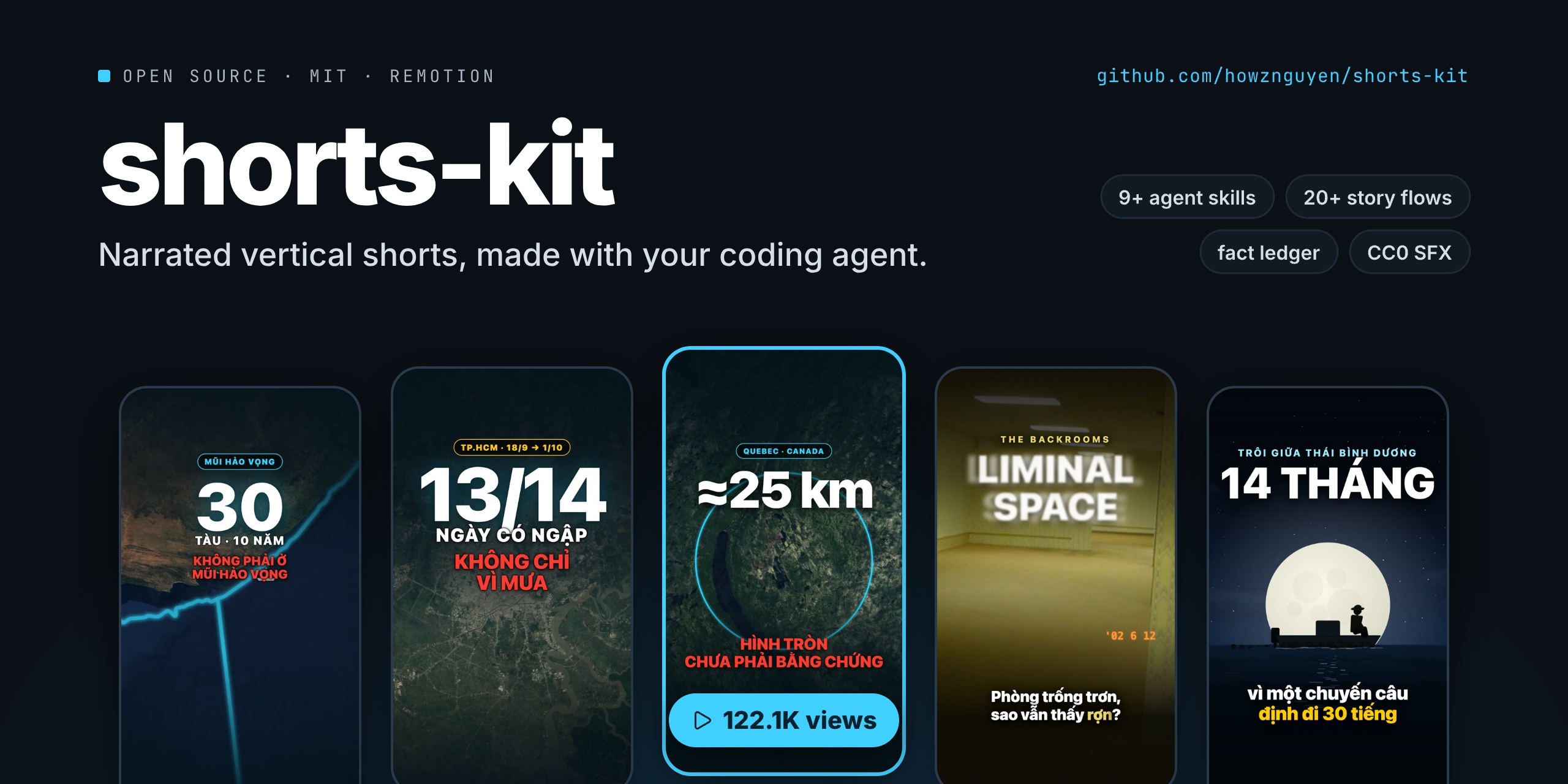
Make narrated vertical shorts (TikTok, YouTube Shorts, Reels) with a coding agent and
Remotion.
You talk to your agent ("make a video about why the sky is blue"). The agent follows
the kit's skills step by step: facts first, a storytelling flow, the script, the voice,
the scenes, stills to check, the render, the cover and the caption. You review, then you
upload the file yourself. The kit never posts anything.
The rules and skills come from a private pipeline that took a new knowledge channel from
zero to about 120k views on its best video in two months. Every rule keeps the reason it
exists, because most of them were written after a published video broke it. They are
defaults: change them for your own channel.
Results
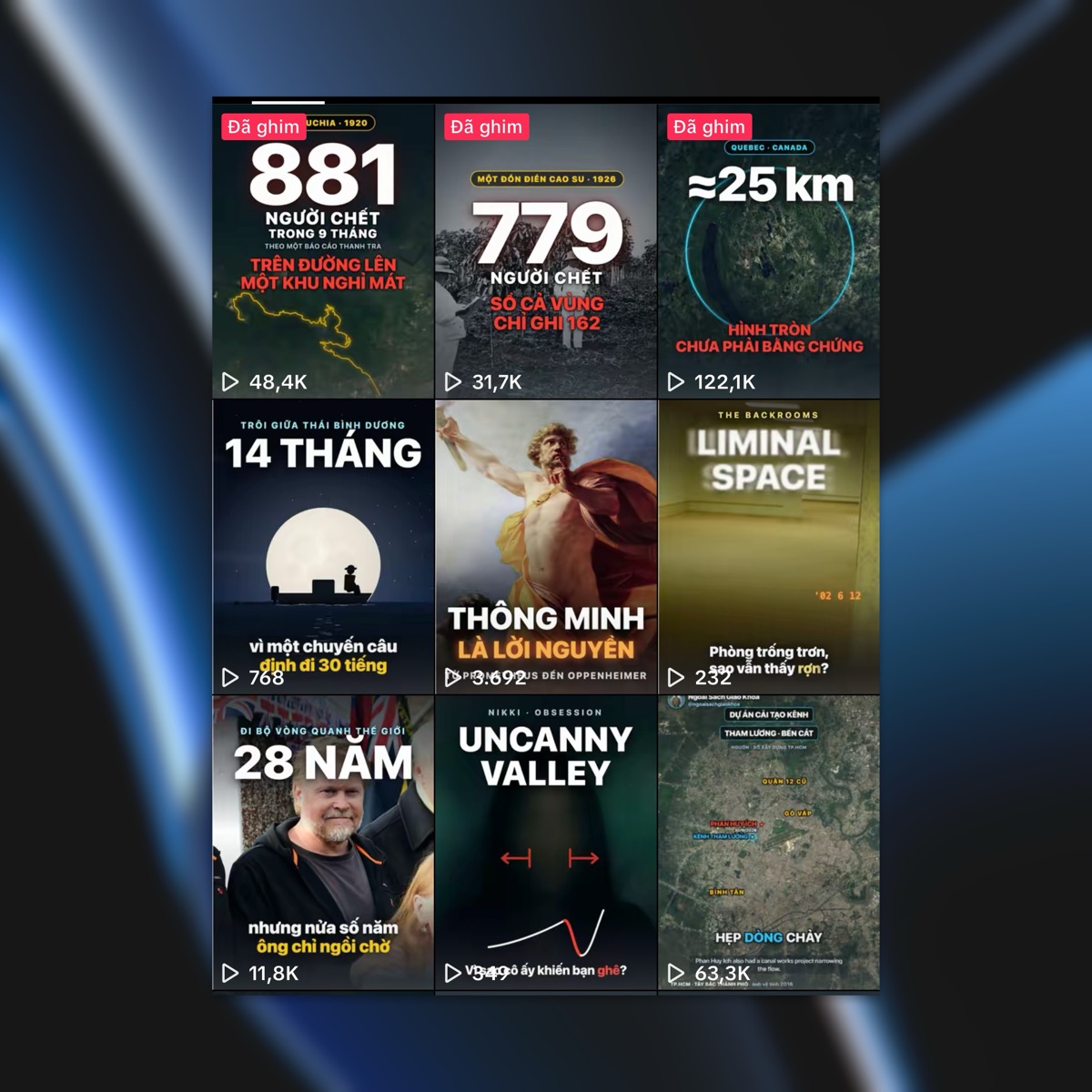
The channel these rules came from, two months in. The best videos and the flops sit side
by side on purpose: topics close to the audience carried it (tens of thousands of views),
topics that drifted from the channel's niche got a few hundred. The kit cannot pick your
topic for you.
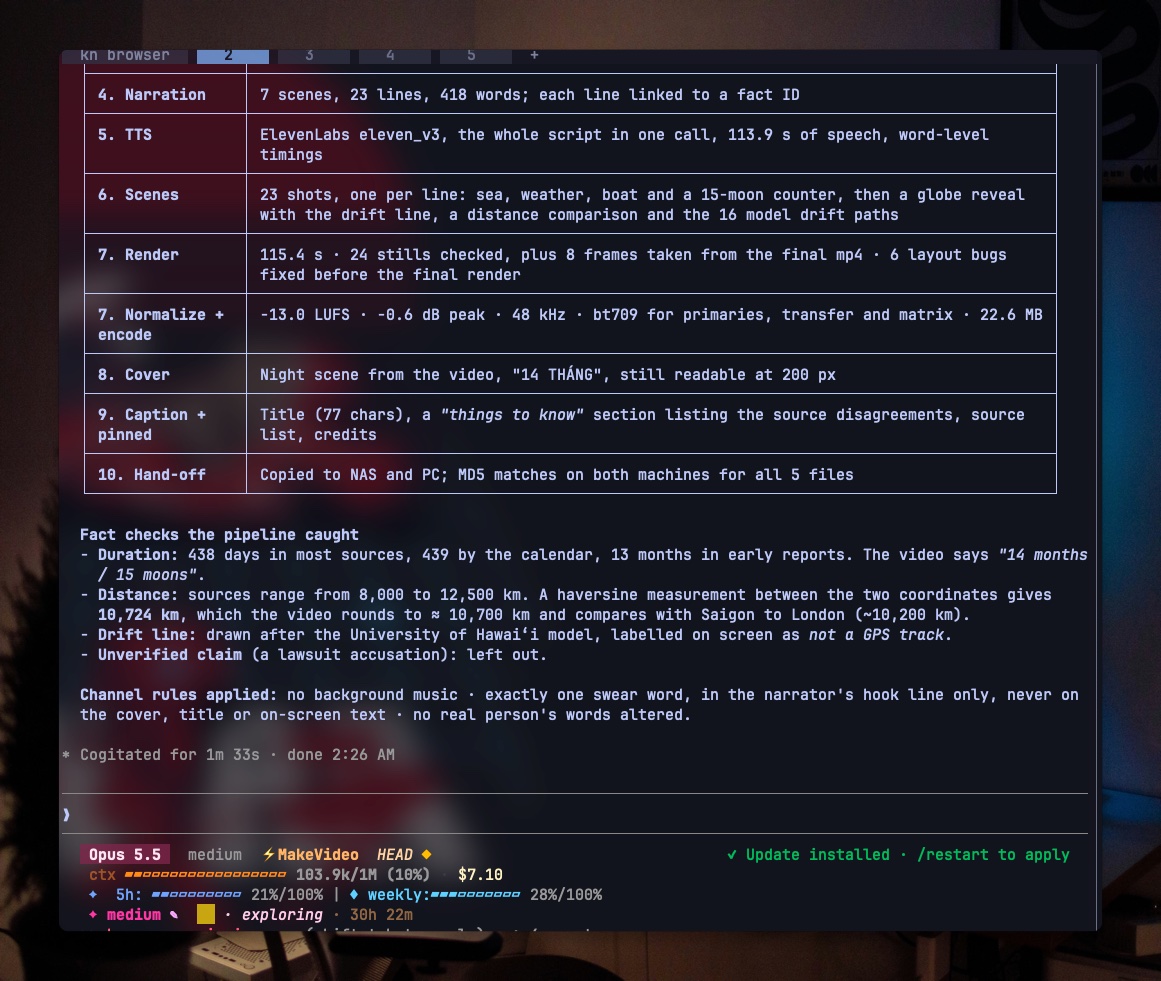
What a finished run reports, from the original private pipeline (it also copied files to
a NAS and applied that channel's own swearing rule; neither is part of this kit):
What is in the box
- 9 agent skills (
.claude/skills/sk-*), started bysk-pipeline. They work in
Claude Code, and in any agent that readsAGENTS.md(Codex, OpenCode, ...). - SOUL.md: your channel's rulebook. Voice, sentence style, writing for a
text-to-speech voice, safe zones, captions, audio, facts, covers, hand-off. Each rule
is tagged[measured],[default],[craft]or[hard]so you know how freely to
change it. - 20 storytelling flows (
docs/flows/): Three reasons, Trace back, Explain it,
Reading a graph, Empty world with a late reveal, and more. Each has beats, when to use
it and its traps. - A fact ledger (
docs/facts/). No sentence goes into a script before its claim
has a verified record, and the linter enforces it. - A Remotion library (
src/shared/): word-timed captions, kinetic type, safe-zone
overlay, music bed and SFX, camera moves, and an illustrated world (sky, sea, sun,
moon, stars, clouds, rain, birds, people, fish). - Maps and a globe (
src/shared/map/): satellite imagery with a camera that flies
from country to street and stays sharp, coastlines, borders and rivers from Natural
Earth, routes that draw on, pins, measured distances, filled regions, a ready Vietnam map
with the Hoàng Sa and Trường Sa archipelagos, a 3D globe with great-circle lines, and a
pull-out from any scene to the globe. - 8 CC0 sound effects generated by the kit (
public/sfx/), and a guide to using
them (docs/sfx.md). - Scripts for every step, from TTS with word timestamps to a platform-ready encode.
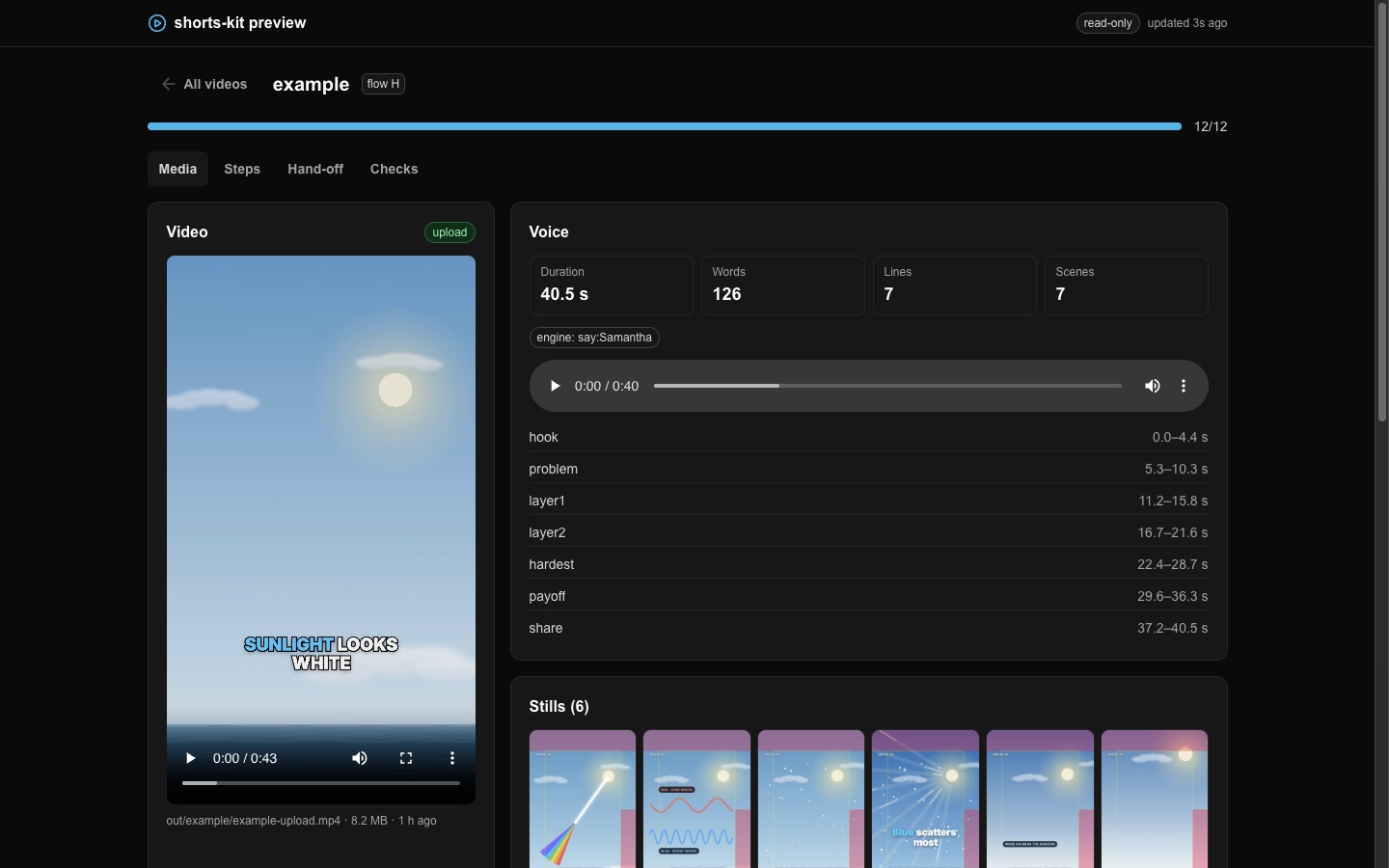
- A local dashboard (
bun run preview) showing each video's progress, the render,
the stills, the cover at profile-grid size, and the caption ready to copy. The Script tab
plays the voice with the spoken word highlighted; the Storyboard tab shows every planned
shot with its line, still and playback, for approval before scenes are built. The steps
it tracks come fromdocs/pipeline.json, so a step your channel adds shows up too.
Requirements
- Bun 1.3 or later
- ffmpeg and ffprobe on your
PATH - A coding agent: Claude Code, Codex, OpenCode, ...
- A voice. The default depends on the video's language; pick another any time:
- English →
edge(Microsoft Edge online voices): free, no key. The service
sometimes stops answering;bun run ttsretries. - Vietnamese →
vieneu(VieNeu-TTS):
free and offline on CPU, 25 preset voices or clone your own. Needs Python 3.10+. - ElevenLabs: best quality in either language, needs an API key.
say(built into macOS): free and offline, for testing only. The example uses it
so the kit runs with no network.
- English →
Install the tools:
# macOS
brew install bun ffmpeg

# Linux
curl -fsSL https://bun.sh/install | bash
sudo apt install ffmpeg

# Windows (PowerShell)
powershell -c "irm bun.sh/install.ps1 | iex"
winget install ffmpeg
Install
git clone https://github.com/howznguyen/shorts-kit.git
cd shorts-kit
bun install
For ElevenLabs, copy .env.example to .env and set ELEVENLABS_API_KEY.
For VieNeu (Vietnamese), install it once into a local Python env (needs uv):
uv venv --python 3.12 .venv-vieneu
uv pip install --python .venv-vieneu/bin/python vieneu
.venv-vieneu/bin/python scripts/lib/engines/vieneu_bridge.py --voices   # downloads the model (~600 MB), lists voices
Then in narration.json: "voice": {"engine": "vieneu", "voice": "Thiện Minh"}. voice
is a preset name or the path to a 3–8 s .wav to clone (only a voice you have the
right to use).
Check that it works
Build the example video ("Why is the sky blue?", about 43 s) from start to finish. On
macOS this needs no key and no network except for fonts:
bun run tts example        # voice + word timestamps
bun run lint example       # machine checks: 0 errors expected
bun run render example     # out/example/example.mp4
bun run cover example      # out/example/example-cover.png
bun run normalize example  # loudness to -13 LUFS
bun run encode example     # out/example/example-upload.mp4, ready to upload
bun run preview            # open http://127.0.0.1:7788
On Linux or Windows there is no say: set "engine": "edge" (or "elevenlabs") insrc/videos/example/narration.json first.
Make your own channel
Open your agent in the repo and say:
set up the kit for my channel
sk-improve asks about your niche, language, platform, voice, tone and video length,
then edits SOUL.md and docs/soul/thresholds.json to match, and logs every change.
Then:
make a video about
sk-pipeline takes it from there. It tells you where it is and what it needs from you:
mostly approving the script, listening to the voice, and looking at stills.
Commands
| Command | What it does |
|---|---|
bun run new <id> --flow <A..T> |
scaffold src/videos/<id>/ from a flow's beats |
bun run dev <id> |
Remotion Studio for that video |
bun run tts <id> [--force] |
synthesise the whole script, write the audio and voice.json |
bun run storyboard <id> [--init] |
the shot list after the voice: scaffold it, then print each shot with its time and what to fix |
bun run lint <id> |
style, facts, length and timing checks from thresholds.json |
bun run facts |
validate the fact ledger |
bun run still <id> --frame=N [--safe] |
one frame to out/<id>/, with the safe-zone overlay if --safe |
bun run render <id> |
out/<id>/<id>.mp4 |
bun run cover <id> |
out/<id>/<id>-cover.png and .jpg |
bun run normalize <id> |
loudness to target, out/<id>/<id>-loud.mp4 |
bun run encode <id> |
yuv420p, BT.709, 48 kHz, faststart: out/<id>/<id>-upload.mp4 |
bun run preview [--lan] |
local dashboard; --lan adds a token so a phone on your Wi-Fi can open it |
bun run satellite <id> |
satellite mosaics for the shots in src/videos/<id>/map.json (EOX, CC BY 4.0) |
bun run geo <id> |
coastlines, borders and rivers for the same area (Natural Earth) |
bun run check |
import boundaries and type check |
bun run dev gallery |
browse every shared component |
Layout
SOUL.md                 your channel's rules (start here)
AGENTS.md, CLAUDE.md    agent entrypoint: invoke sk-pipeline first
.claude/skills/         sk-pipeline, sk-brief, sk-facts, sk-narration, sk-style,
                        sk-scene, sk-render, sk-handoff, sk-improve
docs/soul/              one file per rule section, plus thresholds.json
docs/flows/             20 storytelling flows
docs/visuals/           9 visual types
docs/facts/             the fact ledger
docs/lessons/           why videos get zero views; how to measure your niche's style
briefs/                 one brief per video
src/shared/             the Remotion library, grouped by kind
src/videos/<id>/        one video: its own entry, narration.json, voice.json
scripts/                every command above
public/sfx/             CC0 sound effects
out/<id>/               hand-off files (not committed)
Each video has its own Remotion entry, so a broken video never breaks another one, andbun run check stops a video from importing another video.
What you still do yourself
- Pick the topic. Topic choice moves views more than anything in this kit.
- Approve the script, listen to the voice once end to end, and approve the storyboard.
- Look at the stills and the render. The agent catches layout bugs, not dull videos.
- Upload, set the cover, and paste the pinned comment (it carries the credits).
- After posting, give your agent the numbers so
sk-improvecan adjust your rules.
Community
Made a video with the kit, stuck on a step, or want a second pair of eyes on a script
before you post? Come say hi:
- Discord: discord.knowns.dev: questions, show-and-tell, feedback on drafts
- Facebook: Agentic Coding Vietnam: cộng đồng tiếng Việt, khoe video và hỏi đáp
Bugs and feature requests go in GitHub issues.
Licences
The kit is MIT. The sound effects are CC0, generated by the kit. Map data: satellite imagery from EOX Sentinel-2 cloudless (CC BY 4.0, fetched by bun run satellite, attribution required), vectors from Natural Earth (public domain), the globe texture from NASA Blue Marble (public domain). The gallery ships four small EOX mosaics of the Mekong Delta and Saigon in public/img/gallery/. Fonts come from Google
Fonts (Inter, SIL Open Font License). The preview UI uses
Untitled UI React free components (MIT, notice
in scripts/preview/ui/LICENSE-untitledui.md). No music is included: seepublic/music/README.md before you add any.
Images in docs/assets/ (README only, not part of the kit): the covers are from the
author's own channel. Satellite imagery in three of them: EOxCloudless
https://cloudless.eox.at by EOX IT Services GmbH (Contains modified Copernicus Sentinel
data 2016), released under the Creative Commons Attribution 4.0 International License.
The Backrooms photo (2002) is from Wikimedia Commons, "Copyrighted free use".
Author
Made by howznguyen · github.com/howznguyen
Yorumlar (0)
Yorum birakmak icin giris yap.
Yorum birakSonuc bulunamadi