AgentMemory
Health Gecti
- License — License: MIT
- Description — Repository has a description
- Active repo — Last push 0 days ago
- Community trust — 10 GitHub stars
Code Gecti
- Code scan — Scanned 12 files during light audit, no dangerous patterns found
Permissions Gecti
- Permissions — No dangerous permissions requested
Bu listing icin henuz AI raporu yok.
Self-hosted memory service for AI agents, written in Rust: layered L0→L3 memory, async LLM distillation, hybrid BM25 + vector recall, and multi-tenant isolation. SQLite or Postgres, any OpenAI-compatible LLM.
Agent Memory
English | 繁體中文
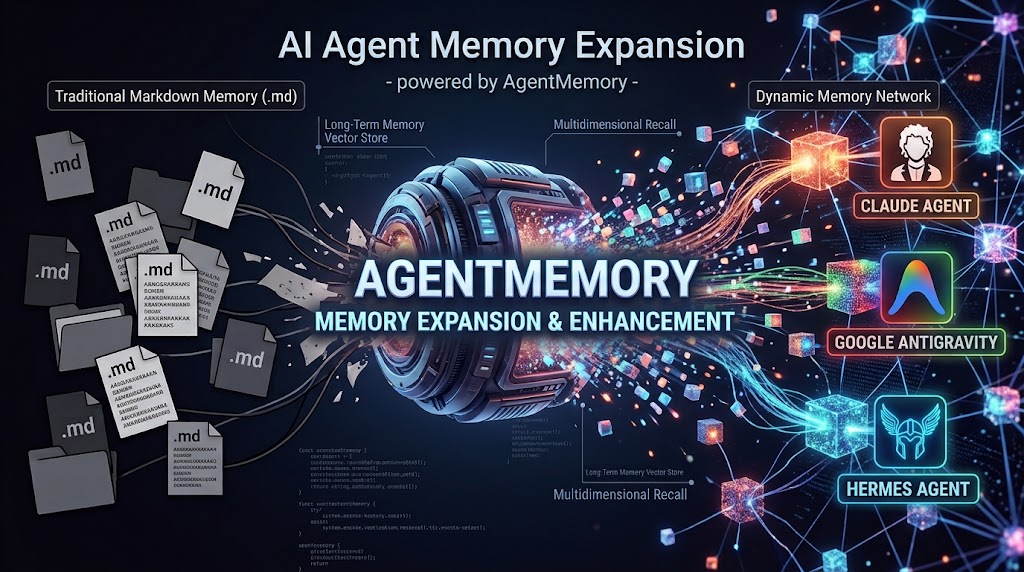
An agent memory core service (memory-core) written in Rust, with a Monitor Panel written in TypeScript.
- Clean Architecture:
domain ← application ← infrastructure / gateway ← server - Features: L0→L3 layered memory, asynchronous distillation pipeline, hybrid recall (BM25 + vector + RRF), team/agent/user isolation, Skill memory, asset and ACL metadata plane, v3 RPC API
- No dependency on any cloud vendor's proprietary services: storage uses SQLite + local files; LLM and embedding use any OpenAI-compatible endpoint (including self-hosted models)
Quick Start
./install.sh
The installer asks, in order:
- Storage backend: SQLite (default, nothing to install) / existing PostgreSQL (enter a URL; the connection is tested from inside the container first) / start PostgreSQL (pgvector) for me with Docker
- Coordination backend: single node (default) / existing Redis / start Redis for me with Docker
- LLM: OpenAI-compatible API / Claude Code CLI / Antigravity CLI / Codex CLI
- Project directory for the CLI and the exposed ports
It then generates a Gateway API key and database password, writes .env with mode 600 (including COMPOSE_PROFILES), starts the services and waits for the health checks, and finally creates the first admin and shows a one-time login user key.
- Automated deployment:
INSTALL_STORAGE=postgres-docker INSTALL_COORDINATION=redis-docker ./install.sh --non-interactive(see./install.sh --helpfor the variables). - To restart later, just run
docker compose up -d;.envcarries the same profiles and settings. - For a database on the host machine, use
host.docker.internalinstead oflocalhost.
| Service | Address | Dockerfile | Started when |
|---|---|---|---|
| memory-core | http://localhost:8420 | docker/core.Dockerfile |
Always |
| memory-panel | http://localhost:8125 | panel/Dockerfile |
Always |
| postgres (pgvector/pgvector:pg16) | Container network only | — | profile postgres |
| redis (redis:8.4.0) | Container network only | — | profile redis |
Manual installation (without install.sh):
cp .env.example .env        # set at least AGENT_MEMORY_API_KEY
docker compose up -d --build
curl -s -X POST http://localhost:8420/v3/internal/meta/user/init-admin \
  -H "Authorization: Bearer $AGENT_MEMORY_API_KEY" \
  -H "x-memory-service-id: default" -H "content-type: application/json" \
  -d '{"username":"admin"}'
Or start each service separately:
docker build -f docker/core.Dockerfile -t memory-core:local .
docker run --rm -p 8420:8420 -e AGENT_MEMORY_API_KEY=change-me \
  -e AGENT_MEMORY_LLM_API_KEY=sk-... -v memory-core-data:/data memory-core:local

docker build -t memory-panel:local panel
docker run --rm -p 8125:8125 -e CORE_URL=http://host.docker.internal:8420 \
  -e CORE_API_KEY=change-me memory-panel:local
Users, Teams and Access
Sign in to the Panel with the admin user key. Under Metadata, a system admin creates users (each gets a user key, shown once), creates teams, assigns users to teams with a role, and creates agents. Everyone else gets a read-only Panel.
Clients (agents on any machine) authenticate with their user key only; they never need AGENT_MEMORY_API_KEY. Every memory call names a team_id and an agent_id the user belongs to, and members only read and write their own conversations and facts; the scenes and persona of an agent are shared by the people who use it. docs/MULTI-TENANCY.md explains teams, users and agents, from choosing a layout to how isolation is enforced. See docs/API.md for the exact rules and docs/ARCHITECTURE.md for how it fits together.
Server and agents on different machines? Follow docs/REMOTE-CLIENTS.md. It covers TLS, issuing keys, installing the amem client and the Claude Code, Codex, Antigravity and Hermes integrations, and the client side of an upgrade.
Upgrading from an earlier version? Run ./upgrade.sh in your install directory, after updating the code. docs/UPGRADE.md describes the same steps by hand, plus how to roll back.
Outgrowing SQLite? ./migrate-to-postgres.sh moves an existing install to PostgreSQL: users, keys, memories and skills come along, and clients need no change. docs/MIGRATE-TO-POSTGRES.md covers when to move, the manual steps and how to go back.
Removing it: ./uninstall.sh client removes the client from a machine that runs agents: the Claude Code, Codex, Antigravity and Hermes integrations plus amem. On the server, ./uninstall.sh server removes the containers and images and keeps the data; add --purge-data to delete the data as well. Add --dry-run to either command to see what would be removed first. Details and the manual steps are in docs/UNINSTALL.md.
Local Development
cargo test --workspace                 # unit + integration + end-to-end tests (Postgres/Redis tests skipped by default)
# Run integration tests against real Postgres and Redis:
docker run -d --rm --name amem-pg -e POSTGRES_PASSWORD=test -p 25432:5432 pgvector/pgvector:pg16
docker run -d --rm --name amem-redis -p 26379:6379 redis:8.4.0
AGENT_MEMORY_TEST_POSTGRES_URL=postgres://postgres:[email protected]:25432/postgres \
AGENT_MEMORY_TEST_REDIS_URL=redis://127.0.0.1:26379 cargo test --workspace
AGENT_MEMORY_LLM_API_KEY=sk-... cargo run -p memory-server
cd panel && npm install && npm run dev # Panel (Vite + Hono)
How Memory Works
/v3/conversation/add ──► L0 conversation (SQLite + FTS5)
        │  warm-up 1→2→4→every N turns, or idle 600s
        ▼
   L1 extraction (LLM: context segmentation + persona/episodic/instruction, priority threshold)
   └─ dedup: hybrid-recall candidates → LLM decides store / update / merge / skip
        │  delay 90s and ≥ 900s since last L2; then a sweep every 3600s
        ▼
   L2 scenes (shared per team+agent; UPDATE > MERGE > CREATE, heat, max 15, META header)
        │  cold start / every 50 new memories / when a scene requests an update
        ▼
   L3 Persona (persona.md + auto-appended Scene Navigation)
Recall (/v3/recall): strip previously injected blocks → L1 hybrid retrieval (BM25 + vector + RRF k=60, falls back to BM25 without embeddings) → thresholds, count and character budgets → output <relevant-memories> plus <user-persona> and <scene-navigation>.
Chinese full-text search: text is tokenized into "overlapping CJK bigrams + Latin words" before going to FTS5 — no dictionary needed, and results are predictable.
Project Structure
crates/
├── memory-domain/          Entities, value objects, pure policies (isolation, RRF, ACL, Skill, scene format, trigger rules)
├── memory-application/     Use cases and ports (memory, recall, pipeline, metadata, Skill)
├── memory-infrastructure/  SQLite / filesystem / OpenAI client / background workers
├── memory-gateway/         axum v3 HTTP API, envelopes, validation, CORS
├── memory-server/          Configuration (memory-core.yaml compatible) and wiring (composition root)
└── memory-client/          `amem` client: recall/capture hooks, redaction, offline queue, MCP server
clients/                    Claude Code, Codex and Antigravity plugins, Hermes memory provider
panel/                      TypeScript Monitor Panel (Hono BFF + React)
docker/core.Dockerfile      Core image (bundles the claude and agy CLIs)
install.sh                  Interactive installer
upgrade.sh                  Upgrade an existing install to 0.1.1
uninstall.sh                Remove the client or the server
docs/ARCHITECTURE.md        Architecture overview (mermaid diagrams)
docs/API.md                 API reference and design trade-offs
docs/REMOTE-CLIENTS.md      Server/client split deployment guide
docs/UPGRADE.md             Upgrading an existing install (upgrade.sh, manual steps, rollback)
docs/UNINSTALL.md           Removing the client or the server (uninstall.sh, manual steps)
docs/MULTI-TENANCY.md       Teams, users and agents: layouts, setup, isolation internals
docs/MIGRATE-TO-POSTGRES.md Moving an install from SQLite to PostgreSQL (script, manual steps, rollback)
docs/ops/                   For maintainers: testing, releases, storage-migration internals
Configuration
Config file keys (server, data, llm, memory.pipeline, memory.recall, memory.embedding, skill, …); see config/memory-core.example.yaml for an example. Common environment variables:
| Variable | Default | Description |
|---|---|---|
AGENT_MEMORY_CONFIG |
Auto-discover memory-core.yaml |
Config file path |
AGENT_MEMORY_HOST / AGENT_MEMORY_PORT |
127.0.0.1 / 8420 |
Bind address; an API key is required for non-loopback addresses |
AGENT_MEMORY_API_KEY |
Unset | Bearer token |
AGENT_MEMORY_STORAGE_BACKEND / AGENT_MEMORY_POSTGRES_URL |
sqlite / unset |
Storage backend (see "Storage and Coordination Backends") |
AGENT_MEMORY_COORDINATION_BACKEND / AGENT_MEMORY_REDIS_URL |
local / unset |
Coordination backend |
AGENT_MEMORY_DATA_DIR |
~/.agent-memory |
Data directory (one SQLite per instance) |
AGENT_MEMORY_LLM_PROVIDER |
openai |
openai (HTTP API) or cli (local tool) |
AGENT_MEMORY_LLM_BASE_URL / AGENT_MEMORY_LLM_API_KEY / AGENT_MEMORY_LLM_MODEL |
OpenAI | Used when provider=openai |
AGENT_MEMORY_LLM_CLI_* |
Unset | Used when provider=cli; see "Using a Local CLI as the LLM" |
AGENT_MEMORY_EMBEDDING_PROVIDER etc. |
none |
Enables vector retrieval |
AGENT_MEMORY_CORS_ORIGINS |
Empty | Allowed origins (comma-separated) |
Storage and Coordination Backends
| Setting | Option | Description |
|---|---|---|
storage.backend (AGENT_MEMORY_STORAGE_BACKEND) |
sqlite (default) |
One SQLite file per instance; full-text search via FTS5, vectors via sqlite-vec (vec0 KNN with isolation filters applied inside the index; falls back to brute-force comparison if the extension can't load) |
postgres |
One schema per instance (am_<hash>); full-text search via tsvector + GIN, vectors via pgvector HNSW (exact search when dimensions > 2000) |
|
coordination.backend (AGENT_MEMORY_COORDINATION_BACKEND) |
local (default) |
Pipeline state in system.db, queues and locks in-process; single node |
redis |
Pipeline state, job queue and distributed locks all in Redis; multiple memory-core replicas can run concurrently |
PostgreSQL
- Connection:
AGENT_MEMORY_POSTGRES_URL=postgres://user:pass@host:5432/db. - Moving an existing SQLite install:
./migrate-to-postgres.sh, see docs/MIGRATE-TO-POSTGRES.md. - Permissions: requires CREATE privilege on the database (to create the
agent_memoryandam_*schemas). With embeddings enabled, thevectorextension must be created: run as superuser, or have a DBA runCREATE EXTENSION vectorbeforehand. - Differences from SQLite: vector search is approximate (HNSW); changing the embedding dimension clears existing vectors; text must not contain NUL characters.
Redis
- Connection:
AGENT_MEMORY_REDIS_URL=redis://[:password@]host:6379/0; all keys are prefixed withcoordination.redis.keyPrefix(defaultagent_memory). - The queue is at-least-once: dequeued jobs carry a lease (
coordination.redis.queueLeaseMs, default 15 minutes) that is extended automatically while running; if a node crashes, the job is redelivered after the lease expires. In rare cases a job may run twice, which the pipeline is designed to tolerate. - Locks are acquired with
SET NX PXand renewed while held (lockTtlMs, default 10 minutes). - Redis Cluster is not supported (scripts build keys dynamically); for high availability use a single primary with replicas / Sentinel.
- The dead-letter list of failed jobs keeps the latest 10,000 entries.
sqlite-vec
- The index is only created when embeddings are configured (
memory.embedding.provideris notnone);stores.vectorIndexin/healthreportssqlite-vec,brute-force,pgvector-hnsw,pgvector-exactornone. - A single KNN query returns at most 4096 rows; each team partition takes roughly a 1024-vector chunk of space (about 6 MB at 1536 dimensions).
Using a Local CLI as the LLM
Besides an OpenAI-compatible API (API key), memory-core can call a local command-line tool to generate memories, with a specified project directory as the tool's working directory (so the tool can read that project's settings and context):
llm:
  provider: cli
  timeoutMs: 180000
  cli:
    command: claude              # or ollama, or any tool that reads stdin and prints a text answer
    args: ["-p"]                 # ollama example: ["run", "llama3.1"]
    promptMode: stdin            # use arg for tools that only take arguments, and put {prompt} in args
    workingDir: ~/projects/my-app
    maxConcurrency: 2
Equivalent environment variables: AGENT_MEMORY_LLM_PROVIDER=cli, AGENT_MEMORY_LLM_CLI_COMMAND, AGENT_MEMORY_LLM_CLI_ARGS (JSON array or whitespace-separated), AGENT_MEMORY_LLM_CLI_PROMPT_MODE, AGENT_MEMORY_LLM_CLI_WORKDIR.
- No shell is involved: the child process is spawned directly with an argument array; the prompt goes through stdin by default and never shows up in the process list.
- Each call is bounded by
timeoutMs, and the child process is killed on timeout; a non-zero exit code or empty output is treated as the LLM being unavailable and left to the pipeline to retry. - Refer to each tool's own documentation for its flags; the tool must print the complete answer to stdout.
CLIs Bundled in the Docker Image
By default docker/core.Dockerfile installs three CLIs with their official native install scripts (no npm; checksums verified), and runs them as a non-root service user:
| CLI | Command | Recommended settings | Login |
|---|---|---|---|
| Claude Code | claude |
ARGS=-p, PROMPT_MODE=stdin |
Set ANTHROPIC_API_KEY, or run docker compose exec -it memory-core claude and enter /login |
| Antigravity CLI | agy |
ARGS='["-p","{prompt}"]', PROMPT_MODE=arg (agy -p doesn't read stdin) |
Run docker compose exec -it memory-core agy and open the displayed Google sign-in URL in a browser |
| Codex CLI | codex |
ARGS='["exec","--skip-git-repo-check","--ephemeral","-s","read-only","-c","features.hooks=false","-"]', PROMPT_MODE=stdin |
Run docker compose exec -it memory-core codex login --device-auth and follow the printed steps, or pipe an API key into codex login --with-api-key |
- Login state is stored in named volumes (
claude-config→~/.claude,antigravity-config→~/.gemini,codex-config→~/.codex), so it survives container rebuilds. - Project directory: set the host path with
PROJECT_DIR; it is mounted at/workspacein the container and used as the CLI's working directory. - When not logged in, the error shows up in the Panel's worker metrics (e.g.
Not logged in · Please run /login), and the pipeline retries. agyreceives the prompt as an argument, so it is subject to Linux's 128 KiB single-argument limit; prompts beyond that fail with an error.agyrequires a CPU with AES-NI (in VMs, set the CPU type to host).- The Codex arguments keep it read-only, leave no session file, and turn hooks off, so a memory client installed for Codex never captures the distillation prompts themselves.
- Skip CLIs you don't need at build time:
--build-arg INSTALL_CLAUDE=false,--build-arg INSTALL_ANTIGRAVITY=false,--build-arg INSTALL_CODEX=false; pin the Claude Code version with--build-arg CLAUDE_VERSION=latestor a specific version number. - As a result the image is about 940 MB; if you only use the HTTP API, skip the CLIs with the arguments above.
Design Trade-offs
See docs/API.md for details. Highlights:
- L2/L3 and Skill extraction use structured JSON operations (rather than an agentic loop with tools), giving a fixed output contract that is easy to test.
- Tenant isolation is always applied to recall and search; pipeline cursors use database sequence numbers, so messages with identical timestamps or backfilled messages are never skipped.
- Not provided: analytics reports, external task import, upstream model-group routing,
/v3/skill/export.
License
MIT
Acknowledgements
The layered memory and Skill design draws on ideas from the open-source project TencentDB Agent Memory (MIT); this project is an independent implementation, contains none of its code, and does not connect to any Tencent services.
Yorumlar (0)
Yorum birakmak icin giris yap.
Yorum birakSonuc bulunamadi