SecondSelf
Health Pass
- License — License: MIT
- Description — Repository has a description
- Active repo — Last push 0 days ago
- Community trust — 147 GitHub stars
Code Fail
- rm -rf — Recursive force deletion command in .claude/hooks/test_calendar_digest.sh
- exec() — Shell command execution in .claude/hooks/test_core_check.sh
- rm -rf — Recursive force deletion command in .claude/hooks/test_core_check.sh
- rm -rf — Recursive force deletion command in .claude/hooks/test_git_guard.sh
Permissions Pass
- Permissions — No dangerous permissions requested
No AI report is available for this listing yet.
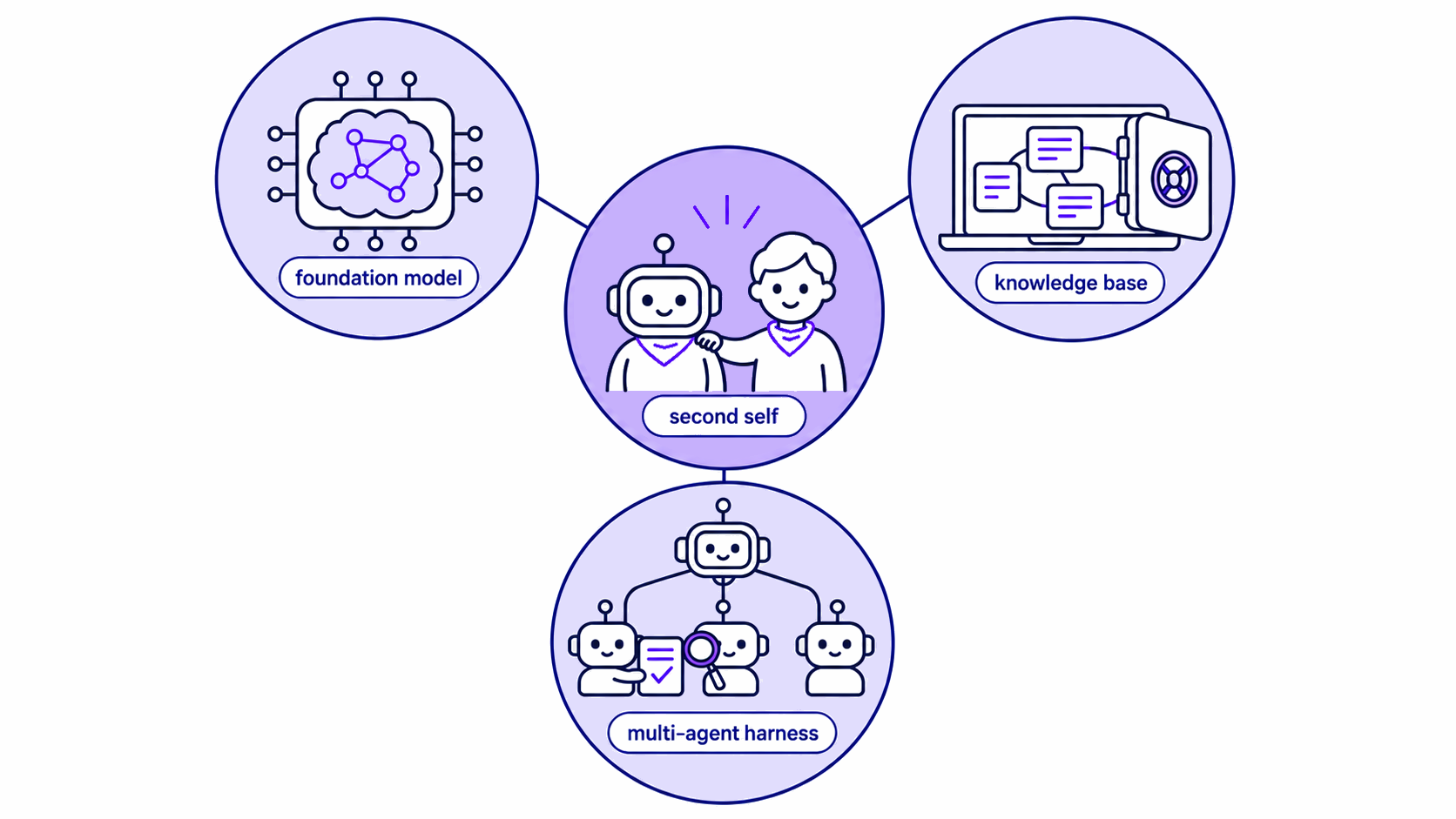
Second yourself. One agent that remembers you, with many hands to act for you: a multi-agent harness (Claude Code, with Codex helpers), a self-maintaining local wiki as its long-term memory, and the frontier model you choose. Research assistant today. Pre-1.0, in active development.
SecondSelf
Your AI may remember what you told it. Nothing makes sure it does it, and you end up repeating yourself and checking its work by hand. Everyone has the same models, so the mind you build sets you apart.
aiMyth (open-sourced as SecondSelf) is a framework to build a transparent, local mind of your own. It is one super agent that is yours, and the same mind sits behind every window you open. It brings your knowledge, your rules and a team of helpers into the AI tools you already use. Today it runs in Claude Code, and GPT models can join as helpers through the Codex CLI.
Why it is different
Memory tools help your AI remember. aiMyth makes sure it follows through. We believe it is the complement to today's harnesses, and a path towards the intelligence that comes next. A harness gives an agent hands, and aiMyth gives those hands a mind of your own.
- One mind behind every window. However many windows you open, with any agent in any tool, you always talk to the same mind. Ask any of them what you decided yesterday, and it knows.
- Tell it once. It improves itself by your rules, the way you would improve yourself. A correction you give today shapes every later job that needs it, including work handed to a helper.
- Your mind stays with you. Change your harness or your personal agent, and your knowledge, rules and lessons stay.
- Easy to start, in any harness. Clone it, run the set-up, open it in the tool you already use, and start talking. Each harness or personal agent you connect gains your mind.
- Every better model makes it stronger. The faster AI moves, the stronger your mind gets. Each better model, and each better Claude Code or Codex, is a free upgrade, and any part can be swapped for a better tool.
- Big jobs get done while you sleep. Hand over a long job, and a team of helpers works through it within your limits. A morning report then sorts every item by what it needs from you.
- You can see why. Every answer shows its sources and how far to trust them, and every rule keeps its reason.
- It makes you better, never replaces you. Every decision stays yours, and in research your ideas and your writing stay yours too.
Some of these describe where aiMyth is going. What runs today lists what works now and where to check it.
How to use it
aiMyth comes as a folder of rules and skills that you clone onto your own computer and open in an AI coding agent. You drop your sources into it, from papers and articles to web pages, and the agent compiles them into a wiki of linked notes in plain Markdown. You can then ask it questions and get answers that cite those notes, have it write cited documents, and hand it larger jobs. The agent you talk to calls itself aiMyth until you rename it.
aiMyth is a pre-release whose design changes often until v1.0.
Set up
This is a framework rather than a plugin. It needs an AI coding agent that reads CLAUDE.md and the skills in .claude/skills/, and today that agent is Claude Code or the Claudian plugin inside Obsidian. You need a computer that runs Obsidian, the agent and the command-line tools below. The reasoning happens in a cloud model, so there is no GPU to buy and no local model to host, and the running cost is API credits or plan quota.
Install Obsidian and the command-line tools. MarkItDown converts PDFs and Office documents to Markdown. PyYAML lets the agent's checks read the properties at the top of each note. markdown-it-py lets the compile step and the weekly audit read Markdown structure. Install
python3,curlandgit, then these packages.pip install 'markitdown[all]' pyyaml markdown-it-py==4.2.0Clone and initialise.
git clone https://github.com/HurricaHjz/SecondSelf.git
cd SecondSelf
bash setup.sh
Always run
setup.shonce before first use. It creates the wiki registries, applies the graph colour palette and locks the framework's core files against accidental edits (see Make it yours). It is safe to re-run at any time and never overwrites existing notes.Install Claude Code and sign in. On macOS, Linux or WSL, run the installer, then run
claudeonce and follow the browser prompts. Claude Code needs a Pro, Max, Ultra, Team, Enterprise or Console account, since the free plan does not include it. Its setup page gives the Windows commands.curl -fsSL https://claude.ai/install.sh | bash claudeOpen the cloned folder as a vault in Obsidian, then add the Claudian plugin: in Settings, open Community plugins, choose Browse, search for "Claudian", install it and enable it. Claudian is the only Obsidian plugin the framework requires. To work without Obsidian, run
claudefrom a terminal in the folder instead.Start talking to the agent. Open Claudian from its ribbon icon or the command palette, or run
claudein the folder.setup.shhas already made a small framework graph. Load the demo below or/ingestyour first source to add your own knowledge.
See it work
The bundled example in examples/seed/ runs from a source to cited notes to a report to a caught fault. After Set up, load it from your clone.
bash setup.sh --with-example
That adds one source and the notes compiled from it, for GPT, OpenAI, MMLU and the idea of a large language model. Open its source page, wiki/sources/example-gpt4-and-mmlu.md, and the frontmatter names the raw file and the confidence level.
type: source
confidence: high
sources: ["raw/2-papers/example-gpt4-and-mmlu.md"]
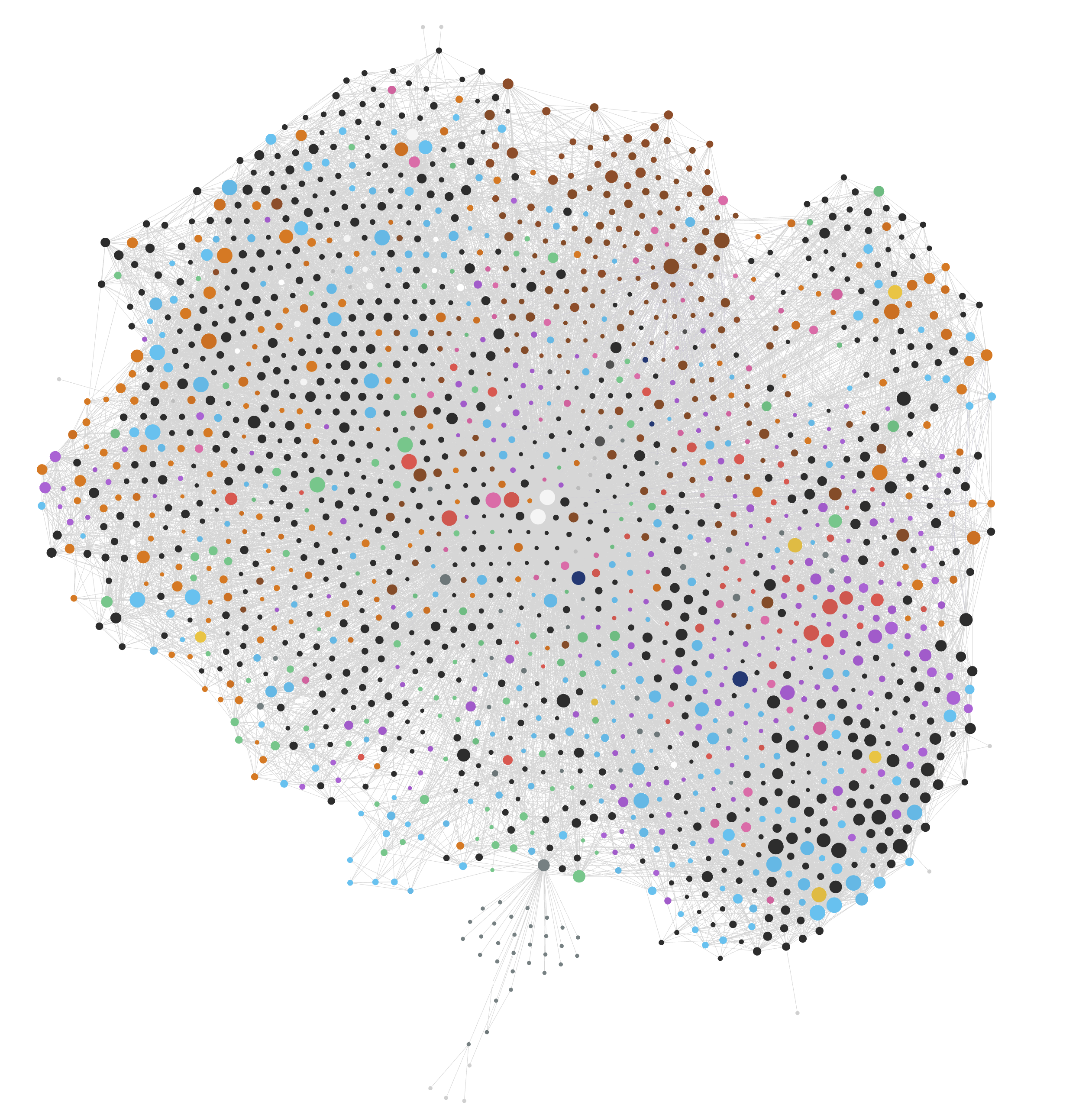
In Obsidian, open the graph view to see the notes and their links. Then ask the agent for an answer and a report.
/query what is GPT?
/output a one-page brief on GPT for a non-expert
The first answer is drawn from the demo wiki, with links to the notes behind it. The second writes a cited brief into output/.
Now make a fault on purpose. In wiki/models/GPT.md, change the [[MMLU]] under "Key Points" to [[MMLU2]] and run /lint. Its link check, python3 .claude/skills/lint/check-links.py, names the page and the link.
DEAD LINKS: 1
  wiki/models/GPT.md -> [[MMLU2]]
As a wiki grows, the graph view shows what your mind knows, in plain sight. Each point is a note, and each line a link.
Start your own
Run bash setup.sh --reset when you are ready to start your own knowledge base. It removes the demo and blanks the registries. After that, the examples/ folder is safe to delete.
What runs today
This is what runs now, and where to check each line.
| What runs | Where to check |
|---|---|
| The repository holds 15 skills, 9 agent definitions and 72 test files. | .claude/skills/, .claude/agents/ and git ls-files | grep -c '/test_' |
| Its history runs from v0.1 on 24 June 2026, and tagged releases start at v0.9.6. | git log --reverse and git tag |
You talk to one agent, which calls itself aiMyth until you rename it. Claude models lead the work, and codex-lane.py runs GPT helper agents through the Codex CLI. |
CUSTOMISATION.md, created on first set-up, and .claude/skills/delegate/ |
/ingest compiles sources from raw/ into linked Markdown notes in wiki/. Every source page names its raw file, and every page but the maps carries a confidence level. |
CLAUDE.md, section 4, and the example |
/query answers from the wiki with links to the pages it drew on, and /output writes a cited document into output/. |
The example |
| Each helper gets one job, a written brief and limits on what it may touch. Those limits are partly enforced, and the rest is written contract. | .claude/agents/ and .claude/skills/delegate/SKILL.md |
| Independent critic and verifier agents check the work. A check that reports nothing must first show that it can catch a known case, so a silent failure is not read as a clean result. | .claude/agents/critic.md, .claude/agents/verifier.md and CLAUDE.md, section 11 |
A long job can run as a hands-off run. You confirm one pre-flight table, and a morning report waits for you at the end. It needs the hands-off kit, which bash setup.sh --enable hands-off turns on. |
The Manual, "Hands-off long runs" |
| Reports and lists of items come back as a Handback, which sorts every item into Decide, Approve, Your to-dos, Undo if you disagree and Done. | CUSTOMISATION.md, created on first set-up |
bash setup.sh locks the core, and each new session opens with one core: line saying whether the core still matches its release. |
.claude/core-paths and .claude/hooks/core-check.py |
Your own working repositories stay outside the vault under the project skill, with one registry row each and snapshots that enter the wiki only when you ask. |
.claude/skills/project/ |
A feature that keeps making the same kind of decision can hold a short page of your rules and lessons in wiki/experience/, read at the step where it decides. |
The Manual, "Experience pages" |
Your knowledge, rules and lessons live in plain files on your own machine. The thinking happens in a cloud model, so what an agent reads for a job reaches that model's provider, and so do its rules and your preferences at the start of each session. The agent reads selectively, the catalogue first and then only the notes a task needs, instead of loading the whole wiki.
Usage
The Manual covers the commands, the capture → compile → ask → maintain workflow, and all the options in full, so this page does not repeat them. Sources live in raw/. Compiled notes live in wiki/, organised by type, with a generated index.md and log.md.
| Skill | Purpose |
|---|---|
ingest |
Compile sources from raw/ into linked notes. |
gather |
Capture a topic into raw/: search the web for it, or start from a page and the sources it cites. |
query |
Answer a question from the wiki, with citations. |
output |
Produce a grounded, cited document in output/. |
lint |
Check the wiki for broken links, orphans and gaps (cheap, frequent). |
deep-lint |
A heavier pass, roughly monthly and token-bounded: audit confidence levels, flag stale claims, and re-check a capped set of sources against their live online versions. |
attic |
Retire notes into cold storage, or restore them, always on your word. The agent may prepare an archive for your yes. |
project |
Manage your own working repositories (Overleaf LaTeX, code) from the vault on your instruction. Clones live outside the vault, the wiki keeps one registry row per repository, and content enters only as commit-pinned snapshots through raw/ when you ask. |
reflect |
Capture what a working session taught (insight, method lessons, defects) and file what you approve. In an attended session, a lesson an independent agent has checked can also go onto a feature's existing experience page, where you can undo it. Only on your explicit instruction. |
weekly-audit |
The weekly review's tools: a fresh-eyes audit of the week's framework changes and a waste report from the run records. The calendar's Weekly review runs them, or you can on request. Nothing runs on its own. |
adopt |
Assess a third-party skill or tool: fingerprint it, recommend a use level and report, then give an installation plan and record your decision. --retire retires the registry entry and preserves its history, and installed files remain. |
delegate |
The agent's own runbook for handing work to helpers: which helper, what it may write, how its findings get checked. You never call it. It shapes how larger jobs are run. |
qmd-search |
Optional local semantic search over the wiki through qmd, dormant unless installed. |
export-template |
Sync with the framework repository. --pull updates your copy from upstream, and --push is the maintainer's publish path. See the Manual. |
suggest |
Draft a change you would like in the framework's core as a suggestion. It shows exactly what it would share and leaves the filing to you. |
Optional extras
- GPT helper agents need an installed, authenticated Codex CLI. Select model and effort options your installation supports, and see the
delegateskill for how they are invoked. Without the Codex CLI the GPT helpers are simply off: a reviewing seat stays on the Claude side in a fresh context, and its report says the review was by the same model family. - We recommend kepano's obsidian-skills. The agent uses
obsidian-clifor vault access. Web capture usesdefuddleor MarkItDown according to the page. Failed captures can use Jina Reader when you authorise it. - The Obsidian Web Clipper browser extension saves web pages into
raw/in one click. You can also drop files inraw/or paste a URL to the agent. - The open-access resolver needs your own
OA_CONTACT_EMAILconfiguration. bash setup.sh --enableturns on an optional kit. It takeshands-off, for long unattended runs, andingest-check, which warns at the end of a turn when an ingest was left open and stale.- To back up your vault, create a private repository of your own and run
bash setup.sh --backup <its address>. It keeps a separate git folder outside your vault, adds your layer there, notes included, and pushes to your repository. It never commits to this clone, so updates keep working. Run the same command whenever you want a fresh backup. Keep that private repository separate from this public one, and do not point a git plugin such as Obsidian Git at this clone itself. A commit made here is a commit the release lacks, and an update refuses it. - Bring any other skill or tool through
/adoptfor an assessment, an installation plan and a record of your decision. The Manual covers the remaining optional tools.
Updating
An update moves the core to a newer release and never touches your layer. Preview first, then apply.
bash .claude/skills/export-template/export_template.sh --pull .
bash .claude/skills/export-template/export_template.sh --pull . --apply
The preview lists the files that would change. Applying is plain git, git merge --ff-only --no-overwrite-ignore onto the branch your copy follows, then bash setup.sh --lock. Where git refuses, its refusal stands. The throttle, throttle in CUSTOMISATION.md, rewrites the model: and effort: lines of the helper definitions, and a routing overlay is a classes.<name> override in .claude/routing.local.json. If your throttle is not auto, or a routing overlay changes a helper's model or effort, follow "Updating" in the Manual, which holds the steps.
Make it yours
Your copy holds two things. The core is how SecondSelf works: CLAUDE.md, MANUAL.md, setup.sh, the skills, the helper definitions and the hooks under .claude/, with the full list in .claude/core-paths. Your layer is everything that makes it yours: CUSTOMISATION.md, your wiki, your sources, your calendar, your own skills (kept in .claude/skills/my-<name>/) and your own routing choices (in .claude/routing.local.json). Lint's local list of what you have added is .claude/sanctioned.local.txt.
bash setup.sh locks the core's files so that a stray edit does not land, and the agent will not edit a core file itself. If you ask for a change there, it does the job in your layer where that can serve, or it drafts a suggestion with the suggest skill, shows you exactly what it would share, and leaves the filing to you. Each new session starts with one core: line saying whether the core still matches its release. If you do want to change the core yourself, bash setup.sh --unlock lets you, and that line then shows your change.
CUSTOMISATION.md, created on first set-up, personalises the agent. Its name, tone, output styles and task roles come as starter examples, and the file is open-ended, so add whatever standing preferences you want every session to follow. The note types are pre-tuned for AI and machine learning research, with models and benchmarks as primary types, and the framework adapts to your own field or workflow.
What the repository tracks
The repository holds the framework only: skills, rules, configuration, and a small demo. Your own notes stay on your machine. wiki/, raw/, output/, attic/ and your personal CUSTOMISATION.md are excluded by .gitignore, so they never enter this repository. To back them up, use bash setup.sh --backup <address>, which gives you a separate, private repository.
Get involved
We are looking for people and support to take this further: research collaborators, internships, compute, funding, and anyone who wants to build their own mind on aiMyth and tell us what breaks. To report a bug or suggest a change to the core, use the repository's issue forms.
Credits and licence
The wiki builds on Andrej Karpathy's LLM Wiki pattern, and capture uses kepano's obsidian-skills. Released under the MIT License (LICENSE).
How to cite
If SecondSelf helps your work, please cite it with the details in CITATION.cff. GitHub's "Cite this repository" button reads that file. This is a request, not a term of the licence.
Reviews (0)
Sign in to leave a review.
Leave a reviewNo results found