easyspec
Health Uyari
- License — License: MIT
- Description — Repository has a description
- Active repo — Last push 0 days ago
- Low visibility — Only 5 GitHub stars
Code Basarisiz
- exec() — Shell command execution in src/cli.mjs
- os.homedir — User home directory access in src/cli.mjs
- process.env — Environment variable access in src/cli.mjs
Permissions Gecti
- Permissions — No dangerous permissions requested
Bu listing icin henuz AI raporu yok.
Spec-driven development kit that orchestrates a team of AI agents (Copilot, OpenCode, Claude Code) through the full change lifecycle.
easyspec — Spec-Driven Development Kit for AI Coding Agents



One init command. A team of AI agents. Your entire software lifecycle — managed by specs, not chaos.
Supports GitHub Copilot, OpenCode, and Claude Code.
Built on the ideas of OpenSpec — the spec-driven development framework. Our spec format, agent delegation model, and change lifecycle are derived from OpenSpec's concepts. Thanks to the OpenSpec team.
Showcase
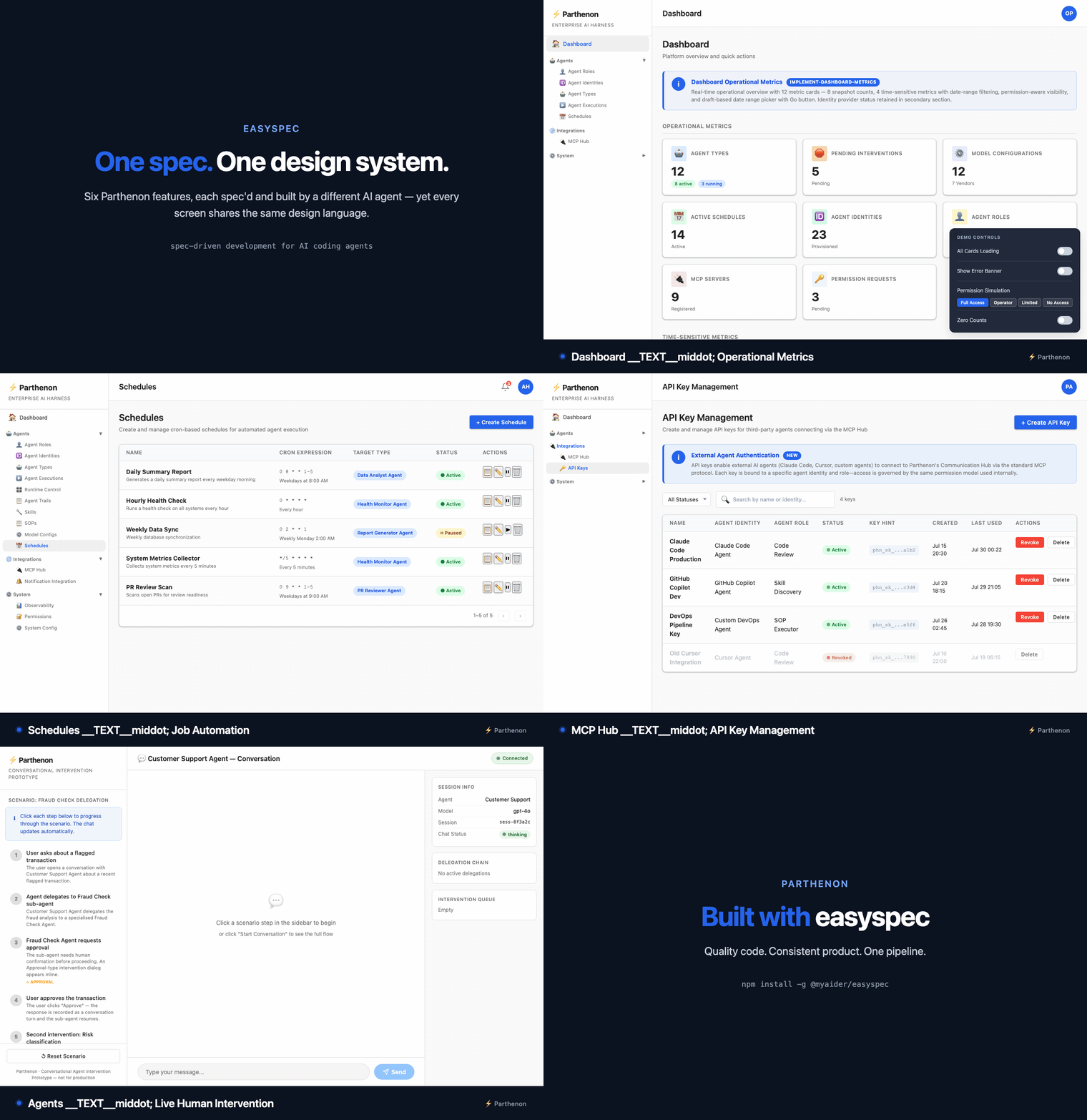
Parthenon — a self-hosted enterprise AI harness — was built with easyspec, feature by feature, through the propose → apply → update-master pipeline.
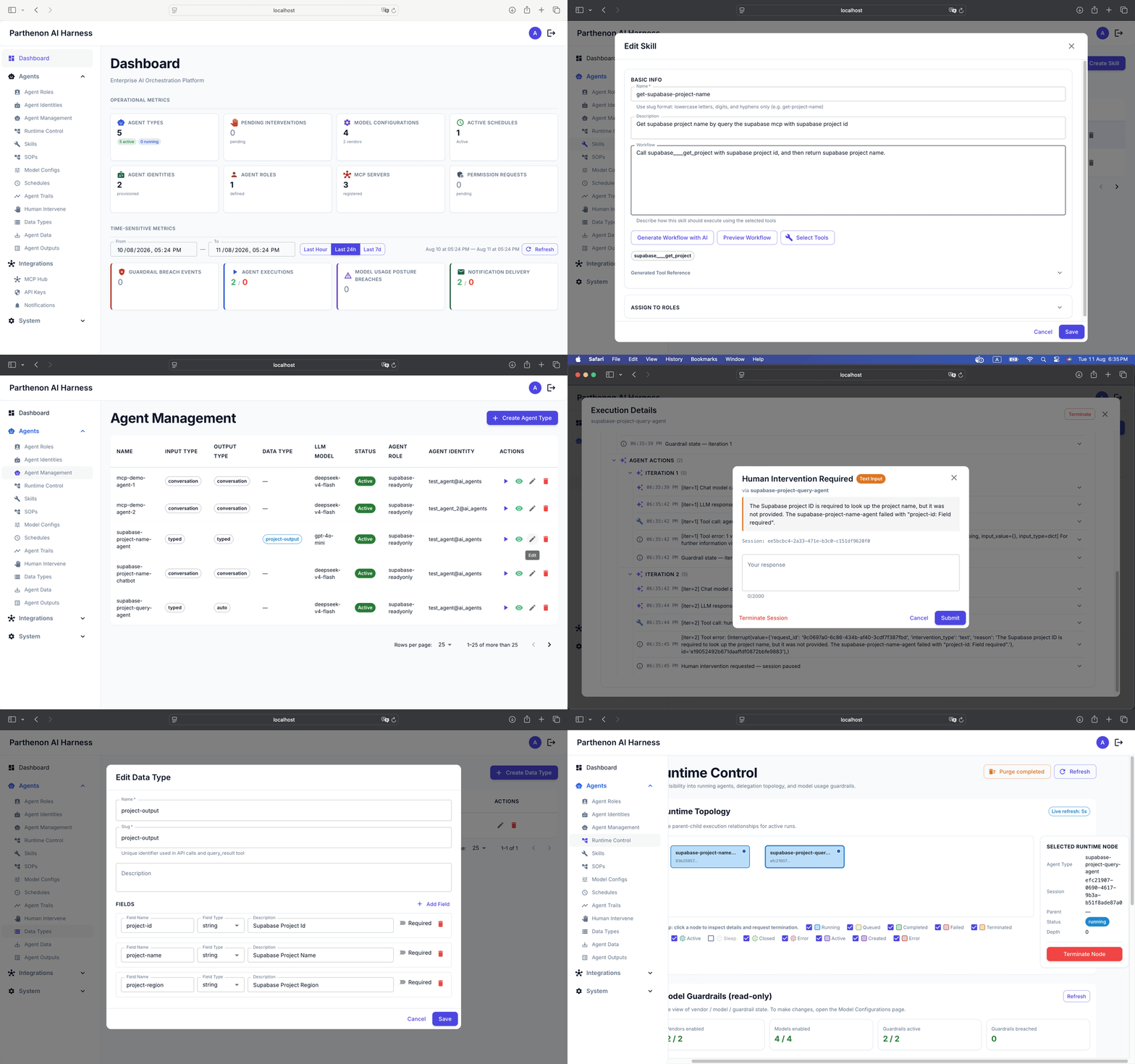
The same spec-driven pipeline that keeps the code clean also keeps the UI consistent. Each screen below was prototyped by the UX agent for a different feature, yet every one shares the same design language:
Install
Recommended — install globally:
npm install -g @myaider/easyspec
Try without installing:
npx @myaider/easyspec init
Usage
Init
easyspec init
Run interactively, the CLI asks three questions:
- Harness(es) — which coding agent(s) to install for (multi-select: Copilot, OpenCode, Claude Code).
- Scope — install into the current project, or globally into your user profile.
- Docs folder (project scope, fresh init only) — confirm the folder easyspec uses for its documentation. Default is
easyspec-docs; choose a different name if your project already has adocs/folder managed by another tool. The confirmed value is stored ineasyspec-config.yamlat the project root.
You can skip the prompts with flags:
| Option | Values | Default | Description |
|---|---|---|---|
--agent |
copilot, opencode, claude-code (comma-separated for multiple) |
interactive | Target coding agent(s) |
--scope |
project, global |
interactive | Install scope |
--workspace |
<path> |
cwd | Project folder for --scope project |
--force |
— | false | Overwrite existing files |
--dry-run |
— | false | Preview without writing |
--tech-model |
<name> |
auto |
Model for technical agents |
--non-tech-model |
<name> |
auto |
Model for non-technical agents |
--model-preset |
balanced, speed, quality |
— | Apply a preset model pair |
Models default to auto — no need to pick one.
Destination mapping
Project scope (--scope project):
| Agent | Commands/Prompts | Agents | Skills |
|---|---|---|---|
copilot |
<ws>/.github/prompts/*.prompt.md |
<ws>/.github/agents/*.md |
<ws>/.github/skills/<name>/SKILL.md |
opencode |
<ws>/.opencode/commands/*.md |
<ws>/.opencode/agents/*.md |
<ws>/.opencode/skills/<name>/SKILL.md |
claude-code |
<ws>/.claude/commands/*.md |
<ws>/.claude/agents/*.md |
<ws>/.claude/skills/<name>/SKILL.md |
Global scope (--scope global): installed under your user profile instead of <ws>/.
| Agent | Commands/Prompts | Agents | Skills |
|---|---|---|---|
copilot |
~/Library/Application Support/Code/User/prompts/ (macOS) or %APPDATA%\Code\User\prompts\ (Windows) |
~/.copilot/agents/ |
~/.copilot/skills/ |
opencode |
~/.config/opencode/commands/ |
~/.config/opencode/agents/ |
~/.config/opencode/skills/ |
claude-code |
~/.claude/commands/ |
~/.claude/agents/ |
~/.claude/skills/ |
Examples
# Interactive — multi-select harness(es) and scope
easyspec init

# Copilot in the current project
easyspec init --agent copilot --scope project

# Copilot and Claude Code in one run
easyspec init --agent copilot,claude-code --scope project

# OpenCode globally
easyspec init --agent opencode --scope global

# Claude Code with a model preset
easyspec init --agent claude-code --scope project --model-preset balanced

# Preview without writing
easyspec init --agent opencode --dry-run
What is installed
Commands: es-init, es-change-propose, es-change-apply, es-change-refinement, es-change-fix, es-master-review, es-change-update-master, es-quick-fix
Agents: es-product-owner, es-ux-specialist, es-architect, es-database-designer, es-developer, es-tester, es-document-reviewer
Skill: es-change-lifecycle
Root config & docs folder
On a project-scope init into a fresh workspace, easyspec scaffolds easyspec-config.yaml at the project root. It is the single authoritative configuration — every es- agent, prompt, and skill resolves paths from it. Key setting:
docs_folder: easyspec-docs # all easyspec content lives under <docs-folder>/master/ and <docs-folder>/changes/
The rest of the file carries project context (name, description, source locations, tech stack, conventions, domain knowledge) that agents read before starting any task. Update it by re-running /es-init in your agent.
Legacy layout: projects initialized with older easyspec versions used a hardcoded
docs/folder. These are not migrated automatically — run/es-initonce to re-init, confirm the docs folder, and generate master docs under the new configured folder. Existingdocs/content is never modified.
Ownership tagging & upgrades
Every file easyspec creates — the root config, generated master/change docs, and installed prompts, agents, and skills — embeds a machine-readable ownership tag:
<!-- easyspec:managed v1 -->
The tag powers safe upgrades. Each install records a manifest at .easyspec/manifest.json inside the installed tool directory (e.g. <ws>/.github/.easyspec/manifest.json). On a re-install, files that are retired from the new version (such as the old es-change-init command), listed in the previous manifest or matching a retired name, and verified to carry the ownership tag on disk are offered for deletion — one confirmation per file, with a keep option. Files without the tag are never deleted or overwritten, including user files that share a name with an easyspec artifact. --dry-run and non-interactive runs list candidates without deleting anything.
Acknowledgements
This project builds on OpenSpec — a spec-driven development framework. The spec format, agent delegation model, and change lifecycle are derived from OpenSpec's concepts. Thanks to the OpenSpec team for the foundational ideas.
License
MIT
Yorumlar (0)
Yorum birakmak icin giris yap.
Yorum birakSonuc bulunamadi