cc-hooks
Health Gecti
- License — License: MIT
- Description — Repository has a description
- Active repo — Last push 0 days ago
- Community trust — 19 GitHub stars
Code Gecti
- Code scan — Scanned 12 files during light audit, no dangerous patterns found
Permissions Gecti
- Permissions — No dangerous permissions requested
Bu listing icin henuz AI raporu yok.
Audio feedback plugin for Claude Code with TTS announcements, sound effects, and contextual AI messages. Supports multiple providers and languages.
cc-hooks




Give Claude Code a voice! Transform your coding experience with intelligent audio feedback,
multilingual TTS announcements, and AI-powered contextual messages.
Why cc-hooks?
Working with Claude Code is powerful, but it can feel silent and disconnected. cc-hooks brings
your coding sessions to life:
- 🎯 Stay in the flow - Audio cues keep you informed without breaking focus
- 🔊 Instant feedback - Know when tools start, complete, or when Claude needs your attention
- 🗣️ Smart announcements - Context-aware messages that understand what you're working on
- 🌍 Your language - TTS support for multiple languages (English, Indonesian, Spanish, and more)
- ⚡ Zero config - Works out of the box, customize when you need it
- 🎛️ Flexible control - From complete silence to premium AI voices, you choose
Quick Demo
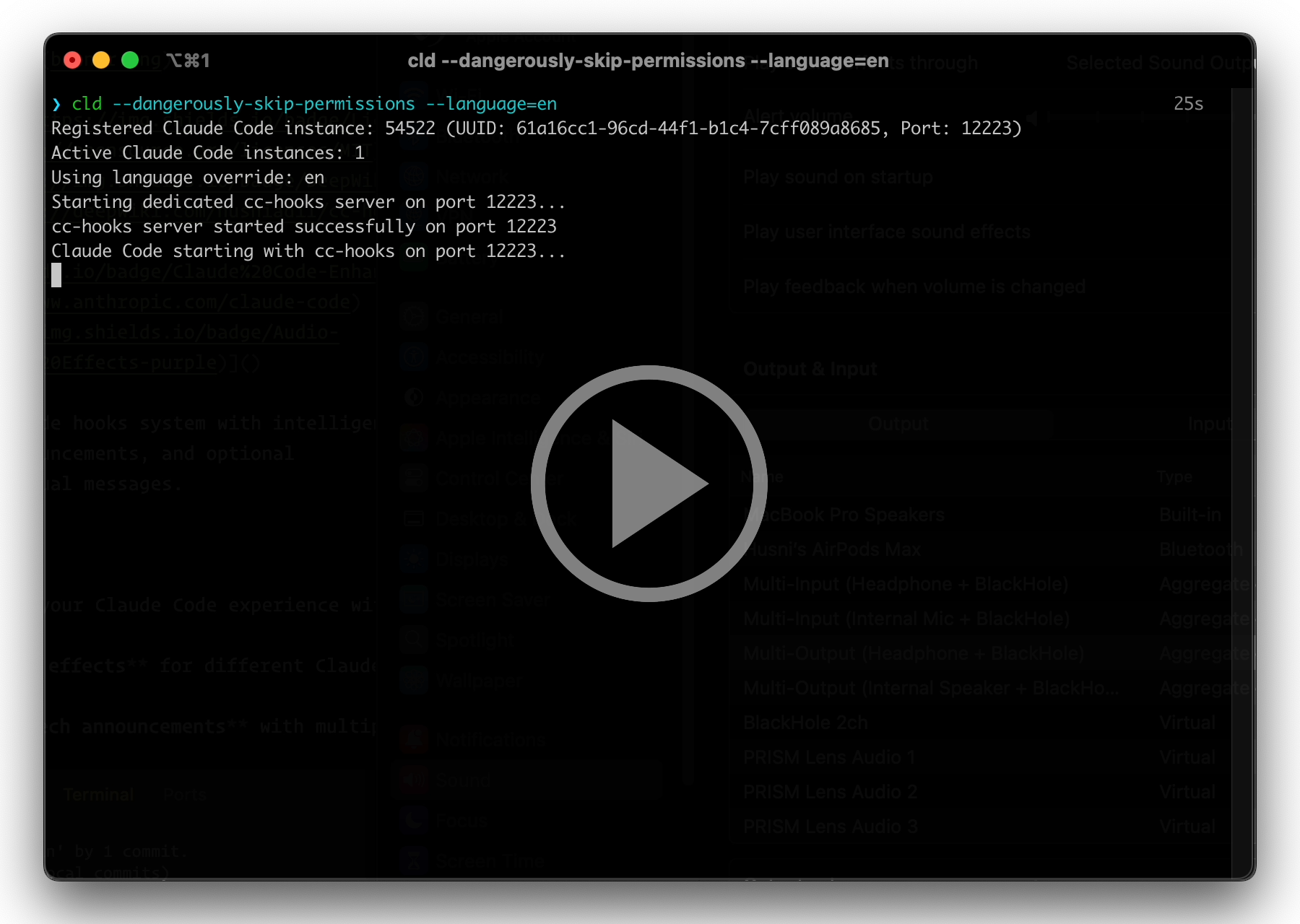
Watch cc-hooks in action with premium ElevenLabs text-to-speech
Features
🎵 Audio Feedback System
- Sound effects for different events (tool execution, notifications, completions)
- Voice announcements for session lifecycle and task completions
- Multiple TTS providers: Prerecorded sounds (offline), Google TTS (free), ElevenLabs (premium)
- Smart fallback chain - automatically tries next provider if one fails
🤖 AI-Powered Intelligence (Optional)
- Contextual completion messages - "I've successfully implemented the authentication system you
requested" - Smart tool announcements - Understands what Claude is doing and why
- Automatic translation - AI messages in your preferred language
- Cost optimized - Disabled by default, enable per session when needed
⚙️ Advanced Capabilities
- Multi-instance support - Run multiple Claude sessions with different audio configs
- Granular silent modes - Disable just announcements or just sound effects
- Per-session configuration - Change settings without editing config files
- Auto-cleanup - Smart session management prevents resource leaks
- Status line integration - See current session info in Claude Code UI
Installation
Choose Your Installation Mode
| Feature | Plugin Mode ⭐ Recommended | Standalone Mode |
|---|---|---|
| Setup Complexity | ✅ Simple (3 commands) | ⚠️ Manual hooks configuration |
| Updates | ✅ One command | ⚠️ Git pull + restart |
| Slash Commands | ✅ Built-in | ❌ Not available |
| Hooks Config | ✅ Automatic | ⚠️ Manual (settings.json) |
| Installation Path | Fixed location | ✅ User-defined |
| For Contributors | ⚠️ Limited | ✅ Full source access |
| Recommended for | Most users | Developers, testers |
→ Continue with Plugin Installation |
→ Standalone Installation
Plugin Installation (Recommended)
Prerequisites
- Python 3.12+ (recommended: 3.12.7)
- uv package manager
- Claude Code CLI installed
Quick Install
Option 1: CLI (Recommended - No REPL needed)
# Add marketplace
claude plugin marketplace add https://github.com/husniadil/cc-hooks.git

# Install plugin
claude plugin install cc-hooks-plugin@cc-hooks-plugin

# Done! Start Claude to use
claude
Option 2: Inside Claude REPL
# Start Claude first
claude

# Then in the REPL:
/plugin marketplace add https://github.com/husniadil/cc-hooks.git
/plugin install cc-hooks-plugin@cc-hooks-plugin

# Restart Claude Code
Start using! Audio feedback works immediately with default prerecorded sounds. 🎉
Post-Installation Setup (Recommended)
After installation, use the interactive setup wizard:
# Inside Claude REPL
/cc-hooks-plugin:setup
This wizard helps you:
- ✅ Check system requirements (uv installation)
- ✅ Set up convenient shell aliases (
cldcommand) - ✅ Configure status line
- ✅ Set up API keys for premium features
- ✅ Choose preset configurations
- ✅ Test your installation
Quick setup modes:
/cc-hooks-plugin:setup check    # Check requirements and config only
/cc-hooks-plugin:setup apikeys  # Focus on API key setup
/cc-hooks-plugin:setup test     # Run installation tests
Status Line Setup (Optional)
The plugin includes a status line feature that shows session info in Claude Code UI. This is not
configured automatically and requires manual setup in ~/.claude/settings.json:
{
  "$schema": "https://json.schemastore.org/claude-code-settings.json",
  // ...
  "statusLine": {
    "type": "command",
    "command": "uv run ~/.claude/plugins/marketplaces/cc-hooks-plugin/status-lines/status_line.py"
  }
}
Benefits:
- Shows current TTS provider, language, and AI mode
- Displays session info at a glance
- Real-time status updates
Usage
Quick Start
Automated Setup (Easiest):
# Inside Claude REPL
/cc-hooks-plugin:setup
Manual Setup:
Add shell alias to your .bashrc or .zshrc:
alias cld='~/.claude/plugins/marketplaces/cc-hooks-plugin/claude.sh'
Then reload: source ~/.bashrc or source ~/.zshrc
Usage Examples
# Default: prerecorded sounds (offline, no config needed)
cld

# Google TTS in Indonesian
cld --audio=gtts --language=id

# Premium ElevenLabs voice
cld --audio=elevenlabs

# With AI-powered contextual messages
cld --audio=gtts --ai=full --language=id

# Silent mode for meetings
cld --silent
Configuration
CLI Flags Reference
Audio Providers
cld --audio=prerecorded  # Offline sounds (default, no API key)
cld --audio=gtts         # Google TTS (free, requires internet)
cld --audio=elevenlabs   # Premium quality (requires API key)
| Provider | Quality | Cost | Requires Internet | API Key |
|---|---|---|---|---|
| prerecorded | Good | Free | ❌ No | ❌ No |
| gtts | Great | Free | ✅ Yes | ❌ No |
| elevenlabs | Premium | Paid | ✅ Yes | ✅ Yes |
Language
cld --audio=gtts --language=id  # Indonesian
cld --audio=gtts --language=es  # Spanish
cld --audio=gtts --language=fr  # French
Supports any Google TTS or ElevenLabs language: en, id, es, fr, de, ja, and many more!
AI Features
cld --ai=basic  # Contextual completion messages only
cld --ai=full   # Completion + intelligent tool announcements
Requires: OpenRouter API key (export OPENROUTER_API_KEY=your_key)
What you get:
- "I've successfully implemented the authentication system you requested"
- "Running tests to validate the changes we just made"
- Messages automatically translated to your language
Cost: Very affordable (~$0.15 per 1M tokens)
Silent Modes
cld --silent                    # Complete silence
cld --silent=announcements      # No TTS, keep sound effects
cld --silent=sound-effects      # No sound effects, keep TTS
Advanced Flags
--elevenlabs-voice-id=ID        # Custom ElevenLabs voice
--elevenlabs-model=MODEL        # ElevenLabs model (default: eleven_flash_v2_5)
--openrouter-model=MODEL        # AI model (default: openai/gpt-4o-mini)
--no-cache                      # Disable TTS caching (for testing)
API Keys Setup
For ElevenLabs or AI features, set API keys as environment variables:
# Add to your .bashrc or .zshrc
export ELEVENLABS_API_KEY=your_key_here
export OPENROUTER_API_KEY=your_key_here
Get your keys:
- ElevenLabs:
elevenlabs.io/app/developers/api-keys - OpenRouter: openrouter.ai/keys (free credits available)
Configuration File (Recommended)
Set your defaults once - no need to use CLI flags every time!
Location: ~/.claude/.cc-hooks/config.yaml
Why use it?
- ✅ For Zed/Editors: Only way to customize (editors can't pass CLI flags)
- ✅ For Terminal: Set once, run
claudeorcld- your preferences auto-apply - ✅ Still flexible: CLI flags override config when needed
Create config file:
# Inside Claude REPL
/cc-hooks-plugin:setup

# Or manually create with defaults
uv run ~/.claude/plugins/marketplaces/cc-hooks-plugin/utils/config_loader.py --create-example

# Edit to your preferences
nano ~/.claude/.cc-hooks/config.yaml
Example config (Indonesian with Google TTS):
audio:
  providers: gtts,prerecorded
  language: id
  cache_enabled: true

openrouter:
  enabled: false
Example config (Premium with AI):
audio:
  providers: elevenlabs,gtts,prerecorded
  language: en
  cache_enabled: true

elevenlabs:
  voice_id: 21m00Tcm4TlvDq8ikWAM
  model_id: eleven_flash_v2_5

openrouter:
  enabled: true
  model: openai/gpt-4o-mini
  contextual_stop: true
Priority: CLI flags > Environment variables > Config file > Defaults
This means:
- Config file provides defaults for all sessions
- Run
cld --language=esto override for one session - Perfect for both Zed and terminal users!
Example Configurations
# Work setup: Indonesian TTS with Google
cld --audio=gtts --language=id

# Premium experience: ElevenLabs + AI features
cld --audio=elevenlabs --ai=full

# Meeting mode: Sound effects only
cld --silent=announcements

# Testing: Premium voice without cache
cld --audio=elevenlabs --no-cache

# Multi-session workflow
# Terminal 1: Work project
cd ~/work-project
cld --audio=gtts --language=id

# Terminal 2: Side project with premium
cd ~/side-project
cld --audio=elevenlabs --ai=full

# Terminal 3: Silent for meetings
cd ~/meeting-notes
cld --silent
Audio Event Mapping
| Event | Sound Effect | TTS Announcement |
|---|---|---|
| SessionStart | - | ✅ Always |
| SessionEnd | - | ✅ Always |
| PreToolUse | tek.mp3 | ✅ With AI=full |
| PostToolUse | cetek.mp3 | - |
| UserPromptSubmit | klek.mp3 | - |
| Notification | tung.mp3 | - |
| Stop | - | ✅ Always (contextual with AI) |
| SubagentStop | cetek.mp3 | - |
| PreCompact | - | ✅ Always |
Notes:
- Sound effects play regardless of
--audioflag (unless--silentor--silent=sound-effects) - TTS announcements use the configured provider (
--audio=prerecorded|gtts|elevenlabs) - PreToolUse only announces with
--ai=full(contextual tool messages) - Stop always announces, but uses AI contextual messages when
--ai=basicor--ai=fullis enabled
Updating cc-hooks
Check for Updates
Inside Claude REPL:
/cc-hooks-plugin:update
Or via CLI:
claude plugin marketplace update cc-hooks-plugin
The update command will:
- Detect your installation mode automatically
- Check for available updates
- Show current vs latest version
- Install updates with your confirmation
- Remind you to restart Claude Code
Alternative methods:
# CLI (outside Claude REPL)
claude plugin marketplace update cc-hooks-plugin

# Inside Claude REPL
/plugin update cc-hooks-plugin@cc-hooks-plugin
Important: Restart Claude Code session after updating.
Troubleshooting
Quick Diagnostics
Run /cc-hooks-plugin:setup check to verify your configuration.
Plugin Hook Metadata Error?
Error message:
⎿  SessionStart:startup says: Plugin hook error: Reading inline script metadata from `~/.claude/plugins/marketplaces/cc-hooks-plugin//hooks.py`
   Installed 28 packages in 115ms
Cause: This typically occurs when Claude CLI is being auto-updated by Anthropic in the
background.
Solution: Simply restart your Claude session. The error should disappear after the update
completes.
cc-hooks not starting with --dangerously-skip-permissions in new folders?
Symptom: When running Claude Code with --dangerously-skip-permissions flag in a new/untrusted
folder, cc-hooks server doesn't start and hooks don't execute.
Cause: Claude Code shows a trust prompt for new folders that requires explicit user approval:
 Do you trust the files in this folder?
 /path/to/your/folder
 ❯ 1. Yes, proceed
   2. No, exit
When using --dangerously-skip-permissions, this prompt doesn't appear but hooks also fail to
execute. This appears to be a limitation in how Claude Code handles the trust flow with this flag.
Solution: Run Claude Code without the flag first to accept the trust prompt:
# First run: accept trust prompt (without skip-permissions flag)
cld  # or: claude

# Select "Yes, proceed" when prompted

# Exit Claude Code

# Subsequent runs: flag works normally
cld --dangerously-skip-permissions  # Now hooks will work
Why this works: Once the folder is trusted, the approval is cached. Future sessions (even with--dangerously-skip-permissions) will execute hooks normally.
Note: It's unclear whether this is a Claude Code bug or expected behavior. The flag is meant to
skip permission prompts, but doesn't seem to handle the initial folder trust flow.
No audio at all?
- Check system audio is working
- Verify plugin is installed:
/plugin - Run setup wizard:
/cc-hooks-plugin:setup test - Check logs:
tail -f ~/.claude/.cc-hooks/logs/*.log - Test manually:
uv run ~/.claude/plugins/marketplaces/cc-hooks-plugin/utils/sound_player.py
Google TTS not working?
- Check internet connection
- Test:
uv run ~/.claude/plugins/marketplaces/cc-hooks-plugin/utils/tts_announcer.py --provider gtts SessionStart
ElevenLabs not working?
- Verify API key:
printenv ELEVENLABS_API_KEY - Check quota at elevenlabs.io
- Test:
uv run ~/.claude/plugins/marketplaces/cc-hooks-plugin/utils/tts_announcer.py --provider elevenlabs SessionStart
AI contextual messages not working?
- Verify API key:
printenv OPENROUTER_API_KEY - Use
--ai=basicor--ai=fullflag when starting - Check OpenRouter API quota at openrouter.ai
Database Issues
Check database exists:
ls -la ~/.claude/.cc-hooks/events.db
View recent events:
sqlite3 ~/.claude/.cc-hooks/events.db "SELECT id, hook_event_name, status FROM events ORDER BY created_at DESC LIMIT 10;"
Data Storage
The plugin uses a shared data directory for persistence:
~/.claude/.cc-hooks/
├── events.db          # Event queue database
├── logs/              # Per-session logs
│   └── {pid}.log
└── .tts_cache/        # Cached TTS audio (if enabled)
Why shared? This directory persists across plugin updates, allowing seamless upgrades without
losing data.
FAQ
Q: Do I need API keys to use cc-hooks?
No! Default mode uses prerecorded sounds and works completely offline with no API keys required.
Q: Which TTS provider should I use?
- Prerecorded: Fastest, offline, no costs (great for starting)
- Google TTS: Free, good quality, requires internet
- ElevenLabs: Premium quality, costs money, best voices
Q: Can I use my own voice with ElevenLabs?
Yes! Upload your voice at elevenlabs.io/app/voice-lab, then
use --elevenlabs-voice-id=your_voice_id
Q: How much do AI features cost?
OpenRouter has free credits to start. After that, costs vary by model. Use --ai=basic for minimal
costs (only completion messages). The default model is very cheap (~$0.15 per 1M tokens).
Q: Can I run multiple Claude sessions with different audio settings?
Yes! Each session is independent. Run cld --audio=gtts in one terminal and cld --silent in
another.
Q: Does cc-hooks slow down Claude Code?
No! cc-hooks uses a "fire-and-forget" pattern - hooks return immediately. Audio processing happens
in the background without blocking Claude.
Q: What languages are supported?
Any language supported by Google TTS or ElevenLabs. Common ones: English (en), Indonesian (id),
Spanish (es), French (fr), German (de), Japanese (ja), etc.
Q: Can I disable just the voice but keep sound effects?
Yes! Use --silent=announcements to disable TTS while keeping sound effects.
Q: How do I migrate from standalone mode?
See MIGRATION.md for a comprehensive step-by-step guide.
Q: Can I use cc-hooks in CI/CD?
Yes, use --silent mode to disable all audio in automated environments.
Q: Where are audio files cached?
TTS cache is in ~/.claude/.cc-hooks/.tts_cache/ directory. Delete it withrm -rf ~/.claude/.cc-hooks/.tts_cache to regenerate all audio.
Q: How do I contribute?
Pull requests welcome! For development, use Standalone Mode. See
CLAUDE.md for development guide.
Advanced Usage
Custom ElevenLabs Voice
- Upload voice at elevenlabs.io/app/voice-lab
- Get voice ID
- Use with flag:
cld --audio=elevenlabs --elevenlabs-voice-id=your_voice_id
Custom AI Model
Use different AI models for contextual messages:
cld --ai=full --openrouter-model=google/gemini-2.5-flash-lite  # Faster, cheaper
cld --ai=full --openrouter-model=anthropic/claude-3-haiku      # Better quality
Multi-Instance Support
Run multiple Claude sessions with different configurations simultaneously:
# Terminal 1: Work project with Indonesian TTS
cld --audio=gtts --language=id

# Terminal 2: Side project with premium voice + AI
cld --audio=elevenlabs --ai=full

# Terminal 3: Meeting mode (silent)
cld --silent

# Terminal 4: Testing with prerecorded only
cld --audio=prerecorded
Each session runs independently with its own server and configuration!
Slash Commands Reference
cc-hooks provides convenient slash commands for management:
Setup Command
Configure and test your installation:
/cc-hooks-plugin:setup           # Interactive setup wizard
/cc-hooks-plugin:setup check     # Check system requirements
/cc-hooks-plugin:setup apikeys   # Configure API keys
/cc-hooks-plugin:setup test      # Test installation
Update Command
Keep cc-hooks up to date:
/cc-hooks-plugin:update # Check and install updates
Migrating from Standalone
If you previously used standalone installation, see MIGRATION.md for a comprehensive
migration guide.
Quick summary:
- Remove hooks from
~/.claude/settings.json - Install plugin via
claude plugin install cc-hooks-plugin@cc-hooks-plugin - Update shell alias to point to plugin path
- Export API keys to shell environment (if using)
- Test with
/cc-hooks-plugin:setup check
Your data in ~/.claude/.cc-hooks/ is automatically preserved!
Support
- Issues: GitHub Issues
- Documentation: Main README (this file) | Standalone |
Migration - Development: CLAUDE.md for technical details
- Updates: Use
/cc-hooks-plugin:updateinside Claude REPL
Credits
- Sound effects: Generated using ElevenLabs voice synthesis
- TTS: Google TTS, ElevenLabs
- AI: OpenRouter
License
MIT - see LICENSE for details.
Made with ❤️ for the Claude Code community
Enjoy your enhanced coding experience! 🎉
Yorumlar (0)
Yorum birakmak icin giris yap.
Yorum birakSonuc bulunamadi