gam-skills
Health Uyari
- License — License: MIT
- Description — Repository has a description
- Active repo — Last push 0 days ago
- Low visibility — Only 8 GitHub stars
Code Gecti
- Code scan — Scanned 2 files during light audit, no dangerous patterns found
Permissions Gecti
- Permissions — No dangerous permissions requested
Bu listing icin henuz AI raporu yok.
Agent skills for game animation assets: write prompts, guide GAM workflows, control the desktop app, and export frames, offsets & audio to Godot 4.
Game Assets Maker Skills
让 Agent 带你制作游戏动画素材。
From idea to Godot, with your agent.


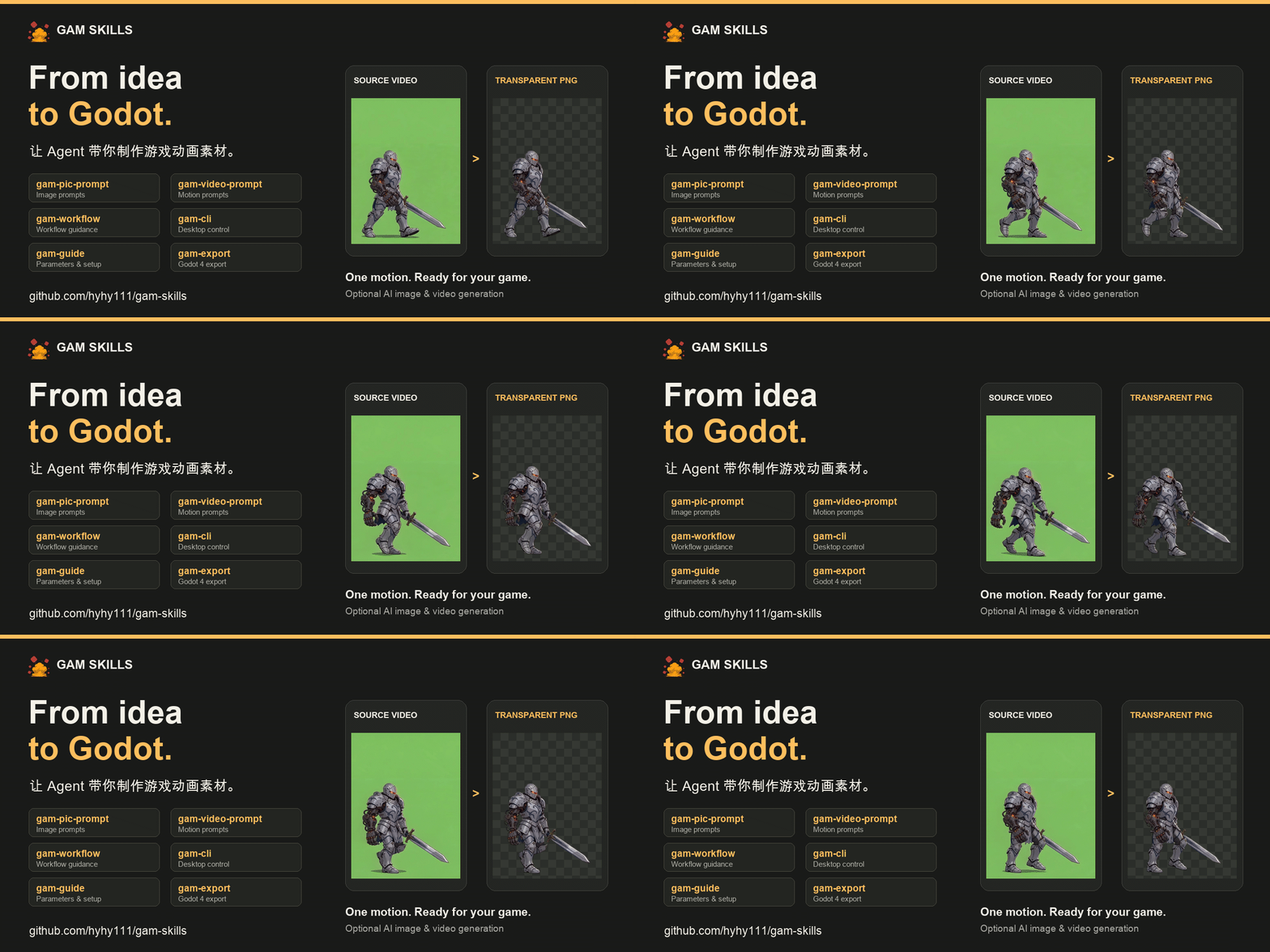
真实素材处理前后对比,10 FPS 同步循环。 / Actual source and processed frames, looping in sync at 10 FPS.
中文
六个可组合的 Agent Skills,覆盖角色提示词 → 动作提示词 → GAM 客户端处理 → Godot 4 导入。可以从创意开始,也可以直接接着已有角色图、视频或 PNG 帧序列继续制作。
Skills 提供指导、客户端操作与导出脚本;抽帧、去背景、对齐和裁剪由 GAM 桌面应用 完成。本地处理无需登录或积分,在线 AI 生成按所选服务计费。
安装 · 选择 Skill · 对话示例 · 使用前提 · 维护
一分钟安装
安装工具需要 Node.js/npm。选择你的 Agent,安装全部六个 Skills:
# Codex
npx skills add hyhy111/gam-skills -g -a codex --skill "*"

# Claude Code
npx skills add hyhy111/gam-skills -g -a claude-code --skill "*"

# 自动检测并选择其他 Agent
npx skills add hyhy111/gam-skills -g --skill "*"
Cursor、OpenCode、Gemini CLI、GitHub Copilot、Cline 等 Agent 的安装选项见 Skills CLI 支持列表。只写提示词可以直接开始;需要操作客户端时,先安装并打开 GAM。
六个 Skills,怎么选
| 你想做什么 | 使用哪个 Skill | 会得到什么 |
|---|---|---|
| 把角色想法写清楚 | gam-pic-prompt |
明确主体、视角、画风与绿底要求的图片提示词。 |
| 让角色待机、行走、攻击 | gam-video-prompt |
继承角色首帧、描述动作与终态的视频提示词。 |
| 从当前素材一路做下去 | gam-workflow |
制作步骤、结果检查、调参建议与下一步交接。 |
| 看不懂参数或配置 | gam-guide |
功能说明、处理参数、账号 / Key 与本地数据指引。 |
| 让 Agent 操作 GAM | gam-cli |
填写草稿、打开页面、查询任务、执行本地处理与裁剪。 |
| 把最终素材放进 Godot | gam-export |
PNG、逐帧偏移和音效对应的 Godot 4 资源与预览场景。 |
不确定从哪里开始时,直接使用 gam-workflow,说明已有素材与想做的动作。
直接复制开工
只有角色想法:
用 gam-pic-prompt,帮我写一个用于侧视游戏的机械骑士图片提示词。手绘卡通风格,单侧机械臂,全身站立,亮绿色背景。
已有角色图:
用 gam-video-prompt,根据这张角色图写一个原地行走的循环动作提示词。保持角色朝向、装备和画风。
已有视频:
用 gam-workflow,把我提供的这段绿底视频处理成透明游戏动画帧。先检查素材,再带我完成抽帧、去背景、对齐和裁剪。
准备 Godot 导入:
用 gam-export,把我提供的裁剪结果目录导入指定的 Godot 4 项目。保留逐帧偏移和已有音效时间线,生成预览场景。
实际使用时提供对应的图片、视频、素材目录或 Godot 项目路径。需要填写客户端草稿时可以继续说“把提示词和参考图填入 GAM 草稿,我检查后手动发送”。
从素材到 Godot
| 起点 | 接下来的路径 |
|---|---|
| 只有创意 | gam-pic-prompt → 角色图 → gam-video-prompt → 动作视频。 |
| 已有视频 / GAM 项目 | gam-workflow + gam-cli → 抽帧、去背景、挖孔对齐 → 裁剪。 |
| 已有 PNG 帧序列 | gam-export → Godot 4 动画配置与预览场景。 |
裁剪结果可包含 PNG、_frame_data.json 和 _audio_timeline.json。导入时保留偏移与音频文件,避免逐帧紧致裁剪后出现抖动或丢失音效。普通统一画布 PNG 序列也可导入;缺少 FPS 信息时先确定播放速度。
Godot 输出包括 Resources/Animations/<prefix>/ 下的动画配置、Scenes/Animator/<prefix>.tscn 预览场景,以及配套播放脚本。详见 gam-export。
使用前提与常见问题
| 场景 | 需要准备什么 |
|---|---|
| 提示词与操作指导 | 安装 Skills 的 Agent;只写提示词不要求启动 GAM。 |
| 客户端操作与本地处理 | 安装并打开 GAM,允许 Agent 访问本地文件和执行命令;首次去背景按应用提示下载模型。 |
| Godot 4 导入 | Python 3.10+、素材目录与 Godot 4 项目。导出脚本只依赖 Python 标准库,Agent 可先检查环境。 |
| 在线 AI 生成 | 在 GAM 配置 ForFuner AI 账号或自定义 Key;填写草稿与提交生成分开,生成前检查当前费用。 |
- 本地素材背景:当前 GAM 去背流程针对均匀、纯色亮绿背景优化;非绿底效果需要检查,主体中的近似绿色也可能被移除。
- CLI 入口:安装版 GAM 启动后注册 macOS 的
~/.gam/gam-agent,或 Windows 的%USERPROFILE%\.gam\gam-agent.cmd。设置GAM_DATA_ROOT时使用该目录;Agent 应核对 CLI 与应用的数据目录一致。 - 付费生成:准备提示词或填写草稿不会自动创建生成任务。直接提交需遵循客户端开关和当前对话授权;查询任务、本地处理与 Godot 导出不依赖这个生成开关。
- 遇到问题:客户端安装与处理问题见 GAM 使用说明;Skill 指导、CLI 衔接和导出脚本问题请提交 Issue,附 Skill 名、Agent、应用版本、系统与脱敏错误信息。
English
Six composable agent skills for character prompts → motion prompts → GAM desktop processing → Godot 4 import. Start from an idea, a character image, a video, or an existing PNG animation sequence.
Skills provide guidance, client operations, and an export script. The GAM desktop app performs frame extraction, background removal, alignment, and trimming. Local processing requires no login or credits; online AI generation is billed by the selected service.
Install
The installer requires Node.js/npm. Choose the command for your agent to install all six skills:
# Codex
npx skills add hyhy111/gam-skills -g -a codex --skill "*"

# Claude Code
npx skills add hyhy111/gam-skills -g -a claude-code --skill "*"

# Detect and choose another agent
npx skills add hyhy111/gam-skills -g --skill "*"
See the Skills CLI supported agents for Cursor, OpenCode, Gemini CLI, GitHub Copilot, Cline, and others. Install and open GAM before client operations.
Choose a skill
| Skill | Use it for |
|---|---|
gam-pic-prompt |
Character image prompts with a clear viewpoint, style, and green background. |
gam-video-prompt |
Idle, walk, attack, and other motion prompts based on a character frame. |
gam-workflow |
Step-by-step production, result inspection, adjustments, and handoff. |
gam-guide |
Features, processing parameters, account / key setup, and data locations. |
gam-cli |
Draft editing, navigation, task queries, local processing, and trimming. |
gam-export |
Importing PNG frames, trim offsets, and audio into Godot 4 resources and a preview scene. |
Start with gam-workflow if you are unsure which skill to use.
Try it
Use gam-pic-prompt to write an image prompt for a side-view mechanical knight with one robotic arm. Hand-drawn cartoon style, full-body standing pose, bright green background.
Use gam-workflow to turn my green-background video into transparent animation frames. Inspect it first, then guide extraction, background removal, alignment, and trimming.
Use gam-export to import my trimmed animation directory into my Godot 4 project. Preserve frame offsets and the existing audio timeline, and create a preview scene.
Provide the actual reference image, video, asset directory, or Godot project path. To prepare a generation draft, ask the agent to fill it in GAM, review it, and send it manually.
Requirements and output
- Prompts: an agent with the skills installed; GAM does not need to be running just to write a prompt.
- Client operations: an installed, running GAM app and permission for local commands / file access. Download the background-removal model when the app prompts. The current workflow is optimized for a uniform bright green background.
- Godot export: Python 3.10+ using only its standard library, an asset directory, and a Godot 4 project. The agent can check the Python environment first. Plain PNG sequences work too; retain
_frame_data.json,_audio_timeline.json, and audio files when present. - AI generation: use the account or custom key configured in GAM. Preparing a draft does not submit a generation task; direct submission follows the app switch and conversation authorization.
Stable CLI entries are ~/.gam/gam-agent on macOS and %USERPROFILE%\.gam\gam-agent.cmd on Windows after launching the installed app. GAM_DATA_ROOT overrides the directory. Keep the client and CLI data roots consistent.
Godot output includes animation configs in Resources/Animations/<prefix>/, a Scenes/Animator/<prefix>.tscn preview scene, and playback support scripts. See gam-export for details.
For app installation and processing, see the GAM guide. For skill or exporter issues, open an issue with your skill, agent, app version, OS, and redacted error details.
开发与维护 / Development and maintenance
本仓库独立维护,也作为客户端的 .agents/skills 子模块使用。目录中直接包含六个 gam-* Skill,其脚本、参考资料与 Godot 资源随 Skill 一起分发。
This repository is maintained independently and checked out at the client's .agents/skills submodule path. Supporting scripts, references, and Godot assets ship with their skills.
# Clone the client with Skills / 克隆客户端并获取 Skills
git clone --recurse-submodules https://github.com/hyhy111/game-assets-maker.git

# Initialize the recorded revision / 初始化主仓库记录的版本
git submodule update --init -- .agents/skills

# Validate changes to Godot export / 修改导出行为后的检查
python3 gam-export/tests/test_generate.py
最后一条命令从 Skills 仓库根目录运行。修改前阅读 AGENTS.md 及相关 Skill。先在子仓库验证、提交并推送所需内容,再回到客户端更新子模块指针;两个仓库分别提交。已有改动需保留,其他本地 Skills 保持忽略,不使用 git add . 混入无关文件。
Run the export check from the Skills repository root. Read AGENTS.md and the relevant skill before editing. Validate, commit, and push Skills separately before updating the client's submodule pointer. Preserve pending changes and keep unrelated local skills ignored; stage explicit paths.
MIT © ForFuner
Yorumlar (0)
Yorum birakmak icin giris yap.
Yorum birakSonuc bulunamadi